Charango Chillador Tuner
다운로드: App Store

이 페이지는 앱이나 개발자의 공식 페이지가 아니며, 정보 제공 및 논평을 목적으로 작성된 독립 편집 간행물입니다. 명시적으로 달리 언급되지 않는 한, 해당 앱이나 개발자는 MWM, Apple, Google Play, 앱 퍼블리셔 또는 앱 개발자와 제휴, 보증, 후원, 승인 또는 공식적으로 연결되어 있지 않으며, 이 페이지의 어떤 내용도 해당 앱이 MWM의 서비스를 사용하여 개발되었음을 의미하지 않습니다. 모든 상표, 로고, 스크린샷 및 기타 콘텐츠는 해당 소유자의 자산입니다.

로고: Charango Chillador Tuner
다운로드: App Store

Charango Chillador Tuner

Charango 계열의 독특한 주파수에 맞춰 전문가 수준으로 제작되었습니다. 숙련된 음악가를 위해 설계된 하나의 직관적인 앱에서 안정적인 튜닝, 노이즈 필터링, 프로페셔널 메트로놈을 경험하세요.

주요 수치

다운로드

14K+

사용자 평점

4.7/5

총 평가 수

0

개발사

Hsing-Fu Hsueh

카테고리

Music

지원 언어

7

최신 버전

1.1

크기

105.7 MB

출시일

2018년 11월 28일
기능

Charango 계열을 위한 정밀 제작

안데스 현악기의 독특한 공명과 전통에 맞춰 특별히 설계된 프로페셔널 수준의 튜닝 및 리듬 도구를 경험하세요.

초안정 피치 감지

고급 노이즈 필터링을 통해 시끄러운 연습 환경에서도 Charango, Walaycho, Ronroco를 위한 즉각적이고 견고한 튜닝을 제공합니다.

프로페셔널 교정

조절 가능한 A4 주파수(428Hz–452Hz)로 문화적 전통을 존중하여 역사적인 녹음 및 민속 앙상블과 완벽하게 일치시킵니다.

다음 스크린샷과 설명은 앱의 공식 스토어 목록에서 직접 가져온 것이며 앱 개발자의 자산입니다.

앱 스토어

스크린샷
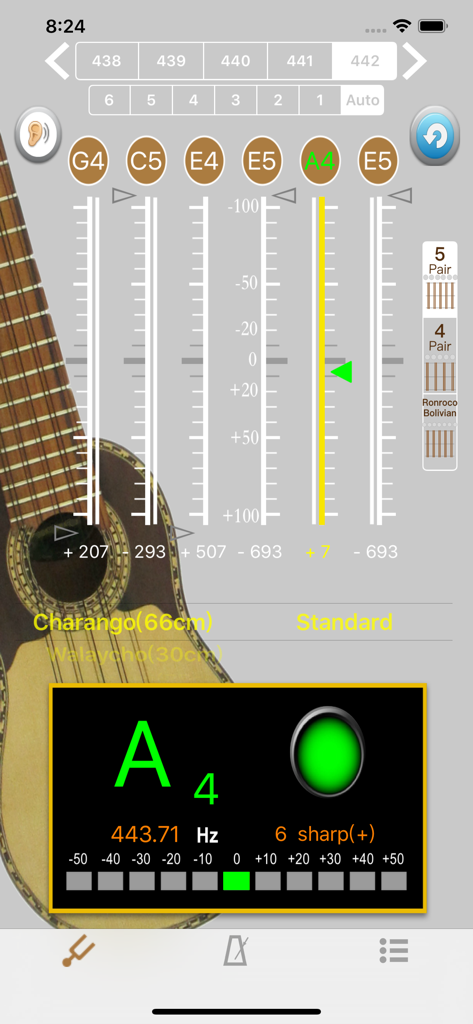
Charango Chillador Tuner - Charango Chillador 튜너 앱 인터페이스, 안데스 현악기를 위한 정밀 튜닝 표시
Charango Chillador 튜너 앱 인터페이스, 안데스 현악기를 위한 정밀 튜닝 표시

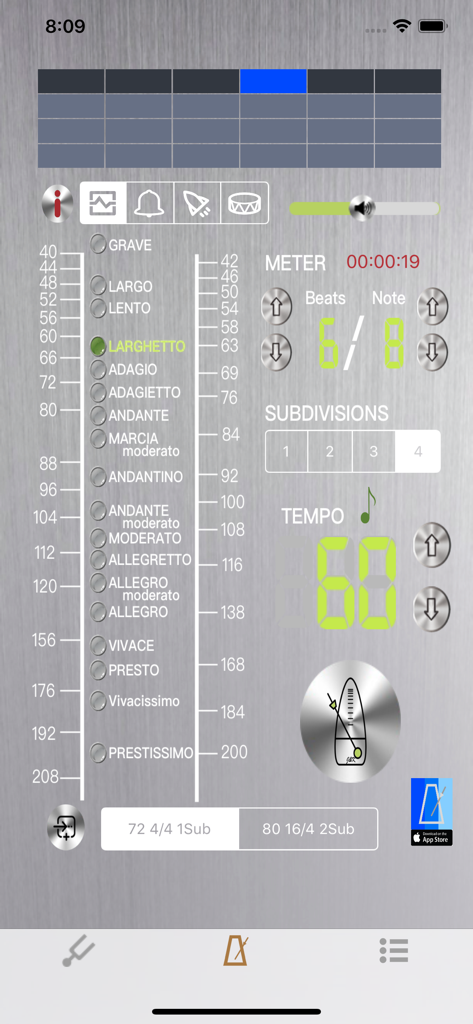
Charango Chillador Tuner - Charango Chillador 튜너 앱의 메트로놈 화면, 템포 설정 및 비트 세분화 표시
Charango Chillador 튜너 앱의 메트로놈 화면, 템포 설정 및 비트 세분화 표시

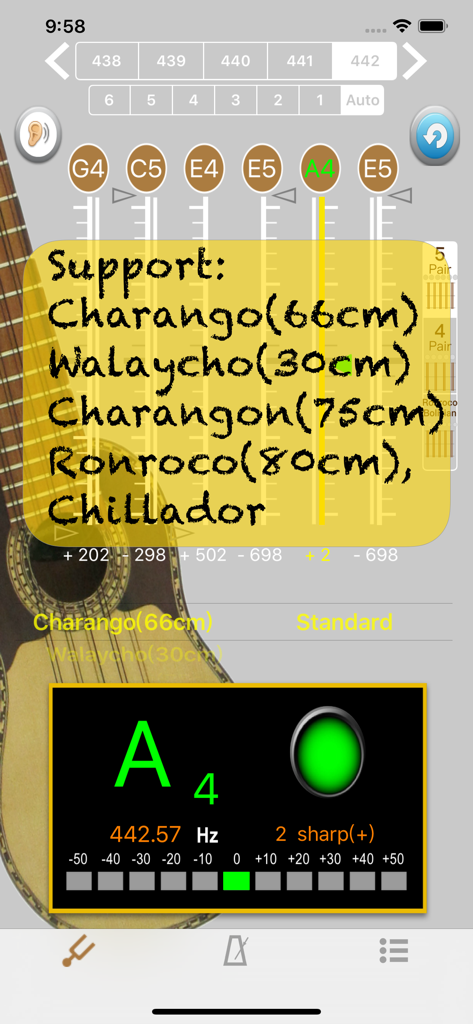
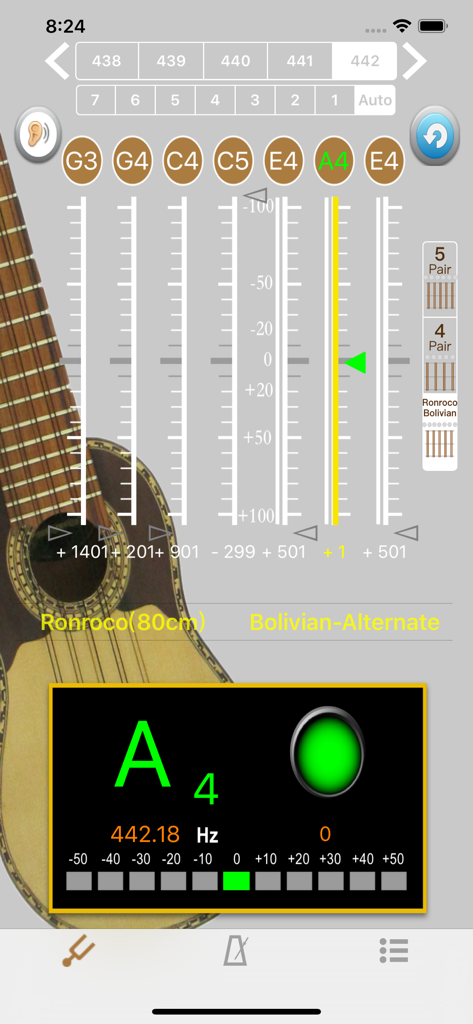
Charango Chillador Tuner - Charango Chillador 튜너 앱의 튜닝 인터페이스, Walaycho 및 Ronroco와 같은 지원 악기 표시
Charango Chillador 튜너 앱의 튜닝 인터페이스, Walaycho 및 Ronroco와 같은 지원 악기 표시

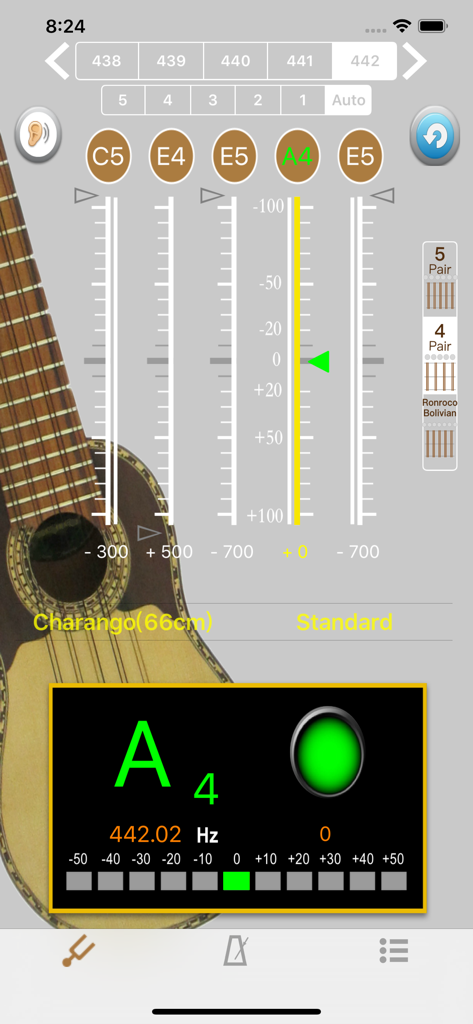
Charango Chillador Tuner - Charango Chillador 튜너 앱 인터페이스, 66cm Charango를 위한 정밀 튜닝 및 완벽한 피치를 위한 녹색 표시등 표시
Charango Chillador 튜너 앱 인터페이스, 66cm Charango를 위한 정밀 튜닝 및 완벽한 피치를 위한 녹색 표시등 표시

Charango Chillador Tuner - Charango Chillador 튜너 앱 인터페이스, Ronroco 악기 튜닝 표시

Charango Chillador 튜너 앱 인터페이스, Ronroco 악기 튜닝 표시

설명

Includes tuner and metronome. Simple user interface, pico position, noise filtering, pitch display is stable, no setting is required. [Precision tuning] - Simply set the frequency above the screen and the middle of the tone, play, the tuning results instantly appear on the corresponding string position. - Tuning mode : Support Charango (66cm), Walaycho (30cm), Charangon (75cm), Ronroco (80cm), Chillador. - Calibration tone: Click the empty string name button above the scale to give the corresponding reference tone. - Support A4 frequency adjustment: 428~452 frequency switching. Use the upper left and right arrows on the screen. - Scale: The upper scale of the screen, the center line is the empty string pitch position, and the green triangle arrow points to this, indicating that the tuning is accurate. The scale is 10 cents per grid. When the scale is out of range, the green triangle arrow becomes Dark gray. The difference between the scales will be displayed below the scale. The + sign indicates the height. Please adjust the string. Otherwise, the - sign indicates low. Please tighten the string. - Display panel: Display similar sound names (white). When the pitch is correct, the sound name will turn green. When the tuning is correct, a green light will appear, and the lower LED will move accordingly, showing the high and low 10cents (quantization). More visual. [Metronome] - The operation screen is intuitive and easy to use. All functions can be set on the same page. - Support for "segment beat" function, double, triple and quad beat subdivision - Support for custom beat settings 2 groups, can be stored and loaded - Support pendulum display mode - Supports volume adjustment within the program, making volume adjustment faster - Timing display Helps control the practice time - 4 beat sounds to choose from We will work hard to make more useful music applications for everyone, thank you for your support. Welcome to contact us by e-mail.

Download

다운로드: App Store

이 페이지는 앱이나 개발자의 공식 페이지가 아니며, 정보 제공 및 논평을 목적으로 작성된 독립 편집 간행물입니다. 명시적으로 달리 언급되지 않는 한, 해당 앱이나 개발자는 MWM, Apple, Google Play, 앱 퍼블리셔 또는 앱 개발자와 제휴, 보증, 후원, 승인 또는 공식적으로 연결되어 있지 않으며, 이 페이지의 어떤 내용도 해당 앱이 MWM의 서비스를 사용하여 개발되었음을 의미하지 않습니다. 모든 상표, 로고, 스크린샷 및 기타 콘텐츠는 해당 소유자의 자산입니다.







