
이 페이지는 앱이나 개발자의 공식 페이지가 아니며, 정보 제공 및 논평을 목적으로 작성된 독립 편집 간행물입니다. 명시적으로 달리 언급되지 않는 한, 해당 앱이나 개발자는 MWM, Apple, Google Play, 앱 퍼블리셔 또는 앱 개발자와 제휴, 보증, 후원, 승인 또는 공식적으로 연결되어 있지 않으며, 이 페이지의 어떤 내용도 해당 앱이 MWM의 서비스를 사용하여 개발되었음을 의미하지 않습니다. 모든 상표, 로고, 스크린샷 및 기타 콘텐츠는 해당 소유자의 자산입니다.


Chess Studio Lite
Stockfish 18의 성능으로 오프닝을 마스터하고 게임을 분석하세요. 광고나 추적 없이 전문가 수준의 도구를 요구하는 토너먼트 플레이어를 위해 설계된 포괄적인 PGN 관리 제품군입니다.
다운로드
4K+사용자 평점
총 평가 수
0개발사
카테고리
Games지원 언어
4최신 버전
4.7.6크기
318.8 MB출시일
2013년 9월 3일전문 도구로 보드를 마스터하세요
토너먼트 플레이어 및 진지한 학생들을 위해 설계된 Chess Studio Lite는 모바일 장치를 게임 마스터를 위한 강력한 분석 실험실로 변환합니다.
엘리트 Stockfish 18 분석
뉴럴 네트워크 지원 및 다중 라인 평가 기능을 갖춘 세계에서 가장 강력한 엔진을 사용하여 모든 포지션의 진실을 밝혀내세요.
완전한 PGN 워크플로우
Dropbox, Google Drive 또는 iCloud를 통한 원활한 클라우드 동기화로 방대한 게임 데이터베이스를 손쉽게 관리, 편집 및 병합하세요.
자주 묻는 질문
에 대해 알아야 할 모든 것 Chess Studio Lite
Chess Studio Lite란 무엇인가요?
Chess Studio Lite는 진지한 체스 플레이어를 위해 설계된 iPhone 및 iPad용 iOS 애플리케이션입니다. PGN 형식의 체스 데이터베이스 및 게임을 완벽하게 관리할 수 있습니다.
Chess Studio Lite는 PGN 파일을 지원하나요?
네, Chess Studio Lite는 이동의 확장 표기법을 포함하여 PGN 형식의 체스 데이터베이스 및 게임을 읽고, 생성하고, 수정하는 것을 완벽하게 지원합니다.
Chess Studio Lite는 엔진으로 게임을 분석할 수 있나요?
네, Chess Studio Lite는 뉴럴 네트워크를 갖춘 Stockfish 18 엔진을 사용하여 게임을 분석하며, 최대 5개의 분석 라인을 동시에 제공하고 엔진 평가 바를 표시합니다.
Chess Studio Lite에 게임을 어떻게 가져올 수 있나요?
네, Chess Studio Lite는 사용자가 다른 애플리케이션에서 게임, 데이터베이스 및 오프닝 북을 가져올 수 있도록 합니다. 또한 인터넷과 PGN Mentor에서 체스 데이터베이스를 다운로드하는 것도 지원합니다.
Chess Studio Lite는 클라우드 저장소 통합을 제공하나요?
네, Chess Studio Lite는 클라우드 서비스와 통합됩니다. 사용자는 Dropbox, Google Drive, OneDrive로 PGN 데이터베이스를 업로드 및 다운로드하고 iCloud Drive를 통해 장치 간에 데이터베이스를 공유할 수 있습니다.
Chess Studio Lite에서 엔진과 대결할 수 있나요?
네, Chess Studio Lite는 사용자가 표준 체스 모드와 Chess 960(피셔 랜덤 체스) 모드 모두에서 엔진과 대결하여 기술을 측정할 수 있도록 합니다.
Chess Studio Lite는 어떤 종류의 오프닝 북을 지원하나요?
Chess Studio Lite는 Polyglot 형식의 오프닝 북 생성 및 관리를 지원합니다. 또한 ctg, cto 및 ctb 형식의 ChessBase 오프닝 북을 가져오고 관리할 수도 있습니다.
Chess Studio Lite는 다이어그램 인식 기능을 지원하나요?
네, Chess Studio Lite에는 다이어그램 인식 기능이 포함되어 있습니다. 이를 통해 사용자는 체스 다이어그램 사진을 찍거나 업로드하여 PGN 형식의 포지션으로 직접 변환할 수 있습니다.
Chess Studio Lite는 광고와 등록이 없나요?
네, Chess Studio Lite에는 광고가 없으며 등록이 필요하지 않습니다. 또한 애플리케이션은 개인 데이터 공유를 보장하지 않습니다.
Chess Studio Lite에서 폰 구조를 볼 수 있나요?
네, Chess Studio Lite는 게임의 폰 구조를 시각화하는 기능을 제공합니다. 이 기능은 포지션에 대한 더 깊은 분석과 이해에 도움이 됩니다.
Chess Studio Lite는 이중 체스 보드 표시를 제공하나요?
네, Chess Studio Lite는 같은 화면에 이중 체스 보드를 표시하는 기능을 제공합니다. 이 기능은 게임 분석 및 비교를 향상시키기 위해 제공됩니다.
Chess Studio Lite는 어떤 언어를 지원하나요?
Chess Studio Lite는 여러 언어를 지원합니다. 이 애플리케이션은 사용자에게 영어, 이탈리아어, 스페인어, 독일어로 제공됩니다.
다음 스크린샷과 설명은 앱의 공식 스토어 목록에서 직접 가져온 것이며 앱 개발자의 자산입니다.
앱 스토어
스크린샷
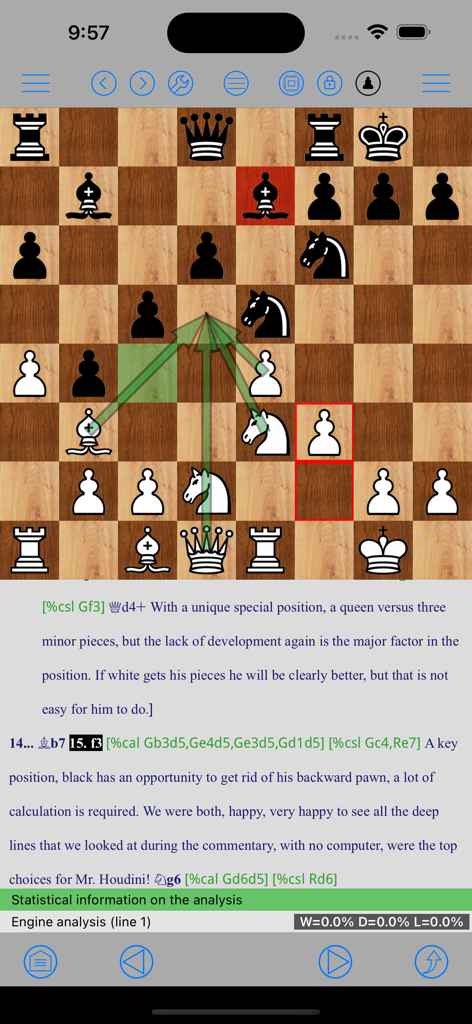
게임 연구를 위한 전문 PGN 주석 및 전술 화살표가 있는 체스 보드를 표시하는 Chess Studio Lite 인터페이스.
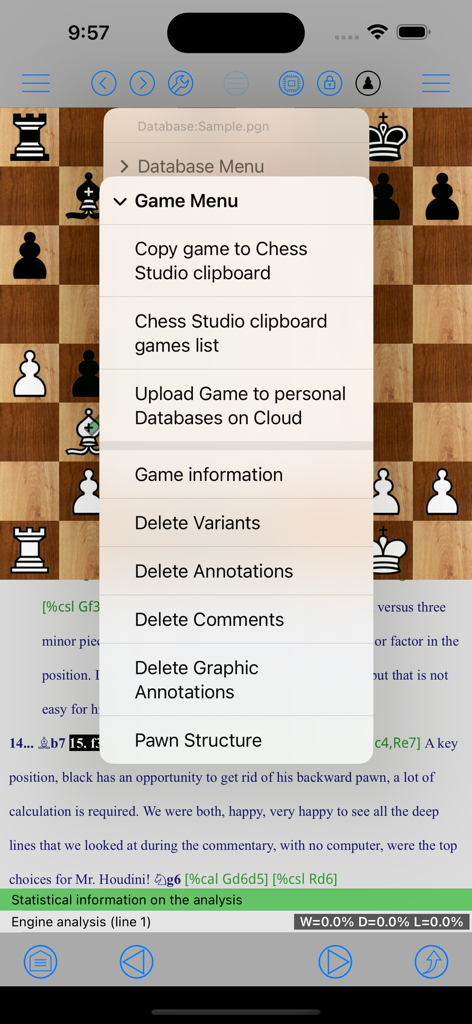
클립보드 관리, 클라우드 업로드 및 게임 분석 옵션이 있는 게임 메뉴를 보여주는 Chess Studio Lite 앱의 스크린샷
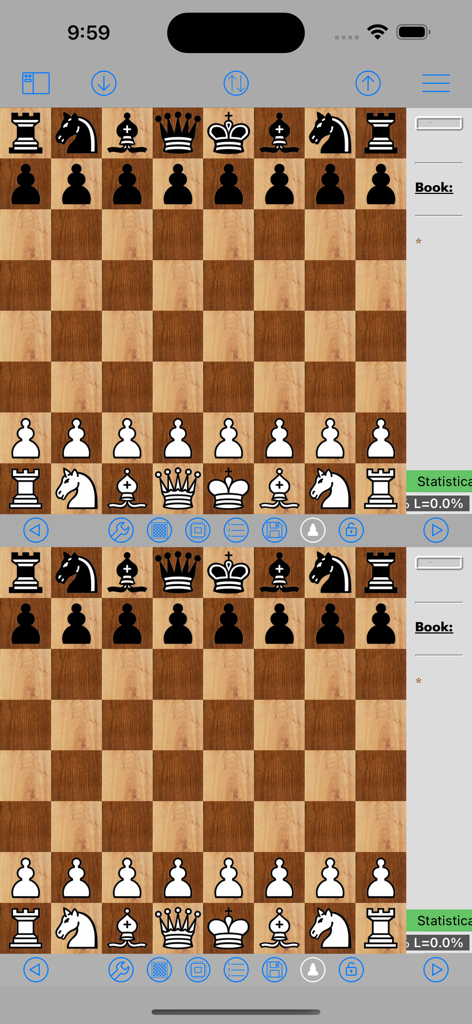
게임 분석을 위한 Chess Studio Lite 이중 체스 보드 인터페이스
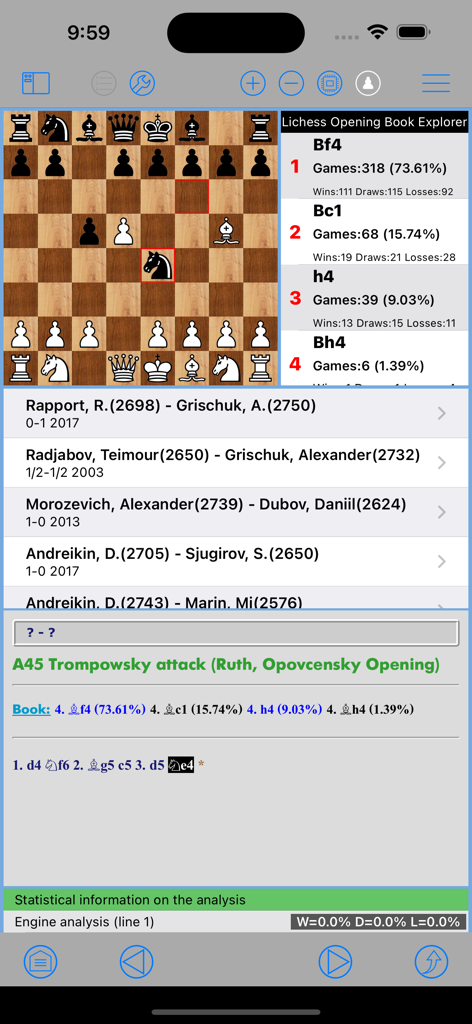
오프닝 북 통계와 그랜드마스터 게임 데이터베이스가 있는 보드의 체스 포지션.
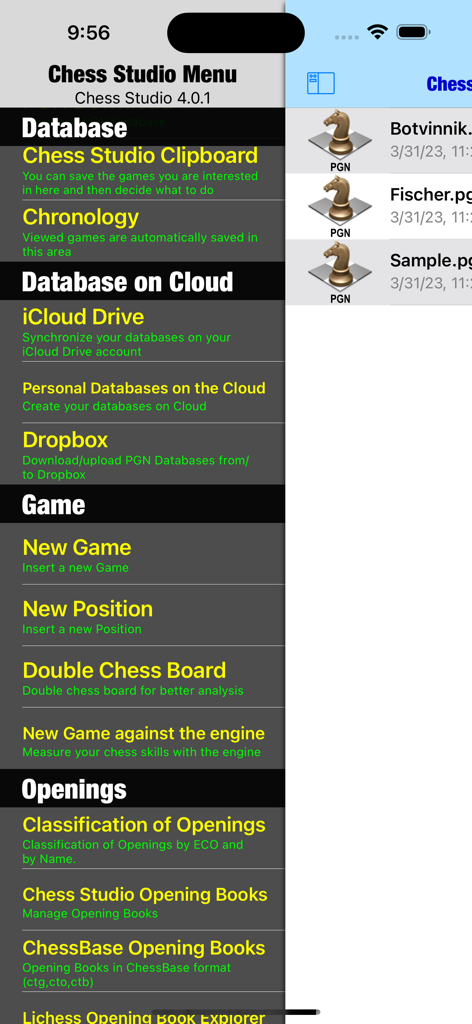
데이터베이스 관리 및 클라우드 스토리지 옵션을 특징으로 하는 Chess Studio Lite 앱의 메인 메뉴
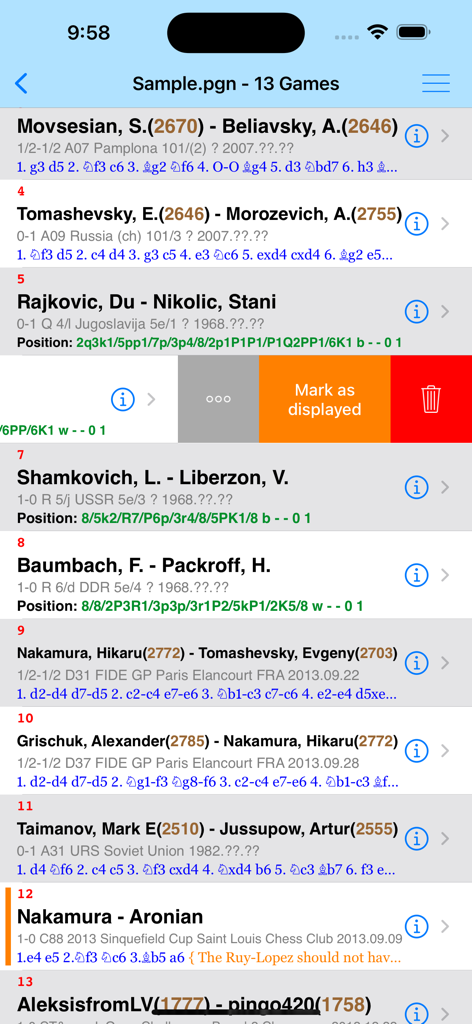
선수 이름과 등급을 보여주는 Chess Studio Lite 앱 인터페이스의 PGN 파일의 체스 게임 목록.
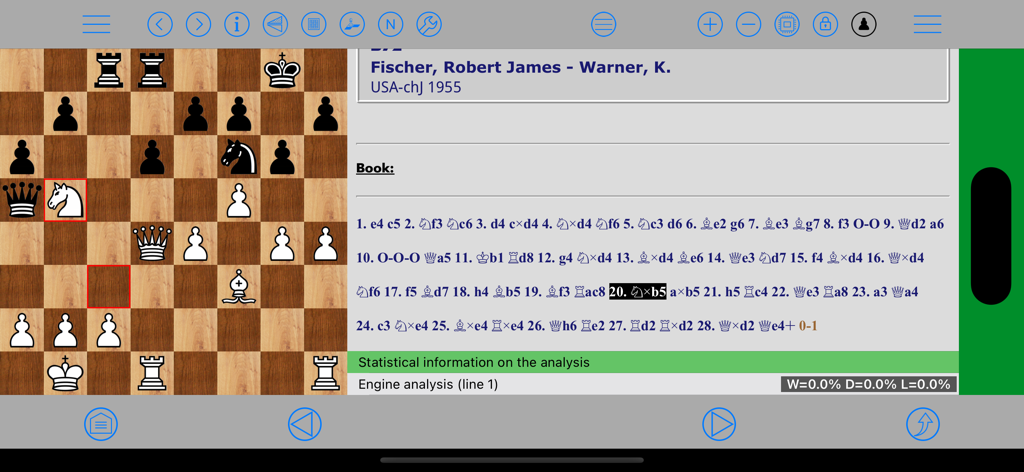
PGN 이동 표기법과 iPad의 엔진 평가를 사용하여 전문적인 게임 분석을 보여주는 Chess Studio Lite 애플리케이션 인터페이스
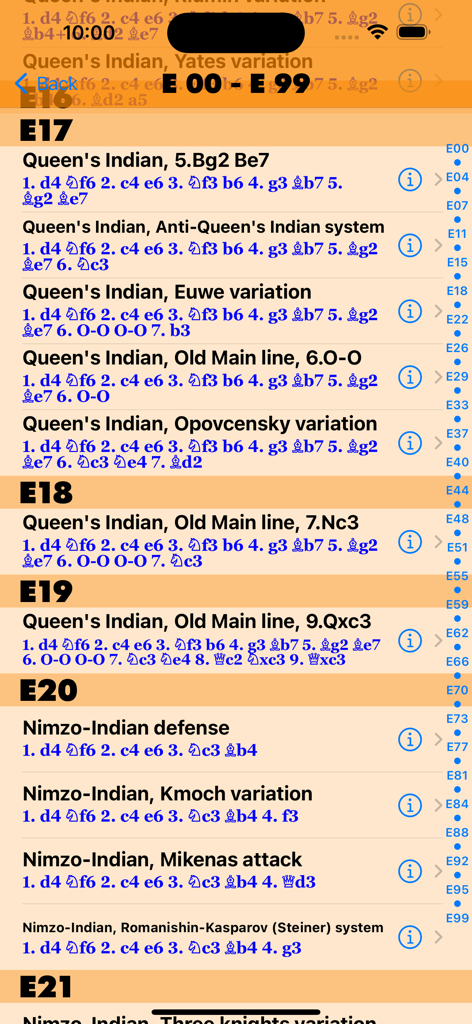
Chess Studio Lite에서 ECO 코드로 인덱싱된 체스 오프닝 및 변형 목록
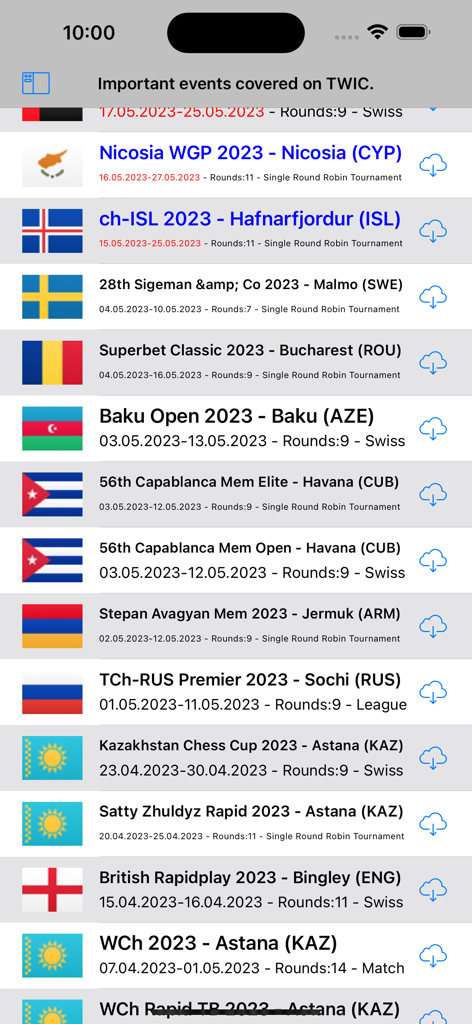
Chess Studio Lite 앱 내 The Week In Chess에서 다운로드 가능한 국제 체스 토너먼트 데이터베이스 목록
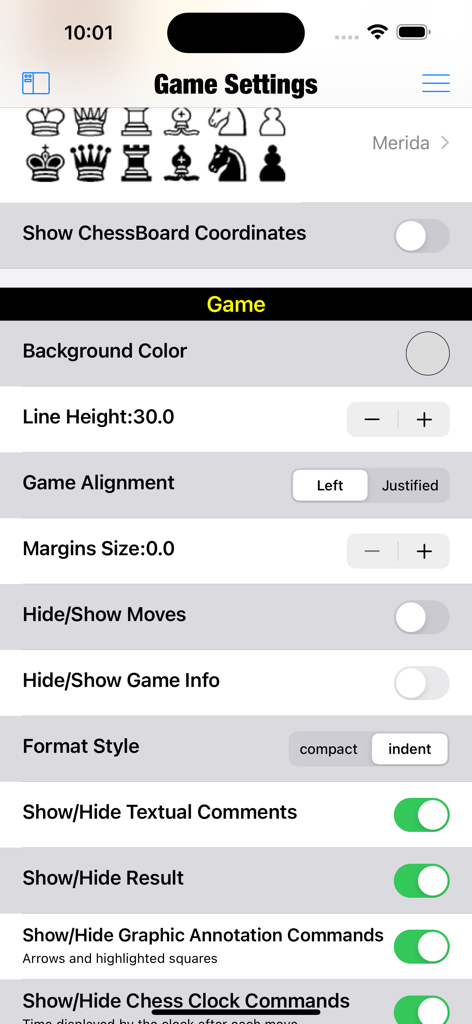
기물 스타일, 보드 좌표 및 레이아웃에 대한 사용자 정의 옵션을 보여주는 Chess Studio Lite 앱의 게임 설정 메뉴.
설명
Download
비슷한 앱
같은 카테고리의 상위 앱

Block Blast!
ARETIS LIMITED

Solitaire Associations Journey
Hitapps Games LTD

Roblox
Roblox Corporation

Heartopia
XD Entertainment Co., Ltd.

Gossip Harbor®: Merge & Story
Microfun Limited

Arrows – Puzzle Escape
Lessmore UG haftungsbeschraenkt

Township
PLR Worldwide Sales Limited

Vita Mahjong
VITA STUDIO PTE. LTD.

Subway Surfers
Sybo Games ApS
이 페이지는 앱이나 개발자의 공식 페이지가 아니며, 정보 제공 및 논평을 목적으로 작성된 독립 편집 간행물입니다. 명시적으로 달리 언급되지 않는 한, 해당 앱이나 개발자는 MWM, Apple, Google Play, 앱 퍼블리셔 또는 앱 개발자와 제휴, 보증, 후원, 승인 또는 공식적으로 연결되어 있지 않으며, 이 페이지의 어떤 내용도 해당 앱이 MWM의 서비스를 사용하여 개발되었음을 의미하지 않습니다. 모든 상표, 로고, 스크린샷 및 기타 콘텐츠는 해당 소유자의 자산입니다.