Chess-Studio
Chess-Studio
다운로드: App Store

이 페이지는 앱이나 개발자의 공식 페이지가 아니며, 정보 제공 및 논평을 목적으로 작성된 독립 편집 간행물입니다. 명시적으로 달리 언급되지 않는 한, 해당 앱이나 개발자는 MWM, Apple, Google Play, 앱 퍼블리셔 또는 앱 개발자와 제휴, 보증, 후원, 승인 또는 공식적으로 연결되어 있지 않으며, 이 페이지의 어떤 내용도 해당 앱이 MWM의 서비스를 사용하여 개발되었음을 의미하지 않습니다. 모든 상표, 로고, 스크린샷 및 기타 콘텐츠는 해당 소유자의 자산입니다.


로고: Chess-Studio
다운로드: App Store

Chess-Studio

토너먼트 선수들을 위한 올인원 워크스테이션. PGN을 관리하고, 신경망을 갖춘 Stockfish 17.1을 실행하며, 이동 중 심도 학습을 위해 설계된 엘리트 도구로 게임을 개선하세요.

주요 수치

다운로드

255K+

사용자 평점

4.7/5

총 평가 수

400

개발사

Giordano Vicoli

카테고리

Games

지원 언어

4

최신 버전

4.7.3

크기

285.4 MB

출시일

2013년 8월 12일
기능

진지한 플레이어를 위한 고급 도구

Chess-Studio는 토너먼트를 준비하는 플레이어를 위해 특별히 설계된 전문가급 데이터베이스 관리 및 엘리트 엔진 분석을 모바일 장치로 제공합니다.

엘리트 엔진 통합

iPhone 또는 iPad에서 데스크톱급 정확도로 Stockfish 17.1 및 신경망을 사용하여 포지션을 분석하세요.

포괄적인 데이터베이스 실험실

PGN 라이브러리를 관리하고, iCloud를 통해 동기화하며, 개인 학습 워크스테이션 내에서 'The Week in Chess'에 직접 액세스하세요.

다음 스크린샷과 설명은 앱의 공식 스토어 목록에서 직접 가져온 것이며 앱 개발자의 자산입니다.

앱 스토어

스크린샷
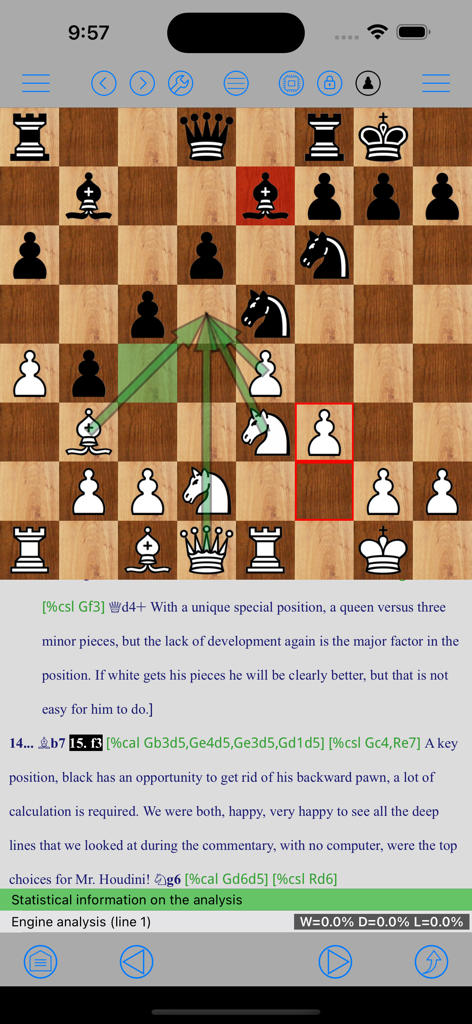
Chess-Studio - Chess-Studio 게임 분석 및 주석을 위한 그래픽 화살표가 있는 체스 보드를 보여주는 스크린샷
Chess-Studio 게임 분석 및 주석을 위한 그래픽 화살표가 있는 체스 보드를 보여주는 스크린샷

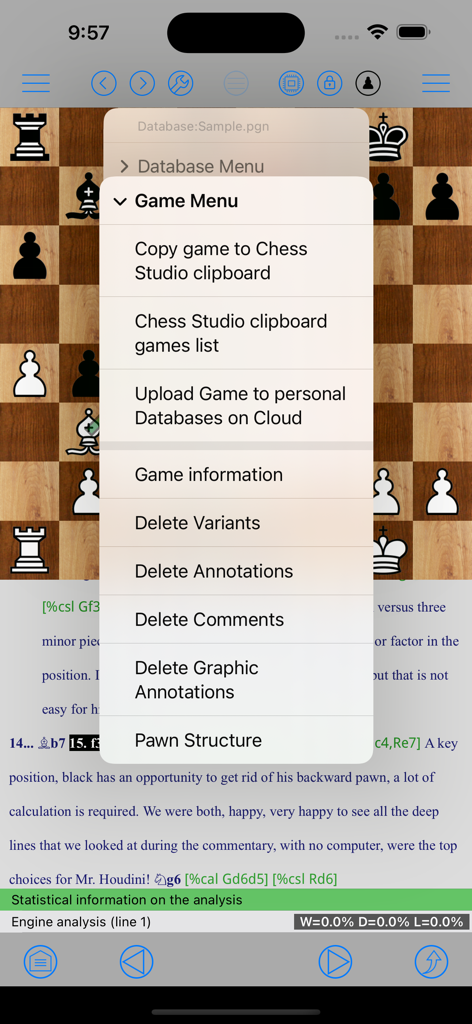
Chess-Studio - 체스 보드 및 게임 분석 위에 게임 관리 메뉴를 보여주는 Chess-Studio 앱 스크린샷.
체스 보드 및 게임 분석 위에 게임 관리 메뉴를 보여주는 Chess-Studio 앱 스크린샷.

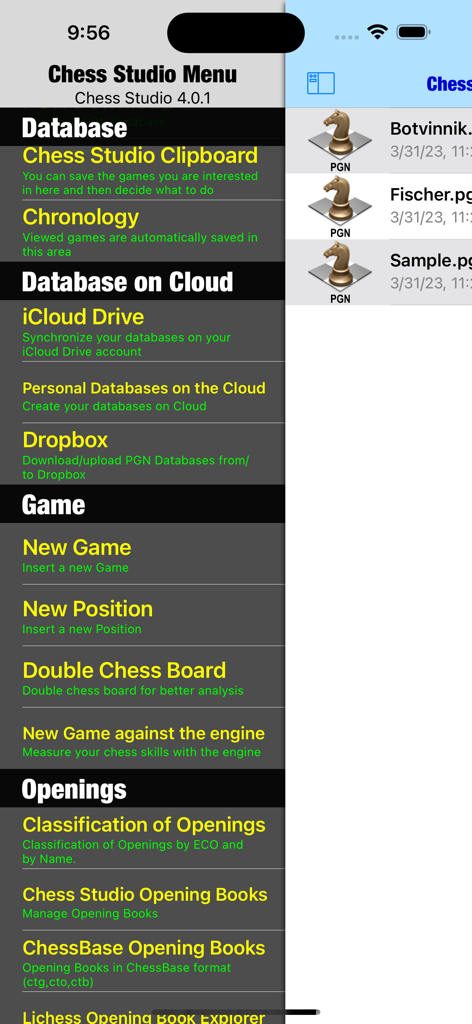
Chess-Studio - 데이터베이스 클라우드 및 게임 분석 옵션을 보여주는 Chess-Studio 앱의 메인 메뉴
데이터베이스 클라우드 및 게임 분석 옵션을 보여주는 Chess-Studio 앱의 메인 메뉴

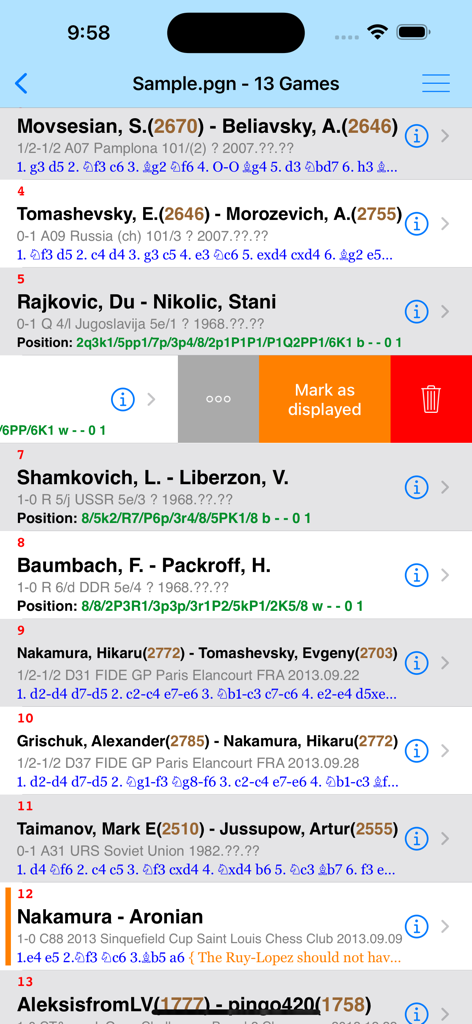
Chess-Studio - 선수 등급 및 이동 수를 보여주는 Chess-Studio 앱 내 PGN 형식의 체스 게임 목록
선수 등급 및 이동 수를 보여주는 Chess-Studio 앱 내 PGN 형식의 체스 게임 목록

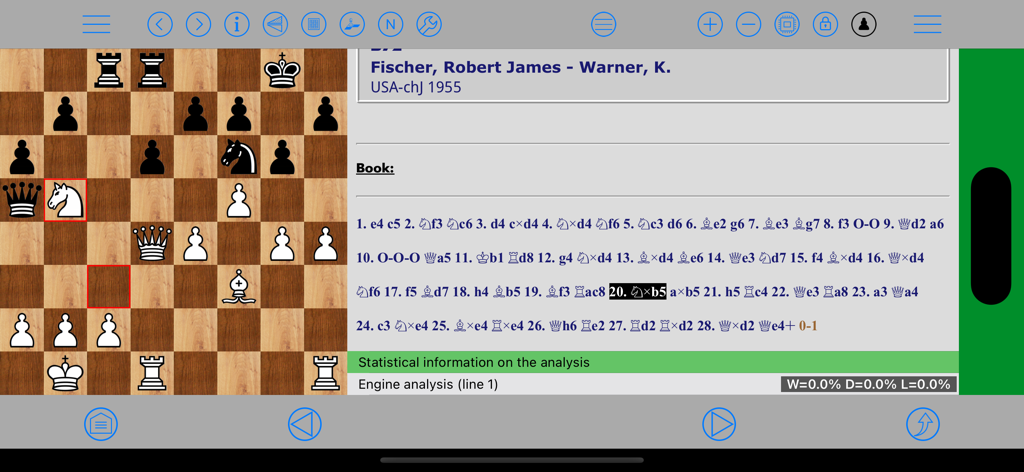
Chess-Studio - 게임 분석을 위한 체스 보드와 PGN 이동 표기법을 보여주는 가로 모드의 Chess-Studio 앱 인터페이스
게임 분석을 위한 체스 보드와 PGN 이동 표기법을 보여주는 가로 모드의 Chess-Studio 앱 인터페이스

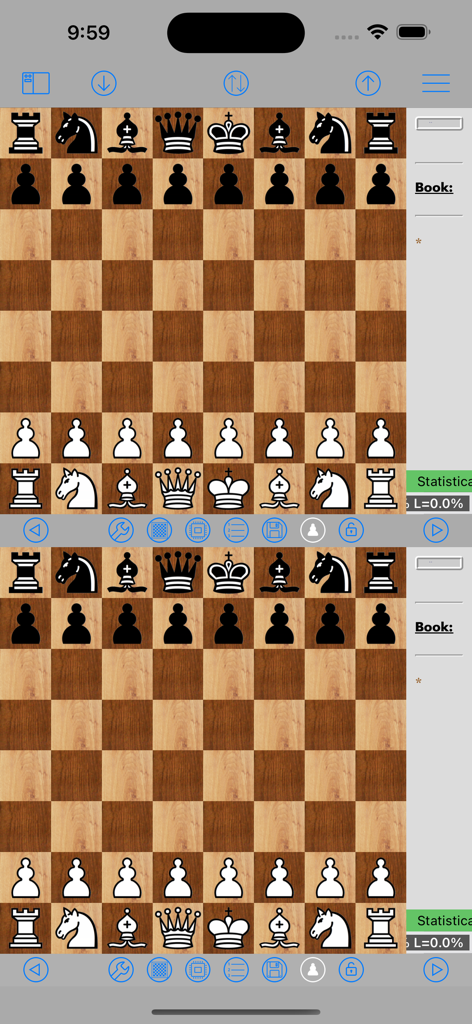
Chess-Studio - 게임 분석을 위한 Chess-Studio 앱의 이중 체스 보드 인터페이스
게임 분석을 위한 Chess-Studio 앱의 이중 체스 보드 인터페이스

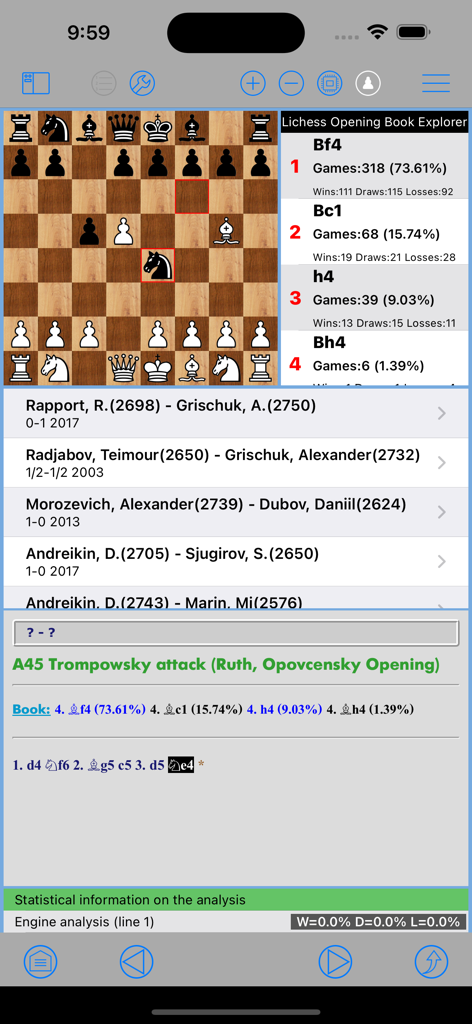
Chess-Studio - Trompowsky 공격에 대한 오프닝 북 분석 및 이동 통계를 표시하는 Chess-Studio 앱 인터페이스.
Trompowsky 공격에 대한 오프닝 북 분석 및 이동 통계를 표시하는 Chess-Studio 앱 인터페이스.

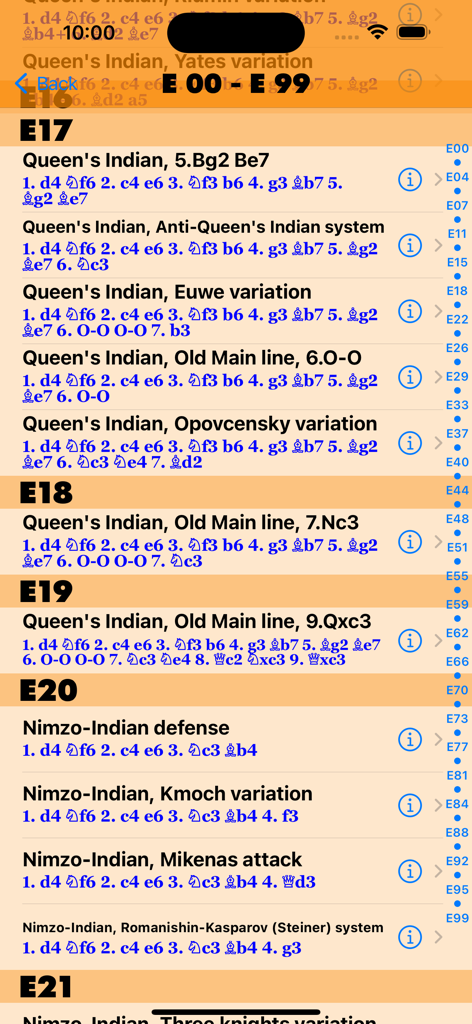
Chess-Studio - Chess-Studio 앱의 체스 오프닝 변형 및 ECO 코드 목록
Chess-Studio 앱의 체스 오프닝 변형 및 ECO 코드 목록

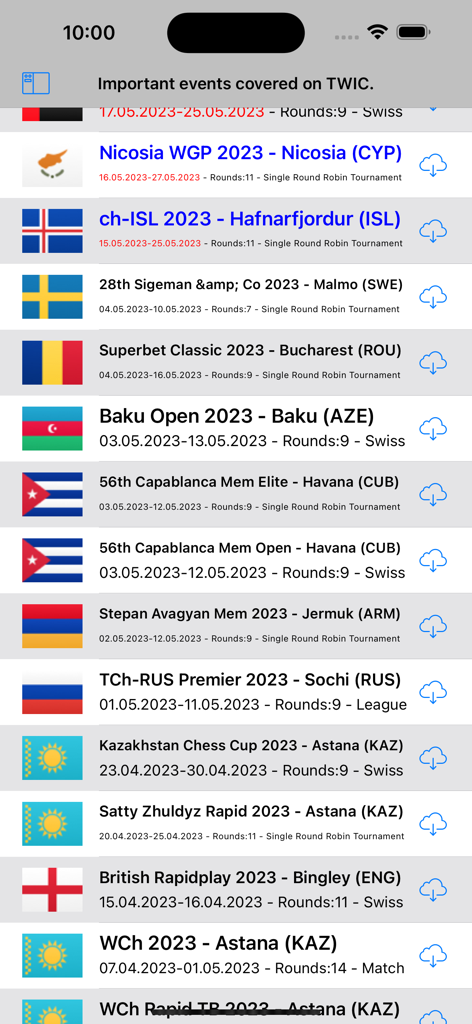
Chess-Studio - TWIC에서 다운로드할 수 있는 국제 체스 토너먼트 게임 목록.

TWIC에서 다운로드할 수 있는 국제 체스 토너먼트 게임 목록.

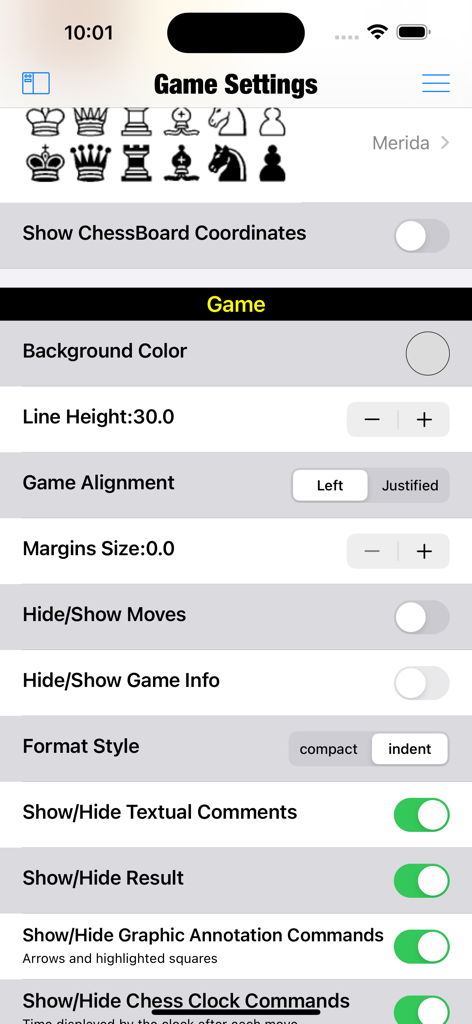
Chess-Studio - 시각 및 표기법 사용자 지정 옵션을 보여주는 Chess-Studio 게임 설정 화면

시각 및 표기법 사용자 지정 옵션을 보여주는 Chess-Studio 게임 설정 화면

설명

Chess Studio is the first and only application for iPhone and iPad able to manage chess databases and games in PGN format in a complete and efficient way. Chess Studio is an application designed and built for those players who really want to deepen their knowledge in the field of chess, studying chess regularly and participate in tournaments. Chess Studio allows you to: • Read database and games in PGN format (also with extended notation of moves). • Create, delete and modify folders and databases. • View games with annotations and textual comments and keep track of the displayed games. • Use a double chessboard on the same screen for better game analysis. • Visualize moves and variants in compact mode or indented mode. • Modify existing games with move annotation and textual comments. • Insert new games and positions. • Insert, replay and analyze games in Chess 960 mode. • Insert moves with annotations and textual comments. • Insert variation, subvariations etc. • Insert and visualize graphical annotation (colored arrows and highlighted squares). • Share Databases and Games through Airdrop. • Download chess database from internet. • Download chess database directly from PGN Mentor site. • Import games, database and Opening Books from other applications. • Merge two or more databases. • Copy/Paste games and positions. • Analyze games with Stockfish 17.1 Engine with the support of the Neural Networks (up to 5 lines of analysis simultaneously) with the support of the Engine Evaluation Bar. • Replay games automatically. • Visualize Pawn structure. • Manage Variations and sub-variatons: delete and promote variations. • Read the weekly Magazine The New In Chess (TWIC) and download the games. • Uploading and Downloading PGN Database to/from Dropbox, Google Drive, OneDrive. • Three different modes for moving pieces. • Analyze endgames with Endgame Tablebases. • Analyze and study Chess Openings in the Chess Openings Section. • Create and manage Opening Books in Polyglot format. • Import and manage ChessBase Opening Books (ctg format). • Automatically classify a database according to ECO code. • Replay, enter and analyze Chess 960 games (Fischer Random Chess). • Play against the engine both in standard mode and in Chess 960 mode. • Play online through the LiChess platform • Train by solving Puzzles • ChessBase Database support. • Diagram Recognition: this feature allows the user to take and/or upload photos of chess diagrams and convert them into PGN format positions. Other features and technical details: • Modify the board size. • Professional chess fonts and figurines for moves notation and annotation. • Preview of the game in the board tapping the Info button. • Quick search feature. • Advanced search feature. • Complete management of Null Moves with Tutorial. • Visualization of ECO code and Opening during game replay or game insertion. • Visualization of Book Openings during game replay or game insertion. • Portrait/Landscape mode for all devices. • Support of Slide Over and Split View mode. • Function to move up within variants and subvariants. • iOS 26 compatible and optimized for all the devices. • Sharing of databases across devices via iCloud Drive (also with Chess Studio for Mac OS). • Sound option. • Support for iPad Pro Keyboard or bluetooth keyboard. • VoiceOver/Accessibility support. • Direct contact via email with the developer to report problems, ask for explanation and suggestions (very quick answer!). • Languages: English, Italian, Spanish and German. Complete description at: https://chessstudio.wordpress.com/chess-studio/ The application is continuously updated with new features and improvements. To view the terms of service visit https://www.apple.com/legal/internet-services/itunes/dev/stdeula/ No registration! No advertising! No sharing of personal data!

Download

다운로드: App Store

이 페이지는 앱이나 개발자의 공식 페이지가 아니며, 정보 제공 및 논평을 목적으로 작성된 독립 편집 간행물입니다. 명시적으로 달리 언급되지 않는 한, 해당 앱이나 개발자는 MWM, Apple, Google Play, 앱 퍼블리셔 또는 앱 개발자와 제휴, 보증, 후원, 승인 또는 공식적으로 연결되어 있지 않으며, 이 페이지의 어떤 내용도 해당 앱이 MWM의 서비스를 사용하여 개발되었음을 의미하지 않습니다. 모든 상표, 로고, 스크린샷 및 기타 콘텐츠는 해당 소유자의 자산입니다.