Chord Archiver
Chord Archiver
다운로드: App Store

이 페이지는 앱이나 개발자의 공식 페이지가 아니며, 정보 제공 및 논평을 목적으로 작성된 독립 편집 간행물입니다. 명시적으로 달리 언급되지 않는 한, 해당 앱이나 개발자는 MWM, Apple, Google Play, 앱 퍼블리셔 또는 앱 개발자와 제휴, 보증, 후원, 승인 또는 공식적으로 연결되어 있지 않으며, 이 페이지의 어떤 내용도 해당 앱이 MWM의 서비스를 사용하여 개발되었음을 의미하지 않습니다. 모든 상표, 로고, 스크린샷 및 기타 콘텐츠는 해당 소유자의 자산입니다.

로고: Chord Archiver
다운로드: App Store

Chord Archiver

부피 큰 종이 바인더는 잊으세요. 아이패드에서 당신의 레퍼토리를 정리하고, 즉시 코드를 이조하며, 자동 스크롤로 핸즈프리 공연을 즐기세요.

주요 수치

다운로드

2K+

사용자 평점

3.7/5

총 평가 수

100

개발사

Davide Troise

카테고리

Music

지원 언어

2

최신 버전

2.1.2

크기

4.4 MB

출시일

2011년 6월 22일
기능

모든 공연을 쉽게 마스터하세요

무거운 바인더는 던져버리세요. Chord Archiver는 스마트 스크롤링, 즉각적인 이조, 완벽한 세트리스트 관리 기능을 갖춘 전문가용 음악 스탠드로 아이패드를 바꿔줍니다.

스마트 자동 스크롤

손은 악기에 두세요. 모든 곡에 맞춤 스크롤 속도를 설정하여 가사와 코드가 당신의 리듬에 완벽하게 맞춰 움직이도록 하세요.

원터치 이조

어떤 가수에게든 맞게 즉시 키를 변경하세요. 복잡한 곡에 대한 가장 쉬운 운지법을 찾기 위한 스마트 코드 제안을 받으세요.

다음 스크린샷과 설명은 앱의 공식 스토어 목록에서 직접 가져온 것이며 앱 개발자의 자산입니다.

앱 스토어

스크린샷
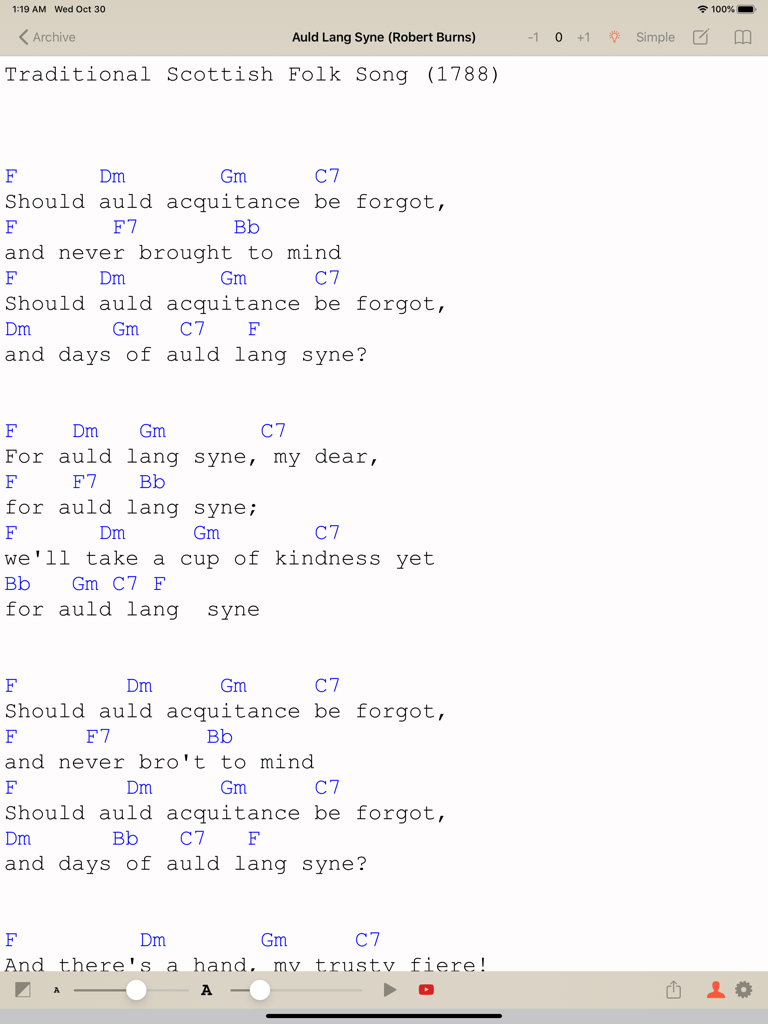
Chord Archiver - 아이패드에서 Chord Archiver의 악보 화면. Auld Lang Syne의 가사와 코드, 이조 및 자동 스크롤 컨트롤 표시
아이패드에서 Chord Archiver의 악보 화면. Auld Lang Syne의 가사와 코드, 이조 및 자동 스크롤 컨트롤 표시

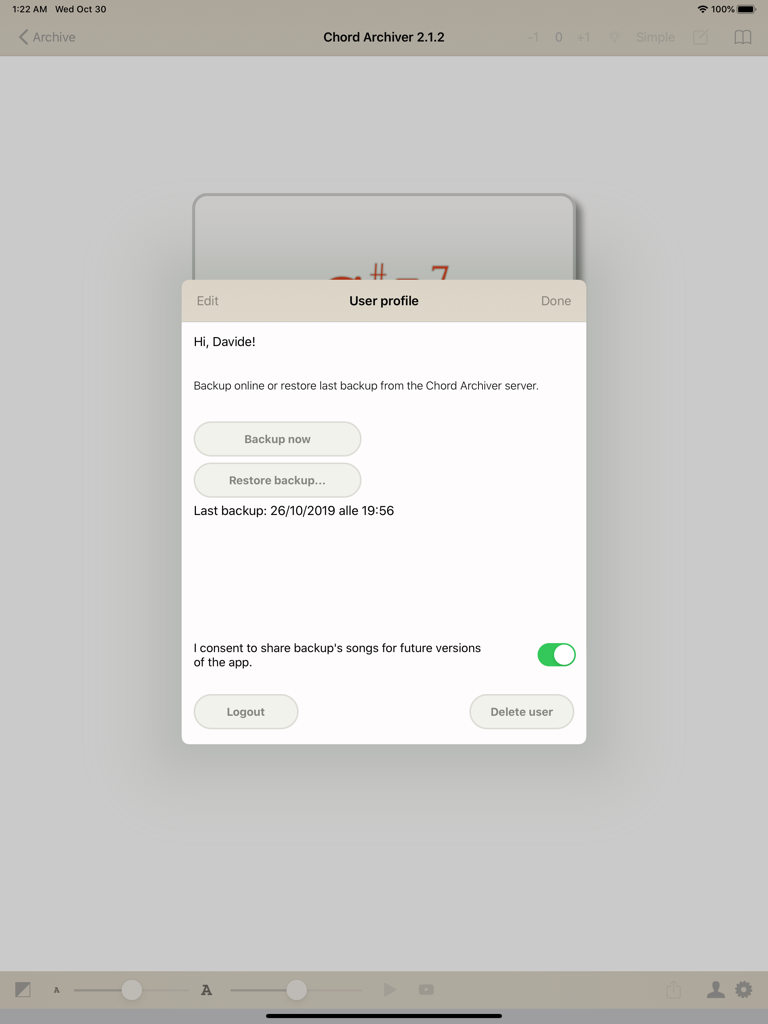
Chord Archiver - Chord Archiver 아이패드 앱의 사용자 프로필 인터페이스. 백업 및 복원 옵션 포함.
Chord Archiver 아이패드 앱의 사용자 프로필 인터페이스. 백업 및 복원 옵션 포함.

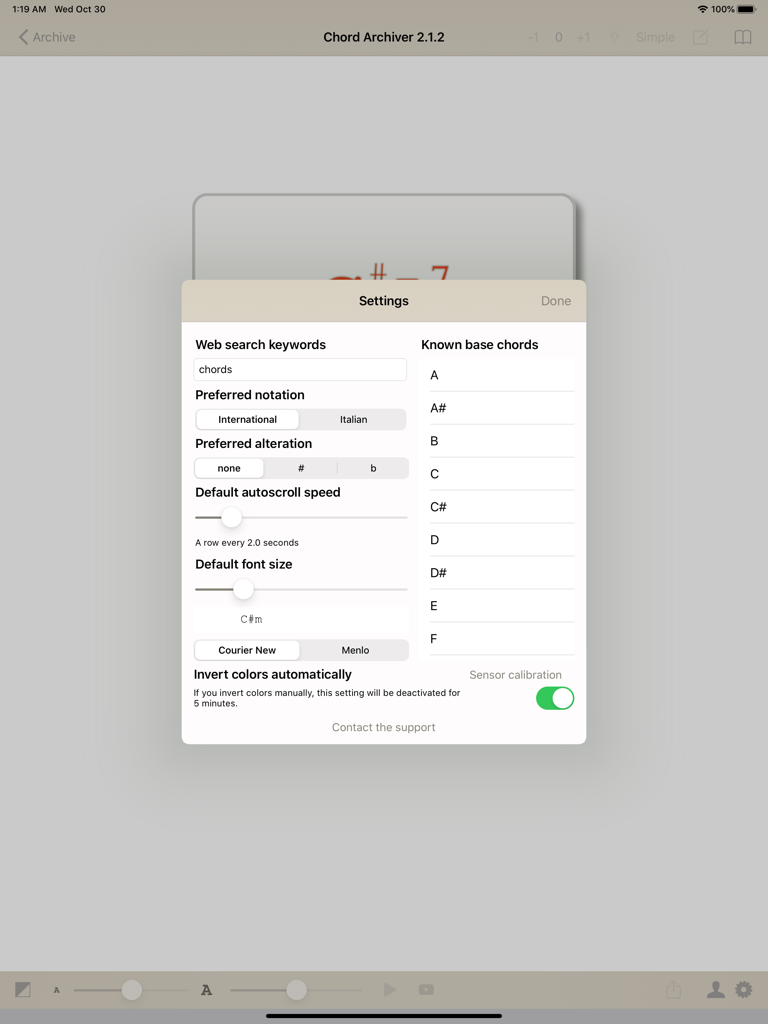
Chord Archiver - Chord Archiver 아이패드 앱의 설정 메뉴. 자동 스크롤 속도, 글꼴 크기, 코드 표기법 옵션 표시

Chord Archiver 아이패드 앱의 설정 메뉴. 자동 스크롤 속도, 글꼴 크기, 코드 표기법 옵션 표시

설명

Tired of printing lyrics, tab and chords wasting paper, ink and time? With Chord Archiver you can archive your songs (with lyrics, chords and tabs) manually or through the web, saving songs in the App. You can also insert the YouTube link to the relative video, so you can play it in a box while you're studying the song and learn it quickly. Songs are sorted by author, and you can use a full-text search to help you finding a song easily. Playlists You can create as many playlists as you want, and rearrange them. These songs are displayed in a menu on the right. You can decide the order of these songs and create a real outline for your live performance! After selecting a song from a playlist, you can browse the playlist back and forth in an simple way: swipe right or left to change song in that playlist. Print and sharing If you want, you can print a song directly in the app or share it with your band,by simply using an email address. Transposition and hints You can transpose chords with the buttons labelled +1 and -1, next to the song's title. If you select the chors you can play (in Settings), the lightbulb shaped button will suggest to you in which transposition you can play that song! Autoscroll and font size features. Long songs have long lyrics and chords: with autoscroll you can scroll without touching the display. You can change the font size and the autoscroll speed. Chord Archiver saves for you these settings for each song. Online Backup Your archive is getting bigger and bigger and you do not want to risk to lose it? Sign up for a Chord Archiver account and you can subscribe to the Online Backup service via the auto-renewable in-app subscription that lasts one year. For more informations see http://troise.net/dev/chordarchiver/docs/terms_of_service_en.php. By subscribing to the Online Backup service, you can back up your entire music archive and restore it at any time, even on another device.

Download

다운로드: App Store

이 페이지는 앱이나 개발자의 공식 페이지가 아니며, 정보 제공 및 논평을 목적으로 작성된 독립 편집 간행물입니다. 명시적으로 달리 언급되지 않는 한, 해당 앱이나 개발자는 MWM, Apple, Google Play, 앱 퍼블리셔 또는 앱 개발자와 제휴, 보증, 후원, 승인 또는 공식적으로 연결되어 있지 않으며, 이 페이지의 어떤 내용도 해당 앱이 MWM의 서비스를 사용하여 개발되었음을 의미하지 않습니다. 모든 상표, 로고, 스크린샷 및 기타 콘텐츠는 해당 소유자의 자산입니다.







