이 페이지는 앱이나 개발자의 공식 페이지가 아니며, 정보 제공 및 논평을 목적으로 작성된 독립 편집 간행물입니다. 명시적으로 달리 언급되지 않는 한, 해당 앱이나 개발자는 MWM, Apple, Google Play, 앱 퍼블리셔 또는 앱 개발자와 제휴, 보증, 후원, 승인 또는 공식적으로 연결되어 있지 않으며, 이 페이지의 어떤 내용도 해당 앱이 MWM의 서비스를 사용하여 개발되었음을 의미하지 않습니다. 모든 상표, 로고, 스크린샷 및 기타 콘텐츠는 해당 소유자의 자산입니다.
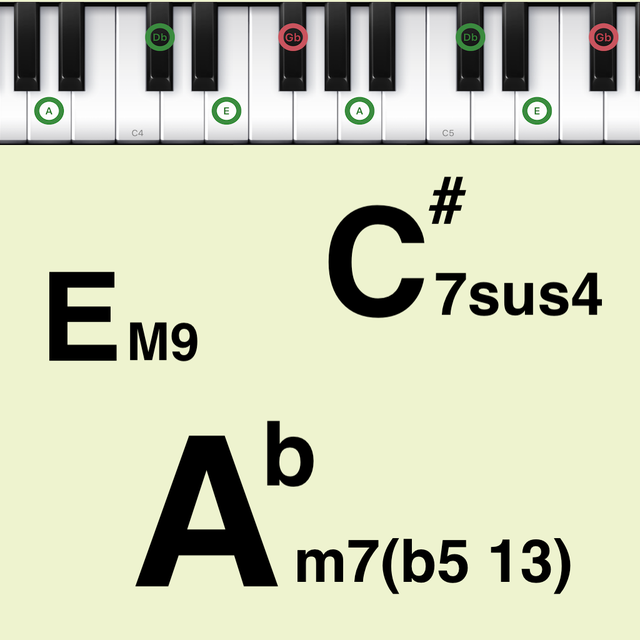
Chords Pad
복잡한 하모니와 전문적인 진행을 쉽게 마스터하세요. 홈 스튜디오 프로듀서부터 음악 이론 학생까지, 사용자 정의 패드와 Bluetooth MIDI 통합으로 완벽한 보이싱을 트리거하세요.
주요 수치
다운로드
24K+
사용자 평점
4.6/5
총 평가 수
400
개발사
Loop-Sessions.LLC.
카테고리
Music
지원 언어
2
최신 버전
2.5.2
크기
9.1 MB
출시일
2019년 7월 3일
기능
몇 초 만에 복잡한 하모니 마스터하기
홈 스튜디오 프로듀서이든 음악 이론 학생이든, Chords Pad는 모바일 워크플로우를 위해 설계된 시각적 도구와 전문적인 MIDI 연결을 통해 작곡을 단순화합니다.
시각적 코드 패드
악보를 건너뛰세요. 직관적인 패드를 탭하여 즉시 키보드 위치를 시각화하고 보이싱을 듣고 복잡한 이론을 모든 학습자에게 접근 가능하게 만드세요.
프로 수준의 텐션 코드
그 '값비싼' 사운드를 잠금 해제하세요. 9도, 11도, 13도에 쉽게 접근하여 Jazz, Neo-Soul, Lo-Fi 텍스처를 작곡에 더하세요.
다음 스크린샷과 설명은 앱의 공식 스토어 목록에서 직접 가져온 것이며 앱 개발자의 자산입니다.
앱 스토어
스크린샷
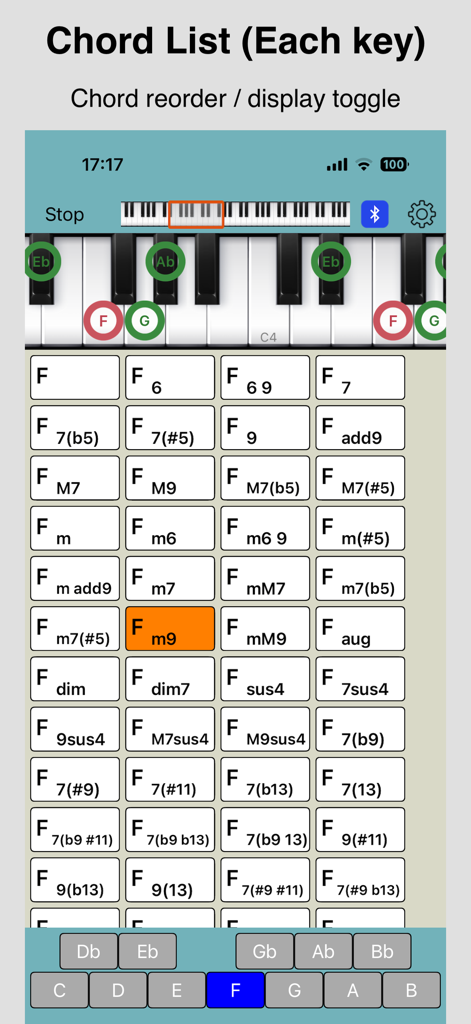
Chords Pad 앱 스크린샷으로 피아노 코드 목록과 키보드 시각화 표시
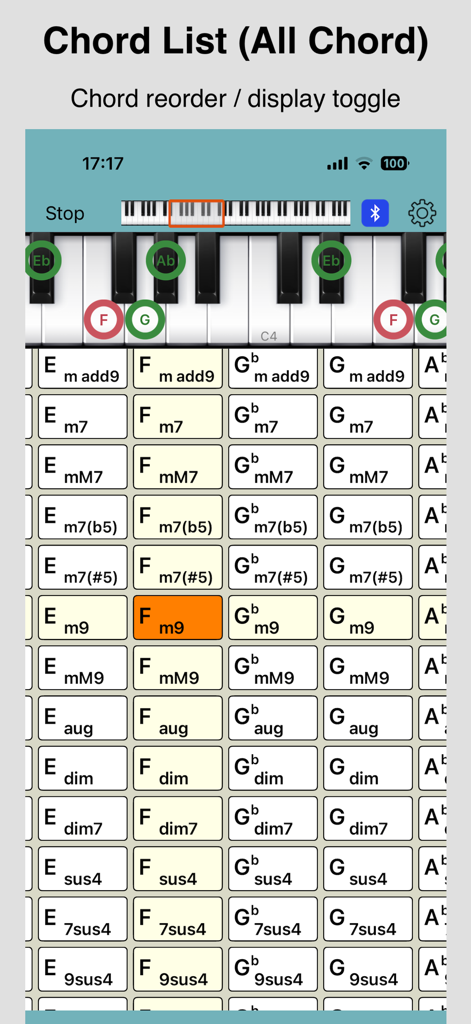
다양한 음악 코드 그리드와 특정 코드 톤을 강조하는 피아노 키보드를 보여주는 Chords Pad 앱 스크린샷.
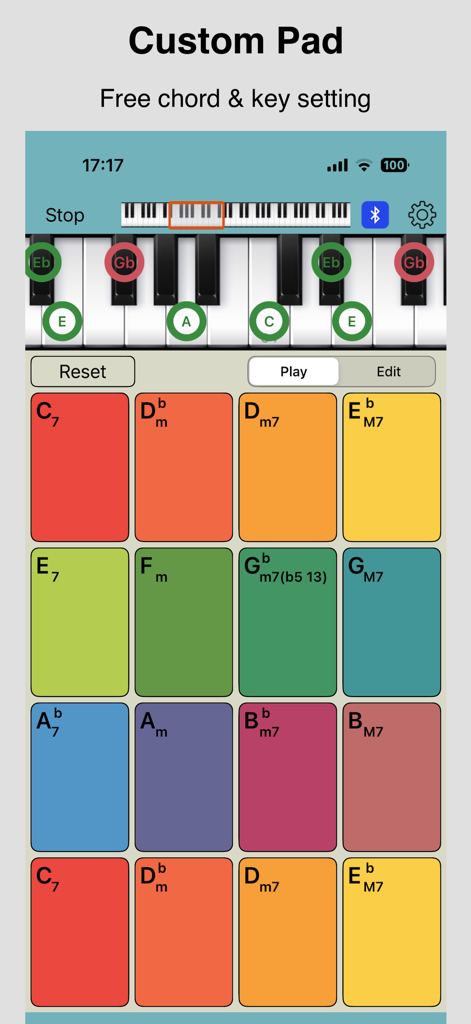
Chords Pad 앱 인터페이스로 화려한 사용자 정의 코드 패드와 피아노 키보드 시각화 표시.
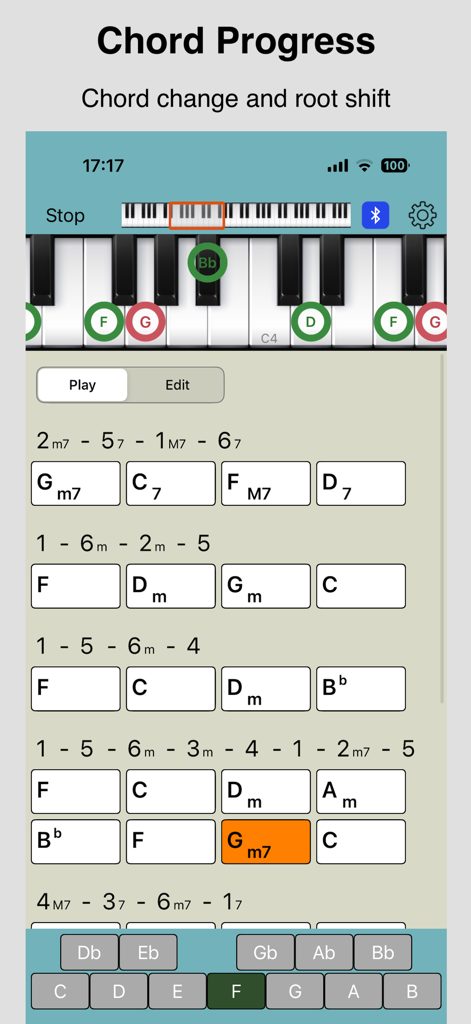
Chords Pad 앱 인터페이스로 코드 진행 목록과 시각적 핑거 플레이스먼트가 있는 가상 피아노 키보드 표시.
설명
This app can easily check the sound and the display on the keyboard of the chord tone of musical chords.
We have prepared various UI for checking the chords. Use the method that suits you.
- Pad Display (Chord List, Custom Pad)
- Chord Progress
[Chord List]
You can select from the following patterns for the chord button list display. It supports chord reordering and toggling chord visibility.
- Each key : Displays all types of chord patterns in a list for each key
- Vertical : Displays all types of chord patterns vertically and each key horizontally
- Horizontal : Displays all types of chord patterns horizontally with each key vertically
[Custom pad]
Larger buttons than the chord list are arranged. You can freely set the chord and key for each button.
[Chord Progress]
Displays a list of typical chord progressions. The chord buttons are arranged so that you can easily check the sound of the chord progression, and it supports chord changes. It also supports root shifts.
In either case, when the chord button is tapped, the selected chord is played and the chord tone is displayed on the keyboard.
* If you'd like to display all the chord patterns including tension (b9, # 9, 11, # 11, b13, 13), You need In-App Purchase.
Other features:
- Supports chord reordering and toggling chord visibility in the "Chord List". ([Settings screen] - [Edit Chord List])
- The keyboard can be slid with the slider. (range: C2 ~ C7) And the keyboard also supports playing.
- There are 28 types in all kinds of sound. (It is 9 kinds can be used in the initial state. To use all type, you need In-App Purchase.)
- Supports Bluetooth MIDI connection.
- Supports sending MIDI messages (note on / off).
Chord list:
M, 7, 7(b5), 7(#5), 6, 6 9, 9, add9, M7, M9, M7(b5), M7(#5), m, m6, m6 9, m(#5), m add9, m7, mM7, m7(b5), m7(#5), m9, mM9, aug, dim, dim7, sus4, 7sus4, 9sus4, M7sus4, M9sus4
(To use below, you need In-App Purchase.)
7(b9), 7(#9), 7(#11), 7(b13), 7(13), 7(b9 #11), 7(b9 b13), 7(b9 13), 9(#11), 9(b13), 9(13), 7(#9 #11), 7(#9 b13), 7(#9 13), M7(#11), M9(#11), M7(13), M9(13), m7(11), m7(13), m9(11), m7(b5 11), m7(b5 13)
If you would like to create more flexible chord progressions or compose music using chords, try iOS app "Piano Chords Master".
이 페이지는 앱이나 개발자의 공식 페이지가 아니며, 정보 제공 및 논평을 목적으로 작성된 독립 편집 간행물입니다. 명시적으로 달리 언급되지 않는 한, 해당 앱이나 개발자는 MWM, Apple, Google Play, 앱 퍼블리셔 또는 앱 개발자와 제휴, 보증, 후원, 승인 또는 공식적으로 연결되어 있지 않으며, 이 페이지의 어떤 내용도 해당 앱이 MWM의 서비스를 사용하여 개발되었음을 의미하지 않습니다. 모든 상표, 로고, 스크린샷 및 기타 콘텐츠는 해당 소유자의 자산입니다.








