
이 페이지는 앱이나 개발자의 공식 페이지가 아니며, 정보 제공 및 논평을 목적으로 작성된 독립 편집 간행물입니다. 명시적으로 달리 언급되지 않는 한, 해당 앱이나 개발자는 MWM, Apple, Google Play, 앱 퍼블리셔 또는 앱 개발자와 제휴, 보증, 후원, 승인 또는 공식적으로 연결되어 있지 않으며, 이 페이지의 어떤 내용도 해당 앱이 MWM의 서비스를 사용하여 개발되었음을 의미하지 않습니다. 모든 상표, 로고, 스크린샷 및 기타 콘텐츠는 해당 소유자의 자산입니다.

Choreographic: Dance Formation
안무가를 위한 엘리트 작업 공간으로 완벽한 전환을 디자인하고, 움직임을 음악에 동기화하며, 팀과 실시간으로 협업하세요.
다운로드
174K+사용자 평점
총 평가 수
200개발사
카테고리
Productivity지원 언어
7최신 버전
3.0.9크기
86.5 MB출시일
2022년 7월 14일완벽한 대형 디자인
안무가가 모든 움직임을 계획, 애니메이션 및 밀리초 단위의 정밀도로 동기화할 수 있는 최고의 3D 작업 공간입니다.
정밀 3D 시각화
모든 각도에서 무대를 보세요. 종이와 펜보다 뛰어난 사실적인 3D 미리보기를 통해 공간 문제를 파악하고 댄서 충돌을 방지하세요.
비트 동기화 전환
0.01초까지 음악에 맞춰 모든 전환 타이밍을 맞추세요. 부드러운 애니메이션 슬라이더를 사용하여 팀이 정확한 이동 경로를 시각화하도록 돕습니다.
자주 묻는 질문
에 대해 알아야 할 모든 것 Choreographic: Dance Formation
Does Choreographic: Dance Formation support real-time collaboration?
네, Choreographic은 실시간 협업을 지원합니다. 팀이 함께 안무를 구축하고 변경 사항이 모든 기기에서 즉시 표시됩니다.
Can Choreographic visualize dance formations in 3D?
네, Choreographic은 3D 형성 보기를 제공합니다. 사용자는 어떤 각도에서든 형성을 시각화하여 무대 위의 댄서들을 사실적으로 미리 볼 수 있습니다.
Is it possible to sync music with formations in Choreographic?
네, Choreographic은 음악 동기화 기능을 포함합니다. 댄서들이 선택한 트랙에 맞춰 정확하게 움직이면서 전환이 모든 카운트에 맞춰집니다.
How does Choreographic manage folder permissions?
Choreographic은 사용자 지정 폴더 권한을 제공합니다. 사용자는 각 폴더를 볼 수 있는 사람과 편집할 수 있는 사람을 선택하여 초안을 비공개로 유지하고 완성된 작업을 선택적으로 공유할 수 있습니다.
Can I reuse groups of dancers in Choreographic: Dance Formation?
네, Choreographic은 사용자가 재사용 가능한 크루를 만들 수 있도록 허용합니다. 여러 댄서 그룹을 저장하고 앱의 다양한 안무에서 다시 사용할 수 있습니다.
Does Choreographic offer pre-made formation ideas?
네, Choreographic은 형성 아이디어를 제공합니다. 사용자는 팀에서 엄선한 안무를 탐색하고 탭하여 즐겨찾기를 라이브러리에 저장할 수 있습니다.
What is the precision for setting transition durations in Choreographic?
Choreographic은 전환 지속 시간에 밀리초 단위의 정밀도를 제공합니다. 사용자는 정확한 이동 시간을 위해 형성 및 전환 타이밍을 0.01초까지 설정할 수 있습니다.
Does Choreographic animate transitions for dancer movement?
네, Choreographic은 애니메이션과 함께 부드러운 전환 슬라이딩을 제공합니다. 이를 통해 댄서들은 정확한 이동 경로를 단계별로 시각화하고 충돌을 피할 수 있습니다.
Can users customize stage dimensions in Choreographic: Dance Formation?
네, Choreographic은 사용자 지정 무대 크기를 지원합니다. 사용자는 공연장 공간에 정확하게 맞추기 위해 너비, 깊이, 측면/후면 무대 영역을 설정합니다.
Can I add props to my stage in Choreographic?
네, Choreographic은 무대 소품 추가를 허용합니다. 사용자는 안무 내에서 소품의 위치, 모양, 크기 및 색상을 시각화하고 애니메이션할 수 있습니다.
How do I select and edit dancers by color in Choreographic?
Choreographic은 색상별로 댄서를 선택하고 편집할 수 있도록 합니다. 사용자는 섹션을 색상으로 구분한 다음 색상별로 선택하여 상호 작용을 시각화하고 효율적으로 그룹 편집을 수행합니다.
Is it possible to add notes to formations in Choreographic?
네, Choreographic은 사용자가 모든 형성에 메모를 첨부할 수 있도록 합니다. 이를 통해 댄서들은 안무의 의도와 맥락을 이해하는 데 도움이 됩니다.
Does Choreographic: Dance Formation have a search feature?
네, Choreographic은 강력한 검색 기능을 포함합니다. 사용자는 앱을 사용하여 몇 초 안에 모든 안무, 크루 또는 폴더를 찾을 수 있습니다.
Is there a free trial for Choreographic Pro?
네, Choreographic은 연간 요금제와 함께 14일 무료 체험을 제공합니다. 구독은 24시간 전에 자동 갱신을 해제하지 않으면 자동 갱신됩니다.
How can I cancel my Choreographic: Dance Formation subscription?
사용자는 설정 > Apple ID > 구독에서 Choreographic Pro 구독을 관리하거나 취소할 수 있습니다. 확인 시 Apple ID로 요금이 청구됩니다.
Where can I find the privacy policy for Choreographic?
Choreographic의 공식 개인정보처리방침은 앱 웹사이트 https://choreographic.app/privacy에서 확인할 수 있습니다.
다음 스크린샷과 설명은 앱의 공식 스토어 목록에서 직접 가져온 것이며 앱 개발자의 자산입니다.
앱 스토어
스크린샷
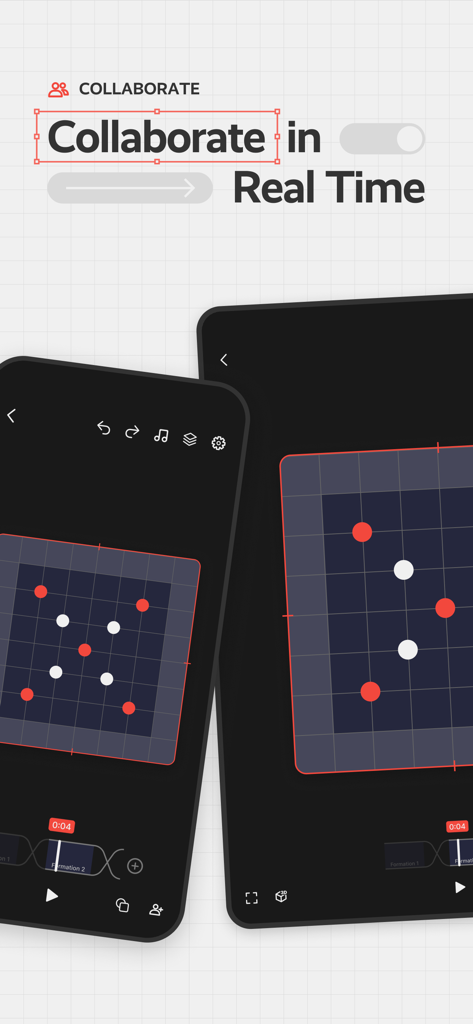
두 장치에서 무대 위치를 보여주는 댄스 대형에 대한 실시간 협업.
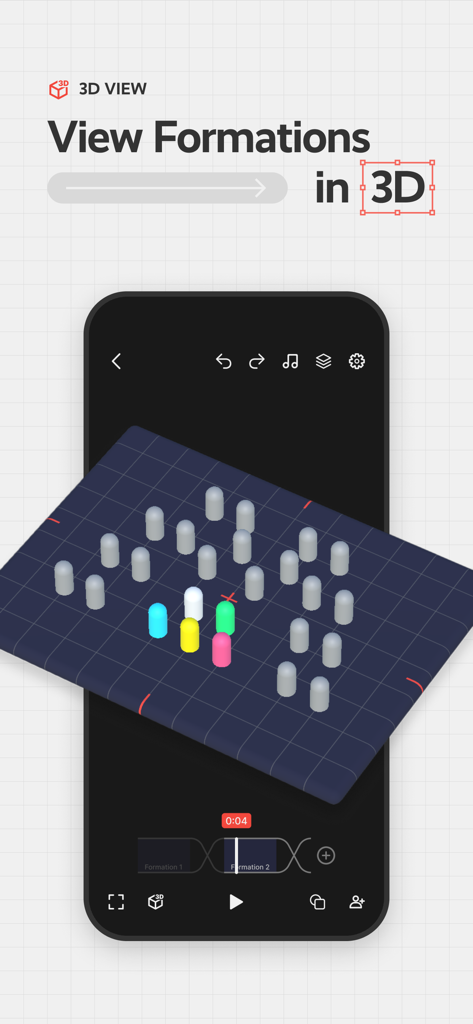
디지털 무대 그리드에서 댄스 대형의 3D 시점 보기
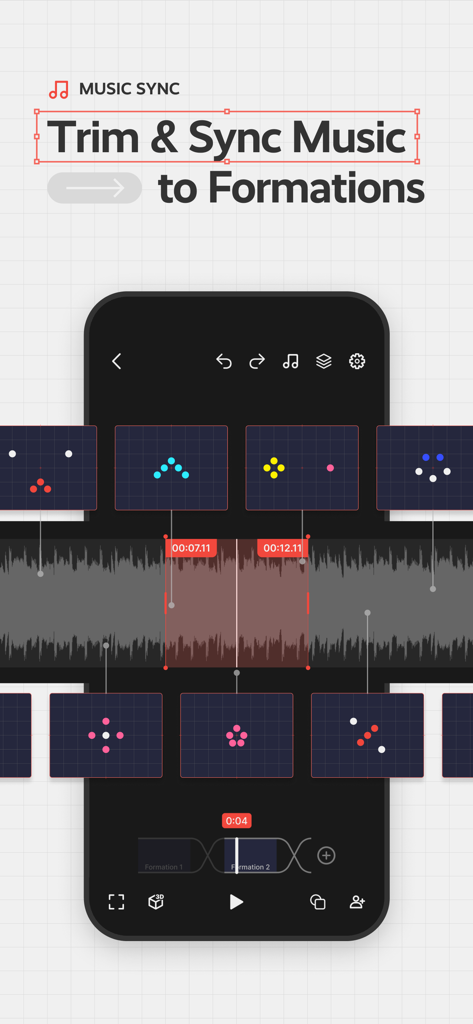
오디오 파형과 대형 스냅샷을 사용하여 댄스 대형과 음악 동기화를 보여주는 Choreographic 앱 인터페이스
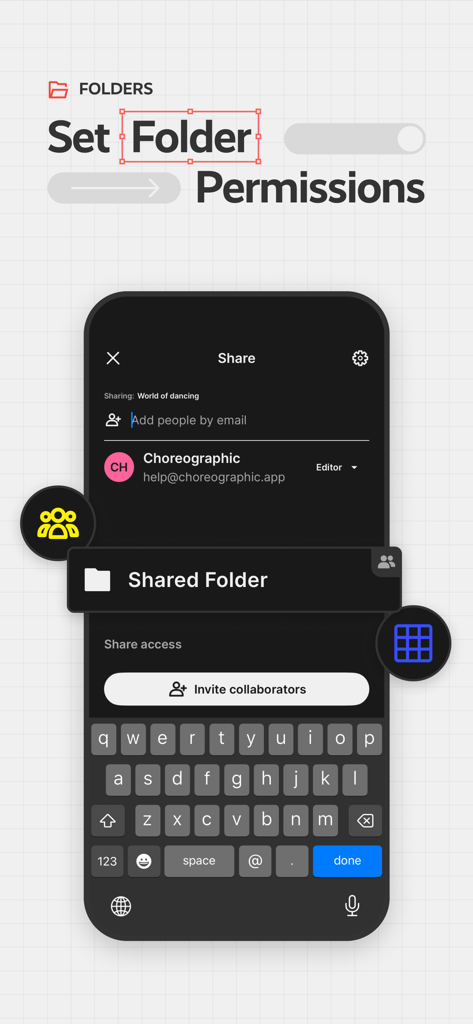
댄스 안무 폴더 권한을 관리하고 공동 작업자를 초대하는 모바일 앱 화면.
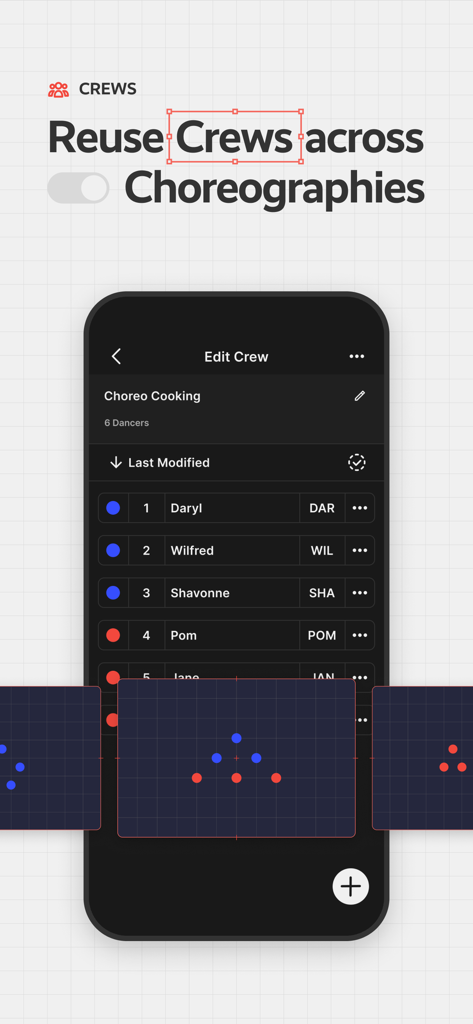
Choreographic 앱에서 다른 안무에 걸쳐 댄스 크루를 편집하고 재사용하는 방법을 보여주는 인터페이스.
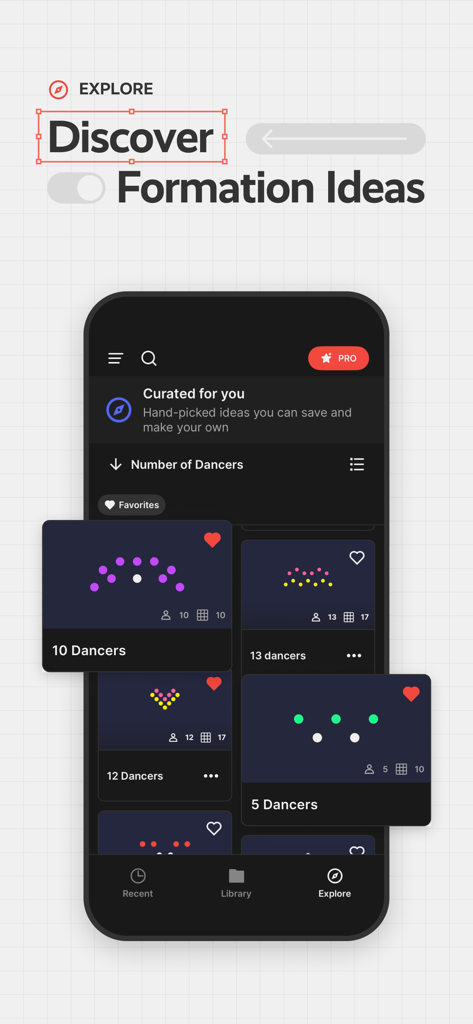
Choreographic 앱의 큐레이션된 댄스 대형 템플릿 컬렉션.
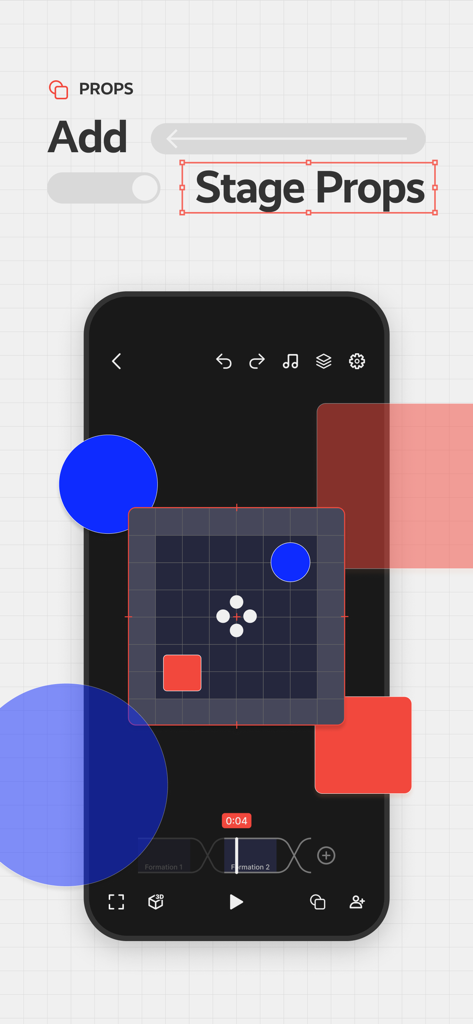
Choreographic 앱의 댄스 대형 그리드에 무대 소품 추가
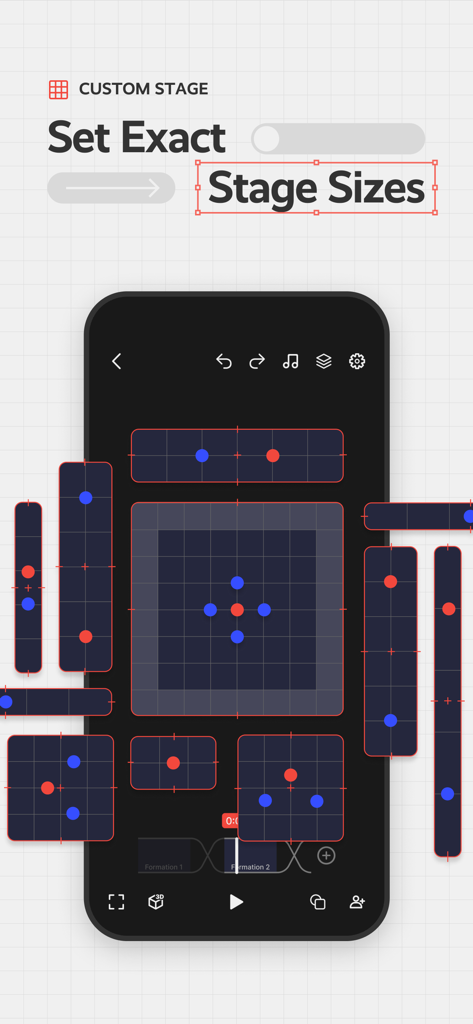
그리드에서 색상으로 구분된 댄서 위치를 사용하여 댄스 대형 계획을 위한 사용자 지정 무대 크기를 설정하는 방법을 보여주는 모바일 앱 인터페이스
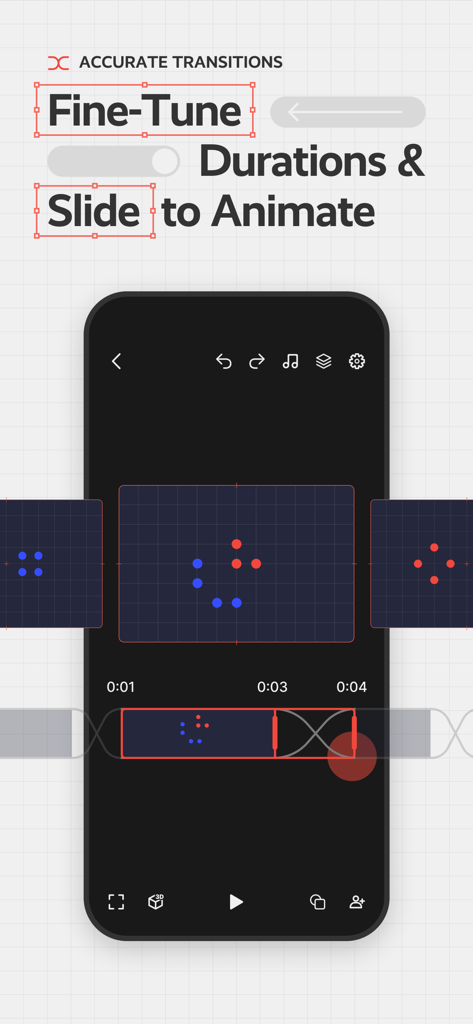
댄스 대형 전환 지속 시간 및 애니메이션을 미세 조정하는 인터페이스
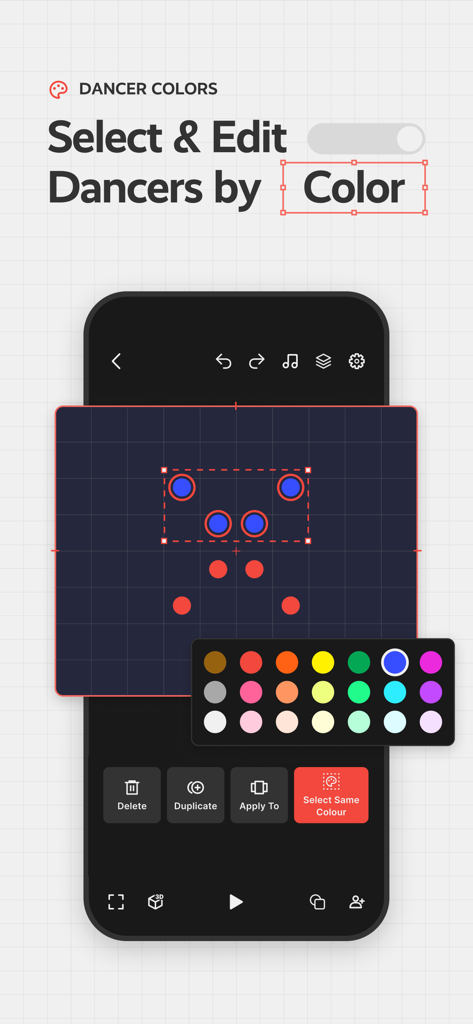
가상 무대 그리드에서 색상으로 댄서를 선택하고 편집하는 것을 보여주는 Choreographic 앱 인터페이스
설명
Download
비슷한 앱
유사한 기능과 사용자 경험을 가진 앱

ArrangeUs
Andriy Stefanchuk

TacticalPad Coach's Whiteboard
F Closs Servicos em Tecnologia da Informacao EIRELI ME

The Hoops Geek | Play Designer
Andreas Rauh
Tactics Board - Soccer
ANDREAROSARIO CENSABELLA
Coach Tactic Board: Soccer
Grzegorz Kipa
Coach Tactic Board: Basket
Grzegorz Kipa

Cadrage Director's Viewfinder
Cadrage GmbH

Flag Football Playmaker X
True Partners, LLC

Basketball Coach: Elite Hoops
Day Well Spent LLC
이 페이지는 앱이나 개발자의 공식 페이지가 아니며, 정보 제공 및 논평을 목적으로 작성된 독립 편집 간행물입니다. 명시적으로 달리 언급되지 않는 한, 해당 앱이나 개발자는 MWM, Apple, Google Play, 앱 퍼블리셔 또는 앱 개발자와 제휴, 보증, 후원, 승인 또는 공식적으로 연결되어 있지 않으며, 이 페이지의 어떤 내용도 해당 앱이 MWM의 서비스를 사용하여 개발되었음을 의미하지 않습니다. 모든 상표, 로고, 스크린샷 및 기타 콘텐츠는 해당 소유자의 자산입니다.