Claris FileMaker Go 2024
다운로드: App Store

이 페이지는 앱이나 개발자의 공식 페이지가 아니며, 정보 제공 및 논평을 목적으로 작성된 독립 편집 간행물입니다. 명시적으로 달리 언급되지 않는 한, 해당 앱이나 개발자는 MWM, Apple, Google Play, 앱 퍼블리셔 또는 앱 개발자와 제휴, 보증, 후원, 승인 또는 공식적으로 연결되어 있지 않으며, 이 페이지의 어떤 내용도 해당 앱이 MWM의 서비스를 사용하여 개발되었음을 의미하지 않습니다. 모든 상표, 로고, 스크린샷 및 기타 콘텐츠는 해당 소유자의 자산입니다.

로고: Claris FileMaker Go 2024
다운로드: App Store

Claris FileMaker Go 2024

안전한 바코드 스캔, 서명 캡처 및 실시간 데이터 동기화로 현장 운영을 디지털화하세요. iPad 및 iPhone의 안정성을 위해 제작된 전문 도구로 비즈니스 생산성을 확장하세요.

주요 수치

다운로드

45K+

사용자 평점

3.4/5

총 평가 수

0

개발사

Claris International Inc.

카테고리

Business

지원 언어

11

최신 버전

21.1.1

크기

191.4 MB

출시일

2024년 6월 4일
기능

이동 중에도 비즈니스 강화

일반적인 도구에 안주하지 마세요. Claris FileMaker Go 2024는 팀이 요구하는 보안 및 성능으로 iPad 및 iPhone에서 맞춤형 비즈니스 앱을 현실로 구현합니다.

즉각적인 모바일 생산성

느리고 종이 기반인 워크플로를 동적인 디지털 양식으로 대체하세요. 모든 위치에서 실시간으로 서명을 캡처하고, 바코드를 스캔하고, 레코드를 업데이트하세요.

전문 현장 업무를 위해 제작됨

Core ML, Siri 단축키, Live Text와 같은 고급 iOS 기능을 활용하여 장치를 고성능 스캐닝 및 데이터 입력 도구로 전환하세요.

다음 스크린샷과 설명은 앱의 공식 스토어 목록에서 직접 가져온 것이며 앱 개발자의 자산입니다.

앱 스토어

스크린샷

Claris FileMaker Go 2024 - Claris FileMaker Go 2024에서 사용자 지정 비즈니스 애플리케이션 내의 전문 프로필 보기
Claris FileMaker Go 2024에서 사용자 지정 비즈니스 애플리케이션 내의 전문 프로필 보기

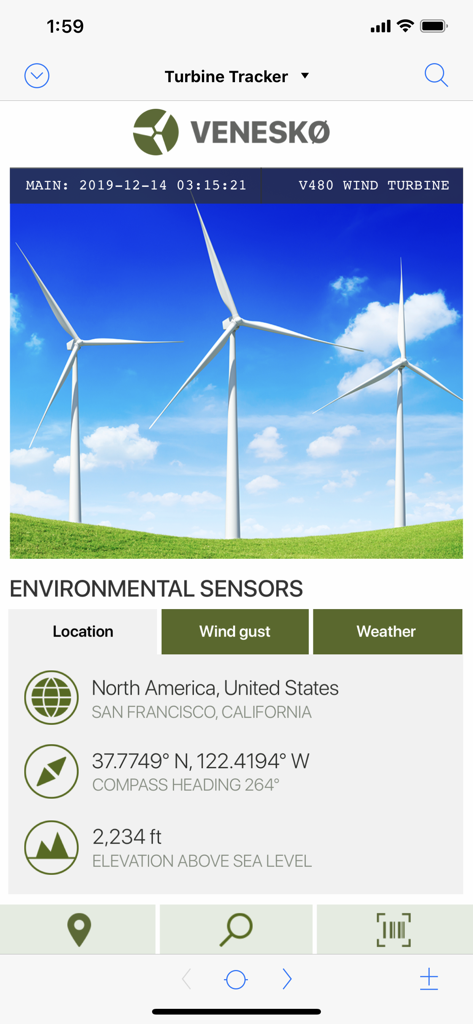
Claris FileMaker Go 2024 - 터빈 추적 및 환경 센서용 Claris FileMaker Go 2024 앱 화면
터빈 추적 및 환경 센서용 Claris FileMaker Go 2024 앱 화면

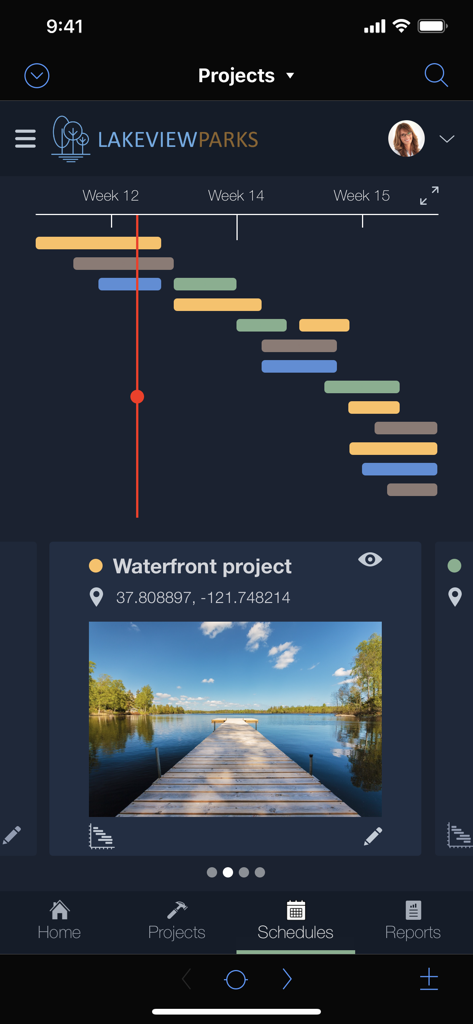
Claris FileMaker Go 2024 - 간트 차트 타임라인과 상세 프로젝트 현장 정보를 특징으로 하는 모바일 프로젝트 관리 대시보드.
간트 차트 타임라인과 상세 프로젝트 현장 정보를 특징으로 하는 모바일 프로젝트 관리 대시보드.

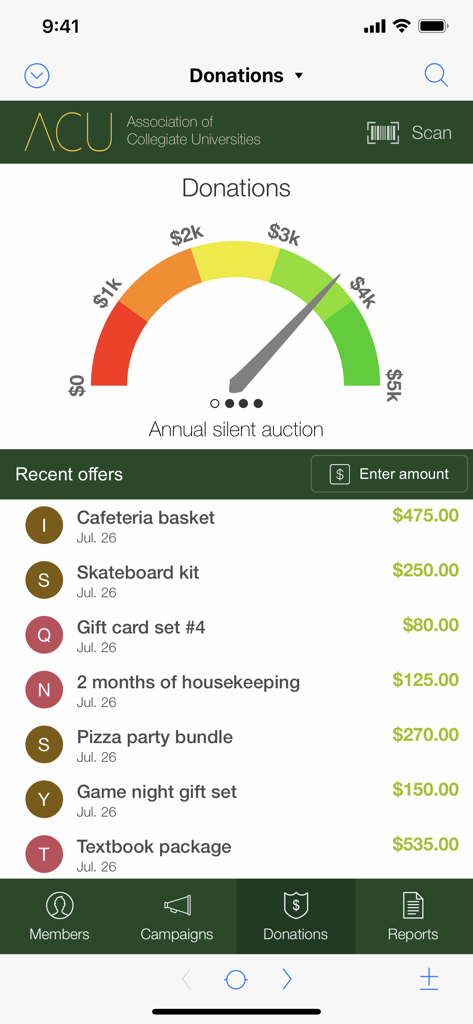
Claris FileMaker Go 2024 - 모금 게이지 차트와 묵시 경매 항목 목록을 표시하는 Claris FileMaker Go 2024 대시보드
모금 게이지 차트와 묵시 경매 항목 목록을 표시하는 Claris FileMaker Go 2024 대시보드

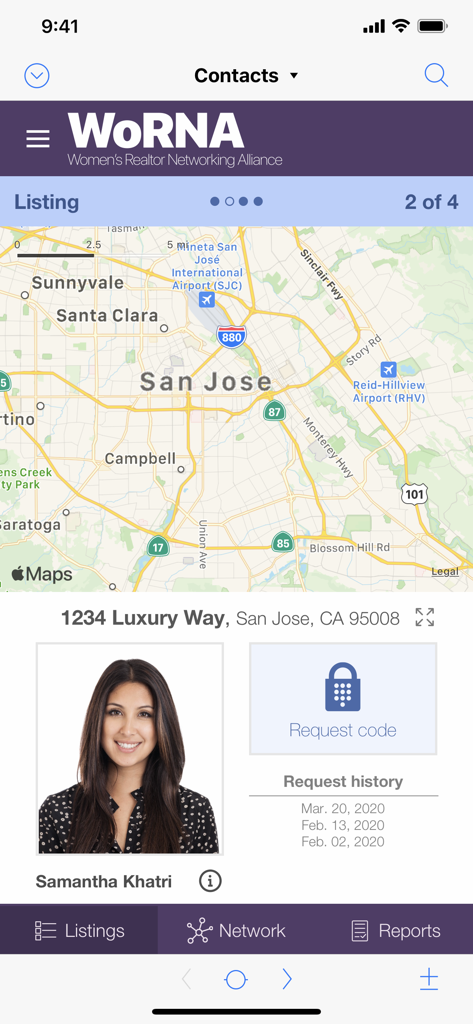
Claris FileMaker Go 2024 - 지도와 Samantha Khatri의 연락처 프로필을 보여주는 iPhone의 맞춤형 부동산 목록 앱

지도와 Samantha Khatri의 연락처 프로필을 보여주는 iPhone의 맞춤형 부동산 목록 앱

설명

Claris FileMaker 2024 allows you to deliver high-performance apps that can scale with today’s business needs. Get the most in security, stability, and availability for custom apps you rely on every day. Claris FileMaker Go 2024, part of FileMaker 2024, brings all of these improvements to your FileMaker apps running on iPad and iPhone. Check inventory in the warehouse, create invoices during client visits, perform inspections onsite, and more. Your mobile teams can rely on their FileMaker apps to help them be more productive on the go now — and well into the future. Create custom apps using Claris FileMaker Pro. Then access these apps from your iPad and iPhone with FileMaker Go. BE MORE PRODUCTIVE ON THE GO Instantly boost your team’s productivity with FileMaker Go: - Use online forms instead of paper to collect, edit, search, and sort data. - Capture signatures for invoices or delivery receipts. - Automatically scan and insert barcodes into your custom app. - Add photos, videos, and audio from your device directly to your app. - Display executive dashboard summaries with colorful charts and graphs. - Use your existing Amazon, Google, or Microsoft Azure account credentials to sign in to your FileMaker apps. - Capture information from iOS sensors in your iPad or iPhone device. - Print reports and forms directly from iPad and iPhone using AirPrint. - Take advantage of latest iOS tech such as Core ML, Siri Shortcuts, and Live Text in your FileMaker apps. IMPORTANT NOTES - FileMaker Pro is required to create and modify FileMaker apps. - Files can be copied or emailed between a device and a desktop.

Download

다운로드: App Store

이 페이지는 앱이나 개발자의 공식 페이지가 아니며, 정보 제공 및 논평을 목적으로 작성된 독립 편집 간행물입니다. 명시적으로 달리 언급되지 않는 한, 해당 앱이나 개발자는 MWM, Apple, Google Play, 앱 퍼블리셔 또는 앱 개발자와 제휴, 보증, 후원, 승인 또는 공식적으로 연결되어 있지 않으며, 이 페이지의 어떤 내용도 해당 앱이 MWM의 서비스를 사용하여 개발되었음을 의미하지 않습니다. 모든 상표, 로고, 스크린샷 및 기타 콘텐츠는 해당 소유자의 자산입니다.









