Clean Master: Clean Storage
다운로드: App Store

이 페이지는 앱이나 개발자의 공식 페이지가 아니며, 정보 제공 및 논평을 목적으로 작성된 독립 편집 간행물입니다. 명시적으로 달리 언급되지 않는 한, 해당 앱이나 개발자는 MWM, Apple, Google Play, 앱 퍼블리셔 또는 앱 개발자와 제휴, 보증, 후원, 승인 또는 공식적으로 연결되어 있지 않으며, 이 페이지의 어떤 내용도 해당 앱이 MWM의 서비스를 사용하여 개발되었음을 의미하지 않습니다. 모든 상표, 로고, 스크린샷 및 기타 콘텐츠는 해당 소유자의 자산입니다.


로고: Clean Master: Clean Storage
다운로드: App Store

Clean Master: Clean Storage

'저장 공간 부족' 알림에 작별을 고하세요. 중복 사진을 스마트하게 삭제하고, 대용량 동영상을 압축하며, 개인 정보 보호를 위해 설계된 궁극의 올인원 유틸리티 제품군으로 디지털 생활을 정리하세요.

주요 수치

다운로드

12K+

사용자 평점

3.8/5

총 평가 수

0

개발사

LI XIN

카테고리

Productivity

지원 언어

1

최신 버전

1.1.8

크기

82.2 MB

출시일

2022년 6월 10일
기능

휴대폰의 잠재력을 되찾으세요

'저장 공간 부족' 경고와 씨름하지 마세요. 바쁜 라이프스타일을 위해 설계된 원탭 도구로 갤러리를 정리하고, 개인 정보를 보호하며, 생활을 정리하세요.

스마트 갤러리 정리

가장 좋은 순간은 안전하게 보관하면서 흐릿하거나 중복된 추억을 즉시 찾아 삭제하세요.

개인 정보 보호 우선

민감한 미디어를 암호화된 보관소에 안전하게 보관하고, 사진을 공유하기 전에 GPS 데이터를 제거하세요.

다음 스크린샷과 설명은 앱의 공식 스토어 목록에서 직접 가져온 것이며 앱 개발자의 자산입니다.

앱 스토어

스크린샷
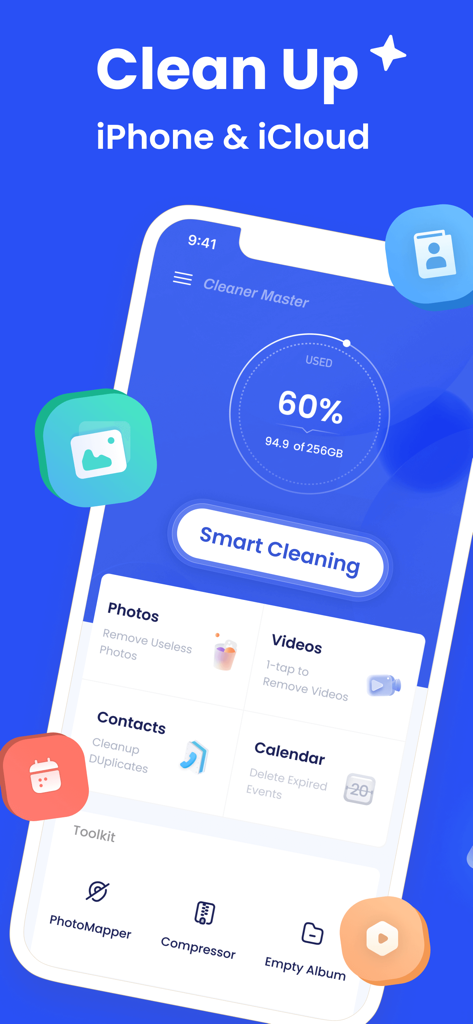
Clean Master: Clean Storage - Clean Master 앱의 인터페이스로, iPhone 및 iCloud의 스마트 정리 버튼과 저장 공간 사용 현황 대시보드를 보여줍니다.
Clean Master 앱의 인터페이스로, iPhone 및 iCloud의 스마트 정리 버튼과 저장 공간 사용 현황 대시보드를 보여줍니다.

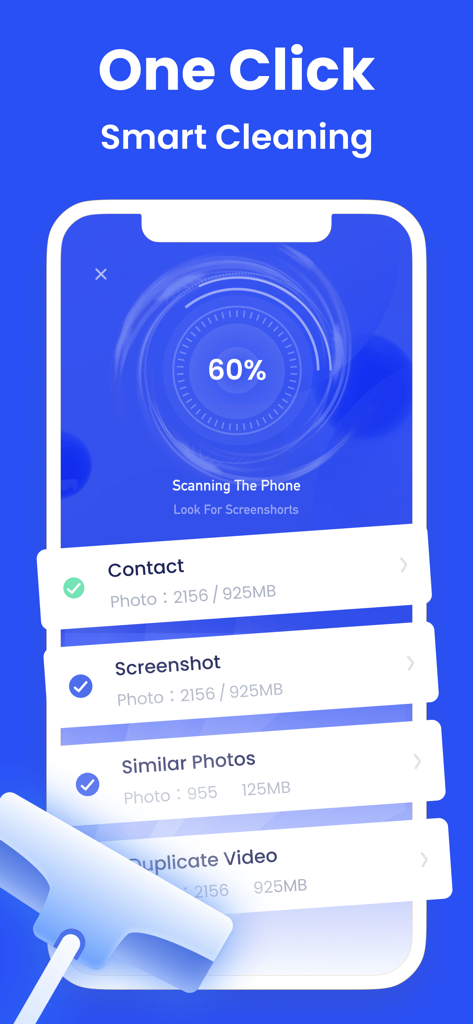
Clean Master: Clean Storage - Clean Master 앱이 중복 사진 및 스크린샷을 찾기 위한 원클릭 스마트 정리 스캔을 수행하는 것을 보여주는 iPhone 화면입니다.
Clean Master 앱이 중복 사진 및 스크린샷을 찾기 위한 원클릭 스마트 정리 스캔을 수행하는 것을 보여주는 iPhone 화면입니다.

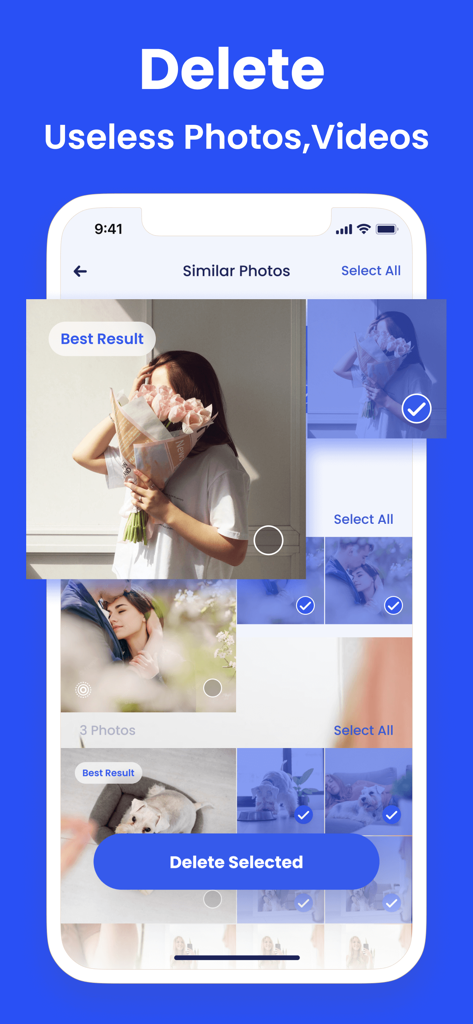
Clean Master: Clean Storage - 저장 공간 확보를 위한 유사 사진 삭제 기능을 보여주는 Clean Master 앱 인터페이스입니다.
저장 공간 확보를 위한 유사 사진 삭제 기능을 보여주는 Clean Master 앱 인터페이스입니다.

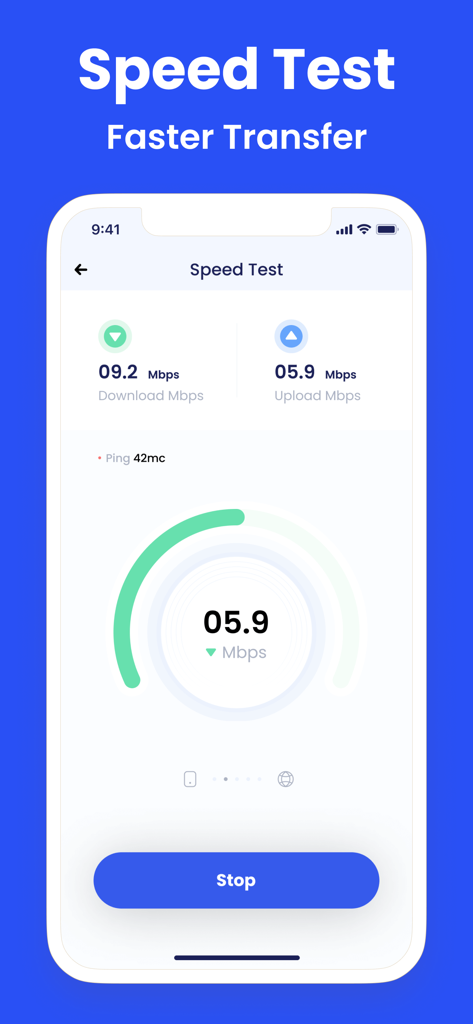
Clean Master: Clean Storage - 다운로드 및 업로드 인터넷 속도 테스트를 보여주는 Clean Master 앱의 인터페이스입니다.
다운로드 및 업로드 인터넷 속도 테스트를 보여주는 Clean Master 앱의 인터페이스입니다.

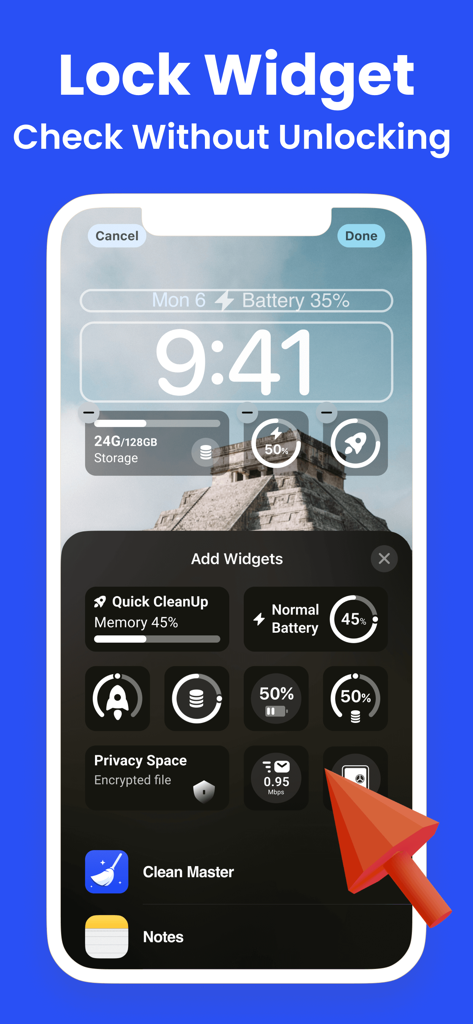
Clean Master: Clean Storage - iPhone 잠금 화면에서 Clean Master의 사용자 정의 가능한 저장 공간 및 배터리 위젯을 보여주는 Clean Master 앱입니다.
iPhone 잠금 화면에서 Clean Master의 사용자 정의 가능한 저장 공간 및 배터리 위젯을 보여주는 Clean Master 앱입니다.

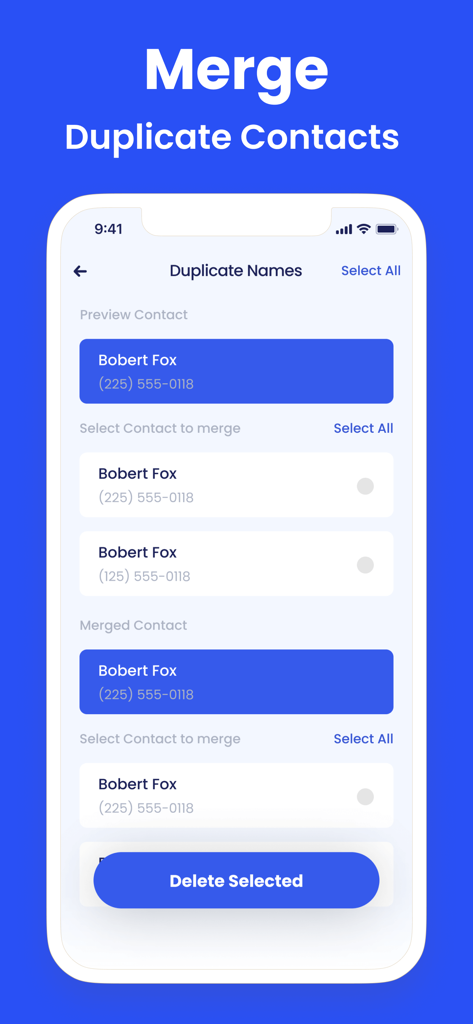
Clean Master: Clean Storage - 전화 주소록을 정리하기 위해 중복 연락처를 식별하고 병합하는 인터페이스를 보여주는 Clean Master 앱 화면입니다.
전화 주소록을 정리하기 위해 중복 연락처를 식별하고 병합하는 인터페이스를 보여주는 Clean Master 앱 화면입니다.

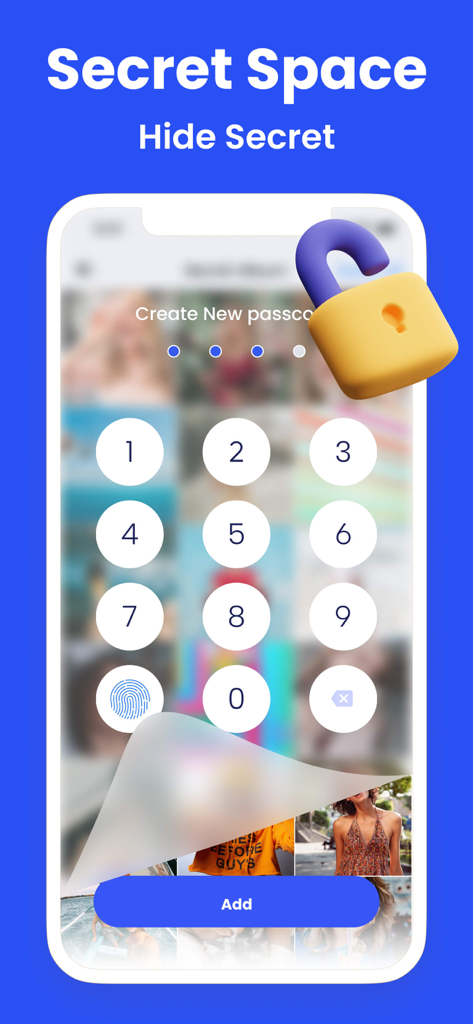
Clean Master: Clean Storage - 개인 사진을 숨기기 위한 Secret Space 기능의 숫자 암호 입력을 표시하는 스마트폰 화면입니다.
개인 사진을 숨기기 위한 Secret Space 기능의 숫자 암호 입력을 표시하는 스마트폰 화면입니다.

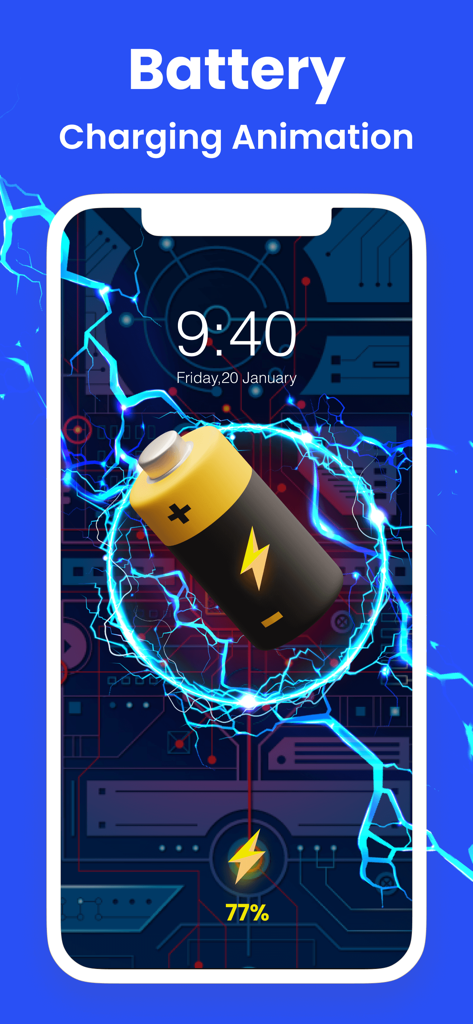
Clean Master: Clean Storage - 파란색 전기 효과와 기술적인 배경의 배터리 충전 애니메이션을 보여주는 iPhone 화면입니다.
파란색 전기 효과와 기술적인 배경의 배터리 충전 애니메이션을 보여주는 iPhone 화면입니다.

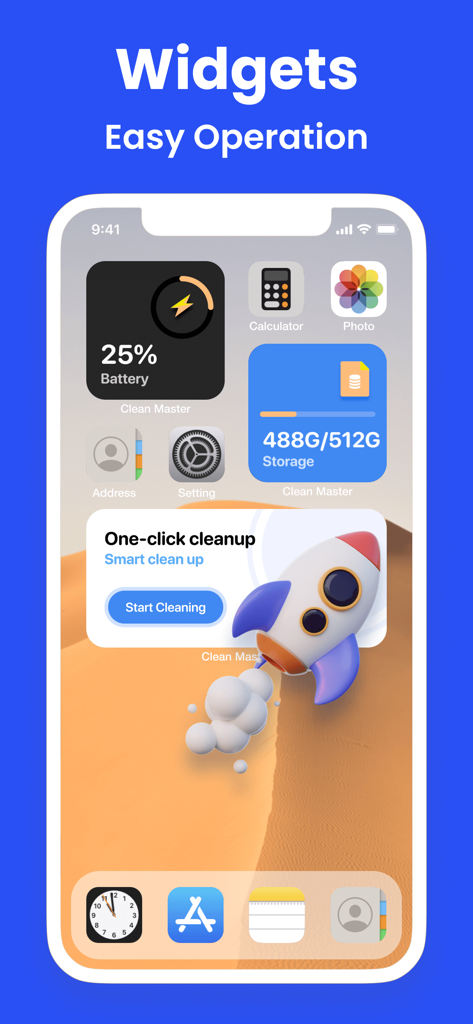
Clean Master: Clean Storage - Clean Master의 저장 공간, 배터리 및 원클릭 정리 위젯을 보여주는 iPhone 홈 화면입니다.

Clean Master의 저장 공간, 배터리 및 원클릭 정리 위젯을 보여주는 iPhone 홈 화면입니다.

설명

Don't let photos pile up randomly, organize your phone with Clean Master! Keep your phone tidy in just a few seconds. What can Clean Master do? Find useless files on your phone and greatly free up phone storage in seconds. Group similar photos & videos together to easily delete batch files at one time. Quickly clean up your phone contacts and calendar to keep everything organized. What features does Clean Master offer? ◆Photo Cleaner - Quickly find and delete duplicate photos - Smartly select the best results and save your phone space much faster - Analyze and delete similar photos, live photos, screenshots, blurred photos, etc ◆Video Cleaner - Multiple duplicate videos can be removed easily with a few steps - Optimized compression for the best video quality possible ◆Contacts Organizer - Remove unwanted contacts or merge them effectively - Merge duplicate contacts by name, number or email - Find incomplete contacts to delete or add more information ◆ Calendar Cleaner: Delete overdue events and reminders from your Calendar ◆ PhotoMapper: Remove photo GPS info, protect your personal privacy ◆Charging Animation - Get cool charging animation for a better charging experience - Make your phone more charming with various charging animations ◆ Tool Kit - Battery Life & Care-Protect the battery and reduce damage Secret Space - Encryption for privacy & Security upgrade Compressor - Compress the videos and photos to save storage space Speed Test - Check your Internet connection speed in a breeze Widget - Check your storage status Custom Notch - Let your wallpaper have cute "ears" Device Information - Get a full overview of your phone information Clean Master Payment & Subscription Terms: Choose between the following subscription options for unlimited access to all features: - Weekly Subscription - Monthly Subscription - Yearly Subscription - Your payment will be charged to your iTunes Account as soon as you confirm your purchase. - You can manage your subscriptions and turn off auto-renewal from your Account Settings after the purchase. - Within 24 hours before the end of the free trial period, the change fee calculated according to the subscription plan will be automatically debited from your account. - You can cancel the auto-renewal at any time, if the cancellation occurs at least 24 hours before the end of the current period. *** Manage your subscription directly from your iPhone *** Subscriptions may be managed by the user and auto-renewal may be turned off by going to the user’s Account Settings after purchase. 1. Tap the “Settings” icon on your mobile, then tap the “Store” icon. 2. Sign in with your iTunes ID. 3. Tap “View Apple ID” then “Manage App Subscriptions”. 4. You will be able to see when your next payment is due, or cancel your automatic renewal. Privacy policy: https://www.app-privacy-policy.com/live.php?token=QGRkEIrx2VzVoz6AkEmWqMcvHYkzhCnl Terms of use: https://www.app-privacy-policy.com/live.php?token=XtT4afDHNP31tlzjkftlLrp5Sz90ZMWj

Download

다운로드: App Store

이 페이지는 앱이나 개발자의 공식 페이지가 아니며, 정보 제공 및 논평을 목적으로 작성된 독립 편집 간행물입니다. 명시적으로 달리 언급되지 않는 한, 해당 앱이나 개발자는 MWM, Apple, Google Play, 앱 퍼블리셔 또는 앱 개발자와 제휴, 보증, 후원, 승인 또는 공식적으로 연결되어 있지 않으며, 이 페이지의 어떤 내용도 해당 앱이 MWM의 서비스를 사용하여 개발되었음을 의미하지 않습니다. 모든 상표, 로고, 스크린샷 및 기타 콘텐츠는 해당 소유자의 자산입니다.








