Clock In: Work Hours Tracker

Clock In: Work Hours Tracker

다운로드: App Store
로고: Clock In: Work Hours Tracker

Clock In: 근로 시간 추적기 – 당신의 시간과 수입을 관리하세요

시간제 근로자와 프리랜서를 위한 궁극의 도구. 여러 직무를 추적하고, 팁을 포함한 수입을 계산하며, 전문적인 근로 시간표를 내보내 항상 자신의 가치만큼 정확하게 지급받도록 하세요.

개발사

Brogan LLC

카테고리

Business

다운로드

326K+

사용자 평점

4.6/5

총 평가 수

7K+

지원 언어

1

당신의 업무일, 시각적으로 확인하세요

이 인터페이스를 사용하는 326K+ 명의 사용자.

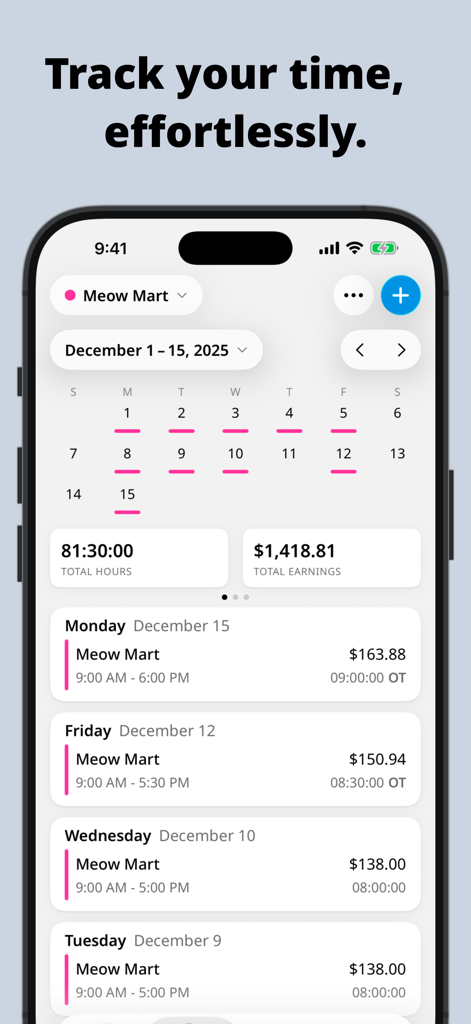
Clock In 앱 대시보드에서 시간제 직무의 주간 근로 시간 및 총 수입을 보여줍니다

Clock In 앱 대시보드에서 시간제 직무의 주간 근로 시간 및 총 수입을 보여줍니다

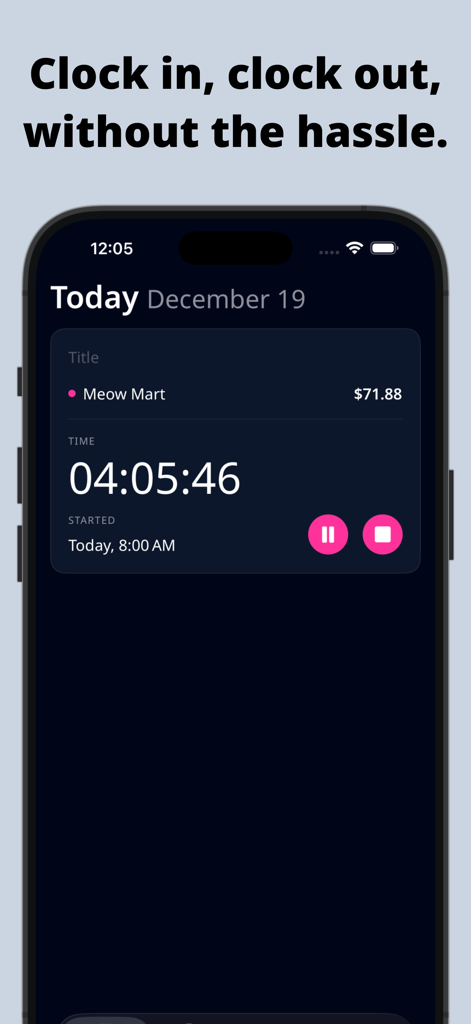
시간제 직무에 대한 실행 중인 근로 시간 타이머와 실시간 수입 계산을 보여주는 모바일 앱 화면

시간제 직무에 대한 실행 중인 근로 시간 타이머와 실시간 수입 계산을 보여주는 모바일 앱 화면

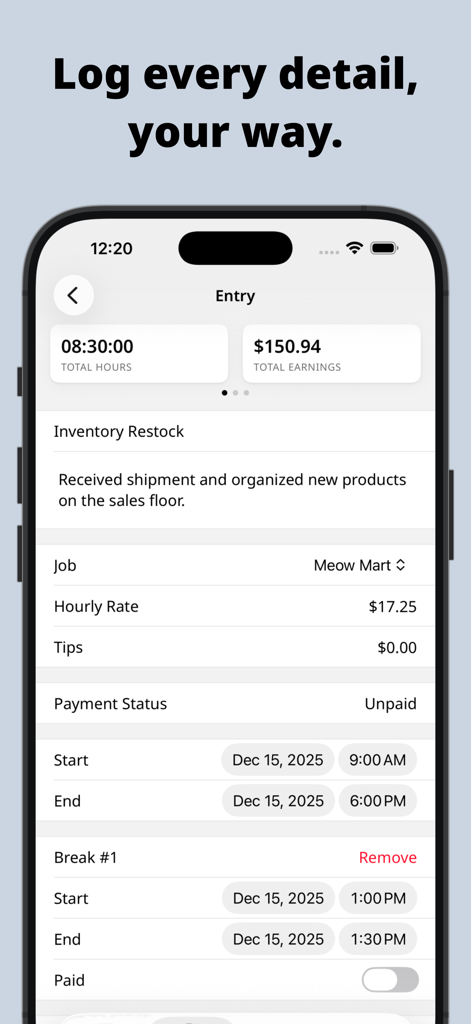
시간, 수입 및 직무 세부 정보를 보여주는 Clock In 앱의 상세 근로 기록 화면

시간, 수입 및 직무 세부 정보를 보여주는 Clock In 앱의 상세 근로 기록 화면

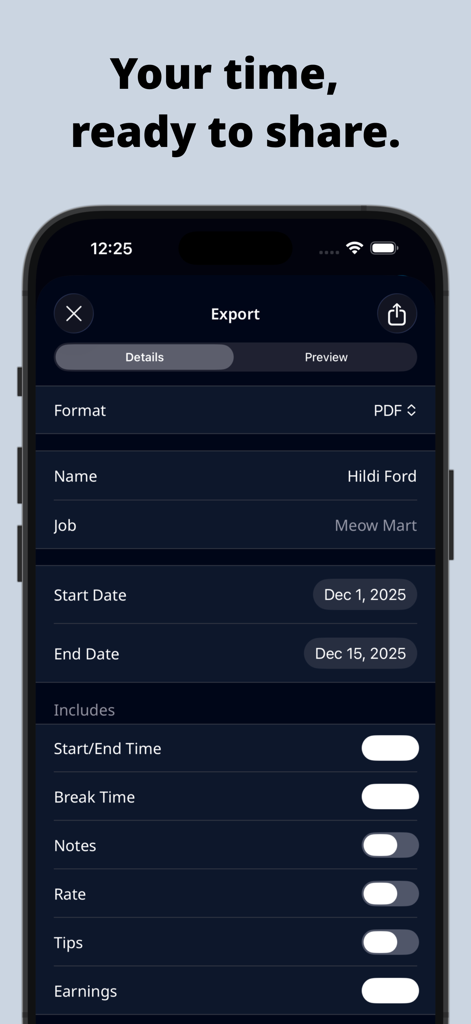
PDF 형식 옵션과 사용자 정의 가능한 근로 시간표 세부 정보를 보여주는 Clock In 앱의 내보내기 화면

PDF 형식 옵션과 사용자 정의 가능한 근로 시간표 세부 정보를 보여주는 Clock In 앱의 내보내기 화면

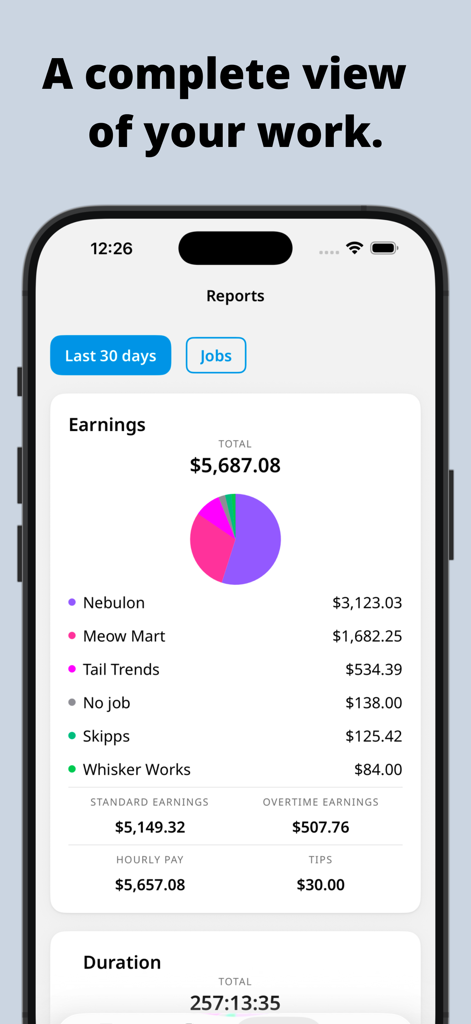
Clock In 앱에서 총 수입 및 직무 내역을 보여주는 수입 보고서 화면

Clock In 앱에서 총 수입 및 직무 내역을 보여주는 수입 보고서 화면

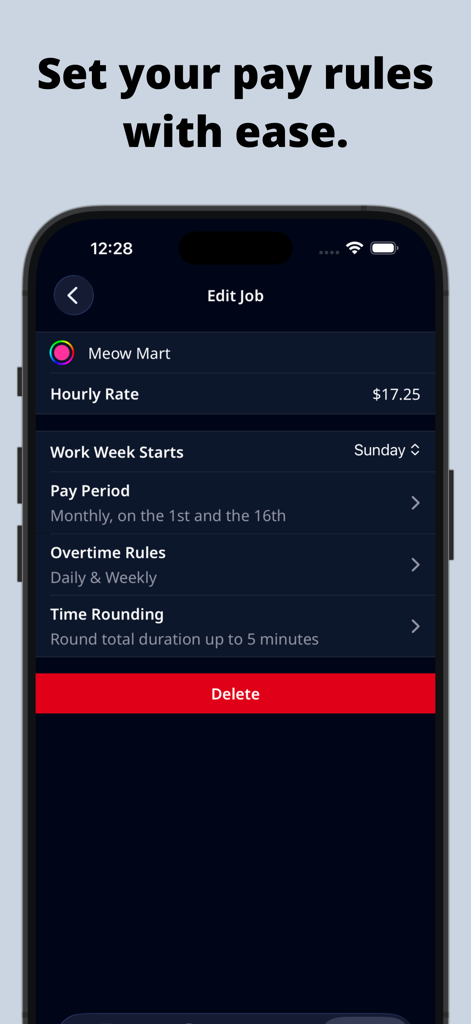
시간당 요율 및 초과 근무 설정 등 급여 규칙 설정을 보여주는 Clock In 앱 스마트폰 화면

시간당 요율 및 초과 근무 설정 등 급여 규칙 설정을 보여주는 Clock In 앱 스마트폰 화면

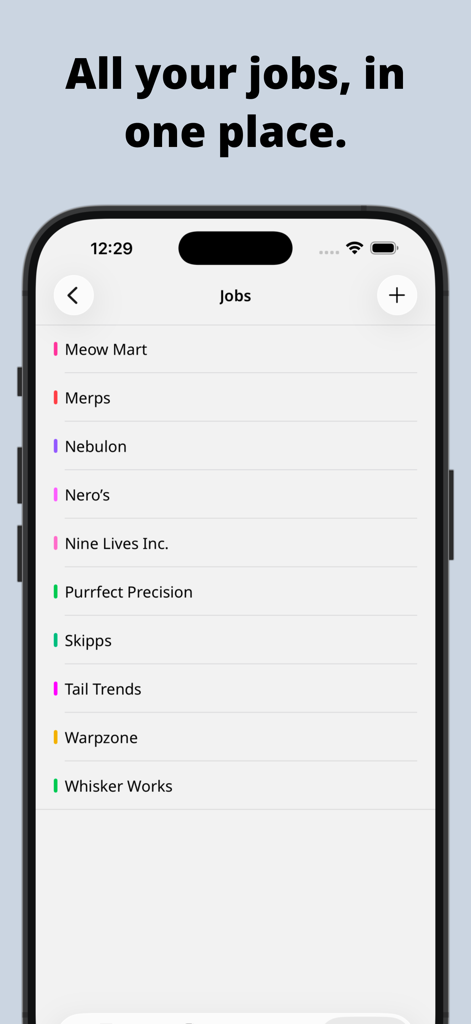
Clock In 근로 시간 추적기 앱 인터페이스 내에서 색상 코드로 구분된 여러 직무 목록을 표시하는 스마트폰 화면.

Clock In 근로 시간 추적기 앱 인터페이스 내에서 색상 코드로 구분된 여러 직무 목록을 표시하는 스마트폰 화면.

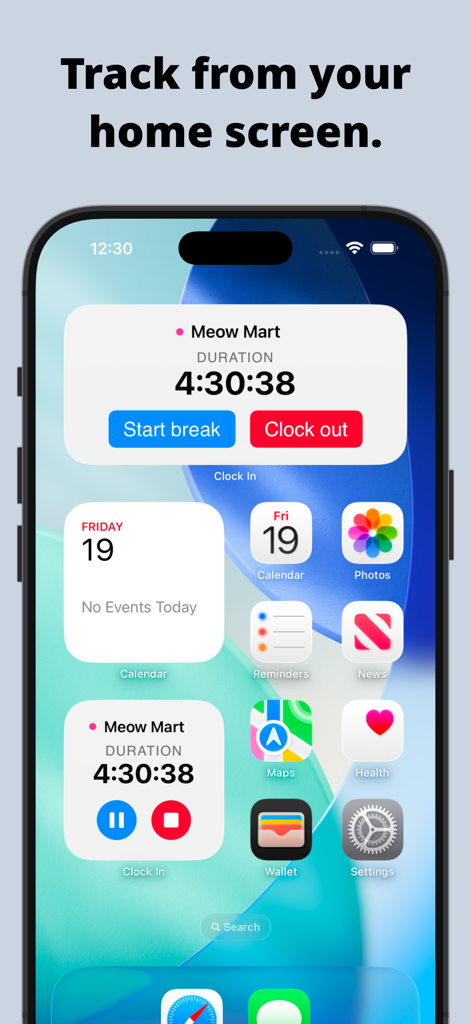
근로 시간 및 기간 추적을 위한 활성 타이머 위젯이 포함된 iPhone 홈 화면.

근로 시간 및 기간 추적을 위한 활성 타이머 위젯이 포함된 iPhone 홈 화면.

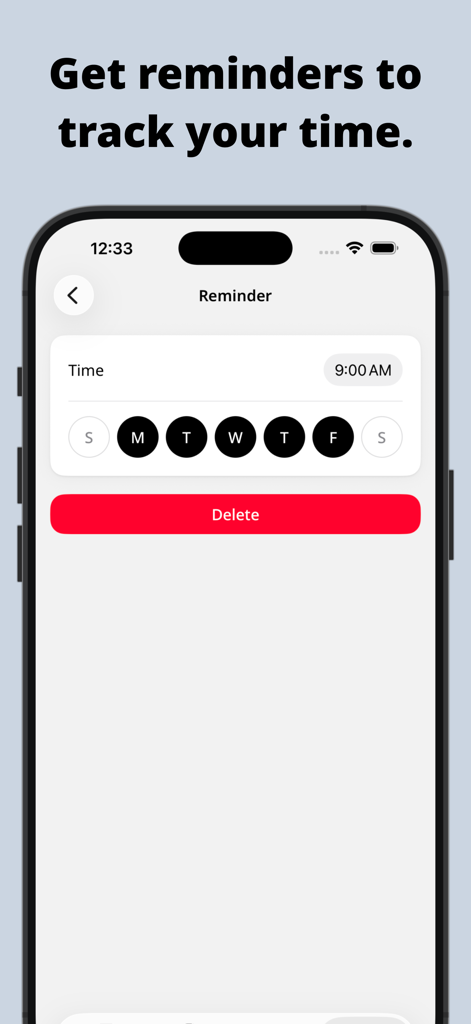
일일 시간 추적을 위한 미리 알림 설정 화면을 보여주는 Clock In 앱 인터페이스

일일 시간 추적을 위한 미리 알림 설정 화면을 보여주는 Clock In 앱 인터페이스

당신의 시간과 수입을 완전히 통제하세요

이 앱을 돋보이게 하는 도구, 326K+ 명의 사용자가 선택.

💰

실시간 급여 계산기

일하는 동안 수입이 늘어나는 것을 즉시 확인하세요. 팁, 휴식 시간, 초과 근무 시간을 포함하여 항상 마땅히 받아야 할 금액만큼 정확하게 지급받도록 하세요.

🎨

다중 직무 관리

색상 코드로 구분된 직무 추적과 당신의 라이프스타일에 맞춘 맞춤형 급여 기간으로 모든 부업과 근무를 한 곳에서 관리하세요.

📤

원탭 근로 시간표 내보내기

전문적인 PDF, CSV 또는 HTML 보고서를 생성하고 몇 초 만에 iPhone에서 직접 고객 또는 고용주와 공유하세요.

앱 소개

에 대해 알아야 할 모든 것 Clock In: Work Hours Tracker.

설명

Effectively track your hours with Clock In! If you work by the hour, this hours tracker will calculate your earnings and time worked and allow you to share them easily. • Record your time using a timer, or add past or future time entries with breaks. Clock In will show your current earnings too. • Entries may include a job, pay rate, breaks, tips, and notes. At a glance, you can see the duration and earnings. • Add your job or jobs. Jobs are color-coded and include your hourly rate and pay period. • View all your entries by month, week, or pay period. Pay periods include weekly, bi-weekly, twice a month, monthly, and every four weeks. • Entries are displayed in a Calendar and a List to help you visualize your hours. Clock In calculates hours worked and earnings for each period too. • Export your hours in a customizable timesheet as a PDF, CSV, Styled(HTML), or Plain text. Share them through any email or messaging app, or save them to a drive or note. • Make Clock In fit your style with different themes, duration formats, and your first day of the week. There are a ton of App icons to choose from as well. • Bring Clock In to your home screen with our active timer widget. ----- Privacy Policy: https://www.brogan.io/pages/privacy-policy Terms and Conditions: https://www.brogan.io/pages/terms-conditions

최신 버전

2026.3

크기

112.0 MB

출시일

2012년 6월 14일

오늘 당신의 급여를 통제하세요

시간당 325,000명 이상의 전문가들이 매분마다 추적하고, 여러 직무를 관리하며, 벌어들인 금액만큼 정확하게 지급받고 있습니다.

다운로드: App Store

App information, icons, screenshots, and descriptions displayed on this page are sourced from the Apple App Store and are the property of their respective developers. Download estimates and rankings are based on MWM's proprietary models and may not reflect actual figures. This page is provided for informational and analytical purposes only.

Believe this page infringes your intellectual property? File a dispute