CloudBeats: audio book player
다운로드: App Store

이 페이지는 앱이나 개발자의 공식 페이지가 아니며, 정보 제공 및 논평을 목적으로 작성된 독립 편집 간행물입니다. 명시적으로 달리 언급되지 않는 한, 해당 앱이나 개발자는 MWM, Apple, Google Play, 앱 퍼블리셔 또는 앱 개발자와 제휴, 보증, 후원, 승인 또는 공식적으로 연결되어 있지 않으며, 이 페이지의 어떤 내용도 해당 앱이 MWM의 서비스를 사용하여 개발되었음을 의미하지 않습니다. 모든 상표, 로고, 스크린샷 및 기타 콘텐츠는 해당 소유자의 자산입니다.

로고: CloudBeats: audio book player
다운로드: App Store

CloudBeats: audio book player

휴대전화 저장 공간을 되찾으세요. Google 드라이브, Dropbox 또는 개인용 NAS를 연결하여 전문적인 재생 제어, 오프라인 감상 및 원활한 진행 상황 동기화를 즐기세요. 월간 구독은 필요하지 않습니다.

주요 수치

다운로드

103K+

사용자 평점

4.5/5

총 평가 수

600

개발사

Roman Burda

카테고리

Books

지원 언어

12

최신 버전

2.55.11

크기

38.9 MB

출시일

2016년 3월 7일
기능

어디서나 즐기는 나만의 오디오북 라이브러리

선호하는 클라우드 저장소나 NAS를 연결하여 휴대전화 저장 공간을 차지하지 않고 개인 컬렉션을 스트리밍하세요. 소유권, 개인 정보 보호 및 제어권을 중시하는 파워 유저를 위해 설계되었습니다.

모든 클라우드에서 스트리밍

Google 드라이브, Dropbox 또는 개인용 NAS를 연결하세요. 기기 저장 공간을 단 1MB도 차지하지 않고 전체 라이브러리에 즉시 액세스할 수 있습니다.

전문가 수준의 재생 제어

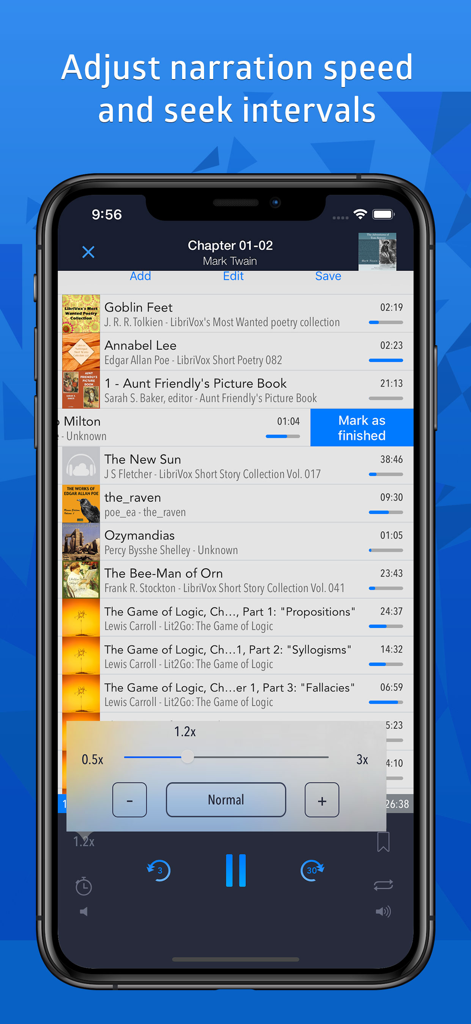
0.5배에서 3배까지의 속도 조절과 스마트 북마크로 최적의 청취 환경을 만드세요. 앱은 모든 기기에서 각 파일의 정확한 위치를 기억합니다.

다음 스크린샷과 설명은 앱의 공식 스토어 목록에서 직접 가져온 것이며 앱 개발자의 자산입니다.

앱 스토어

스크린샷
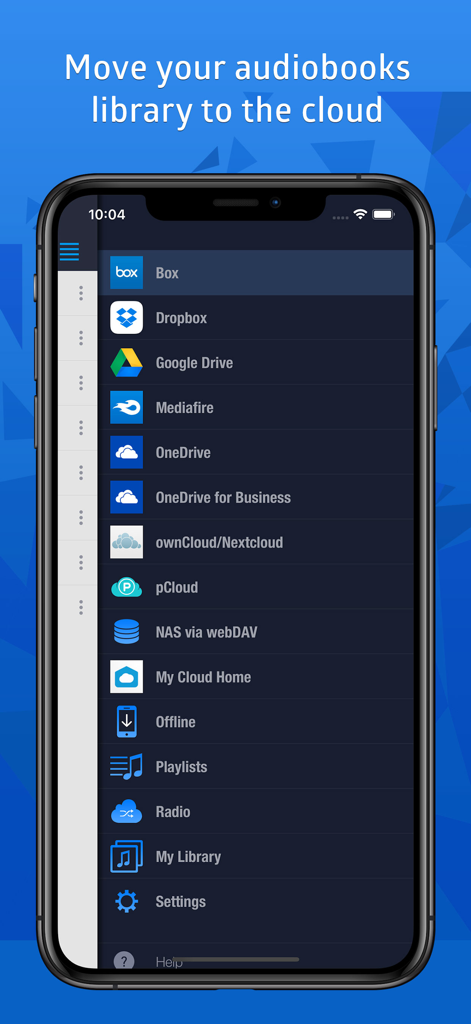
CloudBeats: audio book player - Google 드라이브 및 Dropbox와 같이 지원되는 클라우드 저장소 서비스를 보여주는 CloudBeats 앱 메뉴
Google 드라이브 및 Dropbox와 같이 지원되는 클라우드 저장소 서비스를 보여주는 CloudBeats 앱 메뉴

CloudBeats: audio book player - 재생 속도 조절 슬라이더와 오디오북 재생 목록을 보여주는 CloudBeats 앱 인터페이스.
재생 속도 조절 슬라이더와 오디오북 재생 목록을 보여주는 CloudBeats 앱 인터페이스.

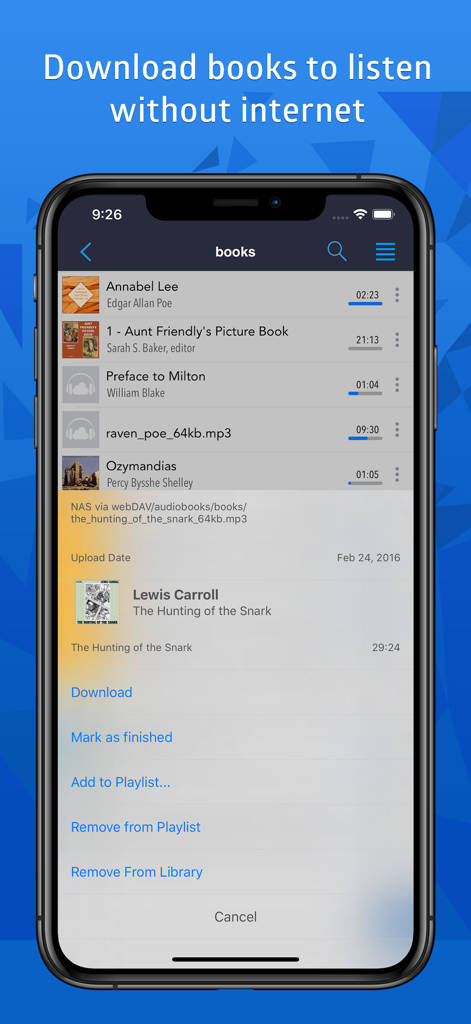
CloudBeats: audio book player - 오프라인 청취를 위해 책을 다운로드하는 옵션을 보여주는 CloudBeats 오디오북 플레이어 인터페이스.
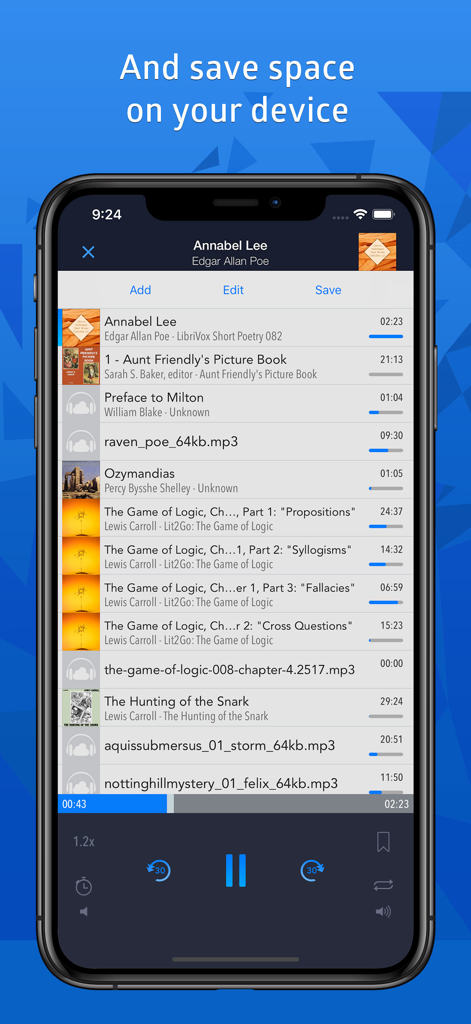
오프라인 청취를 위해 책을 다운로드하는 옵션을 보여주는 CloudBeats 오디오북 플레이어 인터페이스.

CloudBeats: audio book player - 오디오북 재생 목록과 재생 속도 제어 기능이 있는 CloudBeats 앱 인터페이스를 표시하는 iPhone 화면
오디오북 재생 목록과 재생 속도 제어 기능이 있는 CloudBeats 앱 인터페이스를 표시하는 iPhone 화면

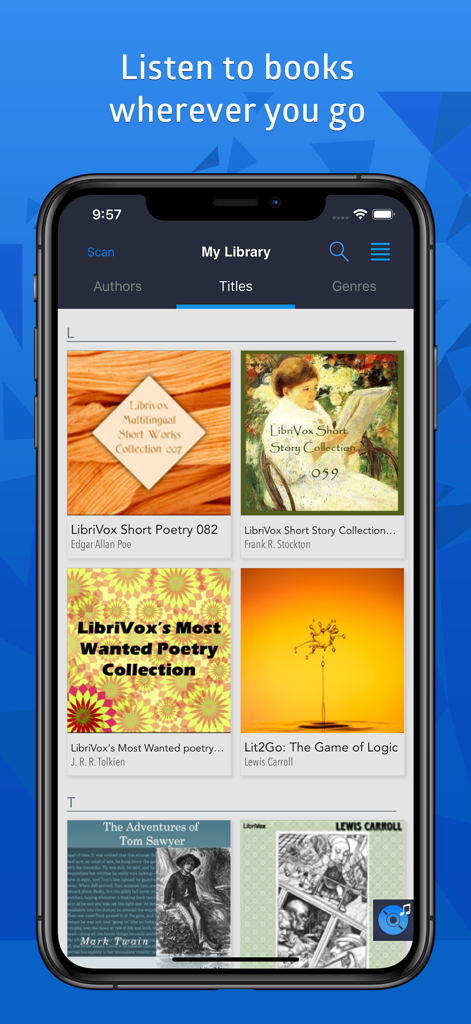
CloudBeats: audio book player - 제목별로 정렬된 오디오북 컬렉션을 보여주는 CloudBeats 모바일 앱 라이브러리 화면

제목별로 정렬된 오디오북 컬렉션을 보여주는 CloudBeats 모바일 앱 라이브러리 화면

설명

Listen to your audiobooks, podcasts, lectures and other audio files anywhere directly from Google Drive, DropBox, OneDrive and more. Save space on your device as you no longer need to keep large audio files on your iPhone and sync with iTunes. SUPPORTED CLOUDS ・ Dropbox, Google Drive, OneDrive, OneDrive for Business, Box, pCloud, Mediafire ・ My Cloud Home devices by Western Digital ・ personal clouds that support webDAV, including ownCloud and Network-Attached Servers (NAS) by Synology, QNAP, WD and others FEATURES ・ play audiobooks and podcasts files in mp3, m4b and wav formats ・ remember last played position for each file ・ mark tracks as finished or unfinished ・ download folders, files or playlists onto device for playback in offline mode without internet ・ connect to shared cloud folders ・ create multi-cloud playlists and synchronize them between multiple devices ・ import m3u playlists ・ access library by Authors, Titles and Genres ・ optional service for Synchronization & Backup to keep your listening progress, playlists, My Library database in sync between multiple devices. ・ Carplay support ・ Siri and Shortcuts support PLAYER ・ flexible narration speed control in the 0.5x-3x range ・ configurable seek buttons in the 3-60 seconds range ・ multiple bookmarks per file with text notes ・ resumes playing where you left off ・ sleep timer (can be reset when device moves) ・ embedded lyrics display ・ plays via Airplay and Bluetooth Synchronization & Backup is an optional service to keep your playlists, My Library database and audiobooks listening progress in sync between multiple devices. It can also be used to backup and restore your music data. CloudBeats account is required for this service. We offer 1-year auto-renewing subscription for $4.99 per year. The price may vary from country to country. If you choose to purchase Synchronization & Backup, payment will be charged to your iTunes account. You will be charged the same price for renewal within 24-hours prior to the end of the current period. Your subscription automatically renews unless auto-renewal is turned off at least 24 hours prior to the end of the current period. Subscriptions may be managed and auto-renewal may be turned off at any time by going to the user’s Account Settings in the App Store after purchase. Cloudbeats privacy policy and terms of use: https://www.cloudbeatsapp.com/privacy-policy/ * Please note that the app cannot play drm protected files purchased on iTunes Store.

Download

다운로드: App Store

이 페이지는 앱이나 개발자의 공식 페이지가 아니며, 정보 제공 및 논평을 목적으로 작성된 독립 편집 간행물입니다. 명시적으로 달리 언급되지 않는 한, 해당 앱이나 개발자는 MWM, Apple, Google Play, 앱 퍼블리셔 또는 앱 개발자와 제휴, 보증, 후원, 승인 또는 공식적으로 연결되어 있지 않으며, 이 페이지의 어떤 내용도 해당 앱이 MWM의 서비스를 사용하여 개발되었음을 의미하지 않습니다. 모든 상표, 로고, 스크린샷 및 기타 콘텐츠는 해당 소유자의 자산입니다.








