
이 페이지는 앱이나 개발자의 공식 페이지가 아니며, 정보 제공 및 논평을 목적으로 작성된 독립 편집 간행물입니다. 명시적으로 달리 언급되지 않는 한, 해당 앱이나 개발자는 MWM, Apple, Google Play, 앱 퍼블리셔 또는 앱 개발자와 제휴, 보증, 후원, 승인 또는 공식적으로 연결되어 있지 않으며, 이 페이지의 어떤 내용도 해당 앱이 MWM의 서비스를 사용하여 개발되었음을 의미하지 않습니다. 모든 상표, 로고, 스크린샷 및 기타 콘텐츠는 해당 소유자의 자산입니다.


Commerzbank photoTAN
Commerzbank 뱅킹을 위한 최고의 보안을 경험하세요. 원클릭 푸시 알림과 디지털 우선 활성화를 통해 몇 초 안에 거래를 승인하고, 국제적인 라이프스타일에 맞춰 제공됩니다.
다운로드
3M+사용자 평점
총 평가 수
242K+개발사
카테고리
Finance지원 언어
15최신 버전
15.1.0크기
61.5 MB출시일
2012년 11월 23일타협 없는 보안, 쉬운 접근성
미국 기반 라이프스타일과 독일 은행 거래의 간극을 좁히세요. photoTAN 앱은 전 세계 어디서든 국제 거래를 승인하는 가장 빠르고 안전한 방법을 제공합니다.
원탭 푸시 승인
photoTAN-Push로 끊김 없는 뱅킹을 경험하세요. 수동 코드 입력 없이 보안 알림을 통해 즉시 송금을 승인하세요.
최고 수준의 보안 표준
독일 최고 혁신 보안 기술을 활용하세요. 실시간 하드웨어 검사 및 고급 암호화를 통해 귀하의 국제 자산을 보호하세요.
자주 묻는 질문
에 대해 알아야 할 모든 것 Commerzbank photoTAN
Commerzbank photoTAN 앱은 무엇을 위한 것인가요?
Commerzbank photoTAN 앱은 온라인 및 모바일 뱅킹을 위한 보안 방법입니다. 푸시 알림 또는 그래픽 스캔을 사용하여 거래 번호(TAN)를 생성하여 주문 데이터를 확인하고 로그인 및 거래를 보호합니다.
Commerzbank 앱에서 photoTAN 푸시 기능은 어떻게 작동하나요?
photoTAN 푸시 기능은 새 주문에 대한 알림을 보냅니다. 사용자는 앱을 열고 주문을 검토한 다음 한 번의 클릭으로 승인합니다. 이를 통해 Commerzbank 앱 내에서 빠르고 안전하게 거래를 승인할 수 있습니다.
Commerzbank photoTAN 앱을 디지털 방식으로 활성화할 수 있나요?
네, 사용자는 VideoIdent 앱으로 자신을 완전히 인증할 수 있습니다. 인증 후 SMS를 통해 코드를 받아 3시간 이내에 photoTAN 앱을 신속하게 디지털 방식으로 활성화할 수 있으며, 활성화 그래픽을 기다릴 필요가 없습니다.
Commerzbank photoTAN 앱은 무료인가요?
네, Commerzbank photoTAN 앱 사용은 모든 사용자에게 무료입니다. 앱 서비스의 주요 이점 중 하나로 명시되어 있습니다.
Commerzbank photoTAN 앱은 어떤 보안 검사를 수행하나요?
Commerzbank photoTAN 앱은 루팅/탈옥 장치 및 악성 앱과 같은 알려진 공격 벡터에 대한 런타임 보안 검사를 수행합니다. 사용자는 앱 설치 및 사용에 대한 이러한 검사에 동의해야 합니다.
Commerzbank photoTAN 앱을 오프라인으로 사용할 수 있나요?
네, Commerzbank photoTAN 앱은 오프라인 사용을 지원합니다. 스마트폰이 오프라인 상태인 경우에도 스캔 기능을 사용하여 쉽게 주문을 승인할 수 있습니다.
Commerzbank 앱에서 photoTAN 스캔 기능은 어떻게 작동하나요?
온라인으로 주문을 한 후 모자이크와 같은 그래픽이 나타납니다. 사용자는 이 그래픽을 photoTAN 앱으로 스캔하여 TAN을 생성합니다. 앱은 TAN을 입력하기 전에 주문 세부 정보를 표시하여 확인합니다.
photoTAN 앱을 통해 Commerzbank 온라인 뱅킹 PIN을 재설정할 수 있나요?
네, Commerzbank photoTAN 앱에는 Commerzbank 온라인 뱅킹 PIN을 재설정하는 기능이 포함되어 있습니다. 이 기능은 앱 인터페이스를 통해 직접 액세스할 수 있습니다.
Commerzbank photoTAN 앱이 신용카드 결제에 생체 인식을 지원하나요?
네, Commerzbank photoTAN 앱은 신용카드 결제에 생체 인식을 지원합니다. 이 기능은 사용자의 편의와 보안을 위해 새로운 홈 화면에서 사용할 수 있는 작업 목록에 포함되어 있습니다.
다음 스크린샷과 설명은 앱의 공식 스토어 목록에서 직접 가져온 것이며 앱 개발자의 자산입니다.
앱 스토어
스크린샷
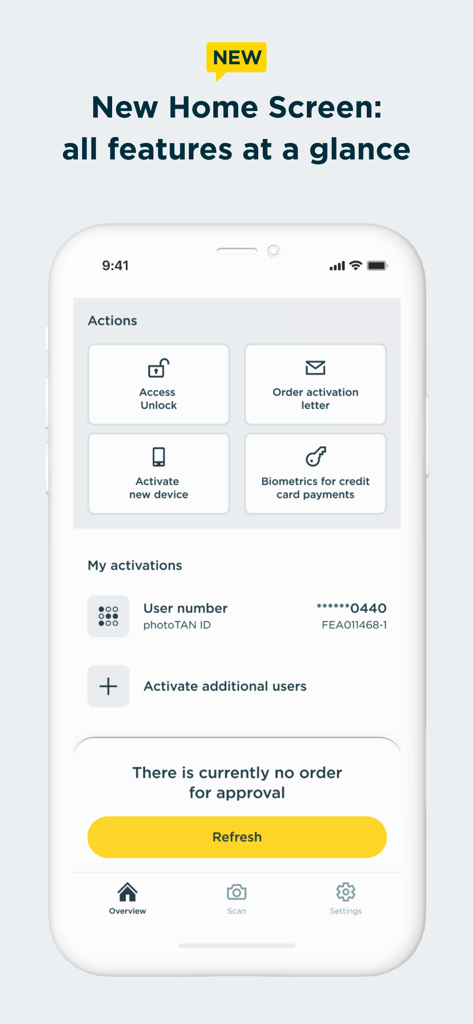
Commerzbank photoTAN 앱 홈 화면, 동작 바로가기 및 계좌 활성화 상태 표시
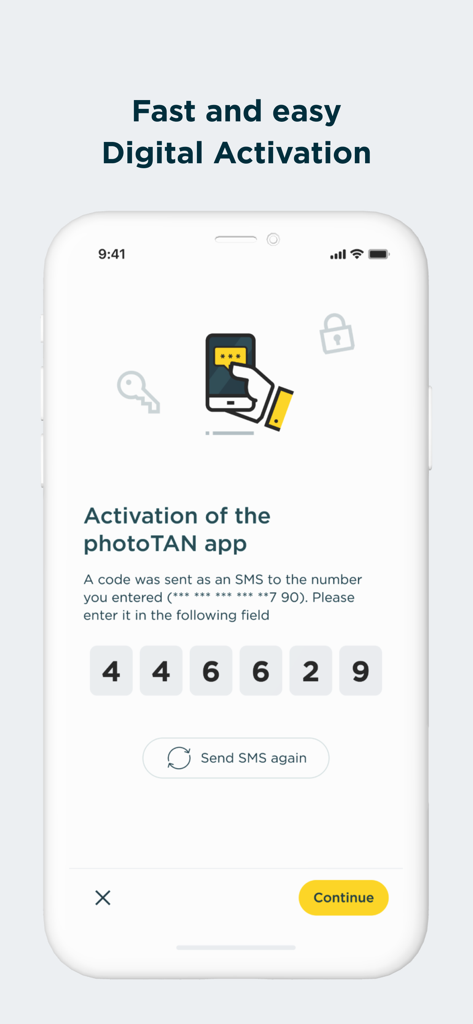
Commerzbank photoTAN 앱 디지털 활성화 화면, 6자리 SMS 코드 입력 필드 표시
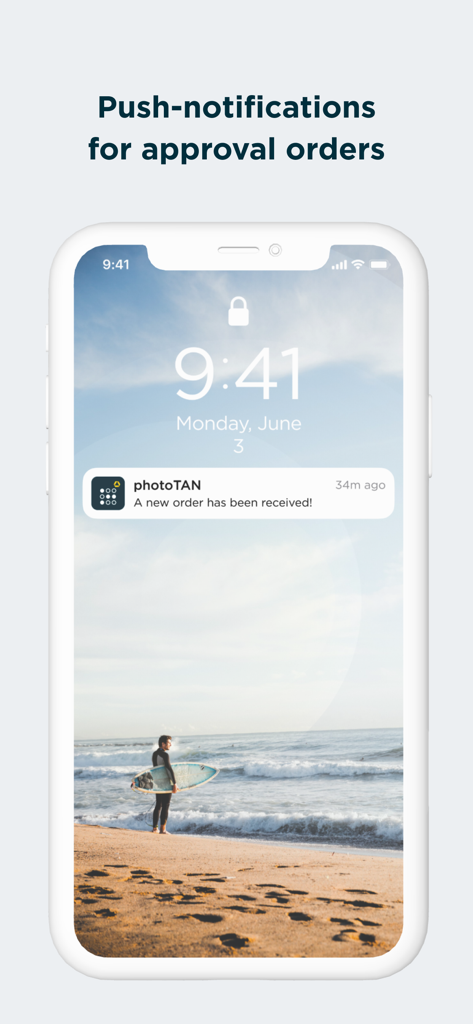
주문 승인을 위한 Commerzbank photoTAN 푸시 알림
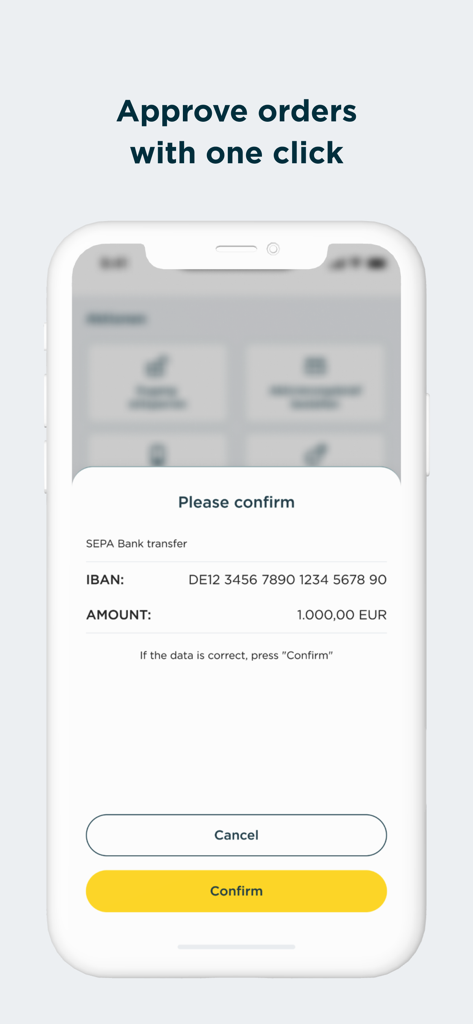
Commerzbank photoTAN 앱 모바일 화면, 1000유로 SEPA 은행 송금 확인 요청 표시, 노란색 확인 버튼 포함
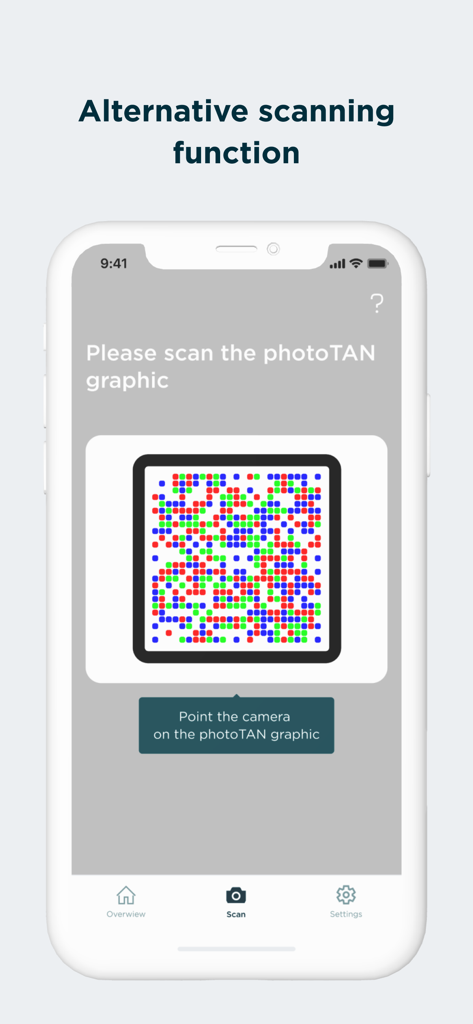
보안 그래픽에 대한 대체 스캔 기능을 표시하는 Commerzbank photoTAN 앱 화면
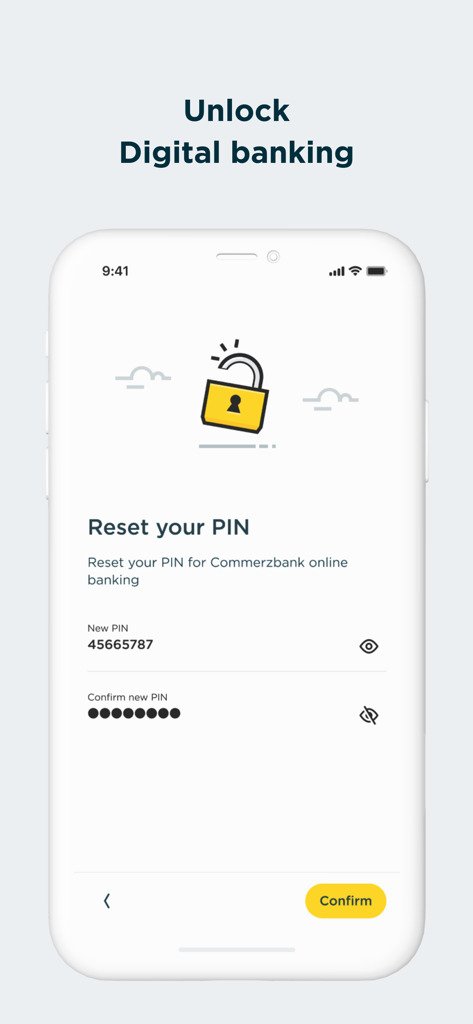
디지털 뱅킹 PIN 재설정을 위한 Commerzbank photoTAN 앱 화면
설명
Download
비슷한 앱
유사한 기능과 사용자 경험을 가진 앱

Mi_Pass
Banco de Chile

Raiffeisen SmartToken
Raiffeisen Bank S.A.

Synology Secure SignIn
Synology Inc.

DATEV SmartLogin
DATEV eG

VR SecureGo plus
Atruvia AG

Namirial OTP
Namirial Spa

UBS Access – secure login
UBS AG

Mobilní klíč eGovernmentu
MINISTERSTVO VNITRA

comdirect photoTAN App
Commerzbank Aktiengesellschaft
이 페이지는 앱이나 개발자의 공식 페이지가 아니며, 정보 제공 및 논평을 목적으로 작성된 독립 편집 간행물입니다. 명시적으로 달리 언급되지 않는 한, 해당 앱이나 개발자는 MWM, Apple, Google Play, 앱 퍼블리셔 또는 앱 개발자와 제휴, 보증, 후원, 승인 또는 공식적으로 연결되어 있지 않으며, 이 페이지의 어떤 내용도 해당 앱이 MWM의 서비스를 사용하여 개발되었음을 의미하지 않습니다. 모든 상표, 로고, 스크린샷 및 기타 콘텐츠는 해당 소유자의 자산입니다.