이 페이지는 앱이나 개발자의 공식 페이지가 아니며, 정보 제공 및 논평을 목적으로 작성된 독립 편집 간행물입니다. 명시적으로 달리 언급되지 않는 한, 해당 앱이나 개발자는 MWM, Apple, Google Play, 앱 퍼블리셔 또는 앱 개발자와 제휴, 보증, 후원, 승인 또는 공식적으로 연결되어 있지 않으며, 이 페이지의 어떤 내용도 해당 앱이 MWM의 서비스를 사용하여 개발되었음을 의미하지 않습니다. 모든 상표, 로고, 스크린샷 및 기타 콘텐츠는 해당 소유자의 자산입니다.
COMO Widgets - Adorable Widget
보스캣과 친구들과 함께 손으로 그린 위젯, 역동적인 GIF, 당신의 디지털 생활에 즐거움을 선사하도록 디자인된 맞춤 테마로 당신의 아이폰을 아늑한 안식처로 바꿔보세요.
저희의 힐링 올인원 위젯 컬렉션으로 당신의 아이폰을 아늑하고 감각적인 안식처로 바꿔보세요. 손으로 그린 캐릭터부터 맞춤형 레이아웃까지, 모든 탭에서 당신만의 개성을 표현하세요.
힐링 캐릭터 동반자
무미건조한 기술에 작별을 고하세요. '보스캣'과 '파파 베어'가 당신의 배터리, 날씨, 일정을 사랑스러운 애니메이션으로 추적하며 하루 종일 작은 기쁨을 선사합니다.
당신의 화면, 당신의 걸작
Pinterest 완벽한 홈 화면을 쉽게 만드세요. 투명 배경, 맞춤 사진 프레임, 손으로 그린 글꼴을 사용하여 당신만의 디지털 공간을 DIY하세요.
다음 스크린샷과 설명은 앱의 공식 스토어 목록에서 직접 가져온 것이며 앱 개발자의 자산입니다.
앱 스토어
스크린샷
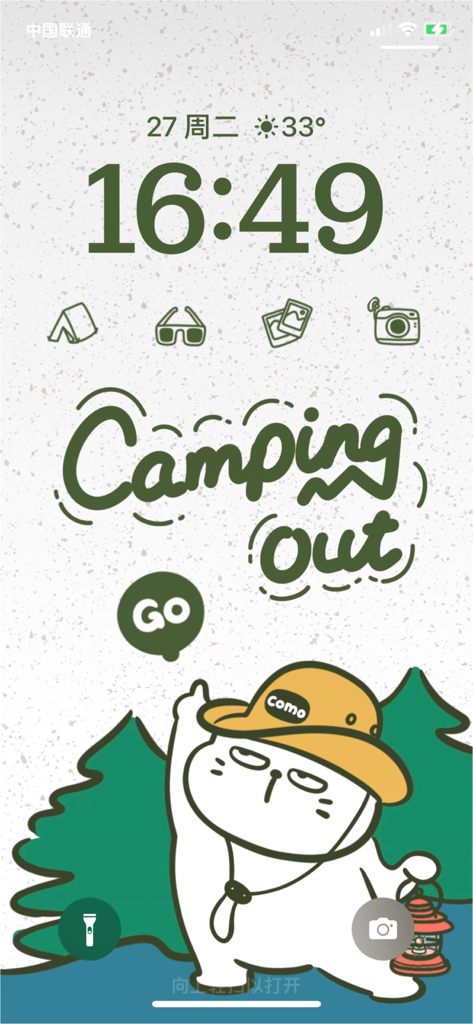
손으로 그린 보스캣 캠핑 테마 아이폰 잠금 화면 맞춤 위젯 포함
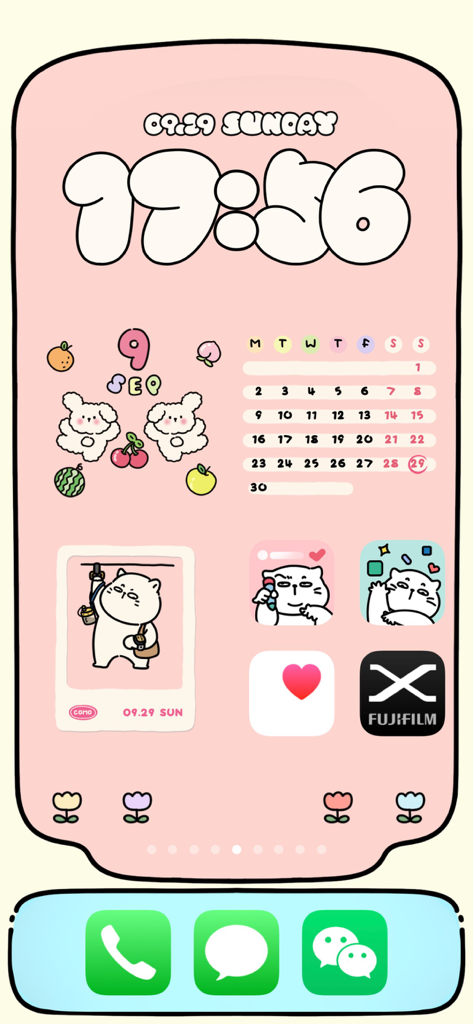
사랑스러운 고양이 위젯과 손으로 그린 시계로 맞춤 설정된 핑크색 아이폰 홈 화면
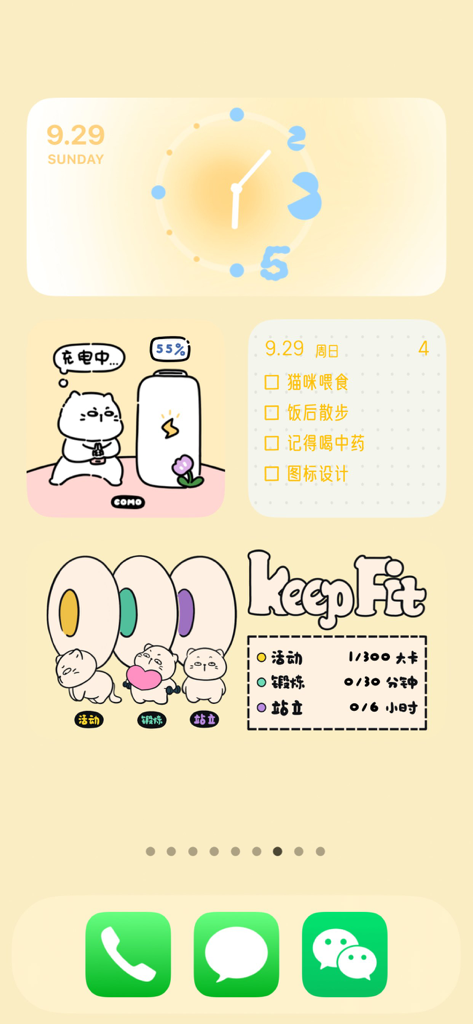
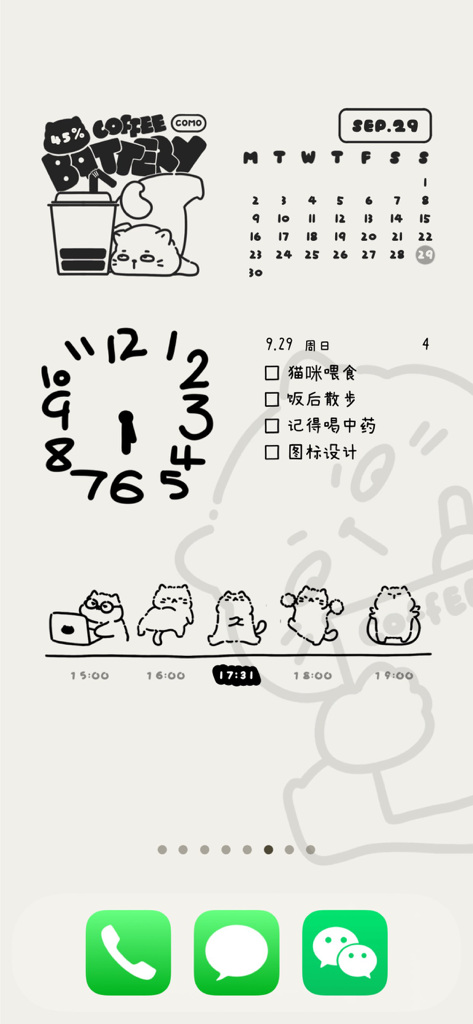
시계, 배터리, 할 일 목록, 피트니스 추적을 위한 귀여운 손으로 그린 위젯이 포함된 감각적인 아이폰 홈 화면
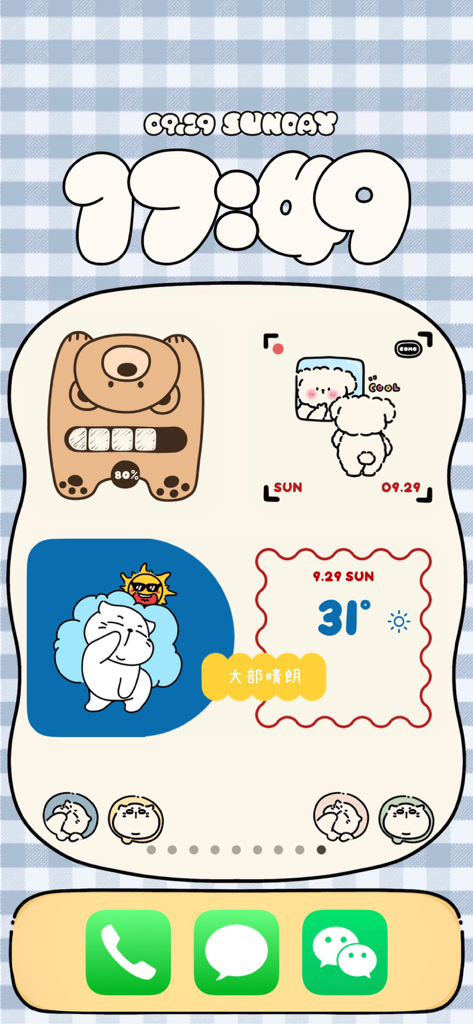
귀여운 손으로 그린 캐릭터와 스타일리시한 시계가 있는 감각적인 COMO 위젯이 포함된 맞춤 아이폰 홈 화면.
COMO Widgets의 귀여운 고양이 위젯이 있는 손으로 그린 감각적인 아이폰 홈 화면
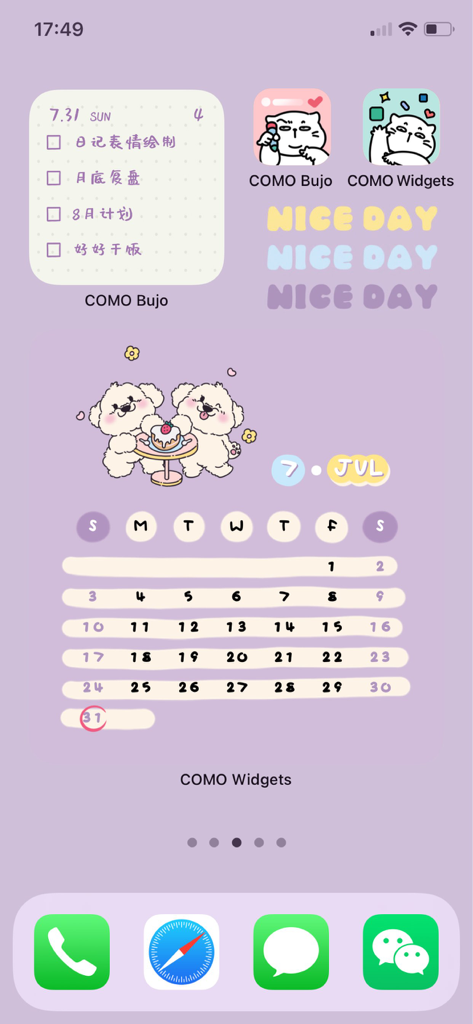
귀여운 강아지 달력과 체크리스트 위젯이 있는 라벤더 색감의 감각적인 아이폰 홈 화면
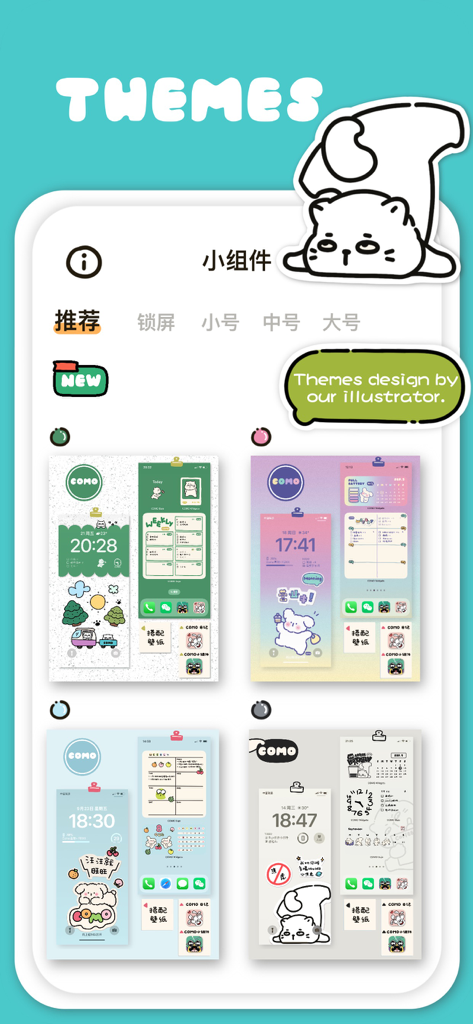
보스캣과 같은 카와이 캐릭터와 다양한 색상 팔레트를 특징으로 하는 사랑스럽고 손으로 그린 모바일 테마 컬렉션.
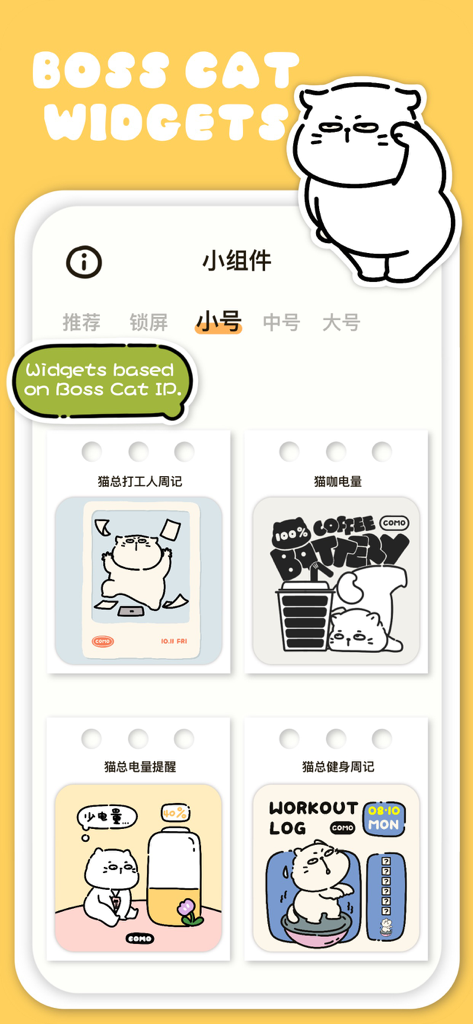
아이폰 홈 화면을 위한 사랑스러운 보스캣 테마 위젯 여러 개를 보여주는 COMO Widgets 앱 인터페이스
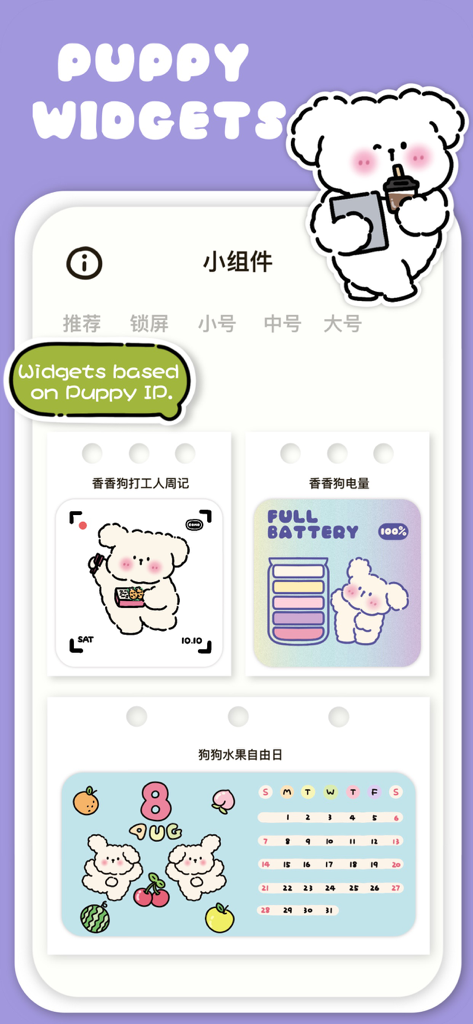
배터리 및 달력 디자인을 포함한 COMO Widgets 앱의 사랑스러운 강아지 테마 위젯 쇼케이스
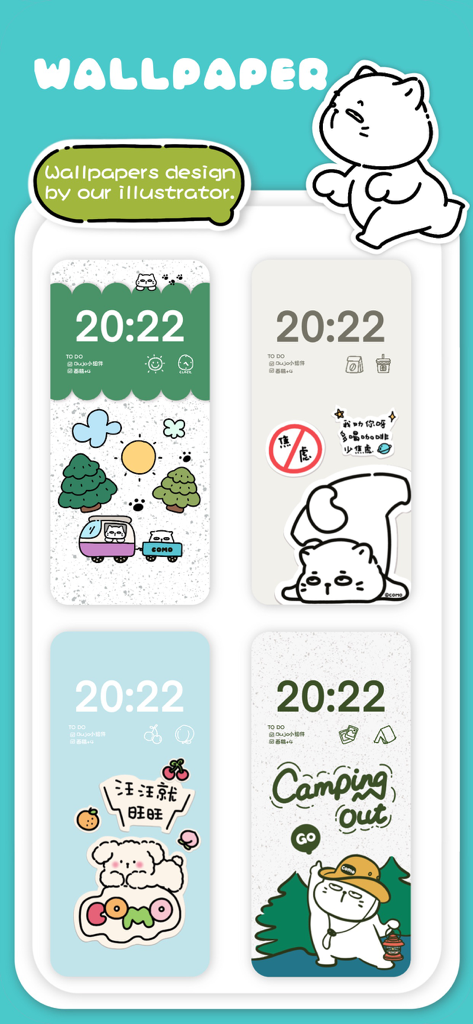
COMO Widgets 앱의 귀여운 손으로 그린 감각적인 배경화면과 위젯 4개 전시
설명
COMO Widgets is an adorable and healing all-in-one widget app that combines various types of desktop widgets such as wallpaper, clock, weather, health, battery, dynamic, calendar, photo frame, lock screen, etc.
In our busy lives, work, and study, we always encounter some interesting and memorable people and things, or we are in a state of anxiety, happiness, surprise... COMO Widgets is inspired by this and creates various cute and healing widgets and themes with multiple functions around our original COMO family IP characters, such as "Boss Cat", "Fragrant Doggie", "Papa Bear", "Little Monster", "Cute Duck", etc.
In addition, COMO Widgets also provides a variety of personalized editing options, such as transparent backgrounds, custom background colors, custom background images, and various cute fonts. You can easily create a personalized phone desktop without too many complex steps and DIY your phone home screen!
Currently, we have the following widget categories:
##Clock Widgets
- Lock Screen Clock Widgets, such as "Hand-painted Digital Clock" etc.
- Small Size Widgets, such as "Papa Bear Clock", "Boss Cat Lazy Clock (Dynamic Widget)" etc.
- Medium Size Widgets, such as "New Year Clock", "Custom Clock" etc.
- Large Size Widgets, such as "Foodie Clock", "Photo Clock", etc.
##Weather Widgets
Small and medium size widgets with "Boss Cat Weather Widget", and more will be added in the future!
When adding weather widgets, we will ask for location permission to obtain weather data for the current city, so as to display weather information in the weather-related widgets.
##Health Widgets
"Boss Cat Combination Widget" and "Boss Cat Life Calendar Widget"
When adding health widgets, we will ask for permission to access HealthKit data to obtain daily step count and calorie consumption data, to display exercise data in the health-related widgets.
##Battery Widgets
"Papa Bear Battery Widget", "Boss Cat Battery Widget", "Fragrant Dog Battery Widget", etc.
##Dynamic Widgets
These are GIF-type widgets that move automatically when added to the phone's home screen or lock screen.
##Calendar Widgets
"Boss Cat Work Calendar Widget", "Fragrant Dog Work Calendar Widget", "Boss Cat Fitness Calendar Widget", "Custom Calendar Widget", "Christmas Tree Calendar Widget", etc.
##Photo Frame Widgets
"Custom Photo Widget", "Transparent Photo Widget", "Mirror Photo Frame Widget", etc.
##Quick Launch Lock Screen Widgets
These are quick launch icons that can be set on the lock screen, and our illustrator has drawn hundreds of hand-drawn icons to support binding to apps that support URL schemes. You can freely set the jump according to your preferences.
##Privacy Statement
【HealthKit】 - COMO Widgets has integrated with HealthKit to sync health data to the APP. When displaying daily step count data in COMO Widgets, we will ask for permission to access HealthKit data to display exercise data in step-related widgets.
【Location Information】 - When using weather widgets, we need to obtain location permission to get weather information for the current location and display it in related widgets.
【Photo Permission】 - When setting the background for widgets, we need to obtain photo permission to upload the background image. We also need this permission when saving images to your phone.
* Subscription payments will be charged to your iTunes account at confirmation of your purchase.
* Subscriptions will automatically renew and payment will be charged to your iTunes account unless auto-renew is turned off at least 24 hours before the end of the current
Terms of Use:
We use Apple's standard End User License Agreement (EULA) https://www.apple.com/legal/internet-services/itunes/dev/stdeula/
Additional terms [https://comostudio.super.site/como-widgets/terms-of-use] (In case of conflicts between these terms and the EULA, these terms shall prevail.)
Privacy Policy:[https://comostudio.super.site/como-widgets/privacy-policy]
이 페이지는 앱이나 개발자의 공식 페이지가 아니며, 정보 제공 및 논평을 목적으로 작성된 독립 편집 간행물입니다. 명시적으로 달리 언급되지 않는 한, 해당 앱이나 개발자는 MWM, Apple, Google Play, 앱 퍼블리셔 또는 앱 개발자와 제휴, 보증, 후원, 승인 또는 공식적으로 연결되어 있지 않으며, 이 페이지의 어떤 내용도 해당 앱이 MWM의 서비스를 사용하여 개발되었음을 의미하지 않습니다. 모든 상표, 로고, 스크린샷 및 기타 콘텐츠는 해당 소유자의 자산입니다.