Company Seals

Company Seals

다운로드: App Store
로고: Company Seals

Company Seals: 현대 비즈니스를 위한 전문적인 디지털 인증

PDF 문서에 고해상도 회사 인감을 즉시 생성, 맞춤 설정 및 스탬프 처리하세요. 어디서든 전문적으로 보이기를 원하는 전문가를 위한 종이 없는 솔루션입니다.

개발사

Kandasamy Kaleeswaran

카테고리

Business

다운로드

96K+

사용자 평점

1.0/5

총 평가 수

0

지원 언어

1

모든 마크의 정밀함

이 인터페이스를 사용하는 96K+ 명의 사용자.

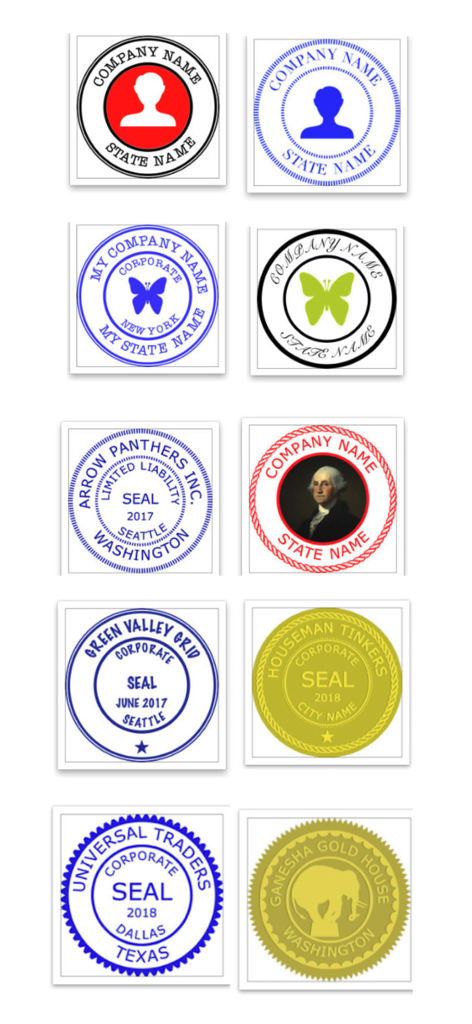
비즈니스 문서용 다양한 색상 및 스타일의 디지털 회사 인감 템플릿 모음

비즈니스 문서용 다양한 색상 및 스타일의 디지털 회사 인감 템플릿 모음

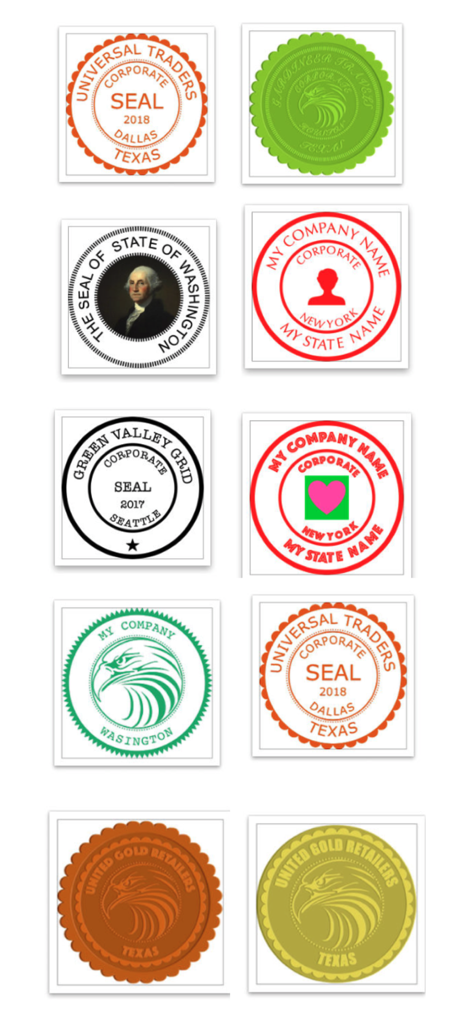
다양한 색상 및 스타일의 다양한 디지털 회사 인감 템플릿

다양한 색상 및 스타일의 다양한 디지털 회사 인감 템플릿

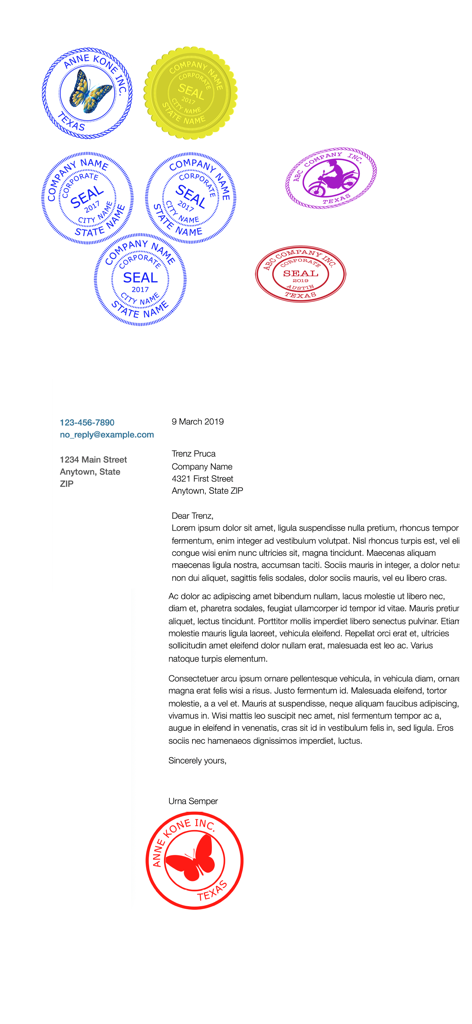
다양한 색상의 디지털 회사 인감 모음과 하단에 빨간색 인감이 적용된 비즈니스 편지

다양한 색상의 디지털 회사 인감 모음과 하단에 빨간색 인감이 적용된 비즈니스 편지

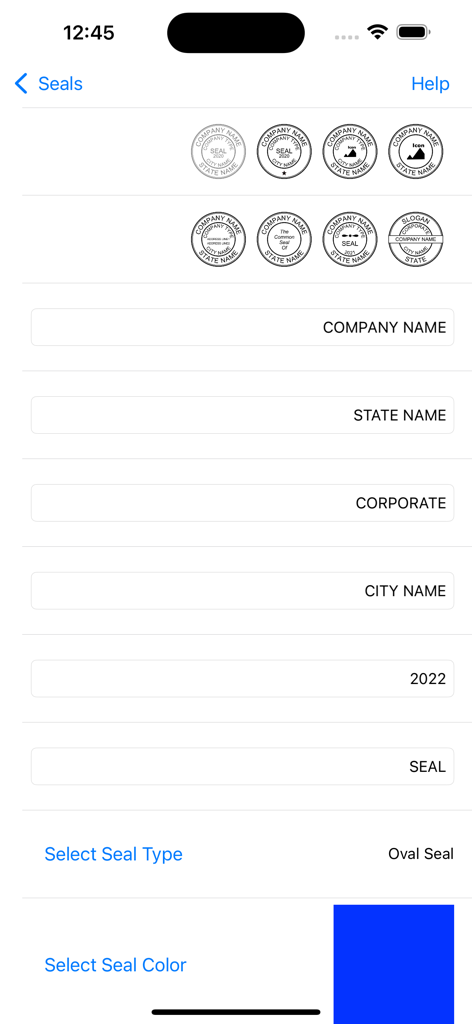
회사 이름, 주 및 색상 필드가 있는 디지털 회사 인감 디자인 인터페이스

회사 이름, 주 및 색상 필드가 있는 디지털 회사 인감 디자인 인터페이스

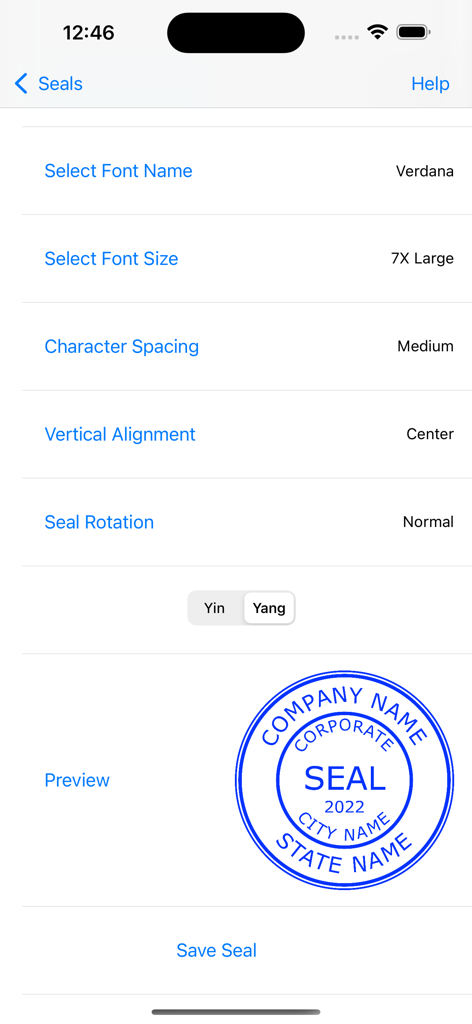
글꼴 설정과 파란색 회사 인감 미리보기가 있는 디지털 인감 편집기 인터페이스

글꼴 설정과 파란색 회사 인감 미리보기가 있는 디지털 인감 편집기 인터페이스

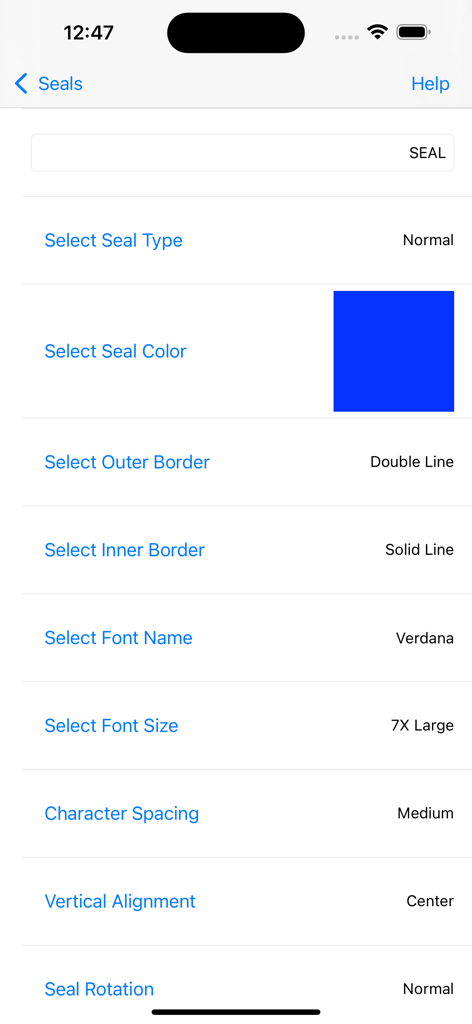
색상, 테두리 및 타이포그래피 옵션이 있는 디지털 회사 인감 맞춤 설정 인터페이스

색상, 테두리 및 타이포그래피 옵션이 있는 디지털 회사 인감 맞춤 설정 인터페이스

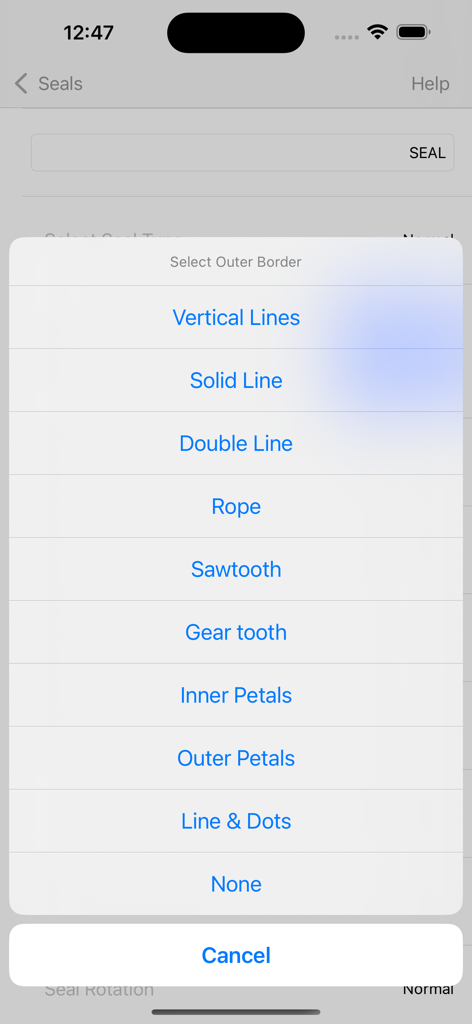
디지털 회사 인감의 외부 테두리 스타일을 선택하는 메뉴

디지털 회사 인감의 외부 테두리 스타일을 선택하는 메뉴

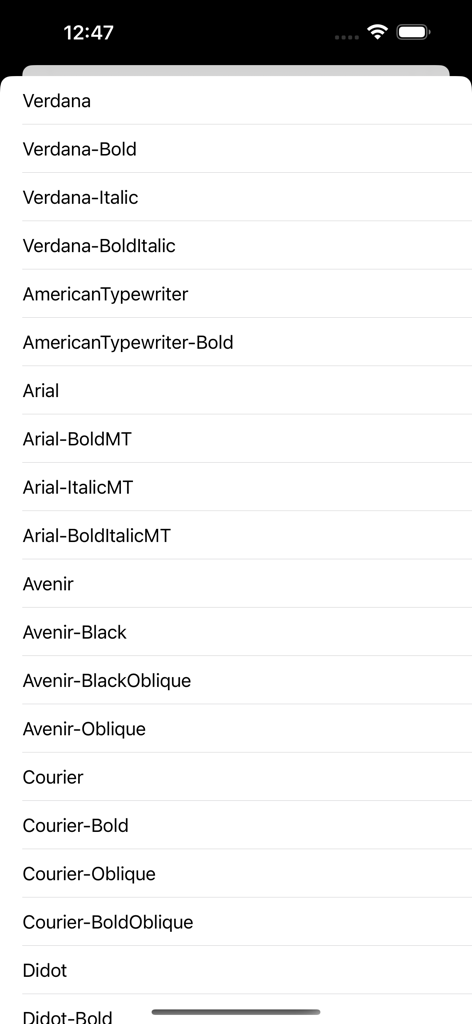
디지털 회사 인감 맞춤 설정에 사용할 수 있는 전문 글꼴 목록

디지털 회사 인감 맞춤 설정에 사용할 수 있는 전문 글꼴 목록

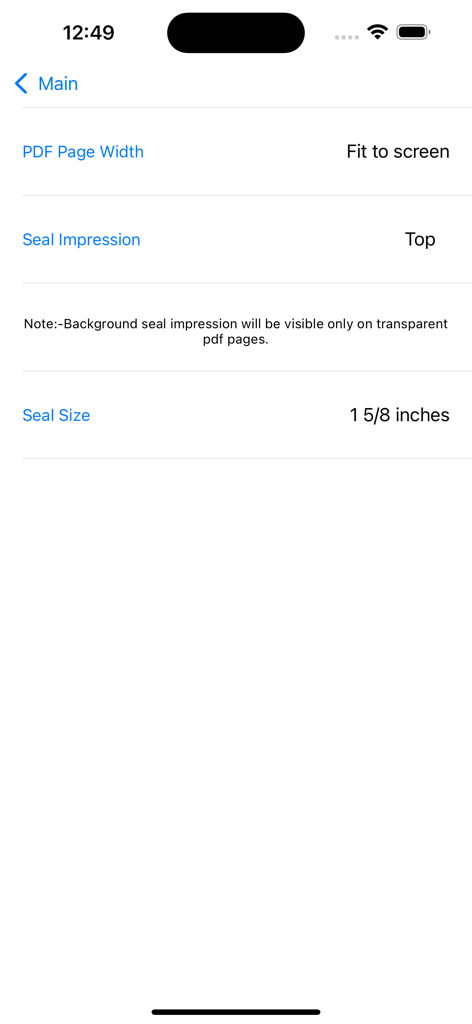
PDF 페이지 너비, 인감 압인 위치 및 인감 크기 구성 설정 표시 인터페이스

PDF 페이지 너비, 인감 압인 위치 및 인감 크기 구성 설정 표시 인터페이스

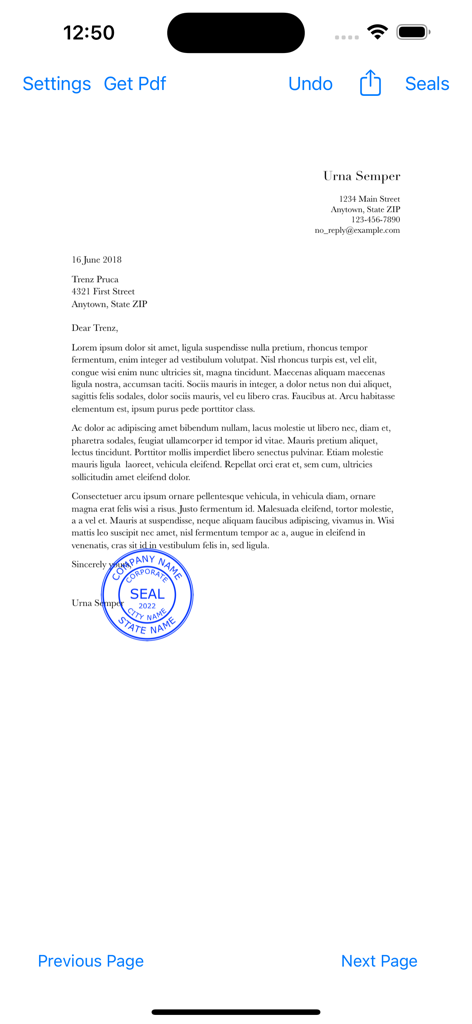
Company Seals 모바일 앱 내 PDF 문서에 찍힌 파란색 디지털 회사 인감

Company Seals 모바일 앱 내 PDF 문서에 찍힌 파란색 디지털 회사 인감

전문적인 권위를 높이세요

이 앱을 돋보이게 하는 도구, 96K+ 명의 사용자가 선택.

🛠️

정밀 디자인 도구

업계 표준 크기와 템플릿 중에서 선택하세요. 전문적인 아이덴티티 및 규정 요구 사항에 맞게 색상, 글꼴 및 테두리를 맞춤 설정하세요.

📑

원활한 PDF 스탬핑

계약서 및 인증서에 영구적인 인감 이미지를 직접 적용하세요. 워크플로우를 100% 디지털, 안전하고 전문적으로 유지하세요.

🌍

글로벌 비즈니스 준비

국제 무역 또는 디지털 레터헤드를 위해 고해상도 1024pt 인감을 내보내세요. 세계적으로 신뢰받는 기업으로 보이세요.

앱 소개

에 대해 알아야 할 모든 것 Company Seals.

설명

This app creates digital Company Seals. The user can stamp the company seal on pdf and save it. The user can export the company seal as a png image(1024 pt x 1024 pt) for other uses. Create A New Seal:- Hit + Button and 1)Select a seal Template, 2)Edit Text, 3)Leave blank for no text, 4)Select icon image if required by the template, 5)Select Other Properties of the seal 6)Preview and 7)Save the seal. Note:- Company Icon Images needs to be 1024 pt x 1024 pt image with/without transparent background.Lower resolution icons may give poor quality seal images.Icon Image can be imported from iCloud Drive or “On My iPhone/iPad”, locations. Eight seal templates are provided. The following can be chosen by the user:- 1)Seal colour 2)Seal Type 3)Border Type 4)Inner Border Type 5)Font Size 6)Font Name 7)Icon type(Round or Square) 8)Icon colour (seal colour mask or original). 9) Rotation 0-30 deg left/right. 10)Yin or Yang Seal(for normal type seals). Yang seal - Transparent background with Letters in Seal colour. Yin Seal - Background in seal colour and Letters are transparent. Select an Available Seal for stamping:- 1)Select a seal 2)Hit Pick seal Export an Available Seal:- 1)Select a seal 2)Hit Export Seal 3)Save the seal image to your location Delete an Available Seal:- 1)Select a seal 2)Hit Delete Seal Stamping On Pdf:- Hit Import Pdf & Choose a Pdf Document. 1)Go to the page where you want to stamp. 2)Move to the required location on the page. 3)Tap to stamp. Reset Selected page:- 1)Select the page 2) Hit Undo Original pdf documents are not changed. But,Seal impressions are permanent on saved Pdf Documents.Seal impressions are not pdf annotations. Company Seals has the following Sizes:- 1 1/4 inches, 1 1/2 inches, 1 3/4 inches, 1 9/16 inches, 1 5/8 inches, 1 3/4 inches, 1 7/8 inches, 2 inches Other seal images can be imported to this app. You need to import a 1024 pt x 1024 pt png/tiff image.The seal image background needs to be transparent. Note:- Avoid very Dark Colours for Emboss or Wax Seal types. www.appskou.com for support

최신 버전

4.5

크기

5.2 MB

출시일

2018년 7월 25일

권위를 가지고 문서를 마무리하세요

96,000명 이상의 전문가와 함께하세요. iPhone 또는 iPad에서 직접 맞춤형 고해상도 회사 인감을 만들고 PDF에 영구적인 합법성을 스탬프로 찍으세요.

다운로드: App Store

App information, icons, screenshots, and descriptions displayed on this page are sourced from the Apple App Store and are the property of their respective developers. Download estimates and rankings are based on MWM's proprietary models and may not reflect actual figures. This page is provided for informational and analytical purposes only.

Believe this page infringes your intellectual property? File a dispute