Connect My PC

Connect My PC

다운로드: App Store
로고: Connect My PC

PC 연결: Windows 서버 및 PC용 전문가용 원격 데스크톱

어디서든 안전하게 워크스테이션을 관리하세요. 정밀한 가상 마우스 패드, 수정자 키 및 Windows Professional 및 Server 에디션에 대한 기본 지원을 통해 iPhone 또는 iPad에서 전체 데스크톱 제어를 경험하십시오.

개발사

Hana Mobile LLC

카테고리

Business

다운로드

260K+

사용자 평점

2.9/5

총 평가 수

100

지원 언어

13

전체 데스크톱 명령

이 인터페이스를 사용하는 260K+ 명의 사용자.

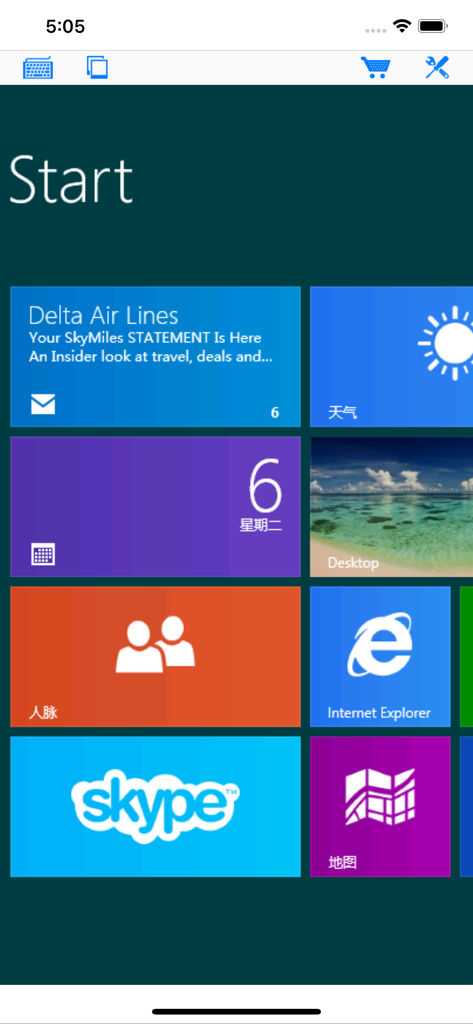
다양한 앱 타일이 있는 원격 Windows 시작 화면을 모바일 장치에서 표시하는 Connect My PC 앱

다양한 앱 타일이 있는 원격 Windows 시작 화면을 모바일 장치에서 표시하는 Connect My PC 앱

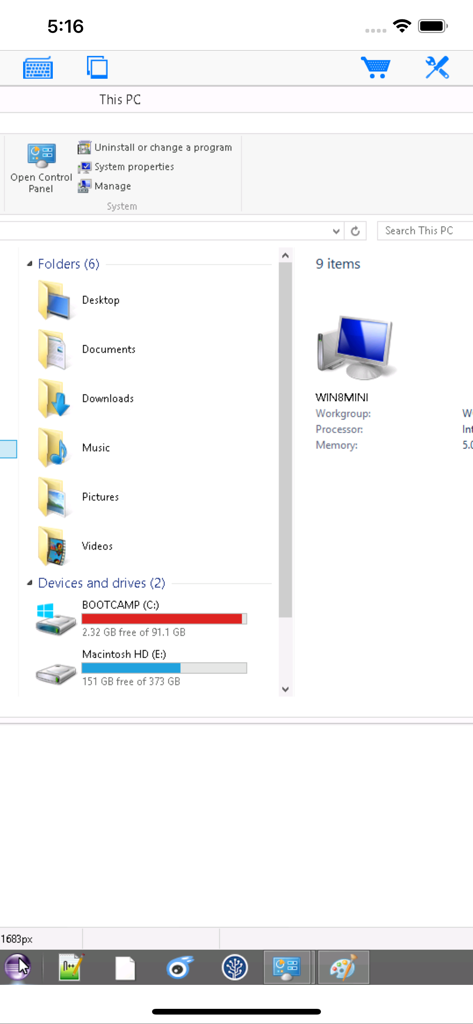
PC 연결 원격 데스크톱 앱의 Windows 파일 탐색기 보기

PC 연결 원격 데스크톱 앱의 Windows 파일 탐색기 보기

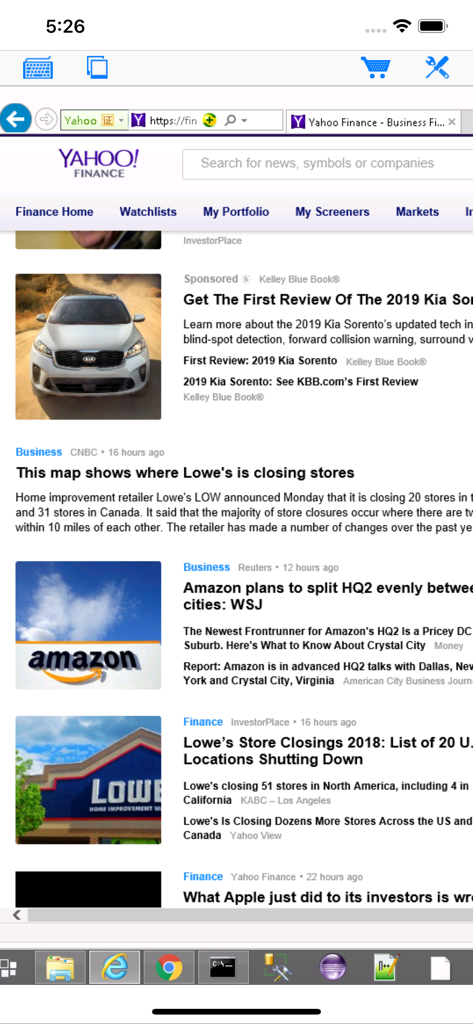
iPhone 화면에 원격 Windows 데스크톱 세션을 표시하는 PC 연결 앱

iPhone 화면에 원격 Windows 데스크톱 세션을 표시하는 PC 연결 앱

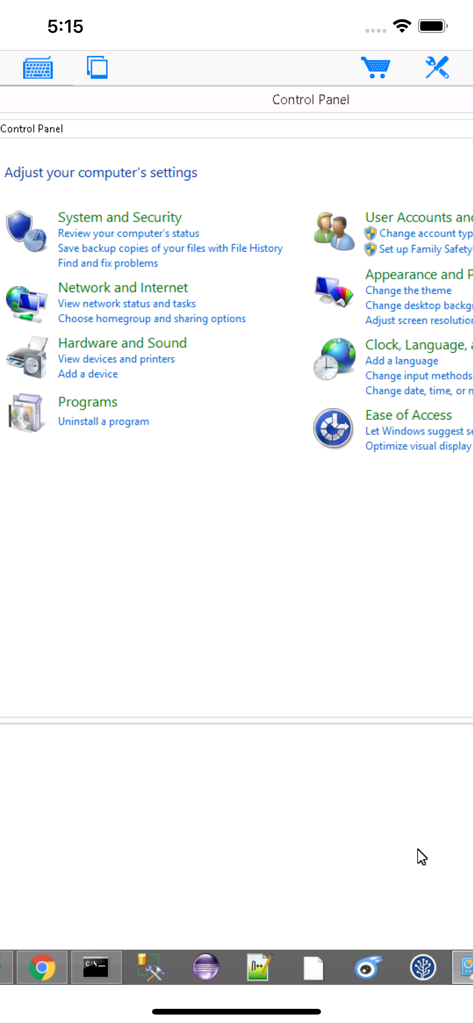
PC 연결 모바일 앱을 통한 Windows 제어판에 대한 원격 액세스

PC 연결 모바일 앱을 통한 Windows 제어판에 대한 원격 액세스

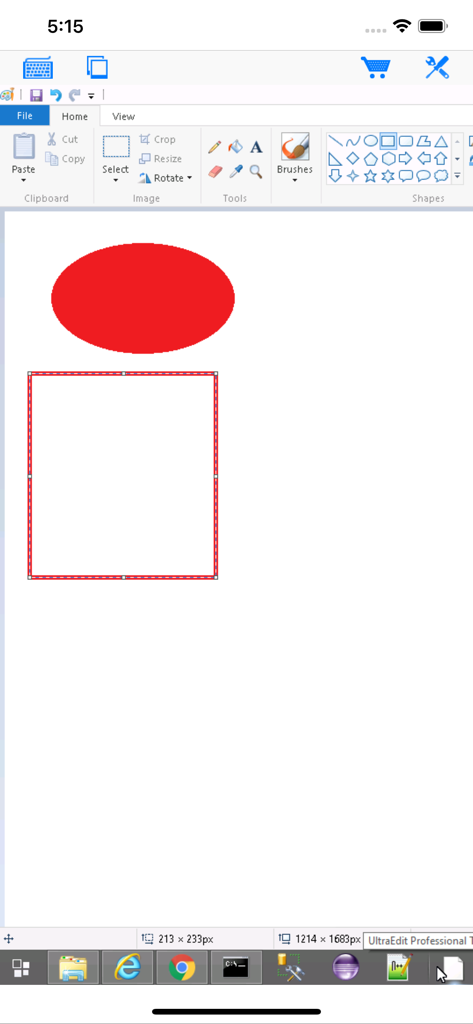
iPhone 화면에서 Paint가 열린 원격 Windows 데스크톱을 표시하는 PC 연결 앱.

iPhone 화면에서 Paint가 열린 원격 Windows 데스크톱을 표시하는 PC 연결 앱.

전문적인 원격 데스크톱 성능

이 앱을 돋보이게 하는 도구, 260K+ 명의 사용자가 선택.

🖱️

정밀 마우스 제어

중요한 작업과 정밀한 오른쪽 클릭을 위해 설계된 가상 마우스 패드를 사용하여 복잡한 Windows 소프트웨어를 쉽게 탐색하십시오.

⌨️

전체 수정자 키패드

전문적인 워크플로우를 위한 전용 수정자 키보드로 Ctrl+Alt+Del과 같은 필수 바로 가기 및 복잡한 키 조합을 실행하십시오.

🖥️

엔터프라이즈 및 서버 지원

레거시 인프라 지원을 포함하여 Windows Server, Professional 및 Enterprise 에디션에 대한 안정적인 RDP 연결.

앱 소개

에 대해 알아야 할 모든 것 Connect My PC.

설명

Optimized to use iPhone XS Max screen! Designed for both iPad and iPhone!! Connect My PC let you access Windows PC from anywhere at anytime! Note: Not all Windows support remote desktop. Check below for supported platforms or download the tool from http://www.hanamobiles.com/tools/HanaEasyConfig.exe Features: - Portrait and landscape mode - Multiple connections - Support various resolutions and colors - Modifier keypad including Shift, Ctrl and Alt which enables you to press almost any key combinations. - Cut, copy & paste and other shortcuts keypad, including HOME, END, PAGE UP, PAGE DOWN, Arrow keys, etc. - Virtual mouse pad for precise and easy mouse control - Better mouse pad with virtual left and right mouse button - Easy dragging and resizing using virtual mousepad - Startup password protection - International keyboard support for many languages, including French, German, Korean, Russian etc. - Video output (need iPad or iOS4 and output connector) - Easy to use design Supported Platform: - Windows XP Professional - Windows Vista Business/Enterprise/Ultimate - Windows 7 Professional/Enterprise/Ultimate - Windows Server 2000/2003/2008 Important: The following systems are NOT supported: - Windows XP Home - Windows Vista Home Basic/Premium - Windows 7 Home Starter/Basic/Premium - Others not listed in "Supported Platform" section Note: Others Windows versions not listed in "Supported Platform" section are NOT supported. Setup Instructions: http://www.hanajobs.com/mobile/posts/list/6960.page How to enable Windows Remote Desktop? - Windows XP: http://www.microsoft.com/windowsXp/using/mobility/getstarted/Remoteintro.mspx - Windows Vista/Windows 7: http://www.howtogeek.com/howto/windows-vista/turn-on-remote-desktop-in-windows-vista/ http://windows.microsoft.com/en-US/windows-vista/Remote-Desktop-Connection-frequently-asked-questions Send your comments/suggestions to hanamobiles@gmail.com or visit our website.

최신 버전

1.3.2

크기

12.6 MB

출시일

2010년 3월 20일

어디서든 워크스테이션을 완벽하게 제어하세요

Windows Server 및 레거시 시스템을 지원하는 전문가 수준의 RDP를 경험하십시오. 정밀하고 안전하며 모바일 데스크톱 액세스를 위해 지금 PC 연결을 다운로드하십시오.

다운로드: App Store

App information, icons, screenshots, and descriptions displayed on this page are sourced from the Apple App Store and are the property of their respective developers. Download estimates and rankings are based on MWM's proprietary models and may not reflect actual figures. This page is provided for informational and analytical purposes only.

Believe this page infringes your intellectual property? File a dispute