Count That Now - Tally counter
다운로드: App Store

이 페이지는 앱이나 개발자의 공식 페이지가 아니며, 정보 제공 및 논평을 목적으로 작성된 독립 편집 간행물입니다. 명시적으로 달리 언급되지 않는 한, 해당 앱이나 개발자는 MWM, Apple, Google Play, 앱 퍼블리셔 또는 앱 개발자와 제휴, 보증, 후원, 승인 또는 공식적으로 연결되어 있지 않으며, 이 페이지의 어떤 내용도 해당 앱이 MWM의 서비스를 사용하여 개발되었음을 의미하지 않습니다. 모든 상표, 로고, 스크린샷 및 기타 콘텐츠는 해당 소유자의 자산입니다.


로고: Count That Now - Tally counter
다운로드: App Store

Count That Now - Tally counter

햅틱 피드백, 음성 안내, 맞춤형 인체공학 스타일로 사람 수, 운동 횟수, 취미 프로젝트를 손쉽게 추적하세요. 모든 기능은 100% 무료입니다.

주요 수치

다운로드

346K+

사용자 평점

4.6/5

총 평가 수

9K+

개발사

Jarig Duval

카테고리

Utilities

지원 언어

1

최신 버전

2.1.5

크기

17.5 MB

출시일

2015년 2월 5일
기능

모든 요구에 맞는 정밀한 계산

시설 안전 관리든 개인 목표 추적이든, 저희의 직관적인 횟수 계산기는 전문가가 요구하는 정확성과 신뢰성을 제공합니다.

끊김 없는 눈을 떼지 않는 계산

작업에 집중하세요. 햅틱 피드백, 음성 안내, 인체공학적 레이아웃을 사용하여 기기를 보지 않고도 정확하게 계산하세요.

전문가용 알림 시스템

기념일을 놓치지 마세요. 사용자 정의 가능한 최소/최대 임계값과 고유한 알림 소리로 바쁜 행사나 재고 확인 중에 정보를 얻으세요.

다음 스크린샷과 설명은 앱의 공식 스토어 목록에서 직접 가져온 것이며 앱 개발자의 자산입니다.

앱 스토어

스크린샷
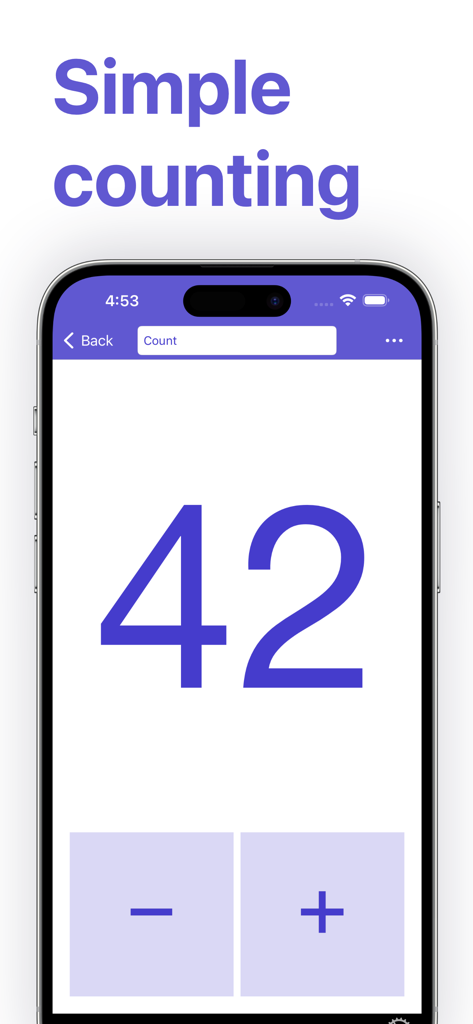
Count That Now - Tally counter - Count That Now 횟수 계산기 앱의 메인 화면에 42개의 숫자와 더하기 및 빼기 버튼이 표시됨
Count That Now 횟수 계산기 앱의 메인 화면에 42개의 숫자와 더하기 및 빼기 버튼이 표시됨

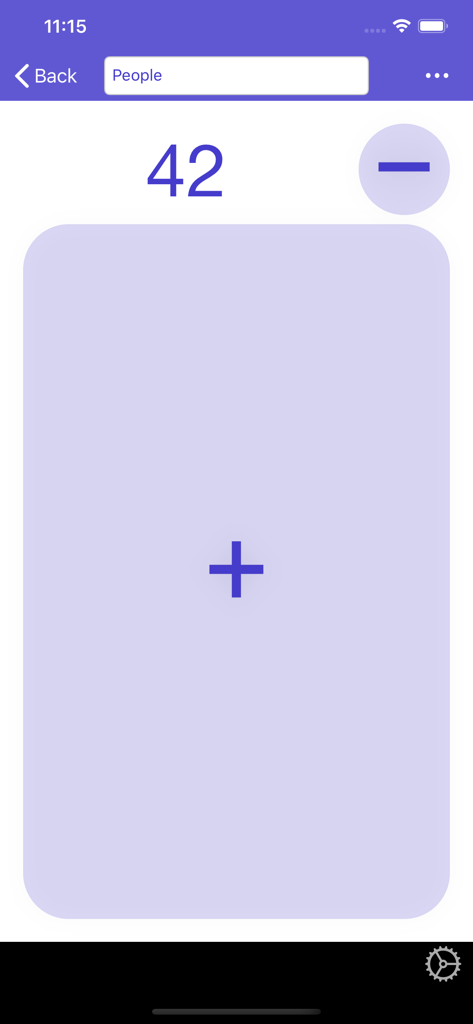
Count That Now - Tally counter - Count That Now 앱 인터페이스에 '사람'이라고 표시된 카운터가 42로 표시됨
Count That Now 앱 인터페이스에 '사람'이라고 표시된 카운터가 42로 표시됨

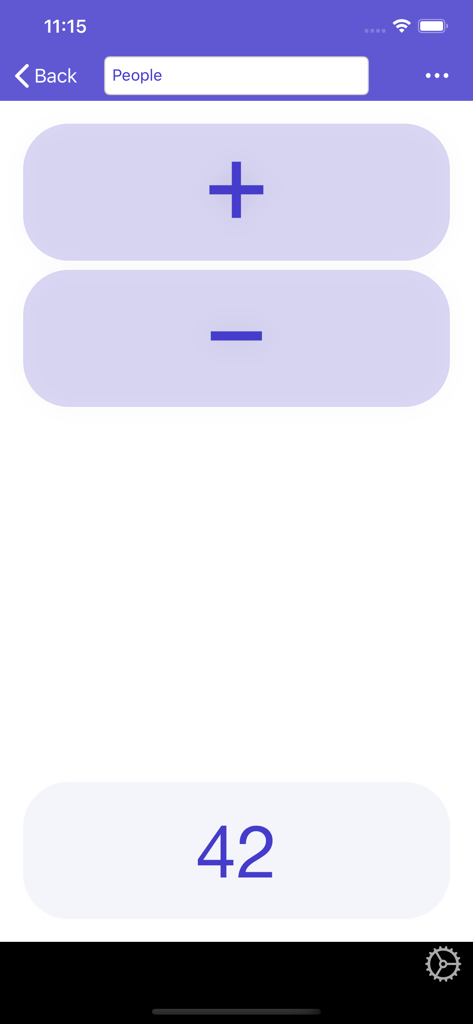
Count That Now - Tally counter - 디지털 횟수 계산기 인터페이스에 42명의 숫자가 표시됨

디지털 횟수 계산기 인터페이스에 42명의 숫자가 표시됨

설명

Just the App you need if you need a tally counter! *** The perfect PEOPLE COUNTER *** Simple. Reliable. FREE. WHY USE COUNT THAT NOW: • ALL features for FREE • Simple interface • Reliable • Customizable Counter Styles (from 'Classic' over 'Big Plus Button' to 'Ergonomic with Thumb Rest') • UNLIMITED counters • Count directly in list • Sort counters by Title, Value, Creation Date, Last Edited, or Last Looked At • Set counter titles • Set numbers directly (negative numbers possible) • Set thresholds for Min/Max Alerts • Customizable Alert Sounds (Separate sounds per counter possible) • Customizable Click Sounds (Separate sounds for [+] and [-] and per counter possible) • Haptic Feedback (optional) • Read out numbers (optional) • Orientation Lock (optional) • Screen always on (optional) COUNT YOUR WAY: • Count without even looking thanks to ergonomically placed buttons, haptic feedback, click sounds, threshold alerts, and numbers read out loud (all optional). • If you prefer the classic design, an extra large plus-button, ergonomically placed buttons (with or without thumb rest) - we've got you covered with our Counter Styles.  • Need more Counter Styles? Contact us: support.count-that-now@tooltaps.com Simple and efficient! COUNT THAT NOW *** Let us know how you're enjoying Count That Now, or give us your suggestions:  support.count-that-now@tooltaps.com If Count That Now is helping you, we would appreciate an App Store review. Your review will help other people find Count That Now and let them turn their iPhone into a tally counter too.

Download

다운로드: App Store

이 페이지는 앱이나 개발자의 공식 페이지가 아니며, 정보 제공 및 논평을 목적으로 작성된 독립 편집 간행물입니다. 명시적으로 달리 언급되지 않는 한, 해당 앱이나 개발자는 MWM, Apple, Google Play, 앱 퍼블리셔 또는 앱 개발자와 제휴, 보증, 후원, 승인 또는 공식적으로 연결되어 있지 않으며, 이 페이지의 어떤 내용도 해당 앱이 MWM의 서비스를 사용하여 개발되었음을 의미하지 않습니다. 모든 상표, 로고, 스크린샷 및 기타 콘텐츠는 해당 소유자의 자산입니다.