
이 페이지는 앱이나 개발자의 공식 페이지가 아니며, 정보 제공 및 논평을 목적으로 작성된 독립 편집 간행물입니다. 명시적으로 달리 언급되지 않는 한, 해당 앱이나 개발자는 MWM, Apple, Google Play, 앱 퍼블리셔 또는 앱 개발자와 제휴, 보증, 후원, 승인 또는 공식적으로 연결되어 있지 않으며, 이 페이지의 어떤 내용도 해당 앱이 MWM의 서비스를 사용하여 개발되었음을 의미하지 않습니다. 모든 상표, 로고, 스크린샷 및 기타 콘텐츠는 해당 소유자의 자산입니다.


다운로드
1M+사용자 평점
총 평가 수
12.2K개발사
카테고리
Productivity지원 언어
10최신 버전
3.3.12크기
296.5 MB출시일
2020년 11월 10일생산성, 지식 관리 및 협업을 위한 핵심 기능 평가
Craft: Notes, Documents, AI 앱 분석
AI 어시스턴트
이 앱은 고급 대규모 언어 모델을 기반으로 한 AI 어시스턴트를 제공하여, 사용자가 전체 지식 기반에서 노트를 찾고, 콘텐츠 기반 질문에 답변하며, 엄격한 정리 시스템 없이도 지식을 관리할 수 있도록 돕습니다.
고급 통합 및 API 지원
이 플랫폼은 사용자가 문서를 인기 있는 AI 채팅 도구 및 생산성 앱과 연결할 수 있도록 하는 심층적인 통합 및 API를 지원합니다. 이를 통해 기존 도구의 콘텐츠를 가져오거나 Craft 문서를 CMS로 활용할 수 있습니다.
완벽한 오프라인 및 기기 간 동기화
이 앱은 인터넷 연결 없이도 모든 기능에 완벽하게 접근하여 원활하게 작업할 수 있도록 지원하며, 재연결 시 변경 사항이 자동으로 동기화됩니다. 사용자는 iPhone, iPad, Mac 등 어떤 기기에서든 일관되고 강력한 작업 경험을 유지할 수 있습니다.
통합 작업 관리 시스템
이 도구는 사용자가 노트에서 작업을 캡처하고, 전용 받은 편지함에서 관리하며, 목표 날짜, 마감일 및 미리 알림을 설정하여 작업을 추적할 수 있는 내장형 작업 관리 시스템을 갖추고 있습니다.
데일리 노트 및 계획 기능
이 앱은 데일리 노트를 통해 사용자가 손쉽게 일일 계획을 세우고, 빠른 생각을 기록하고, 일정을 계획하며, 작업을 추적하거나 개인 일지를 관리할 수 있는 전용 공간을 제공합니다. 캘린더 보기를 통해 진행 상황을 시각화할 수 있습니다.
마크다운 및 키보드 단축키 지원
이 도구는 마크다운 구문과 광범위한 키보드 단축키를 지원하여 사용자가 빠르고 효율적으로 문서를 작성하고 편집할 수 있도록 합니다.
시각적 화이트보드
이 도구는 아이디어를 스케치하고, 프로젝트를 매핑하며, 창의적으로 협업할 수 있는 넓은 캔버스를 제공하여 사용자가 생각을 시각적으로 표현할 수 있게 합니다.
링크 공유 및 웹 게시
이 앱은 사용자가 자신의 문서를 링크로 공유하거나 웹에 직접 게시할 수 있는 기능을 제공하여 협업 및 정보 배포를 용이하게 합니다.
자주 묻는 질문
에 대해 알아야 할 모든 것 Craft: Notes, Documents, AI
Can I use Craft: Notes, Documents, AI offline?
Yes, Craft provides full offline access to all features, allowing you to work without an internet connection. Changes sync automatically when you reconnect your device.
What can Craft's AI Assistant do?
Craft's AI Assistant helps with research, text editing, and searching your knowledge base. It finds notes, answers questions based on your content, and aids organization across devices.
Does Craft: Notes, Documents, AI have task management features?
Yes, Craft includes a built-in task management system. You can capture tasks, manage them in an Inbox, set target dates, due dates, and reminders across all your notes.
How does Craft support daily planning?
Craft facilitates daily planning with Daily Notes, where you can capture thoughts, plan schedules, track tasks, and journal. A calendar view helps visualize your progress and reflect.
Can Craft: Notes, Documents, AI integrate with other tools?
Yes, Craft integrates deeply with popular AI chat tools and productivity apps via APIs. You can save conversations, pull in content, or use documents as a CMS for blogs or websites.
Is Craft: Notes, Documents, AI free to use?
Yes, you can continue using Craft for free without purchasing a subscription. Optional one-month and 12-month subscriptions are available for additional features.
How do I manage my Craft: Notes, Documents, AI subscription auto-renewal?
You can turn off auto-renewal for your Craft subscription at any time through your account settings on the App Store. Your account is charged for renewal within 24 hours of the current period's end.
What platforms does Craft: Notes, Documents, AI support?
Craft is available on iPhone, iPad, Mac, and the web. It also supports Apple Vision Pro, offering seamless synchronization across all these devices.
What are Collections in Craft: Notes, Documents, AI?
Collections in Craft allow you to organize your knowledge efficiently. You can build powerful, structured documents to manage and categorize various types of information, such as books by genre.
Does Craft: Notes, Documents, AI include Whiteboards?
Yes, Craft now includes Whiteboards. This feature provides a spacious canvas for sketching ideas, mapping projects, and collaborating creatively within the app.
다음 스크린샷과 설명은 앱의 공식 스토어 목록에서 직접 가져온 것이며 앱 개발자의 자산입니다.
앱 스토어
스크린샷
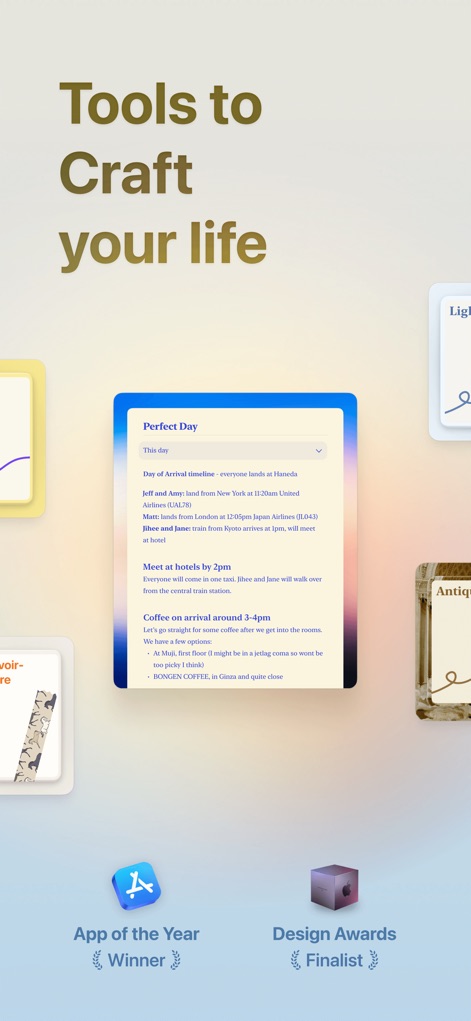
이 앱은 App of the Year 수상작 로고와 디자인 어워드 최종 후보 로고를 자랑하며, 사용자의 작업을 간결하게 구성하는 다양한 카드형 노트를 시각적으로 보여줍니다.
지능형 생산성 허브
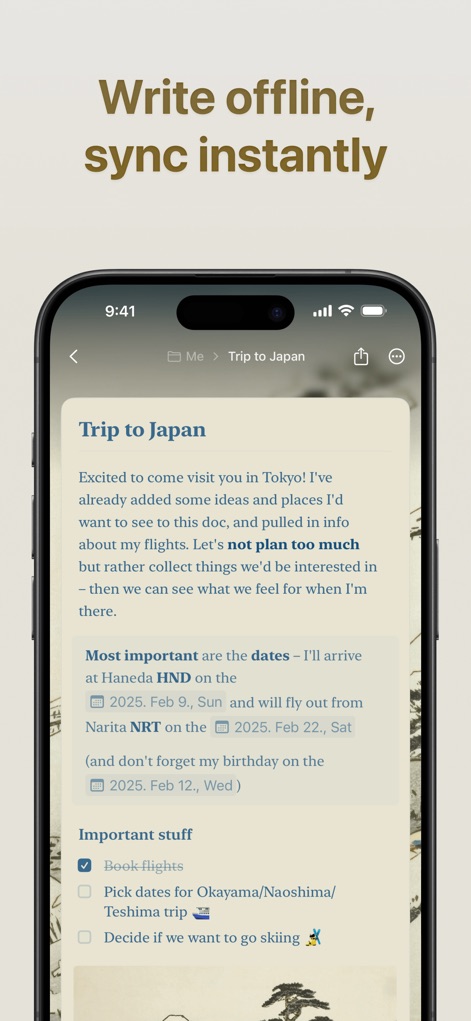
이 화면은 'Trip to Japan' 문서에서 오프라인 모드 작업의 유연성을 강조하며, 비행기 아이콘과 즉각적인 동기화를 통해 장치 간 원활한 전환을 지원합니다.
오프라인 작업, 즉시 동기화
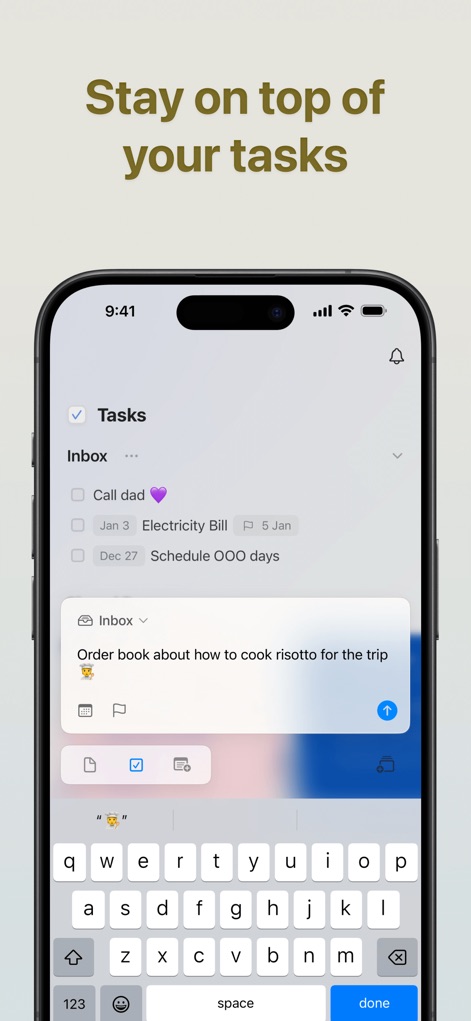
사용자는 'Inbox' 섹션에서 할 일 목록을 손쉽게 관리할 수 있으며, 이 스크린샷은 새로운 작업을 추가하는 입력 필드와 체크박스 기능을 명확하게 보여줍니다.
효율적인 작업 관리
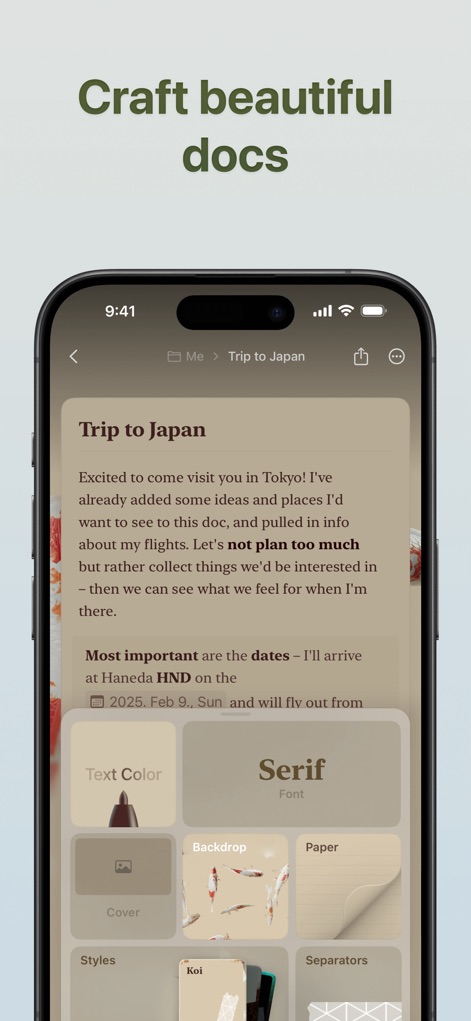
이 스크린샷은 'Text Color' 및 'Serif Font'와 같은 서식 옵션을 통해 사용자가 문서를 시각적으로 풍부하게 꾸밀 수 있음을 보여주며, 배경 및 용지 스타일 변경 기능도 제공합니다.
아름다운 문서 작성
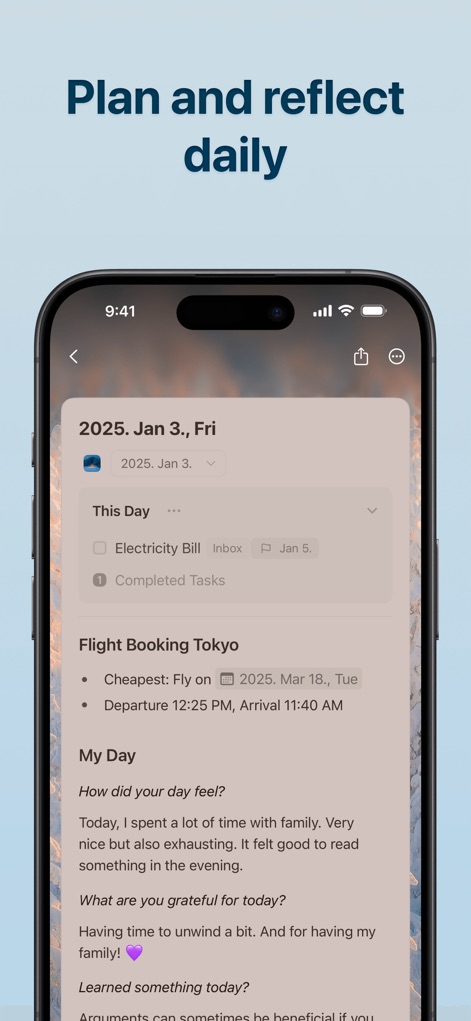
사용자는 'Daily Notes' 기능을 통해 날짜별로 작업을 추적하고(예: Electricity Bill) 'My Day' 섹션에서 일일 성찰 질문에 답변하며 하루를 계획하고 되돌아볼 수 있습니다.
일일 계획 및 성찰

이 앱의 AI 어시스턴트는 텍스트를 다른 언어로 번역하거나(예: 영어에서 일본어로) 기존 텍스트를 'formal and friendly' 톤으로 재작성하는 기능을 제공하여 효율적인 문서 작업을 돕습니다.
AI로 작성 및 편집
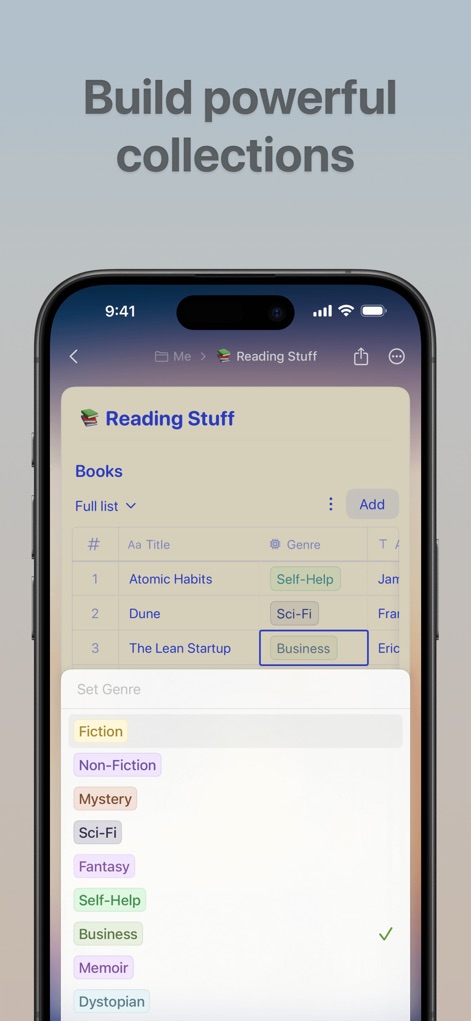
이 화면은 'Reading Stuff' 컬렉션에서 책 목록을 관리하는 기능을 보여주며, 사용자가 'Genre' 태그를 사용하여 항목을 분류하고 선택할 수 있도록 지원합니다.
강력한 컬렉션 구축
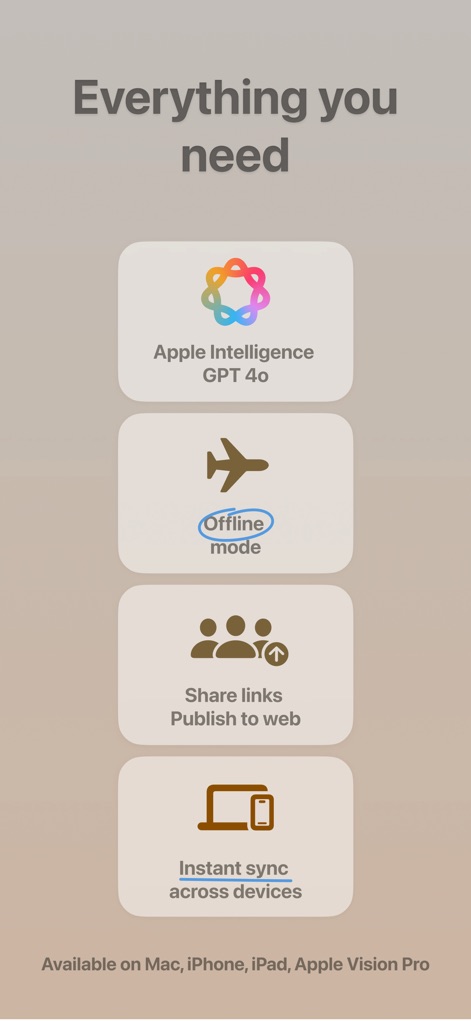
이 앱은 'Apple Intelligence GPT 4o'와의 통합을 통해 고급 AI 기능을 제공하며, 'Instant sync across devices' 버튼이 나타내듯이 모든 장치에서 원활한 동기화를 보장합니다.
필수 기능 집약
설명
Download
비슷한 앱
유사한 기능과 사용자 경험을 가진 앱

Notion: Notes, Tasks, AI
Notion Labs, Incorporated

Freenotes®: AI Notes Taking
Hangzhou Free Notes Technology Co., Ltd

Structured - Daily Planner
unorderly GmbH

Google Tasks: Get Things Done
Google LLC

TickTick:To-Do List & Calendar
Appest Limited

Noteful: Notes & PDF Markup
Noteful Technologies Ltd

Todoist: To Do List & Calendar
Doist Inc.

To do list MinimaList & Widget
Inner Grow Limited

monday.com - Work Platform
monday.com Ltd.
이 페이지는 앱이나 개발자의 공식 페이지가 아니며, 정보 제공 및 논평을 목적으로 작성된 독립 편집 간행물입니다. 명시적으로 달리 언급되지 않는 한, 해당 앱이나 개발자는 MWM, Apple, Google Play, 앱 퍼블리셔 또는 앱 개발자와 제휴, 보증, 후원, 승인 또는 공식적으로 연결되어 있지 않으며, 이 페이지의 어떤 내용도 해당 앱이 MWM의 서비스를 사용하여 개발되었음을 의미하지 않습니다. 모든 상표, 로고, 스크린샷 및 기타 콘텐츠는 해당 소유자의 자산입니다.