Cryptomator

Cryptomator

다운로드: App Store다운로드: Google Play
로고: Cryptomator

Cryptomator: 당신의 데이터 열쇠는 당신의 손에

오픈소스 클라이언트 측 암호화로 디지털 주권을 강화하세요. AES-256 보호 기능을 사용하여 iCloud, Dropbox, Google Drive의 민감한 파일을 안전하게 보호하고 iOS 파일 앱과 원활하게 통합하세요.

다운로드: App Store

개발사

Skymatic GmbH

카테고리

Productivity

다운로드

18K+

사용자 평점

4.3/5

총 평가 수

500

지원 언어

34

시각화된 보안

이 인터페이스를 사용하는 18K+ 명의 사용자.

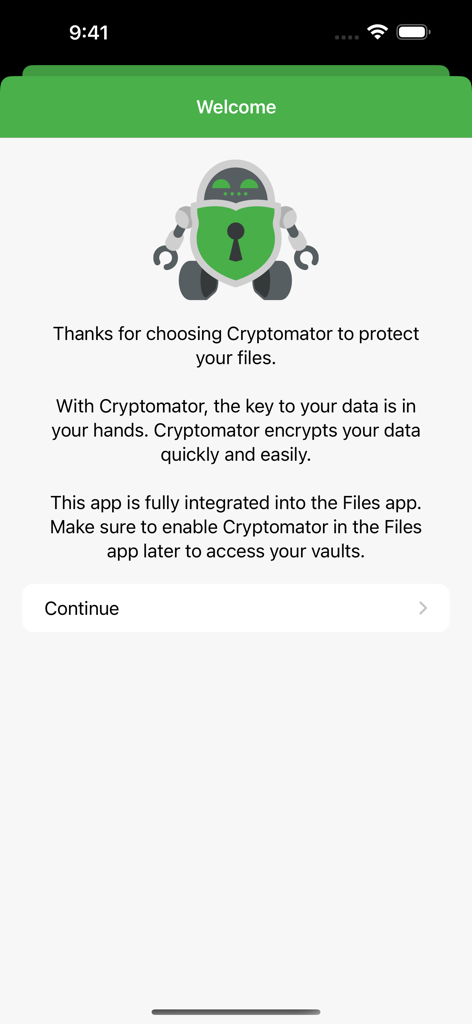
Cryptomator 앱 환영 화면, 로봇 마스코트 및 안전한 파일 암호화와 iOS 파일 앱 통합에 대한 설명.
Cryptomator 앱 환영 화면, 로봇 마스코트 및 안전한 파일 암호화와 iOS 파일 앱 통합에 대한 설명.

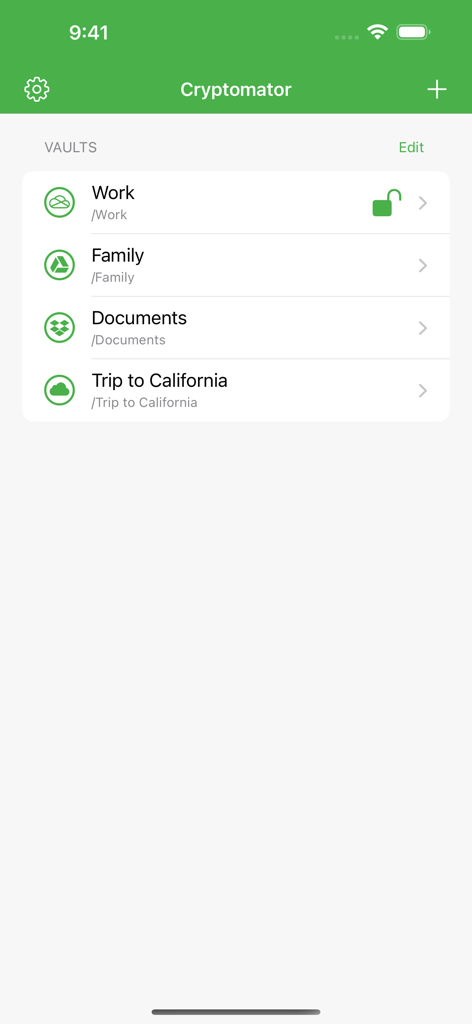
Cryptomator 앱 인터페이스, 작업, 가족, 문서 등 암호화된 클라우드 저장 볼트 목록 표시
Cryptomator 앱 인터페이스, 작업, 가족, 문서 등 암호화된 클라우드 저장 볼트 목록 표시

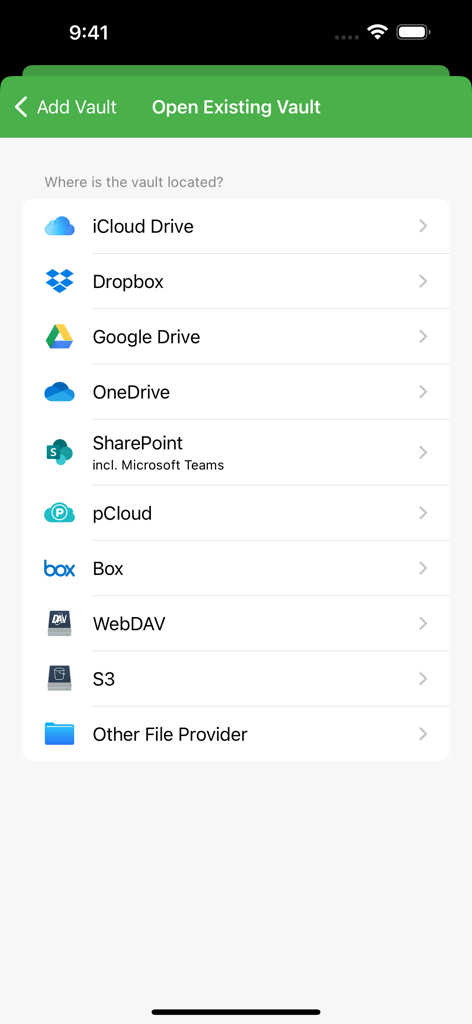
Cryptomator에서 지원하는 클라우드 저장 제공업체 목록, iCloud, Dropbox, Google Drive 포함
Cryptomator에서 지원하는 클라우드 저장 제공업체 목록, iCloud, Dropbox, Google Drive 포함

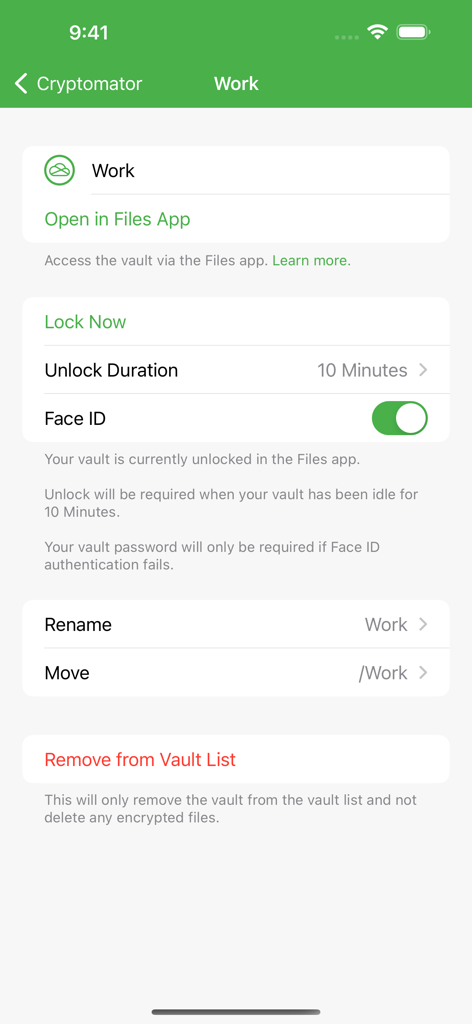
Cryptomator 앱 인터페이스, Face ID 토글 및 파일 앱 통합을 포함한 볼트의 보안 설정 표시
Cryptomator 앱 인터페이스, Face ID 토글 및 파일 앱 통합을 포함한 볼트의 보안 설정 표시

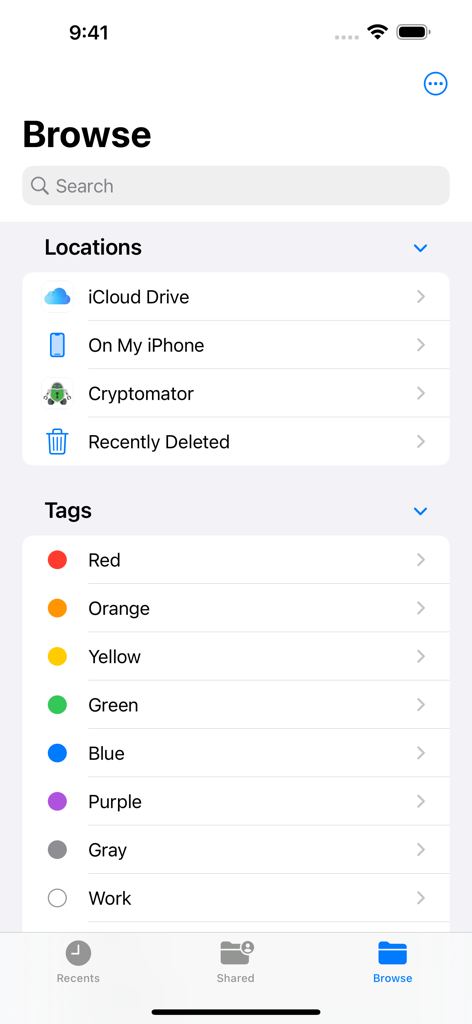
Cryptomator가 iOS 파일 앱 탐색 메뉴의 저장 위치로 통합됨.
Cryptomator가 iOS 파일 앱 탐색 메뉴의 저장 위치로 통합됨.

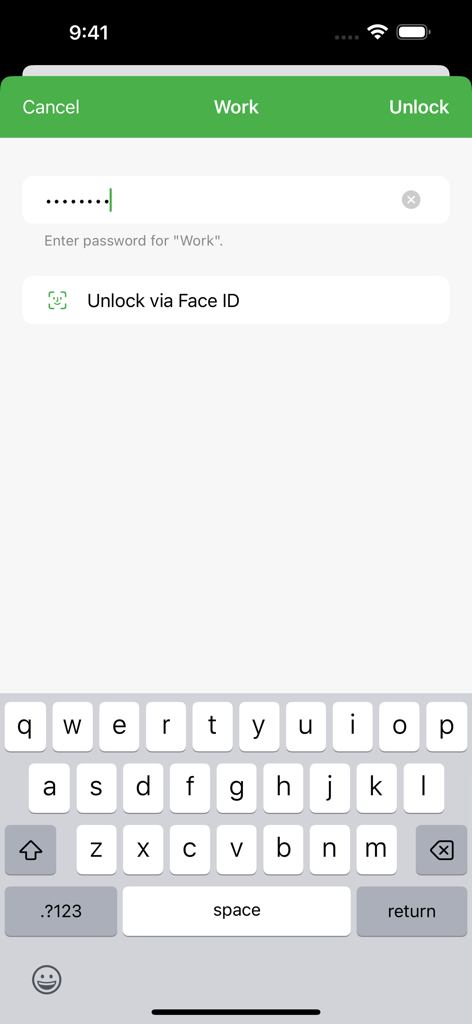
Cryptomator 볼트 잠금 해제 화면, iOS에서 비밀번호 필드 및 Face ID 옵션 표시
Cryptomator 볼트 잠금 해제 화면, iOS에서 비밀번호 필드 및 Face ID 옵션 표시

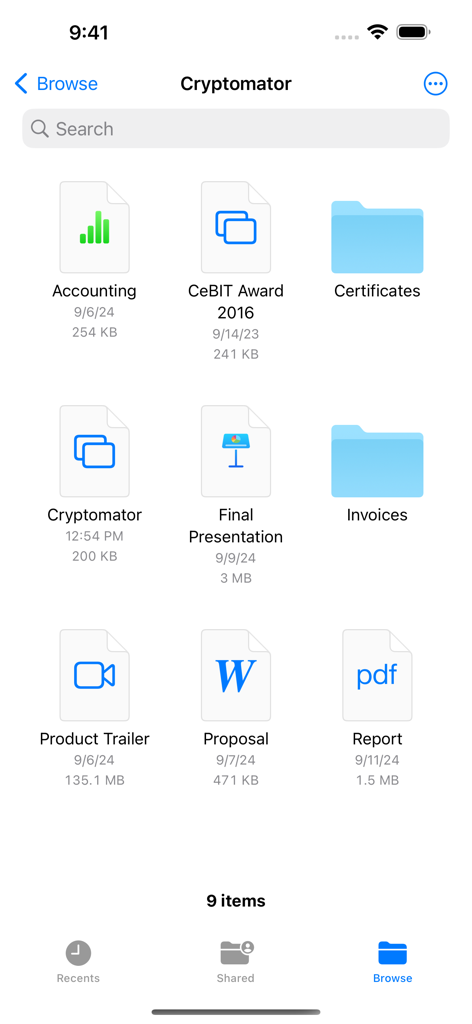
Cryptomator 앱 인터페이스, iPhone의 암호화된 파일 및 폴더 그리드 표시

Cryptomator 앱 인터페이스, iPhone의 암호화된 파일 및 폴더 그리드 표시

클라우드를 위한 철통같은 보안

이 앱을 돋보이게 하는 도구, 18K+ 명의 사용자가 선택.

🛡️

제로 지식 프라이버시

파일은 장치를 떠나기 전에 AES-256으로 암호화됩니다. 클라우드 제공업체나 해커 모두 귀하의 데이터에 액세스할 수 없습니다.

📂

네이티브 iOS 통합

복잡한 설정이 없습니다. Apple 파일 앱 내에서 안전한 볼트에 직접 액세스하고 Face ID로 즉시 잠금을 해제하세요.

⚖️

오픈소스 신뢰

전 세계 보안 전문가들이 검증했습니다. 투명한 코드베이스는 백도어가 없으며 순수한 디지털 주권만 있습니다.

앱 소개

에 대해 알아야 할 모든 것 Cryptomator.

설명

With Cryptomator, the key to your data is in your hands. Cryptomator secures and encrypts your sensitive data in your favorite cloud service. So you can rest assured that only you can access your data. EASY-TO-USE Cryptomator is a simple tool for digital self-defense. It allows you to protect your cloud data by yourself and independently. • Simply create a vault and assign a password • No additional account or configuration needed • Unlock vaults with Face ID / Touch ID • Fully integrated into the Files app COMPATIBLE Cryptomator is compatible with the most commonly used cloud storages and available for all major operating systems. • Compatible with iCloud Drive, Dropbox, Google Drive, OneDrive, SharePoint (incl. Microsoft Teams), pCloud, Box, WebDAV- and S3-based cloud storage services • Create vaults in any location via other File Providers (third-party apps must support this) • Access your vaults on all your mobile devices and computers SECURE You don't have to trust Cryptomator blindly, because it is open source software. For you as a user, this means that everyone can see the code: https://github.com/cryptomator/ios • File content and filename encryption with AES and 256 bit key length • Vault password is secured with scrypt for enhanced brute-force resistance • Crypto implementation is publicly documented AWARD-WINNING Cryptomator received the CeBIT Innovation Award 2016 for Usable Security and Privacy. We're proud to provide security and privacy for hundreds of thousands of Cryptomator users. CRYPTOMATOR COMMUNITY Join the Cryptomator Community and participate in the conversations with other Cryptomator users: https://community.cryptomator.org • Follow us on Mastodon @cryptomator@mastodon.online • Like us on Facebook /Cryptomator --- Terms of Use: https://www.apple.com/legal/internet-services/itunes/dev/stdeula/

최신 버전

2.7.2

크기

87.1 MB

출시일

2021년 12월 21일

당신의 데이터, 당신의 열쇠. 지금 당신의 클라우드를 안전하게 보호하세요.

투명하고 오픈소스이며 제로 지식 암호화를 위해 Cryptomator를 신뢰하는 수천 명의 전문가와 함께하세요. 디지털 주권을 되찾고 가장 소중한 것을 보호하세요.

다운로드: App Store다운로드: Google Play

App information, icons, screenshots, and descriptions displayed on this page are sourced from the Apple App Store and are the property of their respective developers. Download estimates and rankings are based on MWM's proprietary models and may not reflect actual figures. This page is provided for informational and analytical purposes only.

Believe this page infringes your intellectual property? File a dispute