CV Maker & Resume Builder PDF
다운로드: App Store

이 페이지는 앱이나 개발자의 공식 페이지가 아니며, 정보 제공 및 논평을 목적으로 작성된 독립 편집 간행물입니다. 명시적으로 달리 언급되지 않는 한, 해당 앱이나 개발자는 MWM, Apple, Google Play, 앱 퍼블리셔 또는 앱 개발자와 제휴, 보증, 후원, 승인 또는 공식적으로 연결되어 있지 않으며, 이 페이지의 어떤 내용도 해당 앱이 MWM의 서비스를 사용하여 개발되었음을 의미하지 않습니다. 모든 상표, 로고, 스크린샷 및 기타 콘텐츠는 해당 소유자의 자산입니다.

로고: CV Maker & Resume Builder PDF
다운로드: App Store

CV Maker & Resume Builder PDF

몇 분 안에 기술을 전문적인 경력으로 전환하세요. 전문가가 디자인한 템플릿, 사용자 정의 가능한 레이아웃, 내장 문서 스캐너를 사용하여 채용되는 눈에 띄는 지원서를 만드세요.

주요 수치

다운로드

14K+

사용자 평점

4.5/5

총 평가 수

100

개발사

APPINATORS TECHNOLOGY PRIVATE LIMITED

카테고리

Business

지원 언어

1

최신 버전

3.1.3

크기

70.0 MB

출시일

2024년 3월 29일
기능

취업에 필요한 모든 것

서식 지정으로 고생하는 것을 멈추고 경력에 집중하세요. 올인원 모바일 툴킷을 사용하여 몇 분 안에 전문적인 지원서를 만들고, 스캔하고, 보낼 수 있습니다.

현대적이고 영향력 있는 템플릿

오래된 Word 문서는 버리세요. 개인 브랜드를 반영하고 다른 지원자들과 돋보일 수 있도록 사용자 정의할 수 있는 업계 승인 디자인 중에서 선택하세요.

내장 문서 스캐너

프린터가 없으신가요? 문제없습니다. 카메라를 사용하여 인증서, 신분증 및 추천서를 고품질 PDF로 스캔하여 전체 지원서를 한 곳에 보관하세요.

다음 스크린샷과 설명은 앱의 공식 스토어 목록에서 직접 가져온 것이며 앱 개발자의 자산입니다.

앱 스토어

스크린샷
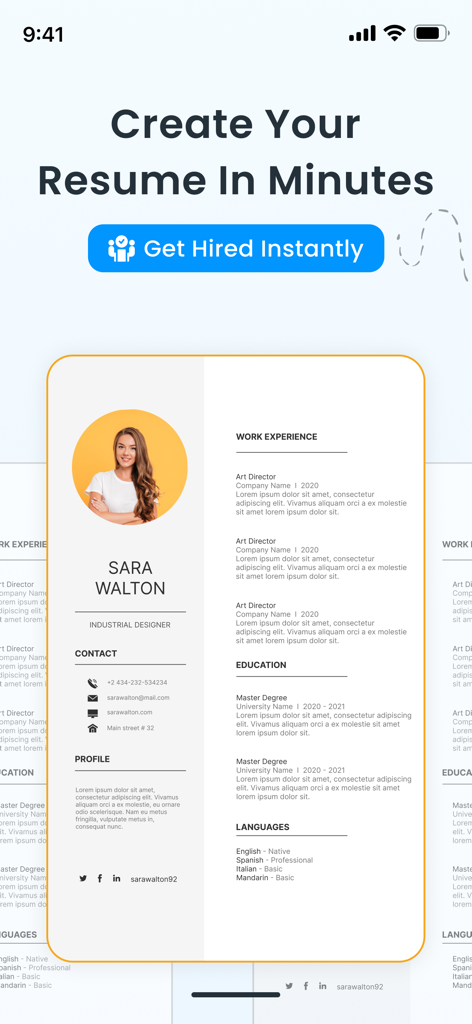
CV Maker & Resume Builder PDF - CV 메이커 및 이력서 빌더 모바일 앱에 표시된 전문 이력서 템플릿.
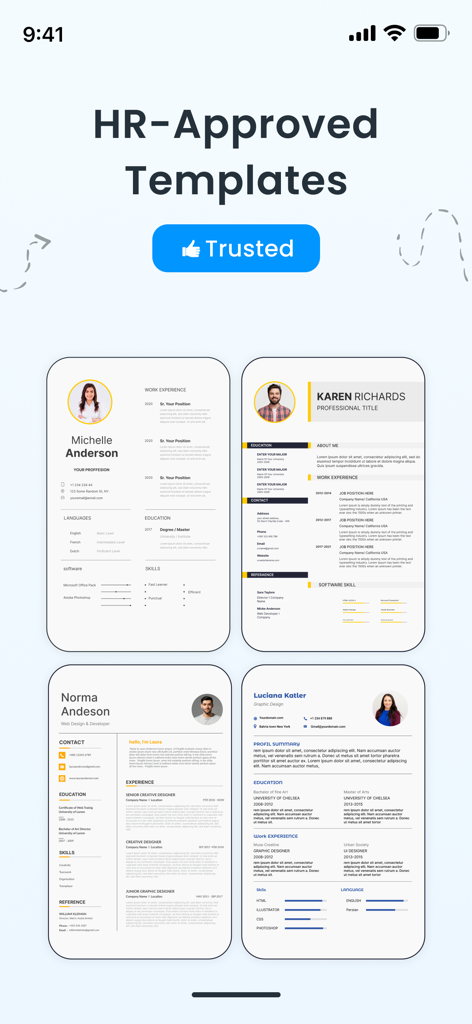
CV 메이커 및 이력서 빌더 모바일 앱에 표시된 전문 이력서 템플릿.

CV Maker & Resume Builder PDF - CV 메이커 앱에서 4개의 전문적이고 HR 승인된 이력서 템플릿 선택 사항
CV 메이커 앱에서 4개의 전문적이고 HR 승인된 이력서 템플릿 선택 사항

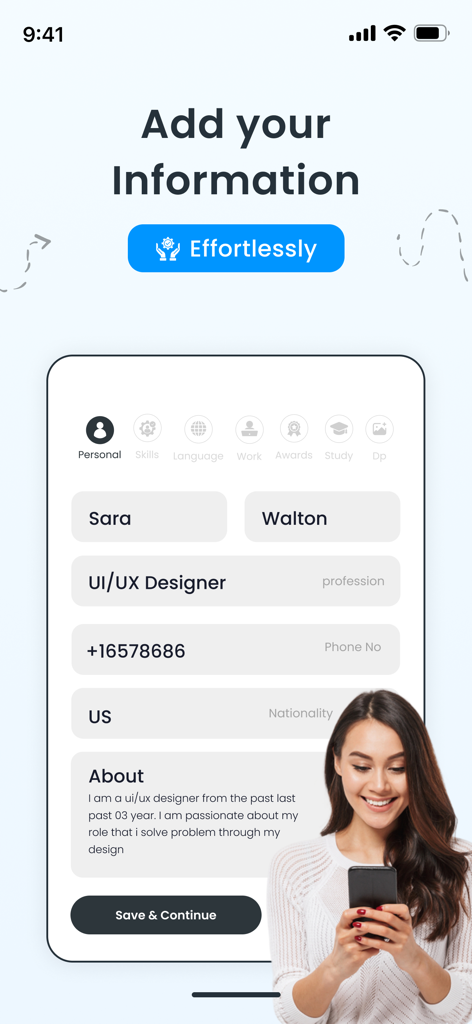
CV Maker & Resume Builder PDF - 이력서 빌더 앱에 이름 및 직업과 같은 개인 정보를 추가하는 모바일 인터페이스.
이력서 빌더 앱에 이름 및 직업과 같은 개인 정보를 추가하는 모바일 인터페이스.

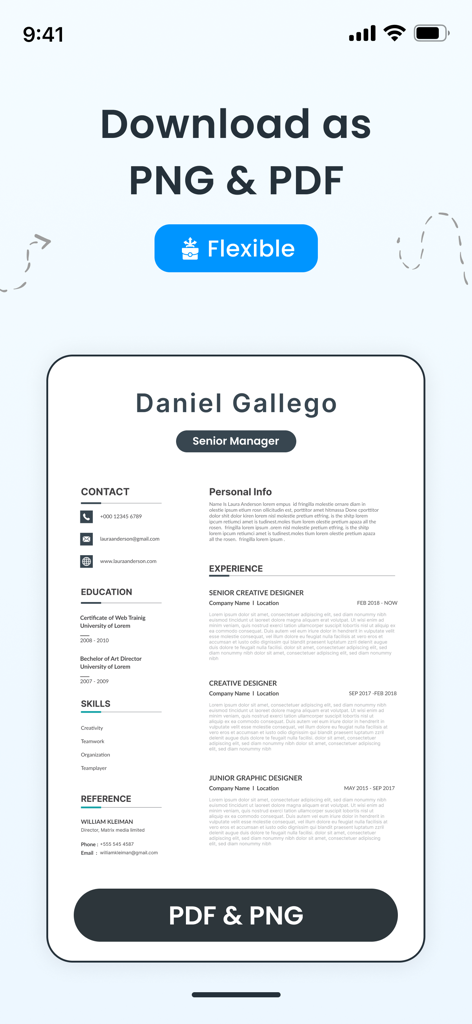
CV Maker & Resume Builder PDF - 이력서 빌더 앱 내의 전문 이력서 템플릿으로 PDF 및 PNG 형식으로 다운로드하는 옵션을 보여줍니다.
이력서 빌더 앱 내의 전문 이력서 템플릿으로 PDF 및 PNG 형식으로 다운로드하는 옵션을 보여줍니다.

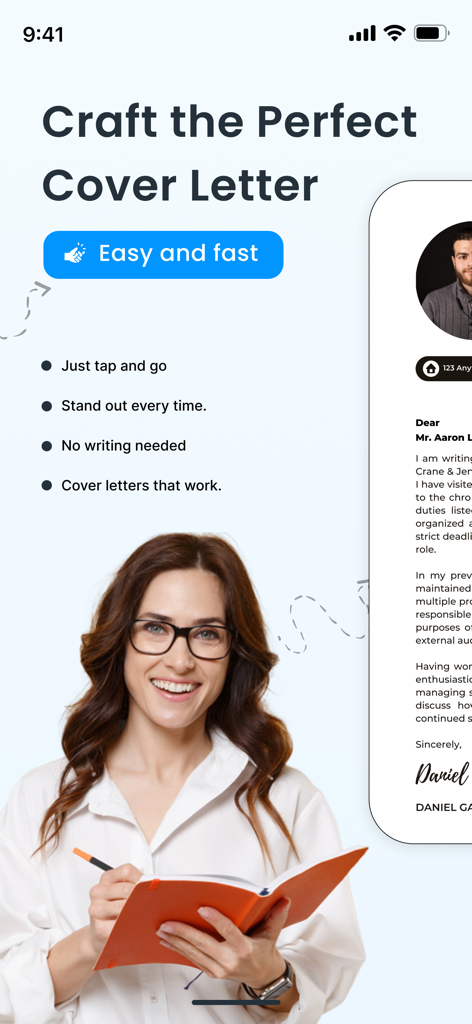
CV Maker & Resume Builder PDF - CV 메이커 앱 인터페이스로 전문적인 커버 레터를 쉽고 빠르게 작성하는 기능을 보여줍니다.
CV 메이커 앱 인터페이스로 전문적인 커버 레터를 쉽고 빠르게 작성하는 기능을 보여줍니다.

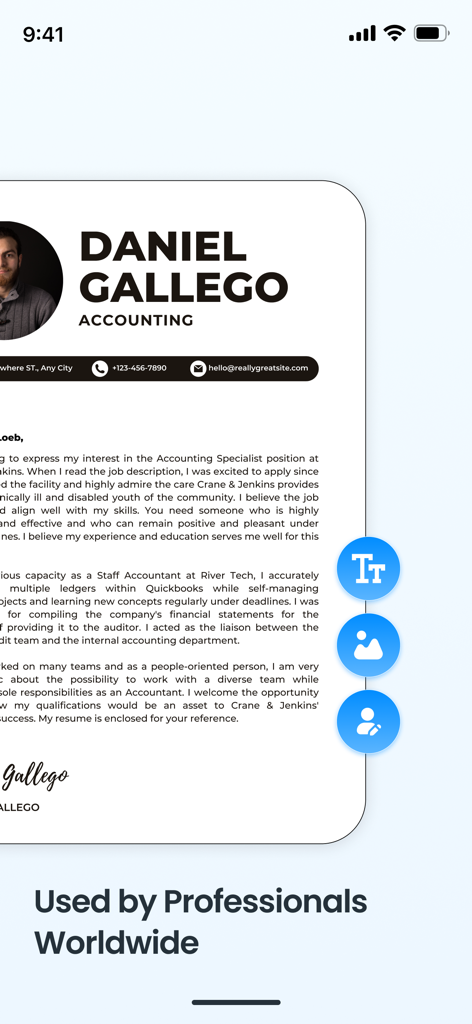
CV Maker & Resume Builder PDF - 모바일 CV 메이커 앱의 회계사를 위한 전문 이력서 템플릿

모바일 CV 메이커 앱의 회계사를 위한 전문 이력서 템플릿

설명

Smart CV Maker & Resume Builder App: Are you ready to make your job application stand out from the competition in a crowded field? You only need to look once at cv resume maker to create compelling resumes that make an impression on employers and recruiters. You can quickly create a professional resume and curriculum vitae for a job application with the help of Smart Resume Maker | PDF Maker app. There are many resume templates at your disposal, and each CV and resume template comes in different colors. We ensure your CV is spot on so you can impress potential employers. If you’re writing a resume for the first time, then this app is a blessing to you. Also, no need to worry if you made any mistakes because CV maker app allows you to edit or modify any field at any time. The best part of this CV maker & resume builder app is the option for customization. Features of CV Maker App:- Free Resume Templates Resume maker cv app offers to choose from a variety of professionally designed free resume templates to match your curriculum vitae with different industries and personal styles. Document Scanner Module Our powerful Document Scanner module allows users to quickly scan physical documents using their phone's camera. With automatic edge detection, smart cropping, and image enhancement, scanned files are converted into clear, high-quality PDFs. Users can save, share, or organize their scanned files directly within the app — making it perfect for scanning receipts, notes, forms, certificates, and more on the go. Curriculum Vitae Editing Resume Builder cv maker app lets you modify any section of your CV or resume with ease. Free resume builder CV maker app supports real-time updates while resume template editing to exactly preview what changes you have made to your curriculum vitae. Save & Export Pdf Resume Resume builder CV maker saves your progress and exports pdf resume format allowing you to easily share your Curriculum vitae created with the cv app. Resume Writing Tips and Guidance Curriculum vitae cv app lets you get expert resume writing tips and suggestions by providing different resume template on how to write your resume and CV, including different styles and formatting advice. Easily save your creations with our extensive saving options. Save your work as a PDF file for easy sharing on the web, submit your courses for further editing, or create beautiful pdfs for traditional applications. Get your cv in offline pdf format. The background color and border of your profile picture can be changed, so it leaves a lasting impression. Create a clean, visual presentation by customising everything to fit your brand. Start your career-boosting journey by downloading the Smart Resume Maker | PDF Maker app right now to highlight your accomplishments and skills. Make sure your cv is a good reflection of who you are! Your dream job is waiting for you! Subscription Plan • Payment will be charged to iTunes Account at confirmation of purchase. • Subscription automatically renews unless auto-renew is turned off at least 24-hours before the end of the period. • Length of subscriptions: Weekly & Yearly. • Account will be charged for renewal within 24-hours prior to the end of the current period, and identify the cost of the renewal. • Price of subscriptions: one week 2.99 US & one year 17.99 US • Subscriptions may be managed by the user and auto-renewal may be turned off by going to the user's Account Settings after purchase. • No cancellation of the current subscription is allowed during active subscription period. • Any unused portion of a free trial period, if offered, will be forfeited when the user purchases a subscription. For further information: Privacy Policy: https://sites.google.com/view/khasologixpolicy/home Terms of Service : https://www.apple.com/legal/internet-services/itunes/dev/stdeula/

Download

다운로드: App Store

이 페이지는 앱이나 개발자의 공식 페이지가 아니며, 정보 제공 및 논평을 목적으로 작성된 독립 편집 간행물입니다. 명시적으로 달리 언급되지 않는 한, 해당 앱이나 개발자는 MWM, Apple, Google Play, 앱 퍼블리셔 또는 앱 개발자와 제휴, 보증, 후원, 승인 또는 공식적으로 연결되어 있지 않으며, 이 페이지의 어떤 내용도 해당 앱이 MWM의 서비스를 사용하여 개발되었음을 의미하지 않습니다. 모든 상표, 로고, 스크린샷 및 기타 콘텐츠는 해당 소유자의 자산입니다.








