
이 페이지는 앱이나 개발자의 공식 페이지가 아니며, 정보 제공 및 논평을 목적으로 작성된 독립 편집 간행물입니다. 명시적으로 달리 언급되지 않는 한, 해당 앱이나 개발자는 MWM, Apple, Google Play, 앱 퍼블리셔 또는 앱 개발자와 제휴, 보증, 후원, 승인 또는 공식적으로 연결되어 있지 않으며, 이 페이지의 어떤 내용도 해당 앱이 MWM의 서비스를 사용하여 개발되었음을 의미하지 않습니다. 모든 상표, 로고, 스크린샷 및 기타 콘텐츠는 해당 소유자의 자산입니다.

Data Transfer - MobileTrans
데이터는 당신의 것입니다. 이 앱은 당신이 원하는 곳으로 그것을 옮겨놓습니다. 망설임이나 브랜드 충성심 없이.
다운로드
5M+사용자 평점
총 평가 수
3.1K개발사
카테고리
Utilities지원 언어
12최신 버전
V4.7.34크기
272.7 MB출시일
2021년 1월 21일테크 분석가가 평가한 주요 기능 및 사용자 가치
Data Transfer - MobileTrans: 심층 분석
WhatsApp 데이터 전송
이 앱은 WhatsApp 채팅 기록, 사진, 비디오, 연락처 및 스티커를 포함한 모든 WhatsApp 데이터를 새 휴대폰으로 쉽고 안전하게 전송할 수 있게 해줍니다.
데이터 무결성 및 보안 보장
이 도구는 데이터 전송 과정에서 개인 정보 보호와 보안을 최우선으로 하여, 사용자가 민감한 데이터를 안심하고 안전하게 마이그레이션할 수 있도록 지원합니다.
크로스 플랫폼 데이터 전송
이 앱은 iOS와 Android 운영체제 간의 데이터 전송을 지원하며, 사용자가 기기 변경이나 운영체제 전환 시 모든 디지털 콘텐츠를 원활하게 이동할 수 있게 해줍니다.
모든 유형의 데이터 포괄적 전송
이 도구는 사진, 비디오, 연락처, 음악, 문서, 앱 및 캘린더 이벤트를 포함한 거의 모든 유형의 데이터를 새 휴대폰으로 전송하는 기능을 제공하여 포괄적인 모바일 데이터 마이그레이션을 가능하게 합니다.
빠르고 효율적인 데이터 전송
이 앱은 블루투스보다 최대 200배 빠른 전송 속도를 제공하여, 사용자가 대기 시간 없이 대용량 파일을 신속하고 효율적으로 옮길 수 있게 해줍니다.
원클릭 백업 및 복원 (iCloud 지원)
이 도구는 데이터 손실을 방지하기 위해 기기 변경 전 추가 백업 생성을 지원하며, iCloud 데이터를 새 기기로 손쉽게 복원하는 기능을 제공합니다.
QR 코드를 통한 간편한 연결
이 앱은 QR 코드 스캔만으로 두 기기를 쉽고 빠르게 연결할 수 있게 해주며, OTG 케이블 없이도 다양한 운영체제 및 휴대폰 브랜드 간의 데이터 전송을 지원합니다.
제한 없는 휴대폰 브랜드 지원
이 도구는 Apple, Samsung, HUAWEI, OPPO, Pixel, Xiaomi 등 주요 휴대폰 브랜드의 제약 없이 다양한 기기 간의 데이터 전송을 지원합니다.
자주 묻는 질문
에 대해 알아야 할 모든 것 Data Transfer - MobileTrans
What is MobileTrans and what does it do?
MobileTrans is a data transfer tool that moves content like photos, videos, contacts, WhatsApp data, music, files, recordings, documents, apps, and calendars between phones. It supports cross-platform transfer, backup, and restore features.
What types of data can I transfer using MobileTrans?
MobileTrans supports the transfer of all data types including images, videos, WhatsApp data, audio, contacts, music, documents, and calendar events to your new mobile phone. It also handles common file formats like Word, Excel, PowerPoint, and PDF.
Does MobileTrans support cross-platform data transfer between different phone brands?
Yes, MobileTrans supports cross-platform data transfer. It can move data from iOS to Android, Android to iOS, and iOS to iOS. It is not limited by specific phone brands.
How fast is data transfer with the MobileTrans app?
MobileTrans provides lightning-fast data transfer speeds, up to 200x faster than Bluetooth. It achieves an average speed of 30MB/s, enabling the transfer of a 1GB video in approximately 30 seconds.
Does MobileTrans consume mobile data during the transfer process?
No, MobileTrans does not use your cellular data during transfer. It utilizes a local hotspot for direct data transfer between devices, which eliminates the need for a Wi-Fi connection and saves your data plan.
How do I connect two devices using MobileTrans for data transfer?
Devices are connected in MobileTrans by scanning a QR code. This QR Code-Based Connection allows for quick and secure pairing between two devices, supporting various operating systems and phone brands.
Can MobileTrans transfer and backup WhatsApp data?
Yes, MobileTrans supports WhatsApp transfer, including chat history, photos, videos, contacts, and stickers. It also provides backup and restore features for WhatsApp data, including iCloud restore.
Is MobileTrans a secure and private application for transferring data?
Yes, MobileTrans ensures high privacy and data security. It functions as a secure bridge for data transfer, prioritizing privacy protection and safe migration of user information between devices.
What subscription options are available for MobileTrans?
MobileTrans offers monthly subscription plans including Phone Transfer Monthly, Full Feature Monthly, and WhatsApp Monthly. Subscribing grants unlimited access to all features like Phone Transfer, File Transfer, and iCloud Transfer.
How do MobileTrans subscriptions renew?
MobileTrans subscriptions automatically renew. Renewal charges are applied to your iTunes account within 24 hours before the current period ends. You can manage and turn off auto-renewal in your Account Settings anytime after purchase.
다음 스크린샷과 설명은 앱의 공식 스토어 목록에서 직접 가져온 것이며 앱 개발자의 자산입니다.
앱 스토어
스크린샷
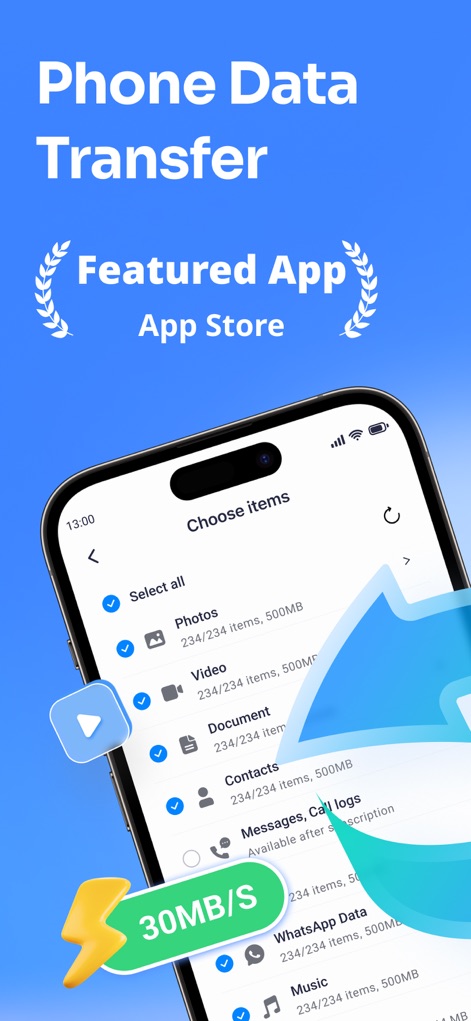
이 앱은 사진, 비디오와 같은 다양한 데이터 유형을 선별하여 전송할 수 있는 기능을 제공하며, 화면 하단에서 30MB/s의 빠른 전송 속도를 보여줍니다.
데이터 유형 선택
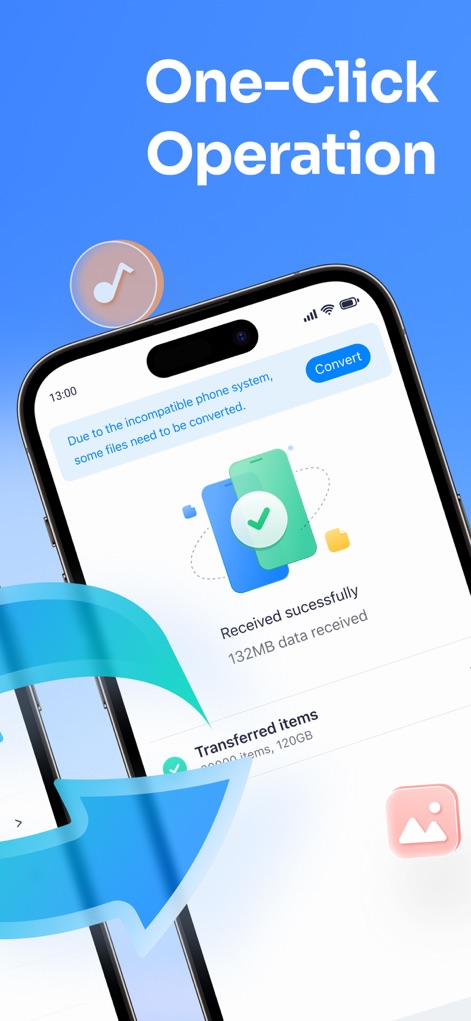
이 앱은 'Received successfully' 메시지를 통해 성공적인 데이터 수신을 확인시켜주며, 전송된 항목의 총 크기인 132MB를 명확하게 표시합니다.
간편한 원클릭 전송
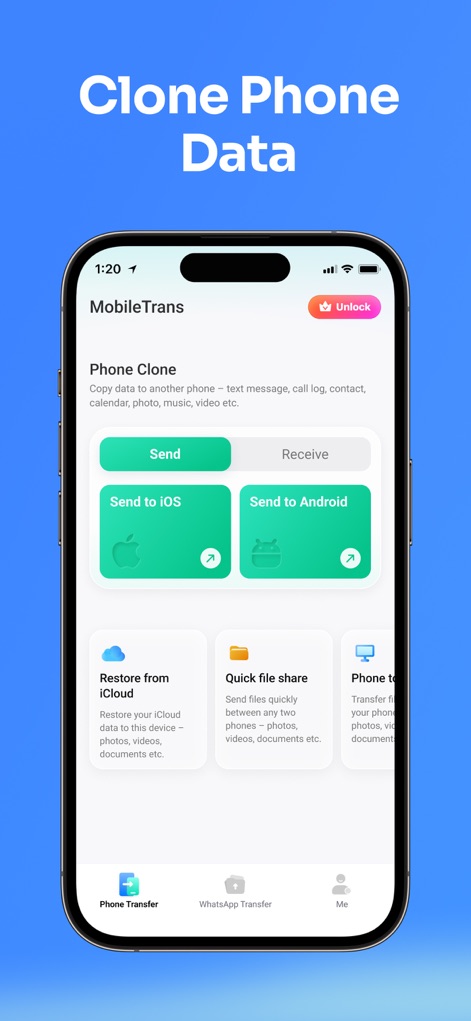
이 도구는 'Send to iOS' 및 'Send to Android'와 같은 크로스 플랫폼 전송 옵션을 제공하며, 'Restore from iCloud' 기능을 통해 백업 데이터를 쉽게 복원할 수 있도록 돕습니다.
완벽한 전화 복제
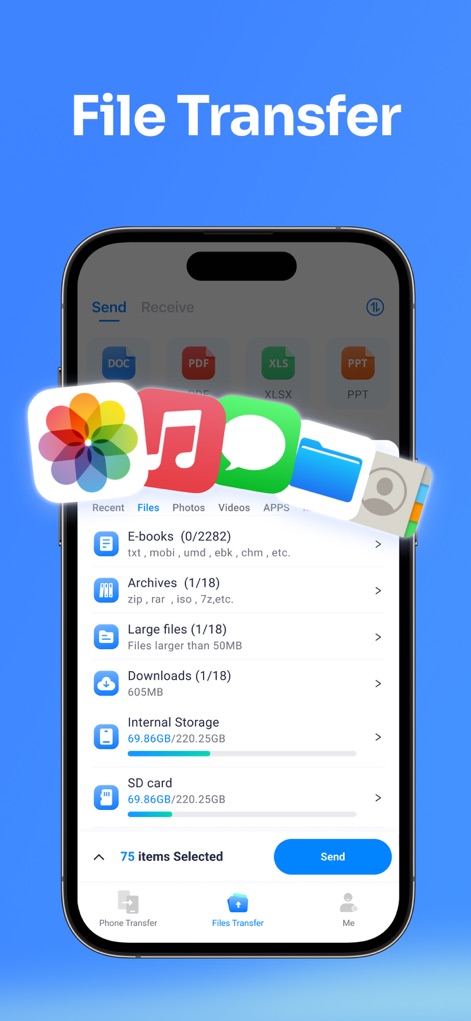
이 앱은 DOC, PDF 등 다양한 문서 파일 형식의 전송을 지원하며, 사용자는 기기의 내부 저장소와 SD 카드 사용량을 명확하게 파악하여 파일을 관리할 수 있습니다.
유연한 파일 전송
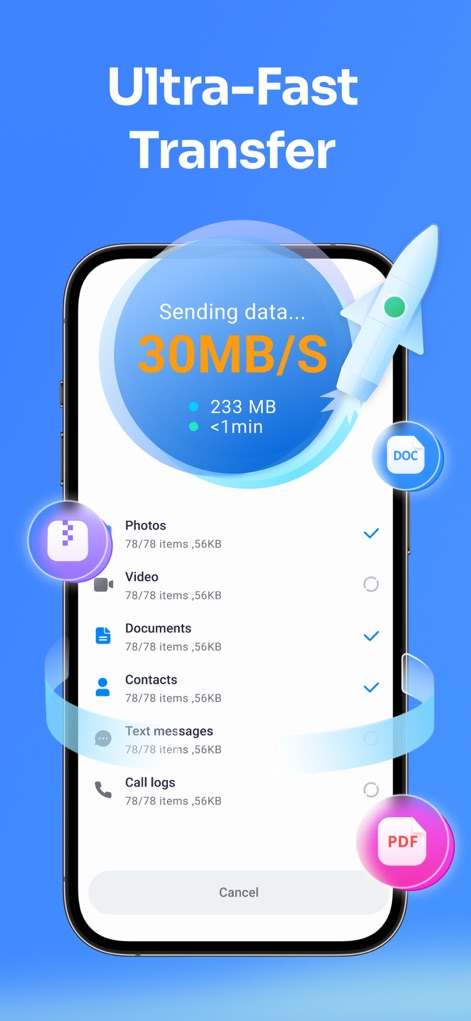
이 앱은 로켓 아이콘과 함께 30MB/s의 초고속 데이터 전송 속도를 보여주며, 사진, 비디오, 문서와 같은 다양한 유형의 데이터를 효율적으로 전송할 수 있습니다.
초고속 데이터 이동
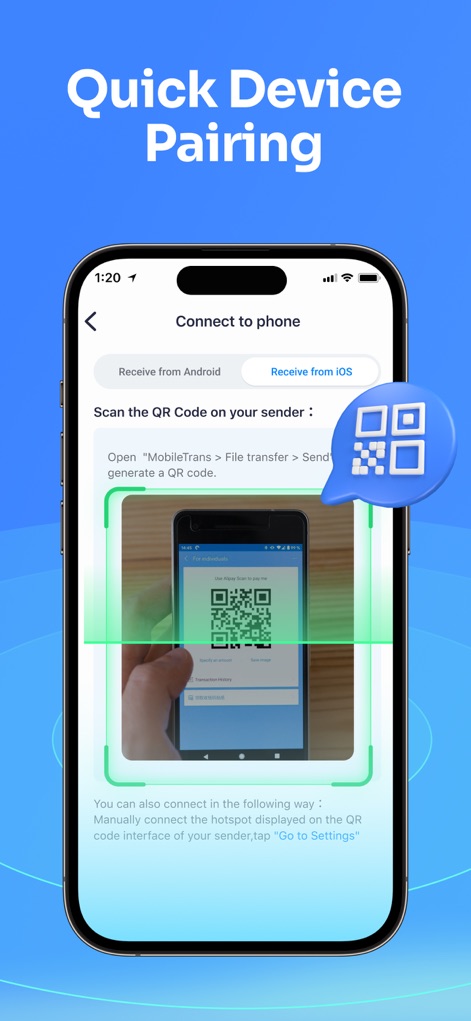
이 앱은 QR 코드 스캔 인터페이스를 통해 빠르고 안전한 장치 연결을 지원하며, 'Receive from Android' 및 'Receive from iOS' 옵션으로 다양한 기기에서 데이터를 수신할 수 있습니다.
신속한 기기 페어링
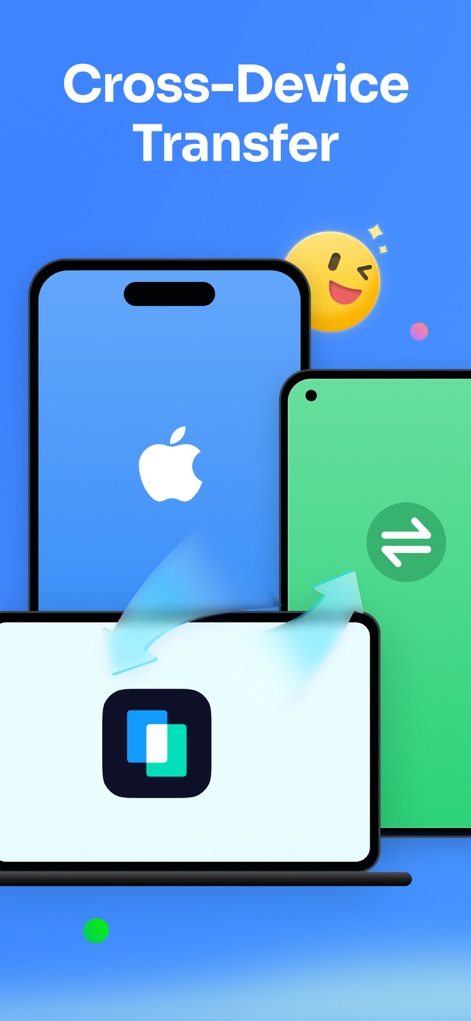
이 앱은 iPhone과 Android 스마트폰 간의 데이터 전송을 지원하며, 노트북과 같은 다양한 기기와의 호환성을 시각적으로 보여주는 역동적인 디자인을 특징으로 합니다.
다중 기기 간 전송
설명
Download
비슷한 앱
유사한 기능과 사용자 경험을 가진 앱

Data Transfer - Copy My Data
Simple Health Limited

互传 - 快速换机数据迁移智能助手
家呈 郭

Copy My Data - Smart Transfer
Red Sky Labs, SOCIEDAD LIMITADA
Smart Switch - Copy My Data
学斌 林
Copy My Data - Mobile Transfer
KHD Plaza LLC

Phone Clone - Smart Switch .
俊杰 刘

Smart Switch: Data Transfer
Zadore Tracy
Smart Switch: Copy & Move Data
JW Marketing group s.r.o.
手机同步传输-同步转移数据文件
冰 杜
이 페이지는 앱이나 개발자의 공식 페이지가 아니며, 정보 제공 및 논평을 목적으로 작성된 독립 편집 간행물입니다. 명시적으로 달리 언급되지 않는 한, 해당 앱이나 개발자는 MWM, Apple, Google Play, 앱 퍼블리셔 또는 앱 개발자와 제휴, 보증, 후원, 승인 또는 공식적으로 연결되어 있지 않으며, 이 페이지의 어떤 내용도 해당 앱이 MWM의 서비스를 사용하여 개발되었음을 의미하지 않습니다. 모든 상표, 로고, 스크린샷 및 기타 콘텐츠는 해당 소유자의 자산입니다.