DB Secure Authenticator
다운로드: App Store

이 페이지는 앱이나 개발자의 공식 페이지가 아니며, 정보 제공 및 논평을 목적으로 작성된 독립 편집 간행물입니다. 명시적으로 달리 언급되지 않는 한, 해당 앱이나 개발자는 MWM, Apple, Google Play, 앱 퍼블리셔 또는 앱 개발자와 제휴, 보증, 후원, 승인 또는 공식적으로 연결되어 있지 않으며, 이 페이지의 어떤 내용도 해당 앱이 MWM의 서비스를 사용하여 개발되었음을 의미하지 않습니다. 모든 상표, 로고, 스크린샷 및 기타 콘텐츠는 해당 소유자의 자산입니다.


로고: DB Secure Authenticator
다운로드: App Store

DB Secure Authenticator

안전한 2단계 인증으로 자산을 보호하고 은행 업무 경험을 간소화하세요. 고액 자산 전문가를 위해 설계된 생체 인식 또는 푸시 알림으로 즉시 거래를 승인하세요.

주요 수치

다운로드

482K+

사용자 평점

1.5/5

총 평가 수

1K+

개발사

Deutsche Bank AG

카테고리

Finance

지원 언어

7

최신 버전

4.9.0.2.0.3

크기

35.8 MB

출시일

2018년 7월 27일
기능

글로벌 금융을 위한 전문 보안

현대 임원을 위해 신뢰성과 속도를 위해 설계된 원활한 2단계 인증 제품군으로 고액 자산을 보호합니다.

즉각적인 거래 승인

수동 입력을 건너뛰세요. 보안 푸시 알림을 통해 단 한 번의 탭으로 복잡한 이체 및 로그인을 승인하여 워크플로우를 중단 없이 유지하세요.

손쉬운 생체 인식 로그인

FaceID 또는 TouchID를 사용하여 보안 키에 즉시 액세스하여 타협하지 않는 은행 등급의 안전성과 일정에 필요한 속도를 결합하세요.

다음 스크린샷과 설명은 앱의 공식 스토어 목록에서 직접 가져온 것이며 앱 개발자의 자산입니다.

앱 스토어

스크린샷
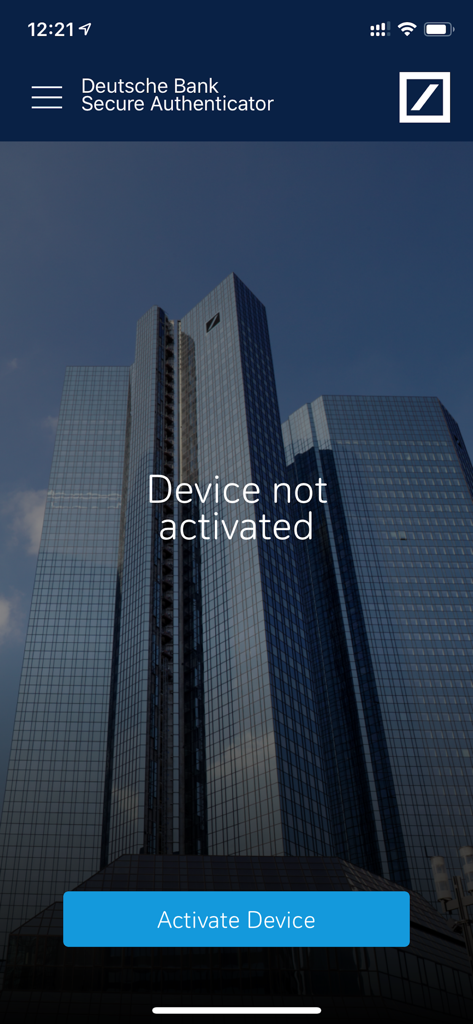
DB Secure Authenticator - Deutsche Bank Secure Authenticator 앱 환영 화면, 장치가 활성화되지 않았다는 메시지와 활성화 버튼 표시
Deutsche Bank Secure Authenticator 앱 환영 화면, 장치가 활성화되지 않았다는 메시지와 활성화 버튼 표시

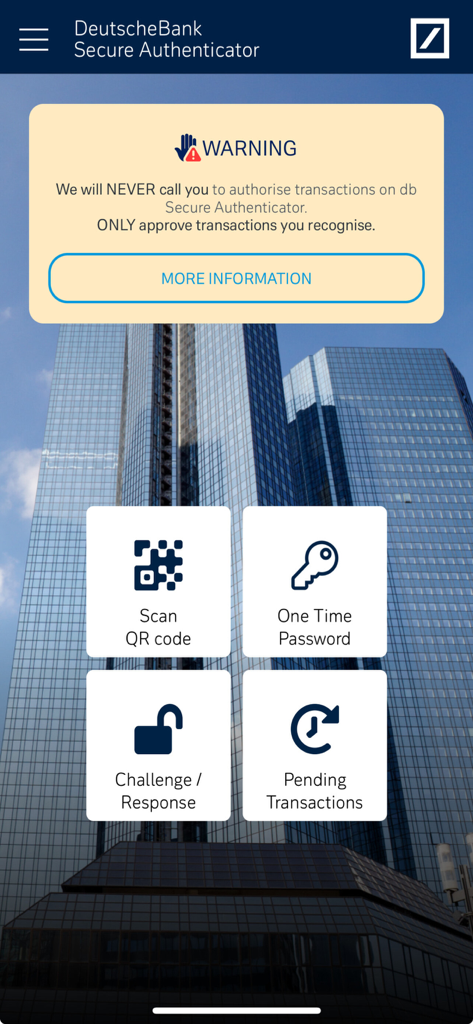
DB Secure Authenticator - QR 스캔 및 일회용 비밀번호와 같은 인증 옵션을 보여주는 DB Secure Authenticator 앱의 메인 대시보드
QR 스캔 및 일회용 비밀번호와 같은 인증 옵션을 보여주는 DB Secure Authenticator 앱의 메인 대시보드

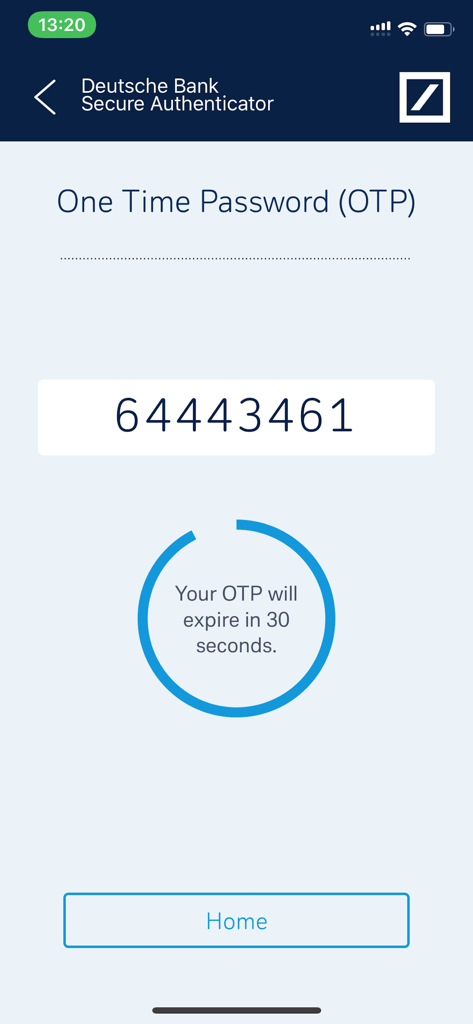
DB Secure Authenticator - 30초 만료 타이머와 함께 일회용 비밀번호를 보여주는 Deutsche Bank Secure Authenticator 앱
30초 만료 타이머와 함께 일회용 비밀번호를 보여주는 Deutsche Bank Secure Authenticator 앱

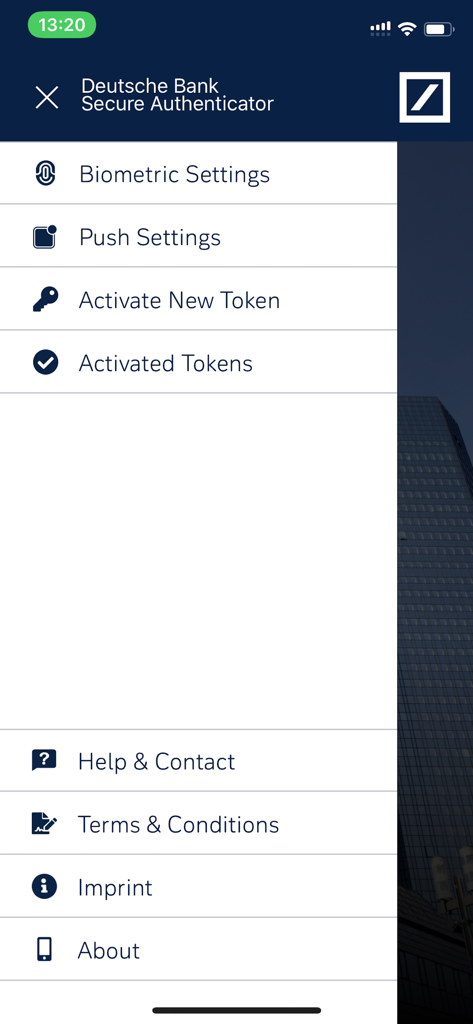
DB Secure Authenticator - 생체 인식 설정, 푸시 알림 및 토큰 관리 옵션을 보여주는 Deutsche Bank Secure Authenticator 앱 메뉴
생체 인식 설정, 푸시 알림 및 토큰 관리 옵션을 보여주는 Deutsche Bank Secure Authenticator 앱 메뉴

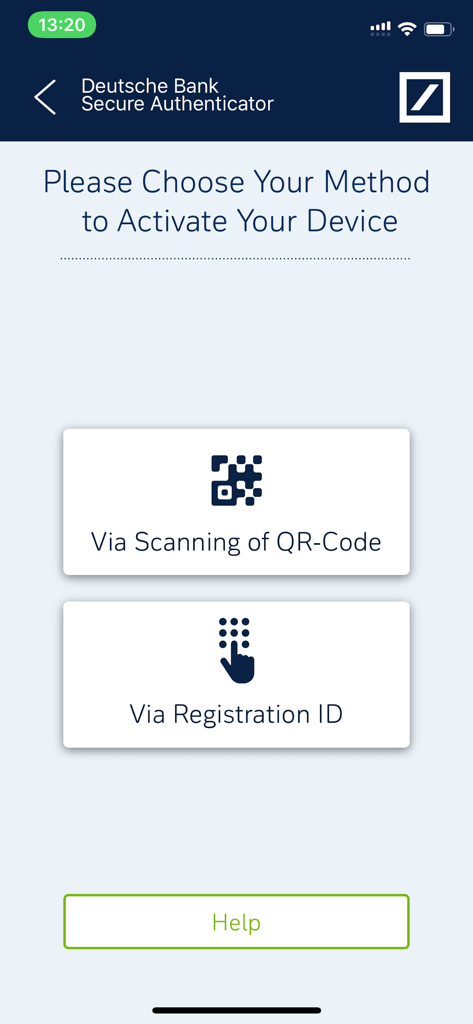
DB Secure Authenticator - QR 코드 스캔 또는 등록 ID 사용 옵션을 보여주는 DB Secure Authenticator의 장치 활성화 화면
QR 코드 스캔 또는 등록 ID 사용 옵션을 보여주는 DB Secure Authenticator의 장치 활성화 화면

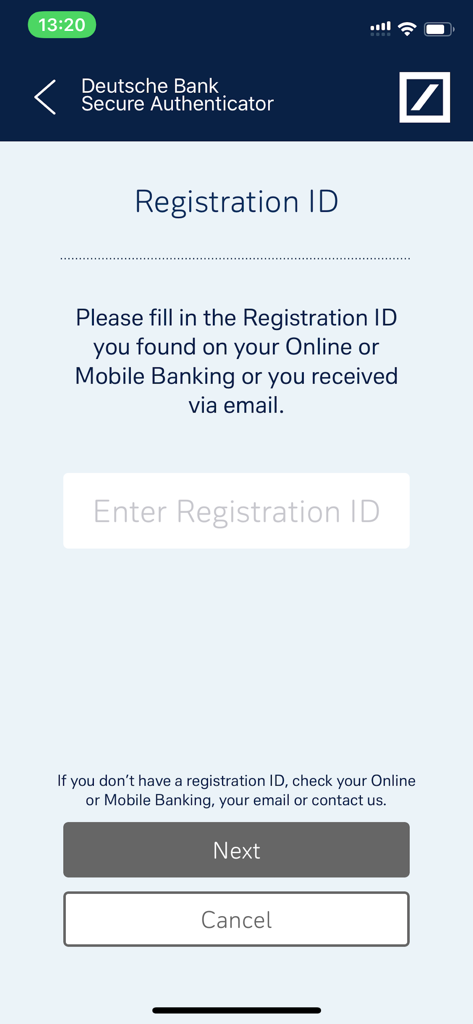
DB Secure Authenticator - Deutsche Bank Secure Authenticator 모바일 앱 등록 ID 입력 화면
Deutsche Bank Secure Authenticator 모바일 앱 등록 ID 입력 화면

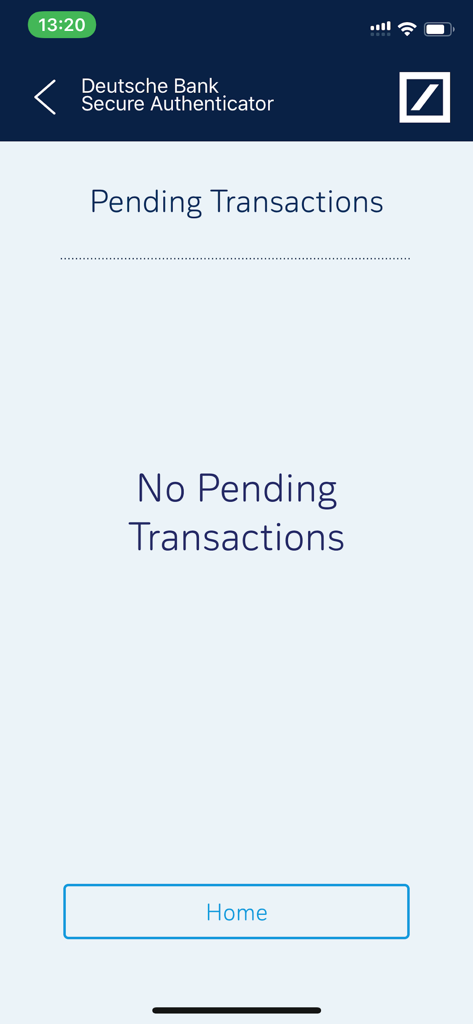
DB Secure Authenticator - 예약된 거래가 없는 DB Secure Authenticator 앱 화면

예약된 거래가 없는 DB Secure Authenticator 앱 화면

설명

DB Secure Authenticator provides customers with a two-factor authentication solution for logging into accounts and for authorising transactions. For signing transactions on Deutsche Bank’s Online and Mobile banking platforms, customers from Germany can use the photoTAN app, which can be downloaded from the app store. There is a choice of 4 functions within the app: 1. Scan QR Code: Using your phone’s camera, a QR-code is scanned on-screen and a numeric response code is provided. The code may be used for logging into a DB banking application or for authorising transactions. 2. Generate a One-Time Password (OTP): On request, the app generates a numeric code which may be used for logging into a DB banking application. 3. Challenge / Response: When speaking with a DB customer service agent, an 8-digit number provided by the agent is entered into the app and a response code is provided. This function is used for customer identification via the telephone. 4. Authorising transactions: If enabled, Push Notifications can be received to inform the user of outstanding transactions. When the app is next opened the transaction details are displayed, and can be authorized without the need to scan a QR-code or type a code into the online banking application. App setup: Access to DB Secure Authenticator is controlled either via a 6 digit PIN, which you choose on first launch of the app or by using the device's biometric functionalities, such as fingerprint or facial recognition. Following the PIN setup, you are required to activate the device. This is done by either entering a provided Registration ID or by scanning two QR-codes through the online activation portal.

Download

다운로드: App Store

이 페이지는 앱이나 개발자의 공식 페이지가 아니며, 정보 제공 및 논평을 목적으로 작성된 독립 편집 간행물입니다. 명시적으로 달리 언급되지 않는 한, 해당 앱이나 개발자는 MWM, Apple, Google Play, 앱 퍼블리셔 또는 앱 개발자와 제휴, 보증, 후원, 승인 또는 공식적으로 연결되어 있지 않으며, 이 페이지의 어떤 내용도 해당 앱이 MWM의 서비스를 사용하여 개발되었음을 의미하지 않습니다. 모든 상표, 로고, 스크린샷 및 기타 콘텐츠는 해당 소유자의 자산입니다.








