Decibel Meter dB (Sound Meter)
다운로드: App Store

이 페이지는 앱이나 개발자의 공식 페이지가 아니며, 정보 제공 및 논평을 목적으로 작성된 독립 편집 간행물입니다. 명시적으로 달리 언급되지 않는 한, 해당 앱이나 개발자는 MWM, Apple, Google Play, 앱 퍼블리셔 또는 앱 개발자와 제휴, 보증, 후원, 승인 또는 공식적으로 연결되어 있지 않으며, 이 페이지의 어떤 내용도 해당 앱이 MWM의 서비스를 사용하여 개발되었음을 의미하지 않습니다. 모든 상표, 로고, 스크린샷 및 기타 콘텐츠는 해당 소유자의 자산입니다.

로고: Decibel Meter dB (Sound Meter)
다운로드: App Store

Decibel Meter dB (Sound Meter)

아이폰을 고정밀 사운드 레벨 표시기로 바꿔보세요. 작업장 안전, DIY 프로젝트 또는 시끄러운 이웃 기록 등 신뢰할 수 있는 실시간 정확한 데이터를 얻으세요.

주요 수치

다운로드

313K+

사용자 평점

4.4/5

총 평가 수

7K+

개발사

Zipo Apps Ltd.

카테고리

Utilities

지원 언어

9

최신 버전

1.9.3

크기

86.4 MB

출시일

2017년 2월 13일
기능

음향 환경을 위한 전문가 수준의 정밀도

아이폰을 고정밀 음압 레벨 미터로 변환하여 소음 공해를 모니터링하고, 청력을 보호하며, 데이터 기반의 자신감으로 주변 환경을 기록하세요.

전문가 수준의 정확도

사용자 정의 가능한 보정을 사용하여 특정 하드웨어에 맞춰 DIY 프로젝트, 스튜디오 설정 또는 작업장 안전을 위한 실험실 품질의 데시벨 판독을 보장합니다.

라이브 그래프로 시간 경과에 따른 사운드 변동을 추적하세요. 지속적인 시끄러운 이웃을 기록하거나 환경 소음 패턴을 분석하는 데 적합합니다.

FAQ

자주 묻는 질문

에 대해 알아야 할 모든 것 Decibel Meter dB (Sound Meter)

데시벨 측정기 dB (사운드 측정기) 앱의 주요 기능은 무엇인가요?

데시벨 측정기 dB (사운드 측정기) 앱은 실시간으로 데시벨(dB) 단위의 사운드 레벨을 정확하게 측정합니다. 지속적인 업데이트, 시각적 피드백, 사운드 볼륨 타임라인을 제공합니다.

데시벨 측정기 dB (사운드 측정기)는 사운드 레벨을 어떻게 표시하나요?

데시벨 측정기 dB (사운드 측정기) 앱은 현재 dB를 위한 메인 표시기를 사용하여 사운드 레벨을 표시합니다. 또한 Max, Peak, Average 판독값과 사운드 변동에 대한 시각적 타임라인을 보여줍니다.

사용자는 데시벨 측정기 dB (사운드 측정기) 앱을 보정할 수 있나요?

예, 데시벨 측정기 dB (사운드 측정기)는 사용자 정의 가능한 보정 설정을 제공합니다. 사용자는 정확하고 정밀한 측정을 위해 장치의 마이크 특성에 따라 dB 측정기를 조정할 수 있습니다.

다음 스크린샷과 설명은 앱의 공식 스토어 목록에서 직접 가져온 것이며 앱 개발자의 자산입니다.

앱 스토어

스크린샷
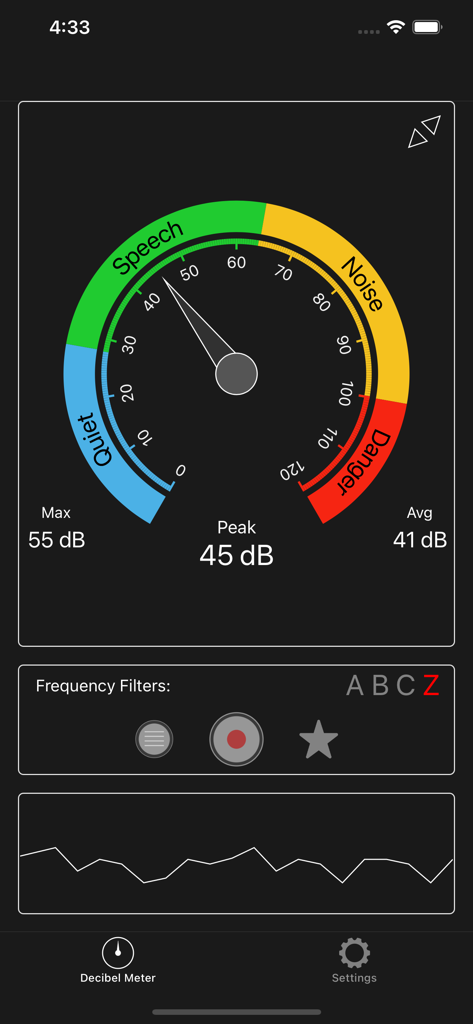
Decibel Meter dB (Sound Meter) - 데시벨 미터 앱 인터페이스가 게이지에 사운드 볼륨 레벨 및 소음 범주를 표시합니다
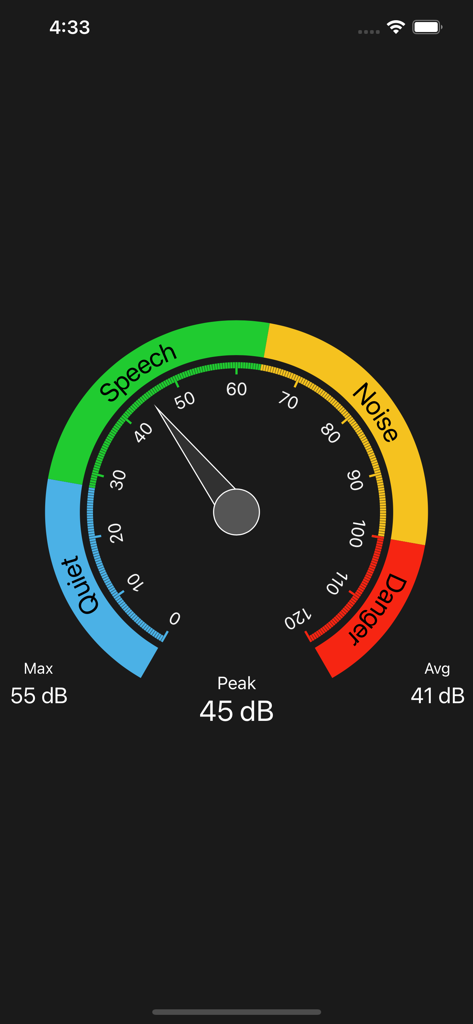
데시벨 미터 앱 인터페이스가 게이지에 사운드 볼륨 레벨 및 소음 범주를 표시합니다

Decibel Meter dB (Sound Meter) - 원형 사운드 레벨 게이지와 조용한 말하기 소음 및 위험에 대한 색상 코드 영역을 보여주는 데시벨 미터 앱 인터페이스
원형 사운드 레벨 게이지와 조용한 말하기 소음 및 위험에 대한 색상 코드 영역을 보여주는 데시벨 미터 앱 인터페이스

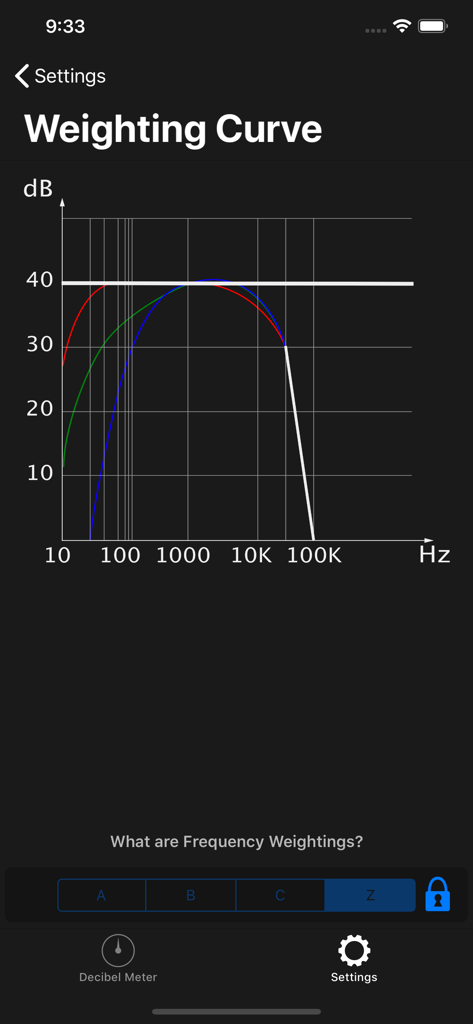
Decibel Meter dB (Sound Meter) - 데시벨 미터 앱에서 전문적인 사운드 측정을 위한 주파수 가중치 곡선을 보여주는 화면
데시벨 미터 앱에서 전문적인 사운드 측정을 위한 주파수 가중치 곡선을 보여주는 화면

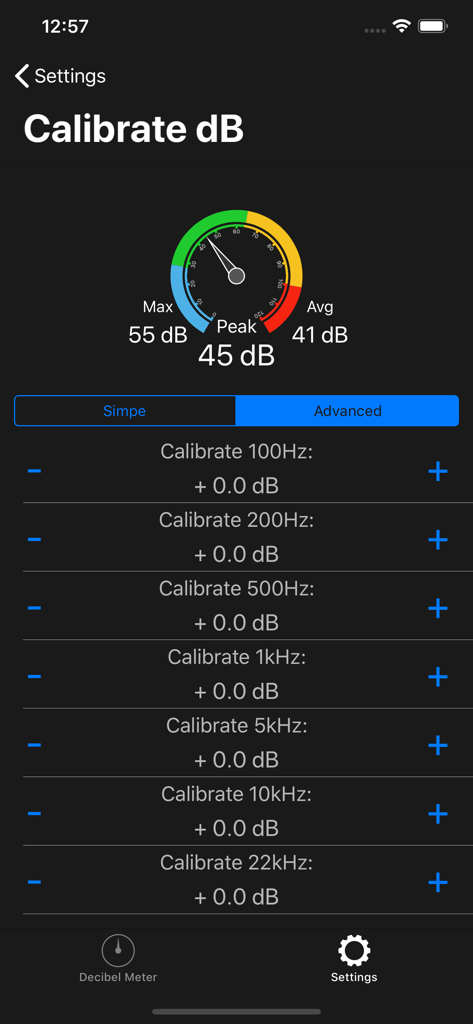
Decibel Meter dB (Sound Meter) - 데시벨 미터 앱의 고급 주파수 보정 화면에서 사운드 레벨 및 주파수 조정을 보여줍니다
데시벨 미터 앱의 고급 주파수 보정 화면에서 사운드 레벨 및 주파수 조정을 보여줍니다

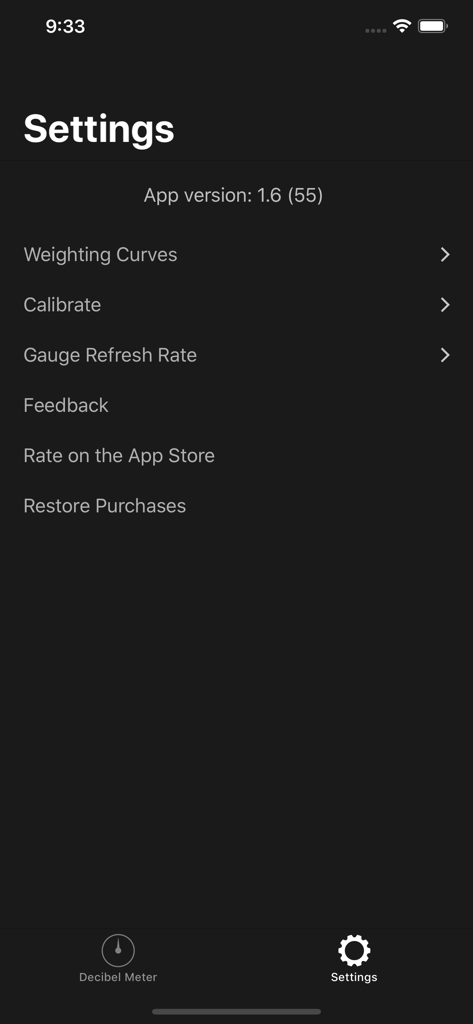
Decibel Meter dB (Sound Meter) - 데시벨 미터 앱의 설정 메뉴에 보정 및 가중치 곡선 옵션이 표시됩니다

데시벨 미터 앱의 설정 메뉴에 보정 및 가중치 곡선 옵션이 표시됩니다

설명

*** Decibel Meter - Measure Sound Volume with Precision! *** Introducing Decibel Meter, the ultimate tool for accurately measuring sound levels in decibels (dB). Whether you're monitoring noise levels in your environment, checking the sound of your music, or simply curious about the volume around you, our app provides real-time measurements and easy-to-understand feedback. With a sleek interface and precise functionality, Decibel Meter is your go-to sound meter for all your acoustic needs. Whether you're using a db meter to check your home’s background noise or need a professional-grade noise meter for your job, this app adapts to your needs. Enjoy the reliability of a finely tuned sound meter that delivers consistent performance every time. With this versatile noise meter, you can assess the loudness of any setting with confidence. Our db meter is ideal for musicians, audio technicians, and everyday users alike. Trust in our sound meter to help you create a quieter, safer, and more informed environment. *** Real-Time Sound Measurement *** Our db meter offers real-time sound measurement, instantly displaying the current sound volume level on your device. The main indicator not only shows the exact decibel level but also provides a brief explanation of the volume intensity, so you always know what the numbers mean. *** Key Features of Decibel Meter *** - Accurate Sound Measurements: Get precise sound volume readings in decibels (dB) with our advanced sound meter. Monitor the noise levels around you with ease and confidence. - Real-Time Volume Display: The app continuously updates the current sound level in real-time, making it easy to track changes in your environment's volume. - Volume Timeline: At the bottom of the screen, you'll find a volume value timeline that visually represents sound fluctuations over time, helping you to see trends and patterns in noise levels. - Customizable Calibration: Tailor the app to your specific device with the calibration settings. Adjust the db meter according to your microphone's characteristics for the most accurate readings possible. - User-Friendly Interface: Simple and intuitive, our app is designed for anyone to use. Whether you're a sound engineer or just curious, Decibel Meter makes sound measurement straightforward and accessible. *** How to Use *** - Open the App: Launch the Decibel Meter to start measuring sound levels instantly. - Monitor Sound Levels: Watch as the main indicator displays the current sound volume in decibels (dB), with a helpful explanation of the sound intensity. - Calibrate for Accuracy: Use the settings screen to calibrate the sound meter according to your device's microphone for optimal accuracy. - Review the Volume Timeline: Check the timeline at the bottom of the screen to observe sound volume changes over time. *** Why Choose Decibel Meter? *** - Precision at Your Fingertips: Our app provides highly accurate sound level readings, ensuring you always have the most reliable information. - Easy Calibration: Customize the db meter to fit your device's microphone, ensuring precise measurements tailored to your specific needs. - Visual and Intuitive: The combination of real-time data, visual timelines, and clear explanations makes understanding sound levels easier than ever. *** Download Now! *** Start measuring sound levels with precision and ease. Download the Decibel Meter today and take control of your environment's noise levels. Whether you need a sound meter for professional use or just want to satisfy your curiosity, our app has you covered. Experience accurate and reliable sound measurement at your fingertips! Privacy Policy: https://zipoapps.com/iosdecibelmeter/privacy/ Terms and Conditions: https://zipoapps.com/iosdecibelmeter/terms/

Download

다운로드: App Store

이 페이지는 앱이나 개발자의 공식 페이지가 아니며, 정보 제공 및 논평을 목적으로 작성된 독립 편집 간행물입니다. 명시적으로 달리 언급되지 않는 한, 해당 앱이나 개발자는 MWM, Apple, Google Play, 앱 퍼블리셔 또는 앱 개발자와 제휴, 보증, 후원, 승인 또는 공식적으로 연결되어 있지 않으며, 이 페이지의 어떤 내용도 해당 앱이 MWM의 서비스를 사용하여 개발되었음을 의미하지 않습니다. 모든 상표, 로고, 스크린샷 및 기타 콘텐츠는 해당 소유자의 자산입니다.