EatFit | Calorie counter
다운로드: App Store

이 페이지는 앱이나 개발자의 공식 페이지가 아니며, 정보 제공 및 논평을 목적으로 작성된 독립 편집 간행물입니다. 명시적으로 달리 언급되지 않는 한, 해당 앱이나 개발자는 MWM, Apple, Google Play, 앱 퍼블리셔 또는 앱 개발자와 제휴, 보증, 후원, 승인 또는 공식적으로 연결되어 있지 않으며, 이 페이지의 어떤 내용도 해당 앱이 MWM의 서비스를 사용하여 개발되었음을 의미하지 않습니다. 모든 상표, 로고, 스크린샷 및 기타 콘텐츠는 해당 소유자의 자산입니다.


로고: EatFit | Calorie counter
다운로드: App Store

EatFit | Calorie counter

반응적인 추적은 그만두고 통제력을 되찾으세요. 저희의 고유한 체중 분배 도구는 매일 영양 목표를 완벽하게 달성하기 위해 각 식품을 몇 그램씩 섭취해야 하는지 정확히 알려줍니다.

주요 수치

다운로드

114K+

사용자 평점

4.7/5

총 평가 수

400

개발사

DZMITRY BARYSEVICH

카테고리

Health & Fitness

지원 언어

6

최신 버전

1.12.6

크기

79.9 MB

출시일

2020년 9월 30일
기능

최고의 성과를 위한 정밀 계획

이미 섭취한 것에 반응하는 것은 그만두세요. EatFit은 매크로 목표를 정확하고 실행 가능한 로드맵으로 변환하여 매 식사마다 정확히 얼마를 섭취해야 하는지 알려줍니다.

스마트 체중 분배

앱에 냉장고에 있는 것을 알려주면 매크로 목표를 완벽하게 달성하는 데 필요한 정확한 그램 수를 계산합니다. 더 이상 수동 계산은 없습니다.

선제적 식사 계획

늦은 밤 매크로 부족을 없애세요. 오늘 내일의 식사를 계획하고 칼로리가 부족하거나 일일 단백질 요구량을 놓치지 않도록 하세요.

다음 스크린샷과 설명은 앱의 공식 스토어 목록에서 직접 가져온 것이며 앱 개발자의 자산입니다.

앱 스토어

스크린샷
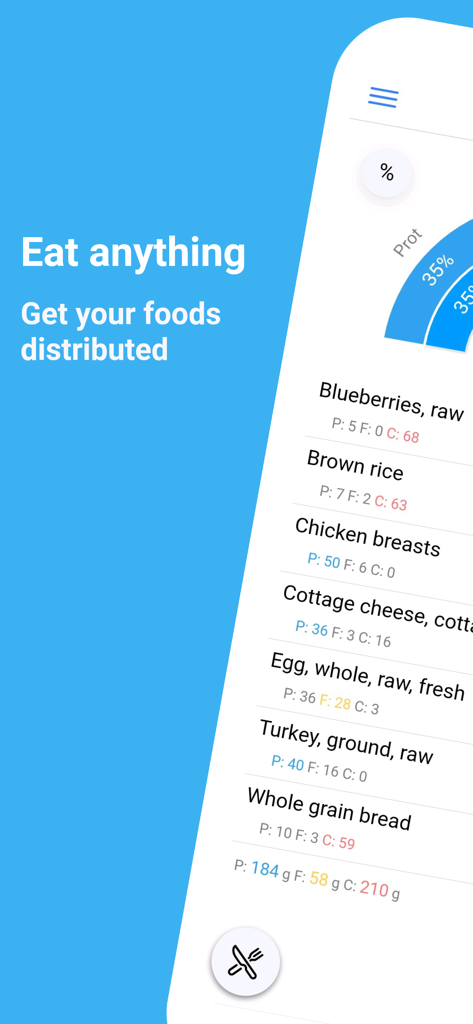
EatFit | Calorie counter - EatFit 칼로리 카운터 앱이 거시 영양소별 식품 분배를 표시합니다.
EatFit 칼로리 카운터 앱이 거시 영양소별 식품 분배를 표시합니다.

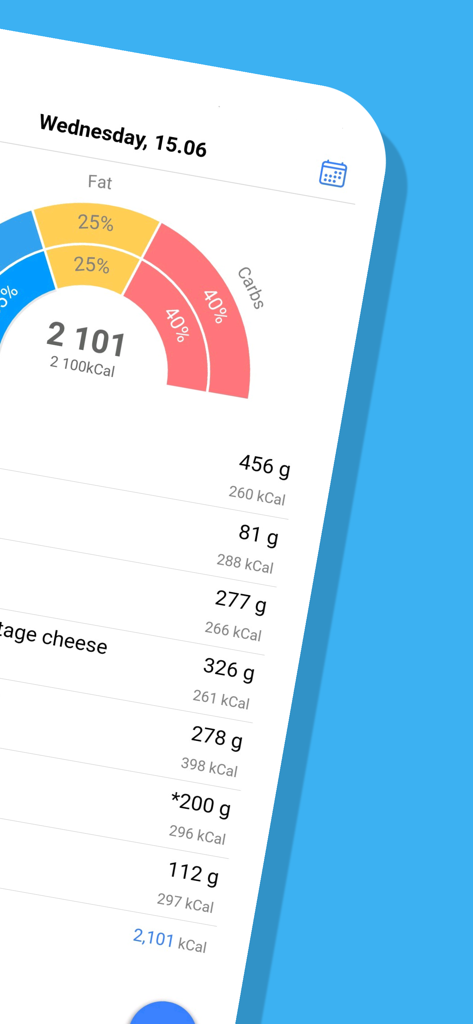
EatFit | Calorie counter - EatFit 앱 인터페이스에 거시 영양소 분배 차트와 그램 단위 무게가 포함된 상세한 일일 식사 계획이 표시됩니다.
EatFit 앱 인터페이스에 거시 영양소 분배 차트와 그램 단위 무게가 포함된 상세한 일일 식사 계획이 표시됩니다.

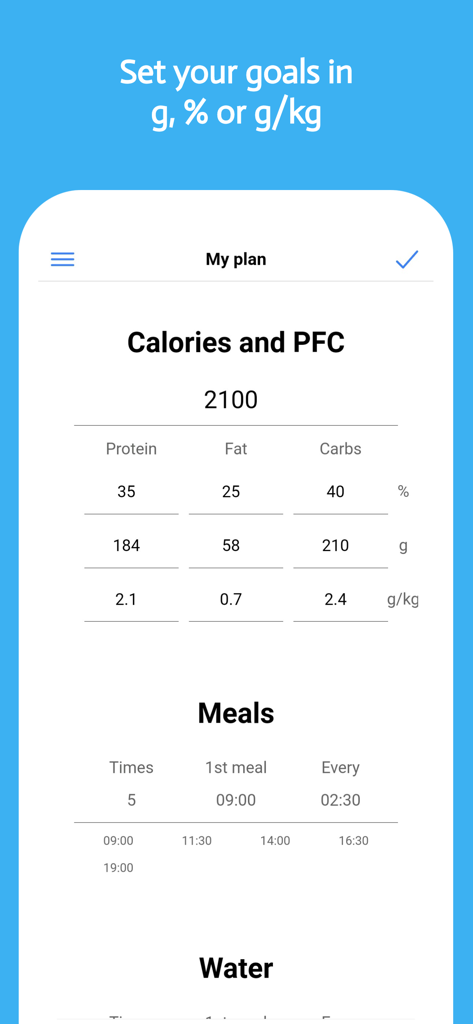
EatFit | Calorie counter - 킬로그램당 그램 추적 및 식사 빈도가 포함된 칼로리 및 거시 목표 설정 모바일 앱 인터페이스
킬로그램당 그램 추적 및 식사 빈도가 포함된 칼로리 및 거시 목표 설정 모바일 앱 인터페이스

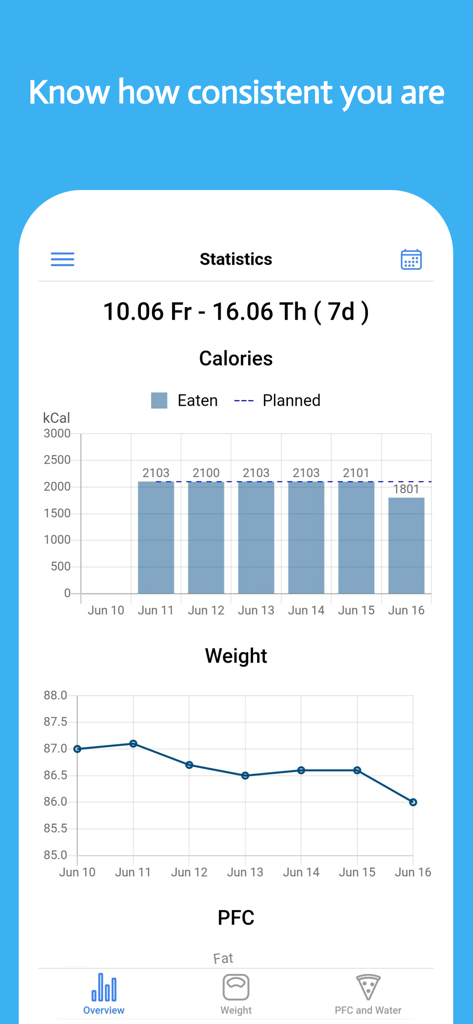
EatFit | Calorie counter - EatFit 앱 대시보드에 시간 경과에 따른 칼로리 섭취 및 체중 감량 진행 상황 차트가 표시됩니다.
EatFit 앱 대시보드에 시간 경과에 따른 칼로리 섭취 및 체중 감량 진행 상황 차트가 표시됩니다.

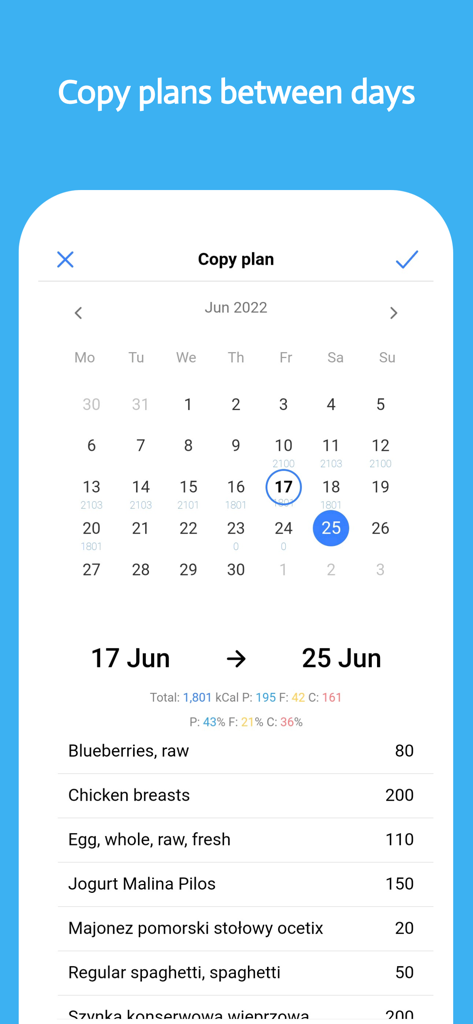
EatFit | Calorie counter - EatFit 칼로리 카운터 앱 인터페이스에 달력 일자 간 식사 계획 복사 기능이 표시됩니다.
EatFit 칼로리 카운터 앱 인터페이스에 달력 일자 간 식사 계획 복사 기능이 표시됩니다.

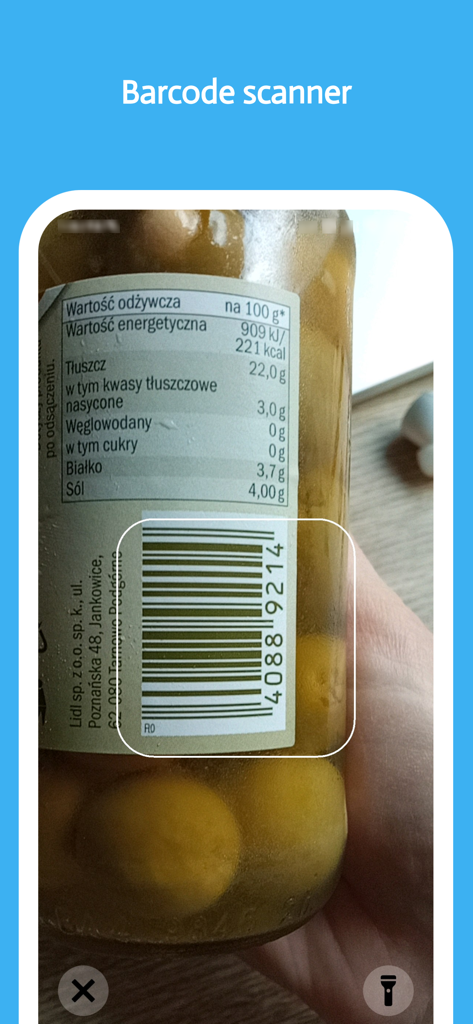
EatFit | Calorie counter - 스마트폰이 EatFit 앱 바코드 스캐너를 사용하여 식품 병의 영양 정보를 기록하고 있습니다.
스마트폰이 EatFit 앱 바코드 스캐너를 사용하여 식품 병의 영양 정보를 기록하고 있습니다.

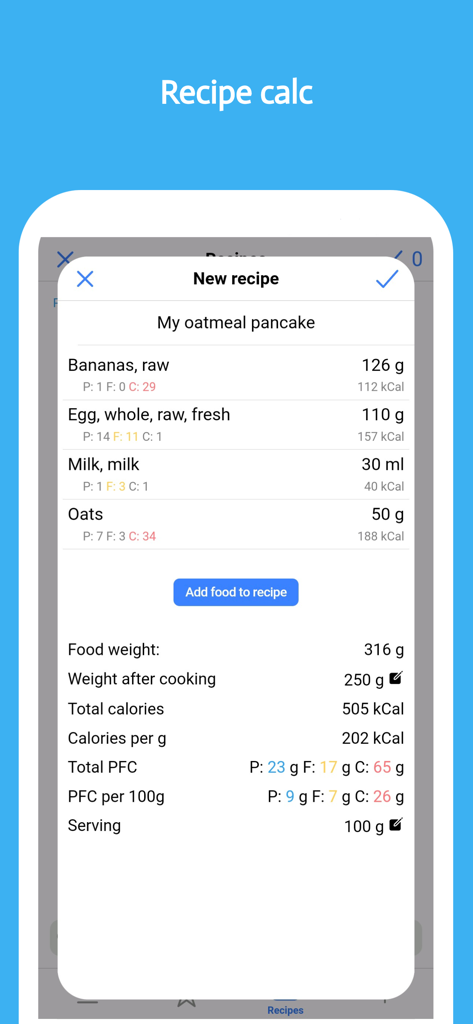
EatFit | Calorie counter - 재료 목록과 조리 후 무게를 포함한 매크로 계산이 포함된 새 레시피 생성용 EatFit 앱 인터페이스

재료 목록과 조리 후 무게를 포함한 매크로 계산이 포함된 새 레시피 생성용 EatFit 앱 인터페이스

설명

Track your progress toward nutrition, macros, water, fitness, and weight loss goals. EatFit is more than just a calorie or food tracker and health app. Besides counting calories, you can plan meals for the next day or a week. You will stay as close as possible to your calories, macros, and nutrition. Want to know how many grams of protein, fat, and carbohydrates per kg of weight you eat (g/kg)? The app can calculate that. Grams per lb (g/lb)? No problem. EatFit is not another app about teaching you what to eat. Eat what you want. The app will help you adjust the amount of food so that you fit in your planned macros, calories, and other goals. As a nutrition tracker, EatFit will tell you how to fit in your macros. Macros proportion is almost as important as total calorie intake. As a water tracker, it will help you to drink enough water and remind you when it is time to sip some water. Got 500 calories left at the end of the day? Add some food and see how much of it you should consume. Here is a closer look at the features and benefits: * Distribution of food by weight - You add food, and the app tells you how much of it to consume * Calorie Tracker - Know how many calories you ate * Macro Tracker - See how much protein, fat, and carbohydrates you consumed * Fast and Easy Food Tracker Tools - Foods from history, type to search, add from favorites * Meal planner - Create a meal plan for tomorrow or any other day * Bar Code Scanner - Scan and add foods using your phone's camera * Weight Tracker - Log your everyday weight. See stats and how fast you approach your goals * Water Tracker - Track water and get notified when it is time to drink some * Copy plan - Most people eat the same food from day to day. Copy-pasting will make calorie tracking even easier * Add Your Own Foods/Recipe Tracker - Save recipes and take weight after cooking into account * Analyze Nutrition and Macros - See how many calories and nutrients you ate per any time period How many times have you tried to stay accurate about your nutrition? And here again, it is 6 p.m. you are hungry, all of the calories you planned for the day are eaten, and even worse - you are 50g of protein undereaten. That is what happens when you track calories after you've eaten them. But what if you've planned your meals ahead? How to stay accurate with macros? The answer is PLANNING AHEAD! For example: You need 2000 calories, 30% of calories from protein, 30% from fat, and 40% from carbs. Got chicken breasts, oats, rice, eggs, bread, and avocado in the fridge. How much of each food should you consume to meet the macro goals? The app will show you. Just add all the food you plan to eat for the day and it will be distributed by weight. Perfect for almost any diet! Want a keto? Set your goal to low carb and you're all set! You don't have to use a separate app specifically for tracking carbohydrates or following a keto diet. What differs EatFit Calorie Counter from any other calorie tracker app: 1. Calorie tracker with distribution * Distribution of your food by weight * Easy-to-use calorie tracker * % of proteins, fats, carbs * g/kg, g/lb of proteins, fats, or carbs * Built-in barcode scanner 2. Meal planner, also with distribution * No limit to the number of your meals * Equal distribution of food between meals * Manual adjustment 3. Recipe calculator * Takes into account weight after cooking * Configure servings EatFit is free to download and use. I constantly improve the app and hope you'll love it. Terms of use: https://www.apple.com/legal/internet-services/itunes/dev/stdeula/

Download

다운로드: App Store

이 페이지는 앱이나 개발자의 공식 페이지가 아니며, 정보 제공 및 논평을 목적으로 작성된 독립 편집 간행물입니다. 명시적으로 달리 언급되지 않는 한, 해당 앱이나 개발자는 MWM, Apple, Google Play, 앱 퍼블리셔 또는 앱 개발자와 제휴, 보증, 후원, 승인 또는 공식적으로 연결되어 있지 않으며, 이 페이지의 어떤 내용도 해당 앱이 MWM의 서비스를 사용하여 개발되었음을 의미하지 않습니다. 모든 상표, 로고, 스크린샷 및 기타 콘텐츠는 해당 소유자의 자산입니다.