Eats365 POS
Eats365 POS
다운로드: App Store

이 페이지는 앱이나 개발자의 공식 페이지가 아니며, 정보 제공 및 논평을 목적으로 작성된 독립 편집 간행물입니다. 명시적으로 달리 언급되지 않는 한, 해당 앱이나 개발자는 MWM, Apple, Google Play, 앱 퍼블리셔 또는 앱 개발자와 제휴, 보증, 후원, 승인 또는 공식적으로 연결되어 있지 않으며, 이 페이지의 어떤 내용도 해당 앱이 MWM의 서비스를 사용하여 개발되었음을 의미하지 않습니다. 모든 상표, 로고, 스크린샷 및 기타 콘텐츠는 해당 소유자의 자산입니다.


로고: Eats365 POS
다운로드: App Store

Eats365 POS

효율성을 위해 설계된 유연한 다국어 POS로 비즈니스 역량을 강화하세요. 복잡한 메뉴를 간소화하고, 코스 요리 관리를 자동화하며, 브랜드 확장을 위한 실질적인 인사이트를 확보하세요.

주요 수치

다운로드

22K+

사용자 평점

3.0/5

총 평가 수

0

개발사

365 TECHNOLOGIES HOLDING LIMITED

카테고리

Food & Drink

지원 언어

13

최신 버전

2.78.5

크기

266.7 MB

출시일

2016년 11월 9일
기능

현대적인 레스토랑 운영자를 위한 정밀 도구

Eats365 POS 에코시스템은 비즈니스의 모든 측면을 간소화하여 확신을 가지고 레스토랑을 확장하는 데 필요한 유연성과 인사이트를 제공합니다.

다이내믹한 메뉴 및 코스 요리 관리

지능형 모디파이어, 유연한 콤보 메뉴, 정밀한 코스 관리를 통해 복잡한 주문을 완벽하게 처리하고 원활한 식사 경험을 제공하세요.

다국어 시너지

10개 이상의 언어 지원을 통해 홀과 주방 사이의 언어 장벽을 허물고 매번 정확한 주문을 보장하세요.

다음 스크린샷과 설명은 앱의 공식 스토어 목록에서 직접 가져온 것이며 앱 개발자의 자산입니다.

앱 스토어

스크린샷
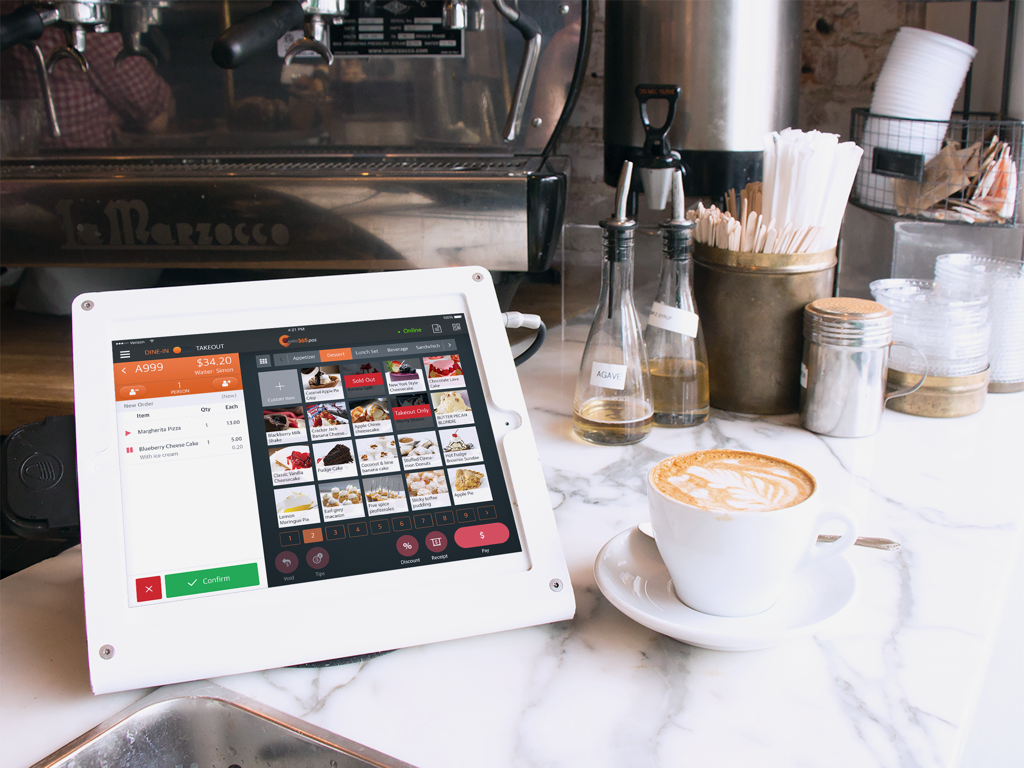
Eats365 POS - 라떼 옆 레스토랑 결제 카운터의 iPad에서 실행 중인 Eats365 POS 애플리케이션
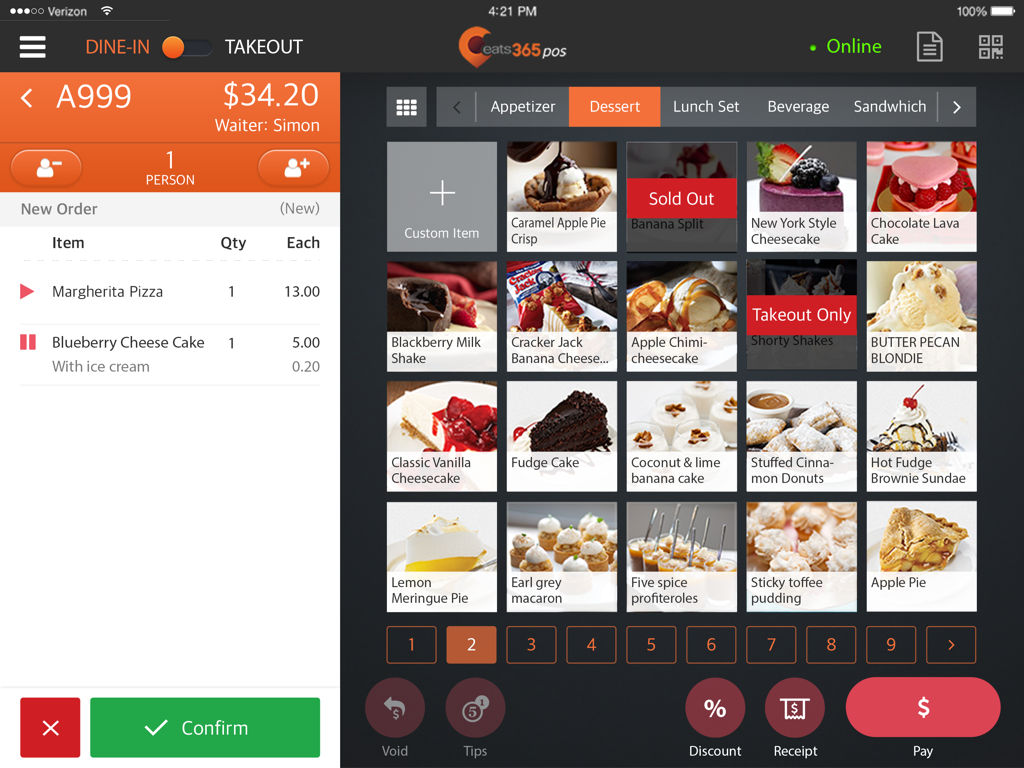
라떼 옆 레스토랑 결제 카운터의 iPad에서 실행 중인 Eats365 POS 애플리케이션

Eats365 POS - 시각적인 디저트 메뉴와 고객 주문 요약을 보여주는 Eats365 POS iPad 애플리케이션 인터페이스
시각적인 디저트 메뉴와 고객 주문 요약을 보여주는 Eats365 POS iPad 애플리케이션 인터페이스

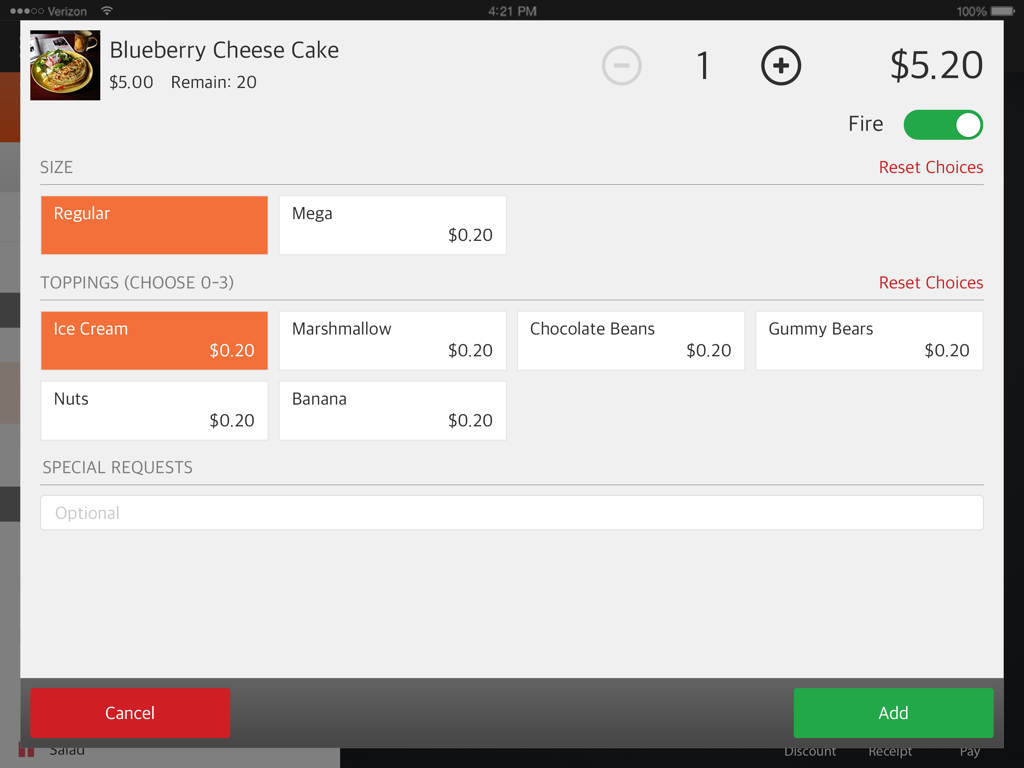
Eats365 POS - 사이즈 및 토핑 옵션으로 메뉴 항목을 커스터마이징하는 Eats365 POS 화면
사이즈 및 토핑 옵션으로 메뉴 항목을 커스터마이징하는 Eats365 POS 화면

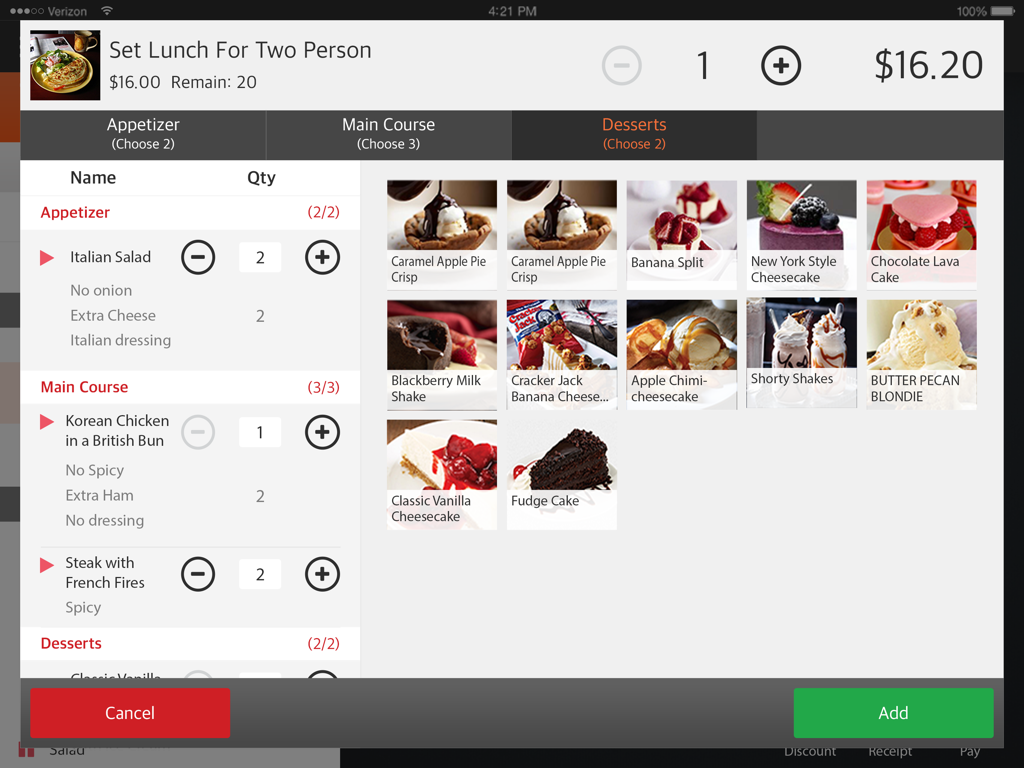
Eats365 POS - 메뉴 옵션 및 코스 요리 옵션이 포함된 런치 세트 주문을 표시하는 iPad의 Eats365 POS 인터페이스
메뉴 옵션 및 코스 요리 옵션이 포함된 런치 세트 주문을 표시하는 iPad의 Eats365 POS 인터페이스

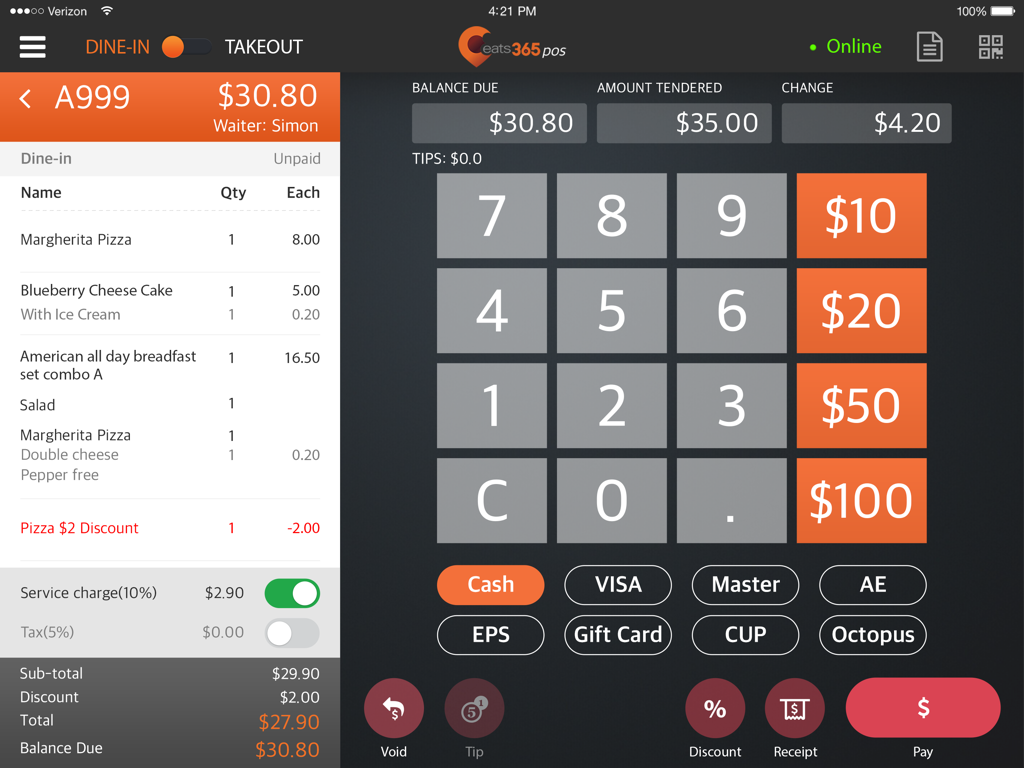
Eats365 POS - 주문 요약 및 결제 수단 옵션을 보여주는 Eats365 POS iPad 앱의 결제 인터페이스

주문 요약 및 결제 수단 옵션을 보여주는 Eats365 POS iPad 앱의 결제 인터페이스

설명

Eats365 POS - Point of Sale App Description: The Eats365 POS provides all the necessary tools for growth and efficiency right to your fingertips. No more fussing about with clunky, outdated POS systems. Eats365 is designed with flexibility and integration in mind, so you can see results fast. Features: COMBOS & MODIFIERS Give your guests exciting options and boost revenue. With the built-in Menu Editor, you can create item options by using single and multi-selectable modifiers. You can also create combos by linking single items and/or entire categories while also adjusting the selectable quantities and discounts offered. FLEXIBLE MENU DESIGN Easily set up Lunch, Dinner, Happy Hour and Daily Specials menus. You can customize the time of day and day of week that your menus to automatically show up. CUSTOMIZABLE MENU KEYS By using our built-in Layout Editor, you can customize the color, font size, image and name of your menu keys. ORDER TRACKING Orders are tracked from the moment they are placed. This helps boost FoH and BoH efficiency. Order Tracking can be used in conjunction with the Eats365 Expeditor Screen, Kitchen Display and mPOS App. COURSING Easily set the coursing order for different items ordered. Items assigned to various courses are clearly-labeled, color-coded and marked for better management. In addition, you may hold any items and fire them when your guests are ready to be served. CUSTOMIZABLE DISCOUNTS Entice guests with juicy discounts and deals. You can easily apply open discounts or set up predefined discounts with varying types, amounts and conditions. USER & SECURITY GROUP MANAGEMENT By using the built-in security management system, you can control employee access by creating individual user accounts and assigning them to a security group. You can further fine-tune access by creating custom groups with granular permissions. MULTILANGUAGE SUPPORT Appeal to a wider range of customers by offering your menu in their native language. Eats365 has Multilanguage support that allows you to display your menu in several different languages including Traditional and Simplified Chinese, English, French, Italian, Japanese, Korean and Spanish. COMPREHENSIVE PRINTER SETTINGS The Eats365 POS offers a deep list of printer options for you to choose from. You may add as many printers as you like, map printers, assign printer roles, adjust ticket formats, customize logos and customize wordings. ROBUST CUSTOMER RELATIONSHIP MANAGEMENT AND ANALYTICS Easily keep track of important customer data to improve their overall dining experience. You can see how often a customer visits, their seating preferences, how much a customer spends per visit and more. You will also have access to detailed accounting data, sales information, BI reports and other useful analytics in the Merchant Portal. EATS365 MODULES: The Eats365 POS App is part of a family of Eats365 modules that are designed to run on the same platform for complete integration of your business operations. Pick and choose between the modules that best suit your needs for a custom solution at a fraction of the cost.

Download

다운로드: App Store

이 페이지는 앱이나 개발자의 공식 페이지가 아니며, 정보 제공 및 논평을 목적으로 작성된 독립 편집 간행물입니다. 명시적으로 달리 언급되지 않는 한, 해당 앱이나 개발자는 MWM, Apple, Google Play, 앱 퍼블리셔 또는 앱 개발자와 제휴, 보증, 후원, 승인 또는 공식적으로 연결되어 있지 않으며, 이 페이지의 어떤 내용도 해당 앱이 MWM의 서비스를 사용하여 개발되었음을 의미하지 않습니다. 모든 상표, 로고, 스크린샷 및 기타 콘텐츠는 해당 소유자의 자산입니다.