
이 페이지는 앱이나 개발자의 공식 페이지가 아니며, 정보 제공 및 논평을 목적으로 작성된 독립 편집 간행물입니다. 명시적으로 달리 언급되지 않는 한, 해당 앱이나 개발자는 MWM, Apple, Google Play, 앱 퍼블리셔 또는 앱 개발자와 제휴, 보증, 후원, 승인 또는 공식적으로 연결되어 있지 않으며, 이 페이지의 어떤 내용도 해당 앱이 MWM의 서비스를 사용하여 개발되었음을 의미하지 않습니다. 모든 상표, 로고, 스크린샷 및 기타 콘텐츠는 해당 소유자의 자산입니다.


Endless Zoom Canvas - ZoomArt
당신은 한계 없는 캔버스에서 창조의 신이 됩니다. 이 앱은 당신의 비전을 펼칠 무한한 공간을 제공합니다.
다운로드
250k+사용자 평점
총 평가 수
7.2K개발사
카테고리
Graphics & Design지원 언어
3최신 버전
2.9.0크기
211.3 MB출시일
2024년 11월 8일테크 분석가의 관점에서 본 디지털 창작 앱의 주요 강점
Endless Zoom Canvas - ZoomArt 핵심 기능 분석
무한 스크롤 및 줌 캔버스
이 앱은 무한한 캔버스 공간을 제공하여 사용자가 끝없이 탐색하고 모든 세부 사항에 집중하며 창의적인 아이디어를 자유롭게 펼칠 수 있게 합니다.
유연한 다중 레이어
이 앱은 다중 레이어를 제공하여 사용자가 복잡한 디자인을 유연하게 구성하고 각 요소를 개별적으로 관리할 수 있도록 지원합니다.
선명하고 정밀한 벡터 드로잉
이 앱은 어떤 확대 수준에서도 선명하고 정밀한 벡터 드로잉을 생성하여 디자인의 품질을 유지하고 전문적인 결과물을 보장합니다.
Apple Pencil 지원 자연스러운 드로잉
이 도구는 Apple Pencil을 포함한 스타일러스를 사용하여 iPad에서 자연스러운 드로잉 경험을 제공하며, 사용자에게 직관적인 창작 환경을 선물합니다.
캔버스 북마크 기능
사용자는 캔버스에 특정 지점을 북마크하여 나중에 다시 방문하고 관심 영역을 개발할 수 있어, 대규모 프로젝트 관리 및 작업 효율성을 높여줍니다.
고해상도 내보내기 및 공유
사용자는 자신의 창작물을 고해상도 이미지 또는 애니메이션 비디오로 쉽게 내보내 공유할 수 있으며, 이는 다양한 플랫폼에서 결과물을 활용하는 데 용이합니다.
사용자 정의 가능한 브러시 설정
사용자는 브러시 설정을 사용자 정의하여 모든 스트로크를 완벽하게 제어할 수 있으며, 이는 개인의 예술적 표현을 극대화하는 데 기여합니다.
색상 선택 및 스포이드 도구
이 앱은 색상 선택기와 스포이드 도구를 통해 사용자가 색상을 정확하게 선택하고 일치시켜 정교한 색상 팔레트를 만들 수 있게 합니다.
지능형 자동 저장
이 앱은 지능형 자동 저장 기능을 통해 사용자가 작업 손실 걱정 없이 그림을 그릴 수 있도록 하여, 장시간 작업 시 안정성을 보장합니다.
실행 취소 및 다시 실행
이 도구는 실행 취소 및 다시 실행 기능을 통해 사용자가 실수를 즉시 수정하고 완전한 창의적 제어를 즐길 수 있도록 합니다.
자주 묻는 질문
에 대해 알아야 할 모든 것 Endless Zoom Canvas - ZoomArt
What is ZoomArt?
ZoomArt is an iPad app designed for creative drawing and exploration. It features infinite scroll and zoom, vector drawing capabilities, and comprehensive Apple Pencil support for artists and designers.
Does ZoomArt support Apple Pencil?
Yes, ZoomArt fully supports the Apple Pencil for drawing naturally on your iPad. Users can also draw with their finger or another stylus for a seamless creative experience.
Can I create vector drawings with ZoomArt?
Yes, ZoomArt enables the creation of crisp, precise vector drawings. This ensures that designs maintain their high quality and sharpness regardless of the zoom level.
How do ZoomArt subscriptions work?
ZoomArt subscriptions are charged to your App Store account upon purchase confirmation. Subscriptions automatically renew unless canceled at least 24 hours before the current period ends.
Can ZoomArt export finished artwork?
Yes, ZoomArt allows users to easily share their creations. You can export your artwork as high-resolution images or animated videos.
Does ZoomArt include layer functionality?
Yes, ZoomArt incorporates multiple layers. This feature provides a flexible workflow, enabling users to organize complex designs effectively.
How does ZoomArt protect user data privacy?
ZoomArt's data privacy practices are detailed in its official Privacy Policy. Users can access the full policy document via the provided link in the app description.
Is the toolbar customizable in ZoomArt?
Yes, ZoomArt allows users to customize the toolbar layout. This adjustment helps create a comfortable and personalized workspace tailored to individual preferences.
What drawing tools are available in ZoomArt?
ZoomArt offers customizable brush settings for stroke control, along with color picker and eyedropper tools. These features allow precise color selection and palette refinement.
Does ZoomArt have an autosave feature?
Yes, ZoomArt includes intelligent autosave functionality. This feature automatically saves your progress, allowing you to focus on creativity without worrying about losing work.
다음 스크린샷과 설명은 앱의 공식 스토어 목록에서 직접 가져온 것이며 앱 개발자의 자산입니다.
앱 스토어
스크린샷
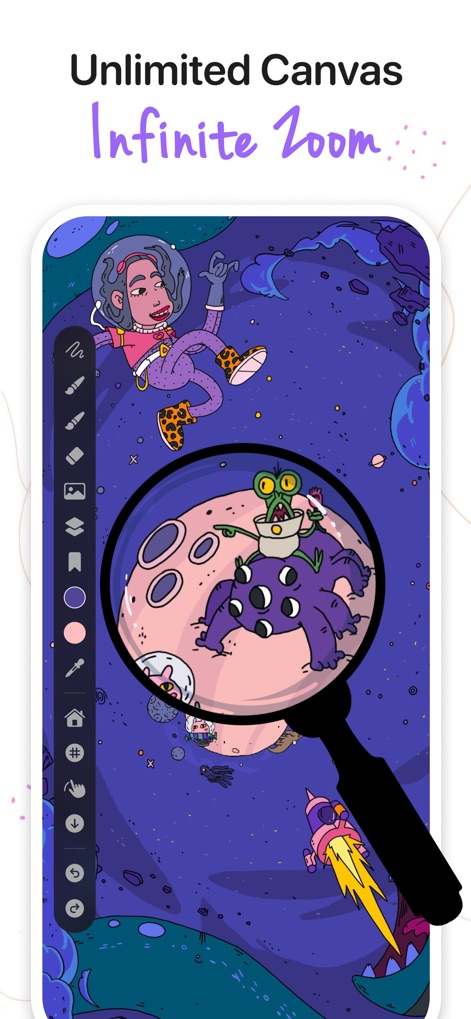
이 앱은 무한 줌 기능으로 사용자가 광활한 캔버스를 자유롭게 탐색하고, 벡터 드로잉의 정밀한 디테일을 세밀하게 작업할 수 있도록 지원합니다.
끝없는 캔버스 확대
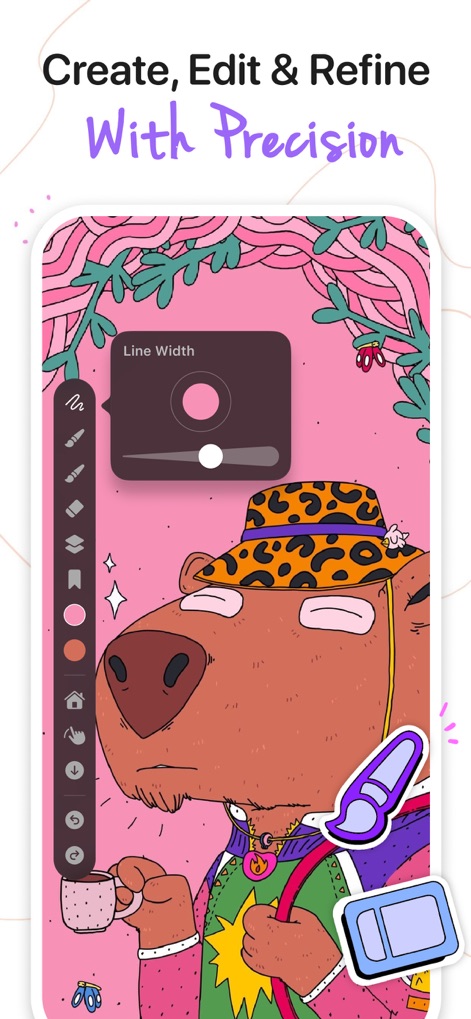
사용자는 라인 너비 조절 슬라이더를 통해 정밀하게 선을 조절하고, 브러시 사용자 정의 설정으로 개성 있는 스트로크를 완성할 수 있습니다.
정교한 선 편집
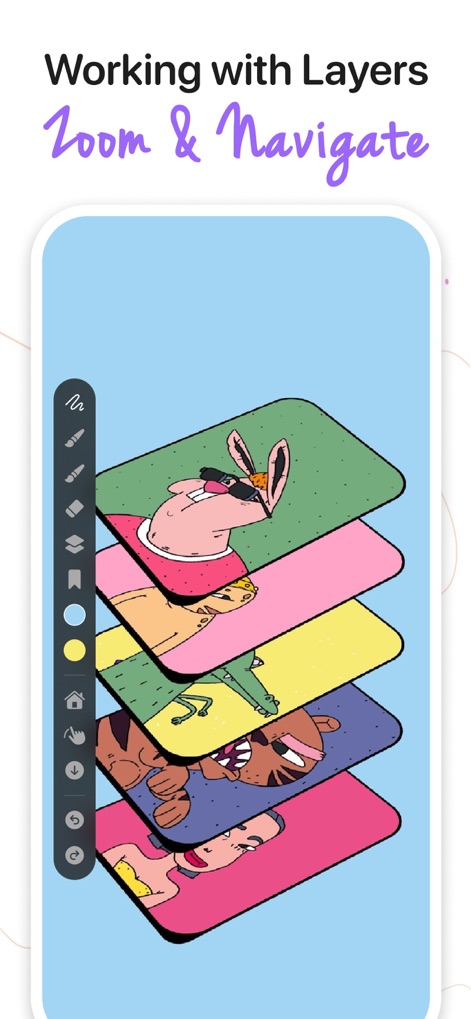
이 도구는 다중 레이어 관리 기능을 제공하여 사용자가 복잡한 디자인을 유연하게 구성하고, 시각적인 레이어 스택으로 작업 흐름을 효율적으로 관리할 수 있게 합니다.
레이어별 작업 구성
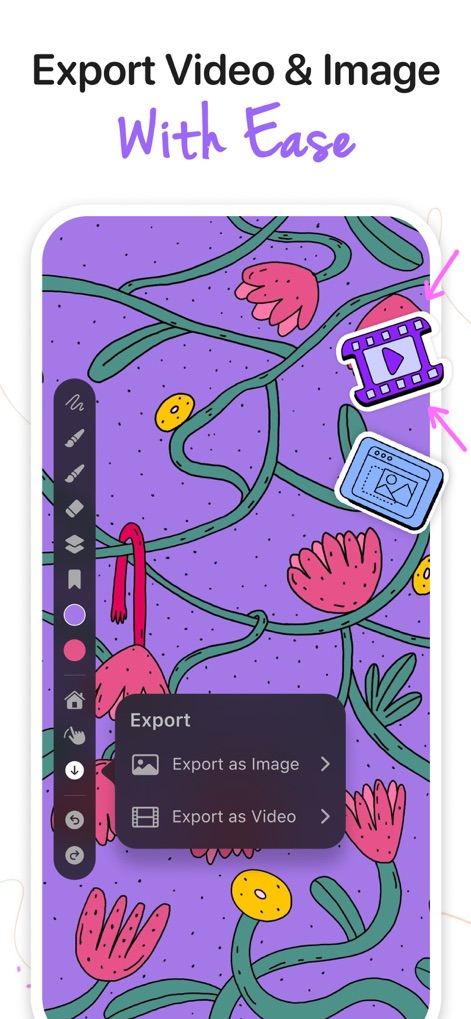
사용자는 완성된 창작물을 고품질 이미지로 내보내거나 애니메이션 비디오로 변환하여 다양한 플랫폼에서 손쉽게 공유할 수 있습니다.
작업물 손쉬운 공유
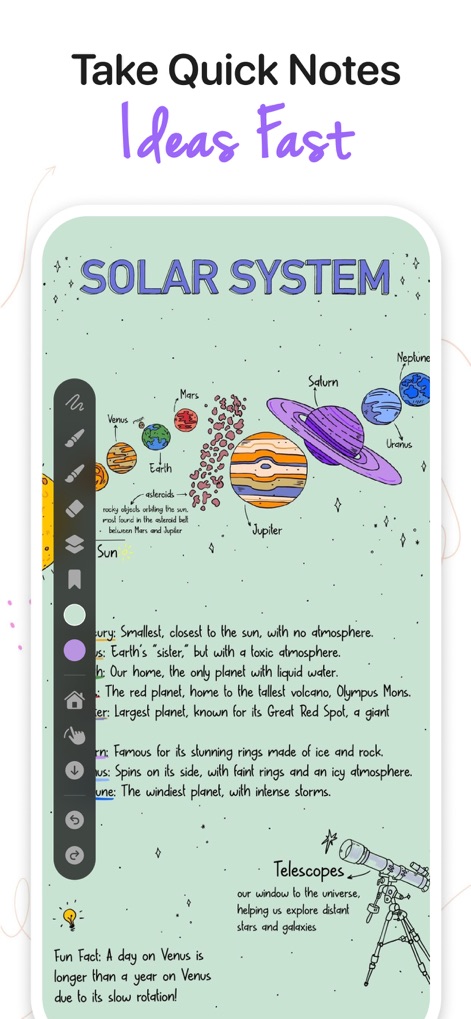
이 앱은 시각적 노트 작성 기능을 활용하여 사용자가 복잡한 아이디어를 빠르게 스케치하고, 정보 요약 일러스트를 통해 개념을 명확하게 정리하도록 돕습니다.
아이디어 시각화 노트
설명
Download
비슷한 앱
유사한 기능과 사용자 경험을 가진 앱

Penned: Private Notes
Edwing H Santos Mena

MindLine Mind Map
Shenzhen Brown Bear Technology Co., LTD

MindNode: Mind Map & Outline
IdeasOnCanvas GmbH

Post-it®
3M Company

MindSpace - Mind Map
佳文 潘

SimpleMind Pro - Mind Mapping
xpt Software & Consulting B.V.

Ayoa MindMaps for Kids
OpenGenius Limited

TouchMind-handwritten mind map
红霞 鲁

Mind Map Maker - Mindomo
Expert Software Applications Srl
이 페이지는 앱이나 개발자의 공식 페이지가 아니며, 정보 제공 및 논평을 목적으로 작성된 독립 편집 간행물입니다. 명시적으로 달리 언급되지 않는 한, 해당 앱이나 개발자는 MWM, Apple, Google Play, 앱 퍼블리셔 또는 앱 개발자와 제휴, 보증, 후원, 승인 또는 공식적으로 연결되어 있지 않으며, 이 페이지의 어떤 내용도 해당 앱이 MWM의 서비스를 사용하여 개발되었음을 의미하지 않습니다. 모든 상표, 로고, 스크린샷 및 기타 콘텐츠는 해당 소유자의 자산입니다.