EvolverFX AUv3 Audio Plugin
다운로드: App Store

이 페이지는 앱이나 개발자의 공식 페이지가 아니며, 정보 제공 및 논평을 목적으로 작성된 독립 편집 간행물입니다. 명시적으로 달리 언급되지 않는 한, 해당 앱이나 개발자는 MWM, Apple, Google Play, 앱 퍼블리셔 또는 앱 개발자와 제휴, 보증, 후원, 승인 또는 공식적으로 연결되어 있지 않으며, 이 페이지의 어떤 내용도 해당 앱이 MWM의 서비스를 사용하여 개발되었음을 의미하지 않습니다. 모든 상표, 로고, 스크린샷 및 기타 콘텐츠는 해당 소유자의 자산입니다.

로고: EvolverFX AUv3 Audio Plugin
다운로드: App Store

EvolverFX AUv3 Audio Plugin

모바일 우선 프로듀서를 위한 전문 AUv3 성능 도구. 심층적인 창의성을 위해 설계된 정교한 4트랙 시퀀싱 엔진으로 MIDI 코드를 풍부하고 멀티 레이어 텍스처로 변환하세요.

주요 수치

다운로드

5K+

사용자 평점

4.6/5

총 평가 수

100

개발사

Limelight Software

카테고리

Music

지원 언어

1

최신 버전

1.24

크기

860.8 MB

출시일

2020년 4월 24일
기능

살아있는 사운드스케이프 조각하기

심층적인 사운드 탐색 및 전문적인 AUv3 워크플로우를 위해 설계된 정교한 4트랙 시퀀싱 엔진으로 모바일 제작을 향상시키세요.

4트랙 생성 시퀀싱

간단한 MIDI 코드를 복잡하고 멀티 레이어 반주로 변환하여 연주에 반응하고 완벽하게 동기화되도록 유지합니다.

하이브리드 사운드 합성

멀티 샘플, 원샷 및 하모닉 오실레이터를 결합하여 전통적인 합성 한계를 뛰어넘는 풍부하고 진화하는 텍스처를 만듭니다.

다음 스크린샷과 설명은 앱의 공식 스토어 목록에서 직접 가져온 것이며 앱 개발자의 자산입니다.

앱 스토어

스크린샷
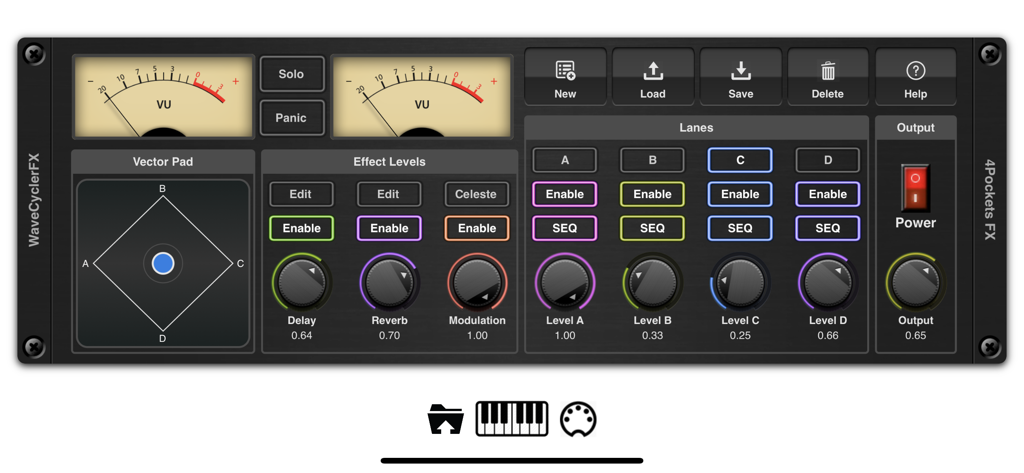
EvolverFX AUv3 Audio Plugin - 아날로그 VU 미터, 벡터 패드 및 4개의 시퀀서 트랙을 특징으로 하는 EvolverFX AUv3 오디오 플러그인의 메인 제어판
아날로그 VU 미터, 벡터 패드 및 4개의 시퀀서 트랙을 특징으로 하는 EvolverFX AUv3 오디오 플러그인의 메인 제어판

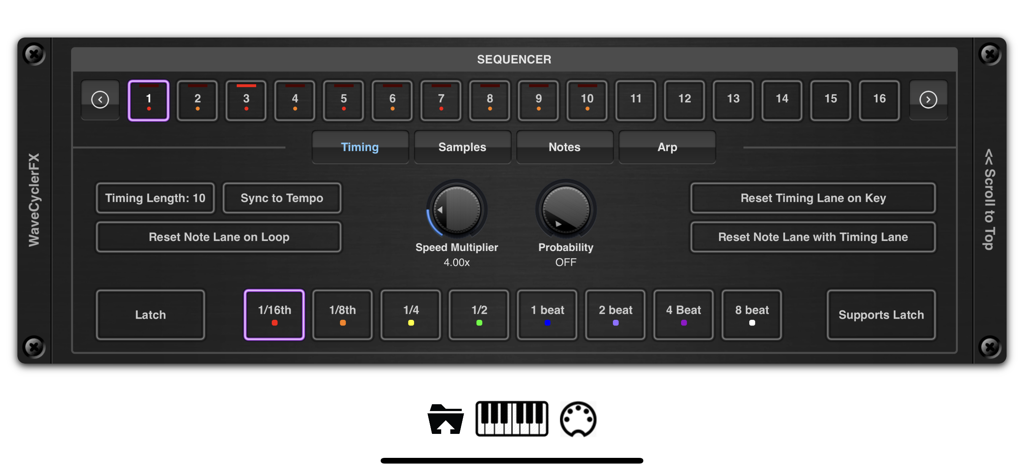
EvolverFX AUv3 Audio Plugin - EvolverFX AUv3 플러그인 시퀀서 타이밍 제어 인터페이스

EvolverFX AUv3 플러그인 시퀀서 타이밍 제어 인터페이스

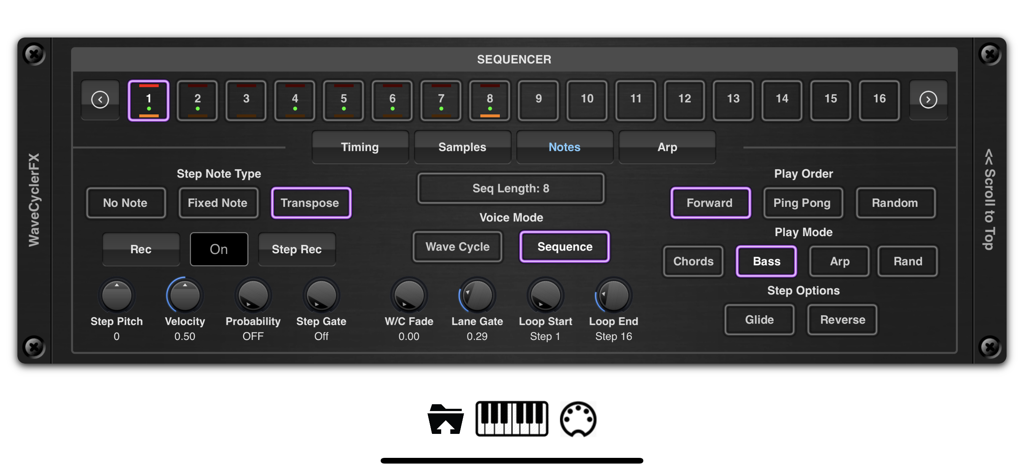
EvolverFX AUv3 Audio Plugin - 스텝 컨트롤 및 재생 모드가 있는 EvolverFX AUv3 오디오 플러그인 시퀀서 인터페이스
스텝 컨트롤 및 재생 모드가 있는 EvolverFX AUv3 오디오 플러그인 시퀀서 인터페이스

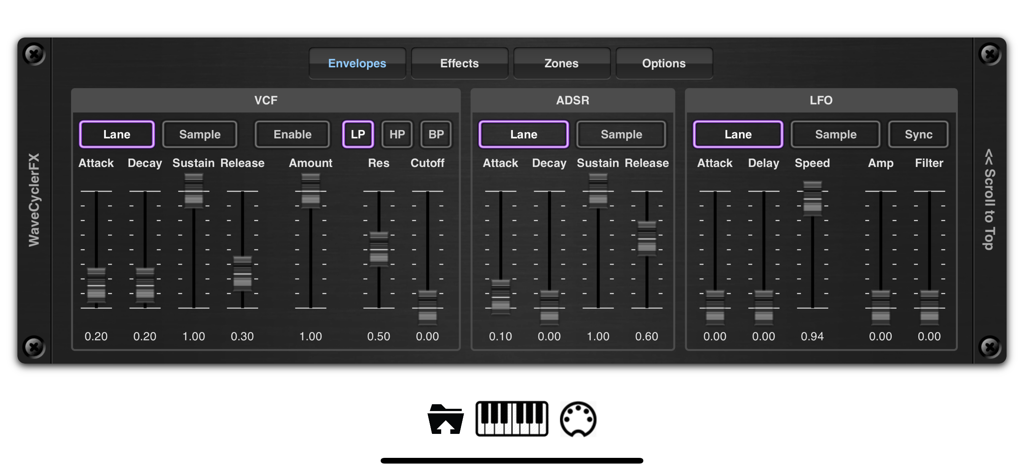
EvolverFX AUv3 Audio Plugin - VCF ADSR 및 LFO 신디사이저 설정을 보여주는 EvolverFX AUv3 오디오 플러그인의 엔벨로프 제어 인터페이스
VCF ADSR 및 LFO 신디사이저 설정을 보여주는 EvolverFX AUv3 오디오 플러그인의 엔벨로프 제어 인터페이스

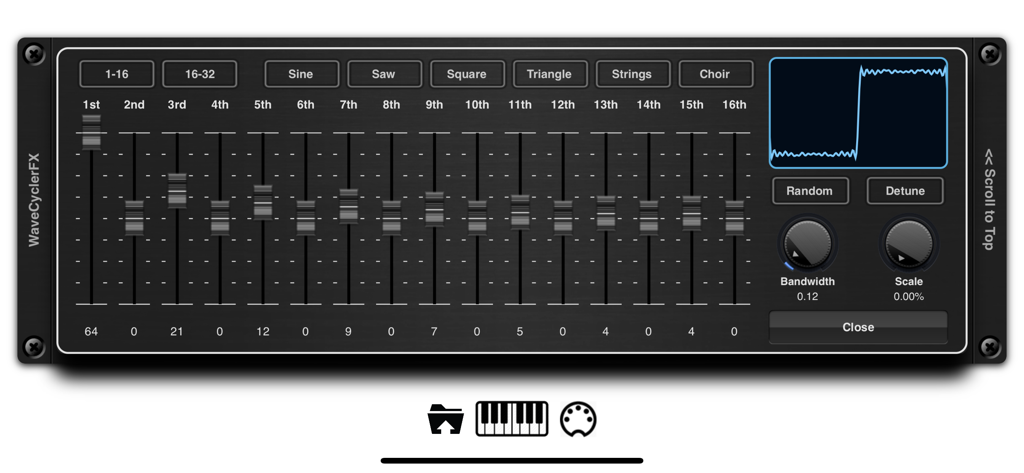
EvolverFX AUv3 Audio Plugin - 하모닉 슬라이더와 파형 디스플레이를 보여주는 EvolverFX 앱의 WaveCycler 인터페이스
하모닉 슬라이더와 파형 디스플레이를 보여주는 EvolverFX 앱의 WaveCycler 인터페이스

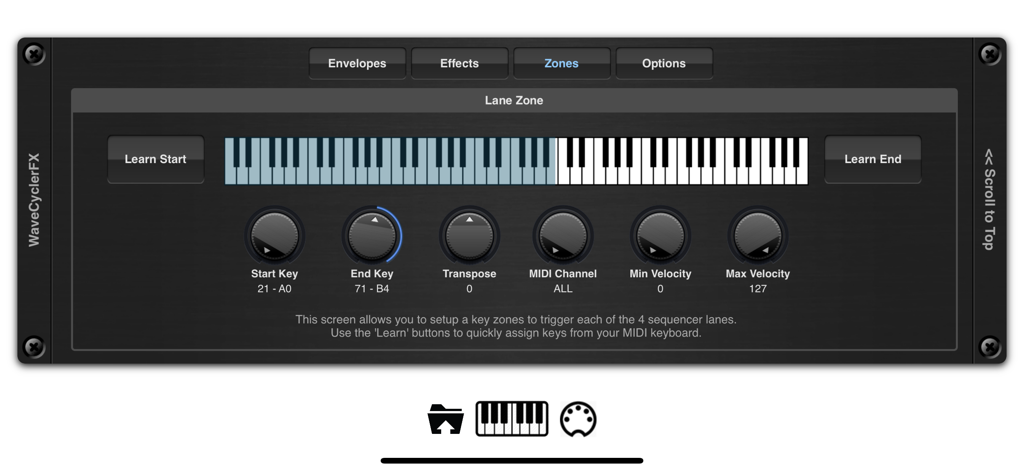
EvolverFX AUv3 Audio Plugin - 가상 키보드 및 MIDI 컨트롤이 있는 EvolverFX 키 영역 설정 화면
가상 키보드 및 MIDI 컨트롤이 있는 EvolverFX 키 영역 설정 화면

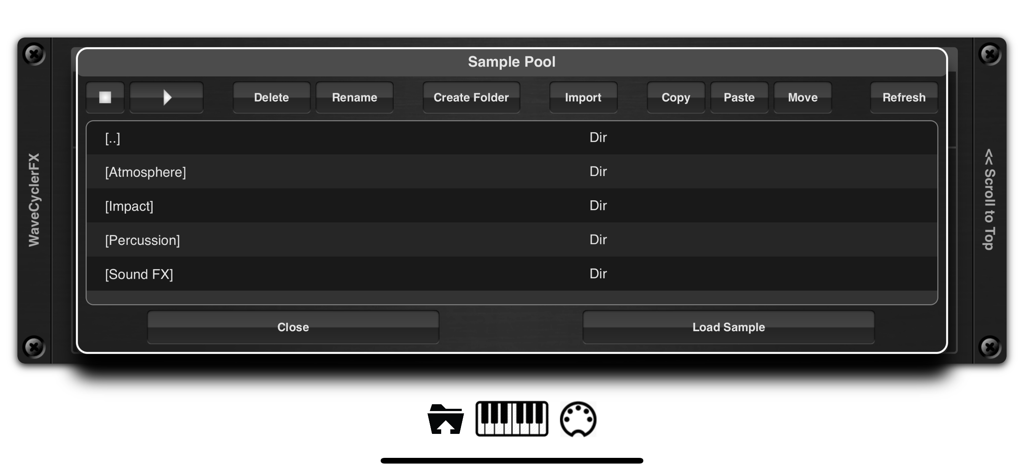
EvolverFX AUv3 Audio Plugin - 분위기, 임팩트 및 타악기 소리에 대한 폴더를 보여주는 EvolverFX 앱 인터페이스의 샘플 풀
분위기, 임팩트 및 타악기 소리에 대한 폴더를 보여주는 EvolverFX 앱 인터페이스의 샘플 풀

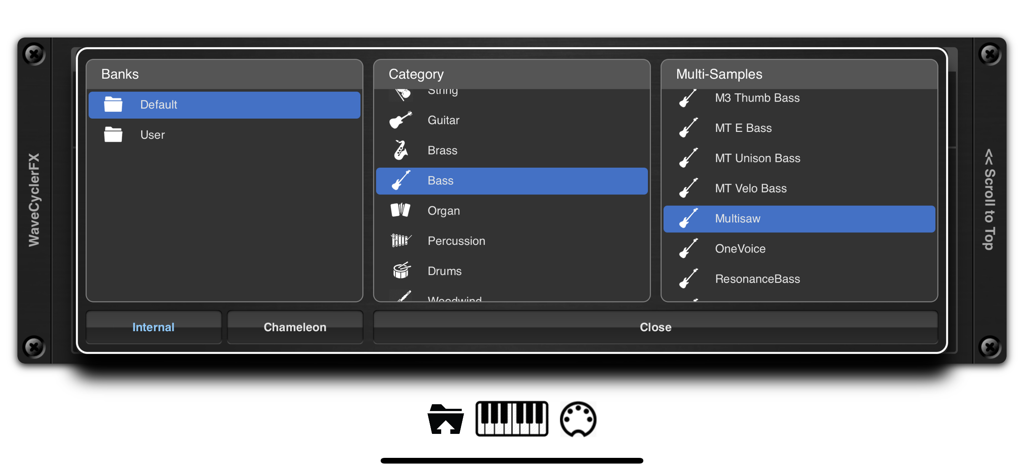
EvolverFX AUv3 Audio Plugin - 뱅크, 카테고리 및 멀티 샘플 선택을 보여주는 EvolverFX 사운드 브라우저
뱅크, 카테고리 및 멀티 샘플 선택을 보여주는 EvolverFX 사운드 브라우저

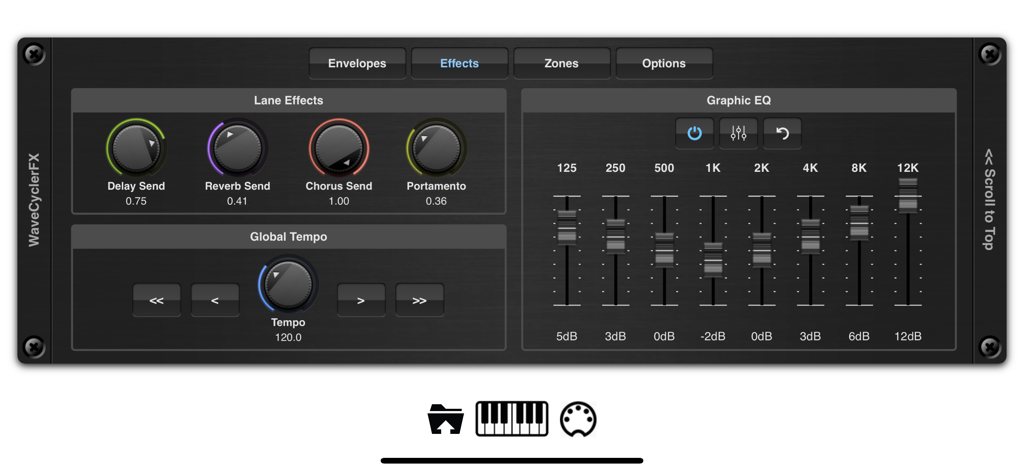
EvolverFX AUv3 Audio Plugin - 트랙 효과 노브와 8밴드 그래픽 이퀄라이저를 표시하는 EvolverFX 인터페이스
트랙 효과 노브와 8밴드 그래픽 이퀄라이저를 표시하는 EvolverFX 인터페이스

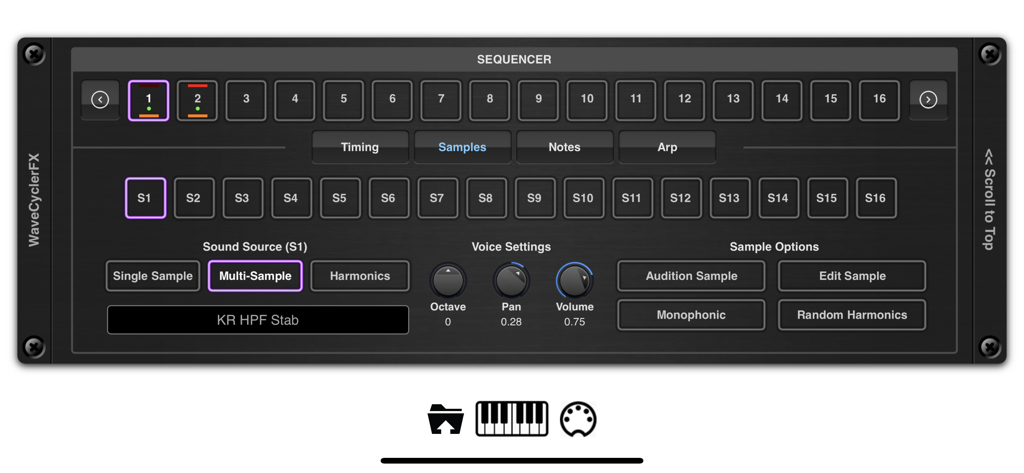
EvolverFX AUv3 Audio Plugin - 시퀀서와 멀티 샘플 사운드 소스 설정을 보여주는 EvolverFX AUv3 오디오 플러그인의 인터페이스.

시퀀서와 멀티 샘플 사운드 소스 설정을 보여주는 EvolverFX AUv3 오디오 플러그인의 인터페이스.

설명

Evolver is a performance tool for creating multi-layered evolving sequences of sound. At its most basic think of evolver as a 4 lane sequencer which creates automatic accompaniment from notes and chords as you play on your MIDI keyboard, but it can also be used to create elastic evolving soundscapes where audio samples seamlessly merge into one another to create highly complex and original sounds. At the heart of evolver is a sophisticated wave synthesizer and sequencing engine which can create dramatic hard hitting transitions of sounds or merge sounds to create seamless transitions that evolve in time to the beat. It has 4 sequencer lanes which can run independently and mixed together using the real-time controls or over MIDI. When you play a chord on your MIDI keyboard for instance, each of the 4 sequencer lanes will take those MIDI notes and translate them into a musical sequence of sounds which are combined together and synced to create a form of automatic accompaniment. Evolver can load its own multi-layer patches or import them directly from Chameleon. These patches can be layered using the 4 sequencer lanes or split over a virtual keyboard. You can assign key zones, transpose them, assigned MIDI channels and velocity levels, set latch options etc. You can also load in your own one shot samples and lay them end on end to create evolving atmospheres or backing soundscapes. These samples can be looped or be free running with definable start/end and loop points using our non destructive editor. We also included a third sound source which lets you build sounds on the fly by overlaying harmonics to create anything from traditional sine, square, triangle, saw waves to complex detuned oscilators. These can be used in conjunction with multi-samples or one-shot-samples within the same sequencer lane. You can even randomize a complete sequence of harmonic sounds which when pieced together create some very unique and dynamic voices. Each sequencer lane can be up to 64 steps in length, each step has independent timing, pitch, volume, gate, probability, sample source etc. so the scope of what is achievable is vast. Each sequencer lane has its own ADSR, VCF and LFO which operates on all sounds within its lane, as well as being able to change the underlying settings for each sound source. Evolver also includes an ARP function which can be run in one of the default modes or you can define your own fingering patterns to be used to enhance your playing style. Create your own sequences, lay down your MIDI notes in your DAW and have Evolver automatically play along to your chord sequences, automatically locking to the host tempo. Sequencer events can be fixed or transposed allowing you to create percussive and drum backing using a single lane. Key Features: • 4 sequencer lanes • Up to 64 notes per sequence. • Each note can be fixed or transposed. • Timing and note probability. • 3 different sound source types (multi-sample, one-shot samples and harmonic) . • Add your own loops to a sequence. • Built in ARP function. • Import your own samples and mutli-sample patches. • Chameleon Support. • 5 different effect types (reverb, delay, phaser, flanger and chorus). • 8 band EQ. • .Latch Feature to hold chords/notes. • Create independent key zones with transposition and MIDI channels. • Paramter Automation from your DAW. • Control mixing and sequencer enable buttons using MIDI. • Built in Sampler. • Multiple Import options (including an experimental SFZ format). • iTunes and Files App importing of samples into the audio pool. • Files App Drag & Drop Support • Comprehensive Help pages included. Please Note: Not all features are currently compatible with Auria.

Download

다운로드: App Store

이 페이지는 앱이나 개발자의 공식 페이지가 아니며, 정보 제공 및 논평을 목적으로 작성된 독립 편집 간행물입니다. 명시적으로 달리 언급되지 않는 한, 해당 앱이나 개발자는 MWM, Apple, Google Play, 앱 퍼블리셔 또는 앱 개발자와 제휴, 보증, 후원, 승인 또는 공식적으로 연결되어 있지 않으며, 이 페이지의 어떤 내용도 해당 앱이 MWM의 서비스를 사용하여 개발되었음을 의미하지 않습니다. 모든 상표, 로고, 스크린샷 및 기타 콘텐츠는 해당 소유자의 자산입니다.