
이 페이지는 앱이나 개발자의 공식 페이지가 아니며, 정보 제공 및 논평을 목적으로 작성된 독립 편집 간행물입니다. 명시적으로 달리 언급되지 않는 한, 해당 앱이나 개발자는 MWM, Apple, Google Play, 앱 퍼블리셔 또는 앱 개발자와 제휴, 보증, 후원, 승인 또는 공식적으로 연결되어 있지 않으며, 이 페이지의 어떤 내용도 해당 앱이 MWM의 서비스를 사용하여 개발되었음을 의미하지 않습니다. 모든 상표, 로고, 스크린샷 및 기타 콘텐츠는 해당 소유자의 자산입니다.


Expense Tracker - Money Note
이 앱은 사용자가 재정의 통제권을 되찾도록 무장시킵니다. 은행 연결이나 구독료 같은 불필요한 속박 없이, 순수한 재정 관리를 선사합니다.
다운로드
7.5M+사용자 평점
총 평가 수
791.7K개발사
카테고리
Finance지원 언어
33최신 버전
5.1.1크기
126.5 MB출시일
2018년 3월 25일개인 정보 보호를 중시하고 예산 관리를 선호하는 사용자를 위한 핵심 기능
"Expense Tracker - Money Note" 앱 주요 기능 분석
무료 및 구독료 없음
이 앱은 영구적으로 무료로 사용할 수 있으며, 숨겨진 요금이나 월별 구독료가 발생하지 않습니다.
로컬 데이터 저장 및 오프라인 사용
이 도구는 모든 데이터를 기기에 로컬로 저장하여 빠른 속도, 높은 보안성 및 오프라인 사용을 보장합니다.
계정 등록 및 은행 연동 불필요
사용자가 계정 등록이나 은행 계좌 연결 없이 가계부를 즉시 시작할 수 있게 해주어 개인 정보 보호에 대한 우려를 해소합니다.
Face ID/Touch ID 잠금
이 앱은 Face ID 및 Touch ID를 포함한 암호 잠금 기능을 제공하여 사용자의 민감한 재정 데이터를 안전하게 보호합니다.
직관적인 수입/지출 보고서
이 앱은 월별, 연간 및 누적 수입/지출 보고서를 명확한 파이 차트로 시각화하여 사용자가 지출 패턴을 쉽게 파악하고 예산을 관리할 수 있도록 돕습니다.
간편한 카테고리별 예산 설정
이 도구는 무제한의 사용자 지정 카테고리를 지원하며, 카테고리별로 예산을 설정하여 사용자가 지출을 효과적으로 추적하고 관리할 수 있도록 합니다.
iCloud 백업 및 iPad 동기화
이 앱은 iCloud 백업을 지원하여 데이터 손실을 방지하고, iPad를 포함한 여러 Apple 기기 간에 재정 기록을 원활하게 동기화합니다.
CSV/PDF 데이터 내보내기
사용자가 모든 데이터를 CSV 또는 PDF 파일로 내보낼 수 있도록 하여 외부 분석, 백업 또는 세금 신고 등의 목적으로 활용 가능합니다.
자주 묻는 질문
에 대해 알아야 할 모든 것 Expense Tracker - Money Note
Is MoneyNote a free budget tracker?
Yes, MoneyNote is a completely free budgeting app. It has no monthly subscriptions or hidden charges, offering all essential features without cost.
Does MoneyNote require an account registration?
No, MoneyNote does not require any account registration. Users can start budgeting instantly without creating an account.
Is my financial data secure in Expense Tracker - Money Note?
Yes, Expense Tracker - Money Note stores all data locally on your device for enhanced security. It also supports Passcode lock with Face ID and Touch ID for data protection.
Can I use MoneyNote offline?
Yes, MoneyNote functions entirely offline. All data is stored locally on your device, eliminating the need for an internet connection.
What reporting features does MoneyNote offer?
MoneyNote provides monthly, yearly, and cumulative reports. It displays income and expenses in clear pie charts and allows viewing spending ratios by category.
Can I export data from the MoneyNote app?
Yes, the MoneyNote app allows data export. Users can export all data as CSV (Excel-compatible) files and monthly data as PDF files for archiving or printing.
Does MoneyNote support widgets for iOS?
Yes, MoneyNote supports both Home Screen and Lock Screen widgets. These widgets allow users to check budgets, see recorded days, and add new entries quickly.
Can I customize the appearance of the MoneyNote app?
Yes, MoneyNote offers extensive customization options. Users can choose from over 20 theme colors and select from more than 20 app icons to personalize their experience.
Does Expense Tracker - Money Note connect to bank accounts?
No, Expense Tracker - Money Note does not connect to bank accounts. It is designed for manual income and expense tracking, focusing on user privacy and simplicity.
How can I track daily expenses with MoneyNote?
MoneyNote provides a built-in calendar to check daily income and expenses at a glance. Users can also add or delete entries directly from the calendar.
Can I set budgets by category in MoneyNote?
Yes, MoneyNote allows users to set budget settings by category. This feature helps manage spending and identify areas of overspending.
Does MoneyNote offer unlimited custom categories?
Yes, MoneyNote offers unlimited custom categories. Users can create as many categories as needed to accurately track their specific income and expenses.
Is MoneyNote compatible with iPad?
Yes, MoneyNote is compatible with iPad. It supports iCloud backup and iPad sync, allowing users to manage finances across Apple devices.
다음 스크린샷과 설명은 앱의 공식 스토어 목록에서 직접 가져온 것이며 앱 개발자의 자산입니다.
앱 스토어
스크린샷
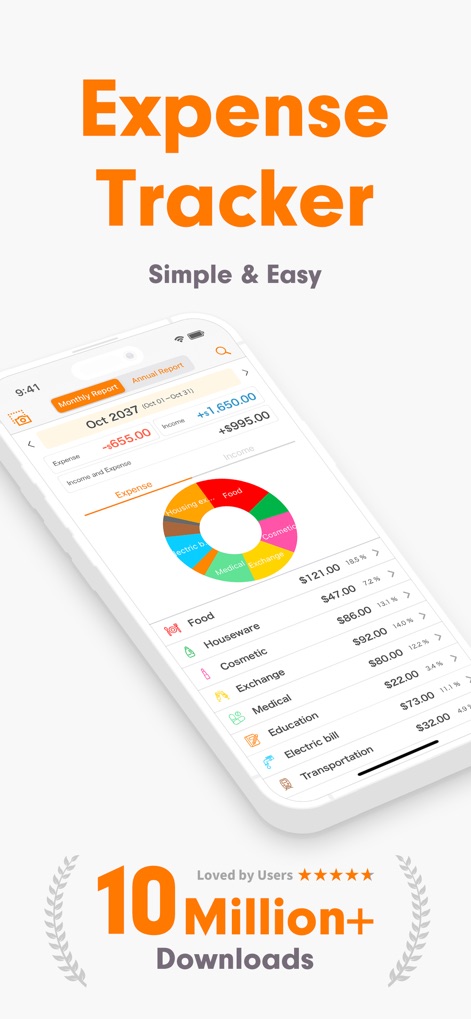
이 앱은 월별 수입과 지출을 직관적인 파이 차트로 보여주며, 각 항목별 지출 금액과 비율을 시각적으로 상세히 제시하여 사용자가 재정 상태를 쉽게 파악할 수 있도록 돕습니다.
재정 개요 한눈에
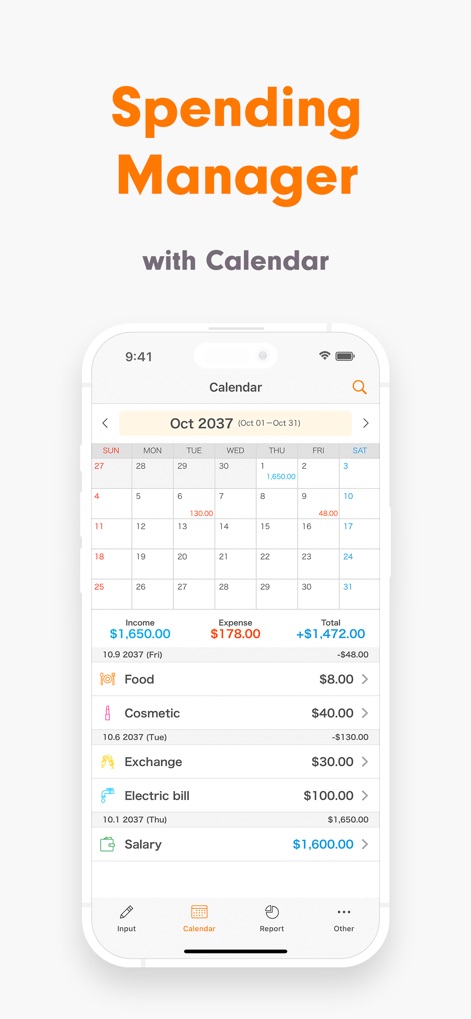
이 앱의 캘린더 기능은 사용자가 일별 수입과 지출 내역을 한눈에 확인할 수 있게 하며, 특정 날짜의 총 수입과 지출 금액을 명확하게 표시하고 하단에 상세 거래 내역을 제공하여 편리한 관리를 돕습니다.
간편한 기록 관리
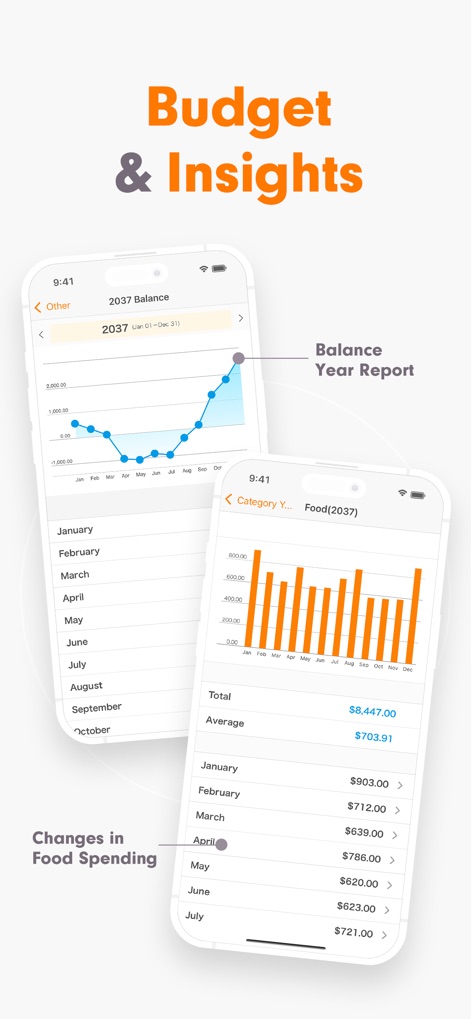
이 앱은 연간 잔액 변화를 보여주는 선 그래프를 통해 재정 추세를 시각화하며, 특정 카테고리(예: 식비)의 월별 지출을 막대 그래프와 상세 목록으로 제공하여 사용자가 소비 습관을 분석할 수 있도록 돕습니다.
깊이 있는 재정 분석
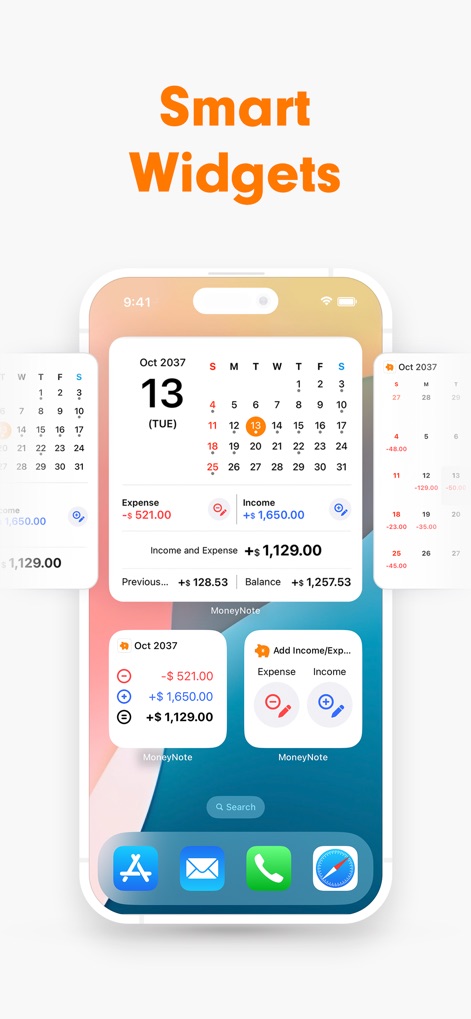
이 앱은 다양한 크기의 홈 화면 위젯을 지원하여 사용자가 앱을 열지 않고도 월별 수입 및 지출 개요를 빠르게 확인하거나, 잠금 화면에서 바로 지출을 추가할 수 있어 접근성과 편의성을 극대화합니다.
스마트 위젯 활용
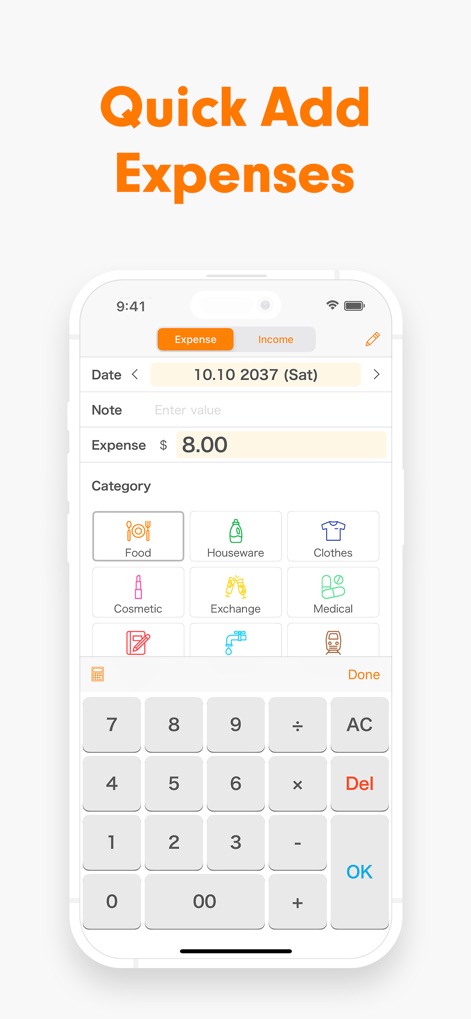
이 앱은 직관적인 인터페이스로 지출 입력 과정을 단순화합니다. 사용자는 큰 카테고리 버튼을 탭하고 내장된 계산기 키보드를 사용하여 금액을 신속하게 입력하여, 번거로움 없이 재정을 기록할 수 있습니다.
빠르고 쉬운 입력
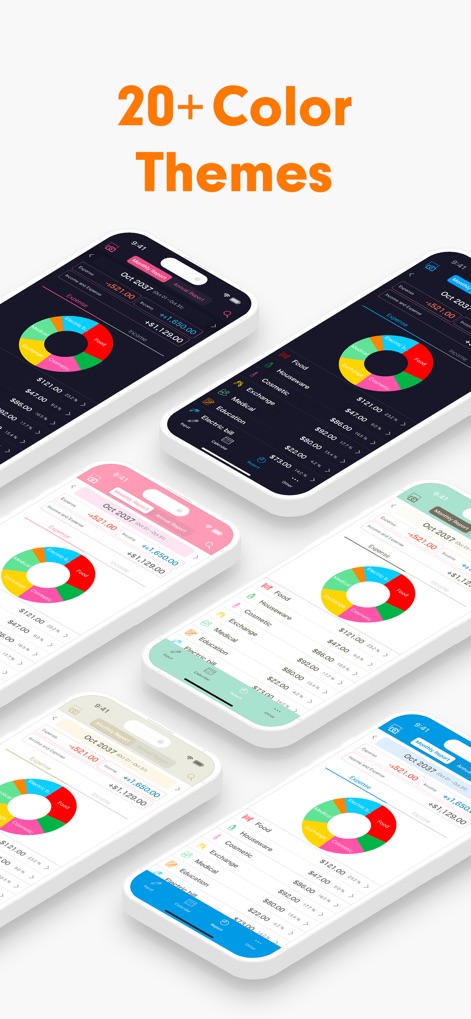
이 앱은 20가지 이상의 다양한 테마 색상을 제공하여 사용자가 자신의 취향에 맞춰 앱의 시각적 요소를 맞춤 설정할 수 있도록 합니다. 이를 통해 개인의 개성을 반영한 인터페이스로 재정 관리에 즐거움을 더합니다.
다채로운 테마 선택
설명
Download
비슷한 앱
유사한 기능과 사용자 경험을 가진 앱

鲨鱼记账本-城市理财圈子必备工具软件
Beijing Shark Pioneer Network Technology Co.,Ltd

咔皮记账 -自动记账 AI记账 预算 多账本 资产管理 存钱
Shanghai Yuhuan Technology Co., Ltd.

Money manager, expense tracker
Orange dog d.o.o.

Money Manager Expense & Budget
Realbyte Inc.

Budget Planner App - Fleur
Akash Jain

iCost记账-快速简洁好用的记账理财助手&记账软件
Guangzhou Quji Technology Co., Ltd.

YNAB
You Need A Budget LLC

Copilot: Track & Budget Money
Copilot Money, Inc.

小青账记账-存钱记账本理财购物清单
YouQian
이 페이지는 앱이나 개발자의 공식 페이지가 아니며, 정보 제공 및 논평을 목적으로 작성된 독립 편집 간행물입니다. 명시적으로 달리 언급되지 않는 한, 해당 앱이나 개발자는 MWM, Apple, Google Play, 앱 퍼블리셔 또는 앱 개발자와 제휴, 보증, 후원, 승인 또는 공식적으로 연결되어 있지 않으며, 이 페이지의 어떤 내용도 해당 앱이 MWM의 서비스를 사용하여 개발되었음을 의미하지 않습니다. 모든 상표, 로고, 스크린샷 및 기타 콘텐츠는 해당 소유자의 자산입니다.