Expenses Tracker - Accountit
다운로드: App Store

이 페이지는 앱이나 개발자의 공식 페이지가 아니며, 정보 제공 및 논평을 목적으로 작성된 독립 편집 간행물입니다. 명시적으로 달리 언급되지 않는 한, 해당 앱이나 개발자는 MWM, Apple, Google Play, 앱 퍼블리셔 또는 앱 개발자와 제휴, 보증, 후원, 승인 또는 공식적으로 연결되어 있지 않으며, 이 페이지의 어떤 내용도 해당 앱이 MWM의 서비스를 사용하여 개발되었음을 의미하지 않습니다. 모든 상표, 로고, 스크린샷 및 기타 콘텐츠는 해당 소유자의 자산입니다.


로고: Expenses Tracker - Accountit
다운로드: App Store

Expenses Tracker - Accountit

네이티브 Apple 경험으로 재정을 완벽하게 제어하세요. 데이터 개인 정보를 침해하지 않고 거래를 추적하고, 예산을 관리하고, 모든 기기에서 동기화하세요.

주요 수치

다운로드

57K+

사용자 평점

4.5/5

총 평가 수

500

개발사

DesignTech SIA

카테고리

Finance

지원 언어

8

최신 버전

2.6.8

크기

133.1 MB

출시일

2021년 6월 7일
기능

완벽한 개인 정보 보호로 재정 관리를 마스터하세요

Apple 생태계를 위해 특별히 설계된 궁극의 수동 지출 추적기를 경험하세요. 안전하고 직관적이며 완전히 제어할 수 있습니다.

개인 정보 보호 우선 추적

은행 연동이나 데이터 수집이 없습니다. 재무 데이터는 로컬에 저장되고 iCloud를 통해 동기화되어 기록이 본인만 볼 수 있도록 보장합니다.

Apple 라이프스타일을 위한 맞춤 제작

Apple Watch로 이동 중에도 지출을 기록하고, iPhone에서 예산을 관리하고, Mac에서 원활한 네이티브 경험으로 심층 분석을 실행하세요.

다음 스크린샷과 설명은 앱의 공식 스토어 목록에서 직접 가져온 것이며 앱 개발자의 자산입니다.

앱 스토어

스크린샷
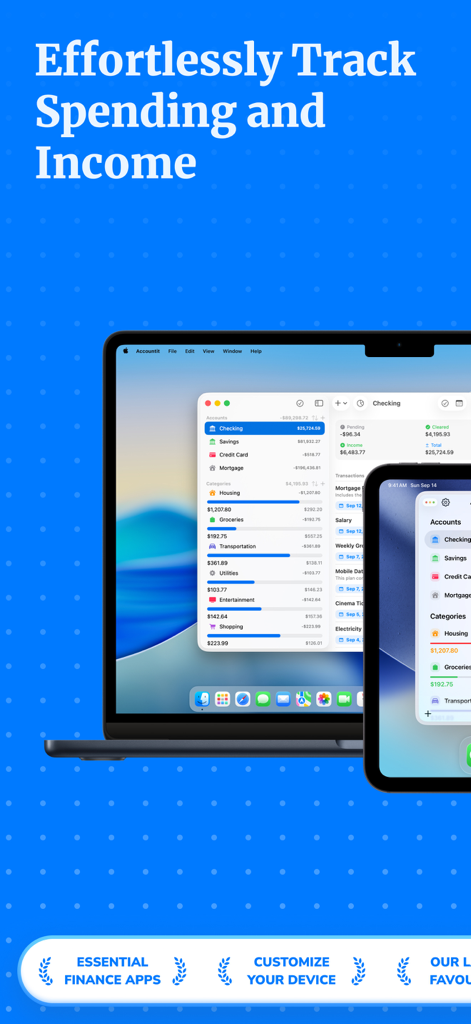
Expenses Tracker - Accountit - MacBook 및 iPhone에서 Accountit 지출 추적기 앱 인터페이스
MacBook 및 iPhone에서 Accountit 지출 추적기 앱 인터페이스

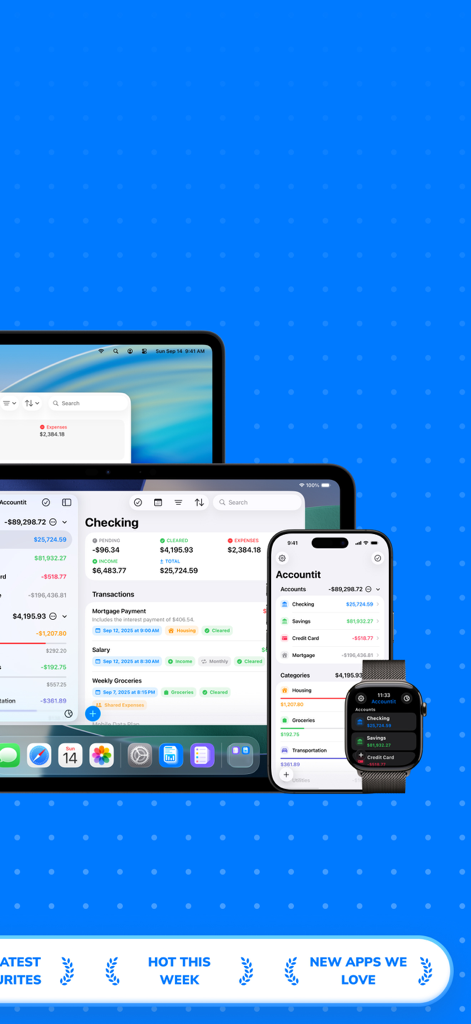
Expenses Tracker - Accountit - Mac iPad iPhone 및 Apple Watch에서 표시되는 Accountit 지출 추적 앱
Mac iPad iPhone 및 Apple Watch에서 표시되는 Accountit 지출 추적 앱

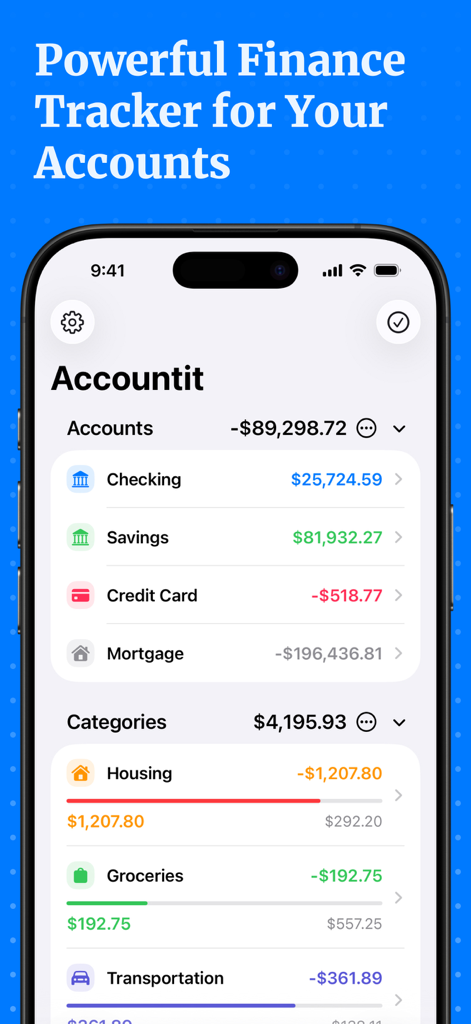
Expenses Tracker - Accountit - Accountit 앱 인터페이스에 주택 및 식료품과 같은 범주화된 지출과 함께 당좌 예금 및 저축 잔고 표시
Accountit 앱 인터페이스에 주택 및 식료품과 같은 범주화된 지출과 함께 당좌 예금 및 저축 잔고 표시

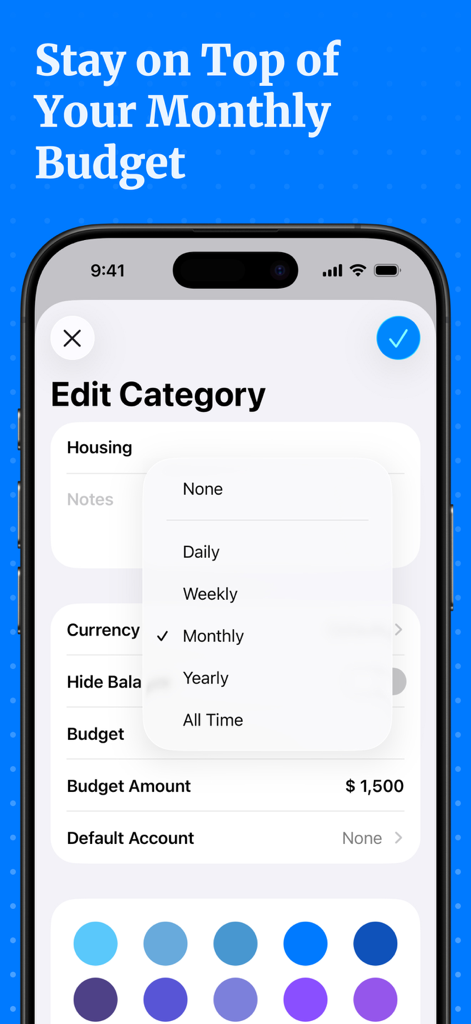
Expenses Tracker - Accountit - 범주 편집 및 월별 예산 금액 설정을 위한 Accountit 앱 인터페이스
범주 편집 및 월별 예산 금액 설정을 위한 Accountit 앱 인터페이스

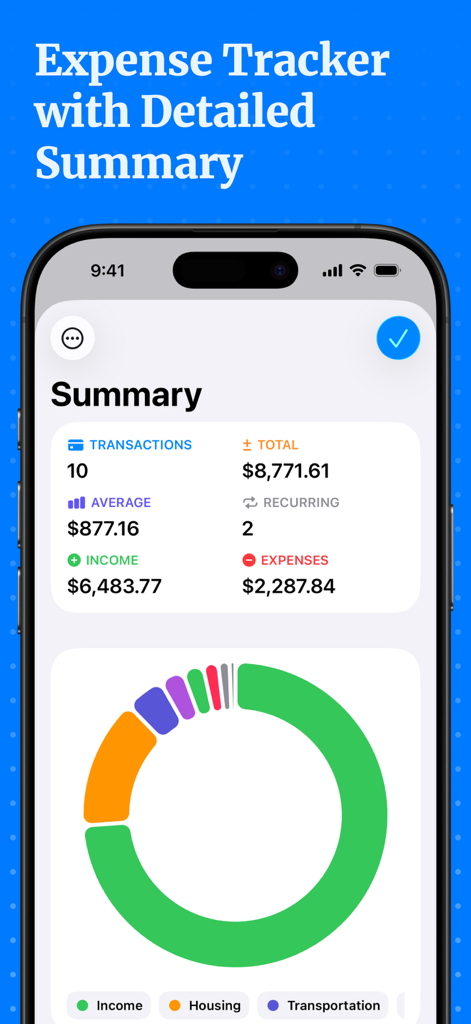
Expenses Tracker - Accountit - 수입 및 지출 통계와 범주 차트를 특징으로 하는 Accountit 앱의 상세 재무 요약 대시보드
수입 및 지출 통계와 범주 차트를 특징으로 하는 Accountit 앱의 상세 재무 요약 대시보드

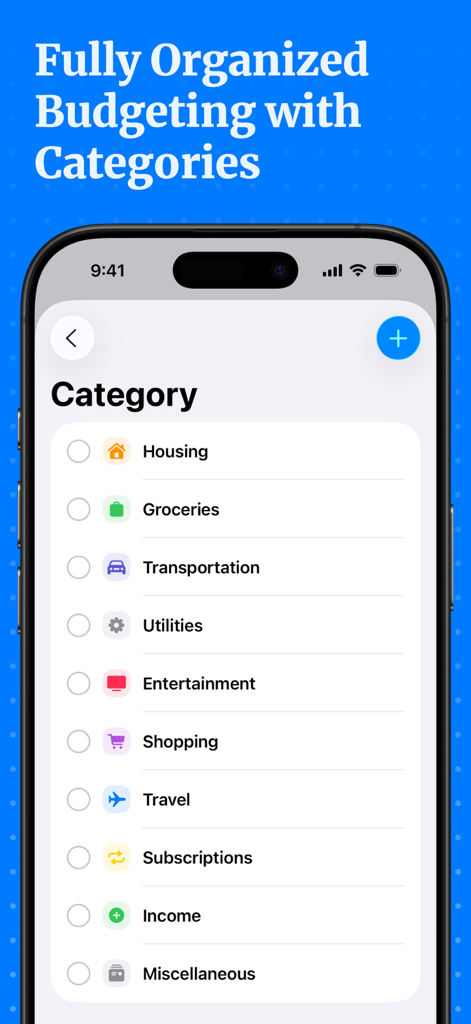
Expenses Tracker - Accountit - Accountit 앱의 스크린샷으로 조직적인 예산을 위한 주택, 식료품, 교통과 같은 지출 범주 목록 표시

Accountit 앱의 스크린샷으로 조직적인 예산을 위한 주택, 식료품, 교통과 같은 지출 범주 목록 표시

설명

Welcome to Accountit, a simple, but powerful daily transactions tracker that will definitely help you get a full picture of your finances. With Accountit, tracking and organizing all of your transactions becomes as effortless as possible, all thanks to the useful features that the app has on offer. Accountit lets you add an unlimited number of transactions that can be organized into different categories that you can create and customize yourself. With Accountit, you can also filter and organize all of your transactions even more efficiently using tags that you can create and assign to any of your transactions in the app. Don’t worry if you have any recurring transactions because we have got you covered too! Just mark a transaction as recurring and set the frequency when adding it, Accountit will handle the rest for you and you won’t need to manually add the same exact transactions every single time. With Accountit, you can also add various attachments, such as receipts, to your transactions in no time at all because you can scan receipts and take photos directly in the app. One of the main goals of the app is to help you quickly analyze all of your transactions and this is why Accountit offers a dedicated Summary screen that displays an extensive variety of information based on your transactions. Accountit is built with privacy and security in mind and it just doesn’t collect any personal data that can be linked to you. All of your data in the app is stored locally on your device and synced via iCloud if you have enabled this functionality in the settings of the app. We have designed Accountit to be as intuitive and easy to use as possible and it will definitely feel right at home on any of your Apple devices, all thanks to its native design. Accountit offers an extensive variety of features that you can use completely for free, but if you feel that the free functionality isn’t enough for your needs, you can always upgrade to Accountit Plus for even better experience. With Accountit Plus, you get an access to an unlimited number of accounts, categories, and tags, as well as various app customization options, and more. KEY FEATURES: - Unlimited number of transactions - iCloud sync - Ability to add notes to your transactions - Ability to add links to your transactions - Income, expense, and transfer transactions - 1 account - Budgets - Recurring transactions - Multiple sorting and filtering options to help you better organize your transactions - Transactions summary - CSV import and export - Beautiful and useful widgets - Available on iOS, iPadOS, macOS and watchOS PLUS FEATURES: - Unlimited number of accounts - Access to categories and tags - iCloud sharing - Ability to add attachments to transactions - 10 different app icons for you to pick the one that fits your home screen the most - 15 different tint colors that you can choose from to make the app feel more unique to you - Custom appearance (System, light, and dark) - More than 150 different currencies - Bulk editing If you have any questions about Accountit, you can just get in touch with us via email at info@designtech.so. We are always happy to help! Terms of service: https://designtech.notion.site/DesignTech-Terms-of-Service-18cc124eba4080c58316f2ed81f84bff. Privacy policy: https://designtech.notion.site/DesignTech-Privacy-Policy-18bc124eba40809eba48e6af249ebd2c.

Download

다운로드: App Store

이 페이지는 앱이나 개발자의 공식 페이지가 아니며, 정보 제공 및 논평을 목적으로 작성된 독립 편집 간행물입니다. 명시적으로 달리 언급되지 않는 한, 해당 앱이나 개발자는 MWM, Apple, Google Play, 앱 퍼블리셔 또는 앱 개발자와 제휴, 보증, 후원, 승인 또는 공식적으로 연결되어 있지 않으며, 이 페이지의 어떤 내용도 해당 앱이 MWM의 서비스를 사용하여 개발되었음을 의미하지 않습니다. 모든 상표, 로고, 스크린샷 및 기타 콘텐츠는 해당 소유자의 자산입니다.