이 페이지는 앱이나 개발자의 공식 페이지가 아니며, 정보 제공 및 논평을 목적으로 작성된 독립 편집 간행물입니다. 명시적으로 달리 언급되지 않는 한, 해당 앱이나 개발자는 MWM, Apple, Google Play, 앱 퍼블리셔 또는 앱 개발자와 제휴, 보증, 후원, 승인 또는 공식적으로 연결되어 있지 않으며, 이 페이지의 어떤 내용도 해당 앱이 MWM의 서비스를 사용하여 개발되었음을 의미하지 않습니다. 모든 상표, 로고, 스크린샷 및 기타 콘텐츠는 해당 소유자의 자산입니다.
eZy Sign,Scan & Fill Documents
부동산 중개인, 프리랜서 및 사업주를 위한 궁극의 올인원 모바일 오피스. 안전한 서명, 스마트 스캔 및 즉시 클라우드 통합으로 서류 작업을 원활한 디지털 워크플로로 전환하세요.
주요 수치
다운로드
15K+
사용자 평점
4.4/5
총 평가 수
0
개발사
Whizpool
카테고리
Business
지원 언어
11
최신 버전
3.5
크기
75.3 MB
출시일
2015년 6월 2일
기능
어디서든 워크플로 간소화
책상에 얽매이지 않고 문서를 서명, 스캔 및 관리해야 하는 전문가를 위해 설계된 올인원 모바일 툴킷입니다.
즉시 전자 서명
인쇄하거나 우편으로 보낼 필요 없이 몇 초 만에 계약 및 합의를 완료하기 위해 서명을 그리거나 스캔하거나 입력하세요.
모바일 문서 스캐너
카메라로 종이 송장, 영수증 및 양식을 즉시 전문 PDF로 변환하여 진정한 종이 없는 사무실을 만드세요.
다음 스크린샷과 설명은 앱의 공식 스토어 목록에서 직접 가져온 것이며 앱 개발자의 자산입니다.
앱 스토어
스크린샷
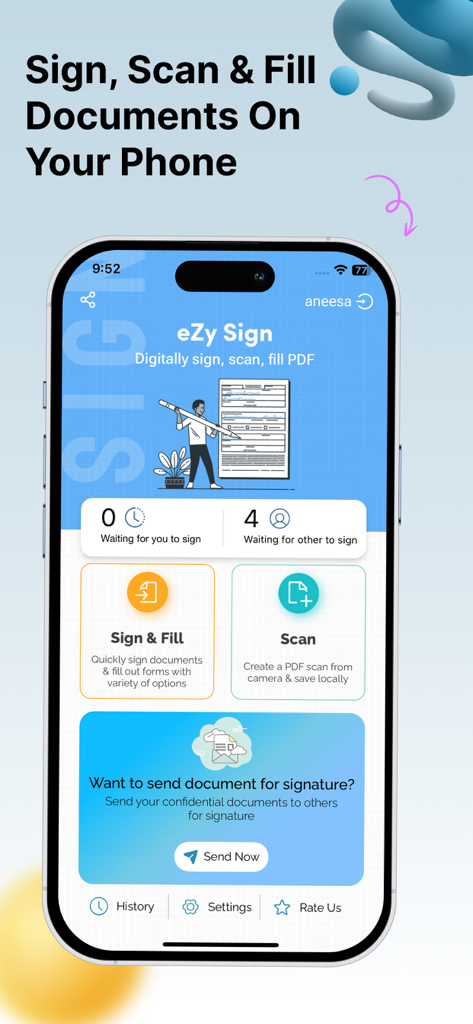
eZy Sign 앱 대시보드, 디지털 서명 및 문서 스캔 기능 표시
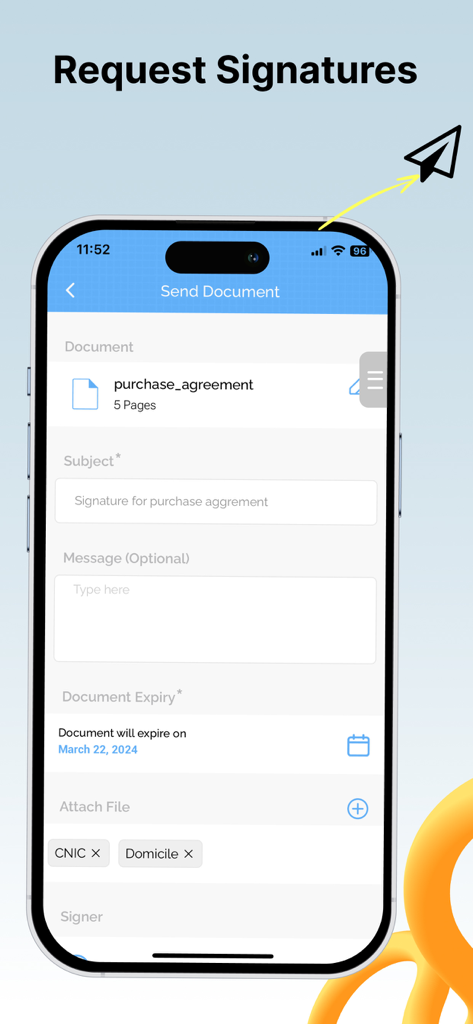
스마트폰 화면, 만료일 기능이 있는 문서에 디지털 서명을 요청하는 eZy Sign 앱 인터페이스 표시
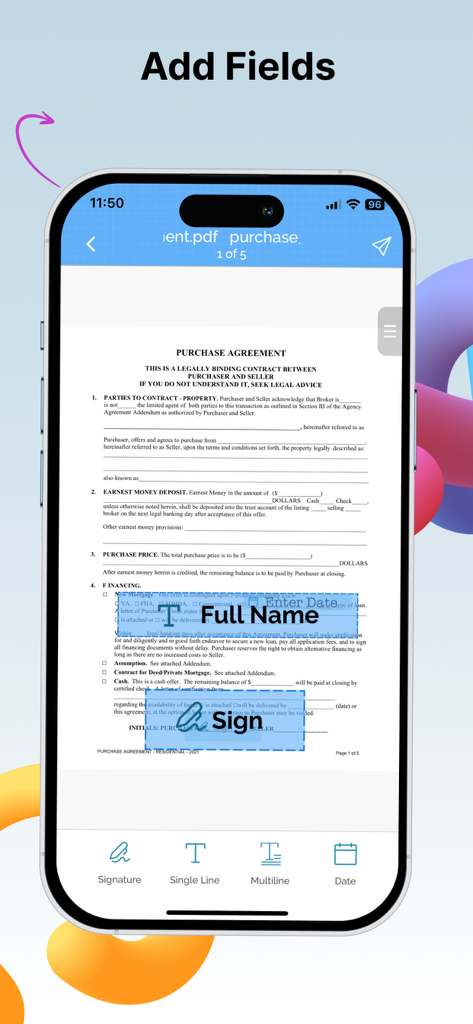
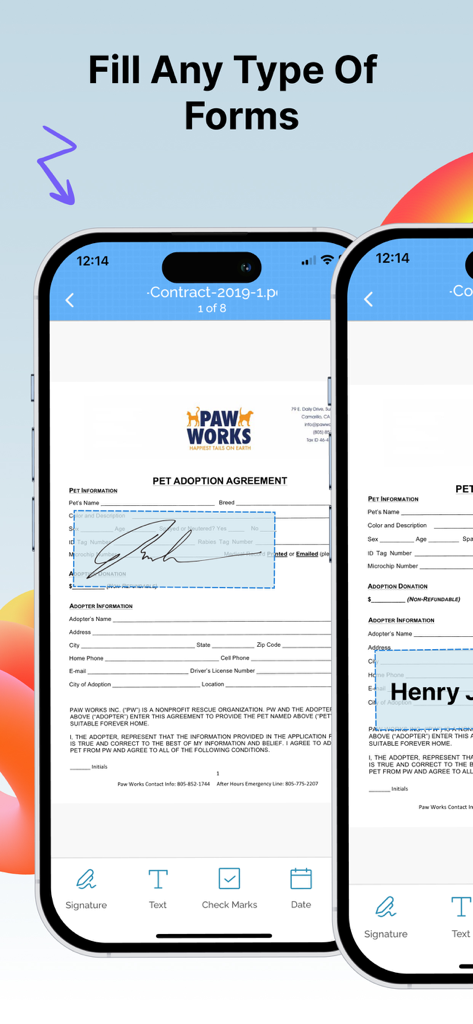
모바일 앱 인터페이스, PDF 구매 계약서에 이름, 날짜 및 서명 필드를 추가하는 사용자 표시
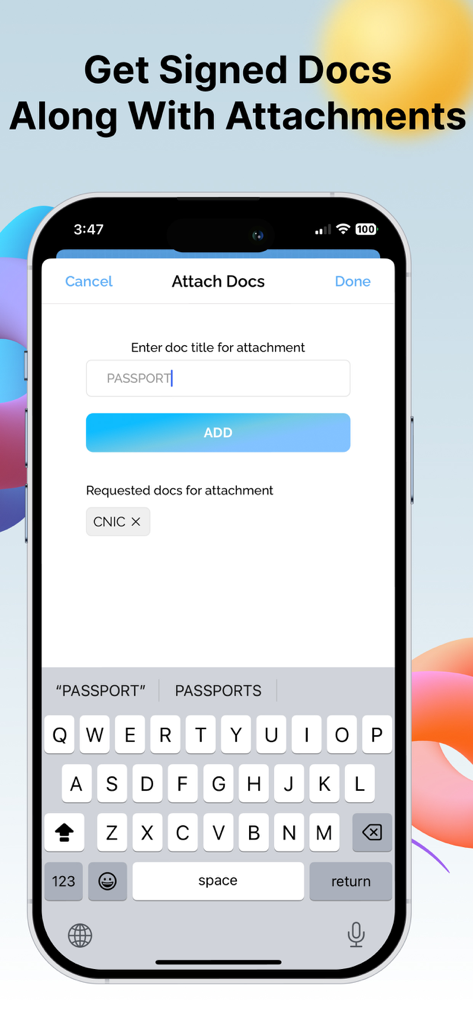
모바일 인터페이스, 여권과 같은 문서 첨부 파일을 서명과 함께 요청하는 방법 표시
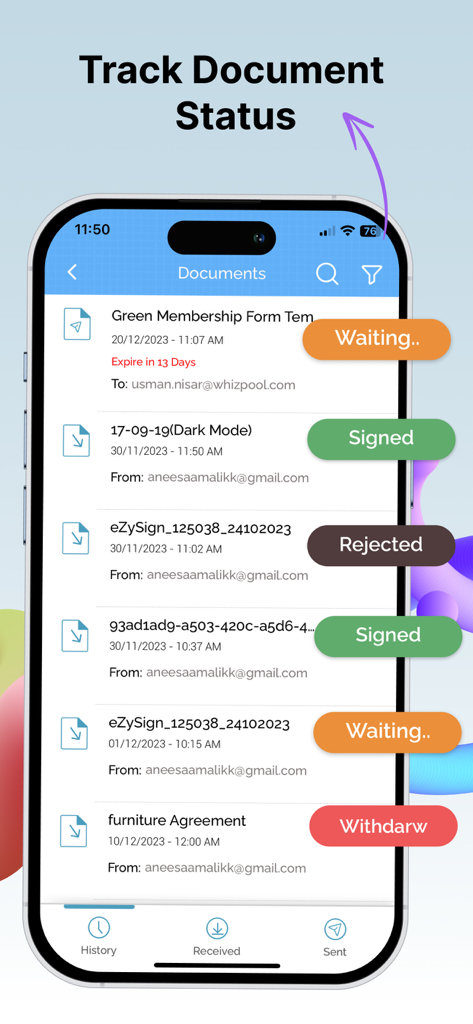
모바일 앱 인터페이스, 서명 대기 및 거부와 같은 실시간 상태 레이블이 있는 문서 목록 표시
eZy Sign 앱으로 iPhone에서 PDF 양식 채우기 및 서명
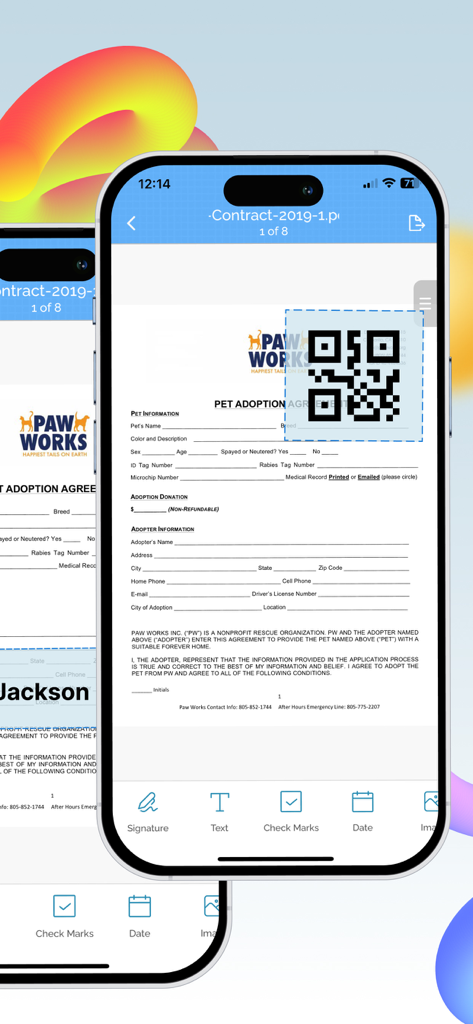
iPhone 화면, 디지털 문서에 QR 코드를 추가하는 과정 표시
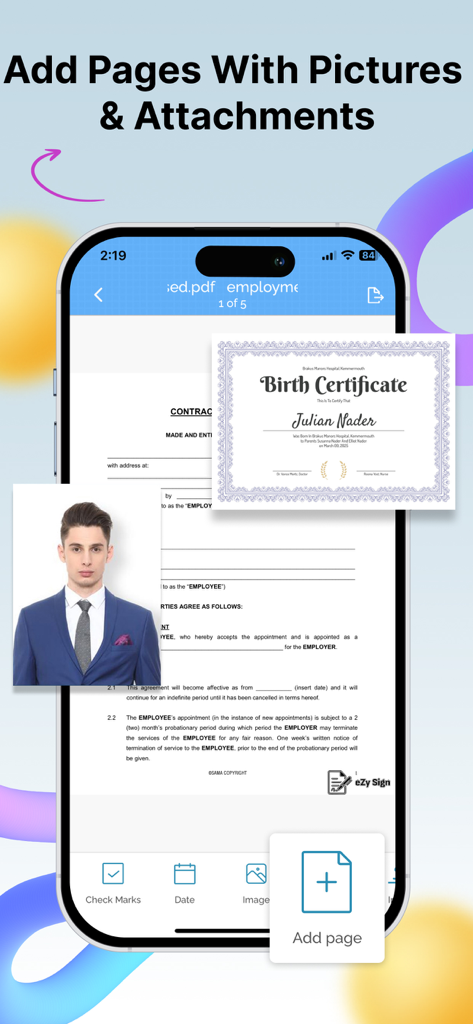
모바일에서 디지털 문서에 사진 및 첨부 파일을 추가하는 인터페이스
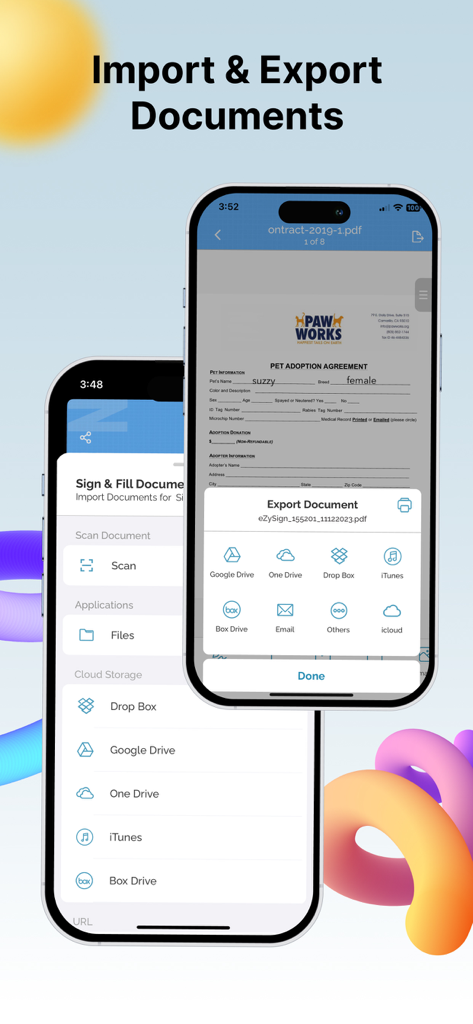
eZy Sign 앱 인터페이스, 클라우드 스토리지 통합을 통한 문서 가져오기 및 내보내기 옵션 표시
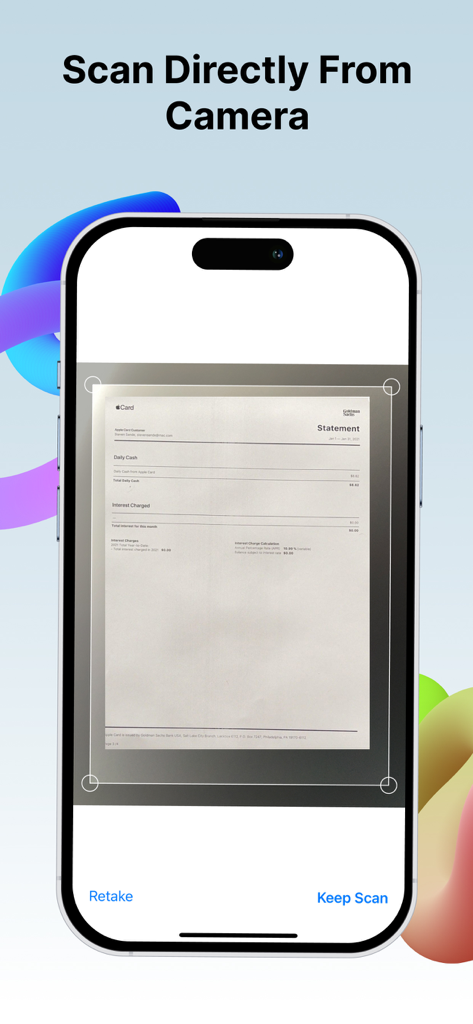
iPhone, eZy Sign 앱 카메라 기능으로 종이 문서 스캔
설명
Need to sign a document or PDF online? Require signatures on your PDFs? eZy sign & fill documents makes it easy to do both without any hassle.
Take control of your paperwork by uploading diverse document types and filling them with signatures, initials, dates, emails, images, or any text be it addresses, phone numbers, and more.
eZy Sign handles docs signing, signature requests, and data filling. It accommodates a variety of document types, including NDAs, agreements, endorsements, permissions, contracts and legal documents. Its versatile functionality extends to common business forms like sales contracts, financial agreements, rental agreements, property contracts, waivers, employment contracts, job offers, and work orders, making it ideal for efficient document management.
Sign Documents:
Whether you prefer drawing your signature, scanning it, our versatile app offers you the flexibility you need. Take control of your paperwork by adding signatures, initials, dates, emails, images, or any required text, from addresses to phone numbers. From formal signatures on legal documents to personalized touches on business agreements, contracts and PDFs.
Send Documents for Signature:
With eZy Sign, sending PDFs for signatures has never been more straightforward. The app allows you to add assign fields, simplifying the process to fill and esign. Supported fields include signature, initials, name, date, email and text. This feature makes the signature collection process a convenient solution for businesses and individuals. After signing, eZy Sign ensures quick file access.
Scanning Documents:
eZy Sign doesn't just stop at signatures, it empowers you to digitize your paperwork. Whether you're dealing with contracts, invoices, legal documents or any other paper-based content, our app's scanning feature ensures that you can transform them into digital marvels. By leveraging the power of your device camera, eZy Sign lets you create PDF scans within the app, fostering a paperless and efficient environment.
Fill Documents:
With eZy Sign, document editing becomes a breeze. Whether you need to add a signature, text, date, time, image, page, or QR code, our app offers a comprehensive set of tools for easy customization. Its versatility ensures that you can modify and enhance your PDFs, contracts, and documents according to your specific needs, making document editing an intuitive and efficient process.
Set Expiry:
Security is paramount with eZy Sign & fill documents. The app introduces a unique feature allowing users to set an expiry date for their digital docs. Exercise control over the duration of accessibility for recipients. Once the expiry date is reached, the document or the PDF becomes invalid, and recipients cannot access shared files. eZy sign & fill documents allows to Customize and extend expiry dates according to your needs.
Import and Export:
With eZy Sign & fill documents, enjoy simple and efficient document sharing. This feature ensures that you can easily import documents from various sources and export them to share or archive as needed. The app's compatibility with different importing and exporting options ensures easy access and collaboration across various systems.
- DropBox
- Google Drive
- OneDrive
- Email
- iCloud
History:
You can keep track of your document activities with eZy Sign's detailed history feature. View past signatures, and access records of contracts, agreements, and PDFs interactions.
eZy sign & fill documents is all about making document signing simple, secure, and stress-free. So go paperless—your way, the easy way!
Your input is valuable in shaping the future of our app. Submit your questions or feedback to: Support+ezysign@whizpool.com
이 페이지는 앱이나 개발자의 공식 페이지가 아니며, 정보 제공 및 논평을 목적으로 작성된 독립 편집 간행물입니다. 명시적으로 달리 언급되지 않는 한, 해당 앱이나 개발자는 MWM, Apple, Google Play, 앱 퍼블리셔 또는 앱 개발자와 제휴, 보증, 후원, 승인 또는 공식적으로 연결되어 있지 않으며, 이 페이지의 어떤 내용도 해당 앱이 MWM의 서비스를 사용하여 개발되었음을 의미하지 않습니다. 모든 상표, 로고, 스크린샷 및 기타 콘텐츠는 해당 소유자의 자산입니다.