Flashcards - Build Your Own
다운로드: App Store

이 페이지는 앱이나 개발자의 공식 페이지가 아니며, 정보 제공 및 논평을 목적으로 작성된 독립 편집 간행물입니다. 명시적으로 달리 언급되지 않는 한, 해당 앱이나 개발자는 MWM, Apple, Google Play, 앱 퍼블리셔 또는 앱 개발자와 제휴, 보증, 후원, 승인 또는 공식적으로 연결되어 있지 않으며, 이 페이지의 어떤 내용도 해당 앱이 MWM의 서비스를 사용하여 개발되었음을 의미하지 않습니다. 모든 상표, 로고, 스크린샷 및 기타 콘텐츠는 해당 소유자의 자산입니다.


로고: Flashcards - Build Your Own
다운로드: App Store

Flashcards - Build Your Own

여러분의 노트를 강력한 학습 자료로 바꿔보세요. 능동적 회상, 문서 스캔, 데이터 기반 정확도 추적을 사용하여 약점을 없애고 가장 어려운 과목을 정복하세요.

주요 수치

다운로드

3K+

사용자 평점

4.8/5

총 평가 수

0

개발사

Alysha Kwok

카테고리

Education

지원 언어

1

최신 버전

3.6.1

크기

7.7 MB

출시일

2021년 5월 24일
기능

데이터 기반 집중 학습으로 어려운 과목 마스터하기

성취도 높은 학생들을 위한 최고의 능동적 회상 도우미. 여러분의 진행 상황을 추적하고 약점을 없애는 개인 맞춤 학습 시스템을 구축하세요.

시각적 능동적 회상

내장된 문서 스캔 및 사진 지원을 사용하여 복잡한 교과서 다이어그램이나 강의 노트를 즉시 학습 카드로 만드세요. STEM 및 의학 전공 학생에게 완벽합니다.

정확도 기반 분석

색상으로 구분된 표시기로 학습 정도를 시각화하세요. 정확도 추적기를 사용하면 아직 숙달하지 못한 특정 개념에 100% 집중할 수 있습니다.

다음 스크린샷과 설명은 앱의 공식 스토어 목록에서 직접 가져온 것이며 앱 개발자의 자산입니다.

앱 스토어

스크린샷
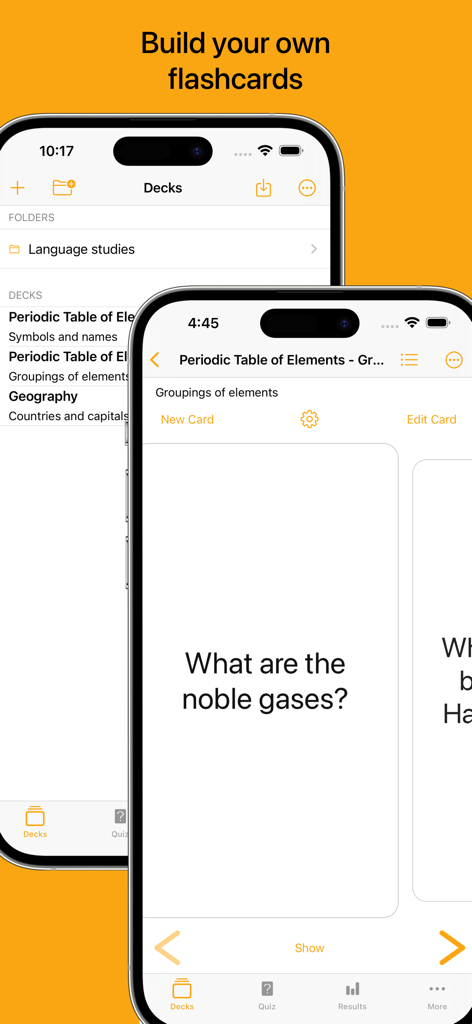
Flashcards - Build Your Own - 직접 만드는 플래시카드 앱 인터페이스를 보여주는 아이폰 화면, 맞춤 학습 자료 및 화학 플래시카드 포함
직접 만드는 플래시카드 앱 인터페이스를 보여주는 아이폰 화면, 맞춤 학습 자료 및 화학 플래시카드 포함

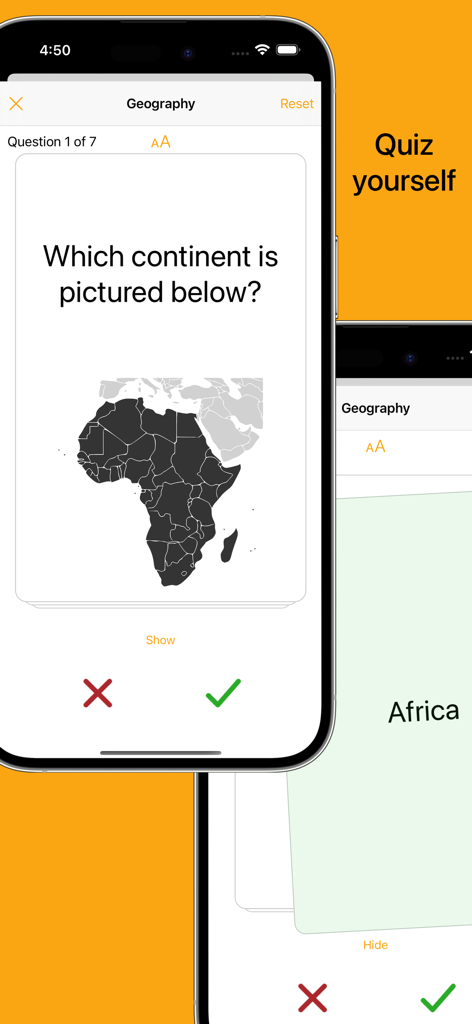
Flashcards - Build Your Own - 지리 플래시카드 퀴즈를 보여주는 모바일 앱 인터페이스, 아프리카 지도 및 정확도 추적 버튼 포함
지리 플래시카드 퀴즈를 보여주는 모바일 앱 인터페이스, 아프리카 지도 및 정확도 추적 버튼 포함

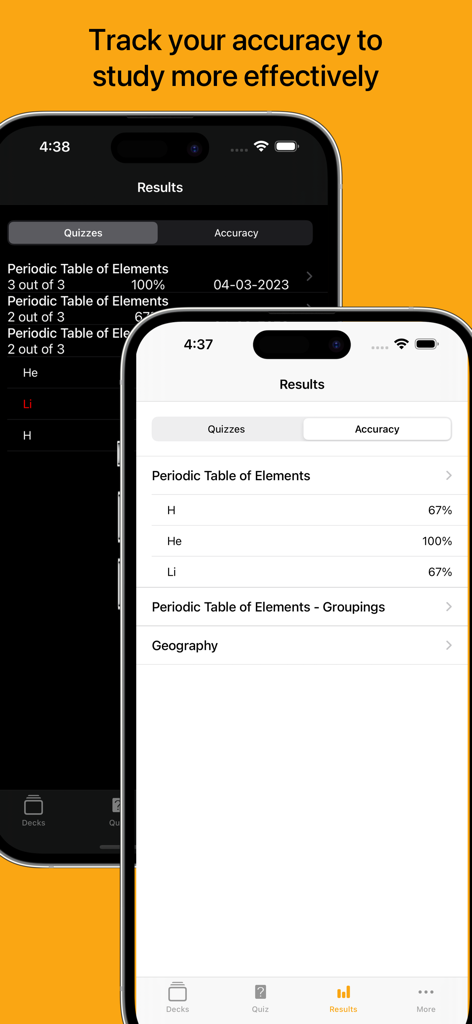
Flashcards - Build Your Own - 학습 세션의 플래시카드 퀴즈 결과 및 정확도 백분율을 보여주는 두 개의 아이폰 화면
학습 세션의 플래시카드 퀴즈 결과 및 정확도 백분율을 보여주는 두 개의 아이폰 화면

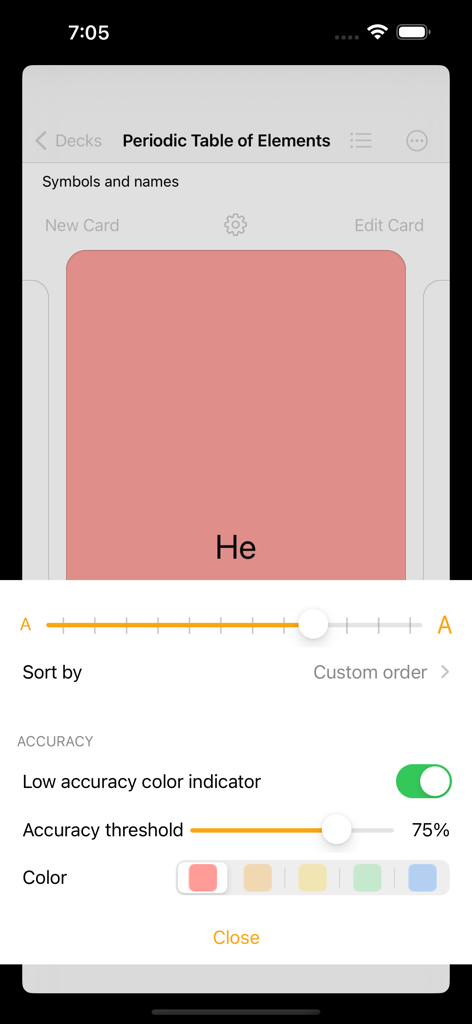
Flashcards - Build Your Own - 주기율표 덱에 대한 낮은 정확도 색상 표시기 및 정확도 임계값 설정을 보여주는 플래시카드 앱 인터페이스
주기율표 덱에 대한 낮은 정확도 색상 표시기 및 정확도 임계값 설정을 보여주는 플래시카드 앱 인터페이스

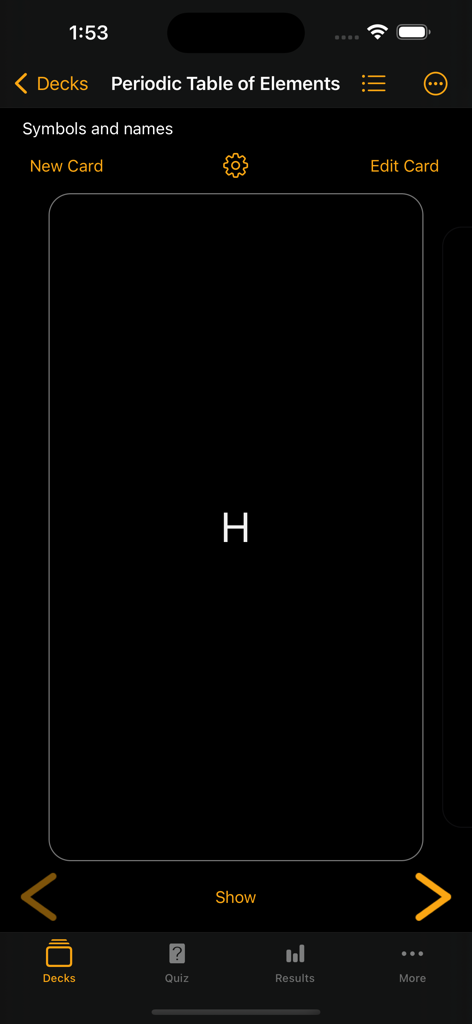
Flashcards - Build Your Own - 수소 카드와 함께 주기율표 요소 덱을 보여주는 플래시카드 앱의 다크 모드 인터페이스
수소 카드와 함께 주기율표 요소 덱을 보여주는 플래시카드 앱의 다크 모드 인터페이스

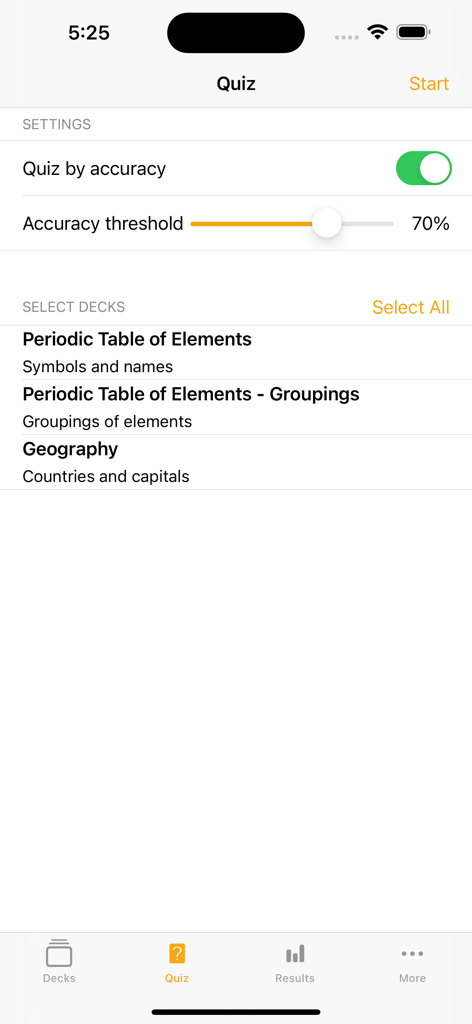
Flashcards - Build Your Own - 정확도 임계값 및 덱 선택 설정을 보여주는 플래시카드 앱의 퀴즈 구성 화면
정확도 임계값 및 덱 선택 설정을 보여주는 플래시카드 앱의 퀴즈 구성 화면

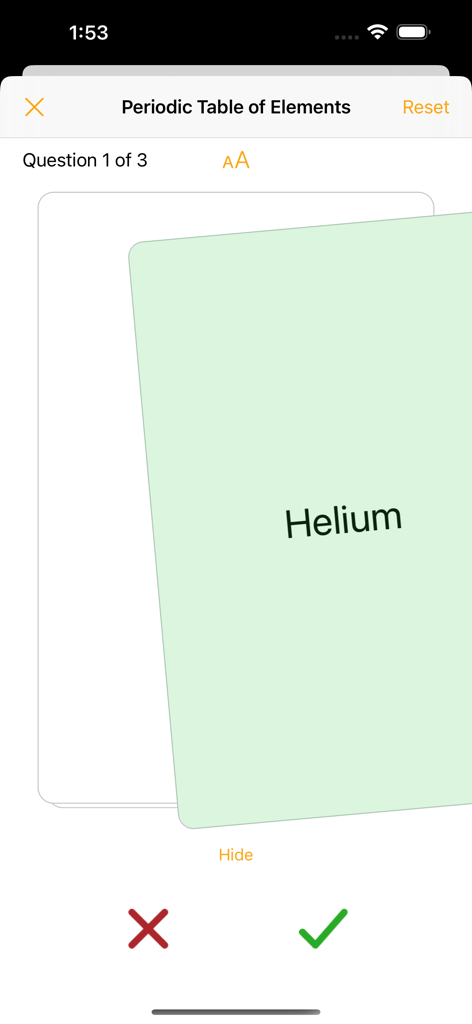
Flashcards - Build Your Own - 주기율표 덱의 헬륨 학습 카드를 보여주는 플래시카드 앱 퀴즈 인터페이스, 정답 및 오답 표시 버튼 포함
주기율표 덱의 헬륨 학습 카드를 보여주는 플래시카드 앱 퀴즈 인터페이스, 정답 및 오답 표시 버튼 포함

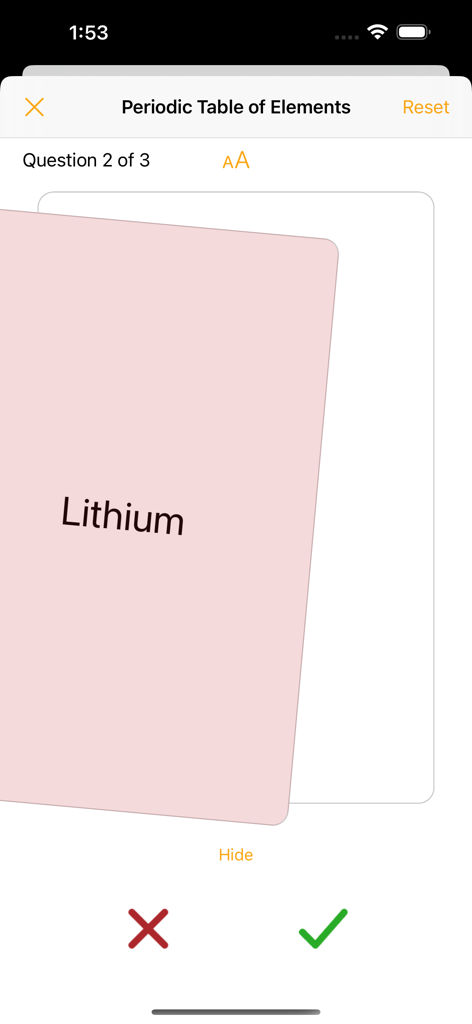
Flashcards - Build Your Own - 주기율표 요소 덱의 리튬 카드를 보여주는 플래시카드 앱의 퀴즈 화면, 정답 또는 오답 표시 버튼 포함
주기율표 요소 덱의 리튬 카드를 보여주는 플래시카드 앱의 퀴즈 화면, 정답 또는 오답 표시 버튼 포함

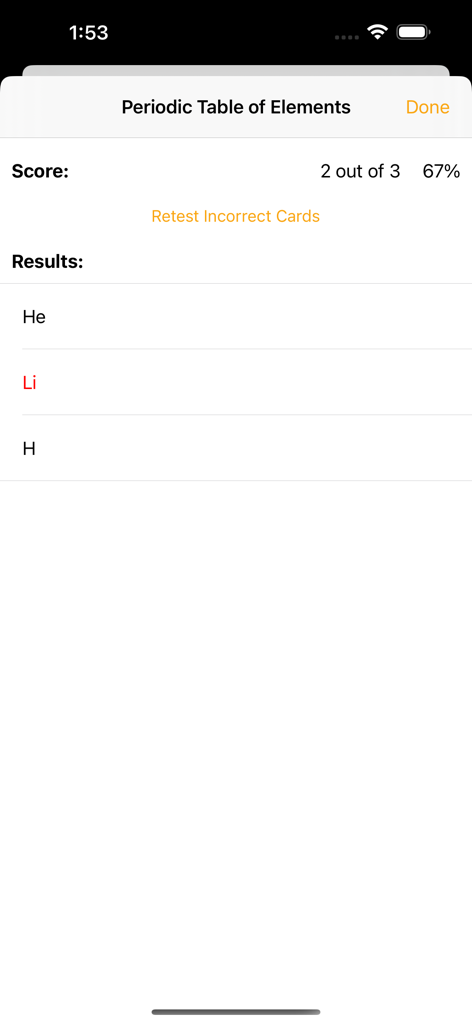
Flashcards - Build Your Own - 주기율표 덱에 대한 67% 점수와 틀린 카드 다시 풀기 옵션을 보여주는 플래시카드 앱의 퀴즈 결과 화면
주기율표 덱에 대한 67% 점수와 틀린 카드 다시 풀기 옵션을 보여주는 플래시카드 앱의 퀴즈 결과 화면

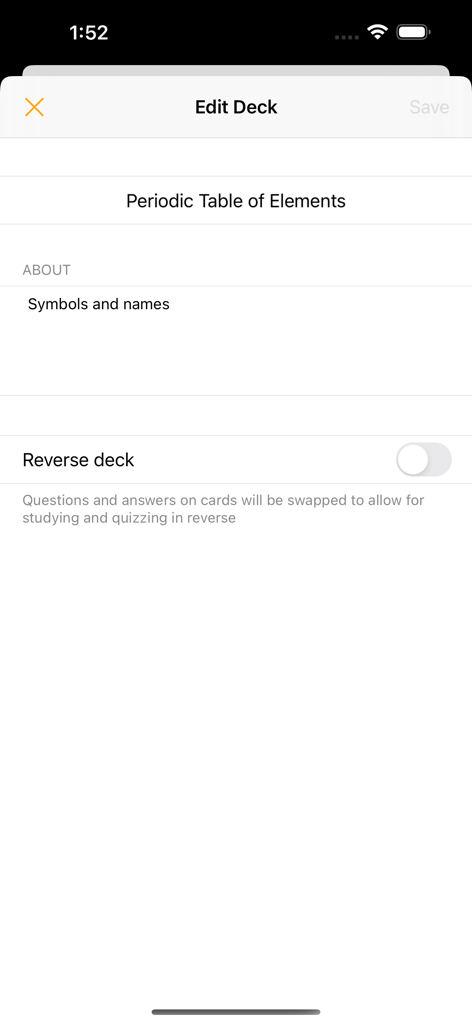
Flashcards - Build Your Own - 주기율표 요소 플래시카드 덱의 편집 덱 화면, 카드 뒤집기 토글 포함

주기율표 요소 플래시카드 덱의 편집 덱 화면, 카드 뒤집기 토글 포함

설명

Build your own flashcards Create your own study decks and cards. Use the cards to help you study, quiz yourself, and use the accuracy tracker to determine which areas you need to focus on. Swipe through cards Study flashcards by swiping through the deck, tapping to reveal the card’s answer. Adjust text size to make your content easy-to-read. Quiz yourself Test yourself with shuffled decks, swiping right or left to indicate if you got the answer right or wrong. At the end of the quiz, you can choose to retest yourself on the incorrect subset as many times as you’d like or until you no longer have answered any incorrectly. Track your accuracy View your quiz results and use the card accuracy calculated from the results to help identify which cards to focus on. Use the accuracy indicator to help color-code cards when studying that fall below your specified accuracy threshold. Flashcards features: - Create flashcard decks and cards - Add photos to cards (take photos, select from your photo library, scan a document) - Setting to study and quiz in reverse (flip the question and answer shown on the cards) - List view of cards to easily jump to a position in the deck - Search functionality to sift through cards - Reorder cards in a deck - Archive cards you no longer need to study or quiz yourself on - Study cards in a swipeable view, tapping to switch between showing the card’s question or answer (buttons are also available to move between cards and show or hide the answer) - Settings allow you to adjust font-size - Accuracy indicator allows you to specify a color to color-code cards that have an accuracy below your set accuracy threshold - Quiz yourself on a deck or multiple decks in an easy-to-use flashcard style - Deck(s) will be shuffled for the quiz and tapping will reveal the card’s answer - Swipe right or left to indicate if you got the answer correct or incorrect to log the result using the honour system (buttons are available to also indicate correct and incorrect answers) - Option to reset a quiz, reshuffling the cards - Once the quiz is finished, results are shown and option given to retest yourself on only the incorrectly answered cards. This retest option is available for as many rounds as long as at least one card was answered incorrectly. Retest results do not impact the card accuracy calculated from results. - View history of results from quizzes - View the card accuracy that is calculated from the quiz results - Option available to reset results (results can be reset for an individual deck or all decks) - Dark mode available for all your studying preferences Upgrade features: - Create an unlimited number of decks. Non-upgraded versions are limited to 3 created decks. There is no limit for number of received decks even if upgrade is not purchased. - Unlock the accuracy indicator feature. When on, cards are color-coded as you studied. Cards that have an accuracy below your set accuracy threshold will be shown in your selected color. - Unlock quiz by accuracy settings. Quiz yourself on a subset of cards within a deck based on your accuracy from your previous results. - Received timers are editable Subscription - syncing, importing, and sharing decks: - Decks will be automatically synced across all your devices - Create cards quickly by importing csv files - Share decks with other users - No restrictions on number of decks shared or content of decks - Receiving decks is free (received decks will be view/use only for non-upgraded users but fully editable for users that have purchased the one-time upgrade) - If timers are shared via email, message will auto-populate with link to download the app and instructions on how to open the deck --- Privacy Policy: https://alysha.dev/flashcards-privacy-policy Terms of Use: https://alysha.dev/flashcards-terms-of-use

Download

다운로드: App Store

이 페이지는 앱이나 개발자의 공식 페이지가 아니며, 정보 제공 및 논평을 목적으로 작성된 독립 편집 간행물입니다. 명시적으로 달리 언급되지 않는 한, 해당 앱이나 개발자는 MWM, Apple, Google Play, 앱 퍼블리셔 또는 앱 개발자와 제휴, 보증, 후원, 승인 또는 공식적으로 연결되어 있지 않으며, 이 페이지의 어떤 내용도 해당 앱이 MWM의 서비스를 사용하여 개발되었음을 의미하지 않습니다. 모든 상표, 로고, 스크린샷 및 기타 콘텐츠는 해당 소유자의 자산입니다.