
이 페이지는 앱이나 개발자의 공식 페이지가 아니며, 정보 제공 및 논평을 목적으로 작성된 독립 편집 간행물입니다. 명시적으로 달리 언급되지 않는 한, 해당 앱이나 개발자는 MWM, Apple, Google Play, 앱 퍼블리셔 또는 앱 개발자와 제휴, 보증, 후원, 승인 또는 공식적으로 연결되어 있지 않으며, 이 페이지의 어떤 내용도 해당 앱이 MWM의 서비스를 사용하여 개발되었음을 의미하지 않습니다. 모든 상표, 로고, 스크린샷 및 기타 콘텐츠는 해당 소유자의 자산입니다.


VoCat - My Own Vocabulary
언어 학습은 더 이상 수동적인 과정이 아닙니다. 이 앱은 당신을 어휘의 주인으로 만듭니다. 당신의 학습 방식과 필요에 맞춰 언어를 당신의 통제하에 두는 것입니다.
다운로드
250k+사용자 평점
총 평가 수
5.3K개발사
카테고리
Education지원 언어
72최신 버전
4.5.8크기
159.4 MB출시일
2020년 11월 10일사용자 경험을 극대화하는 주요 학습 도구
'VoCat - My Own Vocabulary' 핵심 기능 분석
다양한 퀴즈 학습 모드
플래시 카드, 객관식, 받아쓰기, 블링커 등 여러 가지 퀴즈 유형을 제공하여 단어를 다양한 방식으로 복습하고 암기 효율을 높입니다. 오답 노트 기능으로 취약 단어 집중 학습도 가능합니다.
시험 대비용 내장 단어장 제공
SAT, JLPT, HSK 등 공인 시험 대비를 위한 전문 단어장을 제공하여 수험생들이 효율적으로 학습할 수 있도록 돕습니다.
단어 자동 완성 및 사전 정보 제공
사용자가 단어를 입력하면 구글 번역기가 의미, 품사, 동의어를 자동으로 제공하여 단어장 생성을 간소화합니다.
오프라인 사용 및 무제한 단어장 생성
인터넷 연결 없이 학습 가능하며, 원하는 만큼 단어를 추가하여 개인화된 학습 자료를 만들 수 있습니다.
체계적인 학습 스케줄러
하루에 학습할 단어 수를 지정하여 맞춤형 학습 계획을 수립하고, 계획에 따라 학습할 단어를 선택하여 효율적인 학습을 돕습니다.
데이터 백업 및 복원
사용자의 모든 학습 데이터를 파일 또는 구글 드라이브에 안전하게 백업하여 데이터 손실 위험을 줄이고 안심하고 앱을 사용할 수 있습니다.
TTS 발음 지원
내장된 음성 엔진(TTS)을 통해 단어의 발음을 들을 수 있어 정확한 발음 습득에 도움을 줍니다.
학습 활동 캘린더 기록
캘린더를 통해 일별 학습 진도와 퀴즈 기록을 시각적으로 확인하여 학습 현황을 파악하고 복습 계획을 세우는 데 활용할 수 있습니다.
CSV 형식 단어장 가져오기/내보내기
사용자가 외부에서 만든 단어장을 CSV 파일로 앱에 쉽게 가져올 수 있어, 기존 자료를 활용하거나 대량의 단어를 효율적으로 추가할 수 있습니다.
이미지와 함께 단어 기록
단어에 이미지를 연결하여 시각적 학습을 강화하고 기억력을 향상시키는 데 도움을 줍니다.
자주 묻는 질문
에 대해 알아야 할 모든 것 VoCat - My Own Vocabulary
What is VoCat - My Own Vocabulary app?
VoCat - My Own Vocabulary is an application for creating personal vocabulary lists with unlimited words, offering offline access, and various study tools like quizzes, a calendar, and word alerts.
Can I use VoCat - My Own Vocabulary without an internet connection?
Yes, VoCat - My Own Vocabulary supports offline use. Users can access their vocabulary and study without an internet connection.
How does VoCat - My Own Vocabulary help me create a vocabulary?
VoCat assists by automatically completing the meaning, part of speech, and synonyms of a word using Google Translator. It also integrates Naver Dictionary and Google Translate for easy reference.
Does VoCat - My Own Vocabulary support importing existing word lists?
Yes, VoCat - My Own Vocabulary allows users to import vocabulary lists in CSV format, enabling easy addition of words created in Excel or Google Sheets.
Can I share my vocabulary lists with others using VoCat - My Own Vocabulary?
Yes, VoCat - My Own Vocabulary allows users to share their created vocabulary as a CSV file. Users can share lists with friends for collaborative study.
What types of quizzes does VoCat - My Own Vocabulary offer?
VoCat - My Own Vocabulary provides various quiz types including Swipe Cards (FlashCard), Multiple Choice, Dictation, and Blinker. It also allows retesting of incorrect words.
Does VoCat - My Own Vocabulary offer pre-made vocabulary sets?
Yes, VoCat - My Own Vocabulary includes a bookstore with prepared vocabulary sets. These include English (SAT words), Japanese (JLPT), Chinese (HSK), and Medicine.
Can VoCat - My Own Vocabulary remind me to study words?
Yes, VoCat - My Own Vocabulary features word alerts. Users can receive notifications for words at any desired time to ensure frequent review.
Does VoCat - My Own Vocabulary support dark mode?
Yes, VoCat - My Own Vocabulary supports dark mode. This feature allows for comfortable viewing and study during nighttime.
Can I backup my data in VoCat - My Own Vocabulary?
Yes, VoCat - My Own Vocabulary provides backup options. Users can back up their entire data as a file or safely back it up to Google Drive with a single click.
What languages does VoCat - My Own Vocabulary support for learning?
VoCat - My Own Vocabulary supports an extensive list of languages for learning, including major ones like English, Japanese, Chinese, Korean, Spanish, French, and German.
How can I track my study progress in VoCat - My Own Vocabulary?
VoCat - My Own Vocabulary allows users to track study progress via a calendar. The calendar displays words added daily and quiz history, facilitating review.
Does VoCat - My Own Vocabulary offer text-to-speech for words?
Yes, VoCat - My Own Vocabulary reads words aloud using its built-in speech engine (TTS). Users can listen to words, similar to listening to music.
다음 스크린샷과 설명은 앱의 공식 스토어 목록에서 직접 가져온 것이며 앱 개발자의 자산입니다.
앱 스토어
스크린샷
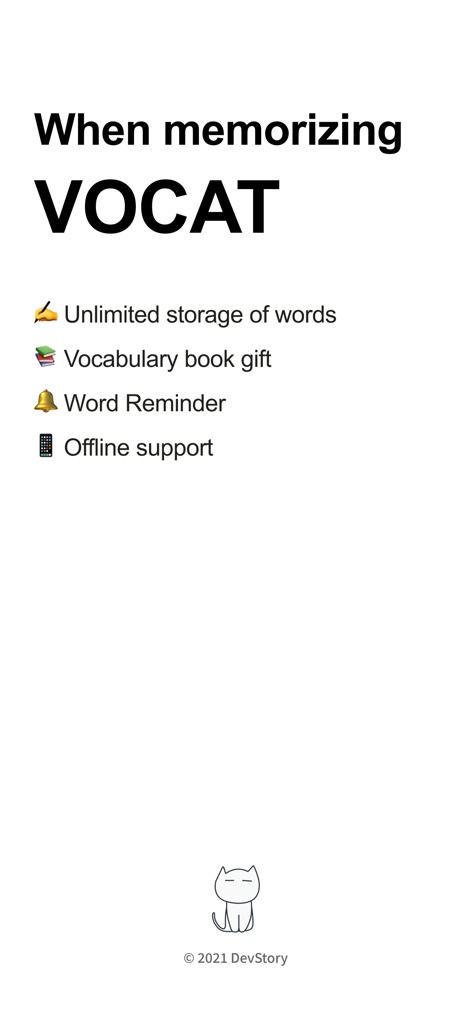
이 앱의 주요 이점을 한눈에 보여줍니다. 사용자는 단어 무제한 저장과 오프라인 지원 기능을 통해 학습 효율을 높일 수 있습니다.
VOCAT과 함께라면
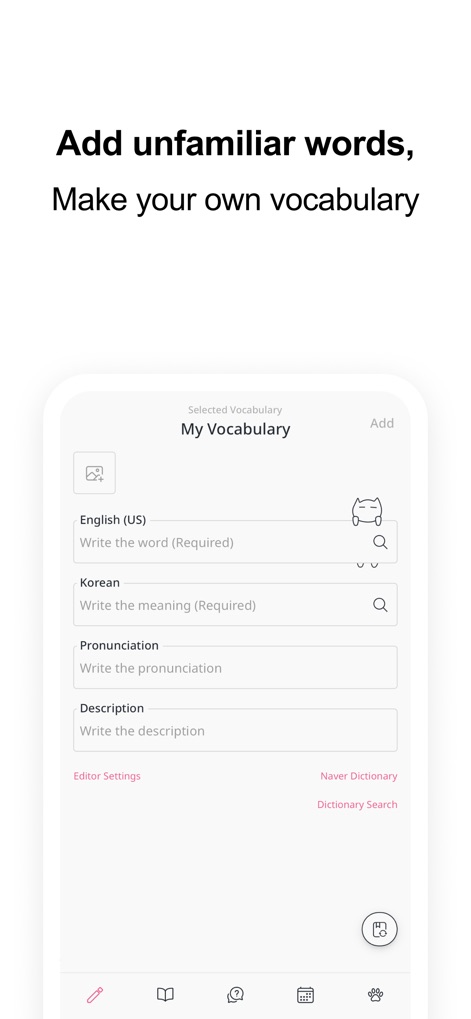
사용자가 새로운 단어를 손쉽게 추가할 수 있는 화면입니다. 영어 단어 입력 필드와 네이버 사전 검색 버튼을 통해 단어 추가의 편리함을 제공합니다.
나만의 단어장 생성
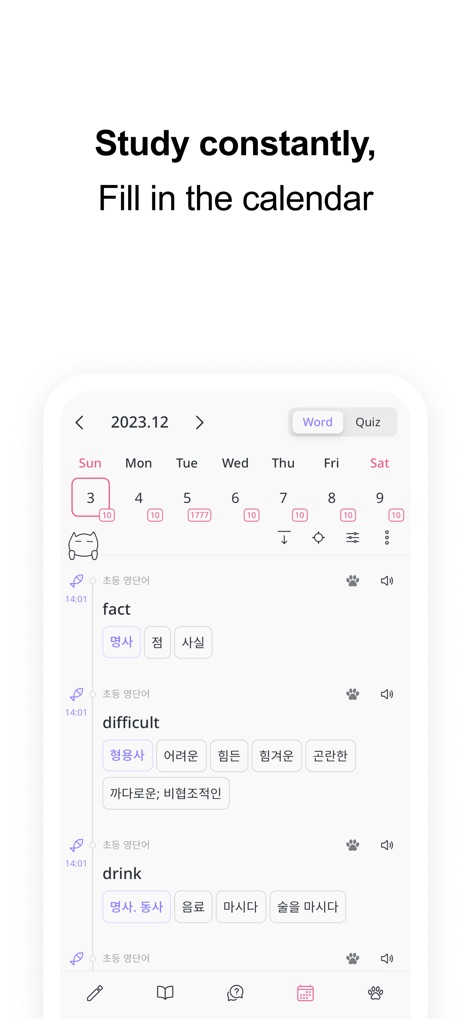
학습 진행 상황을 시각적으로 파악할 수 있는 달력 화면입니다. 사용자는 특정 날짜의 학습 단어 수 숫자 표시와 캘린더 아래 단어 항목 목록을 통해 학습 이력을 확인할 수 있습니다.
학습 기록 달력
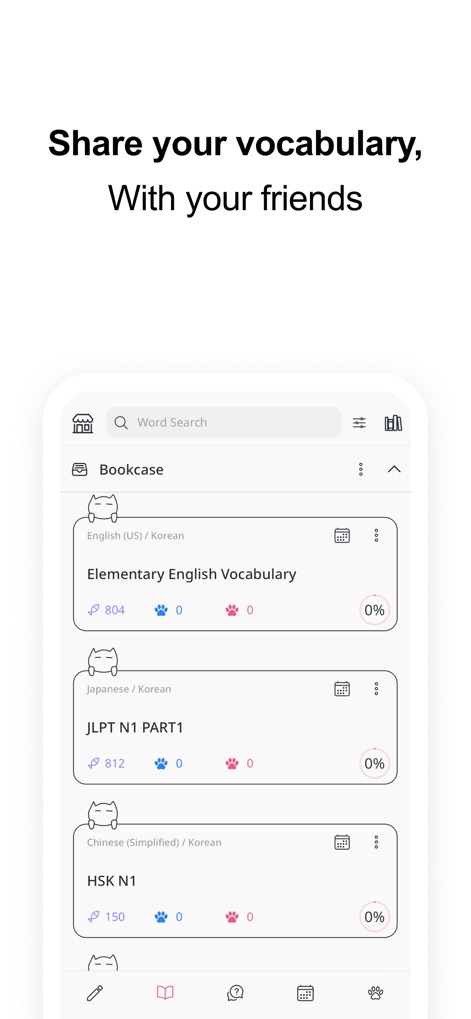
친구들과 함께 학습할 수 있도록 단어장을 공유하는 화면입니다. 영어/한국어 단어장 목록과 각 단어장의 학습 진행률(%)이 명확하게 표시됩니다.
단어장 공유 기능
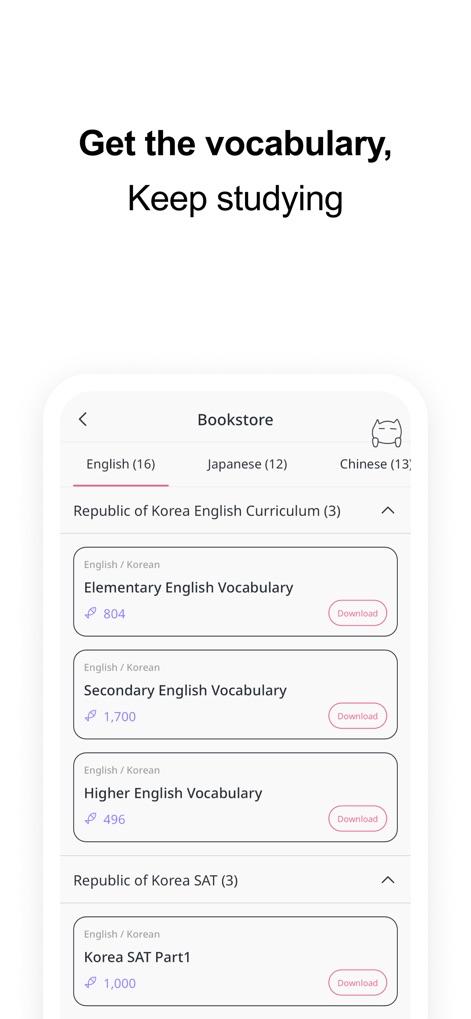
다양한 언어와 시험에 대비한 단어장을 제공하는 서점 화면입니다. 사용자는 'Elementary English Vocabulary'와 같은 준비된 단어 목록을 다운로드 버튼을 통해 쉽게 이용할 수 있습니다.
엄선된 단어장 제공
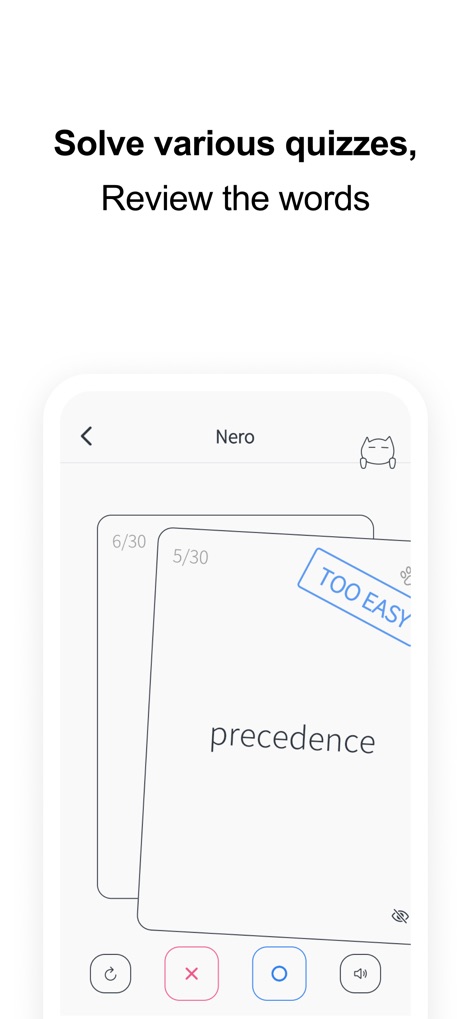
학습한 단어를 복습하는 퀴즈 화면입니다. 사용자는 'precedence'와 같은 단어 플래시카드와 'TOO EASY'와 같은 난이도 표시를 통해 효과적으로 학습할 수 있습니다.
다양한 퀴즈 모드
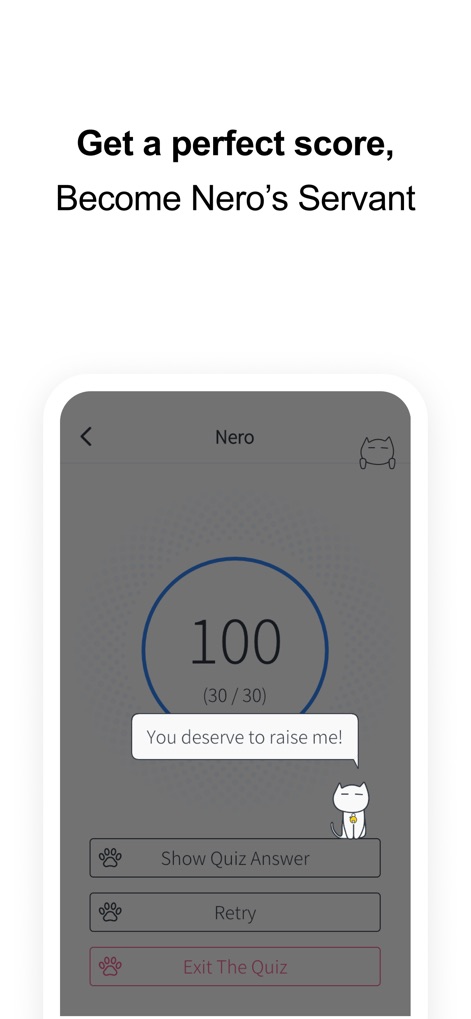
퀴즈 학습 결과를 보여주는 화면입니다. 사용자는 100점 만점 결과와 함께 퀴즈 정답 확인 및 재도전 버튼을 활용하여 학습을 마무리할 수 있습니다.
퀴즈 결과 및 보상
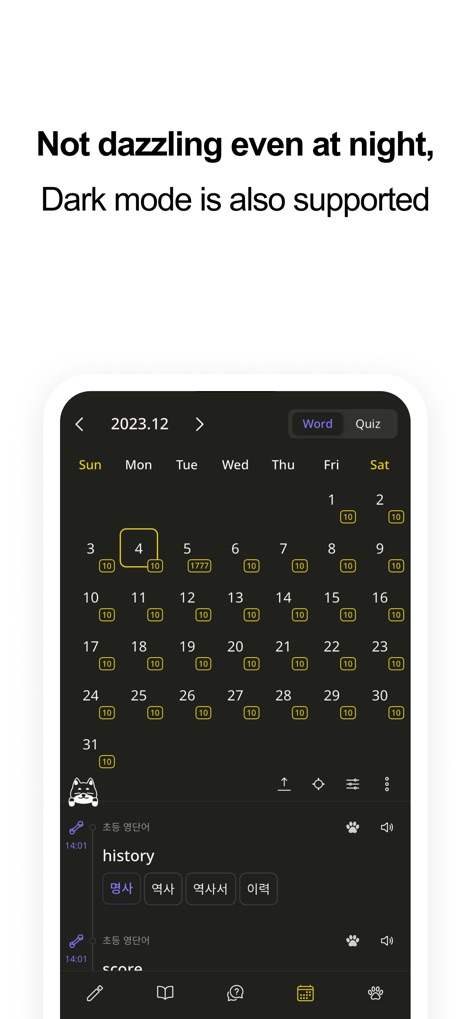
밤에도 눈의 피로 없이 학습할 수 있는 다크 모드 화면입니다. 달력의 날짜별 학습 현황과 'history'와 같은 단어 목록이 어두운 배경에서 명확히 보입니다.
야간 다크 모드
설명
Download
비슷한 앱
유사한 기능과 사용자 경험을 가진 앱
Periodic Table Quiz
Atlas Educational Software

The Bible Memory App
Millennial Apps, LLC

Cogni: Flashcards Learning
COGNIFLY LTD

墨墨记忆卡|考研考公考证外语学习闪卡
Guangzhou Quanliang Technology Co., Ltd.
RemNote - Notes & Flashcards
RemNote, LLC

GreenNote-Flashcards for memo
利颜 王

Flashcards maker - Easy to use
Yoshinobu Ikeda
MemoWord: My FlashCards Maker
Elena Tikhonova
Flashcard Hero
Rico Gundermann
이 페이지는 앱이나 개발자의 공식 페이지가 아니며, 정보 제공 및 논평을 목적으로 작성된 독립 편집 간행물입니다. 명시적으로 달리 언급되지 않는 한, 해당 앱이나 개발자는 MWM, Apple, Google Play, 앱 퍼블리셔 또는 앱 개발자와 제휴, 보증, 후원, 승인 또는 공식적으로 연결되어 있지 않으며, 이 페이지의 어떤 내용도 해당 앱이 MWM의 서비스를 사용하여 개발되었음을 의미하지 않습니다. 모든 상표, 로고, 스크린샷 및 기타 콘텐츠는 해당 소유자의 자산입니다.