Flip Sampler
Flip Sampler
다운로드: App Store

이 페이지는 앱이나 개발자의 공식 페이지가 아니며, 정보 제공 및 논평을 목적으로 작성된 독립 편집 간행물입니다. 명시적으로 달리 언급되지 않는 한, 해당 앱이나 개발자는 MWM, Apple, Google Play, 앱 퍼블리셔 또는 앱 개발자와 제휴, 보증, 후원, 승인 또는 공식적으로 연결되어 있지 않으며, 이 페이지의 어떤 내용도 해당 앱이 MWM의 서비스를 사용하여 개발되었음을 의미하지 않습니다. 모든 상표, 로고, 스크린샷 및 기타 콘텐츠는 해당 소유자의 자산입니다.


로고: Flip Sampler
다운로드: App Store

Flip Sampler

속도를 위해 설계된 마찰 없는 워크플로로 어떤 소리든 노래로 만들어 보세요. 손안에서 전문가 수준의 스템을 녹음, 시퀀싱, 내보낼 수 있습니다.

주요 수치

다운로드

215K+

사용자 평점

4.2/5

총 평가 수

700

개발사

Suture Sound Inc.

카테고리

Music

지원 언어

1

최신 버전

1.4.2

크기

184.4 MB

출시일

2020년 12월 1일
기능

주머니 속 프로 수준의 프로덕션

샘플링, 시퀀싱, 편곡을 위한 가장 직관적인 방법입니다. 영감이 떠오르는 순간을 포착하고 휴대폰을 떠나지 않고도 원시 사운드를 완성된 트랙으로 전환하세요.

무한한 샘플링 잠재력

기기 마이크에서 직접 녹음하거나 AirDrop을 통해 사운드를 가져와 몇 초 안에 사용자 지정 드럼 패드와 연주 가능한 키보드를 만드세요.

동적인 자동화 및 무작위성

노브 움직임을 녹음하거나 독립적인 자동화 레인을 사용하여 발전하는 폴리리듬 텍스처와 우연한 효과를 만들고 비트를 생생하게 만드세요.

다음 스크린샷과 설명은 앱의 공식 스토어 목록에서 직접 가져온 것이며 앱 개발자의 자산입니다.

앱 스토어

스크린샷
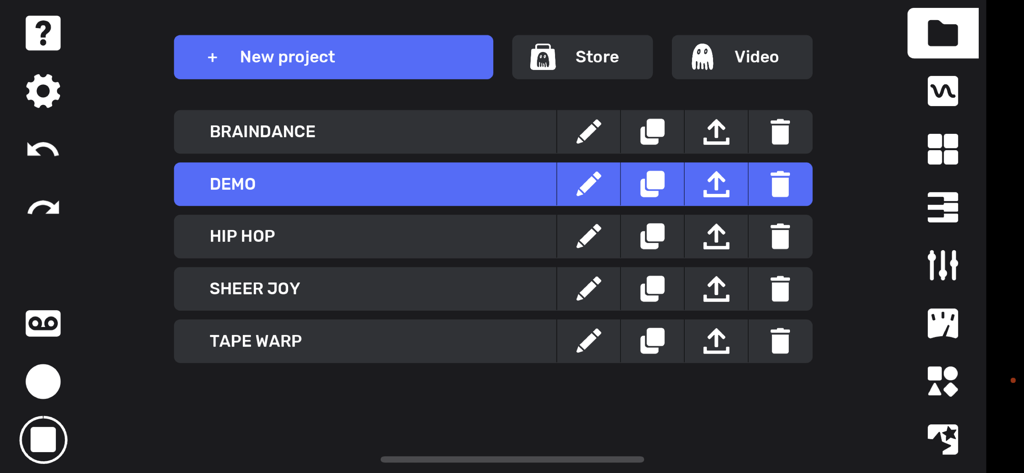
Flip Sampler - Flip Sampler의 프로젝트 관리 화면으로, 음악 트랙 목록과 창의적인 도구 아이콘이 표시됩니다.
Flip Sampler의 프로젝트 관리 화면으로, 음악 트랙 목록과 창의적인 도구 아이콘이 표시됩니다.

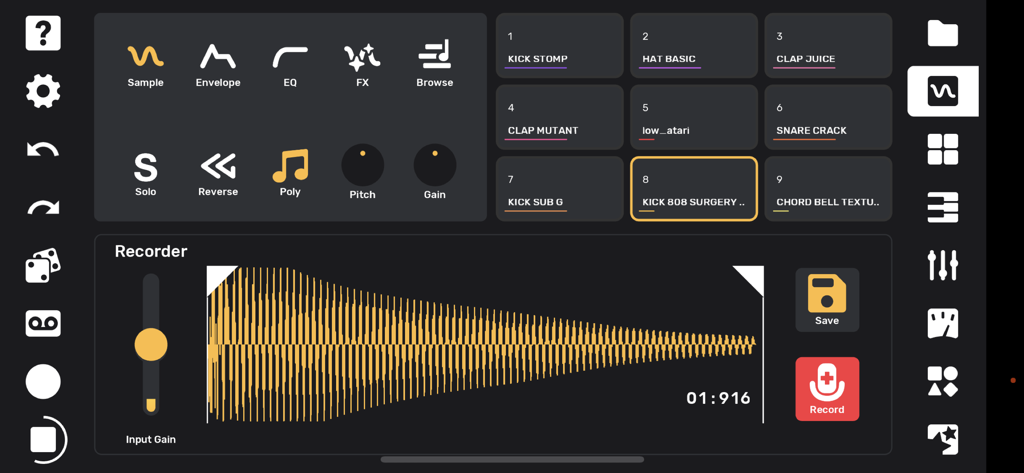
Flip Sampler - Flip Sampler 앱 인터페이스에 파형 표시와 음악 제작을 위한 드럼 패드가 있는 녹음기 화면이 표시됩니다.
Flip Sampler 앱 인터페이스에 파형 표시와 음악 제작을 위한 드럼 패드가 있는 녹음기 화면이 표시됩니다.

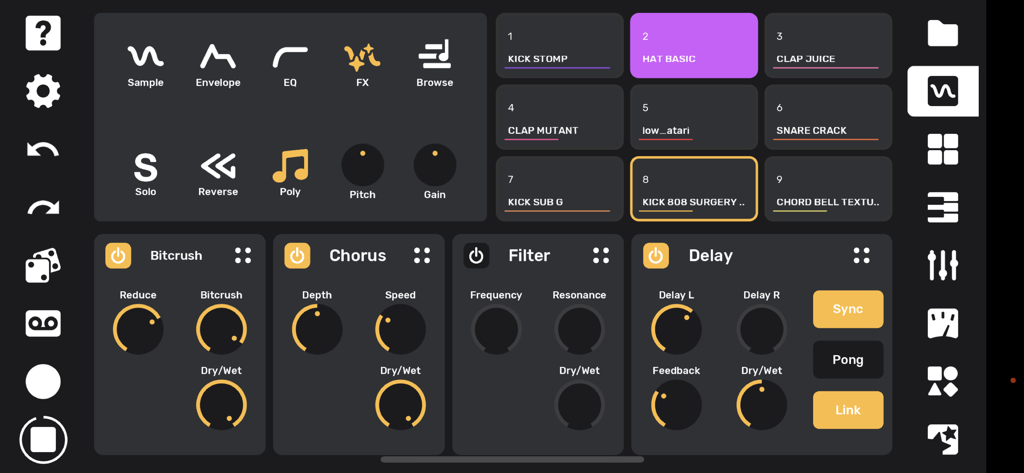
Flip Sampler - Flip Sampler 인터페이스에 9개의 드럼 패드와 비트크러셔 코러스 필터 딜레이용 오디오 이펙트 패널이 표시됩니다.
Flip Sampler 인터페이스에 9개의 드럼 패드와 비트크러셔 코러스 필터 딜레이용 오디오 이펙트 패널이 표시됩니다.

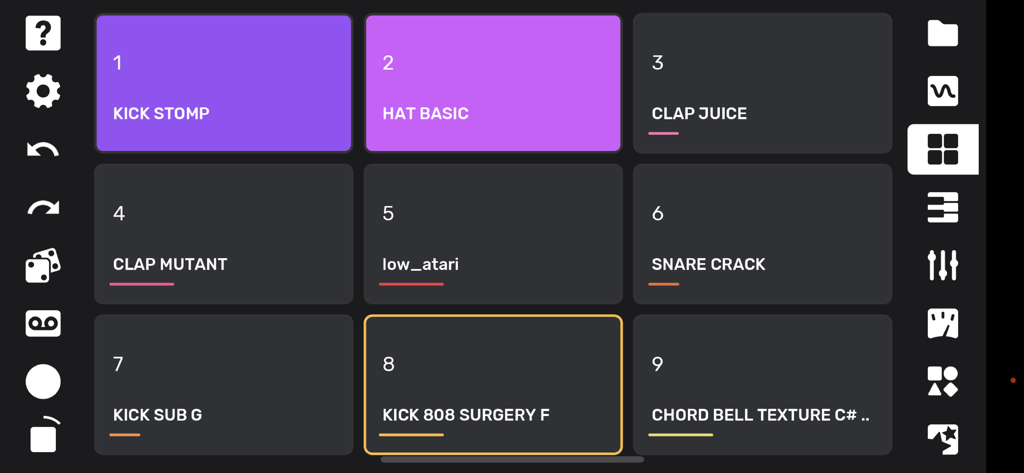
Flip Sampler - 레이블이 지정된 사운드 샘플이 있는 Flip Sampler 앱의 드럼 패드 인터페이스.
레이블이 지정된 사운드 샘플이 있는 Flip Sampler 앱의 드럼 패드 인터페이스.

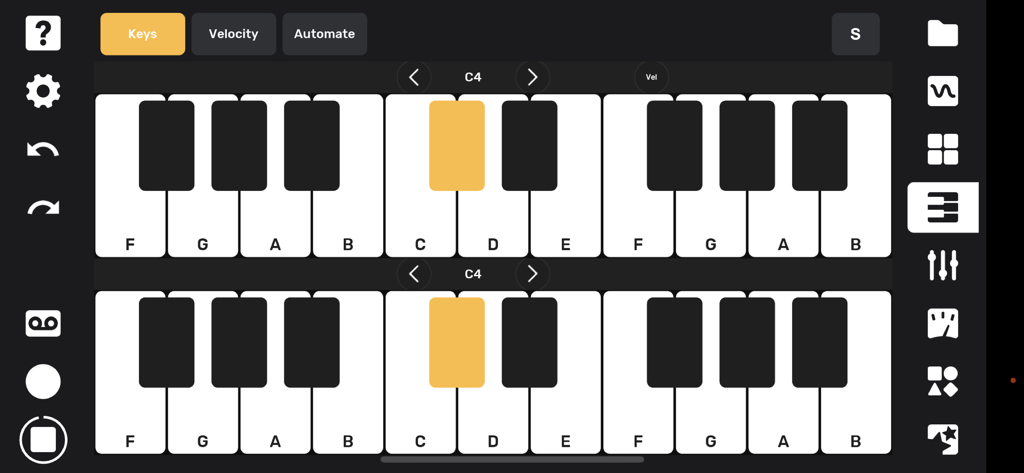
Flip Sampler - 멜로디 사운드를 연주하고 녹음하기 위한 Flip Sampler의 듀얼 피아노 키보드 인터페이스.
멜로디 사운드를 연주하고 녹음하기 위한 Flip Sampler의 듀얼 피아노 키보드 인터페이스.

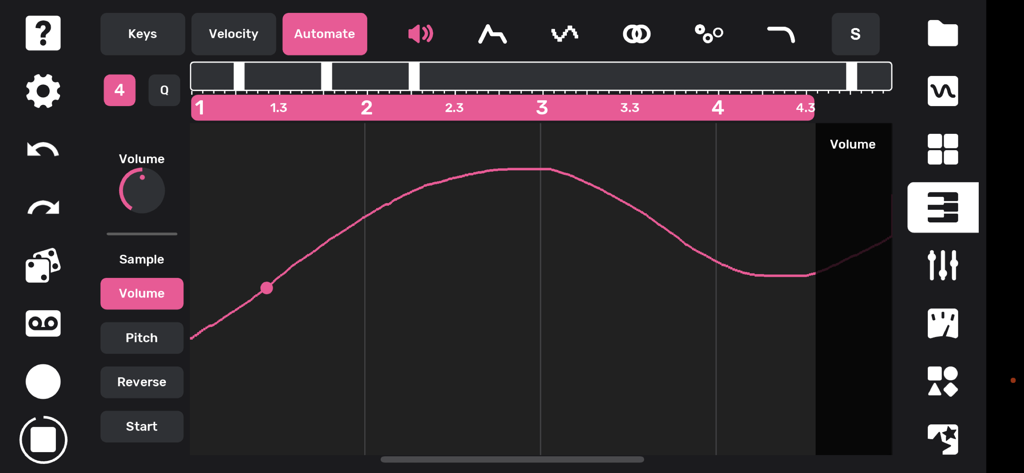
Flip Sampler - 음악 제작을 위한 분홍색 볼륨 자동화 곡선이 표시된 Flip Sampler 앱의 인터페이스.
음악 제작을 위한 분홍색 볼륨 자동화 곡선이 표시된 Flip Sampler 앱의 인터페이스.

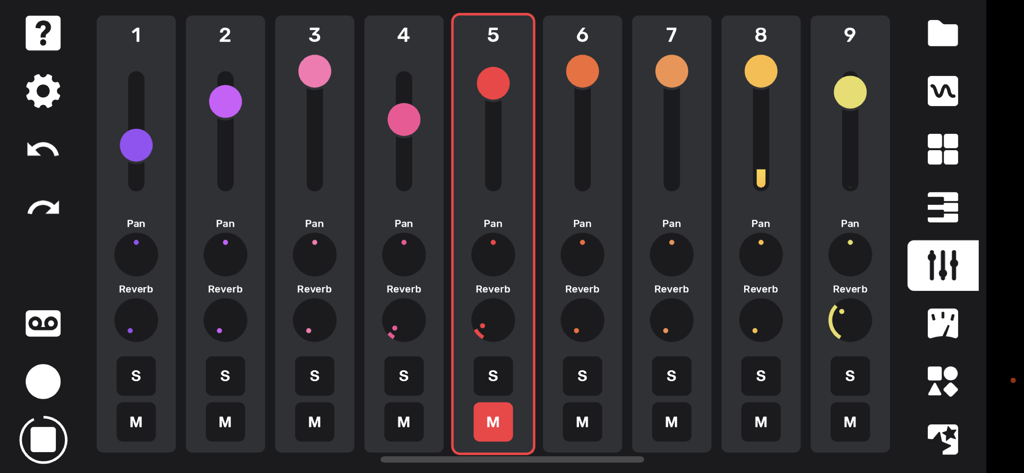
Flip Sampler - 팬 및 리버브 컨트롤용 볼륨 페이더와 노브가 있는 9트랙 믹서 인터페이스.
팬 및 리버브 컨트롤용 볼륨 페이더와 노브가 있는 9트랙 믹서 인터페이스.

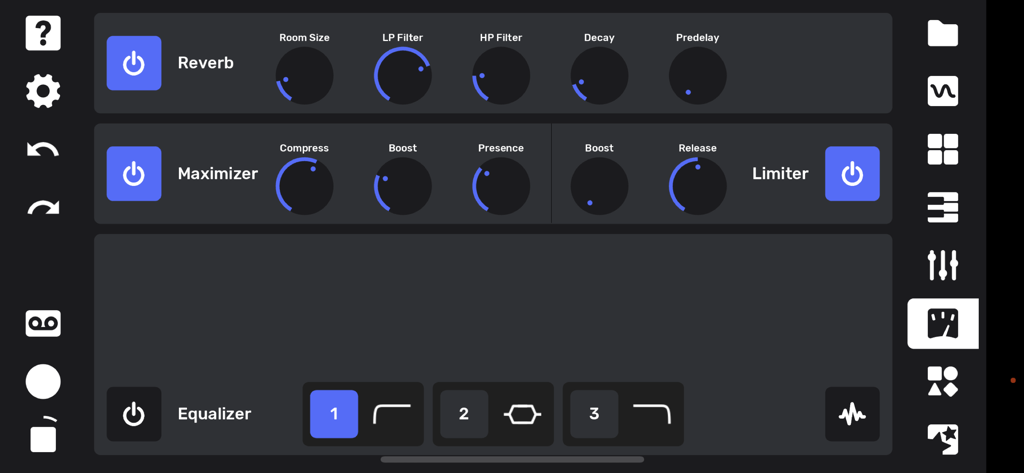
Flip Sampler - 리버브 맥시마이저 및 이퀄라이저 설정이 표시된 Flip Sampler 앱 인터페이스.
리버브 맥시마이저 및 이퀄라이저 설정이 표시된 Flip Sampler 앱 인터페이스.

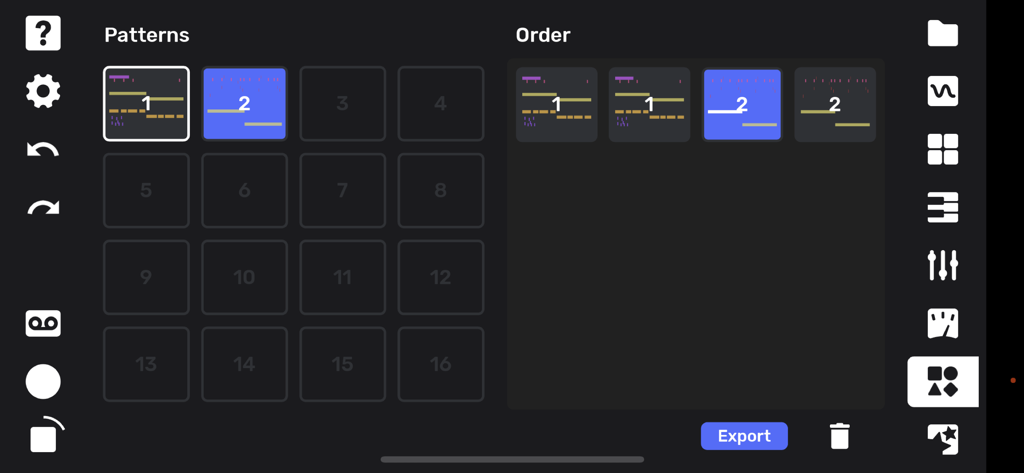
Flip Sampler - Flip Sampler 앱의 노래 편곡 및 패턴 시퀀싱 화면.

Flip Sampler 앱의 노래 편곡 및 패턴 시퀀싱 화면.

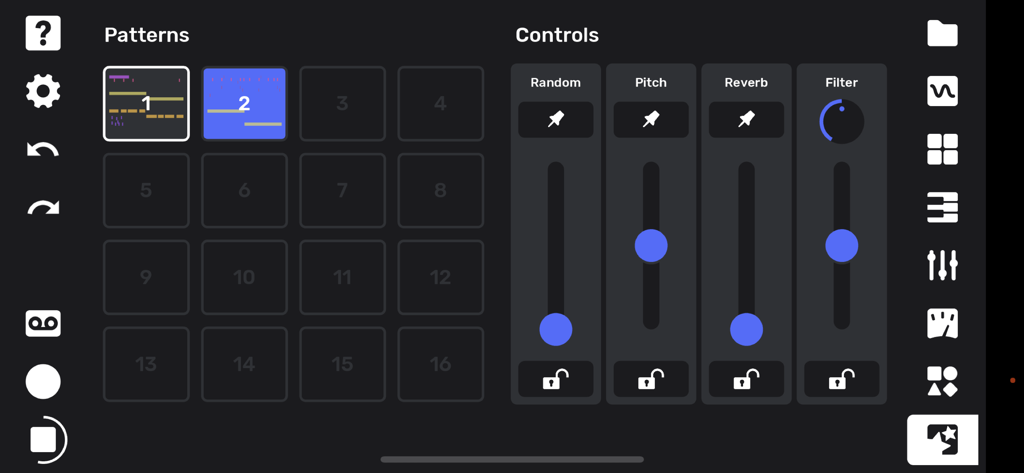
Flip Sampler - 피치 및 리버브와 같은 오디오 이펙트에 대한 패턴 그리드 및 슬라이딩 컨트롤이 표시된 Flip Sampler 앱 성능 화면.

피치 및 리버브와 같은 오디오 이펙트에 대한 패턴 그리드 및 슬라이딩 컨트롤이 표시된 Flip Sampler 앱 성능 화면.

설명

Flip is a sample-based mobile music studio that was designed for a fast and intuitive work flow. Import your own sounds via AirDrop or the Files app, or record sounds directly with your device's microphone or a connected iOS interface. As soon as you record a sound it’s available to be played on drum pads as well as being mapped across a keyboard. Sounds can be subtly shaped or entirely transformed using the built-in effects and easy-to-use editing tools. You can record a quantized or unquantized performance on the pads or keyboard. There is also a full piano roll where you can enter and edit notes and velocities. Record knob movements or draw automation by hand to bring even more life to your sounds. Every automation lane can also have its own independent length, for polymetric and generative music possibilities. Create up to 16 different sections for your song and drag and drop them into any order to create your arrangement. Mixing and mastering tools allow you to finish a full track without ever leaving your phone. You can export your full track, or hit the tape icon and record the live output of the app while you tweak anything on the fly. Both options allow you to capture individual track stems as well! A performance page lets you trigger your patterns live while controlling a global filter, assignable pitch bends and reverb sends, and a random fill generator. Artist packs are available in-app at $3.99 or less, which include original sounds and projects from Andrew Huang, Cuckoo, Chuck Sutton, Kilamanzego, Pusher, and more on the way all the time. Features: - 9 track sampler - 4 effects per track: Delay, Filter, Chorus, Bitcrush - Graphic EQ per track - Monophonic or up to 16-note polyphonic playback per sample - Adjustable pitch, volume, playback direction, sample start and stop points - Looping Envelope with forward, backward, both (ping pong) direction - 19 automatable parameters per track - Independent lengths for each automation lane - Automation can be recorded via knob movements or drawn by hand - Drum pad and keyboard input - Full piano roll with 10 octaves, note velocity, editing tools - Randomization over sample selection for quick inspiration - Randomization over note position to create surprising variations - Drag-and-drop song arrangement page - Global reverb with individual track sends - Mixing and mastering tools - Powerful performance features for creating instant fills, pitch shifts, reverb sends, and global low or high pass filtering - Export full track and stems - Live recording of performances - Metronome with tap tempo and swing/shuffle - Ableton Link integration for easy syncing with other devices over WiFi - Share projects and sounds via AirDrop, email, etc. - Undo and redo

Download

다운로드: App Store

이 페이지는 앱이나 개발자의 공식 페이지가 아니며, 정보 제공 및 논평을 목적으로 작성된 독립 편집 간행물입니다. 명시적으로 달리 언급되지 않는 한, 해당 앱이나 개발자는 MWM, Apple, Google Play, 앱 퍼블리셔 또는 앱 개발자와 제휴, 보증, 후원, 승인 또는 공식적으로 연결되어 있지 않으며, 이 페이지의 어떤 내용도 해당 앱이 MWM의 서비스를 사용하여 개발되었음을 의미하지 않습니다. 모든 상표, 로고, 스크린샷 및 기타 콘텐츠는 해당 소유자의 자산입니다.