Flowchart AI

Flowchart AI

다운로드: App Store다운로드: Google Play
로고: Flowchart AI

Flowchart AI: 아이디어를 몇 초 만에 전문적인 다이어그램으로 변환

수동 레이아웃에 시간을 낭비하지 마세요. 프로세스를 설명하면 AI가 즉시 세련된 순서도, 프로젝트 맵, 워크플로우를 생성합니다. 등록이 필요 없으며 현대적인 전문가를 위한 순수한 생산성만 제공합니다.

개발사

YUKI TANAIKE

카테고리

Business

다운로드

6K+

사용자 평점

1.0/5

총 평가 수

0

지원 언어

2

실행 중인 효율성

이 인터페이스를 사용하는 6K+ 명의 사용자.

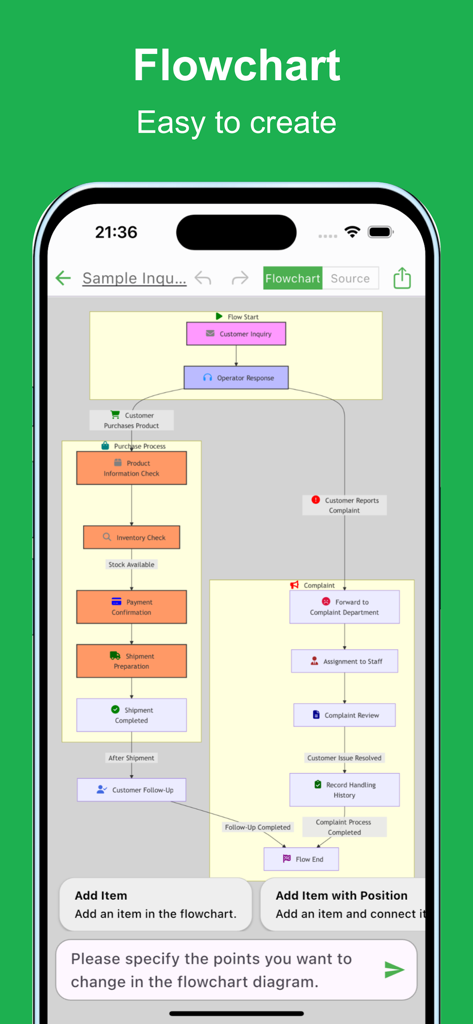
구매 및 불만 처리 과정을 보여주는 Flowchart AI 모바일 앱 인터페이스에 표시된 복잡한 비즈니스 순서도
구매 및 불만 처리 과정을 보여주는 Flowchart AI 모바일 앱 인터페이스에 표시된 복잡한 비즈니스 순서도

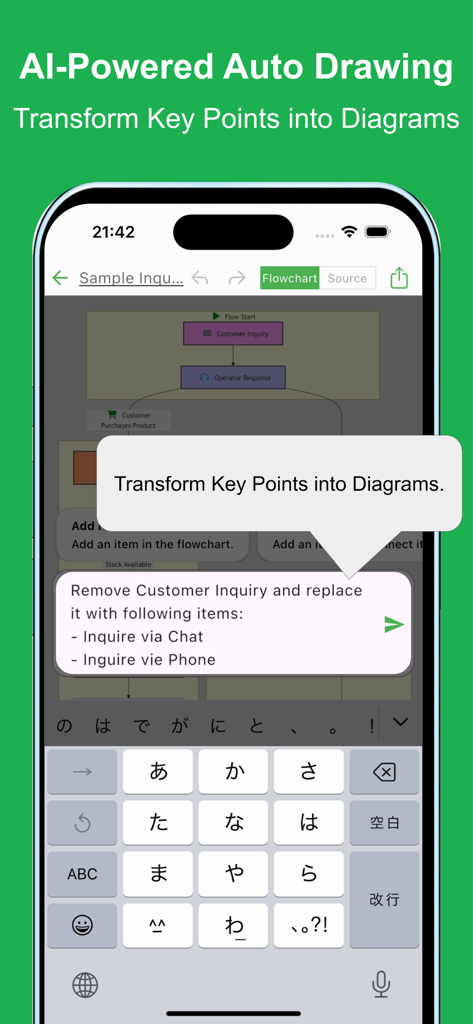
텍스트 프롬프트에서 AI 기반 자동 순서도 생성을 보여주는 모바일 앱 인터페이스.
텍스트 프롬프트에서 AI 기반 자동 순서도 생성을 보여주는 모바일 앱 인터페이스.

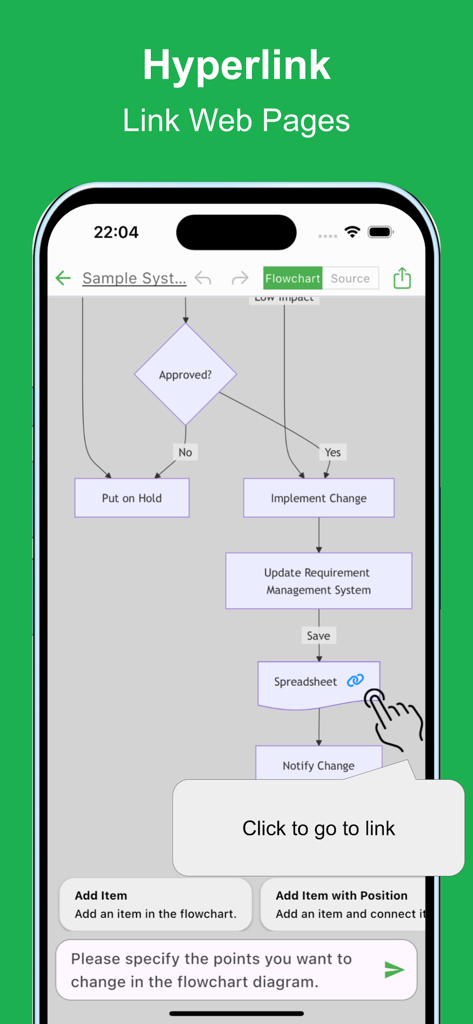
스프레드시트로의 하이퍼링크와 링크 이동을 위한 클릭 툴팁이 있는 순서도를 보여주는 모바일 앱 인터페이스
스프레드시트로의 하이퍼링크와 링크 이동을 위한 클릭 툴팁이 있는 순서도를 보여주는 모바일 앱 인터페이스

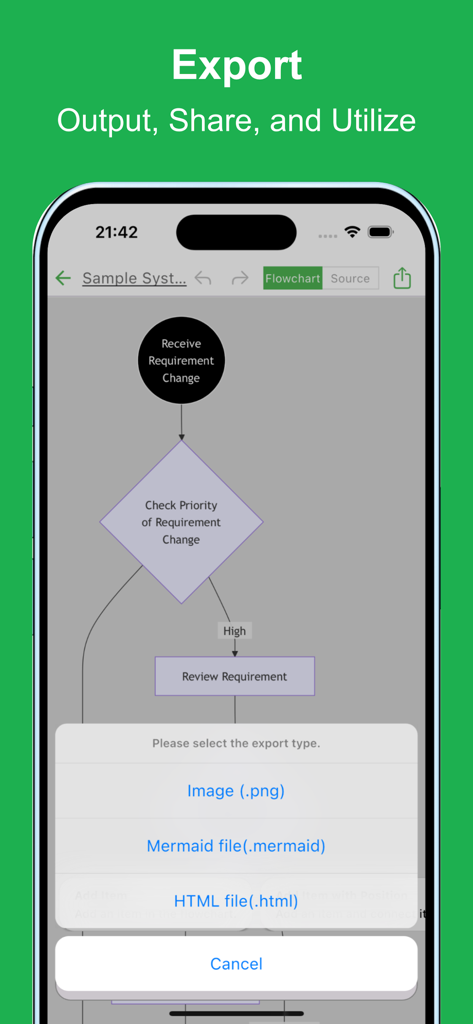
이미지, Mermaid 파일 또는 HTML 파일로 저장하는 옵션을 표시하는 Flowchart AI 앱 내보내기 메뉴.
이미지, Mermaid 파일 또는 HTML 파일로 저장하는 옵션을 표시하는 Flowchart AI 앱 내보내기 메뉴.

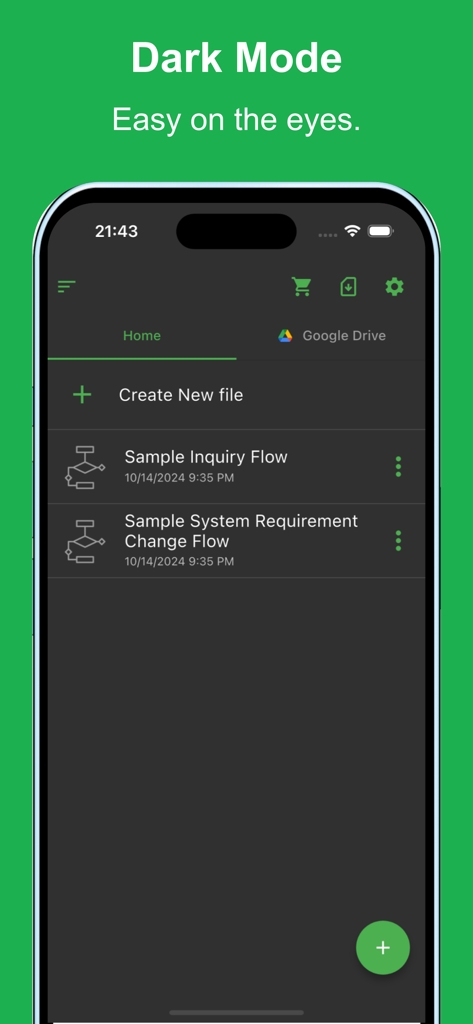
다크 모드 테마와 저장된 순서도 파일 목록을 보여주는 Flowchart AI 모바일 앱 인터페이스.

다크 모드 테마와 저장된 순서도 파일 목록을 보여주는 Flowchart AI 모바일 앱 인터페이스.

현대 전문가를 위해 제작됨

이 앱을 돋보이게 하는 도구, 6K+ 명의 사용자가 선택.

🤖

AI 기반 자동화

생성 AI 기술을 사용하여 거친 개요를 즉시 구조화된 다이어그램으로 변환합니다.

🚀

마찰 없는 진입

등록 과정을 건너뛰세요. 앱을 열고 장벽 없이 즉시 생성을 시작하세요.

💻

개발자 준비 도구

Mermaid 표기법으로 내보내고 Google Drive를 통해 동기화하여 전문적이고 크로스 디바이스 워크플로우를 만드세요.

앱 소개

에 대해 알아야 할 모든 것 Flowchart AI.

설명

Creating flowcharts is crucial for organizing and visualizing processes. However, making a flowchart can be time-consuming and tedious. With this app, you can create flowcharts effortlessly using the latest AI technology. Simply describe the process you want, and the AI will automatically generate the chart. Flowchart visualization plays an important role in organizing complex ideas and ensuring that all stakeholders are on the same page. Flowcharts are used in various scenarios across industries, but the creation process can often be labor-intensive. With this app, you can generate flowcharts quickly and efficiently. Even with a rough outline, the app will automatically generate a flowchart, and you can make detailed adjustments as needed. It is used in various situations such as: - Optimizing and visualizing business processes - Managing and sharing project progress - Designing sales processes and workflows - Structuring customer support and service operations - Planning and managing projects from conception to execution - Managing new product or service launch processes - Visualizing budget planning and funding processes - Organizing internal approval flows and decision-making processes - Creating training programs and operational manuals - Planning and executing marketing strategies Please try it out whenever you need to create a flowchart. [Features] - Intuitive operability Ease of use is the most important factor. It runs smoothly, and you can intuitively edit your maps. - Ready to use You can use it immediately without registering an account. - Multi-device support It supports Google Drive integration, allowing seamless editing across multiple devices. - Export and Share You can export and share your Flowchart, and even edit them on a PC. - Import Exported files can be imported and edited. - Text-based editing Edit your Flowchart directly using Mermaid notation. - Dark theme support Since it supports a dark theme, it is also ideal for use at night.

최신 버전

2.1.13

크기

62.8 MB

출시일

2024년 10월 14일

그리기 중단. AI로 흐름 시작.

프로세스를 시각화하는 가장 빠른 방법을 경험하세요. 등록이 필요 없으며 지금 다운로드하여 거친 아이디어를 즉시 전문적인 순서도로 변환하세요.

다운로드: App Store다운로드: Google Play

App information, icons, screenshots, and descriptions displayed on this page are sourced from the Apple App Store and are the property of their respective developers. Download estimates and rankings are based on MWM's proprietary models and may not reflect actual figures. This page is provided for informational and analytical purposes only.

Believe this page infringes your intellectual property? File a dispute