FontStack
FontStack
다운로드: App Store

이 페이지는 앱이나 개발자의 공식 페이지가 아니며, 정보 제공 및 논평을 목적으로 작성된 독립 편집 간행물입니다. 명시적으로 달리 언급되지 않는 한, 해당 앱이나 개발자는 MWM, Apple, Google Play, 앱 퍼블리셔 또는 앱 개발자와 제휴, 보증, 후원, 승인 또는 공식적으로 연결되어 있지 않으며, 이 페이지의 어떤 내용도 해당 앱이 MWM의 서비스를 사용하여 개발되었음을 의미하지 않습니다. 모든 상표, 로고, 스크린샷 및 기타 콘텐츠는 해당 소유자의 자산입니다.

로고: FontStack
다운로드: App Store

FontStack

모바일 DAW에서 90년대의 상징적인 사운드를 되살리세요. 최대 4개의 SF2 사운드폰을 레이어링하고, 복잡한 키보드 분할을 만들고, 프로급 성능으로 디스크에서 대규모 라이브러리를 직접 스트리밍하세요.

주요 수치

다운로드

2K+

사용자 평점

5.0/5

총 평가 수

0

개발사

Limelight Software

카테고리

Music

지원 언어

1

최신 버전

1.06

크기

308.3 MB

출시일

2025년 4월 1일
기능

샘플링의 황금기를 되살리세요

차세대 프로듀서를 위해 설계된 강력한 AUv3 플러그인으로 90년대 사운드폰의 전설적인 거친 질감을 최신 모바일 DAW로 가져오세요.

4계층 멀티 팀버 스태킹

4개의 별도 사운드폰을 레이어링하거나 정밀한 키보드 분할을 생성하여 맞춤형 성능 설정을 위해 방대하고 복잡한 텍스처를 만드세요.

고성능 디스크 스트리밍

iPad의 RAM을 소모하지 않고 기가바이트의 빈티지 악기를 로드하여 창의적인 워크플로우를 유연하고 충돌 없이 유지하세요.

다음 스크린샷과 설명은 앱의 공식 스토어 목록에서 직접 가져온 것이며 앱 개발자의 자산입니다.

앱 스토어

스크린샷
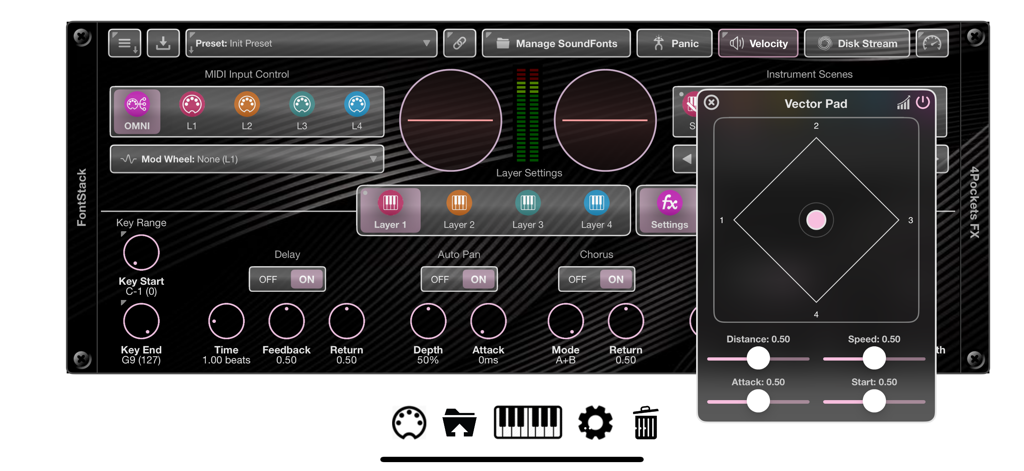
FontStack - 사운드 레이어 컨트롤과 플로팅 벡터 패드 창을 보여주는 FontStack 앱 인터페이스
사운드 레이어 컨트롤과 플로팅 벡터 패드 창을 보여주는 FontStack 앱 인터페이스

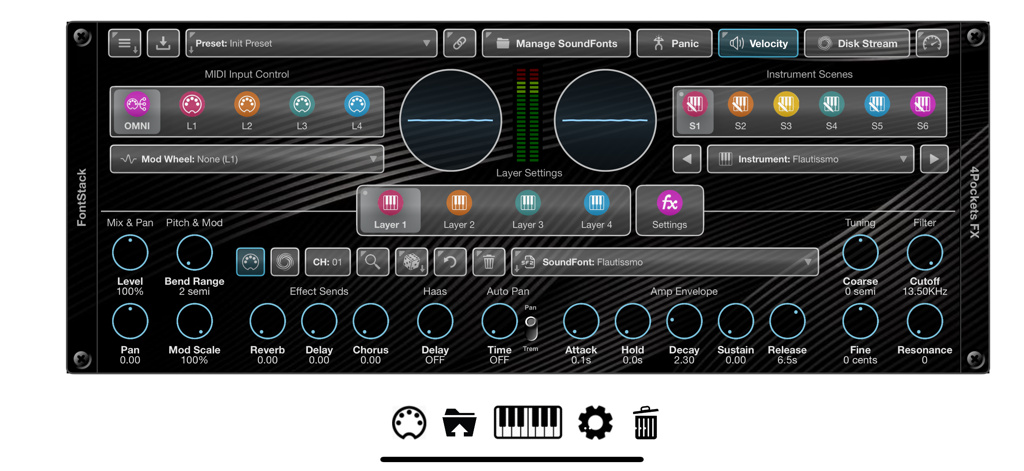
FontStack - MIDI 입력, 레이어 설정 및 사운드 변조 컨트롤을 보여주는 iOS용 FontStack AUv3 플러그인의 메인 사용자 인터페이스
MIDI 입력, 레이어 설정 및 사운드 변조 컨트롤을 보여주는 iOS용 FontStack AUv3 플러그인의 메인 사용자 인터페이스

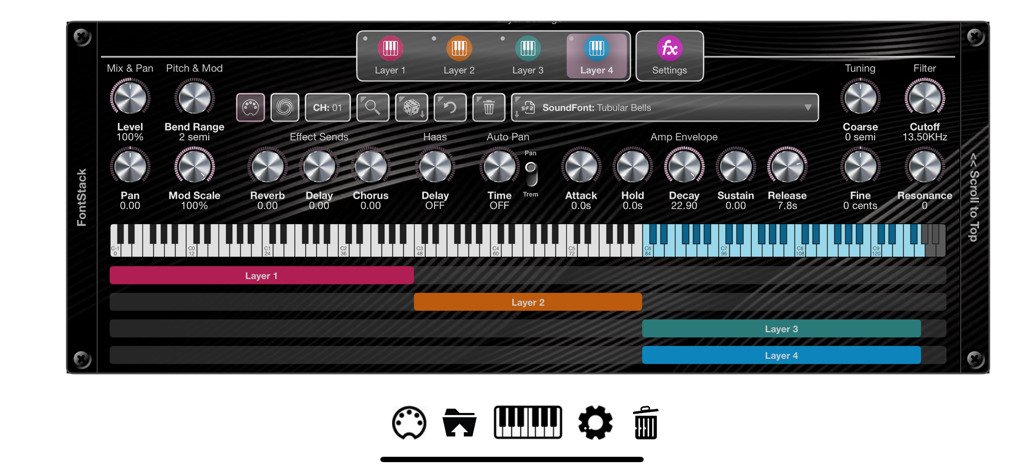
FontStack - 키보드 분할 범위와 오디오 제어 노브가 있는 네 개의 레이어 사운드폰을 보여주는 FontStack 앱 인터페이스
키보드 분할 범위와 오디오 제어 노브가 있는 네 개의 레이어 사운드폰을 보여주는 FontStack 앱 인터페이스

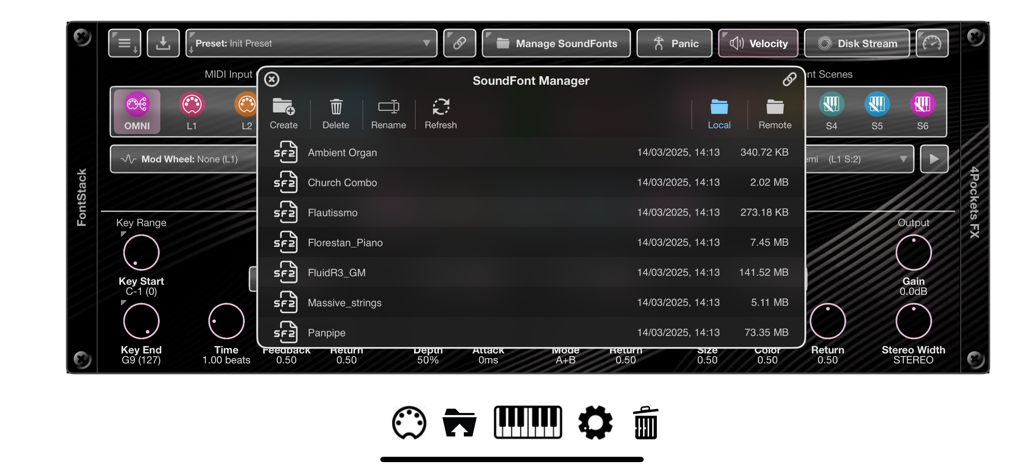
FontStack - SF2 사운드 파일 목록이 있는 사운드폰 관리자 창을 보여주는 FontStack 앱 인터페이스
SF2 사운드 파일 목록이 있는 사운드폰 관리자 창을 보여주는 FontStack 앱 인터페이스

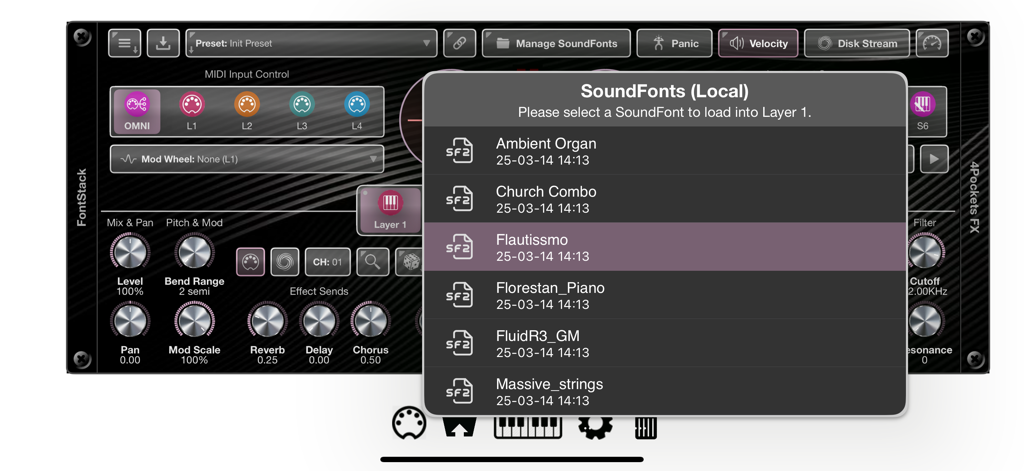
FontStack - FontStack iOS 음악 앱 인터페이스에서 SF2 사운드폰 악기 선택

FontStack iOS 음악 앱 인터페이스에서 SF2 사운드폰 악기 선택

설명

FontStack is a 'fontastic' new AUv3 plugin for iOS which can be loaded into your favourite DAW allowing you to utilise all those wonderful and nostalgic SF2 SoundFonts you've collected over the years. The SoundFont standard was created back in the early 90s, and made famous by the SoundBlaster series of sound cards. With the introduction of the Amiga, it spawned a host of musical creation tools called Trackers, which allowed the Amiga to load these SoundFonts and create sophisticated musical scores of 4 or 8 tracks. These days we don't use this standard so much, but there is a wealth of free SF2 files available on the internet just waiting to be loaded into FontStack. A SoundFont comprises a file with an .sf2 file extension. This file contains a set of samples, instruments, and presets. FontStack enables you to load one or more SoundFonts into its 4 layers, and use them in lots of creative ways. You can stack layers to create a rich combination of multiple tones, or assign each layer its own key range on the keyboard to create virtual splits, or a mixture of the two. Each layer can also be assigned its own MIDI channel for true OMNI mode. One great feature of FontStack is its ability to cache all your SoundFonts and the instruments they contain. This allows quick searching for specific instrument types without the need to physically search through SoundFonts to find them. Another great feature is the ability to optionally link to a remote folder containing a global set of SoundFonts, so that they can be shared between apps. Both internal and external SoundFonts and their instruments will be cached and searching is just as easy as it is using internal SoundFonts. FontStack features: ○ 4 SoundFont Layers which can be stacked, layered or played on different channels. ○ 6 Scenes per Layer containing different SoundFont instruments and settings. ○ Keyboard Splits can be created spreading multiple SoundFonts over a single keyboard. ○ SoundFont Stacks can be created, stacking multiple SoundFonts to produce a bigger, thicker sound. ○ Disk Streaming allows you to stream a SoundFont directly from disk saving physical memory. ○ File Manager allowing local and remote file management. ○ Symbolic Link allows you to specify a remote/external folder from which to access your SoundFonts. ○ Instrument Search allows you to search the content of local and remote SoundFonts folders. ○ Drag and Drop your sound fonts directly into the SoundFont Manager. ○ Reverb, Delay & Chorus effects can be applied to each instrument layer. ○ Haas and Stereo Width can be used to simulate virtual STEREO on SoundFonts with MONO samples. ○ Allows direct control of the SoundFonts Amp Envelope and Filter settings.

Download

다운로드: App Store

이 페이지는 앱이나 개발자의 공식 페이지가 아니며, 정보 제공 및 논평을 목적으로 작성된 독립 편집 간행물입니다. 명시적으로 달리 언급되지 않는 한, 해당 앱이나 개발자는 MWM, Apple, Google Play, 앱 퍼블리셔 또는 앱 개발자와 제휴, 보증, 후원, 승인 또는 공식적으로 연결되어 있지 않으며, 이 페이지의 어떤 내용도 해당 앱이 MWM의 서비스를 사용하여 개발되었음을 의미하지 않습니다. 모든 상표, 로고, 스크린샷 및 기타 콘텐츠는 해당 소유자의 자산입니다.







