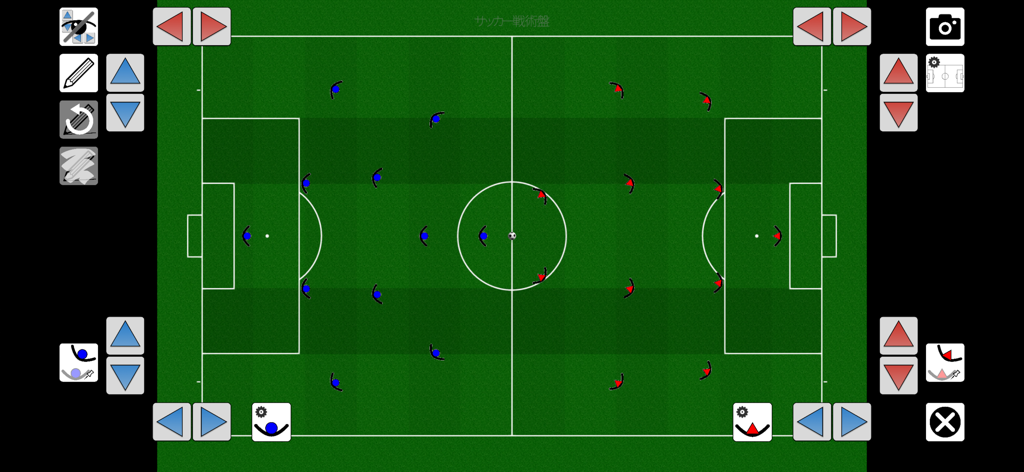
Football Tactics Board
다운로드: App Store

이 페이지는 앱이나 개발자의 공식 페이지가 아니며, 정보 제공 및 논평을 목적으로 작성된 독립 편집 간행물입니다. 명시적으로 달리 언급되지 않는 한, 해당 앱이나 개발자는 MWM, Apple, Google Play, 앱 퍼블리셔 또는 앱 개발자와 제휴, 보증, 후원, 승인 또는 공식적으로 연결되어 있지 않으며, 이 페이지의 어떤 내용도 해당 앱이 MWM의 서비스를 사용하여 개발되었음을 의미하지 않습니다. 모든 상표, 로고, 스크린샷 및 기타 콘텐츠는 해당 소유자의 자산입니다.

로고: Football Tactics Board
다운로드: App Store

Football Tactics Board

11v11부터 풋살까지, 엘리트 포메이션을 설계하고 팀과 명확한 전략을 공유하세요. 현대 코치와 경쟁력 있는 선수들을 위한 가장 다재다능한 디지털 보드로 클립보드를 교체하세요.

주요 수치

다운로드

19K+

사용자 평점

4.7/5

총 평가 수

0

개발사

Ryo Masuda

카테고리

Sports

지원 언어

7

최신 버전

1.6.0

크기

122.5 MB

출시일

2022년 12월 29일
기능

프로 수준의 전술로 피치를 마스터하세요

7v7 유소년 경기부터 11인제 챔피언십까지, 풋볼 전술 보드는 전략을 시각화하고, 플레이를 분석하며, 팀을 승리로 이끌 수 있는 도구를 정밀하게 제공합니다.

고급 전술 그리기

정밀한 화살표, 베지어 곡선, 5레인 오버레이를 사용하여 복잡한 포지셔널 플레이와 공간 이동을 전문적인 명확성으로 설명하세요.

모든 게임 형식에 맞게 제작됨

7v7, 9v9, 11v11 또는 풋살 레이아웃 간에 원활하게 전환하세요. 미국 유소년 개발 경로 및 실내 비시즌을 따르기에 완벽합니다.

다음 스크린샷과 설명은 앱의 공식 스토어 목록에서 직접 가져온 것이며 앱 개발자의 자산입니다.

앱 스토어

스크린샷
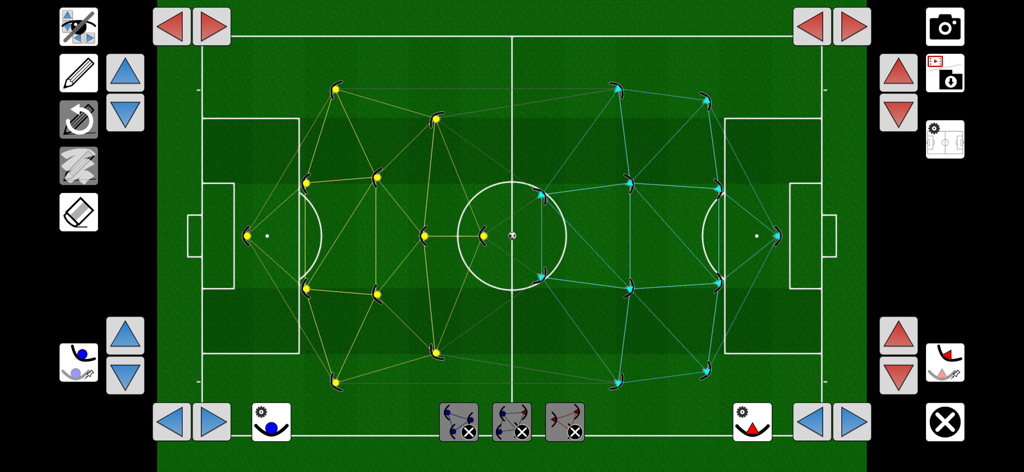
Football Tactics Board - 디지털 풋볼 전술 보드에 녹색 필드에 플레이어 포지셔닝 메쉬가 표시됨
디지털 풋볼 전술 보드에 녹색 필드에 플레이어 포지셔닝 메쉬가 표시됨

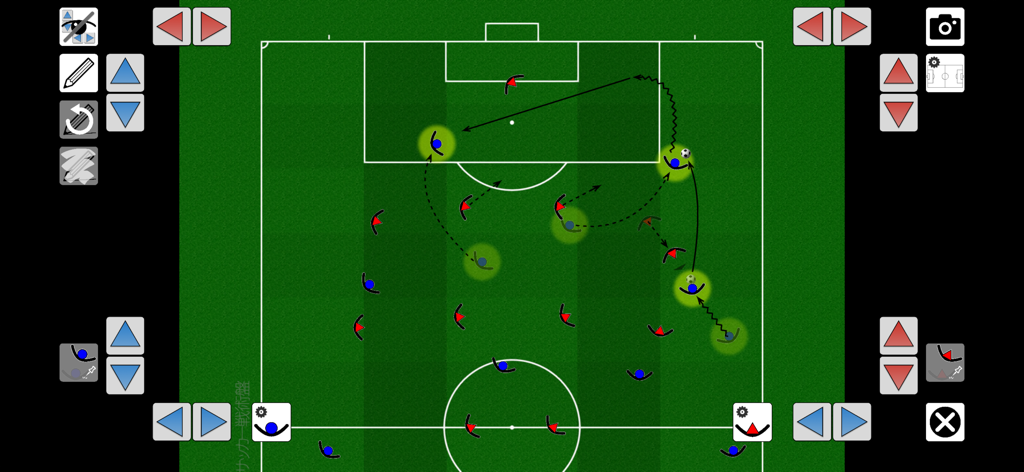
Football Tactics Board - 녹색 필드에 플레이어 움직임과 전략 화살표가 표시되는 디지털 축구 전술 보드 앱
녹색 필드에 플레이어 움직임과 전략 화살표가 표시되는 디지털 축구 전술 보드 앱

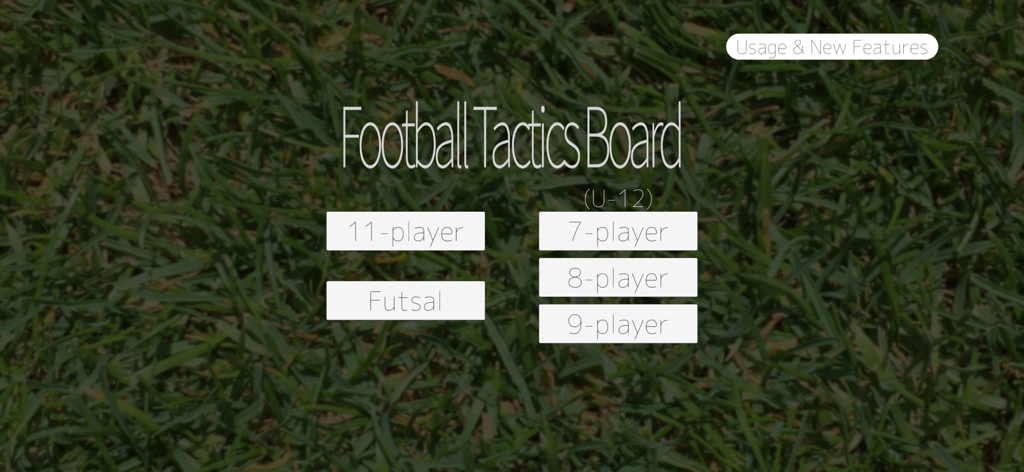
Football Tactics Board - 게임 모드 선택이 있는 풋볼 전술 보드 앱 홈 화면

게임 모드 선택이 있는 풋볼 전술 보드 앱 홈 화면

Football Tactics Board - 녹색 잔디밭에 빨간색과 파란색 플레이어가 표시되는 디지털 축구 전술 보드, 전략적 포메이션 표시
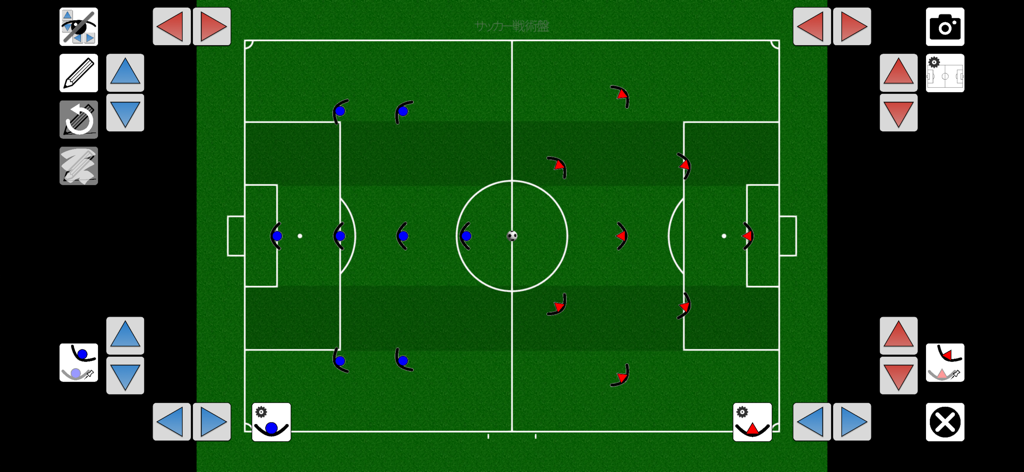
녹색 잔디밭에 빨간색과 파란색 플레이어가 표시되는 디지털 축구 전술 보드, 전략적 포메이션 표시

Football Tactics Board - 파란색과 빨간색 플레이어 포메이션이 있는 5레인 경기장 레이아웃을 보여주는 디지털 풋볼 전술 보드
파란색과 빨간색 플레이어 포메이션이 있는 5레인 경기장 레이아웃을 보여주는 디지털 풋볼 전술 보드

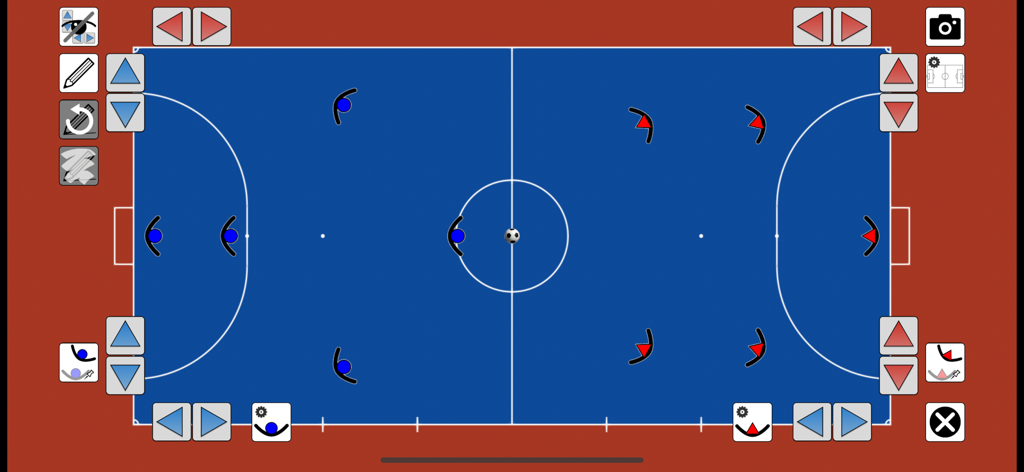
Football Tactics Board - 파란색 실내 코트에서 플레이어 포메이션을 보여주는 디지털 풋살 전술 보드
파란색 실내 코트에서 플레이어 포메이션을 보여주는 디지털 풋살 전술 보드

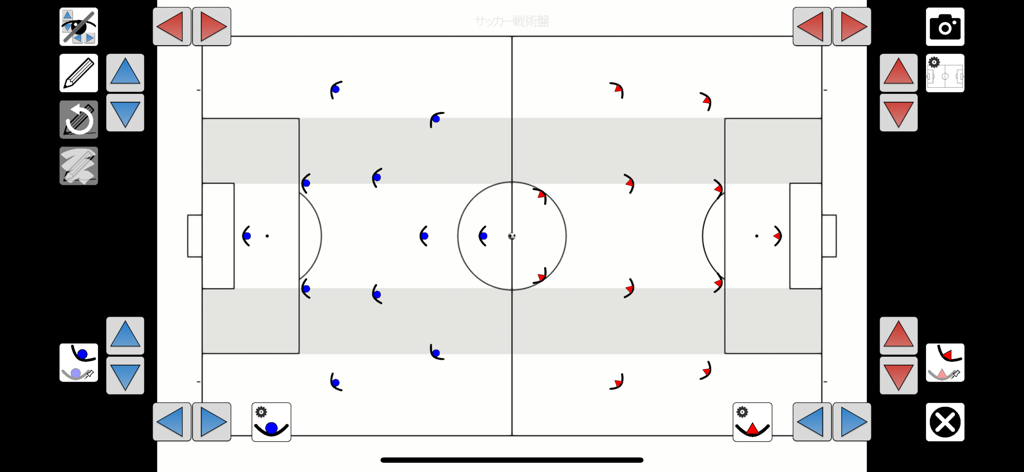
Football Tactics Board - 흰색 축구 경기장에 플레이어 위치와 전술 구역을 보여주는 풋볼 전술 보드 앱
흰색 축구 경기장에 플레이어 위치와 전술 구역을 보여주는 풋볼 전술 보드 앱

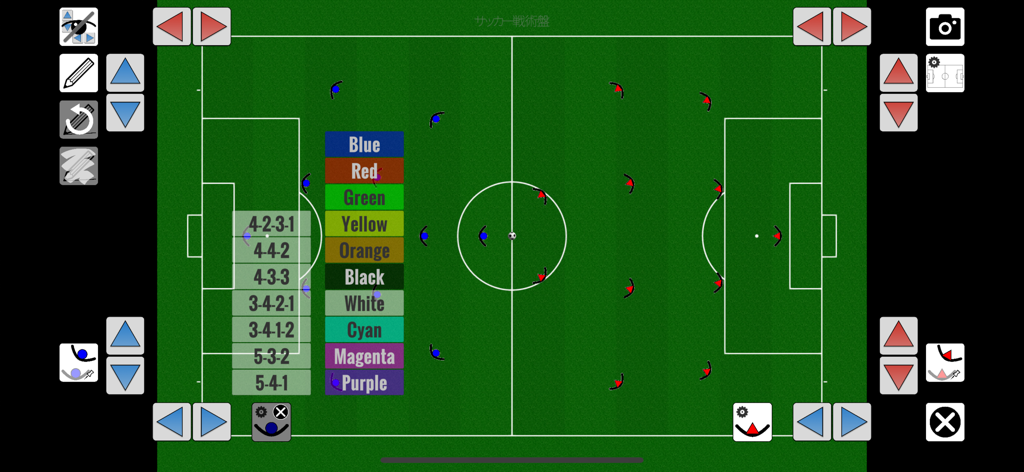
Football Tactics Board - 녹색 경기장에서 팀 포메이션과 색상 선택 메뉴를 보여주는 디지털 축구 전술 보드
녹색 경기장에서 팀 포메이션과 색상 선택 메뉴를 보여주는 디지털 축구 전술 보드

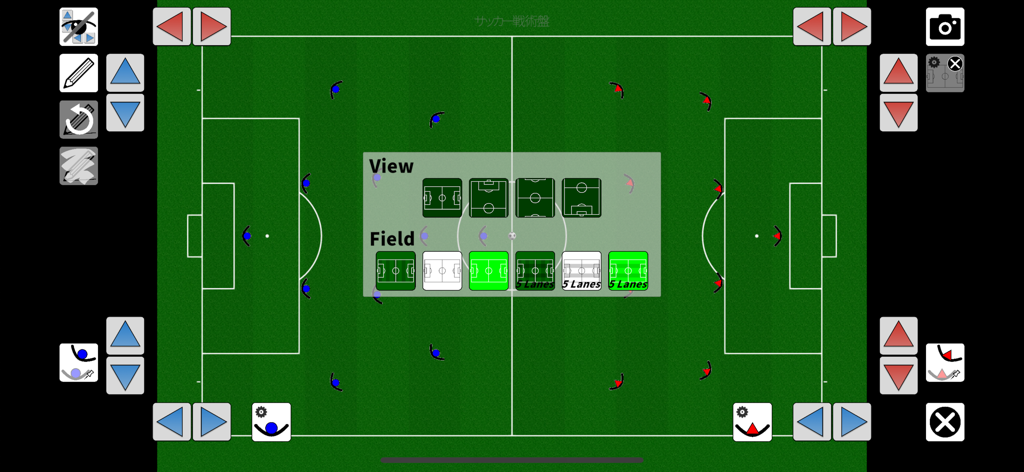
Football Tactics Board - 다양한 축구장 배경과 보기 설정을 보여주는 디지털 풋볼 전술 보드

다양한 축구장 배경과 보기 설정을 보여주는 디지털 풋볼 전술 보드
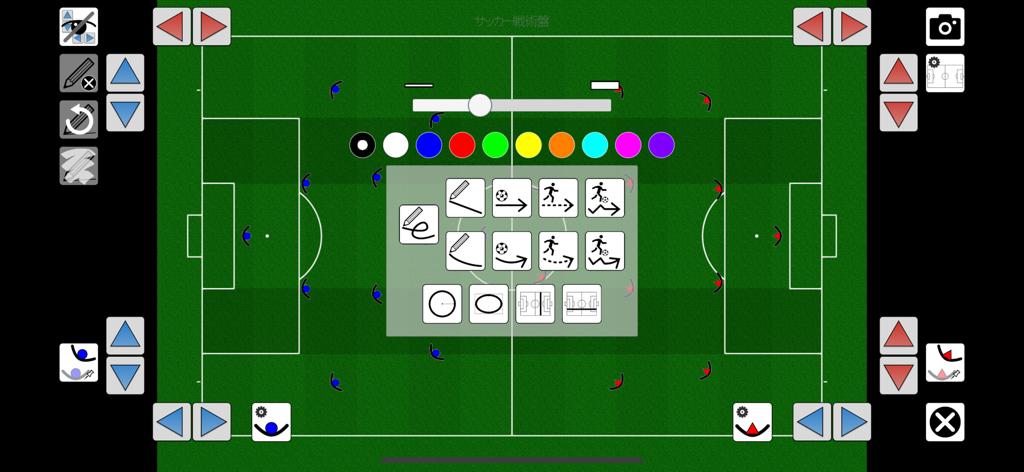
Football Tactics Board - 플레이어 위치와 그리기 도구가 있는 디지털 풋볼 전술 보드 인터페이스

플레이어 위치와 그리기 도구가 있는 디지털 풋볼 전술 보드 인터페이스

설명

Application examples (Coach) - Review and analysis of games - Planning strategies for the next game - Distribution and sharing of visualized strategies to players. (Players) - Reviewing scenes from practice and games - Create soccer notebooks using saved screenshots, etc. App Features (Field size and number of players) - The app supports 11-player, 7-player, 8-player and 9-player. - This application is now also available for futsal. (Formations) - The basic formations are preset, so you can choose the one closest to your team's tactics and quickly start considering your strategy. - The width and depth of the entire formation can be easily adjusted. - Mesh display for easy understanding of positional relationships between players. (Players and ball operations) - Move the ball by dragging. - Highlight players and balls (glow yellow). - The player's body orientation can be set (default is automatic). (The player's body orientation can be set (default is automatic). - You can also set the direction of each player. - Afterimages (translucent) of players and the ball can be displayed. (Drawing lines, arrows, and circles) - Freehand, straight lines, straight arrows, dashed arrows, dribble arrows (jagged), circles, etc. can be drawn. - Added the ability to draw quadratic Bezier curves. - The color and thickness of the drawing can be changed. (Field Background) - Realistic grass field and simple white field suitable for printing are available. - A bright green background has been added. - The display of 5 lanes is also available. (Zoom in and out.) - Pinch in and pinch out to zoom in and out freely. - Easy to reset to the preset view.   Whole court view   Half court view (Screenshot) - You can take a screenshot at any time.   The resolution of the saved image has been increased. (Vertical 2048 pixels) - Screenshots are saved in the "Photos" app.   (*IMPORTANT) Please allow access to the Photos app.   How to allow it later: "Settings" app → Privacy & Security → Photos → Football Tactics Board → Check "Add Photos Only". (Others) We would be very happy if you could give us feedback on bugs and improvements If you could let us know of any errors in the translation, we would be very grateful.

Download

다운로드: App Store

이 페이지는 앱이나 개발자의 공식 페이지가 아니며, 정보 제공 및 논평을 목적으로 작성된 독립 편집 간행물입니다. 명시적으로 달리 언급되지 않는 한, 해당 앱이나 개발자는 MWM, Apple, Google Play, 앱 퍼블리셔 또는 앱 개발자와 제휴, 보증, 후원, 승인 또는 공식적으로 연결되어 있지 않으며, 이 페이지의 어떤 내용도 해당 앱이 MWM의 서비스를 사용하여 개발되었음을 의미하지 않습니다. 모든 상표, 로고, 스크린샷 및 기타 콘텐츠는 해당 소유자의 자산입니다.