
이 페이지는 앱이나 개발자의 공식 페이지가 아니며, 정보 제공 및 논평을 목적으로 작성된 독립 편집 간행물입니다. 명시적으로 달리 언급되지 않는 한, 해당 앱이나 개발자는 MWM, Apple, Google Play, 앱 퍼블리셔 또는 앱 개발자와 제휴, 보증, 후원, 승인 또는 공식적으로 연결되어 있지 않으며, 이 페이지의 어떤 내용도 해당 앱이 MWM의 서비스를 사용하여 개발되었음을 의미하지 않습니다. 모든 상표, 로고, 스크린샷 및 기타 콘텐츠는 해당 소유자의 자산입니다.

다운로드
2M+사용자 평점
총 평가 수
6K+개발사
카테고리
Business지원 언어
7최신 버전
6.1.10크기
14.3 MB출시일
2018년 9월 16일현대적인 전문가를 위한 원활한 보안
GlobalProtect™는 iPhone 또는 iPad의 백그라운드에서 자동으로 작동하는 기업급 보안을 제공하여 하이브리드 업무 환경을 지원합니다.
마찰 없는 연결
Always-On VPN 및 iOS On-Demand 기술로 수동 로그인 번거로움을 없애고 연결을 자동으로 보호하세요.
최적화된 성능
현재 위치를 기반으로 가장 빠른 서버에 자동으로 연결되는 지능형 게이트웨이 검색으로 생산성을 유지하세요.
자주 묻는 질문
에 대해 알아야 할 모든 것 GlobalProtect™
iOS용 GlobalProtect란 무엇인가요?
iOS용 GlobalProtect는 Palo Alto Networks 차세대 방화벽의 GlobalProtect 게이트웨이에 모바일 사용자를 연결하여 장치에 대한 엔터프라이즈 보안 보호 기능을 제공합니다.
iOS용 GlobalProtect는 어떤 VPN 모드를 지원하나요?
iOS용 GlobalProtect는 Always-On VPN, 원격 액세스 VPN 및 앱별 VPN 모드를 지원합니다. 이러한 연결 모드는 엔터프라이즈 관리자가 구성합니다.
iOS용 GlobalProtect가 자동으로 최적의 게이트웨이를 선택하나요?
예, iOS용 GlobalProtect는 사용자의 위치에 자동으로 적응하고 최적의 사용 가능한 게이트웨이에 연결하여 사용자 개입 없이 최적의 성능을 보장합니다.
iOS용 GlobalProtect를 사용하려면 GlobalProtect 게이트웨이 구독이 필요한가요?
예, iOS용 GlobalProtect를 사용하려면 조직의 Palo Alto Networks 방화벽에서 활성화된 GlobalProtect 게이트웨이 구독이 필요합니다. IT 부서에 문의하세요.
iOS용 GlobalProtect는 VPN On-Demand를 지원하나요?
예, iOS용 GlobalProtect는 iOS VPN On-Demand 기능을 사용하여 자동 VPN 연결을 지원하여 원활한 액세스를 제공합니다.
iOS용 GlobalProtect는 BYOD를 지원하나요?
예, iOS용 GlobalProtect는 원격 액세스 VPN 및 앱 수준 VPN 기능을 제공하여 개인 소유 장치(BYOD)를 지원합니다.
iOS용 GlobalProtect에서 수동으로 게이트웨이를 선택할 수 있나요?
예, iOS용 GlobalProtect는 수동 게이트웨이 선택 기능을 제공합니다. 사용자는 사용 가능한 게이트웨이 목록에서 연결할 게이트웨이를 선택할 수 있습니다.
iOS용 GlobalProtect는 연결에 어떤 프로토콜을 사용하나요?
iOS용 GlobalProtect는 IPSec 또는 SSL 프로토콜을 통해 연결을 설정합니다. 이를 통해 엔터프라이즈 사용자를 위한 안전하고 암호화된 통신을 보장합니다.
iOS용 GlobalProtect로 만료된 비밀번호를 변경할 수 있나요?
예, iOS용 GlobalProtect는 원격으로 연결할 때 만료된 Active Directory(AD) 또는 RADIUS 비밀번호를 변경하는 사용자를 지원합니다.
iOS용 GlobalProtect는 이중 인증을 지원하나요?
예, iOS용 GlobalProtect는 일회용 비밀번호(OTP) 기반 방법에 대해 RADIUS 또는 SAML을 사용하는 이중 인증(2FA)을 지원합니다.
iOS용 GlobalProtect에는 어떤 PAN-OS 버전이 필요한가요?
iOS용 GlobalProtect는 PAN-OS 버전 7.1, 8.0, 8.1 또는 이후 릴리스를 실행하는 Palo Alto Networks 차세대 방화벽을 필요로 합니다.
iOS용 GlobalProtect는 어떤 iOS 버전을 지원하나요?
iOS용 GlobalProtect는 iOS 10 및 이후 모든 릴리스를 실행하는 장치에서 지원되어 광범위한 호환성을 보장합니다.
iOS용 GlobalProtect에 어떻게 로그인하나요?
사용자는 지정된 포털의 전용 로그인 화면에 사용자 이름과 비밀번호를 입력하여 iOS용 GlobalProtect에 로그인합니다.
iOS용 GlobalProtect가 연결되었는지 어떻게 알 수 있나요?
iOS용 GlobalProtect는 주 화면에 "DISCONNECT" 메시지 및 방패 아이콘과 함께 "CONNECTED"라는 눈에 띄는 메시지로 연결 상태를 나타냅니다.
iOS용 GlobalProtect는 어떤 연결 세부 정보를 표시하나요?
iOS용 GlobalProtect는 IP 주소, 연결된 게이트웨이, 프로토콜(예: IPSec), 송수신 바이트, 송수신 패킷, 오류 패킷 및 가동 시간과 같은 연결 세부 정보를 표시합니다.
다음 스크린샷과 설명은 앱의 공식 스토어 목록에서 직접 가져온 것이며 앱 개발자의 자산입니다.
앱 스토어
스크린샷
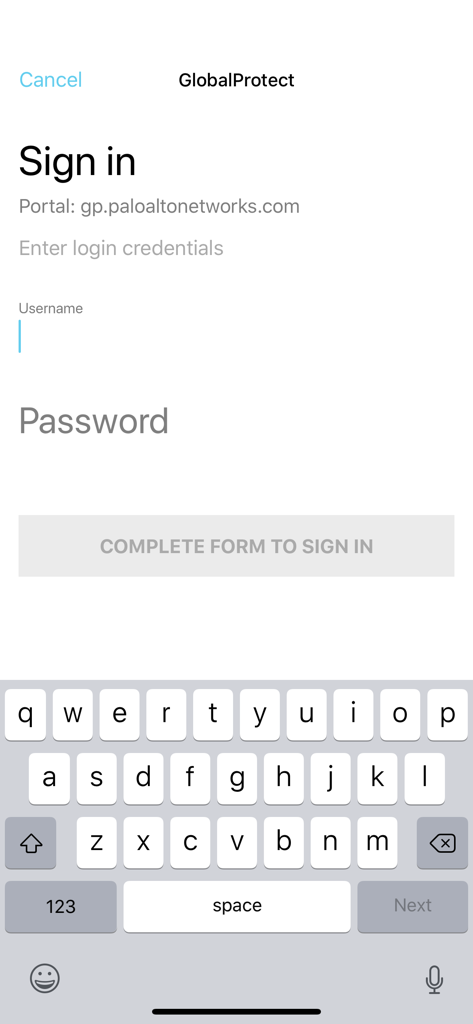
GlobalProtect 모바일 앱 로그인 화면
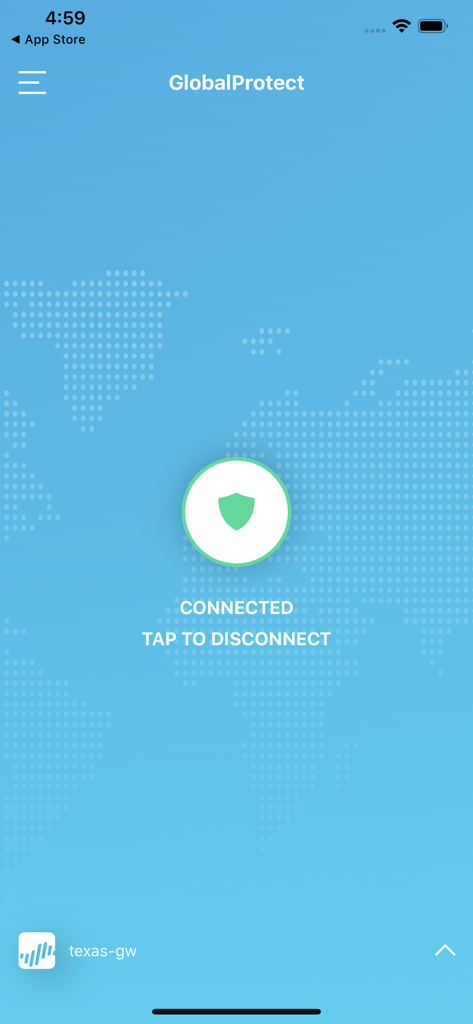
GlobalProtect 모바일 앱 인터페이스에 방패 아이콘과 함께 성공적인 VPN 연결 상태 표시
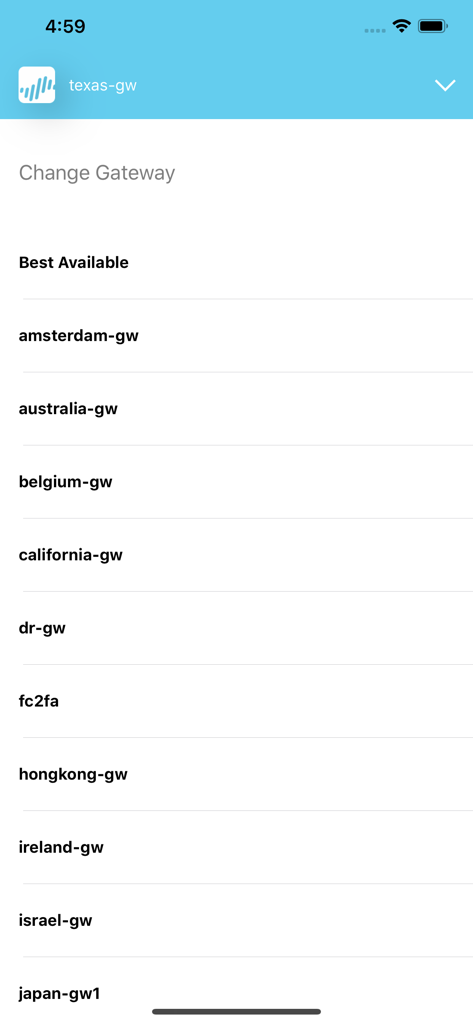
안전한 기업 연결을 위한 사용 가능한 VPN 게이트웨이 목록을 보여주는 GlobalProtect 앱 인터페이스
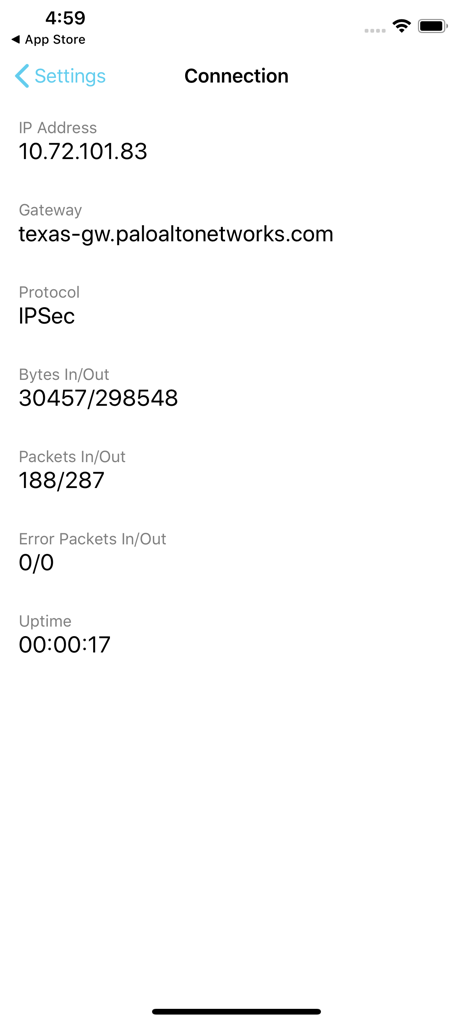
IP 주소 및 게이트웨이 정보와 함께 활성 VPN 연결 상태를 표시하는 GlobalProtect 앱 인터페이스
설명
Download
비슷한 앱
유사한 기능과 사용자 경험을 가진 앱

OpenVPN Connect
OpenVPN Inc.

Ivanti Secure Access Client
Pulse Secure LLC

Adios Alpha
Pickpointio LLC

BeiRui Pgy Management
Shanghai best oray information s&t co.,ltd

FortiClient
Fortinet, Inc

Cisco Secure Client
Cisco

publicroam
Publicroam B.V.

Zscaler Client Connector
Zscaler inc

Check Point Capsule Connect
Check Point Software Technologies Ltd.
이 페이지는 앱이나 개발자의 공식 페이지가 아니며, 정보 제공 및 논평을 목적으로 작성된 독립 편집 간행물입니다. 명시적으로 달리 언급되지 않는 한, 해당 앱이나 개발자는 MWM, Apple, Google Play, 앱 퍼블리셔 또는 앱 개발자와 제휴, 보증, 후원, 승인 또는 공식적으로 연결되어 있지 않으며, 이 페이지의 어떤 내용도 해당 앱이 MWM의 서비스를 사용하여 개발되었음을 의미하지 않습니다. 모든 상표, 로고, 스크린샷 및 기타 콘텐츠는 해당 소유자의 자산입니다.