GolfGPS WinGolf-Golf Navi GPS
다운로드: App Store

이 페이지는 앱이나 개발자의 공식 페이지가 아니며, 정보 제공 및 논평을 목적으로 작성된 독립 편집 간행물입니다. 명시적으로 달리 언급되지 않는 한, 해당 앱이나 개발자는 MWM, Apple, Google Play, 앱 퍼블리셔 또는 앱 개발자와 제휴, 보증, 후원, 승인 또는 공식적으로 연결되어 있지 않으며, 이 페이지의 어떤 내용도 해당 앱이 MWM의 서비스를 사용하여 개발되었음을 의미하지 않습니다. 모든 상표, 로고, 스크린샷 및 기타 콘텐츠는 해당 소유자의 자산입니다.


로고: GolfGPS WinGolf-Golf Navi GPS
다운로드: App Store

GolfGPS WinGolf-Golf Navi GPS

일본 최고의 카트 내비게이션 시스템의 성능을 손목 위에서 경험하세요. 샷 레이더, 그린 윤곽, 고정밀 GPS 거리 추적으로 모든 홀을 마스터하세요.

주요 수치

다운로드

369K+

사용자 평점

2.7/5

총 평가 수

600

개발사

Techno Craft.CO.,LTD.

카테고리

Sports

지원 언어

3

최신 버전

4.10.4

크기

83.8 MB

출시일

2013년 11월 19일
기능

카트급 정밀도로 코스를 마스터하세요

일본 최고의 프로 내비게이션 기술을 게임에 적용하고 모든 샷의 추측을 없애세요.

블라인드 홀 정복

독특한 샷 레이더와 조정 라인을 사용하여 보이지 않는 그린 방향과 장애물을 시각화하세요.

손목 기반 성능

휴대폰은 가방에 넣어두세요. Apple Watch에서 그린 중앙 및 장애물까지의 즉각적인 거리를 확인하여 더 빠른 플레이를 즐기세요.

다음 스크린샷과 설명은 앱의 공식 스토어 목록에서 직접 가져온 것이며 앱 개발자의 자산입니다.

앱 스토어

스크린샷
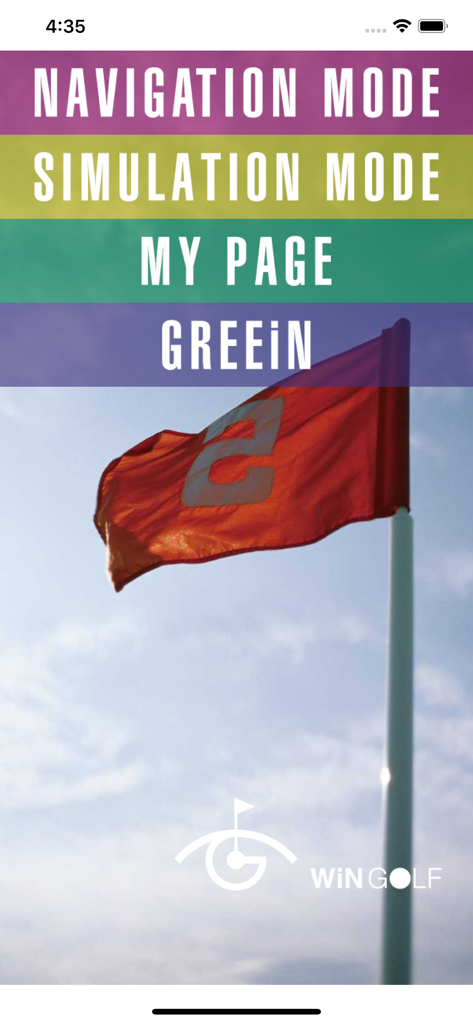
GolfGPS WinGolf-Golf Navi GPS - 탐색 및 시뮬레이션 옵션이 있는 WinGolf GPS 앱 홈 화면 메뉴
탐색 및 시뮬레이션 옵션이 있는 WinGolf GPS 앱 홈 화면 메뉴

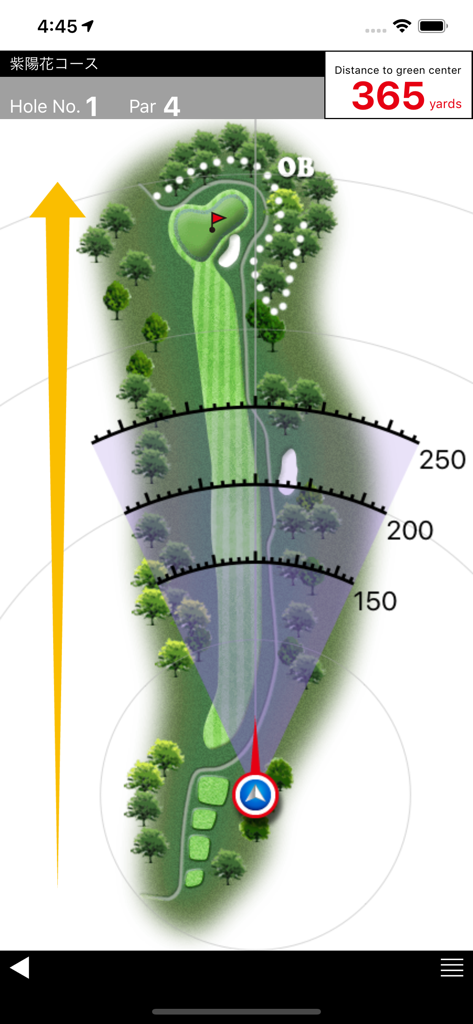
GolfGPS WinGolf-Golf Navi GPS - 페어웨이 지도와 그린 거리를 표시하는 골프 네비게이션 앱

페어웨이 지도와 그린 거리를 표시하는 골프 네비게이션 앱

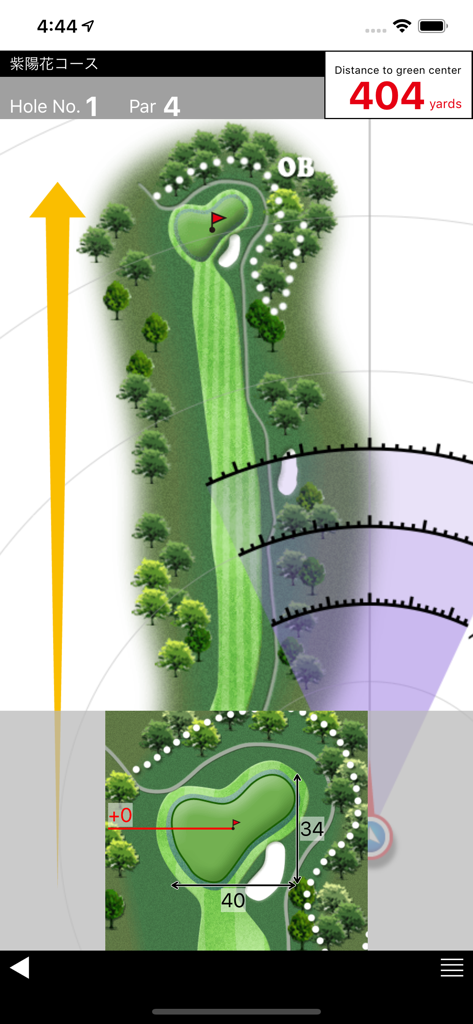
GolfGPS WinGolf-Golf Navi GPS - 거리 호와 그린까지의 거리를 보여주는 WinGolf 앱의 골프 코스 레이아웃

거리 호와 그린까지의 거리를 보여주는 WinGolf 앱의 골프 코스 레이아웃

설명

■WiNGOLF is produced by Technocraft, Inc. makers of Marshall Navi, Japan’s #1 golf cart navigation system for safe and efficient golf course management. ■ WiNGOLF is a Golf GPS with distance to greens and hazards and clearly visible course layouts. It gives golfers the guidance they need to navigate the course. Use Adjustment Line and Shot Radar functions together to get a clear picture of green direction, so that you can get around those tricky blind holes that play havoc with your score. ■Current Location Displays your current location within the course map of each hole using GPS. ■Shot Radar Shows direction of the green from your current location. ■Adjustment Line Matches map direction to your actual direction. ■Distance to Green Center Displays distance to the center of the green. ■Distance to Hazards Uses Shot Radar function to estimate distance to hazards. ■Course Data Preload Allows you to download course data ahead of time. Check course maps from home, office, or anywhere. ■Green Detail Zooms in for enlarged view of the green. ■Green Contour Displays information about the contour of the green. (Provided by the course) Features updated regularly!! Compatibility Requires iOS 12 or later. Location: This app may use your location even when it isn’t open, which can decrease device battery life. About play with Apple Watch (What you can do with Apple Watch) ・ It is a paid service that WinGOLF can also be used with Apple Watch. ・ Because we share golf course data with iPhone, data is always up to date ・ Simple to sync with iPhone before round (Notes concerning charges) Subscription method: A system that selects a certain period and uses it. ・ 1 month: 1.99 USD ■ Details ・ Payment will be charged to your iTunes account. ・ To purchase in the period, we use the automatic continued charging function (Auto Renewable Subscription). ・ Charges for automatic renewal will be made between 24 hours before the end of the validity period and the end. ■ How to cancel automatic updating You can change / cancel automatic updating with "Settings" - "iTunes & App Store" - "Apple ID" - "View Apple ID" - "SUBSCRIPTIONS Manage" - "Auto-Renewal". Automatic updating can be stopped by setting "Auto-Renewal off" from "setting" more than 24 hours before the expiration of the validity period. ■ Privacy policy https://www.smartgolfnavi.com/HP/en/privacy_policy.html ■ Terms of service https://www.smartgolfnavi.com/HP/en/license_agreement.html (About Apple Watch compatible models) ・ Apple Watch Series 5 or later ・ Watch OS 5 or later Note about GPS: ・Set the Location Information (GPS) settings of your device to ON before use. ・Weather conditions and obstacles such as electric cables may cause data errors. ・Continued use of GPS can dramatically decrease battery life. To reduce battery loss change Wi-Fi settings to OFF during play. ・GPS data satellite transmissions may take several minutes. ・Functionality of GPS is relative to your device and OS. We cannot respond to any requests for refund or payment due to trouble arising from limited GPS functionality or any loss or damage arising from the use of this application.

Download

다운로드: App Store

이 페이지는 앱이나 개발자의 공식 페이지가 아니며, 정보 제공 및 논평을 목적으로 작성된 독립 편집 간행물입니다. 명시적으로 달리 언급되지 않는 한, 해당 앱이나 개발자는 MWM, Apple, Google Play, 앱 퍼블리셔 또는 앱 개발자와 제휴, 보증, 후원, 승인 또는 공식적으로 연결되어 있지 않으며, 이 페이지의 어떤 내용도 해당 앱이 MWM의 서비스를 사용하여 개발되었음을 의미하지 않습니다. 모든 상표, 로고, 스크린샷 및 기타 콘텐츠는 해당 소유자의 자산입니다.