
이 페이지는 앱이나 개발자의 공식 페이지가 아니며, 정보 제공 및 논평을 목적으로 작성된 독립 편집 간행물입니다. 명시적으로 달리 언급되지 않는 한, 해당 앱이나 개발자는 MWM, Apple, Google Play, 앱 퍼블리셔 또는 앱 개발자와 제휴, 보증, 후원, 승인 또는 공식적으로 연결되어 있지 않으며, 이 페이지의 어떤 내용도 해당 앱이 MWM의 서비스를 사용하여 개발되었음을 의미하지 않습니다. 모든 상표, 로고, 스크린샷 및 기타 콘텐츠는 해당 소유자의 자산입니다.

Goodnotes: AI Notes, Docs, PDF
생각은 넘쳐나고 시간은 부족하다. Goodnotes는 파편화된 정보를 단숨에 구조화된 지식으로 응축시키는 AI 기반의 사고 확장 도구임이 명확하다.
다운로드
50M+사용자 평점
총 평가 수
3.4M개발사
카테고리
Productivity지원 언어
15최신 버전
7.0.46크기
673.5 MB출시일
2019년 1월 15일AI 노트 및 문서 관리 핵심 기능 분석
Goodnotes의 주요 기능을 통해 생산성 향상 및 학습 효율 증대 방안을 제시합니다.
AI 기반 오디오 및 회의 관리
이 앱은 AI 기반 전사 및 실시간 요약 기능을 통해 대화와 회의 내용을 자동으로 기록하고 정리하여 명확한 회의록으로 구조화합니다. 사용자는 자신의 노트와 전사된 내용을 병합하여 전문적이고 공유 가능한 문서를 신속하게 생성할 수 있습니다.
학습 세트 (플래시카드)
이 도구는 능동적인 회상과 반복 학습에 기반한 학습 세트(플래시카드)를 제공하여 사용자가 자신의 노트에서 바로 학습하고 연습할 수 있게 해줍니다. 시험 대비 효율성을 극대화합니다.
AI 기반 무한 캔버스 화이트보드
이 앱은 아이디어와 함께 확장되는 무한 캔버스에서 브레인스토밍, 마인드맵, 다이어그램 작성을 지원합니다. 강화된 다이어그램 도구와 실시간 협업 기능은 팀의 아이디어 구체화를 돕고, AI는 핵심 내용을 즉시 정리합니다.
클라우드 백업 및 동기화
사용자는 모든 노트를 Google Drive, Dropbox 또는 OneDrive에 백업하고 iCloud를 통해 iPad, iPhone, Mac에서 동기화하여 언제든지 안전하게 접근하고 관리할 수 있습니다.
필기와 동기화되는 오디오 녹음
이 기능은 필기하는 순간과 마법처럼 동기화되는 오디오 노트를 녹음할 수 있게 해줍니다. 강의나 프레젠테이션 중 중요한 정보를 놓치지 않고 효과적으로 학습 내용을 검토하는 데 매우 유용합니다.
AI 기반 텍스트 요약 및 톤 변경
이 앱은 AI를 활용하여 사용자가 입력한 텍스트를 요약하고, 길이를 줄이며, 어조를 변경하는 등 텍스트를 완벽하게 다듬을 수 있도록 지원합니다.
AI 기반 텍스트 문서 생성 및 관리
이 도구는 풍부한 인라인 블록을 통해 뛰어난 타이핑 경험을 제공하며, 외부 정보를 활용하여 아이디어를 발전시키고 팀원들과 원활하게 협업할 수 있게 해줍니다. AI 기반 요약, 자동 노트 생성, 전사 지원 기능을 갖추고 있습니다.
실시간 협업 노트북
사용자는 노트북 링크를 공유하여 동일한 노트에서 직접 작업할 수 있습니다. 이 기능은 비동기 작업이나 협업 브레인스토밍에 이상적입니다.
자유로운 필기 및 타이핑 혼합
이 앱은 한 페이지 내에서 손글씨와 타이핑 텍스트를 자유롭게 조합하고, 이미지, 스티커, 다이어그램, 낙서 등을 함께 추가하여 풍부한 디지털 노트를 생성할 수 있도록 지원합니다.
강력한 노트 검색 기능
사용자는 모든 수업에서 작성한 어떤 노트든 즉시 검색하여 찾아낼 수 있습니다. 이는 방대한 정보 속에서 필요한 내용을 빠르게 파악하는 데 필수적입니다.
자주 묻는 질문
에 대해 알아야 할 모든 것 Goodnotes: AI Notes, Docs, PDF
Can Goodnotes AI answer questions directly from my notes?
Yes, Goodnotes AI allows users to ask questions and receive answers based on the content of their notes. This feature helps connect dots and unlock insights.
Does Goodnotes support real-time collaboration on documents?
Yes, Goodnotes enables real-time collaboration on whiteboards and notes. Users can send a link to their notebooks to work on the same notes directly with teammates.
How does Goodnotes AI assist with meetings and lectures?
Goodnotes AI provides audio transcription and live summarization for meetings and lectures. It automatically captures discussions and structures them into clear meeting minutes, merging with personal notes.
Are Goodnotes 5 users required to upgrade to the new Goodnotes app?
No, existing Goodnotes 5 users can continue using Goodnotes 5 indefinitely. They also have the option to upgrade to the new Goodnotes app, and their notes remain safe.
Can I customize my note-taking experience in Goodnotes?
Yes, Goodnotes offers extensive customization. Users can customize paper template size and color, and add or import stickers, stamps, washi tapes, images, and more.
What cloud services does Goodnotes support for backup and synchronization?
Goodnotes supports backing up all notes to Google Drive, Dropbox, or OneDrive. It also uses iCloud to sync notes across iPad, iPhone, and Mac devices.
Can Goodnotes be used to present notes to an audience?
Yes, Goodnotes allows users to present notes, slides, and content by connecting their device via AirPlay or HDMI to an external screen. A Laser Pointer tool is also available.
Does Goodnotes allow users to edit and annotate PDF documents?
Yes, Goodnotes enables users to highlight, annotate, and edit any PDF document. It also automatically imports PDF tables of contents for easy navigation.
What features does the Whiteboard in Goodnotes offer for brainstorming?
The Goodnotes Whiteboard provides an infinite canvas for brainstorming, mind-mapping, and diagramming. It includes enhanced diagramming tools and supports real-time collaboration for teams.
How does Goodnotes AI assist students with studying and exam preparation?
Goodnotes AI helps students summarize, shorten, and refine typed text. It also offers Study Sets, which are flashcards built on active recall and spaced repetition for effective practice.
Can Goodnotes recognize and solve handwritten math problems?
Yes, Goodnotes features math recognition capabilities. Users can input handwritten math equations and utilize the AI to ask questions about or solve the problems directly within the app.
다음 스크린샷과 설명은 앱의 공식 스토어 목록에서 직접 가져온 것이며 앱 개발자의 자산입니다.
앱 스토어
스크린샷
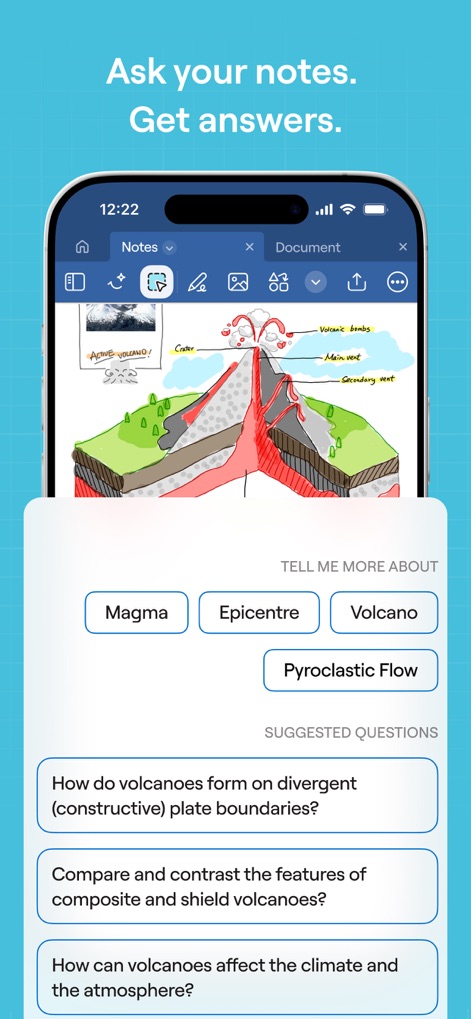
AI 질의응답
이 앱은 손으로 그린 다이어그램과 관련된 정보를 바탕으로 AI가 생성한 질문과 답변 항목을 제시하여 사용자의 이해를 돕습니다.
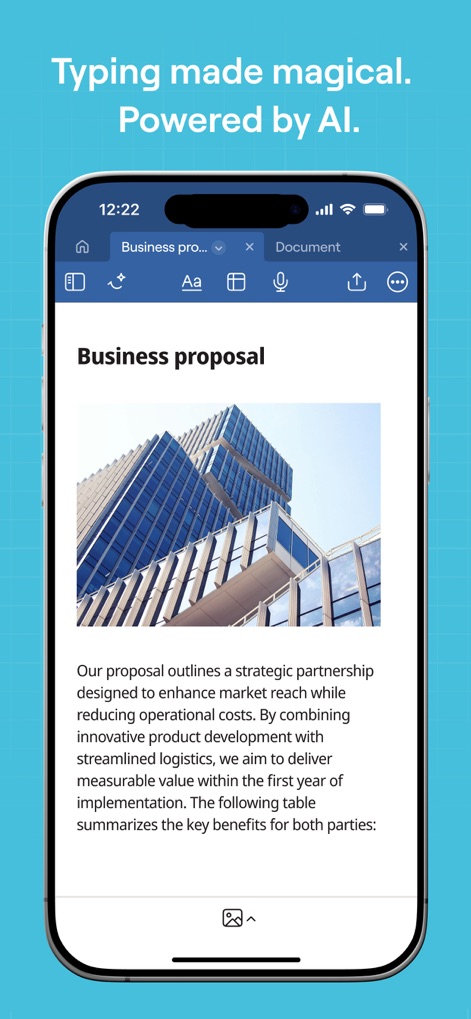
스마트 문서 작성
이 앱은 깔끔하게 정돈된 비즈니스 제안서와 같은 텍스트 문서에 이미지를 삽입하고, 효율적인 편집 기능을 제공하여 사용자가 쉽게 문서를 작성할 수 있도록 돕습니다.
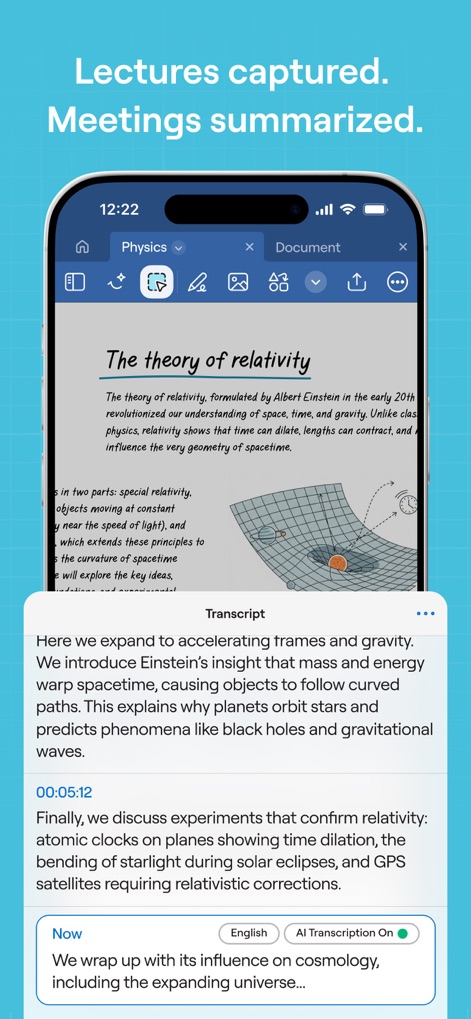
AI 회의록 요약
이 앱은 강의 노트를 효과적으로 기록하고, AI 기반의 전사 기능으로 회의 내용을 텍스트로 변환하여 주요 내용을 자동으로 요약 정리해 사용자가 빠르게 정보를 파악할 수 있게 합니다.
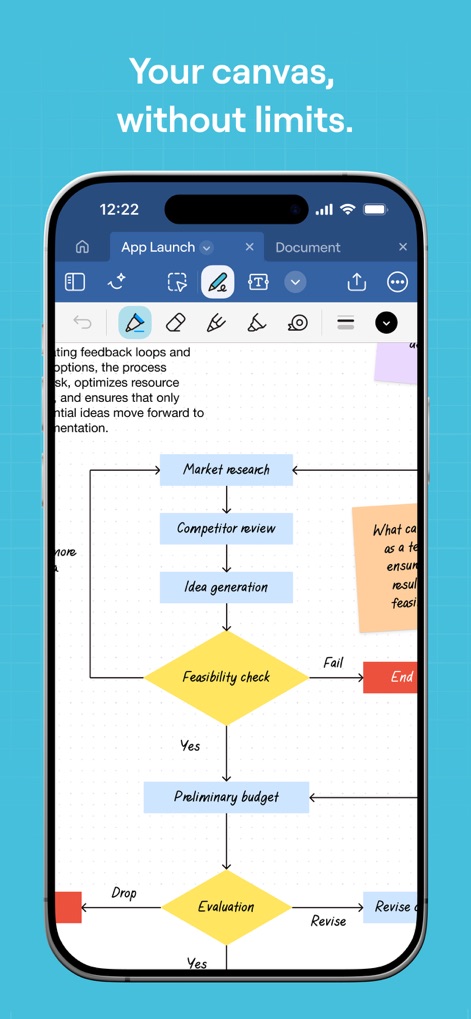
무한한 아이디어 캔버스
이 앱의 무한 캔버스는 복잡한 프로세스를 시각화하는 흐름도 작성에 최적화되어 있으며, 다양한 도형과 텍스트를 활용하여 아이디어를 자유롭게 구성할 수 있도록 지원합니다.

PDF 완벽 관리
이 앱은 중요한 PDF 문서를 자유롭게 불러와 핵심 내용을 강조 표시하거나 필요한 정보를 직접 필기하여 추가할 수 있도록 하여 사용자의 문서 관리 효율을 높입니다.
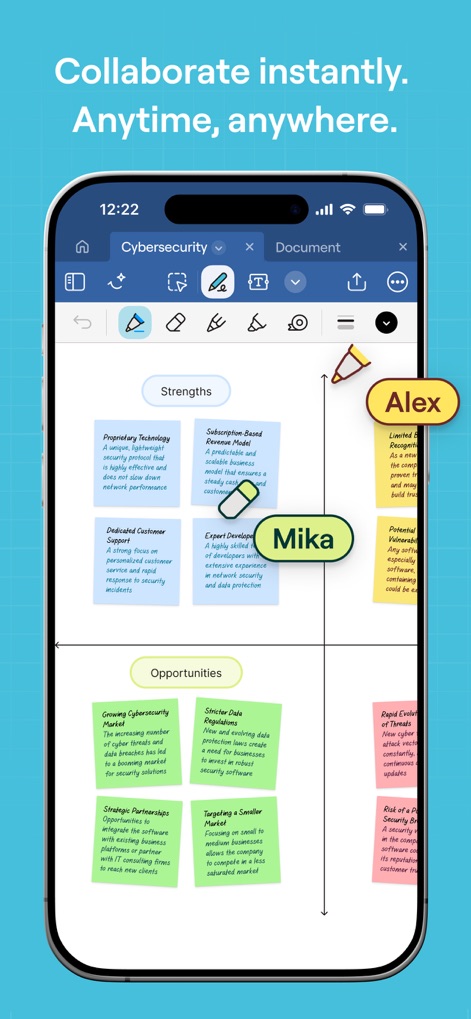
실시간 협업 지원
이 앱은 여러 사용자가 동시에 문서에 접근하여 실시간으로 내용을 수정하고, 각 참여자의 필기 활동을 명확하게 보여주어 팀 프로젝트의 생산성을 극대화합니다.
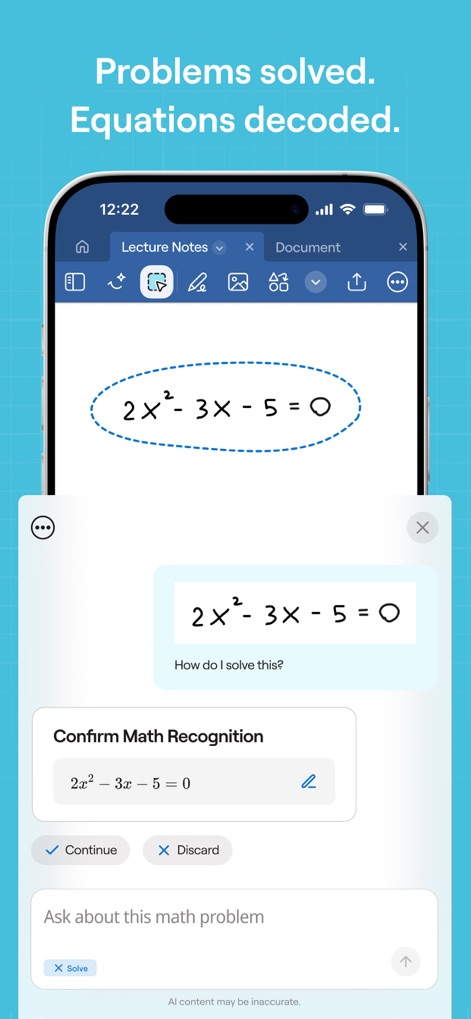
AI 수학 문제 해결
이 앱은 사용자가 손으로 쓴 수학 방정식을 정확하게 인식하고, 이를 기반으로 문제 풀이 과정을 제시하여 학습 효과를 높이는 혁신적인 기능을 제공합니다.
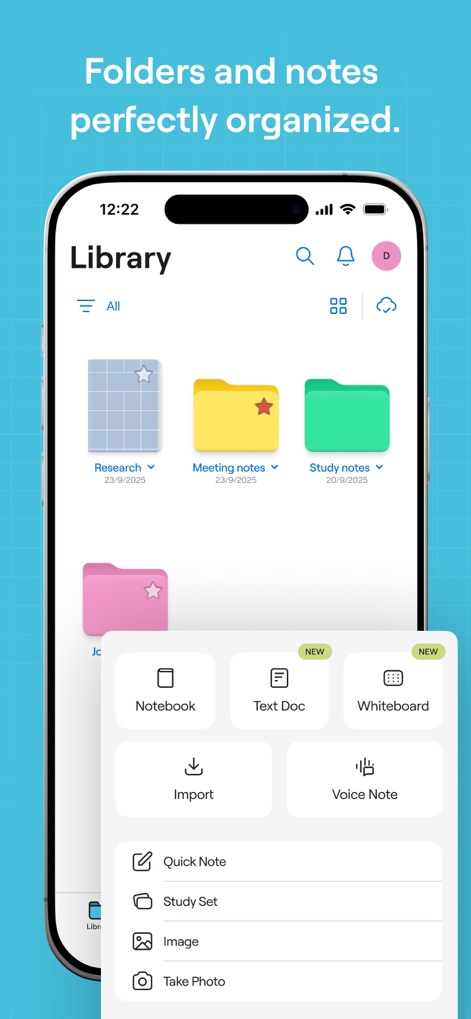
체계적인 노트 관리
이 앱은 폴더 구조를 통해 노트를 효율적으로 분류하고, 노트북, 텍스트 문서, 화이트보드 등 다양한 형식의 새 문서를 간편하게 생성할 수 있게 하여 사용자의 정리 습관을 돕습니다.

효과적인 발표 도구
이 앱은 중요한 문서를 발표할 때 화면 미러링 옵션을 제공하여 청중에게 발표자 화면이나 전체 화면을 효과적으로 공유하고, 레이저 포인터 기능으로 시선을 유도할 수 있습니다.
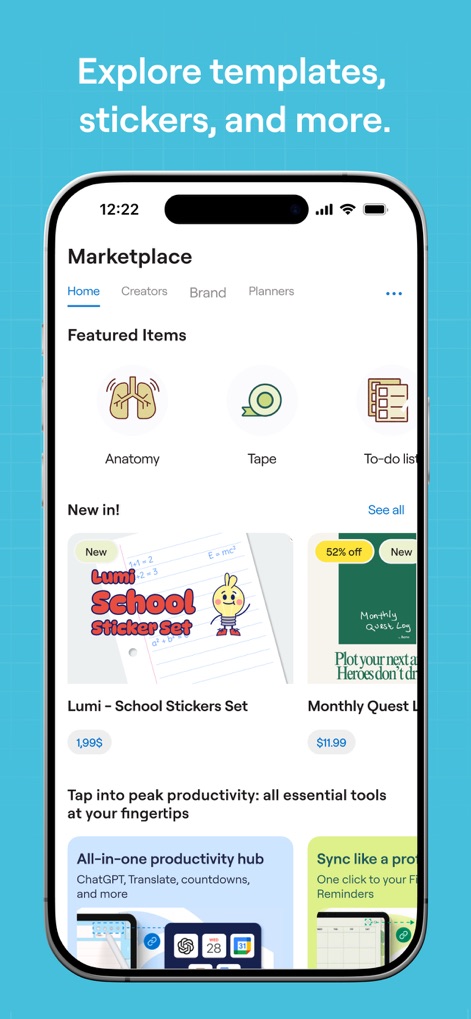
풍부한 자료 스토어
이 앱의 마켓플레이스에서는 학습과 업무 효율을 높이는 스티커 팩과 다양한 템플릿을 제공하여 사용자가 개성을 담은 노트를 만들고 생산성을 향상시킬 수 있습니다.
설명
Download
비슷한 앱
유사한 기능과 사용자 경험을 가진 앱

Notion: Notes, Tasks, AI
Notion Labs, Incorporated

Freenotes®: AI Notes Taking
Hangzhou Free Notes Technology Co., Ltd

Structured - Daily Planner
unorderly GmbH

Google Tasks: Get Things Done
Google LLC

TickTick:To-Do List & Calendar
Appest Limited

Noteful: Notes & PDF Markup
Noteful Technologies Ltd

Todoist: To Do List & Calendar
Doist Inc.

To do list MinimaList & Widget
Inner Grow Limited

monday.com - Work Platform
monday.com Ltd.
이 페이지는 앱이나 개발자의 공식 페이지가 아니며, 정보 제공 및 논평을 목적으로 작성된 독립 편집 간행물입니다. 명시적으로 달리 언급되지 않는 한, 해당 앱이나 개발자는 MWM, Apple, Google Play, 앱 퍼블리셔 또는 앱 개발자와 제휴, 보증, 후원, 승인 또는 공식적으로 연결되어 있지 않으며, 이 페이지의 어떤 내용도 해당 앱이 MWM의 서비스를 사용하여 개발되었음을 의미하지 않습니다. 모든 상표, 로고, 스크린샷 및 기타 콘텐츠는 해당 소유자의 자산입니다.