
이 페이지는 앱이나 개발자의 공식 페이지가 아니며, 정보 제공 및 논평을 목적으로 작성된 독립 편집 간행물입니다. 명시적으로 달리 언급되지 않는 한, 해당 앱이나 개발자는 MWM, Apple, Google Play, 앱 퍼블리셔 또는 앱 개발자와 제휴, 보증, 후원, 승인 또는 공식적으로 연결되어 있지 않으며, 이 페이지의 어떤 내용도 해당 앱이 MWM의 서비스를 사용하여 개발되었음을 의미하지 않습니다. 모든 상표, 로고, 스크린샷 및 기타 콘텐츠는 해당 소유자의 자산입니다.

Google Keep - Notes and lists
이 앱은 사용자가 번뜩이는 모든 단편을 즉시 포획하고, 망각의 늪에서 구출하는 강력한 능력을 부여합니다.
다운로드
25M+사용자 평점
총 평가 수
127.7K개발사
카테고리
Productivity지원 언어
74최신 버전
2.2026.13101크기
177.9 MB출시일
2015년 9월 24일Google Keep - Notes and lists 앱 분석
바쁜 일상 속 생산성을 높여주는 핵심 기능 평가
기기 간 완벽한 동기화
사용자의 모든 기기에서 메모가 자동으로 동기화되어, 언제 어디서든 최신 정보에 접근할 수 있는 일관된 사용 환경을 제공합니다.
다기능 메모 작성 및 편집
이 앱은 텍스트, 목록, 사진, 오디오 녹음 등 다양한 형식의 메모를 손쉽게 작성하고 편집할 수 있도록 지원하며, 언제 어디서든 접근 가능하게 합니다.
강력한 검색 및 필터링
이 앱은 색상, 라벨, 콘텐츠 유형 등 다양한 기준으로 메모를 빠르고 정확하게 검색하고 필터링할 수 있도록 지원하여, 사용자가 필요한 정보를 신속하게 찾도록 돕습니다.
간편한 협업 기능
사용자가 메모나 목록을 다른 사람들과 실시간으로 공유하고 공동 작업할 수 있게 하여 효율적인 팀워크를 가능하게 합니다.
스마트 알림 기능
사용자가 특정 시간이나 장소에 기반한 알림을 설정하여 중요한 일이나 메모를 잊지 않도록 도와줍니다.
다양한 형식의 콘텐츠 지원
이 앱은 텍스트 메모, 목록, 사진, 오디오 녹음 등 여러 유형의 정보를 기록할 수 있게 하여 사용자의 다양한 요구를 충족시킵니다.
직관적인 노트 정리
사용자가 라벨과 색상을 활용하여 메모를 체계적으로 분류하고 관리할 수 있도록 돕습니다.
음성 메모 자동 텍스트 변환
이 도구는 음성 메모를 녹음하고 자동으로 텍스트로 변환하여, 사용자가 아이디어를 빠르게 기록하고 나중에 쉽게 검색할 수 있도록 합니다.
자주 묻는 질문
에 대해 알아야 할 모든 것 Google Keep - Notes and lists
What is Google Keep?
Google Keep is a note-taking application designed for capturing, editing, and organizing notes, lists, photos, and audio. It supports collaboration and synchronizes across multiple devices.
How can I organize notes in Google Keep?
Yes, Google Keep enables efficient note organization. Users can categorize and easily find notes by applying labels and colors.
Does Google Keep allow setting reminders?
Yes, Google Keep supports reminders. Users can set time-based or location-based reminders for notes to ensure important tasks or information are not missed.
Can Google Keep transcribe voice recordings?
Yes, Google Keep automatically transcribes voice memos. This feature converts spoken notes into text, making them easily searchable and readable.
Is it possible to extract text from images in Google Keep?
Yes, Google Keep provides functionality to grab text directly from images. This feature helps users quickly locate notes through the search function.
Is Google Keep available on different devices?
Yes, Google Keep is available across multiple devices including phones, tablets, and computers. All content added to Keep synchronizes instantly across these platforms.
Can I share my notes with other people using Google Keep?
Yes, Google Keep supports sharing notes and lists with others. Collaborative lists, like shopping lists, update in real-time for all participants.
Does Google Keep offer a dark mode?
Yes, Google Keep includes a dark mode feature. This visual setting optimizes the app for comfortable viewing during nighttime or in low-light environments.
Can I draw in Google Keep?
Yes, Google Keep allows users to create drawings within notes. The application offers tools for sketching and doodling to capture visual ideas.
How do I search for specific notes in Google Keep?
Users can quickly search and filter notes in Google Keep. Search options include filtering by color, specific labels, audio notes, reminders, or shared notes.
다음 스크린샷과 설명은 앱의 공식 스토어 목록에서 직접 가져온 것이며 앱 개발자의 자산입니다.
앱 스토어
스크린샷
아이디어 빠르게 기록
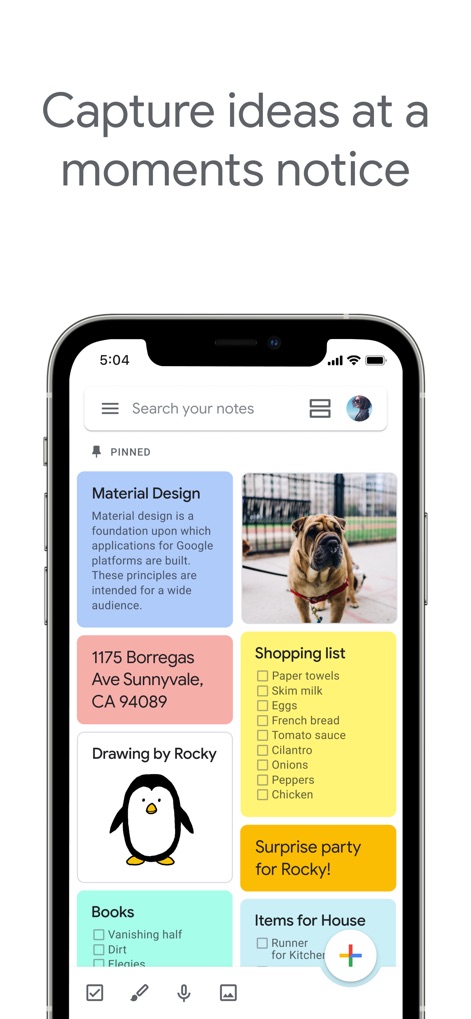
이 앱의 메인 화면에서 사용자는 다양한 색상의 메모 카드와 상단 검색 창을 통해 아이디어를 손쉽게 관리할 수 있습니다.

협업으로 효율 증대
이 화면은 목록 형식의 메모에서 실시간 공동 작업자와 체크박스 기능을 통해 효율적인 협업을 지원합니다.

영감을 스케치하다
사용자는 이 도구에서 다양한 드로잉 도구와 실행 취소/다시 실행 버튼을 활용하여 자유롭게 아이디어를 시각화할 수 있습니다.
음성으로 간편 메모
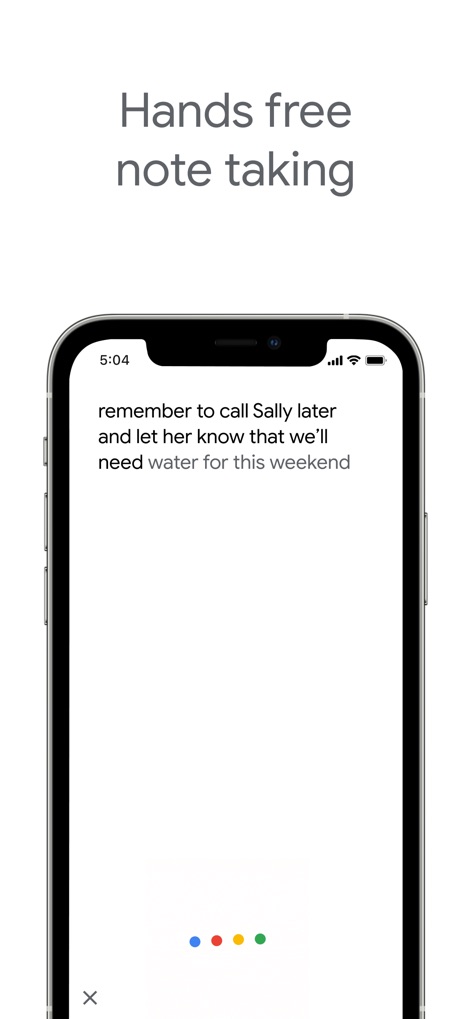
이 앱은 음성 녹음 기능을 통해 사용자의 말을 텍스트로 자동 변환하여, 간편한 핸즈프리 메모 작성을 지원합니다.
체계적인 라벨 분류
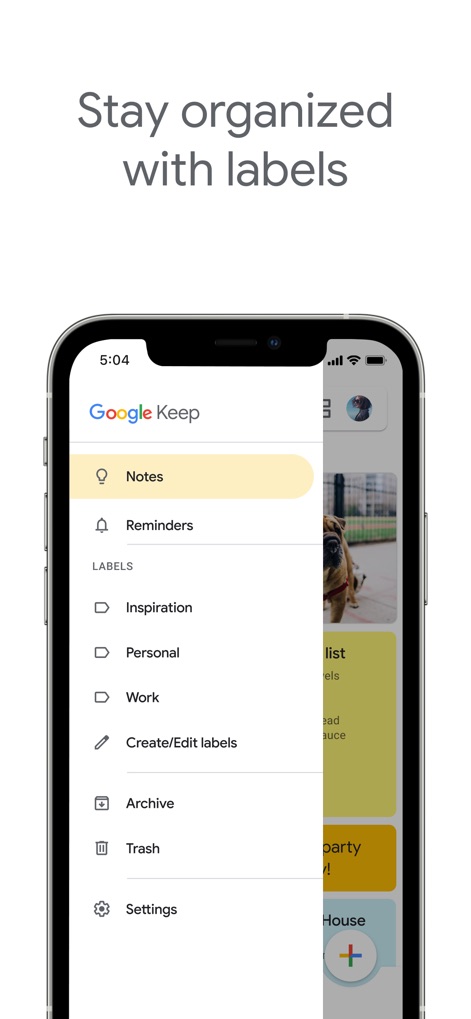
사용자는 왼쪽 사이드 메뉴에서 라벨 관리 기능과 미리 설정된 라벨 목록을 통해 메모를 체계적으로 분류하고 찾을 수 있습니다.
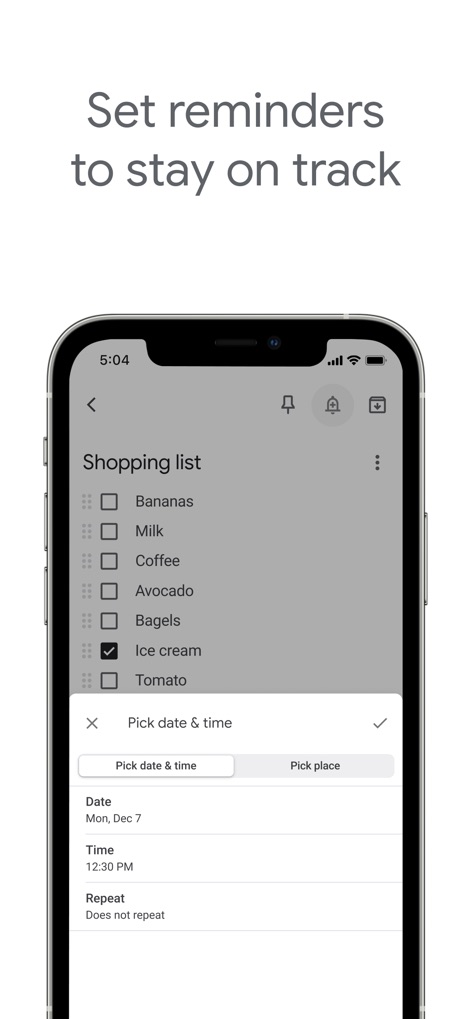
중요한 일 상기시키기
이 기능은 목록 메모에 날짜 및 시간 설정과 장소 기반 알림 설정을 추가하여 중요한 사항을 놓치지 않도록 돕습니다.

야간 모드 몰입
이 앱은 어두운 환경에서 편안하게 사용할 수 있도록 다크 모드를 지원하며, 배경색과 텍스트 색상이 최적화되어 있습니다.
설명
Download
비슷한 앱
유사한 기능과 사용자 경험을 가진 앱

Notion: Notes, Tasks, AI
Notion Labs, Incorporated

Freenotes®: AI Notes Taking
Hangzhou Free Notes Technology Co., Ltd

Structured - Daily Planner
unorderly GmbH

Google Tasks: Get Things Done
Google LLC

TickTick:To-Do List & Calendar
Appest Limited

Noteful: Notes & PDF Markup
Noteful Technologies Ltd

Todoist: To Do List & Calendar
Doist Inc.

To do list MinimaList & Widget
Inner Grow Limited

monday.com - Work Platform
monday.com Ltd.
이 페이지는 앱이나 개발자의 공식 페이지가 아니며, 정보 제공 및 논평을 목적으로 작성된 독립 편집 간행물입니다. 명시적으로 달리 언급되지 않는 한, 해당 앱이나 개발자는 MWM, Apple, Google Play, 앱 퍼블리셔 또는 앱 개발자와 제휴, 보증, 후원, 승인 또는 공식적으로 연결되어 있지 않으며, 이 페이지의 어떤 내용도 해당 앱이 MWM의 서비스를 사용하여 개발되었음을 의미하지 않습니다. 모든 상표, 로고, 스크린샷 및 기타 콘텐츠는 해당 소유자의 자산입니다.