GOV.UK One Login

GOV.UK One Login

다운로드: App Store다운로드: Google Play
로고: GOV.UK One Login

GOV.UK One Login: 신원 증명에 대한 안전하고 간단한 방법

서류 작업은 건너뛰고 몇 분 안에 정부 서비스에 접속하세요. 사진이 부착된 신분증과 생체 인식 정보를 사용하여 안전하게 신원을 확인하고, 베테랑 카드와 같은 디지털 문서를 휴대폰에 보관하세요.

개발사

Government Digital Service

카테고리

Utilities

다운로드

3M+

사용자 평점

4.2/5

총 평가 수

73K+

지원 언어

2

간단합니다. 안전합니다. 디지털입니다.

이 인터페이스를 사용하는 3M+ 명의 사용자.

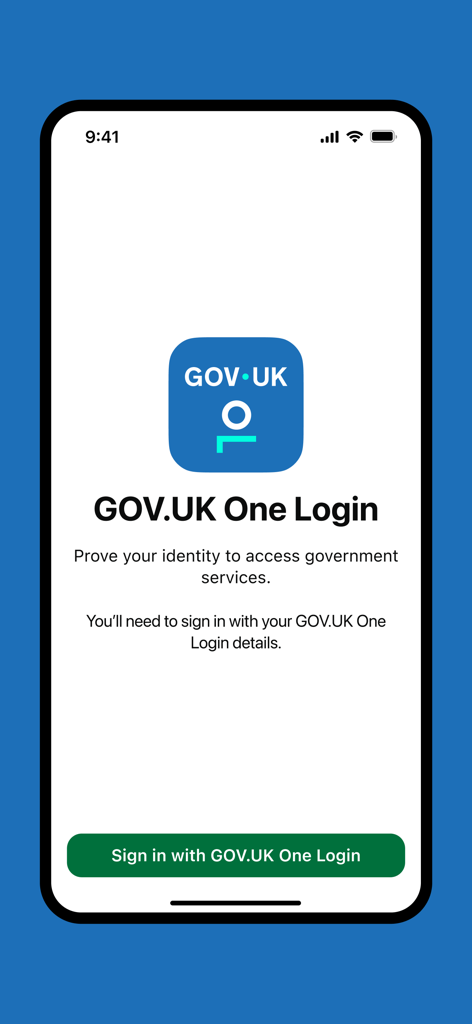
GOV.UK One Login 앱의 환영 화면으로, 로그인 버튼과 신원 증명 안내가 표시됩니다.
GOV.UK One Login 앱의 환영 화면으로, 로그인 버튼과 신원 증명 안내가 표시됩니다.

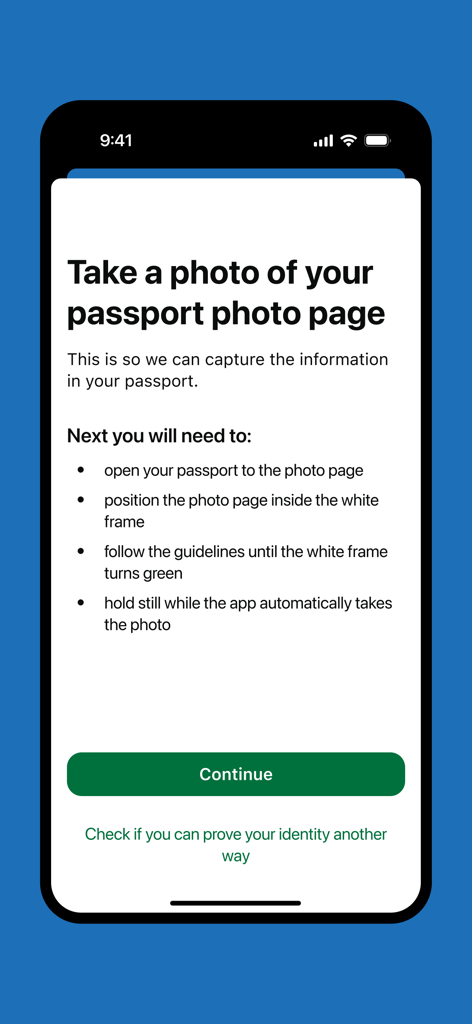
신원 확인을 위해 여권 사진 페이지 사진을 찍는 방법에 대한 안내가 있는 GOV.UK One Login 앱 화면.
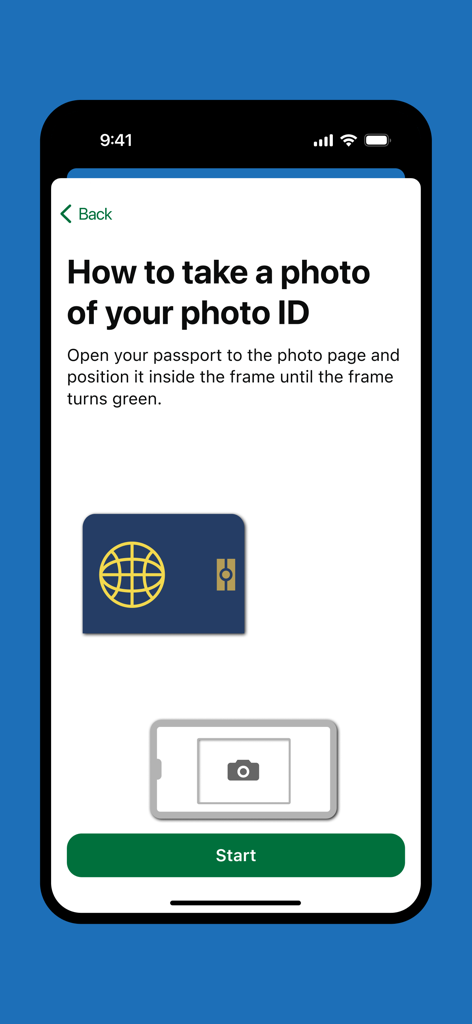
신원 확인을 위해 여권 사진 페이지 사진을 찍는 방법에 대한 안내가 있는 GOV.UK One Login 앱 화면.

신원 확인을 위해 여권 사진을 찍는 방법에 대한 안내가 있는 GOV.UK One Login 앱의 안내 화면.
신원 확인을 위해 여권 사진을 찍는 방법에 대한 안내가 있는 GOV.UK One Login 앱의 안내 화면.

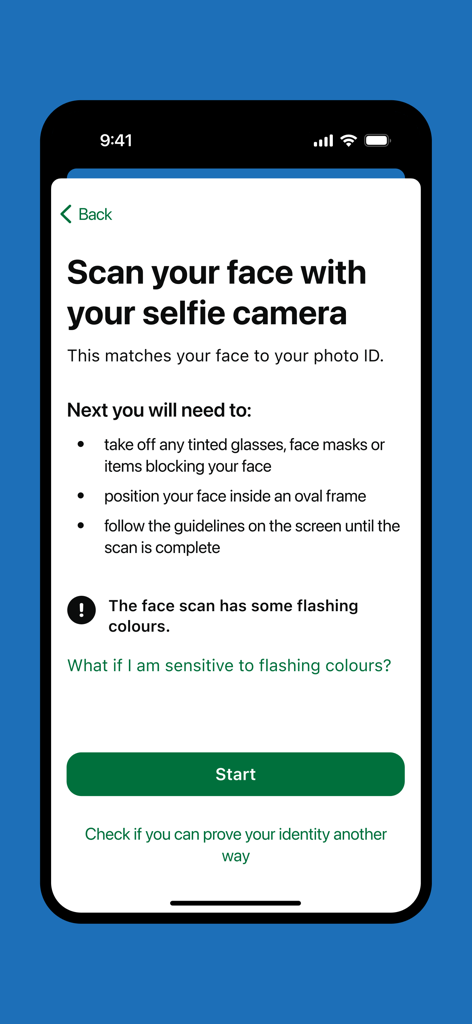
신원 확인 화면에 셀카 카메라 얼굴 스캔에 대한 안내가 표시되는 GOV.UK One Login 앱.
신원 확인 화면에 셀카 카메라 얼굴 스캔에 대한 안내가 표시되는 GOV.UK One Login 앱.

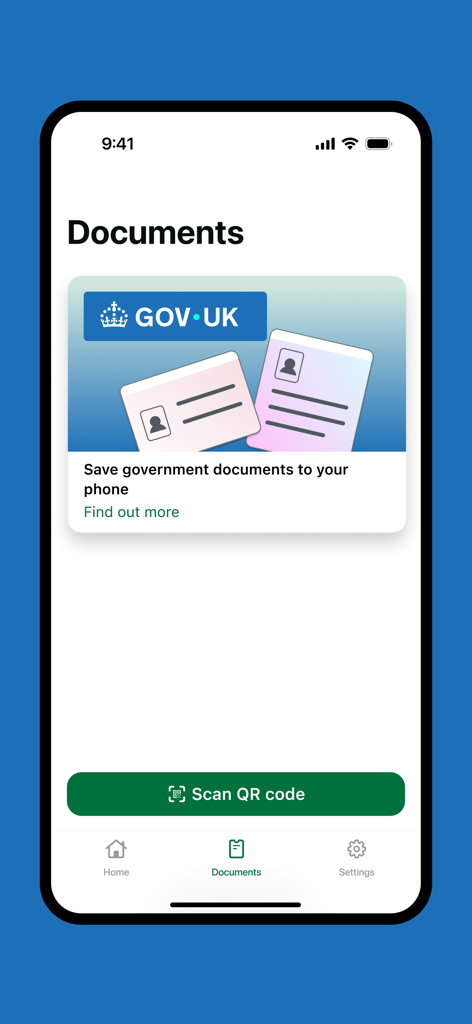
정부 문서 저장 옵션과 QR 코드 스캔 버튼이 표시되는 GOV.UK One Login 앱의 문서 화면.
정부 문서 저장 옵션과 QR 코드 스캔 버튼이 표시되는 GOV.UK One Login 앱의 문서 화면.

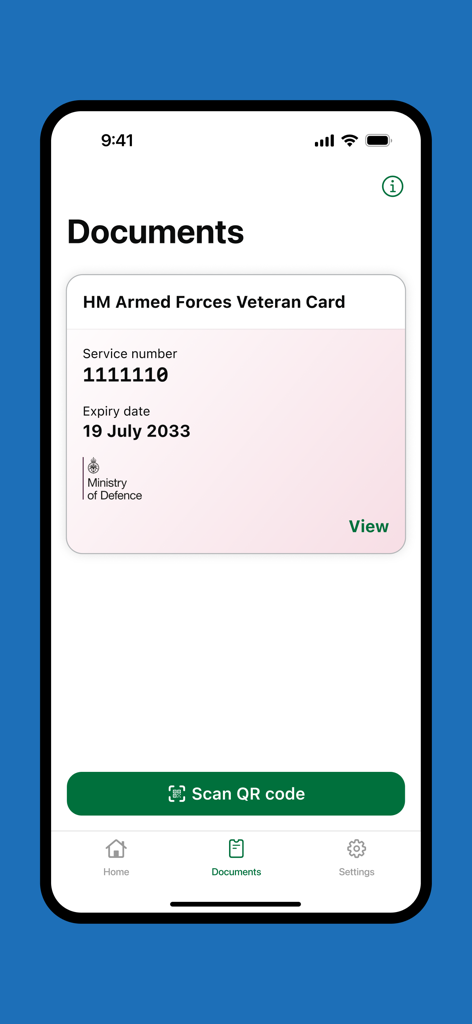
GOV.UK One Login 앱에서 문서 섹션에 디지털 HM 의무군 베테랑 카드가 표시되는 스크린샷.

GOV.UK One Login 앱에서 문서 섹션에 디지털 HM 의무군 베테랑 카드가 표시되는 스크린샷.

주머니 속 안전한 정부 서비스

이 앱을 돋보이게 하는 도구, 3M+ 명의 사용자가 선택.

🤳

즉각적인 신원 확인

얼굴과 사진이 부착된 신분증을 대조하여 몇 분 안에 신원을 증명하세요. 실물 약속이나 우편 발송이 필요 없습니다.

💳

디지털 문서 지갑

HM 의무군 베테랑 카드를 휴대폰에 보관하고, 디지털 운전 면허증을 포함한 향후 업데이트를 위해 준비하세요.

🛡️

개인 정보 보호 우선 보안

생체 인식 데이터는 앱이나 휴대폰에 저장되지 않습니다. 신원은 안전하게 확인되며, 더 이상 필요하지 않은 데이터는 즉시 삭제됩니다.

리뷰 분석

사용자 리뷰 인사이트.

감정 점수

30%
부정적

요약

This app receives overwhelmingly negative feedback due to its poor user experience, complicated identity verification process, and numerous technical glitches including login failures, blank screens, and issues with document scanning. Many users express frustration over the perceived mandatory nature of digital ID and associated privacy concerns, while also highlighting significant accessibility and device compatibility problems for older users, those with disabilities, or non-UK citizens. Although a small number of users found the process efficient and straightforward, the majority report a confusing and time-wasting experience.

주요 테마

Ease of Use(27)
App Reliability(25)
Identity Verification Process(15)
Digital ID Concerns(9)
Clarity of Instructions(8)
Accessibility(5)

앱 소개

에 대해 알아야 할 모든 것 GOV.UK One Login.

설명

You can use the GOV.UK One Login app to prove your identity to access some government services. It works by matching your face to your photo ID. You can also use this app to save a digital version of your HM Armed Forces Veteran Card to your phone. In future you'll be able to save other digital documents, such as your driving licence. This is not available yet. Before you start You need to get this app if you’re: • using a service on the GOV.UK website that asks you to prove your identity with GOV.UK One Login • saving your digital Veteran Card to your phone You’ll be guided to this app when it is time to use it. What you need You can use any of the following types of photo ID to prove your identity: • UK passport • non-UK passport with a biometric chip • UK photocard driving licence • UK biometric residence permit (BRP) • UK biometric residence card (BRC) • UK Frontier Worker permit (FWP) You can use an expired BRP, BRC or FWP up to 18 months after its expiry date. You need to have your original photo ID with you. You cannot use a photocopy or digital copy. You will also need: • a well-lit area where you can take a good quality photograph • an iPhone 8 or newer • iOS 16.7 or higher How it works You'll need to sign in to the app with your GOV.UK One Login details. This links the app to the GOV.UK website so you can continue proving your identity. If your photo ID is a passport, BRP, BRC or FWP you will: • take a photo of your photo ID • scan the biometric chip in your photo ID using your phone • scan your face using your phone If your photo ID is a driving licence you will: • take a photo of your driving licence • scan your face using your phone What happens next Once your information has been submitted in the app, you'll need to go back to the GOV.UK website, so you can finish proving your identity and access the service you were trying to use.   Privacy and security The personal information you provide to prove your identity will not be saved either on the app or on your phone. We collect your data securely and delete it when it is no longer needed. Digital documents you add to the app will be saved on your phone so you can access them whenever you need.

최신 버전

1.15.0

크기

41.6 MB

출시일

2025년 6월 9일

오늘 디지털 신원을 보호하세요

3백만 명 이상의 사용자가 정부 서비스 이용을 간소화하고 있습니다. 앱을 다운로드하여 신원을 한 번 확인하고 어디를 가든 디지털 베테랑 카드를 휴대하세요.

다운로드: App Store다운로드: Google Play
FAQ

자주 묻는 질문

에 대해 알아야 할 모든 것 GOV.UK One Login

GOV.UK One Login 앱은 무엇을 위해 사용되나요?

GOV.UK One Login 앱을 사용하면 정부 서비스에 대한 신원을 증명하고 HM Armed Forces Veteran Card의 디지털 버전을 저장할 수 있습니다. 또한 향후 다른 디지털 문서도 지원할 예정입니다.

GOV.UK One Login은 내 신원을 어떻게 확인하나요?

GOV.UK One Login 앱은 얼굴 사진과 신분증 사진을 대조하여 신원을 확인합니다. 신분증 사진 촬영, 생체 인식 칩 스캔(해당되는 경우), 셀카 카메라로 얼굴 스캔이 포함됩니다.

GOV.UK One Login 앱에서 허용하는 사진 신분증 유형은 무엇인가요?

GOV.UK One Login 앱은 영국 여권, 생체 인식 칩이 있는 비영국 여권, 영국 운전 면허증, 영국 생체 인식 거주 허가증(BRP), 영국 생체 인식 거주 카드(BRC), 영국 프런티어 워커 허가증(FWP)을 허용합니다.

만료된 신분증을 GOV.UK One Login에서 사용할 수 있나요?

네, 만료된 영국 생체 인식 거주 허가증(BRP), 영국 생체 인식 거주 카드(BRC), 영국 프런티어 워커 허가증(FWP)은 만료일로부터 최대 18개월 동안 사용할 수 있습니다.

GOV.UK One Login 앱의 기기 요구 사항은 무엇인가요?

GOV.UK One Login 앱은 iPhone 8 이상 및 iOS 16.7 이상이 필요합니다. 또한 사진 촬영을 위한 밝은 장소와 원본 신분증이 필요합니다.

GOV.UK One Login 앱은 내 개인 신원 정보를 저장하나요?

아니요, GOV.UK One Login 앱은 앱이나 휴대폰에 개인 신원 정보를 저장하지 않습니다. 데이터는 안전하게 수집되며 더 이상 필요하지 않으면 삭제됩니다.

GOV.UK One Login 앱에 디지털 문서를 저장할 수 있나요?

네, GOV.UK One Login 앱을 사용하여 디지털 문서를 저장할 수 있습니다. 현재는 HM Armed Forces Veteran Card를 지원하며, 향후 운전 면허증과 같은 문서를 지원할 계획입니다. 저장된 디지털 문서는 휴대폰에 저장됩니다.

GOV.UK One Login 앱에 정보를 제출하면 어떻게 되나요?

GOV.UK One Login 앱에 정보를 제출한 후 GOV.UK 웹사이트로 돌아가야 합니다. 이를 통해 신원 확인을 완료하고 원하는 서비스에 액세스할 수 있습니다.

GOV.UK One Login 앱에 로그인하려면 어떻게 해야 하나요?

기존 GOV.UK One Login 자격 증명을 사용하여 GOV.UK One Login 앱에 로그인해야 합니다. 이렇게 하면 앱이 GOV.UK 웹사이트에 연결되어 신원 증명을 계속 진행할 수 있습니다.

App information, icons, screenshots, and descriptions displayed on this page are sourced from the Apple App Store and are the property of their respective developers. Download estimates and rankings are based on MWM's proprietary models and may not reflect actual figures. This page is provided for informational and analytical purposes only.

Believe this page infringes your intellectual property? File a dispute