
이 페이지는 앱이나 개발자의 공식 페이지가 아니며, 정보 제공 및 논평을 목적으로 작성된 독립 편집 간행물입니다. 명시적으로 달리 언급되지 않는 한, 해당 앱이나 개발자는 MWM, Apple, Google Play, 앱 퍼블리셔 또는 앱 개발자와 제휴, 보증, 후원, 승인 또는 공식적으로 연결되어 있지 않으며, 이 페이지의 어떤 내용도 해당 앱이 MWM의 서비스를 사용하여 개발되었음을 의미하지 않습니다. 모든 상표, 로고, 스크린샷 및 기타 콘텐츠는 해당 소유자의 자산입니다.


GPS Odometer Pro
정밀도를 중시하는 사용자를 위해 설계되었습니다. 운전, 하이킹 또는 항해 중이든, 여러 여정을 큰 글꼴과 사용자 정의 가능한 단위로 어수선함 없이 추적하세요.
다운로드
179K+사용자 평점
총 평가 수
0개발사
카테고리
Travel지원 언어
31최신 버전
2.13크기
13.2 MB출시일
2015년 1월 16일전문적인 정밀도. 방해 없음.
소셜 기능보다 정확도를 중시하는 사용자를 위해 설계된, 거리, 속도 및 여정을 육지와 바다에서 추적하기 위한 신뢰할 수 있는 광고 없는 도구입니다.
99% 추적 정확도
GPS 음영 지역을 채우는 스마트 추정 기능으로 정밀도를 위해 설계되어 로그가 1% 이내의 정확도를 보장합니다.
특수 단위 및 다중 여정
마일, 킬로미터 또는 해리를 사용하여 여러 독립적인 여정을 동시에 추적하세요. 보트, 항공 및 전문 로깅에 이상적입니다.
다음 스크린샷과 설명은 앱의 공식 스토어 목록에서 직접 가져온 것이며 앱 개발자의 자산입니다.
앱 스토어
스크린샷
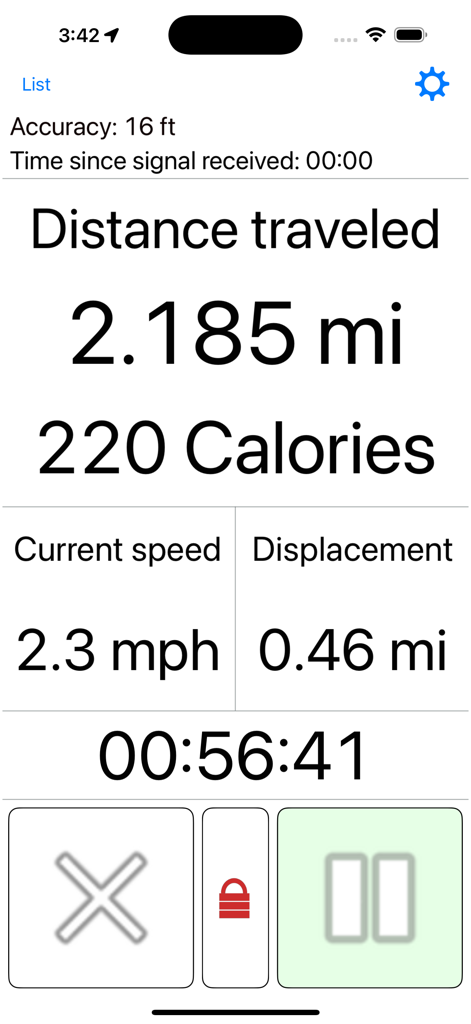
GPS Odometer Pro 추적 인터페이스 - 이동 거리, 속도 및 칼로리 표시
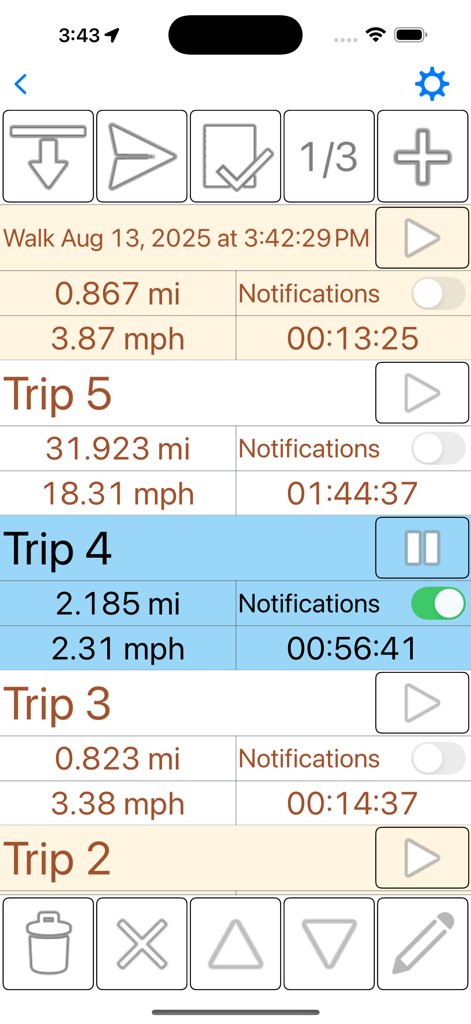
GPS Odometer Pro 앱 인터페이스 - 거리, 속도 및 시간 추적 기능이 있는 여러 여정 로그 표시
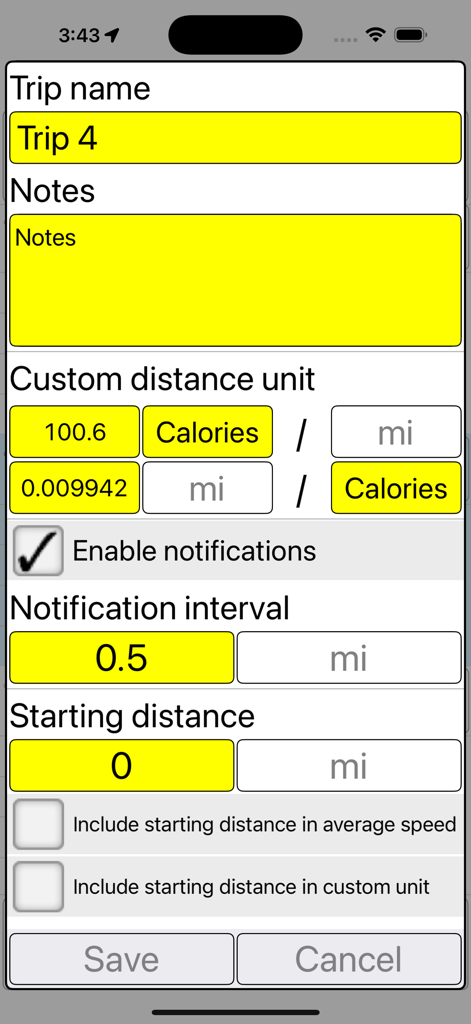
GPS Odometer Pro의 여정 구성 화면 - 여정 이름, 메모, 사용자 정의 단위 및 알림 간격 설정 표시
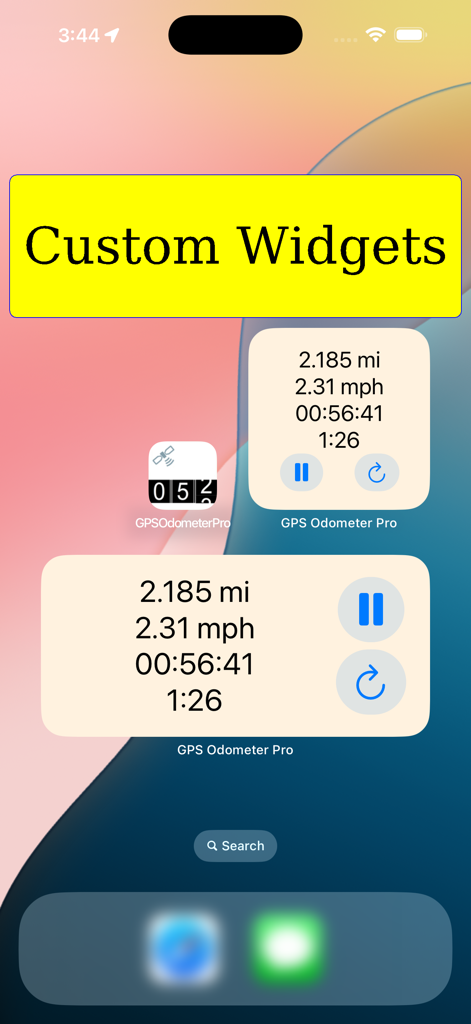
iPhone 홈 화면의 GPS Odometer Pro 사용자 정의 위젯 - 여정 거리 및 속도 표시
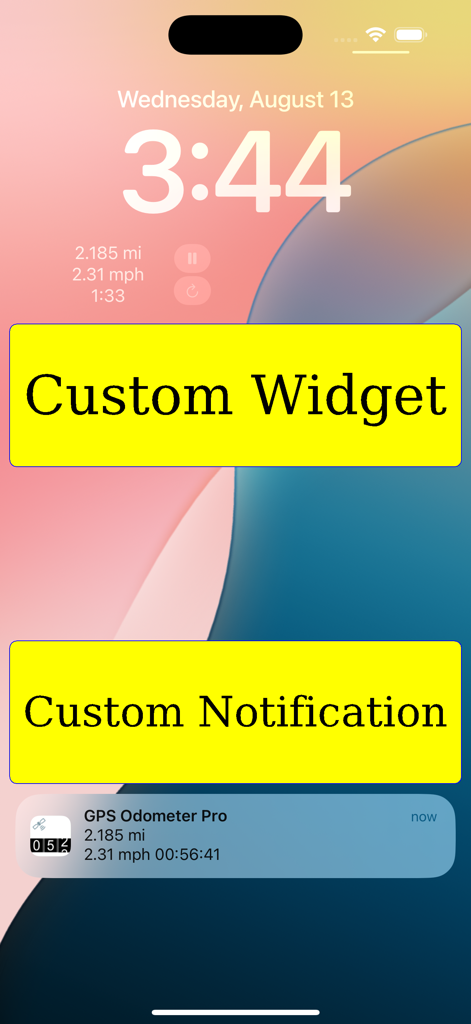
GPS Odometer Pro 잠금 화면 - 사용자 정의 추적 위젯 및 알림 표시
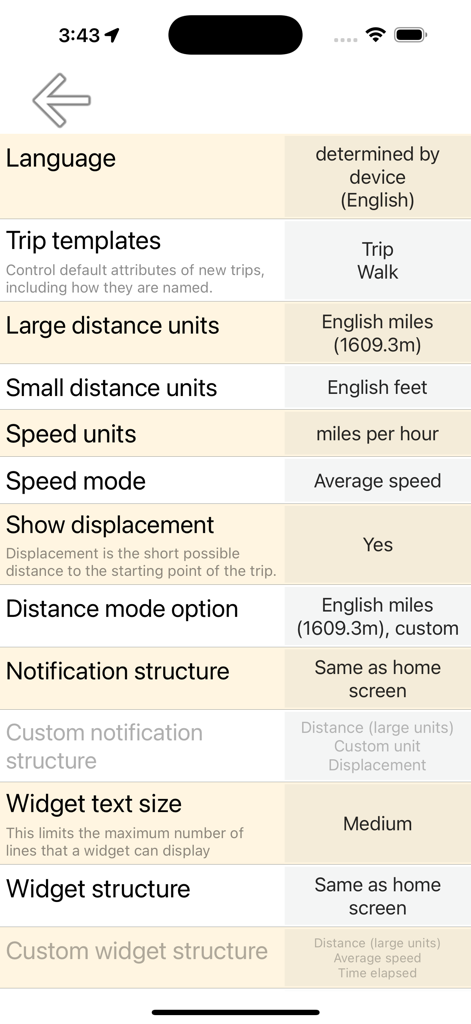
GPS Odometer Pro의 설정 메뉴 - 여정 및 단위 사용자 정의 옵션 표시
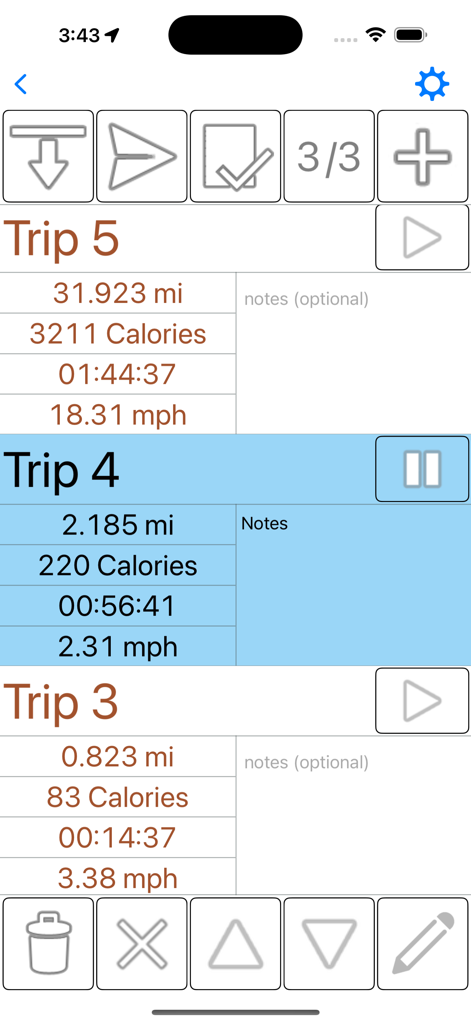
GPS Odometer Pro 인터페이스 - 거리, 칼로리, 시간 및 속도 데이터가 포함된 추적된 여러 여정 목록 표시
설명
Download
비슷한 앱
같은 카테고리의 상위 앱

Uber - Request a ride
Uber Technologies, Inc.

Airbnb
Airbnb, Inc.

铁路12306
ACADEMY OF RAILWAY SCIENCES CO., ltd.

Booking.com: Hotels & Travel
Booking.com B.V.

Grab: Taxi Ride, Food Delivery
GRABTAXI HOLDINGS PTE. LTD.

Trip.com: Book Flights, Hotels
Trip.com Travel Singapore Pte. Ltd.

DiDi China: Ride Hailing
Didi Chuxing (Beijing) Network Platform Technology Co., Ltd

去哪儿旅行-订酒店机票火车票
Beijing Qunar Information Technology Company Limit

Bolt: Request a Ride
BOLT TECHNOLOGY OU
이 페이지는 앱이나 개발자의 공식 페이지가 아니며, 정보 제공 및 논평을 목적으로 작성된 독립 편집 간행물입니다. 명시적으로 달리 언급되지 않는 한, 해당 앱이나 개발자는 MWM, Apple, Google Play, 앱 퍼블리셔 또는 앱 개발자와 제휴, 보증, 후원, 승인 또는 공식적으로 연결되어 있지 않으며, 이 페이지의 어떤 내용도 해당 앱이 MWM의 서비스를 사용하여 개발되었음을 의미하지 않습니다. 모든 상표, 로고, 스크린샷 및 기타 콘텐츠는 해당 소유자의 자산입니다.