Graphite: Turn Photo to Sketch
다운로드: App Store

이 페이지는 앱이나 개발자의 공식 페이지가 아니며, 정보 제공 및 논평을 목적으로 작성된 독립 편집 간행물입니다. 명시적으로 달리 언급되지 않는 한, 해당 앱이나 개발자는 MWM, Apple, Google Play, 앱 퍼블리셔 또는 앱 개발자와 제휴, 보증, 후원, 승인 또는 공식적으로 연결되어 있지 않으며, 이 페이지의 어떤 내용도 해당 앱이 MWM의 서비스를 사용하여 개발되었음을 의미하지 않습니다. 모든 상표, 로고, 스크린샷 및 기타 콘텐츠는 해당 소유자의 자산입니다.

로고: Graphite: Turn Photo to Sketch
다운로드: App Store

Graphite: Turn Photo to Sketch

AI 기반 연필 및 목탄 필터를 사용하여 사진과 동영상을 고해상도 디지털 아트로 변환하세요. 정밀 편집과 완전한 개인 정보 보호를 iPhone, iPad, Mac에서 경험하세요.

주요 수치

다운로드

1M+

사용자 평점

4.8/5

총 평가 수

15K+

개발사

Digital Masterpieces GmbH

카테고리

Photo & Video

지원 언어

11

최신 버전

4.3.3

크기

558.4 MB

출시일

2019년 10월 23일
기능

사진을 시대를 초월하는 아트로 승격시키세요

Graphite는 최첨단 AI를 사용하여 이미지를 고품질 스케치로 즉시 변환하고, 모든 세부 사항을 다듬을 수 있는 전문 도구를 제공합니다.

정밀한 창의적 제어

Apple Pencil을 사용하여 윤곽선을 조정하고 얼굴 특징을 보정하여 진정한 손그림 효과를 연출하세요.

개인정보 보호 및 고해상도

사진은 기기를 벗어나지 않습니다. 완벽한 보안 속에서 작품을 만들고 놀라운 64MP 또는 4K 동영상으로 내보내세요.

다음 스크린샷과 설명은 앱의 공식 스토어 목록에서 직접 가져온 것이며 앱 개발자의 자산입니다.

앱 스토어

스크린샷
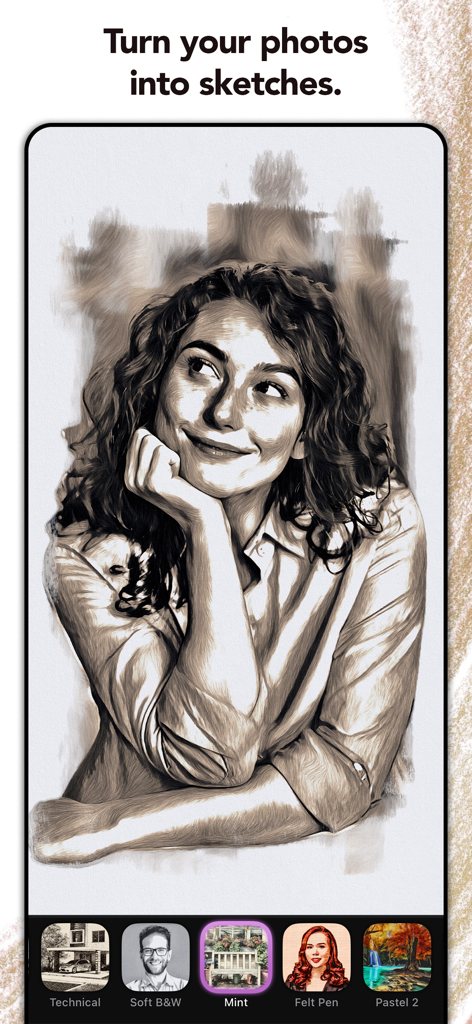
Graphite: Turn Photo to Sketch - Graphite 앱을 사용하여 사진에서 만든 미소 짓는 여성의 전문 연필 스케치
Graphite 앱을 사용하여 사진에서 만든 미소 짓는 여성의 전문 연필 스케치

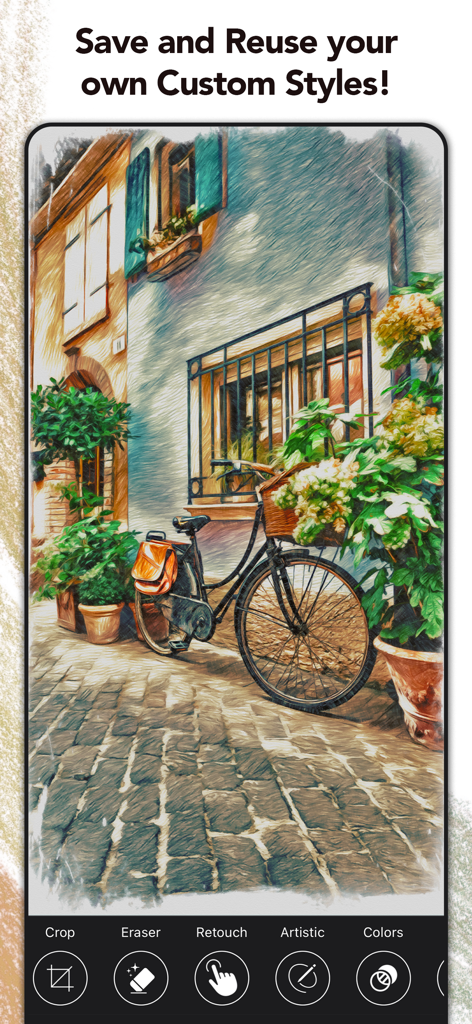
Graphite: Turn Photo to Sketch - Graphite 앱에서 사용자 지정 스타일을 사용하여 다채로운 연필 스케치로 변환된 건물에 기대어 있는 자전거
Graphite 앱에서 사용자 지정 스타일을 사용하여 다채로운 연필 스케치로 변환된 건물에 기대어 있는 자전거

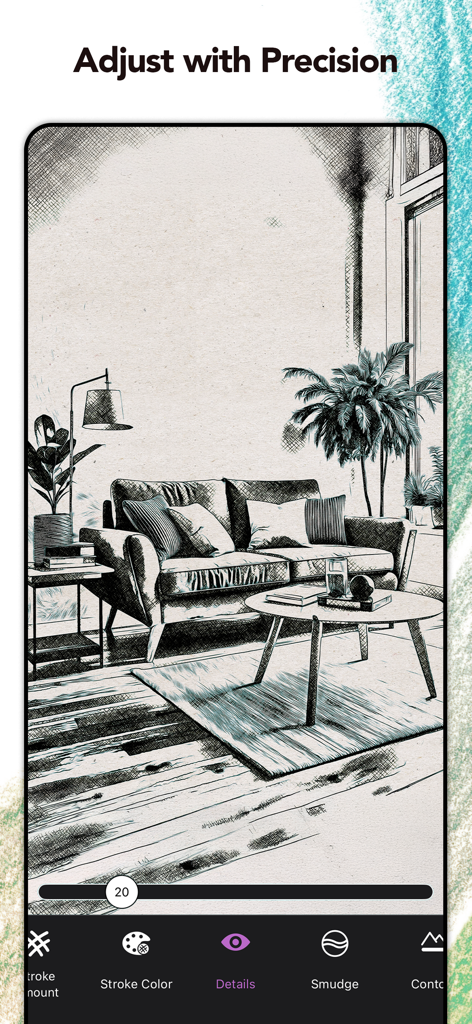
Graphite: Turn Photo to Sketch - 연필 스케치로 변환된 거실 사진이 Graphite 앱의 정밀 도구로 조정되는 모습
연필 스케치로 변환된 거실 사진이 Graphite 앱의 정밀 도구로 조정되는 모습

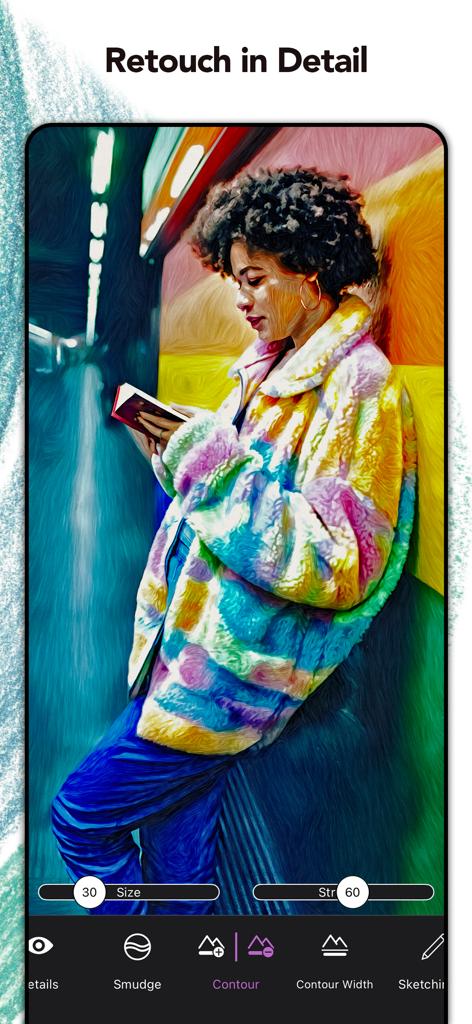
Graphite: Turn Photo to Sketch - Graphite 앱의 스크린샷으로, 다채로운 스케치 초상화에 대한 상세한 보정 및 윤곽 도구 표시
Graphite 앱의 스크린샷으로, 다채로운 스케치 초상화에 대한 상세한 보정 및 윤곽 도구 표시

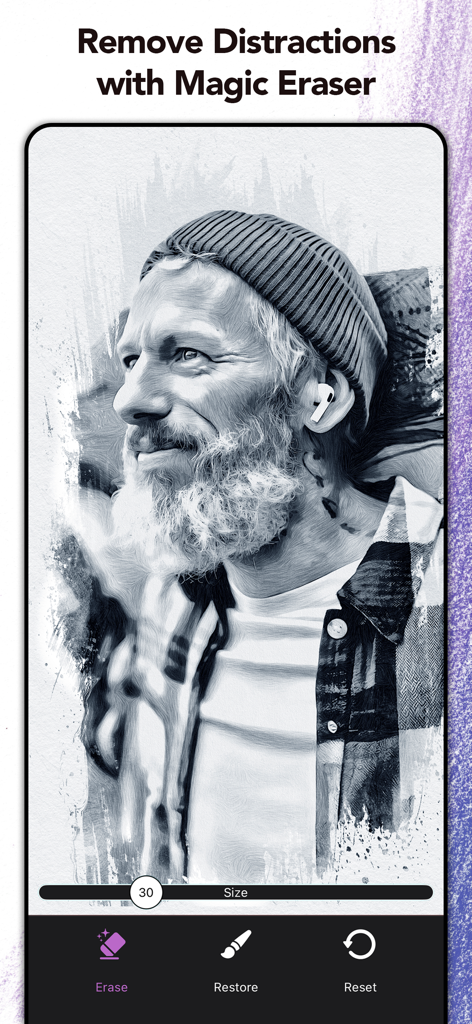
Graphite: Turn Photo to Sketch - Graphite 앱에서 매직 이레이저 도구로 편집 중인 남성의 디지털 목탄 스케치
Graphite 앱에서 매직 이레이저 도구로 편집 중인 남성의 디지털 목탄 스케치

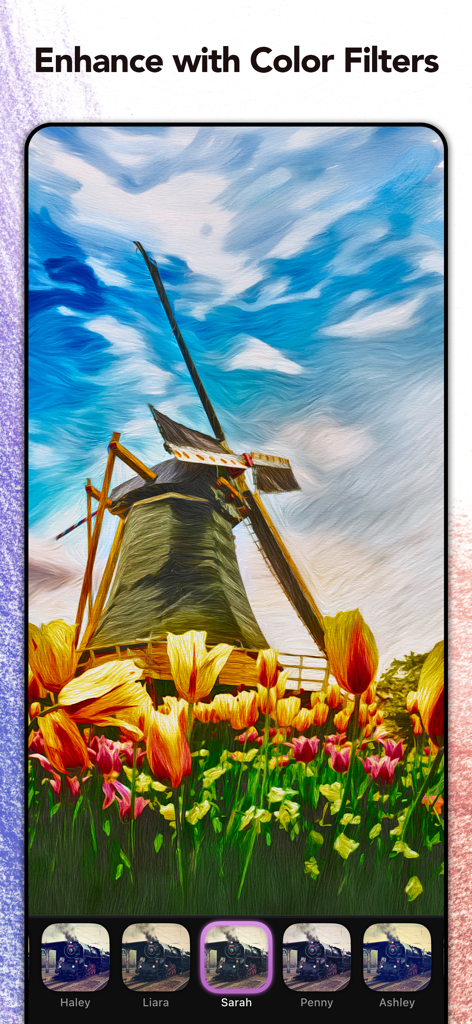
Graphite: Turn Photo to Sketch - Graphite 앱 스크린샷으로, 화려한 색상 필터와 예술적인 붓터치로 향상된 풍차 사진 표시
Graphite 앱 스크린샷으로, 화려한 색상 필터와 예술적인 붓터치로 향상된 풍차 사진 표시

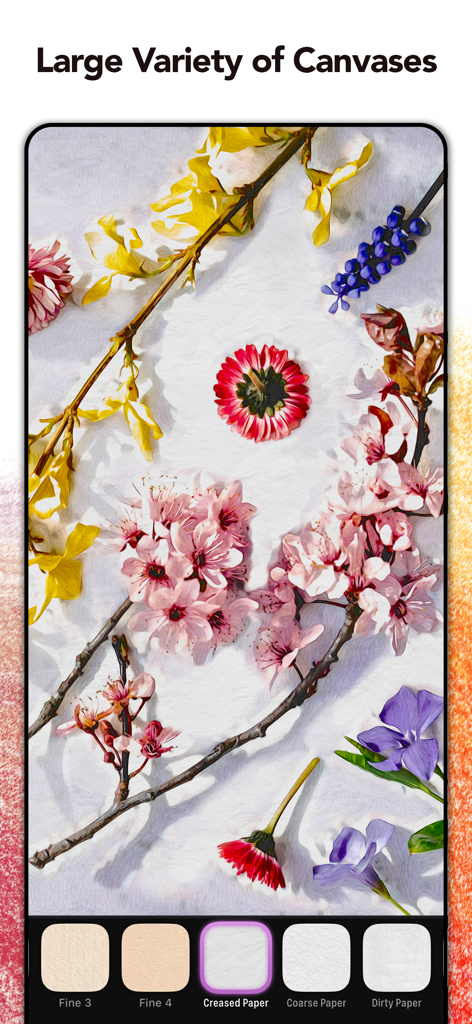
Graphite: Turn Photo to Sketch - Graphite 앱 인터페이스로, 구겨진 종이나 거친 종이와 같은 다양한 종이 및 캔버스 질감 옵션이 있는 꽃 스케치 표시
Graphite 앱 인터페이스로, 구겨진 종이나 거친 종이와 같은 다양한 종이 및 캔버스 질감 옵션이 있는 꽃 스케치 표시

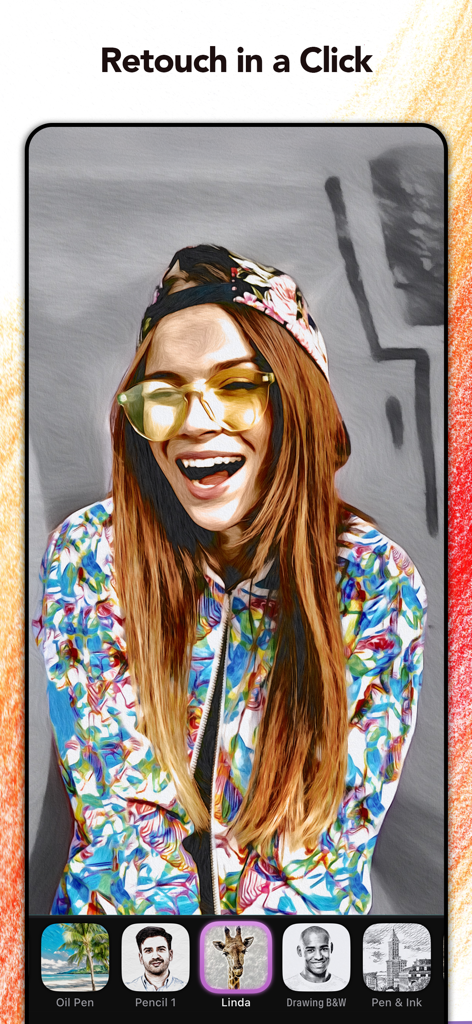
Graphite: Turn Photo to Sketch - Graphite 앱에서 스케치 필터로 편집된 여성 초상화로, 다양한 예술 스타일 옵션 표시
Graphite 앱에서 스케치 필터로 편집된 여성 초상화로, 다양한 예술 스타일 옵션 표시

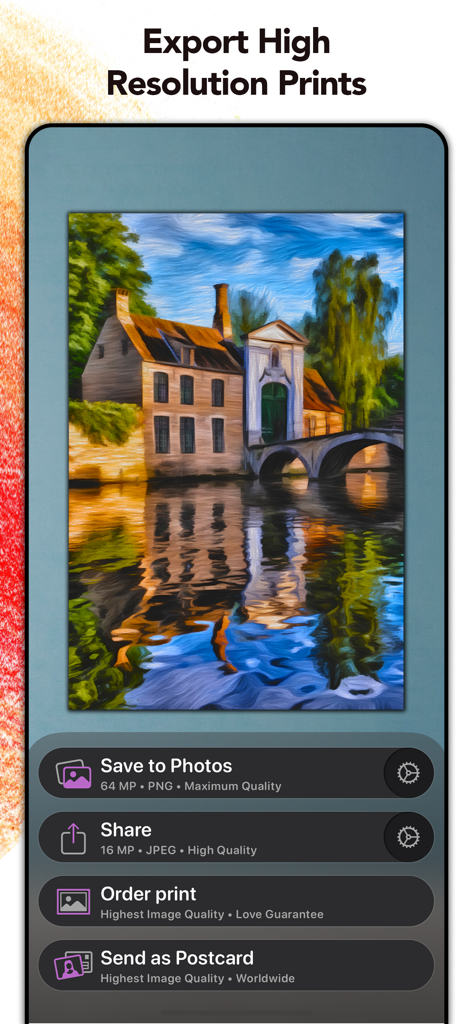
Graphite: Turn Photo to Sketch - Graphite 앱 스크린샷으로, 사진으로 저장, 공유, 인쇄 주문 또는 디지털 페인팅 엽서로 보내기 옵션 표시
Graphite 앱 스크린샷으로, 사진으로 저장, 공유, 인쇄 주문 또는 디지털 페인팅 엽서로 보내기 옵션 표시

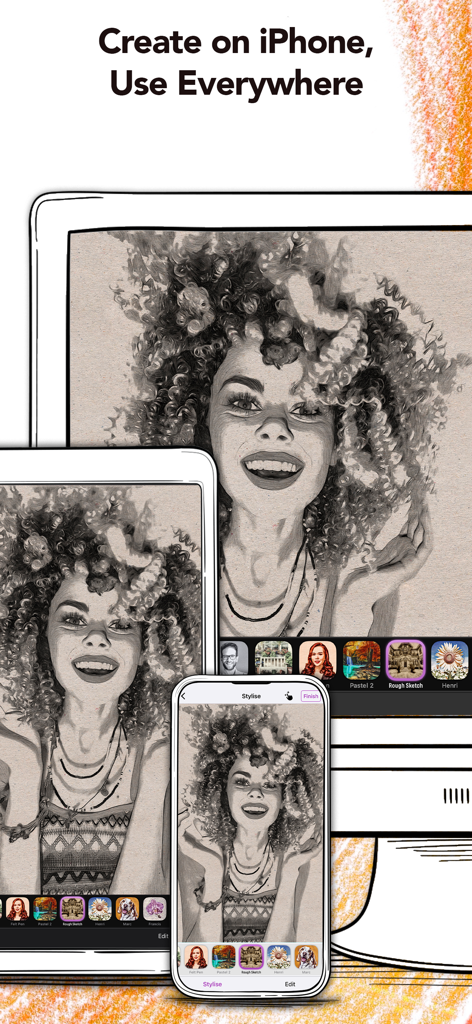
Graphite: Turn Photo to Sketch - iPhone, iPad, Mac에서 연필 스케치 초상화를 보여주는 Graphite 앱.

iPhone, iPad, Mac에서 연필 스케치 초상화를 보여주는 Graphite 앱.

설명

Graphite is a picture and video editing app that instantly transforms your photos and videos into high-quality drawings, sketches, and illustrations—directly on your Mac, iPhone or iPad. Listed as TechRadar’s Best Free Photo and Video Editing iPad App of 2022. Use Graphite for free! - Instantly transform as many photos as you like into high-detail pencil, charcoal or technical drawings. - Transform and enhance your videos** with the most cutting edge Graphite filters. - Utilize Graphite’s unique AI technology to get the most out of your digital masterpieces. - Apply all art effects directly on your Mac, iPhone or iPad. It is safe—your photos never leave your device! - Export your transformed snaps in high resolution (up to 64 MP) or high quality video (up to 4K)*, and share them on Instagram, Snapchat, Youtube, TikTok and Facebook. As a plus, Graphite Premium* gives you the ability for pixel-precise fine-tuning: Use your finger or Apple Pencil to adjust the level of detail, to remove unwanted outlines, or to make your drawings sketchier. This way you can retouch facial features in photos and create stunning technical illustrations of hand-drawn quality! Try the Adjustment Tool to create your own unique style. Finally, make your digital masterpieces special with Graphite’s integrated color filters, fine-art papers, and vignettes. Share your drawings or surprise your friends with a print. We work together with MyPostcard (www.mypostcard.com) and CanvasPop (www.canvaspop.com) to offer an integrated printing service. Send your awesome images as a real postcard for only $2.69 (free shipping!) to your loved ones, or have your favorite moment produced as frameable art delivered straight to your door. Even large sizes are not a problem thanks to our high-quality, high-resolution technology. HOW DOES IT WORK? ・ Select a photo or video* from your library. ・ Choose between various sketch, pencil and technical illustration effects ・ Adjust outlines, details and the sketchiness of your picture* ・ Retouch portraits or even landscapes with your finger or Apple Pencil* ・ Set your drawings in the right mood with a color filter* ・ Choose between different papers and canvases to give your sketch the extra arty touch* ・ Save your sketch or illustration in high resolution (up to 64 MP), or export up to 4K in video resolution**. ・ With Custom Styles you can personalize and save your very own styles with ease. ・ Share your arty pictures and videos on social media like TikTok, Youtube, Snapchat, Instagram and Facebook. ・ Print your results with our integrated printing services, e.g., order a postcard for just $2.69 (free shipping included!) ・ Create high fidelity videos* perfectly suited for digital productions or go for an arty-stop motion look in your videos. Download the app for free now! Optimized for OS 26, the iPhone 17 and iPhone 17 Pro. SUPPORT If you have any questions or feedback for us, please feel free to send us an email at support@digitalmasterpieces.com. Our team is on hand 24 hours a day, so we'll get right on it. * Subscribe to unlock all features Terms of Use: https://www.digitalmasterpieces.com/app-terms-of-use/

Download

다운로드: App Store

이 페이지는 앱이나 개발자의 공식 페이지가 아니며, 정보 제공 및 논평을 목적으로 작성된 독립 편집 간행물입니다. 명시적으로 달리 언급되지 않는 한, 해당 앱이나 개발자는 MWM, Apple, Google Play, 앱 퍼블리셔 또는 앱 개발자와 제휴, 보증, 후원, 승인 또는 공식적으로 연결되어 있지 않으며, 이 페이지의 어떤 내용도 해당 앱이 MWM의 서비스를 사용하여 개발되었음을 의미하지 않습니다. 모든 상표, 로고, 스크린샷 및 기타 콘텐츠는 해당 소유자의 자산입니다.