
이 페이지는 앱이나 개발자의 공식 페이지가 아니며, 정보 제공 및 논평을 목적으로 작성된 독립 편집 간행물입니다. 명시적으로 달리 언급되지 않는 한, 해당 앱이나 개발자는 MWM, Apple, Google Play, 앱 퍼블리셔 또는 앱 개발자와 제휴, 보증, 후원, 승인 또는 공식적으로 연결되어 있지 않으며, 이 페이지의 어떤 내용도 해당 앱이 MWM의 서비스를 사용하여 개발되었음을 의미하지 않습니다. 모든 상표, 로고, 스크린샷 및 기타 콘텐츠는 해당 소유자의 자산입니다.


다운로드
1M+사용자 평점
총 평가 수
102.8K개발사
카테고리
Utilities지원 언어
22최신 버전
1.25.2크기
333.2 MB출시일
2016년 11월 11일통합 스마트 홈 관리를 위한 주요 특징 및 이점
GREE+ 앱 핵심 기능 분석
통합 스마트 관리
이 앱은 사용자가 여러 GREE 스마트 가전제품을 하나의 통합 플랫폼에서 손쉽게 추가하고 지능적으로 관리할 수 있도록 돕습니다.
원격 제어
사용자는 언제 어디서든 인터넷 연결을 통해 GREE 가전제품을 원격으로 제어할 수 있어 편의성을 극대화합니다.
실시간 상태 모니터링
이 도구는 사용자가 연결된 가전제품의 작동 상태를 실시간으로 즉시 확인하여 이상 유무를 파악할 수 있게 해줍니다.
간편한 기기 연결
이 앱은 주변 Wi-Fi 및 Bluetooth 기기 검색 기능을 활용하여 GREE 스마트 제품을 쉽고 빠르게 연결할 수 있도록 지원합니다.
자주 묻는 질문
에 대해 알아야 할 모든 것 GREE+
What is the GREE+ app?
GREE+ is the official mobile application from Gree for the IoT era. It provides intelligent control and management for Gree smart appliances, enhancing user convenience.
What are the main functions of the GREE+ app?
The GREE+ app offers intelligent product management, real-time appliance status updates, and remote control capabilities. It integrates smart products into the Gree ecosystem for unified management.
Does the GREE+ app allow remote control of appliances?
Yes, the GREE+ app allows users to control their appliances anytime and anywhere. It provides real-time status updates for connected devices.
Which third-party smart home services integrate with GREE+?
GREE+ integrates with third-party services such as Amazon Alexa and Google Assistant. This allows for broader smart home compatibility and control.
What optional permissions does the GREE+ app request?
The GREE+ app requests optional permissions for location information (Wi-Fi), nearby devices (Bluetooth), camera (user avatar), and documents/media (album images, plug-in downloads). Basic functions work without these.
Can I monitor energy usage with the GREE+ app?
Yes, the GREE+ app includes an Energy Management feature. It displays monthly cumulative energy consumption for connected devices, comparing it to previous periods.
What types of Gree appliances can I add to the GREE+ app?
The GREE+ app supports adding various Gree appliance types, including AC, Window AC, Portable AC, Commercial AC, Cloud control, Fresh air purifiers, RV AC, VERSATI, and Zone Controllers.
Can GREE+ schedule appliance operations?
Yes, GREE+ features a 'Schedule' function. Users can add different scenarios to control equipment quickly and organize appliance operations.
Does GREE+ show real-time appliance status?
Yes, GREE+ provides real-time status updates for connected appliances. Users know the current operational state of their devices immediately.
Can I set specific temperatures for my AC using the GREE+ app?
Yes, the GREE+ app allows users to set specific temperatures for their AC units. The virtual AC control interface displays the current set temperature and provides adjustment options.
다음 스크린샷과 설명은 앱의 공식 스토어 목록에서 직접 가져온 것이며 앱 개발자의 자산입니다.
앱 스토어
스크린샷

이 앱의 깔끔한 시작 화면은 'GREE+' 로고와 함께 "Make your life easier"라는 슬로건을 명확하게 보여줍니다.
앱 시작, 편리한 삶
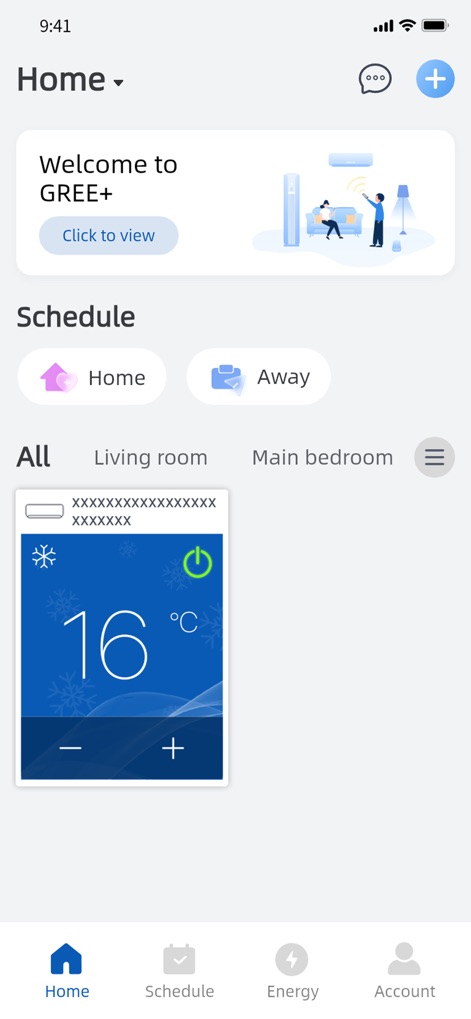
앱의 홈 화면은 "Welcome to GREE+" 메시지와 함께 에어컨의 '16 °C' 온도 설정을 포함한 연결된 기기 제어 카드를 보여줍니다.
홈 화면, 간편 제어
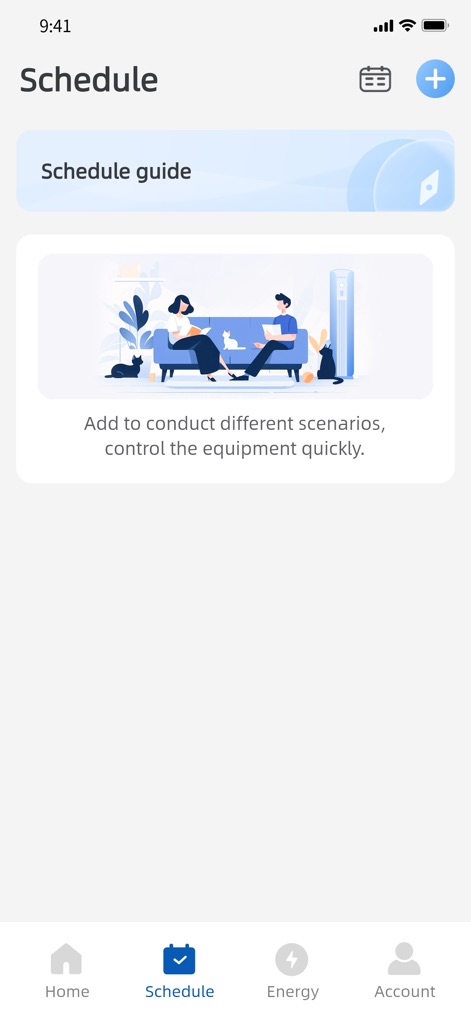
이 화면은 "Schedule guide" 섹션과 함께 'Add to conduct different scenarios' 메시지를 통해 사용자 지정 스케줄 설정을 유도하는 기능을 보여줍니다.
스마트 스케줄 관리
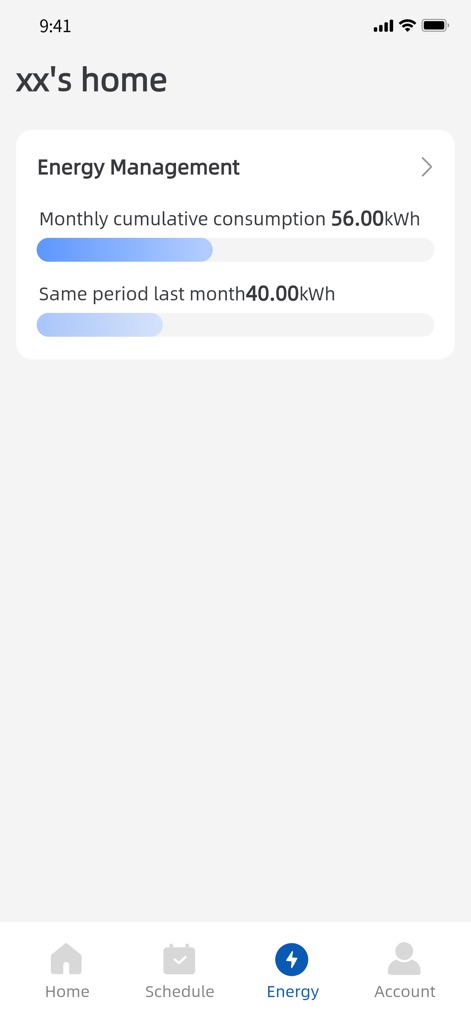
이 앱은 "Energy Management" 섹션에서 'Monthly cumulative consumption 56.00kWh'와 'Same period last month 40.00kWh' 데이터를 제공하여 에너지 사용량을 시각적으로 관리할 수 있게 합니다.
에너지 사용량 확인
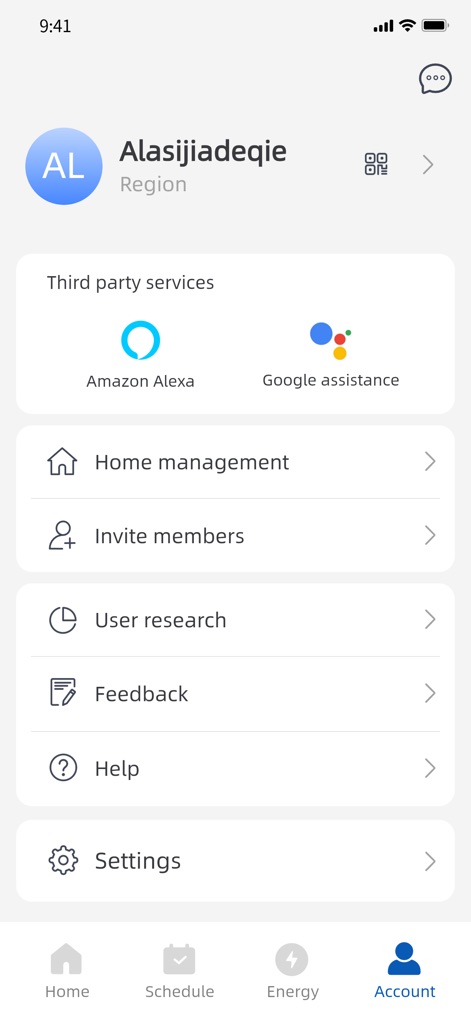
계정 화면은 사용자 프로필 정보와 함께 'Amazon Alexa' 및 'Google Assistant'와 같은 다양한 타사 서비스 연동 옵션을 명확하게 보여줍니다.
계정 설정, 연동
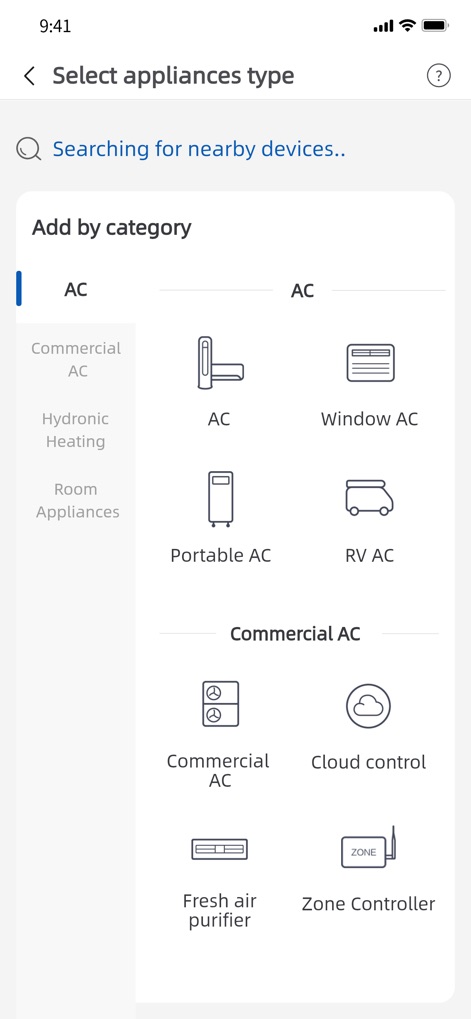
이 화면은 'Select appliances type' 제목 아래 'AC', 'Window AC', 'Portable AC' 등 다양한 유형의 기기들을 카테고리별로 쉽게 추가할 수 있도록 안내합니다.
기기 추가, 다양성

가상 에어컨 제어 화면은 중앙에 현재 온도 '16 °C'를 명확히 표시하며, 하단에는 'Power' 및 'Mode' 등의 직관적인 제어 버튼이 배치되어 있습니다.
가상 에어컨 제어
설명
Download
비슷한 앱
유사한 기능과 사용자 경험을 가진 앱

小米音箱
Beijing Xiaomi Co., Ltd

Starlink
Space Exploration Technologies Corp.

Bambu Handy
Shanghai Lunkuo Technology Co., Ltd

DREO
HESUNG INNOVATION LIMITED

My Verisure
Securitas Direct

Whisker
Automated Pet Care Products Inc.

geeni
Merkury Innovations LLC

ADT+
ADT LLC

X-Sense Home Security
X-Sense USA LLC.
이 페이지는 앱이나 개발자의 공식 페이지가 아니며, 정보 제공 및 논평을 목적으로 작성된 독립 편집 간행물입니다. 명시적으로 달리 언급되지 않는 한, 해당 앱이나 개발자는 MWM, Apple, Google Play, 앱 퍼블리셔 또는 앱 개발자와 제휴, 보증, 후원, 승인 또는 공식적으로 연결되어 있지 않으며, 이 페이지의 어떤 내용도 해당 앱이 MWM의 서비스를 사용하여 개발되었음을 의미하지 않습니다. 모든 상표, 로고, 스크린샷 및 기타 콘텐츠는 해당 소유자의 자산입니다.