Grid Maker - Gridzilla
다운로드: App Store

이 페이지는 앱이나 개발자의 공식 페이지가 아니며, 정보 제공 및 논평을 목적으로 작성된 독립 편집 간행물입니다. 명시적으로 달리 언급되지 않는 한, 해당 앱이나 개발자는 MWM, Apple, Google Play, 앱 퍼블리셔 또는 앱 개발자와 제휴, 보증, 후원, 승인 또는 공식적으로 연결되어 있지 않으며, 이 페이지의 어떤 내용도 해당 앱이 MWM의 서비스를 사용하여 개발되었음을 의미하지 않습니다. 모든 상표, 로고, 스크린샷 및 기타 콘텐츠는 해당 소유자의 자산입니다.


로고: Grid Maker - Gridzilla
다운로드: App Store

Grid Maker - Gridzilla

평범한 피드에 안주하지 마세요. 인플루언서와 크리에이터를 위해 설계된 올인원 도구로 멋진 고해상도 그리드를 만들고, 감각적인 폰트를 추가하며, 당신의 비전을 손쉽게 공유하세요.

주요 수치

다운로드

279K+

사용자 평점

4.8/5

총 평가 수

3K+

개발사

Uzair Jamal

카테고리

Photo & Video

지원 언어

1

최신 버전

2024.5

크기

209.1 MB

출시일

2016년 5월 16일
기능

인스타그램 감성을 높이세요

고해상도 그리드, 창의적인 폰트, 손쉬운 공유를 통해 프로필을 엄선된 디지털 갤러리로 바꿔보세요.

멋진 그리드 레이아웃

파노라마 사진이나 고해상도 사진을 완벽한 그리드로 분할하여 프로필을 시선을 사로잡는 전문적인 빌보드로 만들어 줍니다.

매끄러운 스마트 포스팅

자동 타일 순서 지정 및 직접 공유 기능으로 시간을 절약하세요. 더 이상 수동으로 자르거나 지저분한 카메라 롤을 관리할 필요가 없습니다.

다음 스크린샷과 설명은 앱의 공식 스토어 목록에서 직접 가져온 것이며 앱 개발자의 자산입니다.

앱 스토어

스크린샷
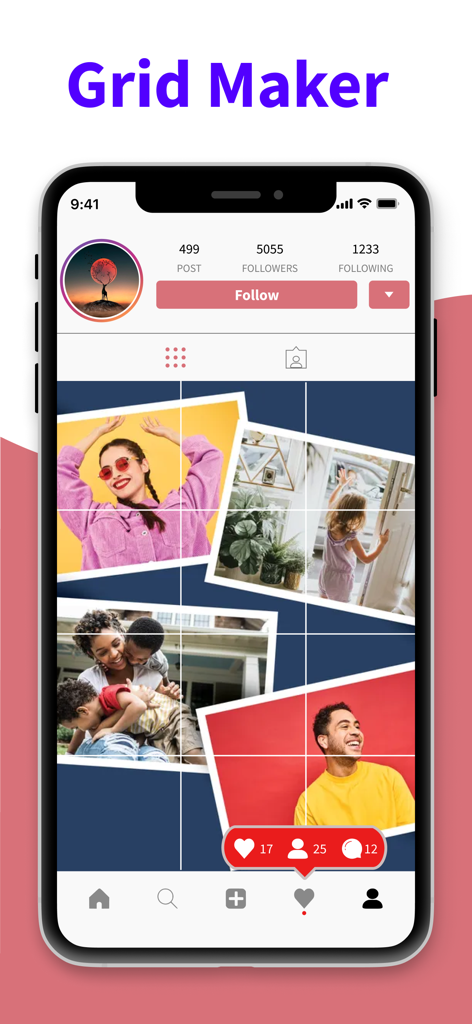
Grid Maker - Gridzilla - Gridzilla 앱으로 만든 맞춤형 인스타그램 사진 그리드 레이아웃을 보여주는 휴대폰 화면
Gridzilla 앱으로 만든 맞춤형 인스타그램 사진 그리드 레이아웃을 보여주는 휴대폰 화면

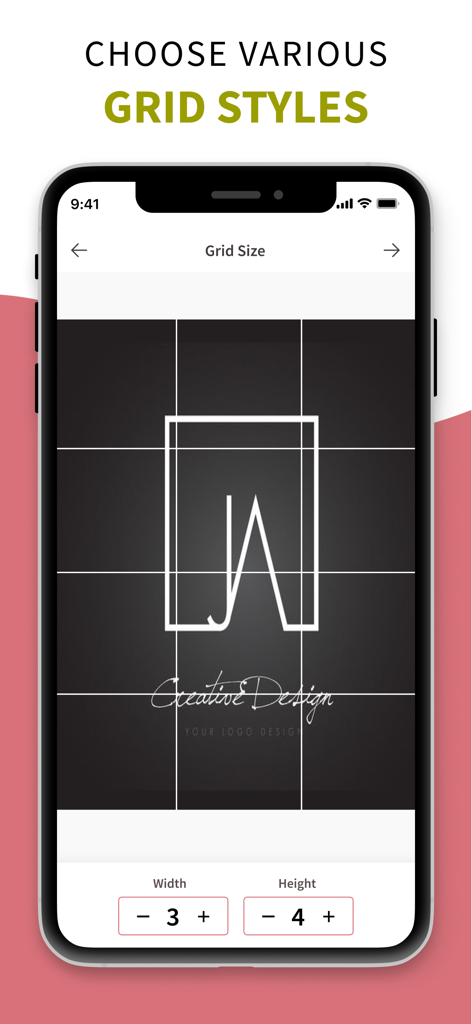
Grid Maker - Gridzilla - 인스타그램 사진을 위한 맞춤형 그리드 크기 선택을 보여주는 Gridzilla 앱 화면
인스타그램 사진을 위한 맞춤형 그리드 크기 선택을 보여주는 Gridzilla 앱 화면

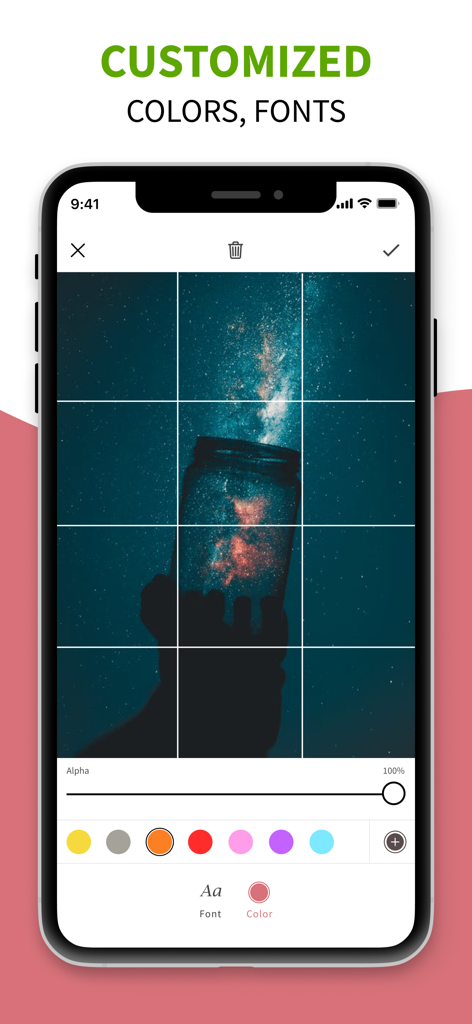
Grid Maker - Gridzilla - 사진 그리드에 대한 맞춤형 색상 및 글꼴 옵션을 보여주는 Grid Maker Gridzilla 편집 화면
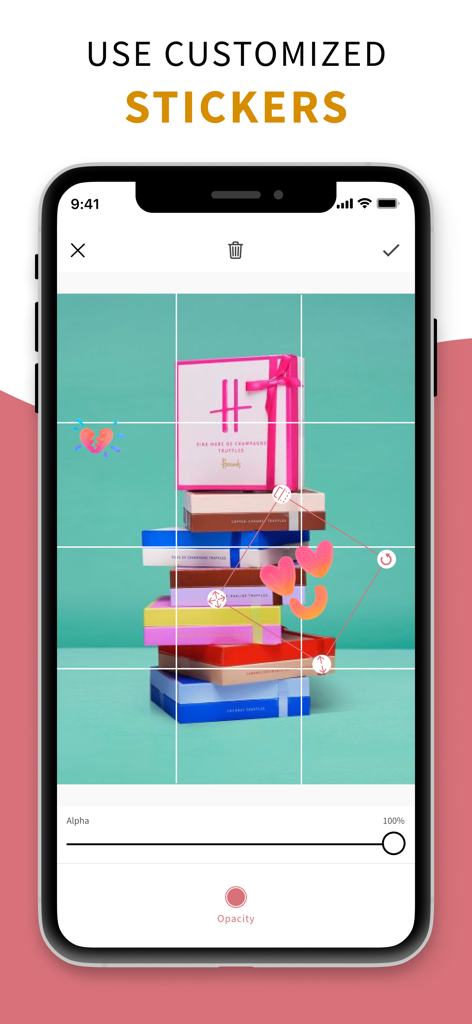
사진 그리드에 대한 맞춤형 색상 및 글꼴 옵션을 보여주는 Grid Maker Gridzilla 편집 화면

Grid Maker - Gridzilla - Gridzilla 앱의 9칸 사진 그리드에서 스티커 편집하기

Gridzilla 앱의 9칸 사진 그리드에서 스티커 편집하기

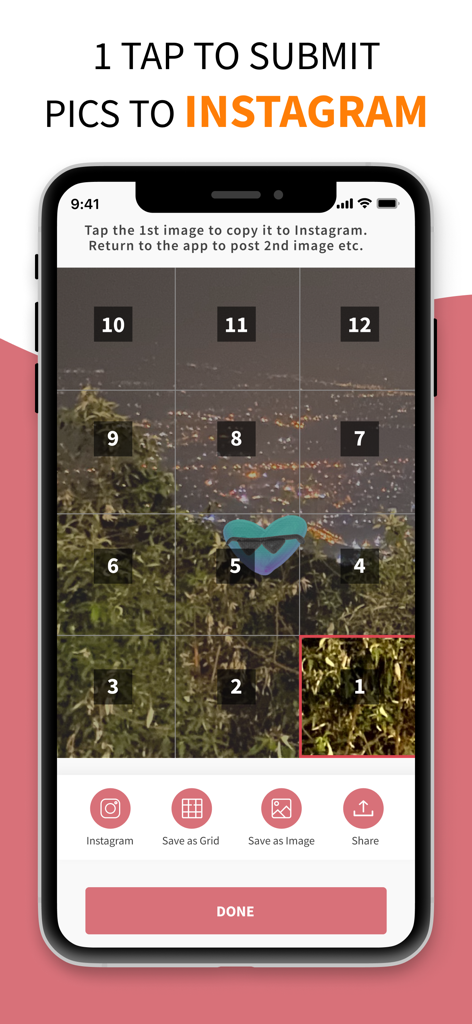
Grid Maker - Gridzilla - 인스타그램에 순차적으로 게시하기 위해 가로 사진을 12개의 번호가 매겨진 타일로 분할한 모바일 인터페이스

인스타그램에 순차적으로 게시하기 위해 가로 사진을 12개의 번호가 매겨진 타일로 분할한 모바일 인터페이스

설명

Welcome to Gridzilla, the ultimate iOS app designed to elevate your Instagram game! Say goodbye to the limitations of traditional photo sharing and embrace the freedom to create mesmerizing grids effortlessly. Key Features: Unleash Your Creative Power Ignite your creativity with a suite of powerful editing tools, an extensive collection of stickers and vector elements, and a diverse array of fonts. Gridzilla empowers you to craft visually stunning content that stands out on your Instagram profile. Create Mesmerizing Instagram Grids Transform large photos or panoramic shots into captivating square pictures with Gridzilla. Choose your desired grid size, effortlessly break your images into tiles, and witness the seamless combination into a mind-blowing masterpiece on your profile. No more compromises on resolution – Gridzilla ensures your high-quality photos look amazing! Seamless Instagram Sharing Sharing your creations on Instagram has never been this easy! Let Gridzilla handle the cropping and submission process. The app automatically suggests the optimal order of images for a seamless upload experience. Share directly from the app without the need to save individual tiles to your device! How Gridzilla Works: 1. Select Grid Size: Choose from a variety of grid sizes to fit your creative vision. 2. Edit with Precision: Utilize powerful editing tools to enhance your photos and add a personal touch. 3. Effortless Splitting: Gridzilla effortlessly breaks your images into tiles, ready for the perfect grid. 4. Automatic Ordering: The app suggests the optimal order for a visually appealing grid on your Instagram profile. 5. Direct Sharing: Share your masterpiece directly from Gridzilla without the need to save individual tiles. Why Choose Gridzilla: - Save Time: No more manual cropping or resizing. Gridzilla streamlines the process, saving you valuable time. - High-Resolution Quality: Your photos deserve to shine. Gridzilla ensures your high-resolution images look stunning on Instagram. - Creative Freedom: With a plethora of editing options, stickers, and fonts, Gridzilla gives you the creative freedom to express yourself. Download Gridzilla now and transform your Instagram profile into a canvas of creativity! Unleash the power of visual storytelling with ease. You can get unlimited access to all the advanced functionality by subscribing to a monthly or a yearly plan inside the app. There's also a free 3 day trial period to get a taste of what Gridzilla Pro has to offer. Once expired, the trial period automatically changes to a paid monthly subscription. Payment will be charged to iTunes Account at confirmation of purchase. Subscription automatically renews unless auto-renew is turned off at least 24-hours before the end of the current period. Account will be charged for renewal within 24-hours prior to the end of the current period, and identify the cost of the renewal. Subscriptions may be managed by the user and auto-renewal may be turned off by going to the user's Account Settings after purchase. Any unused portion of a free trial period, if offered, will be forfeited when the user purchases a subscription to that publication, where applicable. Privacy Policy : https://sites.google.com/view/gridzillaprivacypolicy Terms of Use : https://sites.google.com/view/gridzillatermsconditions

Download

다운로드: App Store

이 페이지는 앱이나 개발자의 공식 페이지가 아니며, 정보 제공 및 논평을 목적으로 작성된 독립 편집 간행물입니다. 명시적으로 달리 언급되지 않는 한, 해당 앱이나 개발자는 MWM, Apple, Google Play, 앱 퍼블리셔 또는 앱 개발자와 제휴, 보증, 후원, 승인 또는 공식적으로 연결되어 있지 않으며, 이 페이지의 어떤 내용도 해당 앱이 MWM의 서비스를 사용하여 개발되었음을 의미하지 않습니다. 모든 상표, 로고, 스크린샷 및 기타 콘텐츠는 해당 소유자의 자산입니다.