HAA Home for HomeKit & Matter
다운로드: App Store

이 페이지는 앱이나 개발자의 공식 페이지가 아니며, 정보 제공 및 논평을 목적으로 작성된 독립 편집 간행물입니다. 명시적으로 달리 언급되지 않는 한, 해당 앱이나 개발자는 MWM, Apple, Google Play, 앱 퍼블리셔 또는 앱 개발자와 제휴, 보증, 후원, 승인 또는 공식적으로 연결되어 있지 않으며, 이 페이지의 어떤 내용도 해당 앱이 MWM의 서비스를 사용하여 개발되었음을 의미하지 않습니다. 모든 상표, 로고, 스크린샷 및 기타 콘텐츠는 해당 소유자의 자산입니다.

로고: HAA Home for HomeKit & Matter
다운로드: App Store

HAA Home for HomeKit & Matter

고급 진단, 일괄 펌웨어 업데이트 및 전문가 수준의 MEPLHAA 스크립트 관리로 Home Accessory Architect 장치의 잠재력을 최대한 발휘하세요.

주요 수치

다운로드

36K+

사용자 평점

4.8/5

총 평가 수

100

개발사

Jose Antonio Jimenez Campos

카테고리

Lifestyle

지원 언어

10

최신 버전

6.2.2

크기

9.7 MB

출시일

2021년 3월 4일
기능

HAA 및 Matter를 위한 전문 제어

파워 사용자가 사용자 지정 Home Accessory Architect 장치를 정밀하고 쉽게 관리, 모니터링 및 스크립팅할 수 있는 최고의 툴킷입니다.

효율적인 일괄 관리

모든 HAA 장치에 펌웨어 업데이트를 한 번에 배포하고 물리적 하드웨어 스위치 없이 무선으로 설정 모드를 트리거하세요.

고급 스크립팅 스튜디오

복잡한 MEPLHAA 로직 스크립트를 생성, 편집 및 백업하세요. iCloud를 통해 모든 Apple 장치에서 사용자 지정 자동화를 정리하고 동기화 상태로 유지하세요.

다음 스크린샷과 설명은 앱의 공식 스토어 목록에서 직접 가져온 것이며 앱 개발자의 자산입니다.

앱 스토어

스크린샷
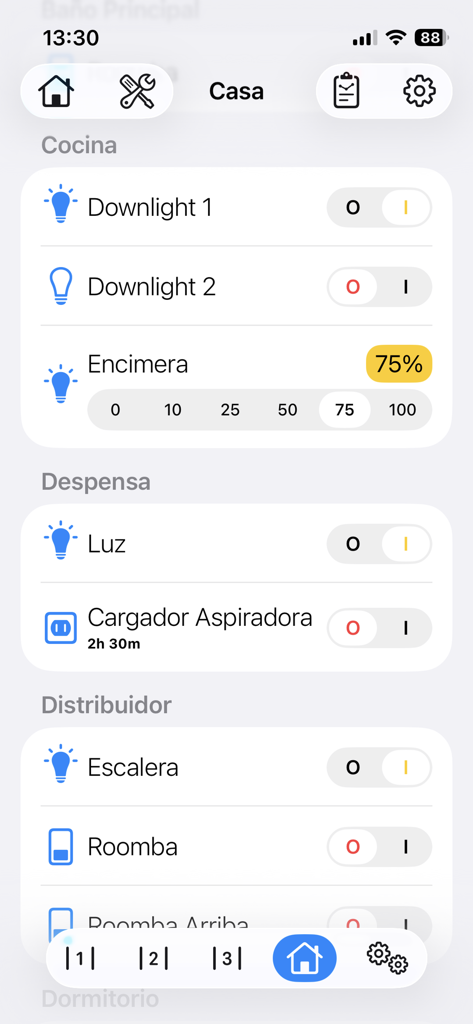
HAA Home for HomeKit & Matter - HAA Home 앱 인터페이스는 방별로 구성된 조명 및 가전제품용 스마트 홈 장치 제어를 보여줍니다.
HAA Home 앱 인터페이스는 방별로 구성된 조명 및 가전제품용 스마트 홈 장치 제어를 보여줍니다.

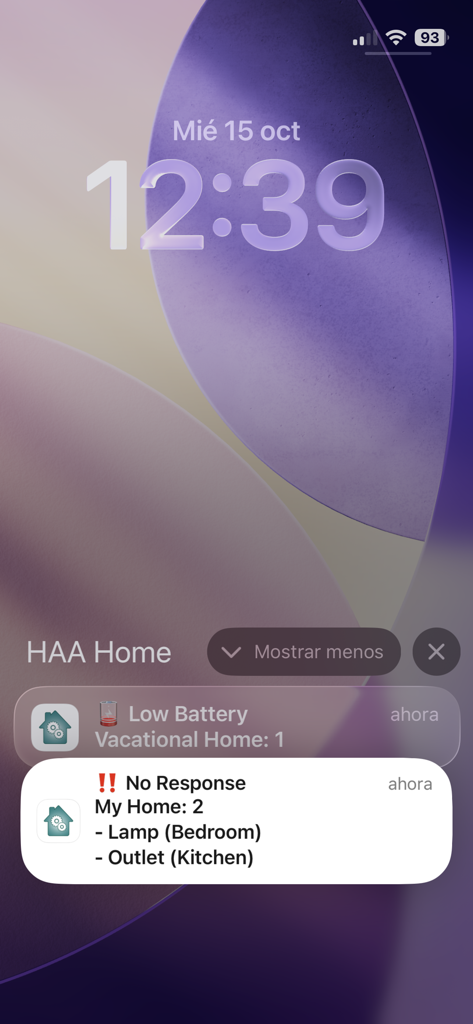
HAA Home for HomeKit & Matter - HAA Home 앱 알림이 iPhone 잠금 화면에 표시되며 스마트 홈 액세서리에 대한 배터리 부족 및 응답 없음 경고를 표시합니다.
HAA Home 앱 알림이 iPhone 잠금 화면에 표시되며 스마트 홈 액세서리에 대한 배터리 부족 및 응답 없음 경고를 표시합니다.

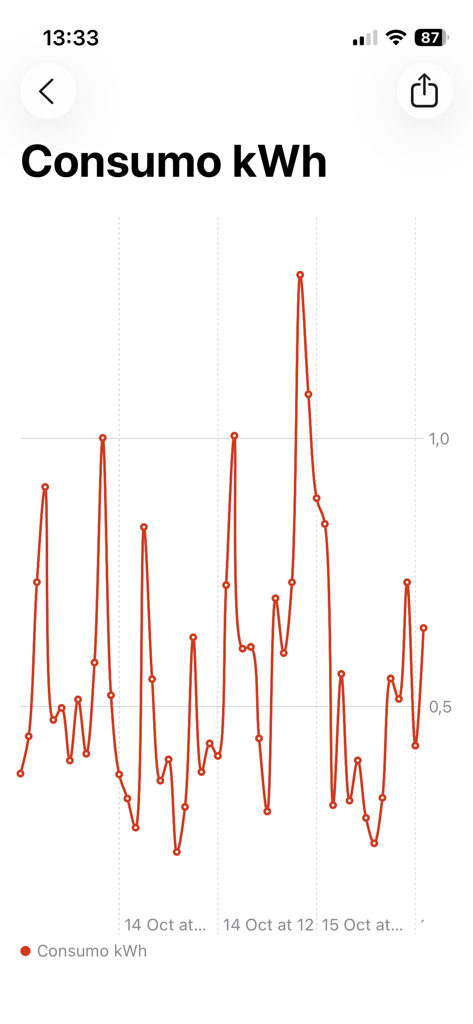
HAA Home for HomeKit & Matter - HAA Home 앱의 시간 경과에 따른 kWh 사용량을 보여주는 에너지 소비량 선 차트
HAA Home 앱의 시간 경과에 따른 kWh 사용량을 보여주는 에너지 소비량 선 차트

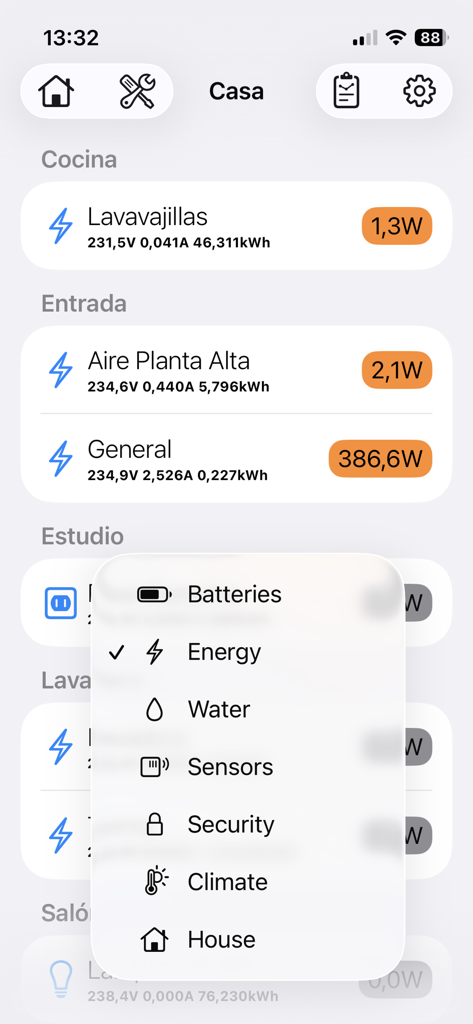
HAA Home for HomeKit & Matter - HAA Home 앱 인터페이스는 가전제품의 실시간 에너지 소비량과 카테고리 선택 메뉴를 보여줍니다.
HAA Home 앱 인터페이스는 가전제품의 실시간 에너지 소비량과 카테고리 선택 메뉴를 보여줍니다.

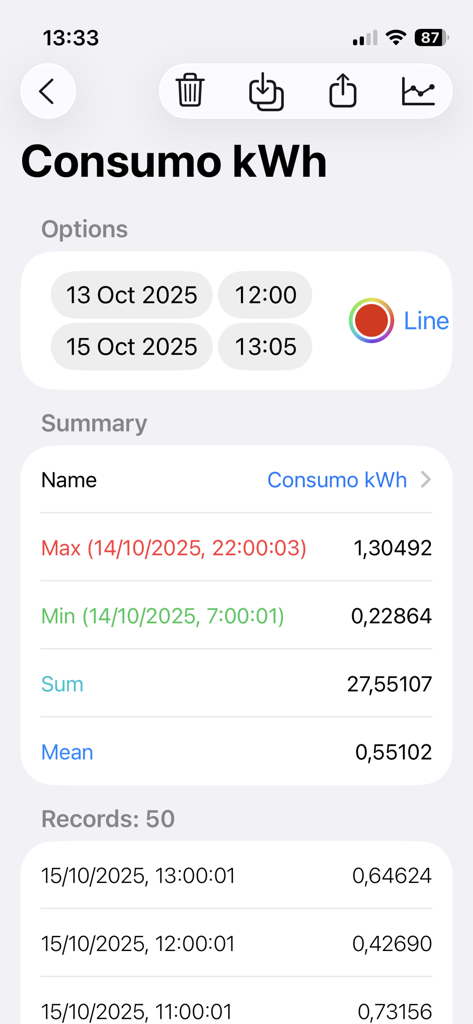
HAA Home for HomeKit & Matter - HAA Home 앱 전력 계량기 화면은 kWh 소비량 기록 및 요약 통계를 보여줍니다.
HAA Home 앱 전력 계량기 화면은 kWh 소비량 기록 및 요약 통계를 보여줍니다.

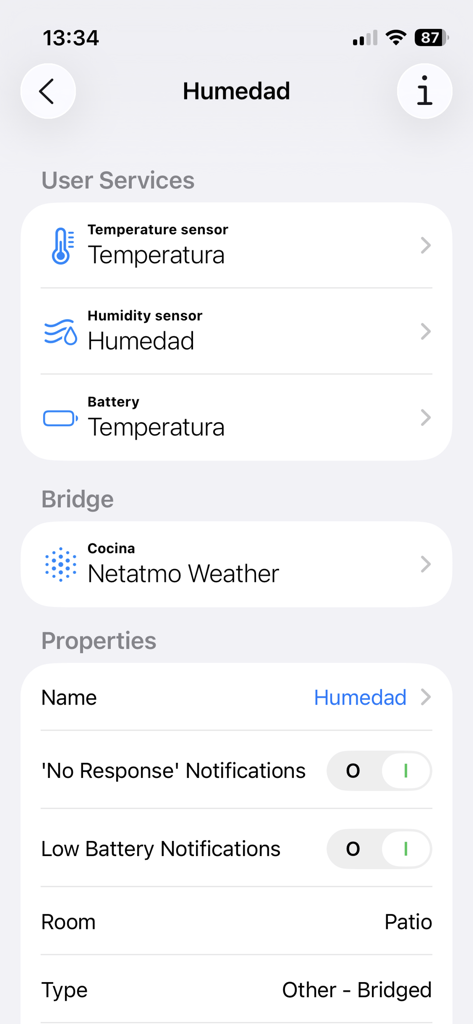
HAA Home for HomeKit & Matter - HAA Home 앱 인터페이스는 브리지된 장치의 습도 및 온도 센서 설정을 보여줍니다.
HAA Home 앱 인터페이스는 브리지된 장치의 습도 및 온도 센서 설정을 보여줍니다.

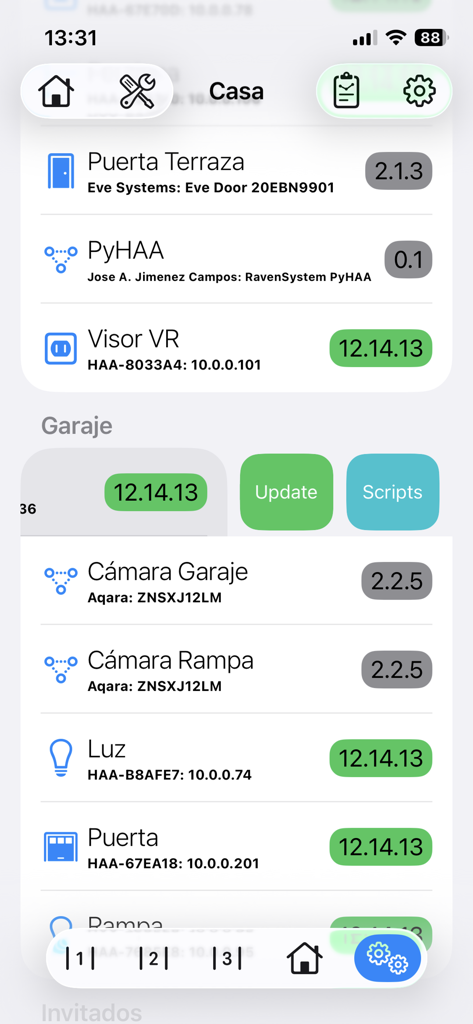
HAA Home for HomeKit & Matter - HAA Home 앱 인터페이스는 펌웨어 버전 및 업데이트 컨트롤이 있는 HomeKit 및 Matter 장치 목록을 보여줍니다.
HAA Home 앱 인터페이스는 펌웨어 버전 및 업데이트 컨트롤이 있는 HomeKit 및 Matter 장치 목록을 보여줍니다.

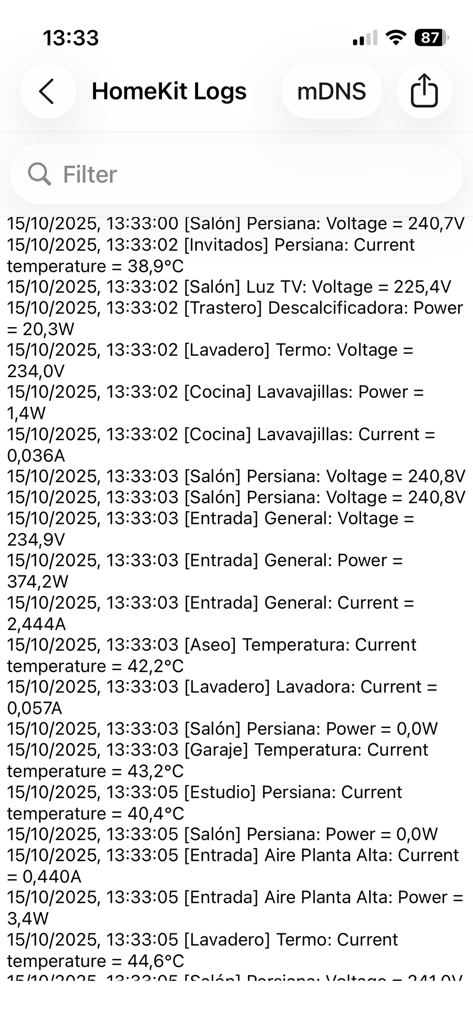
HAA Home for HomeKit & Matter - HAA Home 앱의 HomeKit 로그 화면은 스마트 홈 장치의 전압, 전력 및 온도에 대한 실시간 데이터를 보여줍니다.
HAA Home 앱의 HomeKit 로그 화면은 스마트 홈 장치의 전압, 전력 및 온도에 대한 실시간 데이터를 보여줍니다.

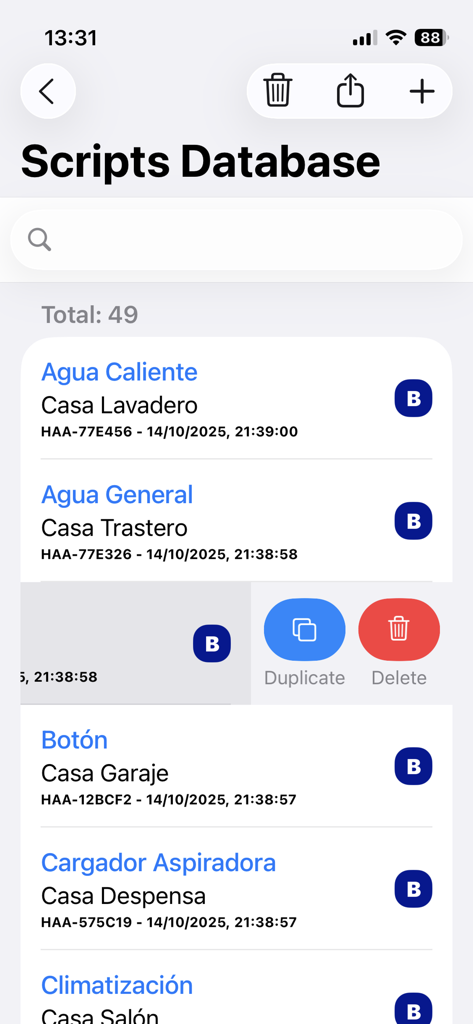
HAA Home for HomeKit & Matter - HAA Home 앱 인터페이스는 HomeKit 및 Matter 액세서리의 스크립트 데이터베이스를 보여주며 항목을 복제하거나 삭제하는 옵션이 있습니다.
HAA Home 앱 인터페이스는 HomeKit 및 Matter 액세서리의 스크립트 데이터베이스를 보여주며 항목을 복제하거나 삭제하는 옵션이 있습니다.

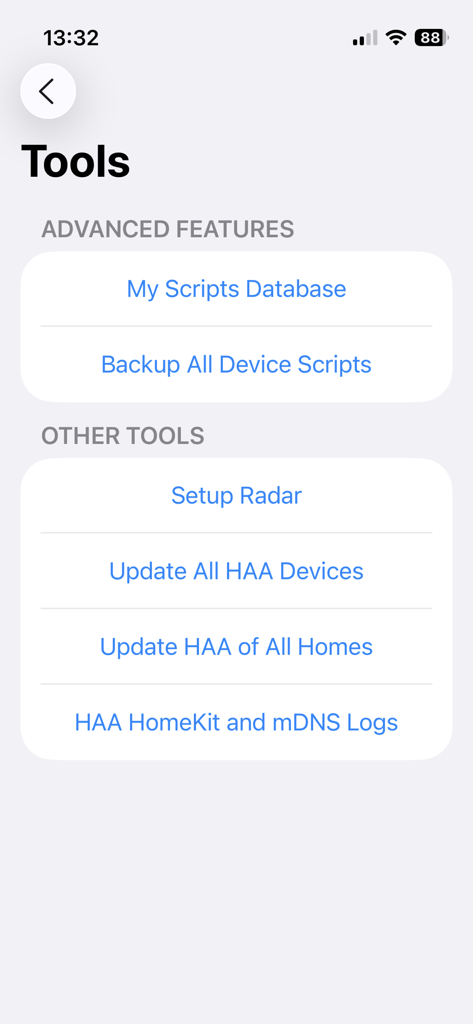
HAA Home for HomeKit & Matter - HAA Home 앱 도구 메뉴는 스크립트 데이터베이스 및 일괄 펌웨어 업데이트와 같은 고급 기능을 보여줍니다.

HAA Home 앱 도구 메뉴는 스크립트 데이터베이스 및 일괄 펌웨어 업데이트와 같은 고급 기능을 보여줍니다.

설명

HAA Home is the best companion App for your HomeKit accessories running Home Accessory Architect firmware. Manage all your home devices, using all available features with a great user interface: See remain batteries at a glance, check power and consumptions with beautiful charts, temperatures, times that a door opens... You can access to extra HAA firmware features: - Update your HAA devices and enter setup mode without declaring any extra switch or control. - Open HAA Setup Web directly. - Get extra information of HAA devices, like IP address, mDNS and HomeKit status. - Check HAA new versions. - Update all HAA accessories at once. - Read and save Data History. You will can have a complete registry when a light is turned on, the temperature of a room, or when a motion sensor is triggered. - Discover unpaired HAA devices connected to network in setup mode. - See all firmware versions at once. - See HomeKit logs in real time. - Capture HAA Network logs from port UDP-45678. - mDNS logs for HomeKit IP devices. - Show consumption data in HAA Power Meter accessories. And now, do even more with Advanced Features: - Improved User Interface: Add icons and better controls to have a great experience managing all accessories. - 'Low Battery' and 'No Response' notifications: Take care of your homes using a local background monitoring process. - HAA FX Lightning Effects: Manage all settings of your HAA Lightbulb FX effects. - Charts for Data History Services: Create custom smart charts to see and manage all information at a glance. - Manage your HAA Scripts in an easy way: Create, edit, delete, and keep all your MEPLHAA scripts organized in one place, synced across all your Apple devices via iCloud. - Save backups of your device scripts: With just one click, backup the scripts of all your HAA devices in just a few seconds. - Exclude selected devices from batch updates: When you update the firmware of all your HAA devices at once, you can leave the ones you want unupdated. - Swipe to update and enable setup mode: Use swipe gestures to quickly update an HAA device or put it into setup mode. - Copy and Paste from Everywhere: With a simple tap, copy any property value to the clipboard. And even access to some extra features of other HomeKit accessories manufacturers, like microphones and speakers volumen, battery, etc. Using this App, you are able to manage all accessory types that can be build with HAA firmware, and even others from different manufacturers. Home Accessory Architect: https://github.com/RavenSystem/esp-homekit-devices/wiki/service-types YouTube Channel: https://www.youtube.com/RavenSystemJose Requirements: - HAA Home App only works with HomeKit and Matter compatible devices. - Last HAA firmware version is needed to access to all App features. - HAA v5.0.11 or later is required to use Update and Setup options. - HAA v12.14.0 or later is required to use some Advanced Features. Translations, done by: - Dutch: tsprenk - Italian: Andrea Scubla (TriderG75) - Korean: Kim Woojoo (w0uldy0u) - Polish: XSzuflaX - Portuguese: Tiago Lagarto - Swedish: Emil Löfblom - Ukrainian and Russian: Vadym Korneliuk (xrust83)

Download

다운로드: App Store

이 페이지는 앱이나 개발자의 공식 페이지가 아니며, 정보 제공 및 논평을 목적으로 작성된 독립 편집 간행물입니다. 명시적으로 달리 언급되지 않는 한, 해당 앱이나 개발자는 MWM, Apple, Google Play, 앱 퍼블리셔 또는 앱 개발자와 제휴, 보증, 후원, 승인 또는 공식적으로 연결되어 있지 않으며, 이 페이지의 어떤 내용도 해당 앱이 MWM의 서비스를 사용하여 개발되었음을 의미하지 않습니다. 모든 상표, 로고, 스크린샷 및 기타 콘텐츠는 해당 소유자의 자산입니다.








