이 페이지는 앱이나 개발자의 공식 페이지가 아니며, 정보 제공 및 논평을 목적으로 작성된 독립 편집 간행물입니다. 명시적으로 달리 언급되지 않는 한, 해당 앱이나 개발자는 MWM, Apple, Google Play, 앱 퍼블리셔 또는 앱 개발자와 제휴, 보증, 후원, 승인 또는 공식적으로 연결되어 있지 않으며, 이 페이지의 어떤 내용도 해당 앱이 MWM의 서비스를 사용하여 개발되었음을 의미하지 않습니다. 모든 상표, 로고, 스크린샷 및 기타 콘텐츠는 해당 소유자의 자산입니다.
Hand Talk: ASL Sign Language
가장 많은 상을 수상한 소셜 앱으로 소통의 격차를 해소하세요. 음성을 즉시 수어로 번역하고, 360도 시각적 레슨을 탐색하며, 휴고와 마야와 함께 더 포용적인 세상을 만드세요.
AI 기반 3D 아바타를 사용하는 수백만 명의 학습자와 함께 언제 어디서든 소통 격차를 해소하고 포용성을 증진하세요.
360도 시각 학습
3D 아바타를 회전하여 모든 각도에서 수어를 보고, 손 모양과 움직임을 쉽게 마스터하세요.
즉각적인 음성 및 텍스트 번역
음성 또는 텍스트를 ASL로 실시간 변환하여 장벽을 허물세요. 교실 포용 및 일상 상호작용에 완벽합니다.
FAQ
자주 묻는 질문
에 대해 알아야 할 모든 것 Hand Talk: ASL Sign Language
Hand Talk 앱은 무엇인가요?
Hand Talk 앱은 리브레스(Libras), ASL(미국 수화), BSL(영국 수화)을 연습할 수 있는 재미있고 무료한 방법을 제공합니다. 가상 번역가 Hugo와 Maya와 함께 휴대용 사전 및 학습 도구 역할을 합니다.
Hand Talk 앱은 어떤 수화 언어를 지원하나요?
Hand Talk 앱은 리브레스(브라질 수화), ASL(미국 수화), BSL(영국 수화)을 지원합니다. 사용자는 이 언어 간에 전환할 수 있습니다.
Hand Talk 앱은 텍스트나 음성을 어떻게 번역하나요?
Hand Talk 앱은 텍스트나 음성을 자동으로 수화로 번역합니다. 가상 번역가인 Hugo 또는 Maya가 38,000개 이상의 검증된 단어로 훈련된 인공 지능을 기반으로 번역을 수행합니다.
Hand Talk 앱을 오프라인에서 사용할 수 있나요?
네, Hand Talk 앱을 사용하면 오프라인 상태에서도 업데이트된 사전을 통해 수천 개의 수화를 참조하고 어휘를 확장할 수 있습니다.
Hand Talk 앱은 게임화된 학습을 제공하나요?
네, Hand Talk 앱은 ASL을 위한 게임화된 학습 경험을 제공합니다. 사용자가 진행함에 따라 대화형 미션, 빠른 도전 과제, 메달 획득 기능을 포함합니다.
Hand Talk 앱에서 Hugo와 Maya는 누구인가요?
Hugo와 Maya는 Hand Talk 앱의 가상 번역가입니다. 이들은 수화 학습을 촉진하고 사용자에게 번역을 제공하는 디자인된 캐릭터입니다.
Hand Talk 앱은 어떤 사용자 정의 옵션을 제공하나요?
Hand Talk 앱은 사용자가 번역 속도를 조정하고, 수화를 360도로 보고, 즐겨찾기 목록을 만들고, 독점 아이템으로 가상 번역가 Hugo와 Maya를 사용자 정의할 수 있도록 합니다.
Hand Talk 앱 구독의 이점은 무엇인가요?
Hand Talk 앱 구독은 광고 없는 경험, 이미지 내 텍스트 번역, 코인 획득을 제공하며, 무료 교육을 지원하는 새로운 기능에 대한 독점 액세스 권한을 부여합니다.
누가 Hand Talk 앱을 사용해야 하나요?
Hand Talk 앱은 효과적이고 즐거운 방식으로 리브레스, ASL 또는 BSL을 배우고 연습하는 데 관심이 있는 모든 사람에게 권장됩니다.
다음 스크린샷과 설명은 앱의 공식 스토어 목록에서 직접 가져온 것이며 앱 개발자의 자산입니다.
앱 스토어
스크린샷
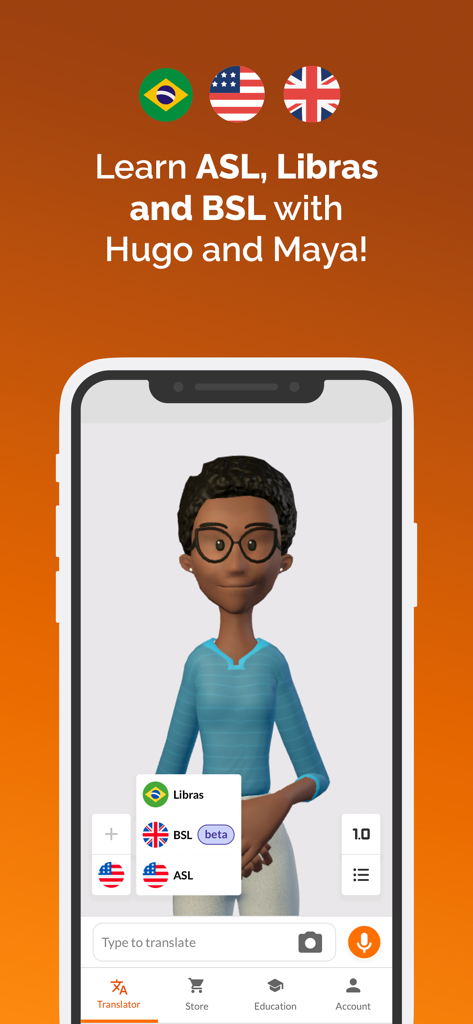
Hand Talk 앱 인터페이스, 3D 아바타 마야와 ASL, BSL, 리브라 수어 옵션 표시
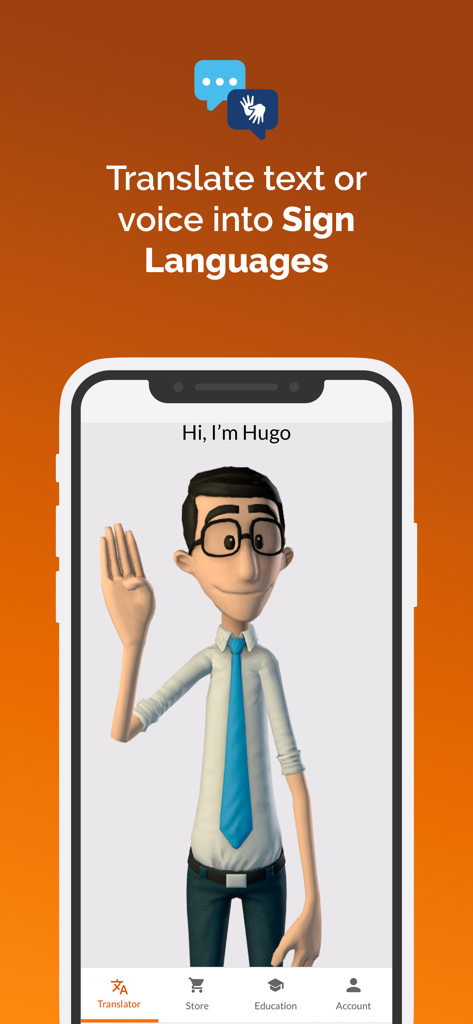
Hand Talk 앱 인터페이스, 휴고 3D 아바타가 음성 및 텍스트를 ASL로 번역하는 모습 표시
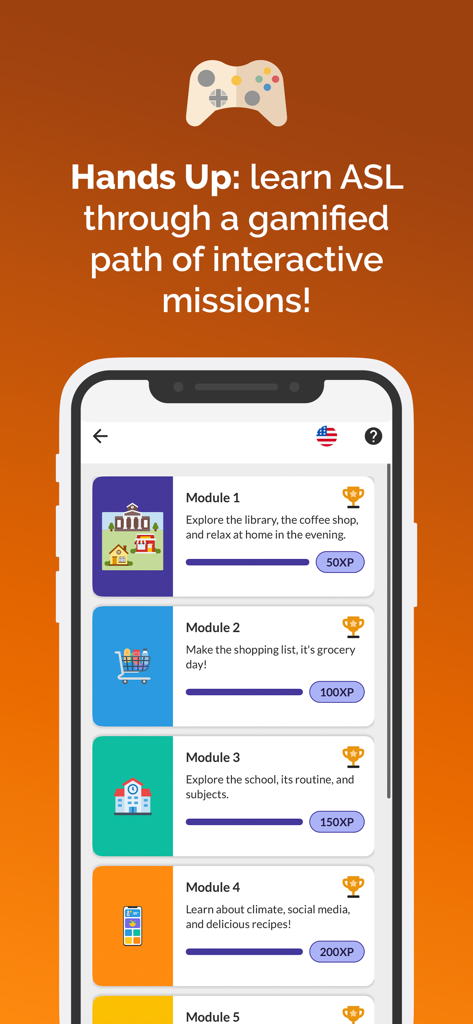
게임화된 ASL 학습 경로와 상호작용 모듈 및 진행률 표시줄을 표시하는 휴대폰 화면
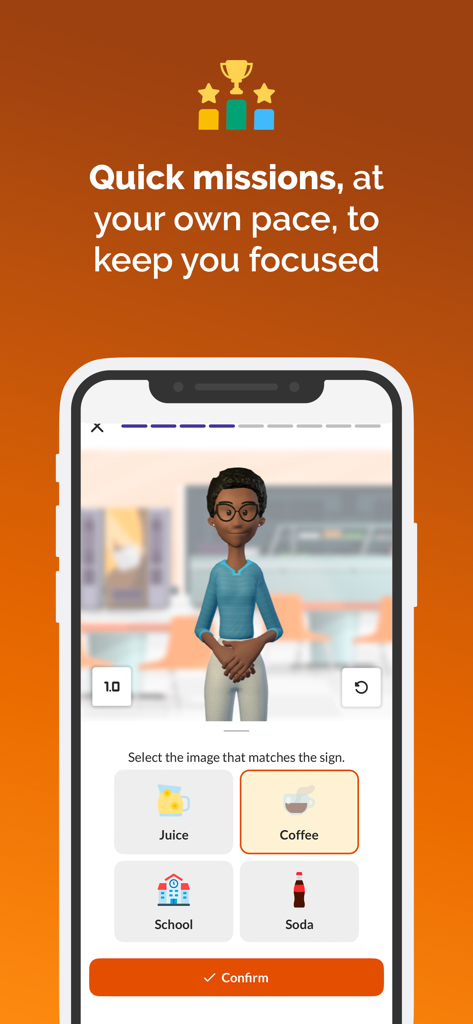
Hand Talk 앱, 3D 아바타와 객관식 옵션이 있는 게임화된 수어 수업 표시
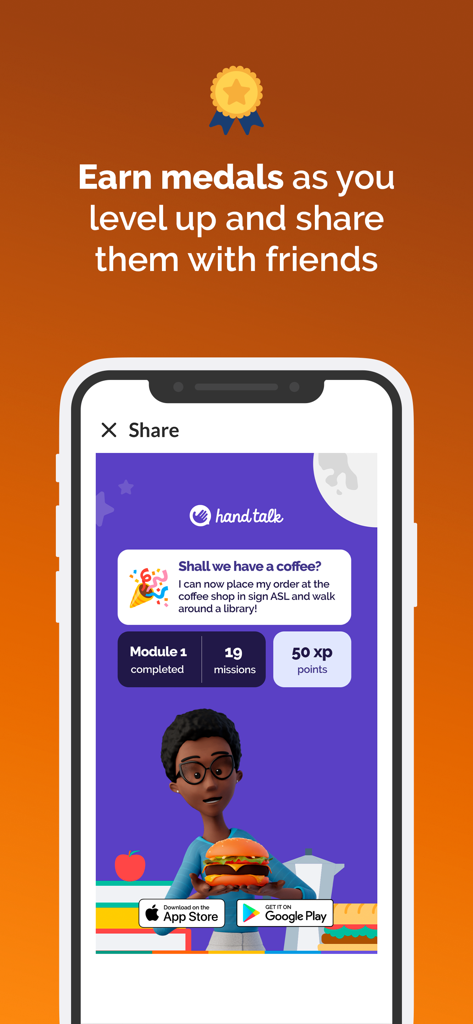
획득한 메달과 임무 진행률을 표시하는 Hand Talk ASL 앱의 공유 화면
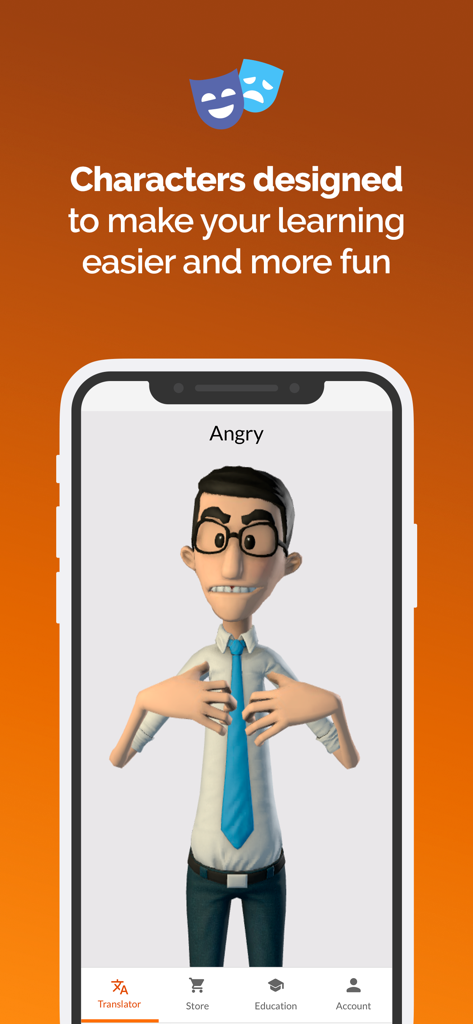
Hand Talk 앱, 휴고라는 3D 아바타가 '화난'이라는 단어를 ASL로 말하는 모습 표시
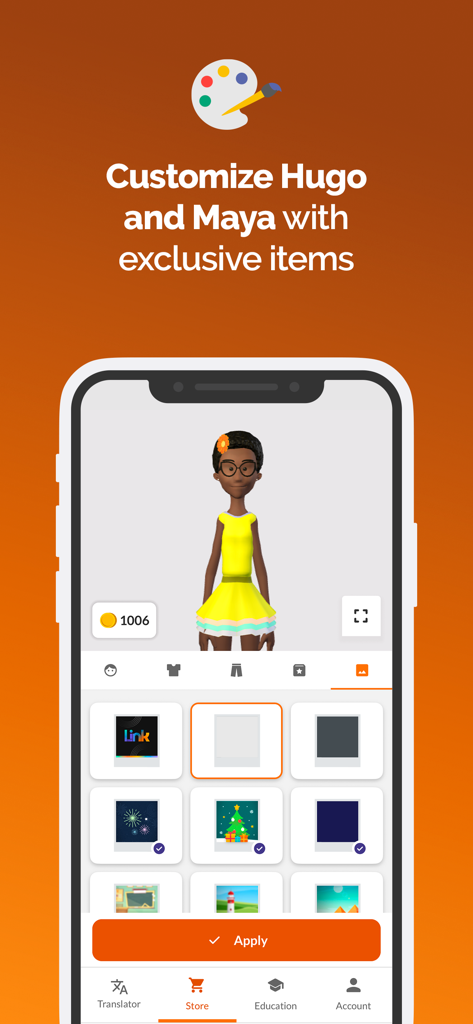
Hand Talk 앱 인터페이스, 상점에서 마야 3D 아바타의 사용자 지정 옵션 표시
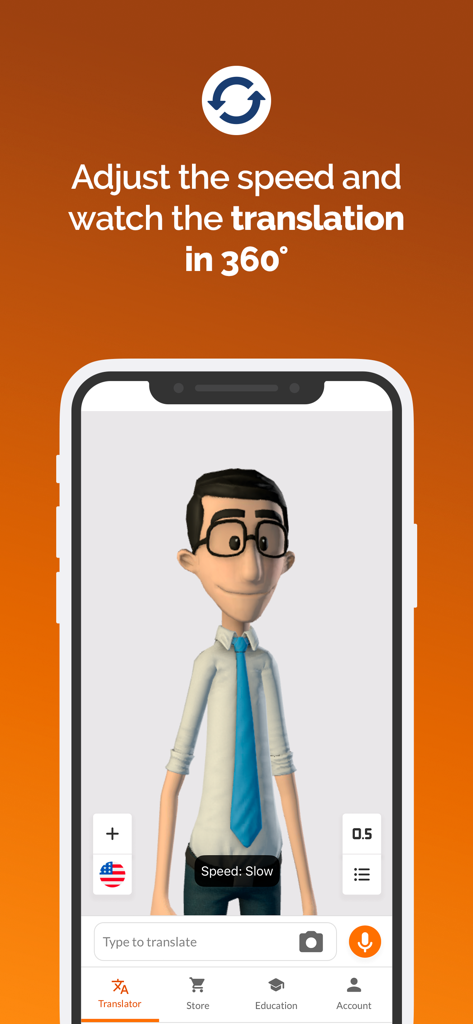
Hand Talk 앱 스크린샷, 360도 보기 및 속도 컨트롤이 있는 수어 번역용 3D 아바타 표시
설명
Practice Sign Language in a fun and free way with Hugo and Maya, our virtual translators, through the Hand Talk App, elected by the UN as the best social app in the world!
Developed by experts, the app not only works as a pocket dictionary, but also helps you learn and practice Libras (Brazilian Sign Language), ASL (American Sign Language), and BSL (British Sign Language), whether to communicate with those you love, to connect with deaf people in your daily life, to reinforce your vocabulary, or to develop in a new language.
Why use the Hand Talk App?
Translate text or voice into Sign Languages anywhere and anytime, for free.
Practice Libras, ASL, and BSL in a fun and efficient way, with the support of characters designed to facilitate your learning.
Consult thousands of signs to expand your vocabulary, even offline, through updated dictionaries and educational videos.
Translations are performed automatically through artificial intelligence, trained with more than 38,000 words validated by specialists.
Personalize your experience and adapt the app to your needs! Adjust the translation speed, view the signs in 360 degrees, consult your history, create a favorites list, and customize Hugo and Maya with exclusive items!
If you like the Hand Talk App, try becoming a subscriber! Practice Libras, ASL, and BSL without ads, translate text contained in images, earn coins, and get exclusive access to new features. In addition, you also support our mission to keep education free for thousands of people!
Download now and start learning a new language today! Hugo and Maya are already super excited to meet you!
Frequently Asked Questions:
Who is the app recommended for?
The app can be used by anyone interested in learning and practicing Libras, ASL, or BSL in an effective and fun way!
What are the available languages?
Hugo and Maya master Libras, ASL, and BSL! They translate content searched in Portuguese into Brazilian Sign Language and in English into American Sign Language. To access the ASL version of the app, just click on the arrow next to the Brazilian flag in the lower-left corner and select the ASL option, identified by the design of the United States flag. To access BSL, select the British flag.
How to use the Hand Talk App?
Using the Hand Talk App is super easy. On the home screen, you can already perform your translations, just type or record an audio with the words you want to consult, send it, and right after, Hugo or Maya will perform the translation of your sentence into Sign Language. You can also explore other functions of the app in the menu at the bottom of the screen, such as the Dictionary, which groups signs within the same context for you to consult, the Store to customize the Hand Talk App as you prefer, and the Education section, which contains our series of educational videos #HugoTeaches.
Follow Hand Talk:
Website: https://www.handtalk.me/en/
Blog: https://www.handtalk.me/en/blog/
Instagram: https://www.instagram.com/handtalkapp/
LinkedIn: https://www.linkedin.com/company/hand-talk/
Youtube: https://www.youtube.com/user/HandTalkTV/videos
Do you have any suggestions to improve the app? Send them to us! Access your profile by clicking on Account, go to the Suggestions area, and send us yours.
Privacy Policy: https://suporte.handtalk.me/kb/article/240748/politica-de-privacidade?menuId=25979-69987-240748&ticketId=&q=
Terms of Use: https://suporte.handtalk.me/kb/article/240749/termos-de-uso?menuId=25979-69987-240749&ticketId=&q
이 페이지는 앱이나 개발자의 공식 페이지가 아니며, 정보 제공 및 논평을 목적으로 작성된 독립 편집 간행물입니다. 명시적으로 달리 언급되지 않는 한, 해당 앱이나 개발자는 MWM, Apple, Google Play, 앱 퍼블리셔 또는 앱 개발자와 제휴, 보증, 후원, 승인 또는 공식적으로 연결되어 있지 않으며, 이 페이지의 어떤 내용도 해당 앱이 MWM의 서비스를 사용하여 개발되었음을 의미하지 않습니다. 모든 상표, 로고, 스크린샷 및 기타 콘텐츠는 해당 소유자의 자산입니다.