Harken Offline Music Player
다운로드: App Store

이 페이지는 앱이나 개발자의 공식 페이지가 아니며, 정보 제공 및 논평을 목적으로 작성된 독립 편집 간행물입니다. 명시적으로 달리 언급되지 않는 한, 해당 앱이나 개발자는 MWM, Apple, Google Play, 앱 퍼블리셔 또는 앱 개발자와 제휴, 보증, 후원, 승인 또는 공식적으로 연결되어 있지 않으며, 이 페이지의 어떤 내용도 해당 앱이 MWM의 서비스를 사용하여 개발되었음을 의미하지 않습니다. 모든 상표, 로고, 스크린샷 및 기타 콘텐츠는 해당 소유자의 자산입니다.


로고: Harken Offline Music Player
다운로드: App Store

Harken Offline Music Player

한 손으로 쉽게 조작할 수 있도록 설계된 인체공학적, 제스처 기반 인터페이스로 음악을 다시 발견하세요. 구독이나 알고리즘 노이즈 없이, iPhone 및 iPad를 위해 아름답게 단순화된 라이브러리를 즐기세요.

주요 수치

다운로드

6K+

사용자 평점

4.5/5

총 평가 수

0

개발사

Ben Thomas

카테고리

Music

지원 언어

1

최신 버전

5.0.0

크기

7.5 MB

출시일

2013년 5월 3일
기능

당신의 음악, 당신이 원하는 대로

인체공학적 편의성과 로컬 라이브러리에 대한 완전한 제어를 위해 설계된 집중적이고 제스처 기반 플레이어로 오프라인 컬렉션을 다시 발견하세요.

사용 편의성을 위한 설계

엄지 손가락의 복잡한 움직임을 멈추세요. 모든 주요 탐색은 화면 하단에 위치하여 모든 기기 크기에서 한 손 사용에 완벽합니다.

시선 분산 없는 제스처 컨트롤

간단한 제스처와 크고 읽기 쉬운 텍스트를 사용하여 트랙을 탐색하세요. 운전, 통근 또는 운동 중에도 집중력을 유지하는 데 이상적입니다.

다음 스크린샷과 설명은 앱의 공식 스토어 목록에서 직접 가져온 것이며 앱 개발자의 자산입니다.

앱 스토어

스크린샷
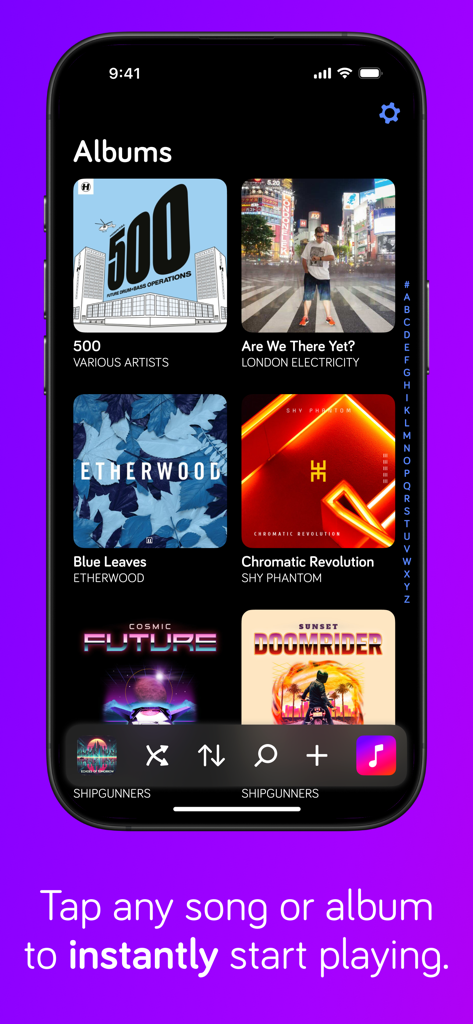
Harken Offline Music Player - Harken 앱 인터페이스가 앨범 그리드와 iPhone의 하단 탐색 컨트롤을 보여줍니다.
Harken 앱 인터페이스가 앨범 그리드와 iPhone의 하단 탐색 컨트롤을 보여줍니다.

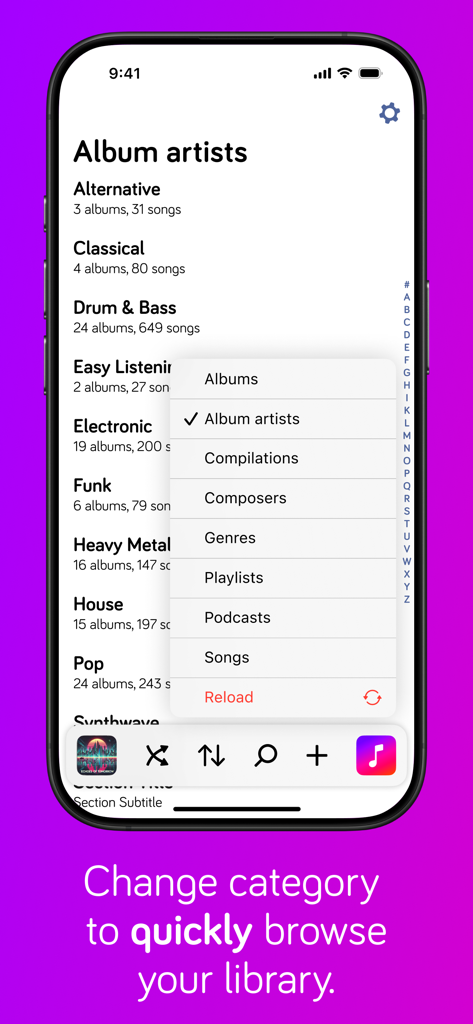
Harken Offline Music Player - Harken 음악 플레이어 스크린샷으로 앨범 및 아티스트와 같은 라이브러리 카테고리를 선택하는 팝업 메뉴를 보여줍니다.
Harken 음악 플레이어 스크린샷으로 앨범 및 아티스트와 같은 라이브러리 카테고리를 선택하는 팝업 메뉴를 보여줍니다.

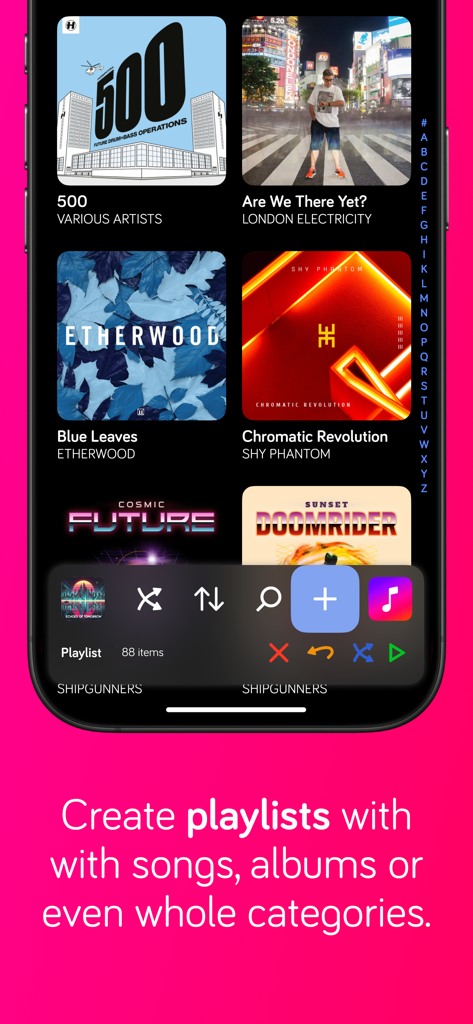
Harken Offline Music Player - Harken 앱 플레이리스트 생성 인터페이스로 하단 탐색 컨트롤이 있습니다.
Harken 앱 플레이리스트 생성 인터페이스로 하단 탐색 컨트롤이 있습니다.

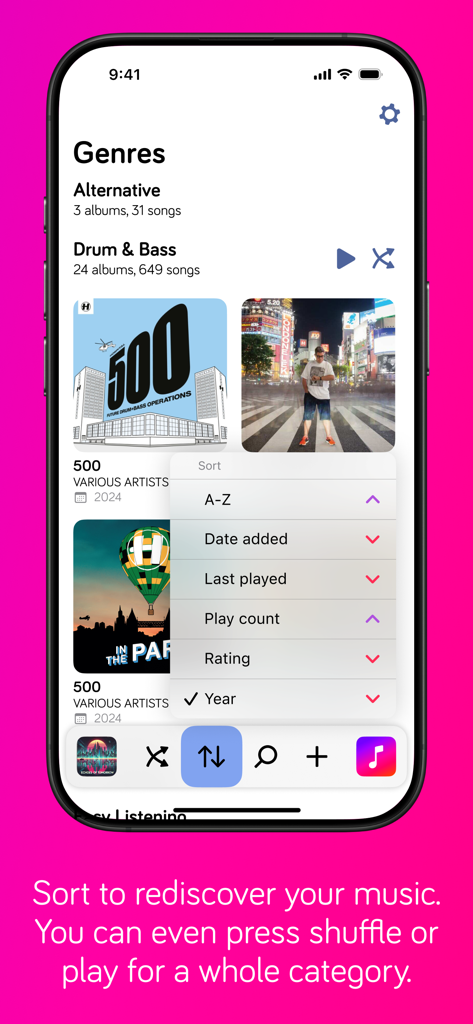
Harken Offline Music Player - Harken 앱 장르 화면으로 추가 날짜 및 재생 횟수와 같은 옵션이 있는 정렬 메뉴를 보여줍니다.
Harken 앱 장르 화면으로 추가 날짜 및 재생 횟수와 같은 옵션이 있는 정렬 메뉴를 보여줍니다.

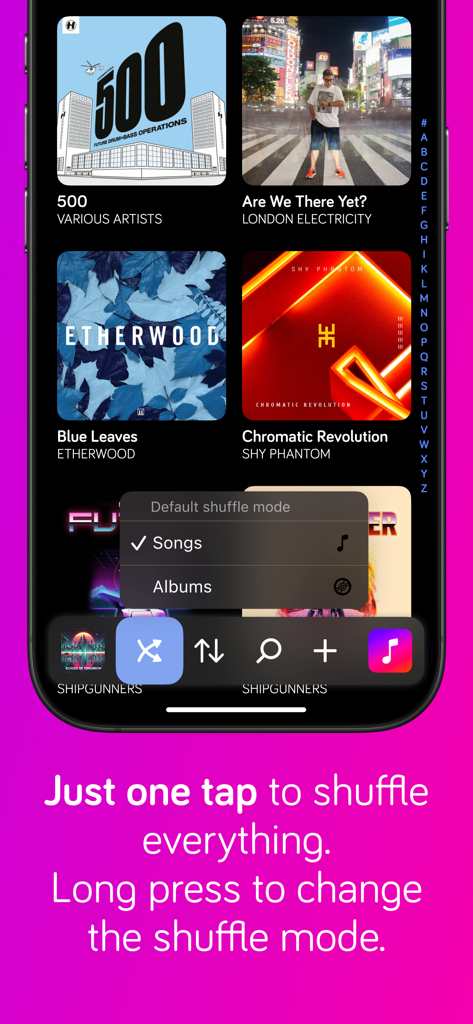
Harken Offline Music Player - Harken 오프라인 음악 플레이어 인터페이스가 음악 라이브러리 그리드와 셔플 모드 선택 메뉴를 보여줍니다.
Harken 오프라인 음악 플레이어 인터페이스가 음악 라이브러리 그리드와 셔플 모드 선택 메뉴를 보여줍니다.

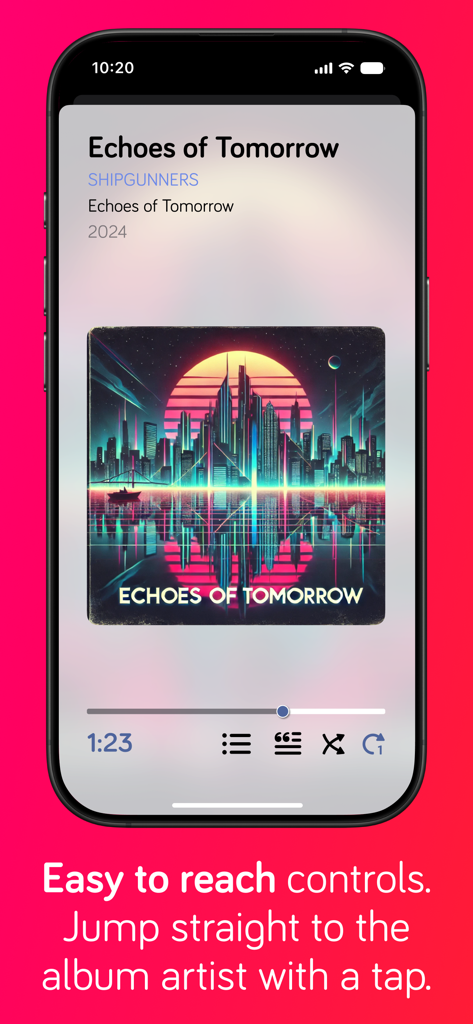
Harken Offline Music Player - Harken 음악 플레이어 인터페이스가 인체공학적 하단 탐색 컨트롤이 있는 현재 재생 중인 화면을 보여줍니다.
Harken 음악 플레이어 인터페이스가 인체공학적 하단 탐색 컨트롤이 있는 현재 재생 중인 화면을 보여줍니다.

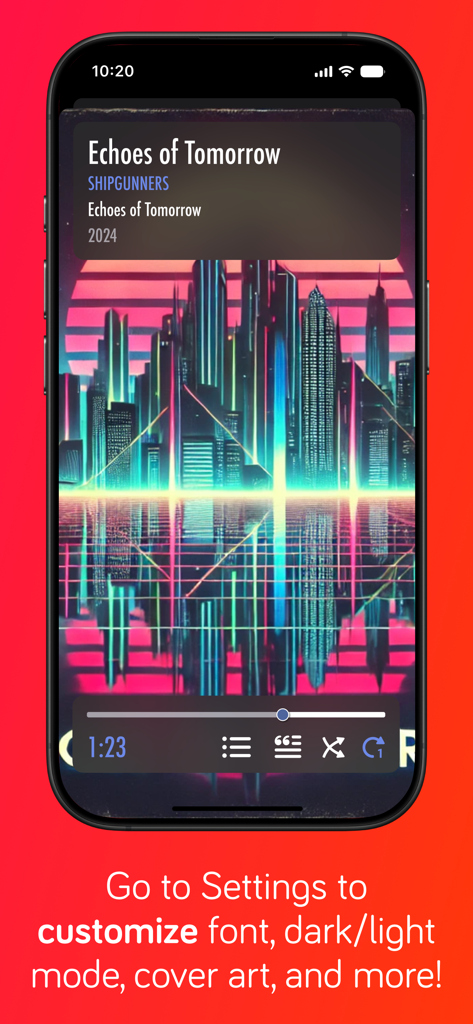
Harken Offline Music Player - Harken 음악 플레이어 스크린샷으로 글꼴 및 테마에 대한 UI 사용자 정의 옵션에 대한 재생 컨트롤 및 텍스트를 보여줍니다.

Harken 음악 플레이어 스크린샷으로 글꼴 및 테마에 대한 UI 사용자 정의 옵션에 대한 재생 컨트롤 및 텍스트를 보여줍니다.

설명

Rediscover your music collection with Harken, a beautiful yet simple music player for your iPhone or iPad that uses gestures to control playback of music and podcasts synched from Apple Music on your Mac or PC, or bought with the Apple Music app on your iPhone, iPod or iPad. Harken has a unique bottom-based navigation so you don't have to do gymnastics to reach buttons at the top of the screen - all the primary controls are located at the bottom of the screen. Get super fast access to your music with the minimum number of taps needed to listen to albums, artists, compilations, composers, genres, playlists, songs or podcast episodes. Create an on-the-go playlist* from a combination of albums, artists, compilations, composers, genres, playlists, songs or podcast episodes. Sort your library to find music you haven't listened to in ages, or by rating or recently played to quickly find your favourites. You can also shuffle all albums or songs by a single artist, composer or genre - see Settings to change between song and album shuffling. Does your music have lyrics? Tap the lyrics button to see them. Choose from dark or light themes, full-screen or small cover art, and even use your favourite font to make Harken *your* music player. Harken For iPhone and iPad is perfect for use in the car or when your device is sitting in a dock and connected to your home stereo: - playback controls are so easy to use you don't need to look at the phone to play, pause, or skip tracks - larger than standard text is easy to read when the phone is mounted in a cradle on your wind shield or dash board - the screen does not turn off automatically**, so you don't have to unlock the phone to control playback Podcast support - simply sync podcasts to your iPhone or iPad with the Apple Podcasts app. You can also play iTunes Match items, or hide them via the app's settings, but due to a restriction with Apple's support libraries, the music does not get saved to your phone. Nor is there an indicator of the download progress. Songs will start playing once they've downloaded enough. I'll add better support for iTunes Match as soon as possible but it will depend on Apple choosing to enhance their developer kit. Harken has loads of features, and I'm constantly adding new ones that my users request. *On-the-go playlists are not stored. Use iTunes if you want to create permanent playlists. **Battery usage will increase while the screen is on. If you have any feature requests or feedback, I can be reached on Twitter: @iosdevben. And if you like Harken, please take the time to rate and leave a review: it really helps independent developers like me.

Download

다운로드: App Store

이 페이지는 앱이나 개발자의 공식 페이지가 아니며, 정보 제공 및 논평을 목적으로 작성된 독립 편집 간행물입니다. 명시적으로 달리 언급되지 않는 한, 해당 앱이나 개발자는 MWM, Apple, Google Play, 앱 퍼블리셔 또는 앱 개발자와 제휴, 보증, 후원, 승인 또는 공식적으로 연결되어 있지 않으며, 이 페이지의 어떤 내용도 해당 앱이 MWM의 서비스를 사용하여 개발되었음을 의미하지 않습니다. 모든 상표, 로고, 스크린샷 및 기타 콘텐츠는 해당 소유자의 자산입니다.







