Hi-Res music player-NePLAYER

Hi-Res music player-NePLAYER

다운로드: App Store
로고: Hi-Res music player-NePLAYER

NePLAYER: 비트 완벽한 고해상도 오디오 경험

DSD, FLAC 및 USB-DAC 지원으로 음악 라이브러리의 잠재력을 최대한 발휘하세요. 스튜디오급 음질, 전문가용 EQ 및 완벽한 기술 제어를 요구하는 오디오파일을 위해 설계되었습니다.

다운로드: App Store

개발사

radius co., ltd.

카테고리

Music

다운로드

161K+

사용자 평점

4.0/5

총 평가 수

2K+

지원 언어

4

하이파이 시각화

이 인터페이스를 사용하는 161K+ 명의 사용자.

NePLAYER 앱 소개 화면과 하이레조 음악 품질 슬로건

NePLAYER 앱 소개 화면과 하이레조 음악 품질 슬로건

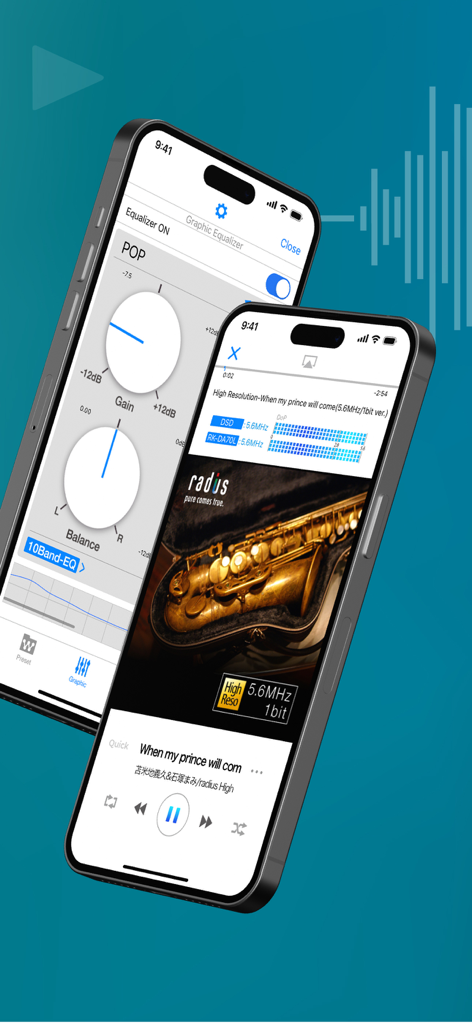
NePLAYER 고해상도 음악 플레이어 인터페이스, 이퀄라이저 설정 및 기술 오디오 데이터가 포함된 재생 화면 표시
NePLAYER 고해상도 음악 플레이어 인터페이스, 이퀄라이저 설정 및 기술 오디오 데이터가 포함된 재생 화면 표시

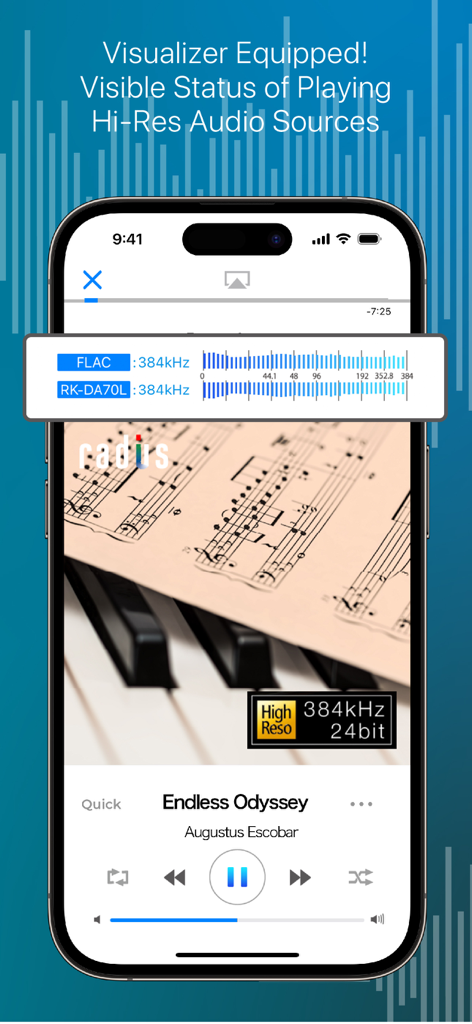
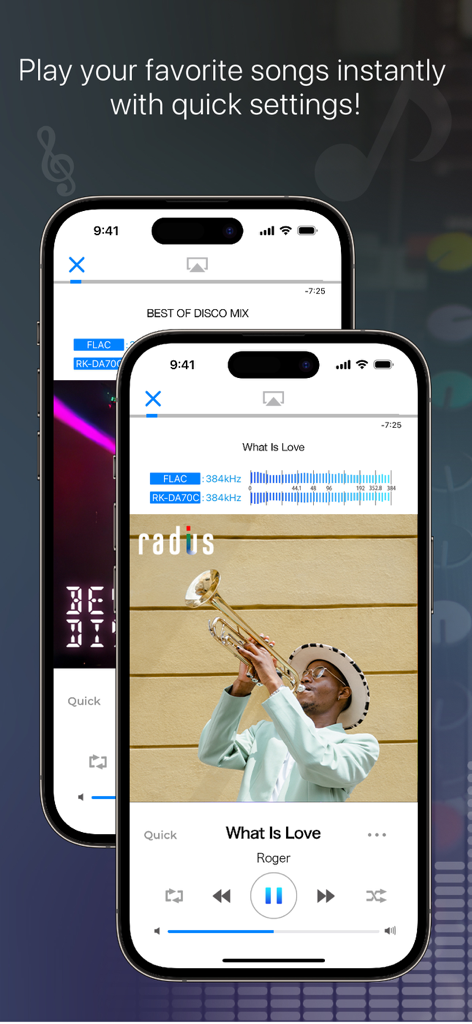
NePLAYER 앱 인터페이스, 고해상도 오디오 재생 상태 및 실시간 비주얼라이저 표시
NePLAYER 앱 인터페이스, 고해상도 오디오 재생 상태 및 실시간 비주얼라이저 표시

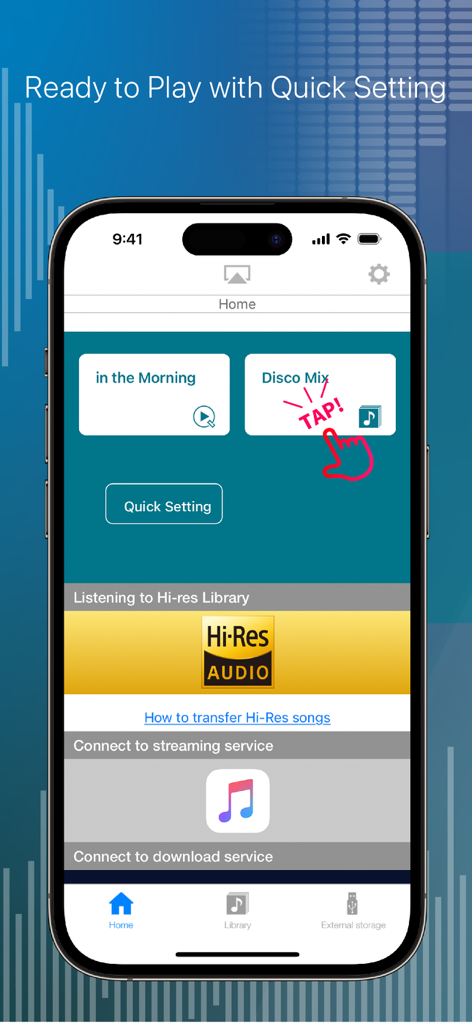
NePLAYER 홈 화면, 음악 재생 및 하이레조 오디오 통합을 위한 빠른 설정 표시
NePLAYER 홈 화면, 음악 재생 및 하이레조 오디오 통합을 위한 빠른 설정 표시

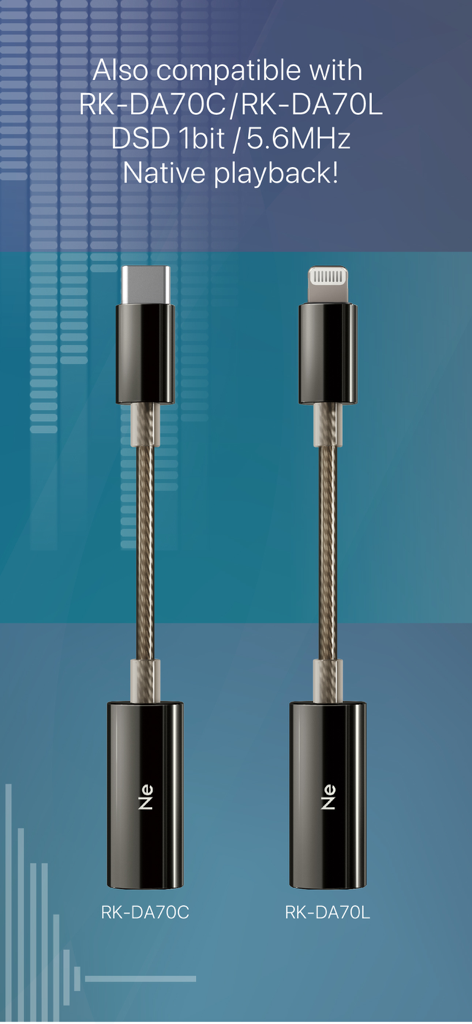
NePLAYER 앱으로 네이티브 DSD 재생을 위한 USB-C 및 라이트닝 DAC 어댑터
NePLAYER 앱으로 네이티브 DSD 재생을 위한 USB-C 및 라이트닝 DAC 어댑터

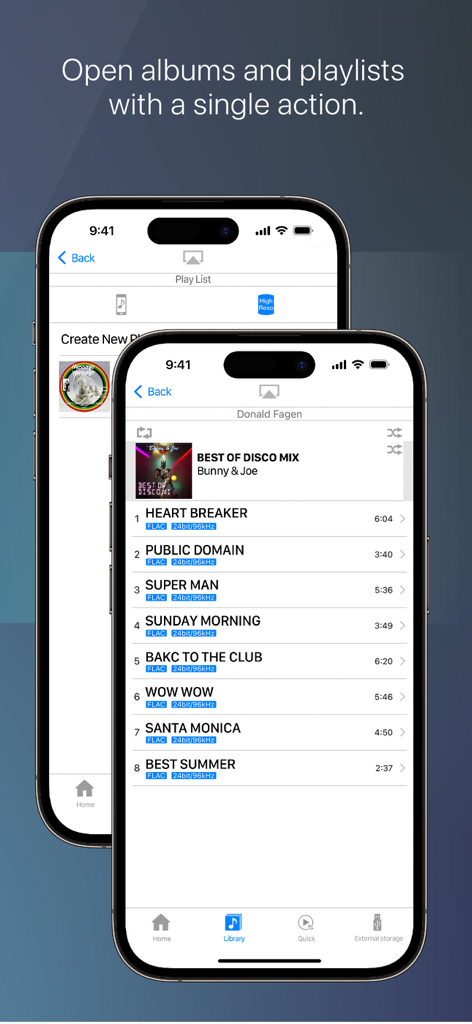
NePLAYER 앱 인터페이스, FLAC 기술 사양이 포함된 고해상도 음악 트랙리스트 표시
NePLAYER 앱 인터페이스, FLAC 기술 사양이 포함된 고해상도 음악 트랙리스트 표시

하이레조 음악 플레이어 NePLAYER 인터페이스, 기술 오디오 데이터 및 재생 컨트롤 표시
하이레조 음악 플레이어 NePLAYER 인터페이스, 기술 오디오 데이터 및 재생 컨트롤 표시

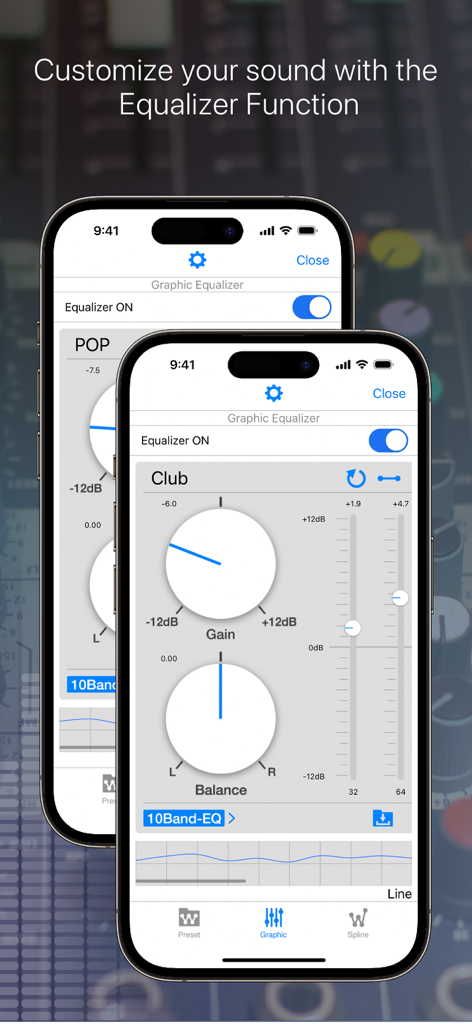
오디오 사용자 정의를 위한 게인 및 밸런스 컨트롤을 보여주는 NePLAYER의 그래픽 이퀄라이저 인터페이스
오디오 사용자 정의를 위한 게인 및 밸런스 컨트롤을 보여주는 NePLAYER의 그래픽 이퀄라이저 인터페이스

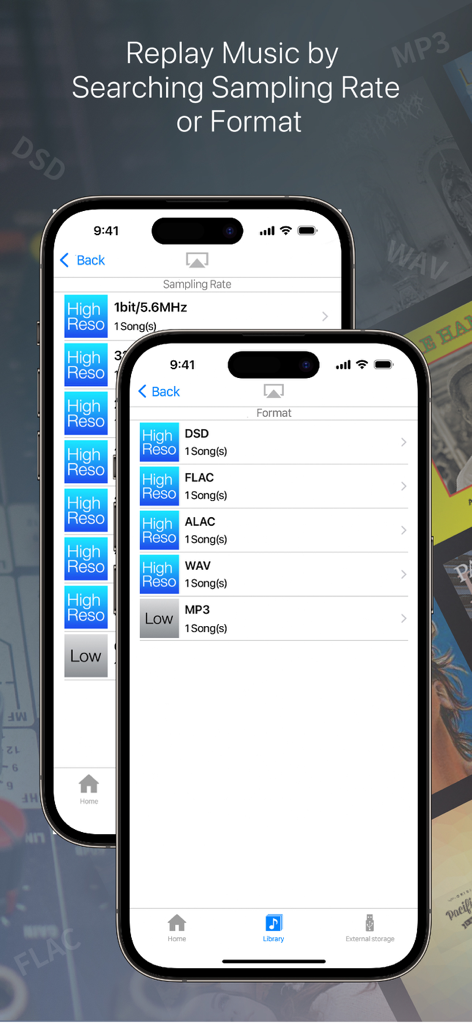
NePLAYER 앱 인터페이스, DSD, FLAC, ALAC를 포함한 샘플링 속도 및 파일 형식별 음악 라이브러리 정렬 표시
NePLAYER 앱 인터페이스, DSD, FLAC, ALAC를 포함한 샘플링 속도 및 파일 형식별 음악 라이브러리 정렬 표시

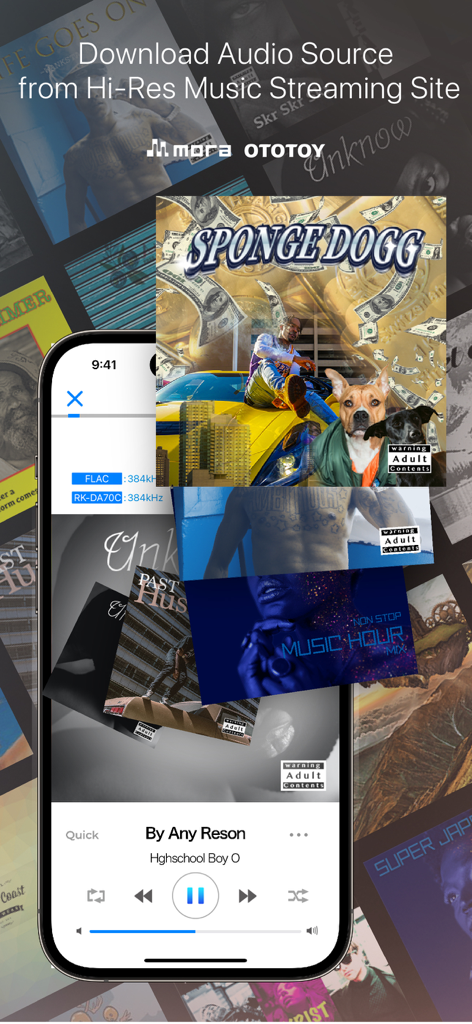
NePLAYER 앱 인터페이스, 고해상도 음악 다운로드 옵션 및 재생 컨트롤 표시

NePLAYER 앱 인터페이스, 고해상도 음악 다운로드 옵션 및 재생 컨트롤 표시

진정한 스튜디오 음질 경험

이 앱을 돋보이게 하는 도구, 161K+ 명의 사용자가 선택.

🎧

비트 완벽 하드웨어 지원

최애 라이트닝 USB-DAC를 연결하고 최대 32bit/768kHz의 무손실, 고해상도 재생을 위해 PCM(DoP)을 통한 DSD를 즐기세요.

🌐

끊김 없는 네트워크 스트리밍

모든 하이레조 라이브러리에 무선으로 액세스하세요. 오디오 품질을 저하시키지 않고 NAS 또는 DLNA 장치에서 직접 스트리밍하세요.

🗜️

전문적인 사운드 맞춤 설정

15밴드 그래픽 이퀄라이저로 음향을 미세 조정하고 내장된 하이레조 비주얼라이저로 신호를 실시간으로 모니터링하세요.

앱 소개

에 대해 알아야 할 모든 것 Hi-Res music player-NePLAYER.

설명

■ Features (1) Play High-Resolution Sound on your iPhone! You can easily play high-res sound sources on your iPhone. It's not just a music player, it's also equipped with the following various functions. ■・Playing high-res AudioFile Equipped with a real-time visualizer, you can check the playback quality. Playing FLAC, WAV, ALAC and DSD AudioFile(Max 32bit/768kHz,11.2MHz) Support DSD playing both DoP and PCM playback, be enjoyed with PCM conversion playback at a sampling rate of 705.6kHz (integer multiples). *FLAC and ALAC formats are supported up to 32bit/384kHz. ■Play audio with USB device Supports output to Lightning USB-DAC. and, Support DSD over PCM (DoP) via USB. *Compatible equipment is required for DSD Native playback. ■Equalizer/Surround Effect Equalizer/ You can create your own sound using Preset EQ,10, 15Band Graphic EQ, and Spline EQ. Surround Effect/ You can add spatial effects from presets. (2) Quickly find songs with format sorting Even large libraries can be easily discovered. ■Sort by Audio format DSD, FLAC, WAV, AAC...etc. You can sort by Audio format. In addition, you can sort by "playlist", "album", "artist", "song", etc. Besides the iTunes/Apple ID sync library, the player has an internal song library. Each library is independent. (App library is synced via in-app file sharing) ■“Quick” playback function You can create a "Quick" shortcut on your home or tab bar. This feature allows you to customize file location selection and post-actions. You can control 'Open File Location', 'Open Location and Play', and 'Add to Next Song'. With one action, you can play your favorite song. (3)Network Play NePLAYER can play music from DLNA compatible devices, and play music from NAS. ■Use with DLNA Using DLNA, you can transmit and play high-resolution audio wirelessly without down-converting. You can also remotely control a NAS within the same network and play stored songs. (Maximum PCM: 24bit/192kHz) *DLNA is only compatible with iOS paid version apps *Supported format/maximum performance depends on the connected device. *Depending on the communication speed of the network used, the sound may be interrupted or the connection may be terminated. *DSD files do not support DLNA playback. [Other features] ---Audio ・High-resolution free song samples ・Audio upsampling function ・Song fade in/fade out ・Gapless playback ・Automatic playback after call ends ---Operation/Display ・Song search ・Create playlist,Import/Output *1 ・Shuffle, repeat play (1/all songs) ・Display next song list ・Connected device information display ・Display jacket image ・Display of song file information ・Lyrics display function (embedded lyrics data) ・Supports import via AirDrop ・Supports display in 3 languages: Japanese, English, Chinese (simplified/traditional) *1: Can be created for songs in each library. Playlists created within the application are not synced to iTunes. *If you delete a song within the application, you cannot restore the song from the application. We recommend that you always make a backup. ---External service cooperation ・Downloading songs of purchased from mora, OTOTOY ・Link to Apple Music *An active Apple Music account is required to use Apple Music service. *Equalizer, surround, and upsampling functions cannot be used together with the Apple Music streaming service. **Note: The Spotify linked service has ended on May 31, 2023. **Note: The e-onkyo music linked service has ended on Oct 16, 2024. [Supported file formats] DSD(.dff.dsf)/ALAC/FLAC/WAV/MP3/AAC/HE-AAC *Songs protected by DRM cannot be played. [Supported OS] iOS11 or later *We recommend using the latest version of iOS. *Note: There are legacy models on which the app can be installed, but since the CPU is largely unavailable during playback, playback problems may occur.

최신 버전

2.6.5

크기

46.6 MB

출시일

2015년 4월 7일

하이레조 컬렉션의 힘을 발휘하세요

비트 완벽한 32비트/768kHz 재생 및 전문가용 USB-DAC 지원을 경험하세요. 오늘 NePLAYER를 다운로드하고 iPhone을 최고의 오디오파일 플레이어로 바꿔보세요.

다운로드: App Store

App information, icons, screenshots, and descriptions displayed on this page are sourced from the Apple App Store and are the property of their respective developers. Download estimates and rankings are based on MWM's proprietary models and may not reflect actual figures. This page is provided for informational and analytical purposes only.

Believe this page infringes your intellectual property? File a dispute