
이 페이지는 앱이나 개발자의 공식 페이지가 아니며, 정보 제공 및 논평을 목적으로 작성된 독립 편집 간행물입니다. 명시적으로 달리 언급되지 않는 한, 해당 앱이나 개발자는 MWM, Apple, Google Play, 앱 퍼블리셔 또는 앱 개발자와 제휴, 보증, 후원, 승인 또는 공식적으로 연결되어 있지 않으며, 이 페이지의 어떤 내용도 해당 앱이 MWM의 서비스를 사용하여 개발되었음을 의미하지 않습니다. 모든 상표, 로고, 스크린샷 및 기타 콘텐츠는 해당 소유자의 자산입니다.


Home Security Camera App
집에서든 이동 중이든 고급 블루투스 스캐닝으로 개인 정보를 보호하면서 Ring, Nest, Arlo 피드를 하나의 HD 대시보드로 통합하세요.
다운로드
1M+사용자 평점
총 평가 수
45K+개발사
카테고리
Utilities지원 언어
33최신 버전
3.3크기
89.5 MB출시일
2020년 11월 18일홈 보안을 위한 올인원 허브
강력한 네트워크 스캐닝 및 블루투스 감지로 스마트 카메라를 손쉽게 통합하고 개인 정보를 보호하세요.
통합 카메라 연결
여러 앱을 전환하지 않고도 Ring, Arlo, Nest 등 다양한 브랜드의 실시간 HD 비디오를 스트리밍하세요.
숨겨진 장치 감지기
비인가 블루투스 신호 및 숨겨진 네트워크 카메라를 스캔하여 임대 숙소 및 호텔에서 안전을 유지하세요.
자주 묻는 질문
에 대해 알아야 할 모든 것 Home Security Camera App
홈 보안 카메라 앱이란 무엇인가요?
홈 보안 카메라 앱은 홈 보안 카메라를 모니터링, 연결 및 관리하기 위한 강력한 플랫폼을 제공합니다. 실시간 고화질 영상 재생을 통해 집이 항상 안전하게 유지되도록 보장합니다.
홈 보안 카메라 앱은 어떤 카메라 브랜드를 지원하나요?
홈 보안 카메라 앱은 카메라 연결을 위해 Blink, Arlo, Wyze, Lorex, Eufy, Nest, Ring, YI, hugolog, MUBVIEW, Swann, tp-link를 포함한 다양한 브랜드를 지원합니다.
홈 보안 카메라 앱의 주요 기능은 무엇인가요?
홈 보안 카메라 앱의 주요 기능에는 지능형 카메라 연결, 실시간 HD 영상 재생, 블루투스 장치 스캔, 개인 정보 보호 가이드, MAC 주소를 통한 네트워크 장치 식별 등이 포함됩니다.
홈 보안 카메라 앱은 어떻게 카메라에 연결되나요?
홈 보안 카메라 앱은 로컬 네트워크 카메라를 지능적으로 스캔하여 카메라에 연결됩니다. 이를 통해 네트워크에서 감지된 신뢰할 수 있는 장치의 실시간 고화질 영상 재생이 가능합니다.
홈 보안 카메라 앱은 블루투스 장치를 스캔할 수 있나요?
예, 홈 보안 카메라 앱에는 블루투스 장치 스캔 기능이 포함되어 있습니다. 근처의 블루투스 장치를 검색하고 상세 페이지에 신호 강도와 대략적인 거리를 표시합니다.
홈 보안 카메라 앱은 블루투스 스캔으로 어떤 장치를 찾을 수 있나요?
홈 보안 카메라 앱의 블루투스 스캔 기능은 근처의 블루투스 헤드폰, 블루투스 마우스, 블루투스 키보드 및 블루투스 신호를 방출하는 모든 장치를 찾을 수 있습니다.
홈 보안 카메라 앱은 개인 정보 보호 가이드를 제공하나요?
예, 홈 보안 카메라 앱은 개인 정보 보호에 대한 정보와 가이드를 제공합니다. 이는 사용자가 디지털 시대에 개인 정보를 보호하는 방법을 이해하는 데 도움이 됩니다.
홈 보안 카메라 앱은 내 네트워크에 연결된 장치를 어떻게 식별하나요?
홈 보안 카메라 앱은 고유한 MAC 주소를 스캔하여 로컬 네트워크에 연결된 장치를 식별합니다. 그런 다음 이를 클라우드 기반 데이터베이스와 비교하여 장치 이름, 유형 및 제조업체를 제공합니다.
홈 보안 카메라 앱에 대한 지원은 어떻게 받을 수 있나요?
홈 보안 카메라 앱 지원을 받으려면 '도움말' 섹션을 참조하세요. 문제가 지속되면 앱 내의 '설정' - '문의하기' 옵션을 통해 지원팀에 문의하세요.
홈 보안 카메라 앱의 구독은 어떻게 관리되나요?
홈 보안 카메라 앱의 구독은 iTunes 계정으로 청구되며 자동으로 갱신됩니다. 현재 기간이 종료되기 최소 24시간 전에 계정 설정에서 자동 갱신을 관리하거나 비활성화할 수 있습니다.
홈 보안 카메라 앱 구독은 자동 갱신되나요?
예, 홈 보안 카메라 앱의 구독은 자동으로 갱신됩니다. 현재 기간이 종료되기 최소 24시간 전에 사용자 계정 설정에서 자동 갱신을 비활성화할 수 있습니다.
홈 보안 카메라 앱의 개인 정보 처리 방침은 어디에서 찾을 수 있나요?
홈 보안 카메라 앱의 개인 정보 처리 방침은 https://www.ultraspeedapp.com/pp/detection 에서 확인할 수 있습니다. 이 링크는 앱의 개인 정보 보호 관행에 대한 자세한 정보를 제공합니다.
홈 보안 카메라 앱의 '가이드' 섹션에는 어떤 정보가 포함되어 있나요?
홈 보안 카메라 앱의 '가이드' 섹션에는 핀홀 카메라, 적외선 카메라, 무선 카메라, 유선 카메라, 슬립 카메라 등 다양한 카메라 유형에 대한 정보와 감지 기록이 포함되어 있습니다.
홈 보안 카메라 앱으로 라이브 카메라 영상을 볼 수 있나요?
예, 홈 보안 카메라 앱을 통해 연결된 카메라의 라이브 영상을 볼 수 있습니다. 앱 인터페이스는 다른 방과 해당 RTSP 스트림을 표시하여 실시간 모니터링을 제공합니다.
다음 스크린샷과 설명은 앱의 공식 스토어 목록에서 직접 가져온 것이며 앱 개발자의 자산입니다.
앱 스토어
스크린샷
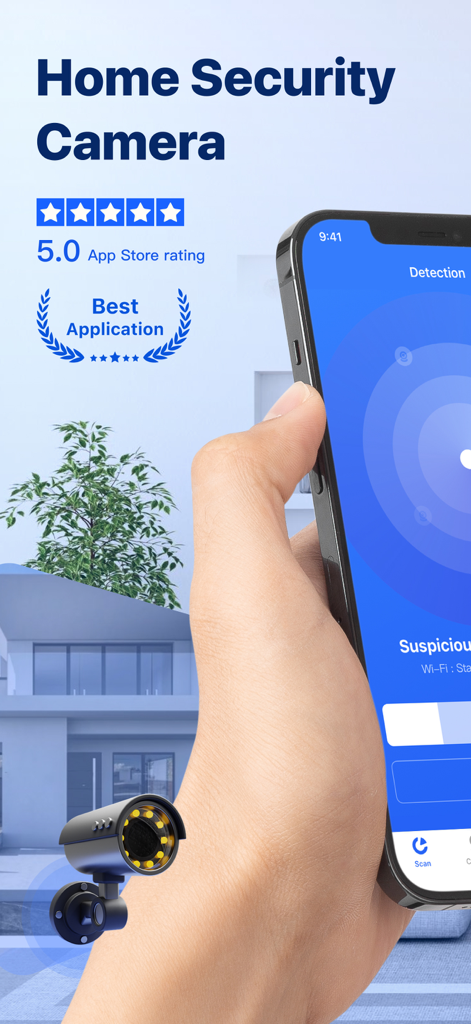
손에 스마트폰을 들고 5.0 별점과 함께 홈 보안 카메라 앱의 감지 인터페이스를 표시하고 있습니다.
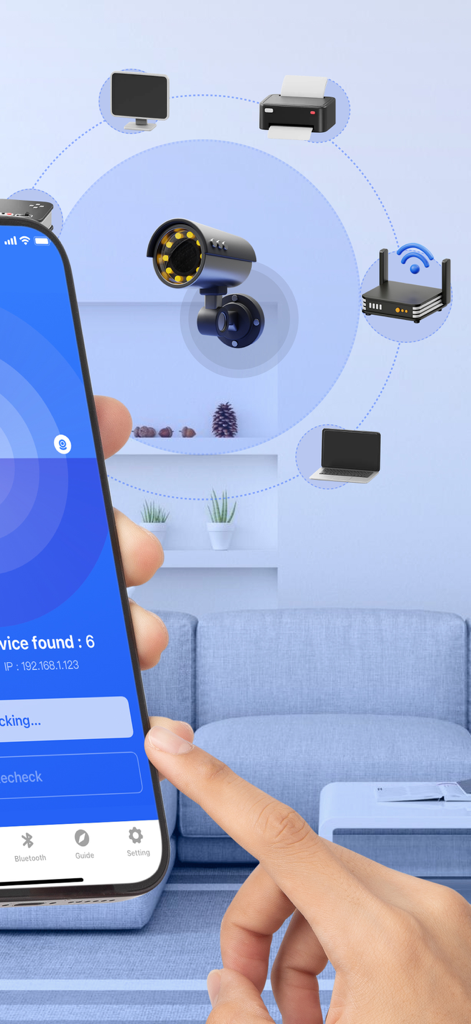
보안 카메라 및 스마트 장치에 대한 네트워크 스캔을 보여주는 앱 화면
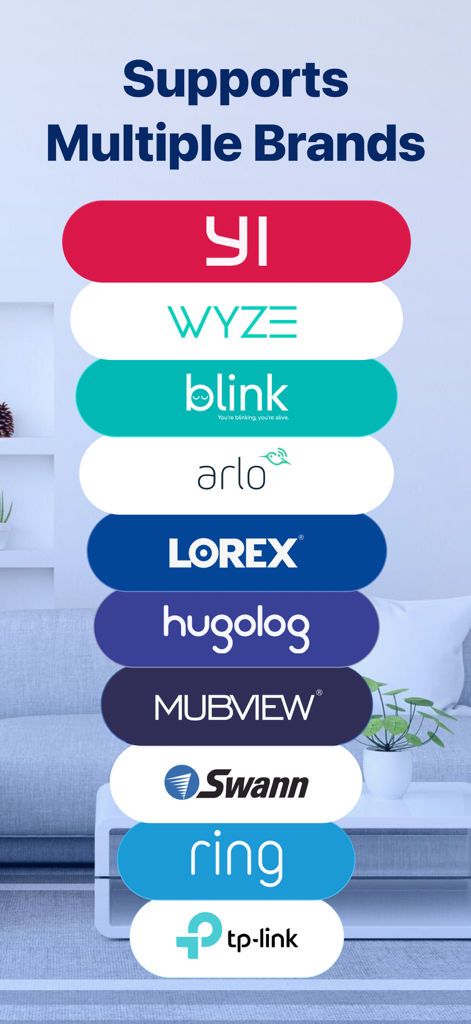
홈 보안 카메라 앱에서 지원하는 Wyze Blink 및 Ring을 포함한 호환 카메라 브랜드 목록
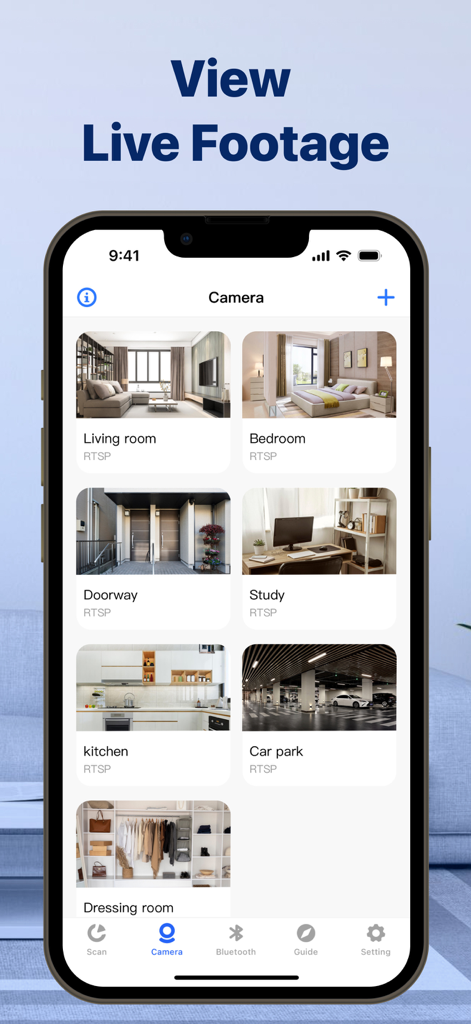
거실, 침실, 주방을 포함한 다양한 방의 라이브 비디오 피드 그리드를 표시하는 스마트폰 화면
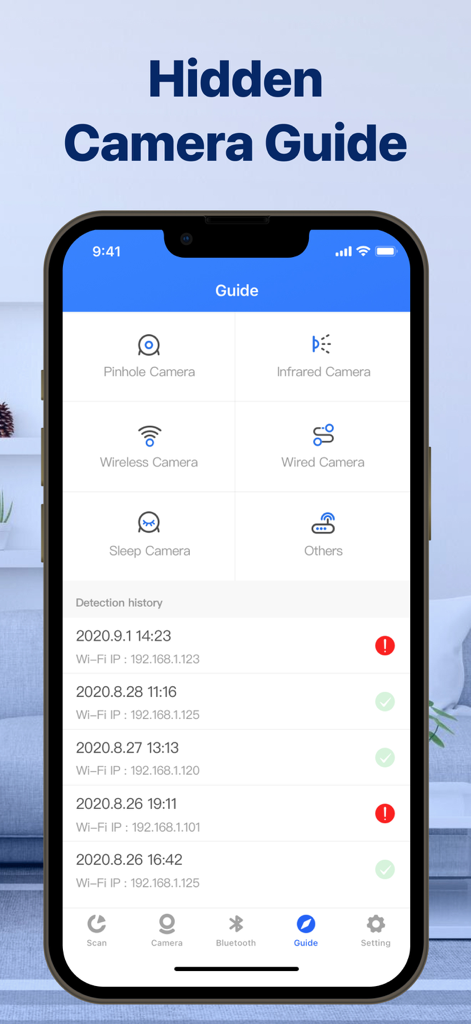
핀홀 및 적외선 카메라 범주와 감지 기록 로그가 있는 숨겨진 카메라 안내 인터페이스를 표시하는 스마트폰
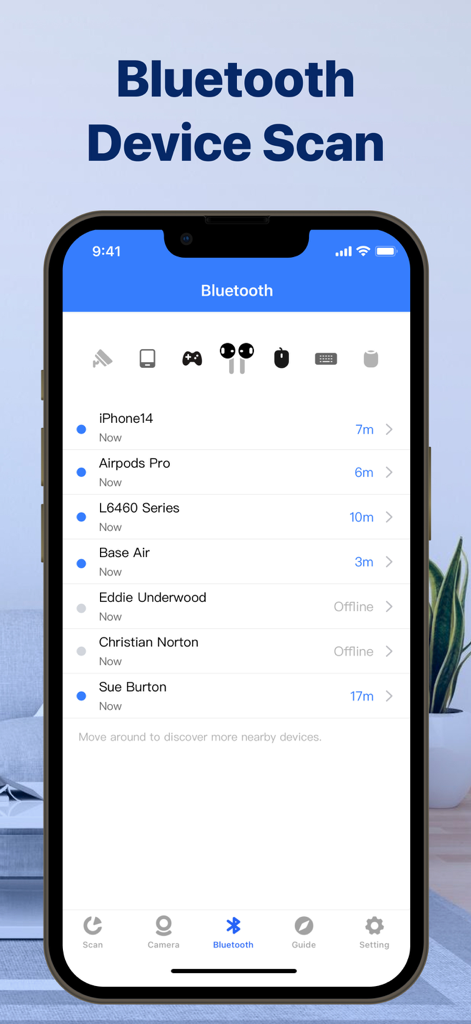
거리와 연결 상태를 포함한 스캔된 주변 블루투스 장치 목록을 표시하는 모바일 앱 인터페이스
설명
Download
비슷한 앱
유사한 기능과 사용자 경험을 가진 앱

DMSS
Hangzhou Dong Bin Information Technology Co., Ltd.

Joolink
Shenzhen Jooan Technology Company

VicoHome: Smart Home Camera
PHOTON SAIL TECHNOLOGIES PTE. LTD.

Ubox
洪波 王

SimpliSafe Home Security App
SimpliSafe, Inc.

Active Mobile V4
JFL Equipamentos Eletronicos Industria e Comercio Ltda.

Dzees Home
Shenzhen Weixi Technology Co., Ltd

Ring - Always Home
Bot Home Automation, INC

Hik-Connect - for End user
Hangzhou Hikvision Digital Technology Co., Ltd.
이 페이지는 앱이나 개발자의 공식 페이지가 아니며, 정보 제공 및 논평을 목적으로 작성된 독립 편집 간행물입니다. 명시적으로 달리 언급되지 않는 한, 해당 앱이나 개발자는 MWM, Apple, Google Play, 앱 퍼블리셔 또는 앱 개발자와 제휴, 보증, 후원, 승인 또는 공식적으로 연결되어 있지 않으며, 이 페이지의 어떤 내용도 해당 앱이 MWM의 서비스를 사용하여 개발되었음을 의미하지 않습니다. 모든 상표, 로고, 스크린샷 및 기타 콘텐츠는 해당 소유자의 자산입니다.