HVC Viewer
HVC Viewer
다운로드: App Store

이 페이지는 앱이나 개발자의 공식 페이지가 아니며, 정보 제공 및 논평을 목적으로 작성된 독립 편집 간행물입니다. 명시적으로 달리 언급되지 않는 한, 해당 앱이나 개발자는 MWM, Apple, Google Play, 앱 퍼블리셔 또는 앱 개발자와 제휴, 보증, 후원, 승인 또는 공식적으로 연결되어 있지 않으며, 이 페이지의 어떤 내용도 해당 앱이 MWM의 서비스를 사용하여 개발되었음을 의미하지 않습니다. 모든 상표, 로고, 스크린샷 및 기타 콘텐츠는 해당 소유자의 자산입니다.

로고: HVC Viewer
다운로드: App Store

HVC Viewer

환자들이 미래의 시력을 '경험'하도록 지원하세요. 업계 최고의 AR 도구를 사용하여 렌즈 성능을 시각화하고, 구매 망설임을 줄이며, 의자 옆에서 귀하의 시술을 현대화하십시오.

주요 수치

다운로드

96K+

사용자 평점

3.7/5

총 평가 수

100

개발사

Hoya Holdings NV

카테고리

Lifestyle

지원 언어

1

최신 버전

3.3.7

크기

274.0 MB

출시일

2012년 8월 30일
기능

안경 판매 역량 강화

현대적인 시술을 위해 설계된 대화형 AR 도구로 복잡한 렌즈 기술과 환자의 이해 사이의 격차를 해소하십시오.

대화형 디자인 비교

프리미엄 누진 렌즈와 실내 렌즈의 선명도를 시각화하여 구매 후회 및 적응 불만 사례를 줄이도록 환자를 지원합니다.

몰입형 AR 시뮬레이션

실시간 증강 현실을 사용하여 반사 방지 코팅 및 편광 필터의 이점을 즉시 시연하십시오.

다음 스크린샷과 설명은 앱의 공식 스토어 목록에서 직접 가져온 것이며 앱 개발자의 자산입니다.

앱 스토어

스크린샷
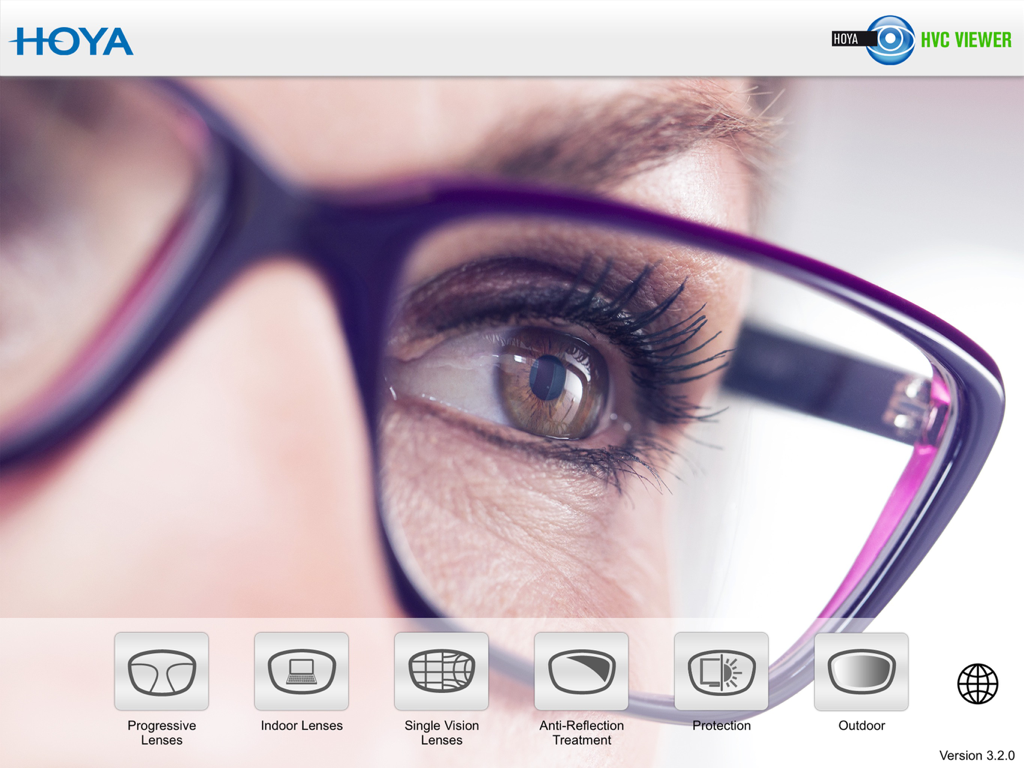
HVC Viewer - 호야 비전 컨설턴트 뷰어 앱의 메인 인터페이스, 다양한 렌즈 시연 모듈을 보여줌
호야 비전 컨설턴트 뷰어 앱의 메인 인터페이스, 다양한 렌즈 시연 모듈을 보여줌

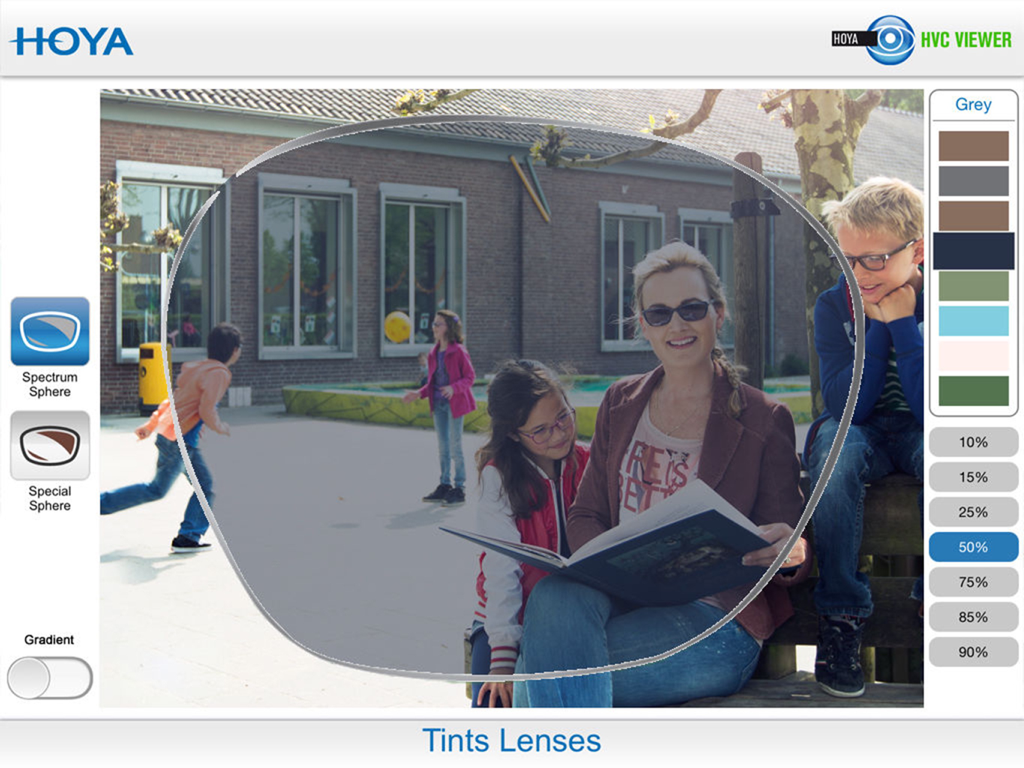
HVC Viewer - HVC 뷰어 앱에서 50% 농도의 회색 틴트 렌즈의 AR 시뮬레이션
HVC 뷰어 앱에서 50% 농도의 회색 틴트 렌즈의 AR 시뮬레이션

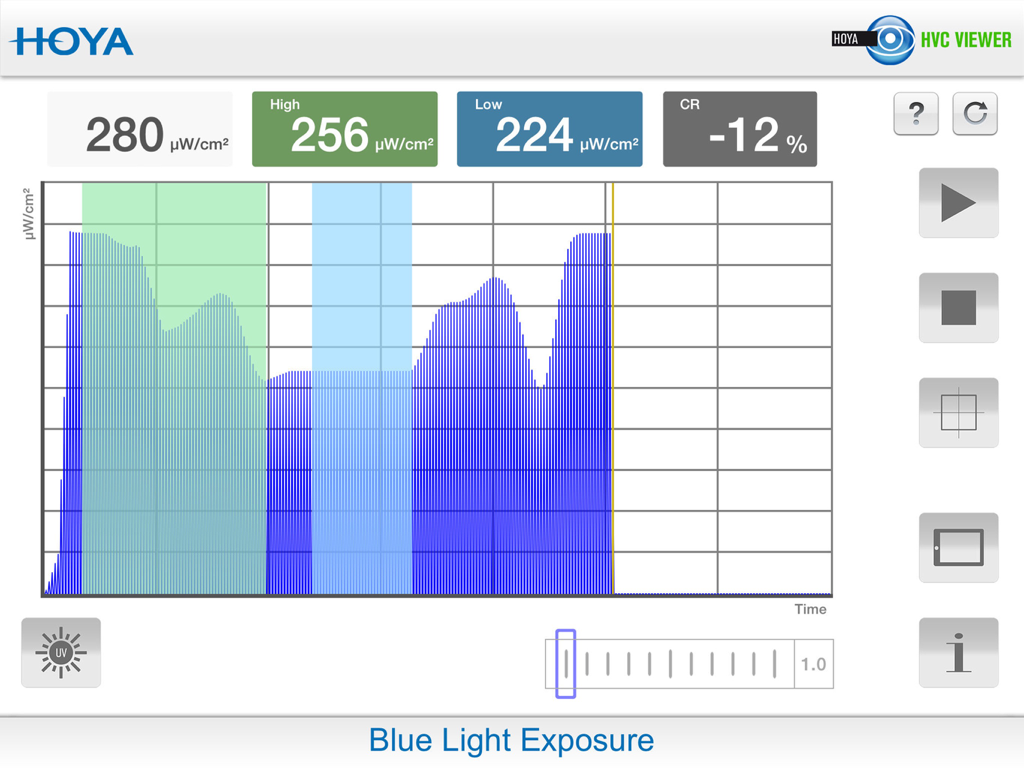
HVC Viewer - 호야 비전 컨설턴트 뷰어 앱의 블루라이트 노출 인터페이스

호야 비전 컨설턴트 뷰어 앱의 블루라이트 노출 인터페이스

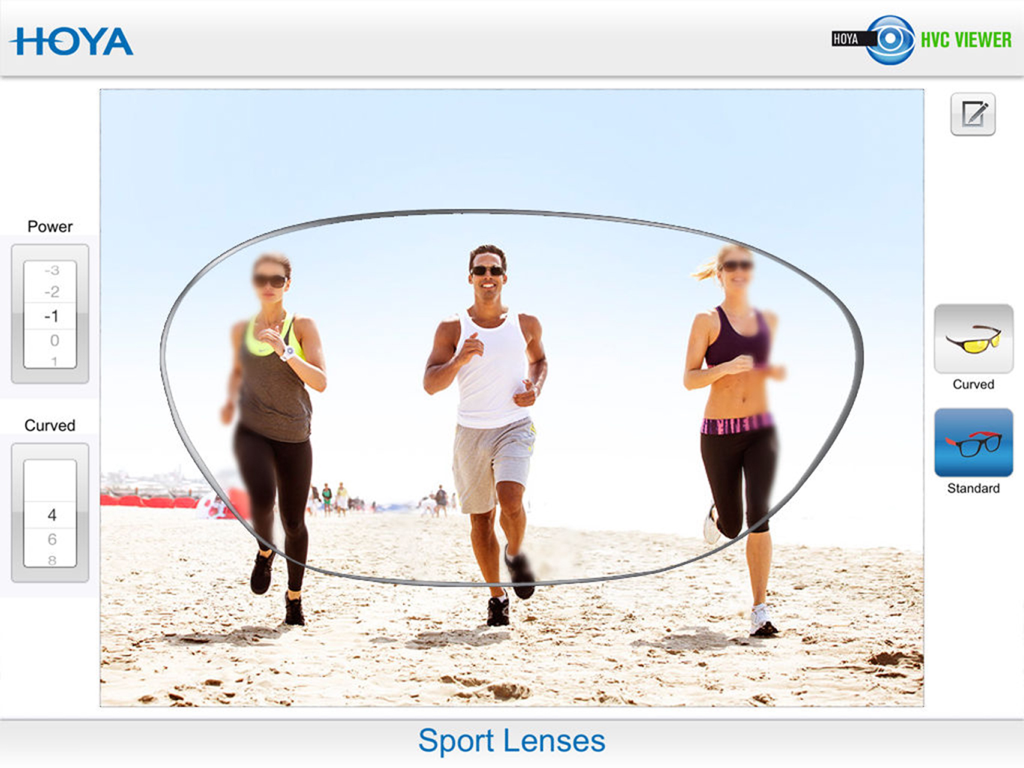
HVC Viewer - 해변에서 운동선수를 위한 호야 스포츠 렌즈의 시각적 성능 및 주변부 선명도를 보여주는 시뮬레이션
해변에서 운동선수를 위한 호야 스포츠 렌즈의 시각적 성능 및 주변부 선명도를 보여주는 시뮬레이션

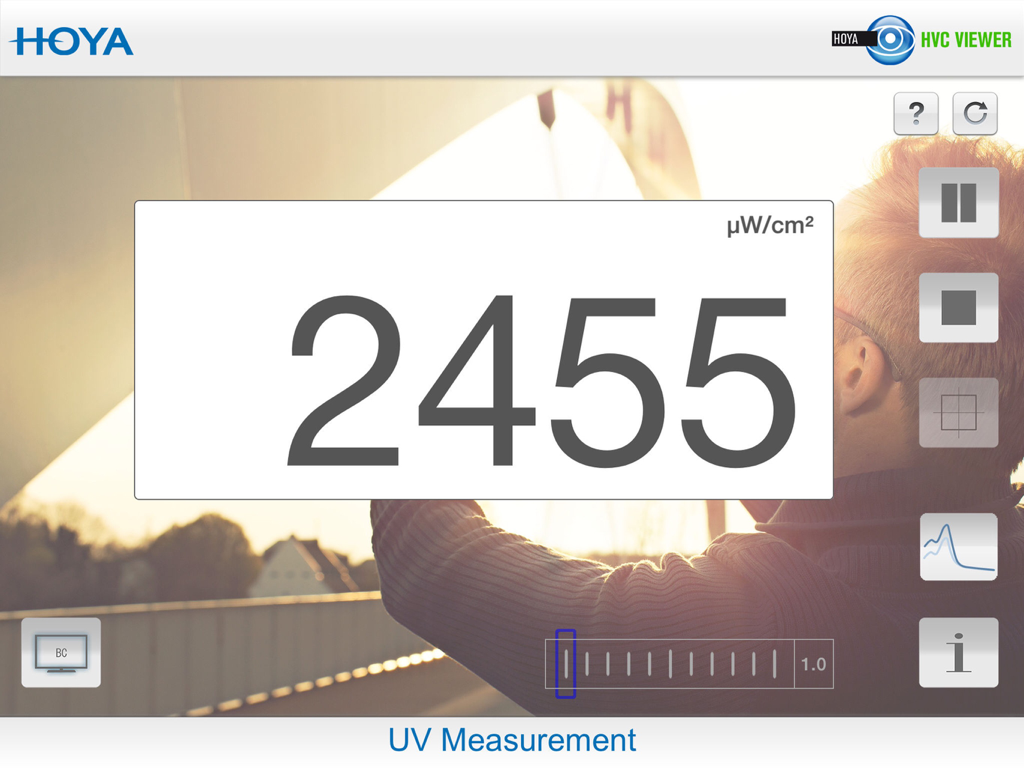
HVC Viewer - 호야 비전 컨설턴트 뷰어 앱의 UV 측정 화면, UV 강도에 대한 디지털 판독값 표시

호야 비전 컨설턴트 뷰어 앱의 UV 측정 화면, UV 강도에 대한 디지털 판독값 표시

설명

Combine efficient business with the freedom to go wherever you please with the Hoya Vision Consultant Viewer application for your iPad. This is the first app with fully interactive Augmented Reality for the perfect, consumer-oriented sales consultation. A simple way of making the visual effects of different spectacle lenses easier to understand for spectacle wearers. Your clients can instantly see the difference in performance between lenses in a ‘real life’ situation. Anytime, anywhere.... In your practice or testing room. The Hoya Vision Consultant Viewer application consists of five modules: Module 1: Progressive lenses •Demonstrate the difference in performance across the range of progressive designs. •Depending on designs, fields of view and areas of distortion will change. •Easily adjust the lens power and addition to represent the clients prescription. Module 2: Single vision lenses •Demonstrate the difference between a bi-aspherical, aspherical and standard designs. •Show how different distortion levels may affect visual and binocular perception. •For a more precise experience, you can adjust the sphere, cylindrical power and axis of the lens. Module 3: Indoor lenses •Explain the variety of indoor solutions available based on the functional needs of your clients, from standard reading glasses to the most sophisticated premium indoor lens. •The visual representation will adapt based on the chosen design. Module 4: Anti-Reflection coatings •Easily demonstrate the benefits of an anti-reflection coating in terms of comfort, such as glare reduction, contrast improvement and increased sharpness of vision. Module 5: Polarised lenses •Show how polarised lenses enhance visual contrast and reduce glare creating increased wearer comfort. Module 6: Photochromic Lenses •This feature highlights the benefits of wearing photochromic lenses demonstrating how comfortable and natural vision can be achieved in all lighting conditions. •Compare the performances between clear and photochromic lenses (available in brown and grey). Let your customer ‘experience’ the variety of lens options in order to choose the best lens for their visual needs. All the features at your fingertips! Visit your Hoyanet website or contact your local Hoya area sales manager for further information.

Download

다운로드: App Store

이 페이지는 앱이나 개발자의 공식 페이지가 아니며, 정보 제공 및 논평을 목적으로 작성된 독립 편집 간행물입니다. 명시적으로 달리 언급되지 않는 한, 해당 앱이나 개발자는 MWM, Apple, Google Play, 앱 퍼블리셔 또는 앱 개발자와 제휴, 보증, 후원, 승인 또는 공식적으로 연결되어 있지 않으며, 이 페이지의 어떤 내용도 해당 앱이 MWM의 서비스를 사용하여 개발되었음을 의미하지 않습니다. 모든 상표, 로고, 스크린샷 및 기타 콘텐츠는 해당 소유자의 자산입니다.