iCathedral Organ
iCathedral Organ
다운로드: App Store

이 페이지는 앱이나 개발자의 공식 페이지가 아니며, 정보 제공 및 논평을 목적으로 작성된 독립 편집 간행물입니다. 명시적으로 달리 언급되지 않는 한, 해당 앱이나 개발자는 MWM, Apple, Google Play, 앱 퍼블리셔 또는 앱 개발자와 제휴, 보증, 후원, 승인 또는 공식적으로 연결되어 있지 않으며, 이 페이지의 어떤 내용도 해당 앱이 MWM의 서비스를 사용하여 개발되었음을 의미하지 않습니다. 모든 상표, 로고, 스크린샷 및 기타 콘텐츠는 해당 소유자의 자산입니다.

로고: iCathedral Organ
다운로드: App Store

iCathedral Organ

정교하게 녹음된 28개의 스탑으로 정통의 높은 폴리포니 성능을 경험하세요. 수상 경력에 빛나는 사운드 디자이너 Kurt Ader가 제로 지연 시간, 개인 정보 보호 및 구독 없는 서비스를 요구하는 전문 음악가를 위해 설계했습니다.

주요 수치

다운로드

2K+

사용자 평점

3.8/5

총 평가 수

0

개발사

Christian Schoenebeck d/b/a Crudebyte

카테고리

Music

지원 언어

1

최신 버전

2.4

크기

1.0 GB

출시일

2014년 12월 20일
기능

손안에서 펼쳐지는 프로페셔널 대성당 사운드

교회 오르가니스트와 전문 음악가를 위해 설계된 iCathedral Organ은 고성능 가상 악기를 통해 실제 파이프 오르간의 정통적인 파워를 제공합니다.

28개의 정통 오르간 스탑

수상 경력에 빛나는 디자이너 Kurt Ader가 정교하게 녹음하여 실제 대성당 파이프 오르간의 풍부하고 다채로운 질감을 재현했습니다.

라이브 공연 준비 완료

1ms의 지연 시간과 방대한 폴리포니로 끊김 없는 연주를 경험하세요. 외부 MIDI 키보드 및 전문 라이브 서비스에 최적화되었습니다.

다음 스크린샷과 설명은 앱의 공식 스토어 목록에서 직접 가져온 것이며 앱 개발자의 자산입니다.

앱 스토어

스크린샷
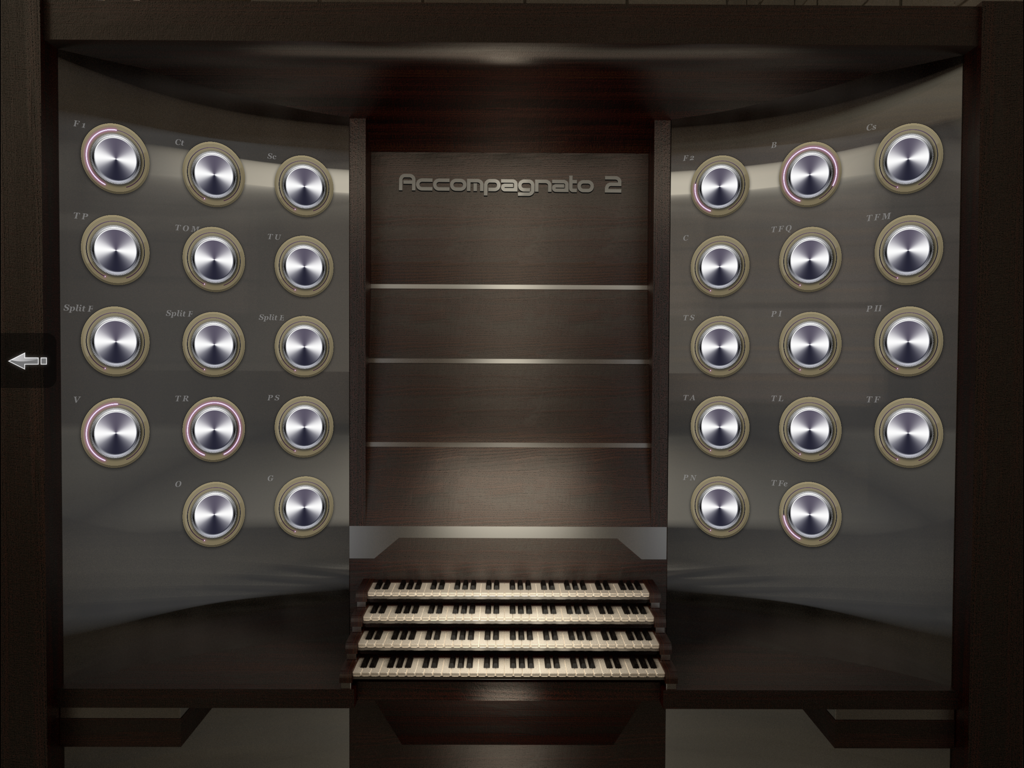
iCathedral Organ - 세 개의 건반과 여러 개의 조절 가능한 스탑 노브가 있는 전문 가상 파이프 오르간 콘솔 인터페이스.
세 개의 건반과 여러 개의 조절 가능한 스탑 노브가 있는 전문 가상 파이프 오르간 콘솔 인터페이스.

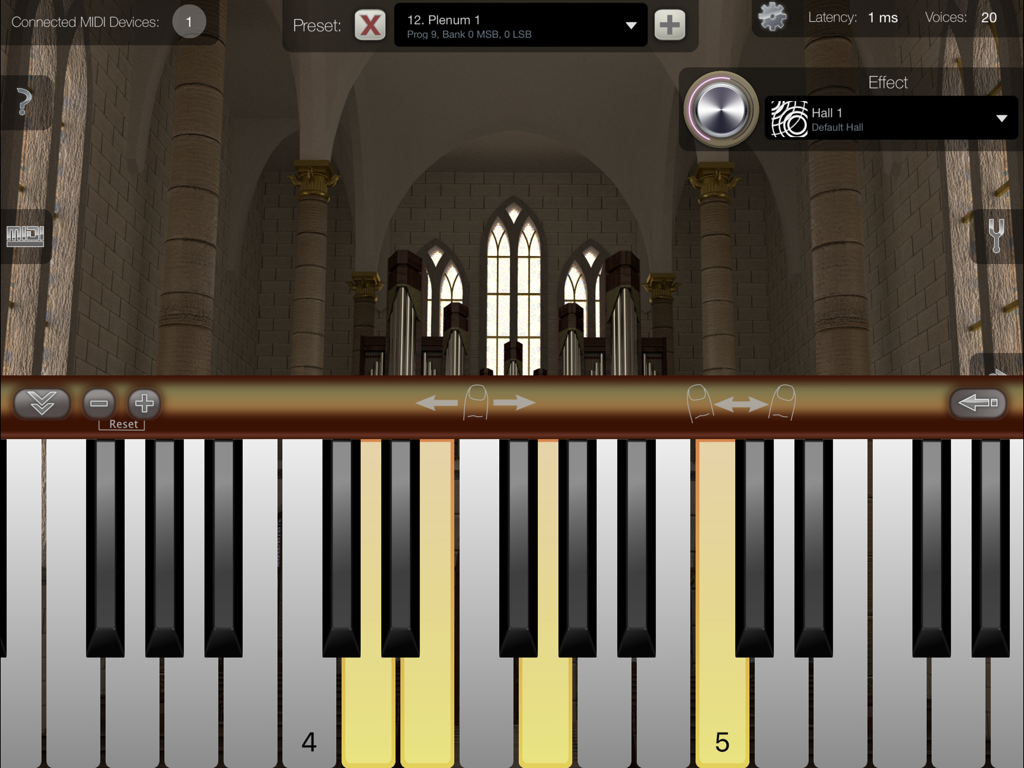
iCathedral Organ - 가상 피아노 건반과 대성당 내부 배경을 보여주는 iCathedral Organ용 iPad 인터페이스.
가상 피아노 건반과 대성당 내부 배경을 보여주는 iCathedral Organ용 iPad 인터페이스.

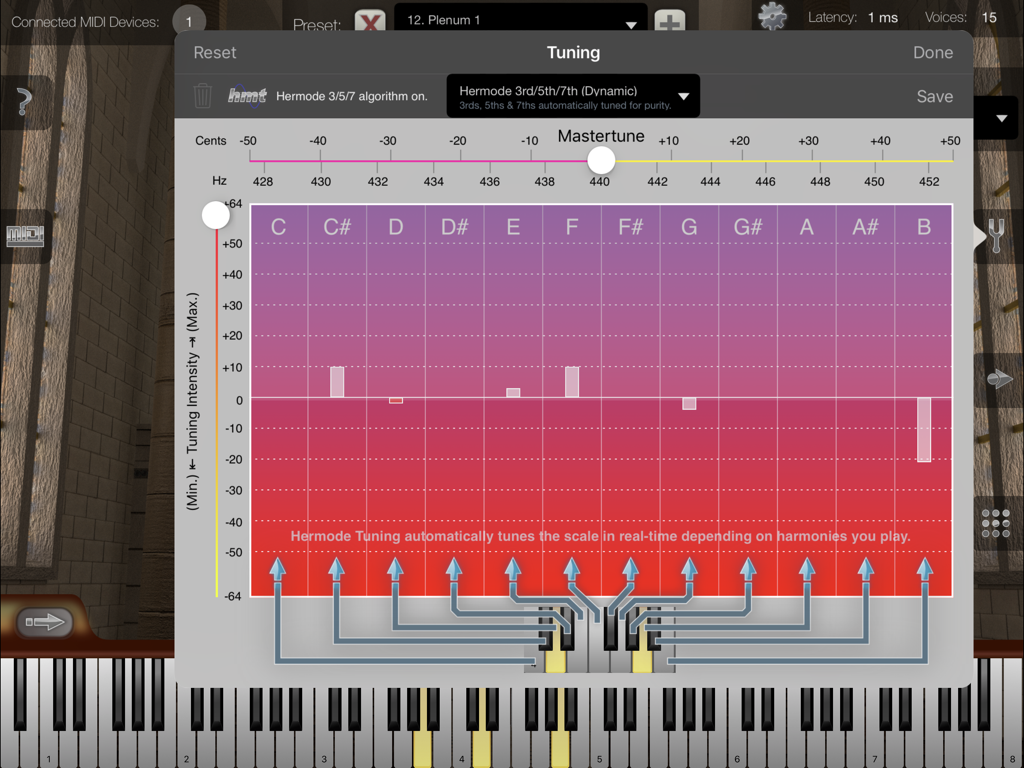
iCathedral Organ - 마스터 튜닝 및 헤르모드 튜닝 옵션을 보여주는 iCathedral Organ 앱의 튜닝 설정 창.
마스터 튜닝 및 헤르모드 튜닝 옵션을 보여주는 iCathedral Organ 앱의 튜닝 설정 창.

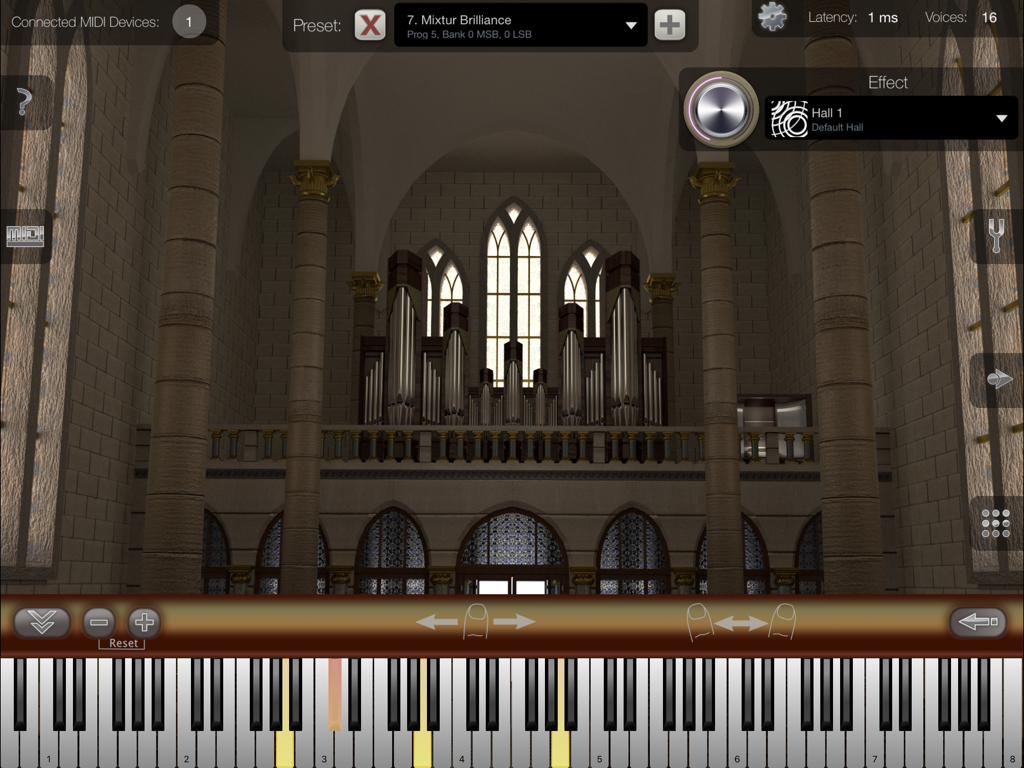
iCathedral Organ - 가상 건반과 대성당 배경이 있는 iCathedral Organ 앱 인터페이스
가상 건반과 대성당 배경이 있는 iCathedral Organ 앱 인터페이스

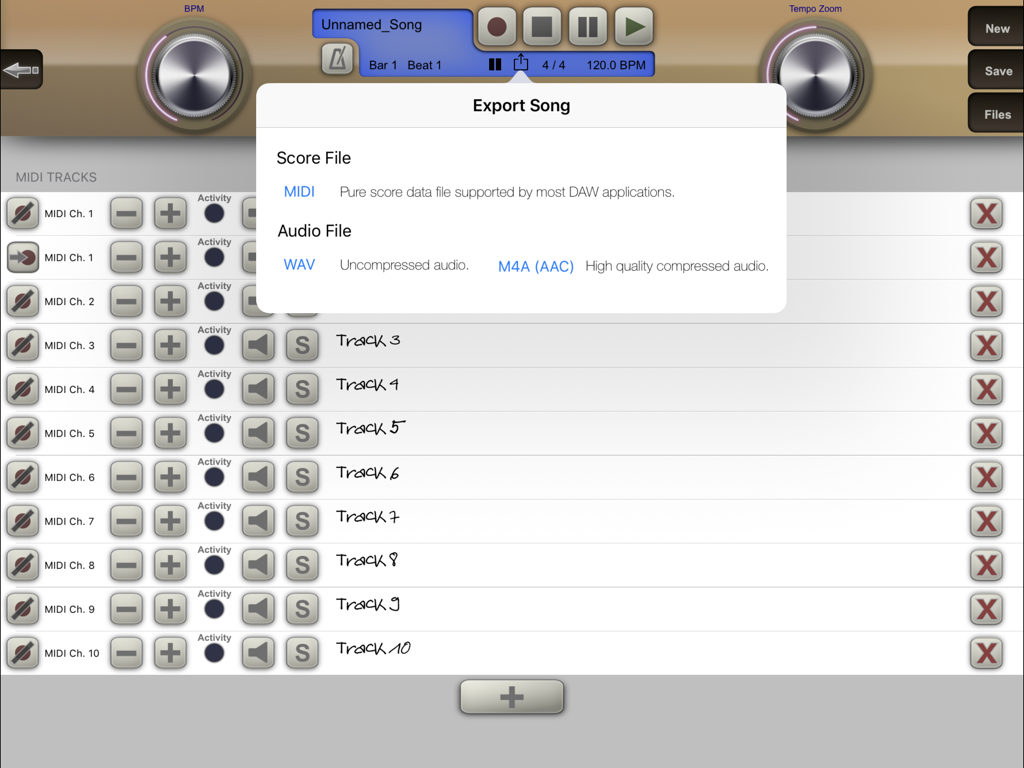
iCathedral Organ - 멀티트랙 녹음 인터페이스 위에 MIDI 및 오디오 파일 옵션을 보여주는 iCathedral Organ 앱의 노래 내보내기 메뉴.
멀티트랙 녹음 인터페이스 위에 MIDI 및 오디오 파일 옵션을 보여주는 iCathedral Organ 앱의 노래 내보내기 메뉴.

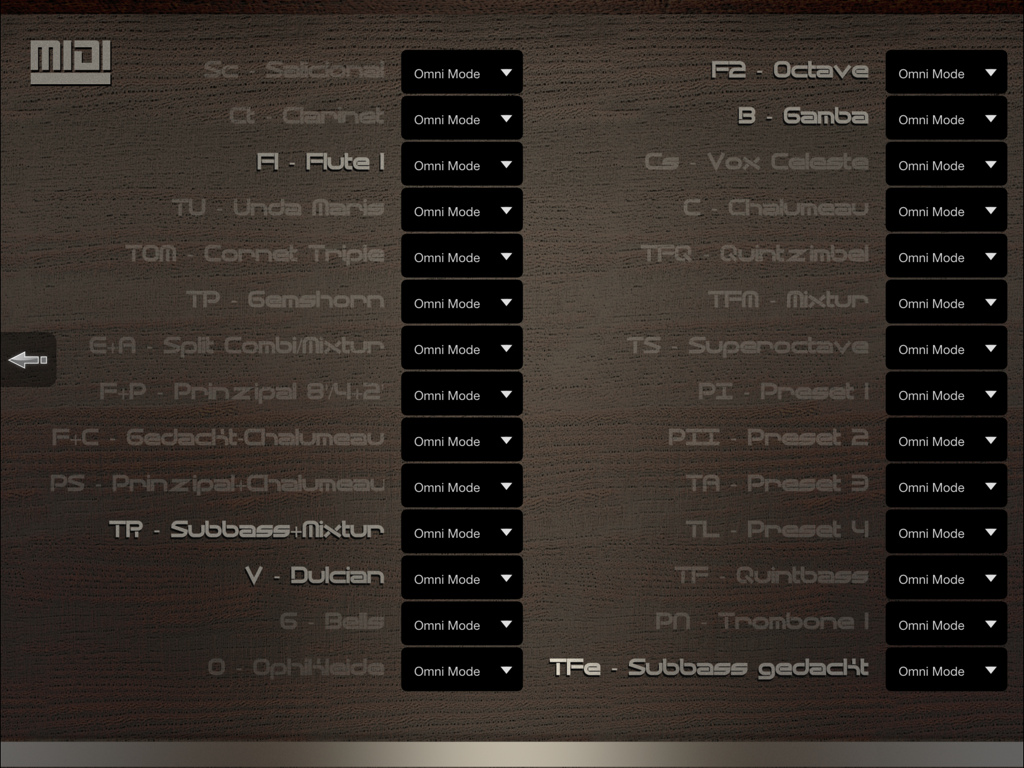
iCathedral Organ - 다양한 오르간 스탑과 옴니 모드 설정을 보여주는 iCathedral Organ 앱의 MIDI 구성 화면
다양한 오르간 스탑과 옴니 모드 설정을 보여주는 iCathedral Organ 앱의 MIDI 구성 화면

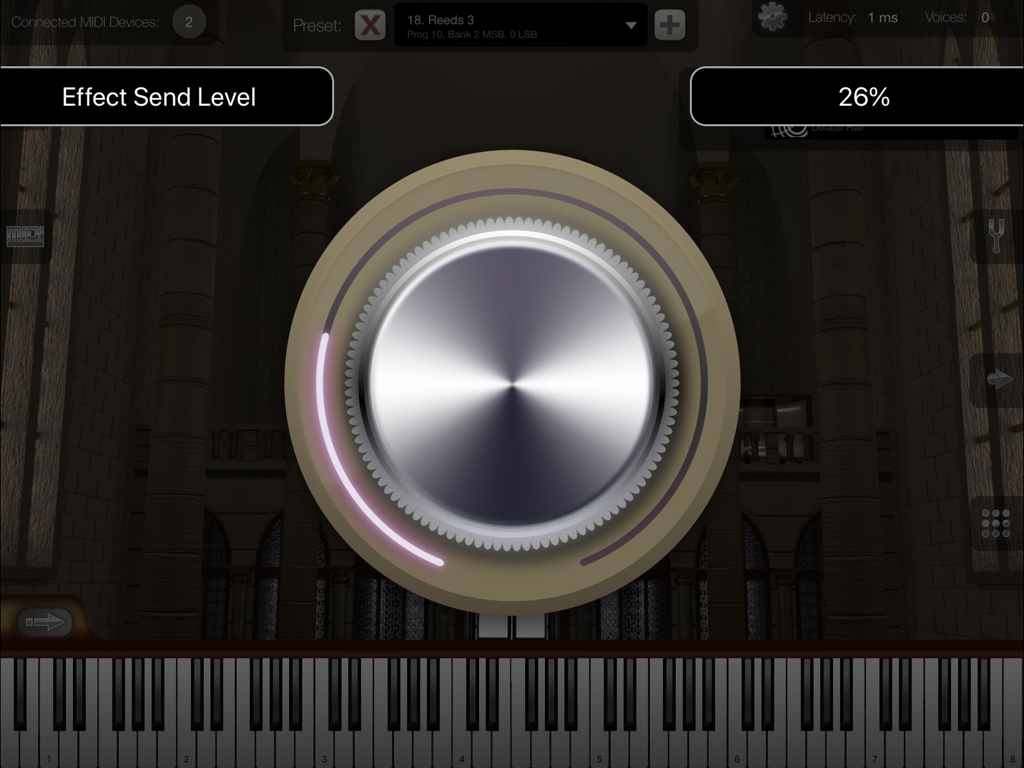
iCathedral Organ - 대성당 내부 배경과 함께 이펙트 센드 레벨을 조절하는 큰 다이얼이 특징인 iCathedral Organ 앱의 인터페이스.
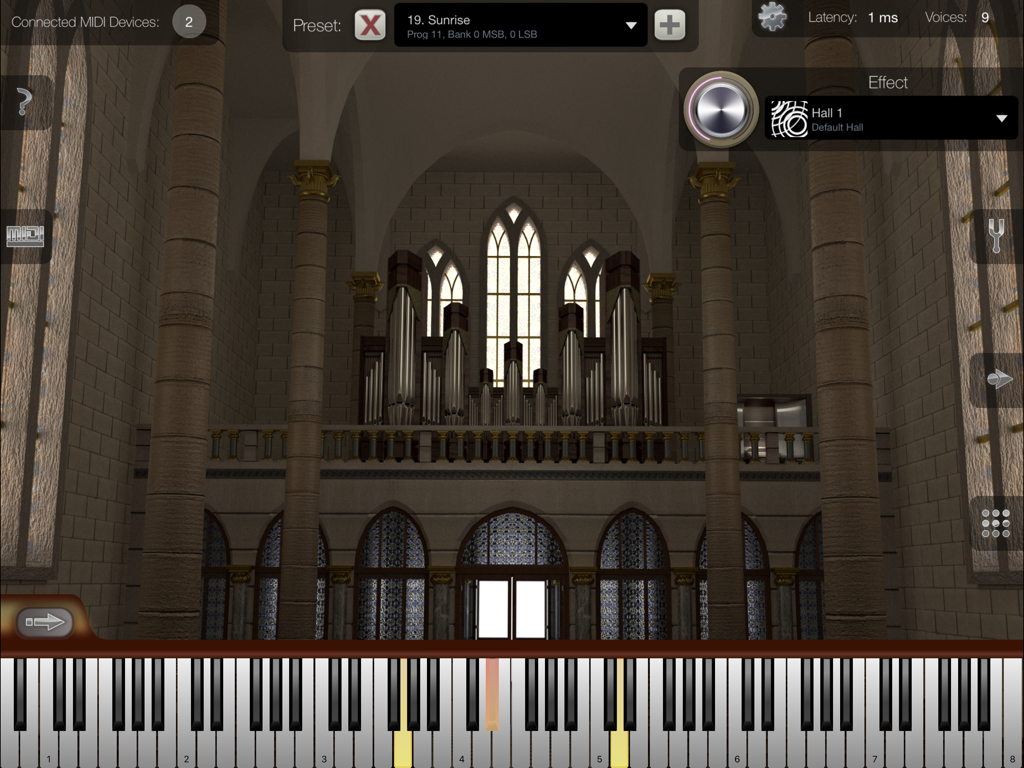
대성당 내부 배경과 함께 이펙트 센드 레벨을 조절하는 큰 다이얼이 특징인 iCathedral Organ 앱의 인터페이스.

iCathedral Organ - 가상 건반과 대성당 배경이 있는 iCathedral Organ 앱 인터페이스
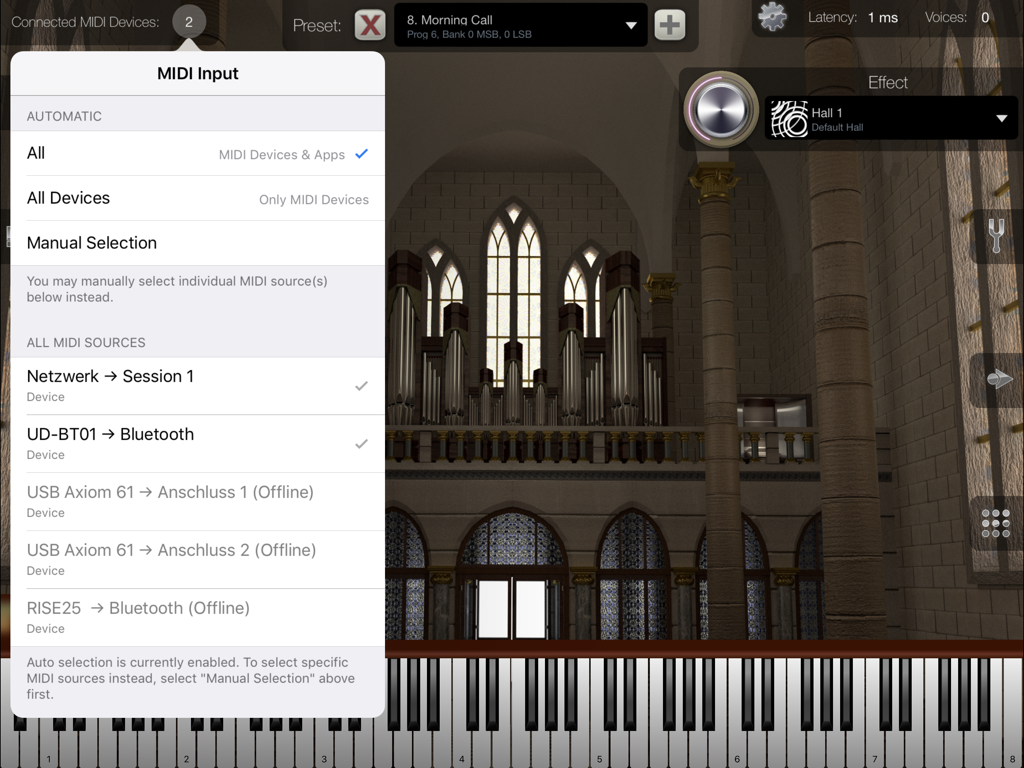
가상 건반과 대성당 배경이 있는 iCathedral Organ 앱 인터페이스

iCathedral Organ - 연결된 장치와 대성당 내부 배경을 보여주는 iCathedral Organ 앱의 MIDI 입력 선택 메뉴.
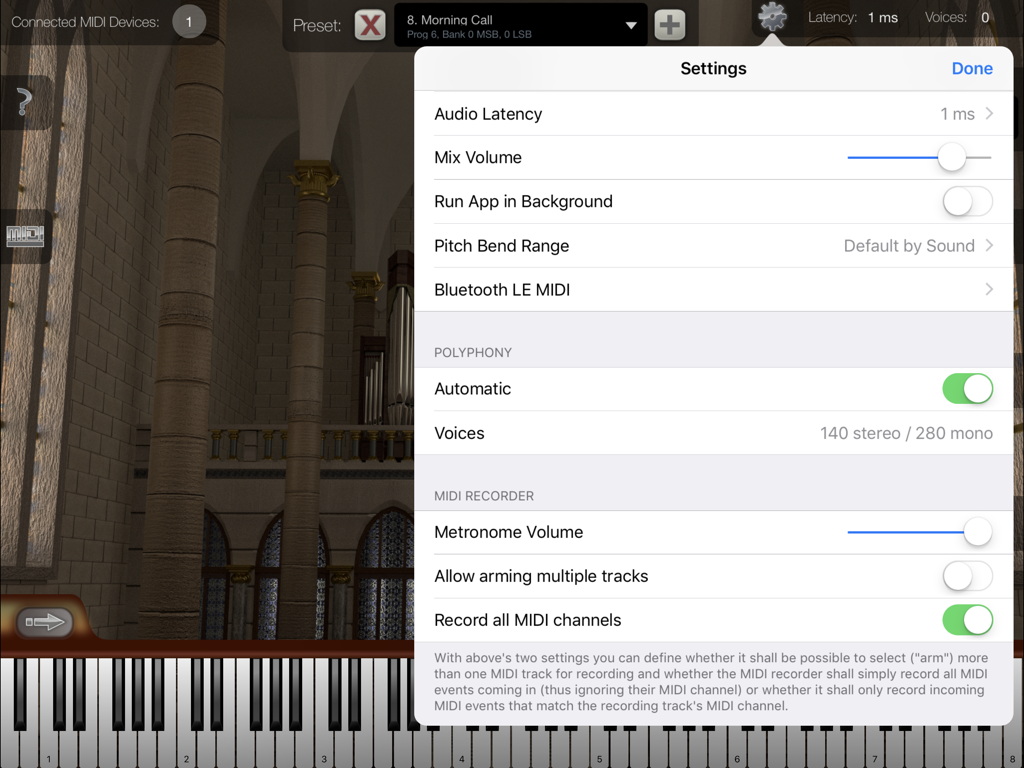
연결된 장치와 대성당 내부 배경을 보여주는 iCathedral Organ 앱의 MIDI 입력 선택 메뉴.

iCathedral Organ - 대성당 배경 위에 오디오 지연 시간 및 폴리포니 구성 옵션을 표시하는 iCathedral Organ 앱의 설정 메뉴.

대성당 배경 위에 오디오 지연 시간 및 폴리포니 구성 옵션을 표시하는 iCathedral Organ 앱의 설정 메뉴.

설명

Play with the sound of an entire cathedral organ, created by award-winning sound designer Kurt Ader! This app is designed as professional sound module for your iPad by connecting external MIDI keyboard(s) using Bluetooth MIDI, or using the Apple USB adapter or another adapter supported by Apple.¹ Watch and listen to the demo video on our product website! This app supports Audio Unit v3, Audiobus and Inter-App Audio for audio & MIDI connections from/to other audio apps, as well as Bluetooth LE MIDI ! iCathedral Organ generates the sound of a lovely and color rich pipe organ of a real cathedral. All individual organ stops of such a pipe organ were recorded to resemble this sound as realistic as possible. You can fully adjust all individual organ stops to create your own sounds and save them as your personal sound presets. Or simply select one of the factory presets to play impressive organ sounds right from the start. The sounds of this app were created by Kurt Ader, winner of the NAMM 2015 "Best Sound Designer of the Year" award. General Features: • 28 individual organ stops, each one controllable simultaniously in real-time. • Polyphony up to several hundred stereo voices.² • Configurable audio latency down to 1 ms. • Low latency disk streaming. • Integrated cathedral reverb effect. • App can keep running in the background, so you can play on your keyboard while e.g. using Safari or another app to display scores or surfing the Internet. • Master Tune, Scale Tuning & Hermode Tuning. • Provides Audio Unit v3 plugin version of this app, which allows it to be used as virtual instrument directly within third-party multi-track DAW apps (requires iOS 9.3 or higher). • Audiobus support. • Supports Apple's "IAA" system for audio & MIDI streaming between other apps. • Virtual on-screen piano keyboard, scalable & scrollable. MIDI Player / Recorder: • Record, save and load your songs in standard MIDI file format. • Share your songs easily as audio file. • Unlimited amount of tracks. • Unlimited recording and playback length. • Open MIDI (.mid) files directly from other apps (i.e. from Safari, Mail). • Download or upload MIDI files with iTunes. • Load your favorite songs as MIDI files from the Internet, and watch at the virtual keyboard how to play it. • Metronome. • Use the "Tempo Zoom" dial knob to i.e. slow down playback at any time and learn your favorite songs more easily. There is no in-app purchase in this app. So all sounds and all app features are immediately available to you as one buy. ¹ For more information about adapters and connecting external MIDI keyboards: https://doc.crudebyte.com/iOS/External_MIDI_devices/ ² Some sound presets are using several voices per note. Polyphony depends on the exact device model being used. You find a polyphony table on our product website. Anti-Spy Commitment: We take your privacy very seriously. None of our apps contain so called „spy” behaviors and we committed ourself to a very high privacy standard. For more information about our privacy commitment, read our „Privacy Policy for Mobile Apps”.

Download

다운로드: App Store

이 페이지는 앱이나 개발자의 공식 페이지가 아니며, 정보 제공 및 논평을 목적으로 작성된 독립 편집 간행물입니다. 명시적으로 달리 언급되지 않는 한, 해당 앱이나 개발자는 MWM, Apple, Google Play, 앱 퍼블리셔 또는 앱 개발자와 제휴, 보증, 후원, 승인 또는 공식적으로 연결되어 있지 않으며, 이 페이지의 어떤 내용도 해당 앱이 MWM의 서비스를 사용하여 개발되었음을 의미하지 않습니다. 모든 상표, 로고, 스크린샷 및 기타 콘텐츠는 해당 소유자의 자산입니다.







